



🤖 LinkedIn automation has become a key growth lever for sales teams, founders, and marketers looking to scale their prospecting efficiently.
With the right automation tools, you can save hours of manual outreach, increase reply rates, and generate more qualified leads — without sacrificing personalization.
In this guide, you’ll discover:
- What LinkedIn automation really is
- The benefits and risks to know in 2026
- A step-by-step framework to launch your strategy
- And 34+ of the best LinkedIn automation tools to boost your lead generation
Let’s dive in. 🚀
What Is LinkedIn Automation?
LinkedIn Automation is a form of marketing automation on LinkedIn, through the use of tools and software. ⚙️
These rely on algorithms to execute large-scale actions, often within defined parameters (search, segmentation or marketing targeting criteria).
Applied to LinkedIn, they replicate human behavior to help you contact new prospects in a fully automated way. 🦾
LinkedIn automation can come into play at every stage of your sales funnel on LinkedIn with the following actions: adding contact, delivering personalized messages, managing follow-ups, sharing content and engagement (likes, comments) or collecting data… 📣
It’s up to you to choose from them, according to your needs and strategy, and create your own campaigns and sequences of automated actions to launch on LinkedIn!
In a nutshell, LinkedIn automation, should allow you to develop your network quickly, position yourself as an expert in your field, generate leads faster and save you time. ⏲️ 🎯

Why Use LinkedIn Automation?
With no less than 1 billion users, LinkedIn is currently the largest free b2b prospecting database in the world! With so many people, I am sure you will find your potential customers! ❤️
LinkedIn automation saves time by automating repetitive tasks on LinkedIn while increasing the efficiency of large-scale prospecting, recruitment or marketing efforts. 🪜
It helps boost the performance of your campaigns, and thus reach a greater number of prospects or partners, while maintaining a quality, structured and consistent strategy.
LinkedIn automation offers many benefits, let’s analyze 3 of these more closely! 👀
#1 Save time
🥇 The first reason to use LinkedIn Automation is to save time (time is money).
LinkedIn automation will free your mind from constraints by automating your repetitive marketing actions, so you can focus on higher value-added activities, such as marketing strategy or results analysis. 💎
Automation tools execute these actions, sometimes in a matter of hours, where you would need several days (manually). 🤩 This gain in productivity is essential for managing large volumes while guaranteeing performance as well as meeting deadlines and priorities.
All you have to do is identify the most time-consuming actions, or those that can be easily automated, and set them up (thanks to data found on your prospects) in your automated campaigns :
- Visiting profiles, 👀
- The research of potential prospects, 🔎
- The sending of messages, 📱
- Personalizing your messages and sales email, 💟
- The analysis of the results of your prospecting. 📊
Afterward, your LinkedIn automation tool will take care of these assignments to adapt and send, while you will be busy with more strategic things to increase your growth. ❤️
#2 Improve your LinkedIn outreach
The ultimate goal of LinkedIn automation is to increase your performance. Get more leads, find more potential prospects, and sell your product/service. 🤑
By automating your approaches while precisely targeting the right audiences, you maximize your chances of capturing prospects’ attention and starting relevant conversations.
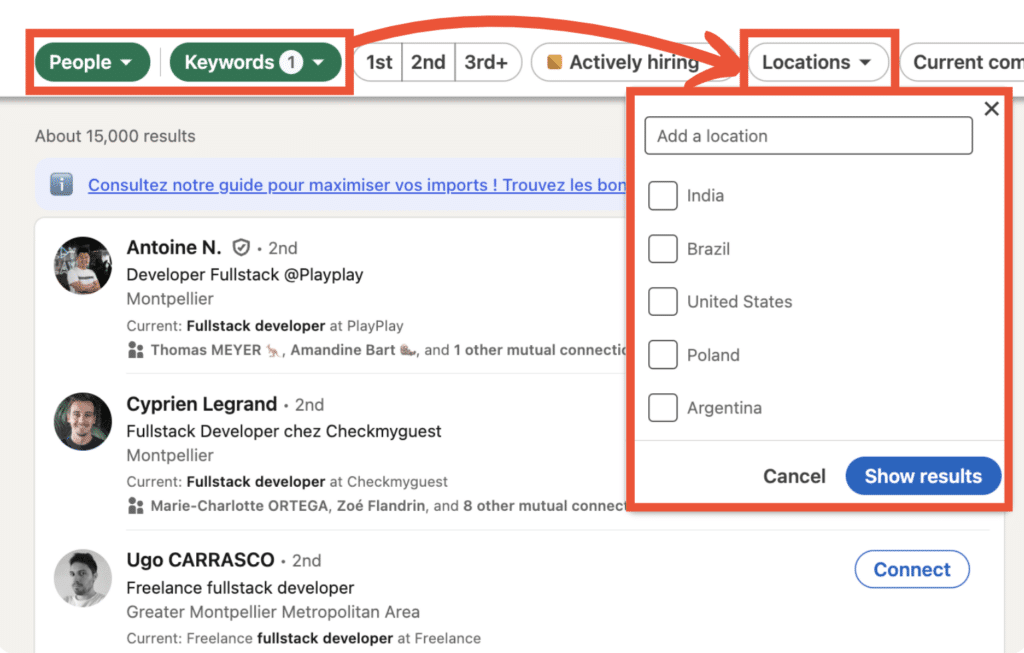
Thanks to personalized scenarios and tailored messages, you can improve your response rate and optimize your sales pipeline with more and more customers.
The result? 💥 More effective LinkedIn prospecting, higher conversion rates and sales opportunities that go through the roof, while guaranteeing measurable results.
In short, LinkedIn automation transforms your prospecting campaigns into high-performance tools for generating more qualified leads. 🏆
#3 Focus on relationships
LinkedIn automation frees up your time and boosts your performance, so you have time to focus on what’s important: building authentic, solid and lasting relationships with your contacts. 🤝
By automating LinkedIn actions, you reduce the burden of prospecting. This allows you to be present where it really counts and refocus your efforts on human interactions to cultivate trust 🍀 :
- Respond to messages,
- Deepen conversations,
- Listen to your prospects’ needs,
- Added-value to your content,
- Build partnerships,
- Generate business opportunities…
The 35+ Best LinkedIn Automation Tools in 2026
If you’re not familiar with the best LinkedIn Automation tools on the market, here’s a table listing the main ones that can help you with your LinkedIn automation and with their subscription range. ⬇️
| No. | LinkedIn Automation Tools | Pricing |
|---|---|---|
| 1 | Waalaxy 🌟 | $15-$80/month |
| 2 | UseArtemis | $29-$199/month |
| 3 | LinkedRadar | $19-$59/month |
| 4 | Salesforge | $48-$499/month |
| 5 | PhantomBuster | $30-$400/month |
| 6 | Linked Helper | $15-$99/month |
| 7 | Zopto | $215-$895/month |
| 8 | Expandi | $99-$499/month |
| 9 | MeetAlfred | $29-$49/month |
| 10 | Octopus CRM | $9.99-$39.99/month |
| 11 | Salesloop | $99-$299/month |
| 12 | LeadFuze | $147-$397/month |
| 13 | Kaspr | $39-$99/month |
| 14 | Makerz | $49/month |
| 15 | La Growth Machine | $19-$69/month |
| 16 | Evaboot | $29-$99/month |
| 17 | Lempod | $5-$25/month |
| 18 | Lemlist | $59-$99/month |
| 19 | LeadConnect | $25-$79/month |
| 20 | Uplead | $74-$299/month |
| 21 | Snov | $39-$199/month |
| 22 | UpLead | $74-$299/month |
| 23 | Skylead | $100-$499/month |
| 24 | Crystal | $29-$97/month |
| 25 | LinkedIn Sales Nav | $79.99/month |
| 26 | Apollo | $39-$99/month |
| 27 | DuxSoup | $14.99-$55/month |
| 28 | LinkedFusion | $39-$99/month |
| 29 | Lead Connect | $15-$49/month |
| 30 | Salesflow | $99-$499/month |
| 31 | We-Connect.io | $49-$199/month |
| 32 | TexAu | $29-$199/month |
| 33 | Zoho CRM | $14-$52/month |
| 34 | Overloop | $39-$99/month |
| 35 | Lusha | $29-$99/month |
You can also automate certain actions with LinkedIn premium subscriptions : Career to help you find a job, Business to grow your network, Sales Navigator to boost your B2B sales, Recruiter Lite for your recruiting efforts, LinkedIn Ads to launch LinkedIn campaigns.
From this table, we’ve selected the 7 most well-known tools worth exploring.
#1 – Waalaxy
Waalaxy is one of the easiest-to-use LinkedIn automation tools for LinkedIn and email outreach strategies. 🥰
Available as both a web app and a Chrome extension, it connects directly to your LinkedIn account and enables you to automate prospecting through multichannel campaigns (LinkedIn + email).
Waalaxy is designed to be accessible, even for beginners. No technical skills are required.
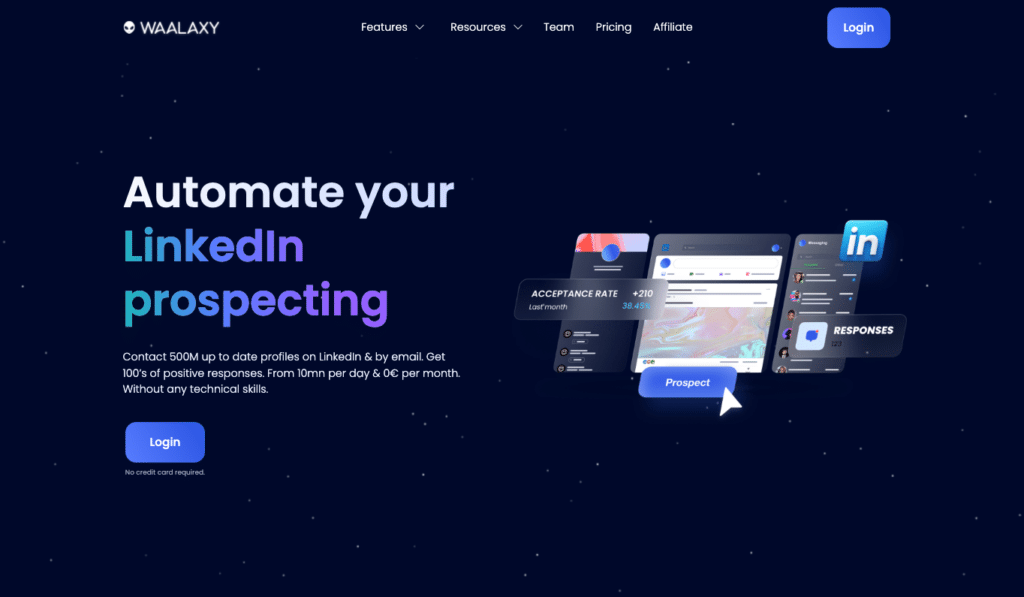
To launch a campaign:
- Log in to your LinkedIn account.
- Open the Waalaxy Chrome extension.
- Import your prospect list from LinkedIn or based on profile activity.
- Go to the “Campaign” tab and click “Create a campaign.”
- Choose a sequence template (e.g., connection request + follow-up message + email).
- Customize your invitation note and message templates.
- Launch your campaign. 🤩
Once launched, Waalaxy automates follow-ups and centralizes replies, allowing you to focus on managing conversations and closing deals.
👉 You can try Waalaxy for free with a 14-day trial to explore a bit more and get your first results.
#2 – Kaspr
This LinkedIn automation software allows you to find a prospect’s contact information by browsing their LinkedIn Sales Navigator profile. 🌐
Kaspr offers the following features:
- LinkedIn extension: find contact information for your prospects,
- Sales Automation to boost your customer acquisition,
- API for developers: massively enrich your data (works on a per-credit basis),
- Identity Verification: verify the identity of your customers with real data.
Advantages ✅ : Ergonomic, it’s easy to approach prospects.
Disadvantages ❌ : With the credit system, the cost of the offer can be more expensive.
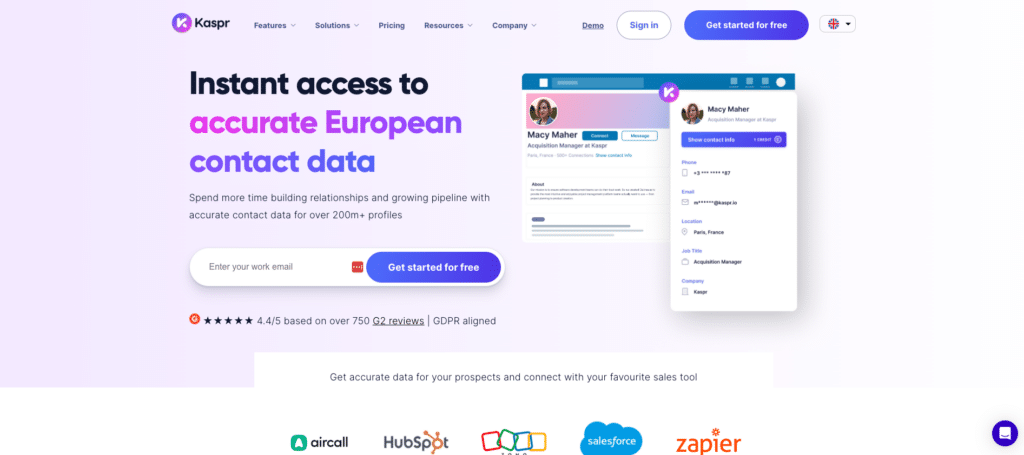
Kaspr can be used in addition to Waalaxy, to be the Batman and Robin of LinkedIn automation.🦇 Kaspr boosts the use of Waalaxy, to create a more immersive prospecting experience! 🚀
Once you want to acquire leads and convert them into customers, you can :
- Export leads from LinkedIn to Waalaxy CRM, 👽
- Enrich those leads with Kaspr, 💰
- Create cross-channel sequences (LinkedIn + emailing) with Waalaxy. 🪐
To summarize, Kaspr = email and phone scrapping & Waalaxy = automation of prospecting actions. ❤️
Finally, Kaspr offers 4 different plans, including a freemium version with no time limit, free credits every month and unlimited access to B2B e-mail addresses.
#3 – PhantomBuster
PhantomBuster is a cloud-based data mining software designed to help companies automate their sales and marketing processes. 😊
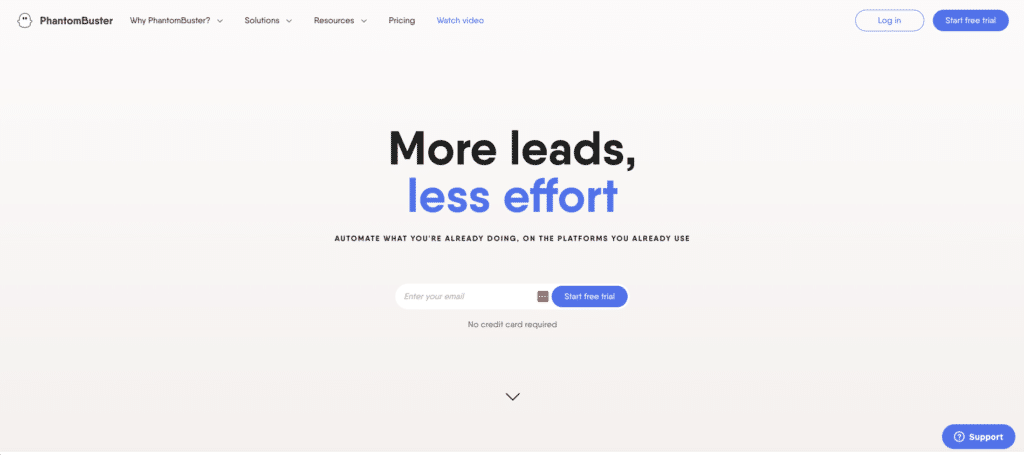
Here are the features that this LinkedIn automation tool offers:
- 🎯 Lead List Extraction: find qualified leads from anywhere on the web and export them to a simple spreadsheet, so you can reach your revenue and growth goals on autopilot,
- ☁️ Data and email enrichment: create an accurate picture of your targets, with verified phone numbers and email addresses you can rely on,
- 🖥️ Sending & automate large-scale LinkedIn outreach marketing campaigns, warm up your prospects on social media, and showcase your business.
Advantages ✅ : Helps grow your network quickly, easy native integration, well-thought-out Chrome extension.
Disadvantages ❌ : Limited integration options, no built-in LinkedIn CRM data visualization tools.
PhantomBuster offers 3 different plans suitable with 14 days of free trial, providing you with access to 5 ghost slots (action taken) of your choice, which you can use within 2 hours of execution.
#4 – Salesforge
Salesforge is an AI-powered prospecting platform designed to run LinkedIn and email outreach from a single workspace. 🌐
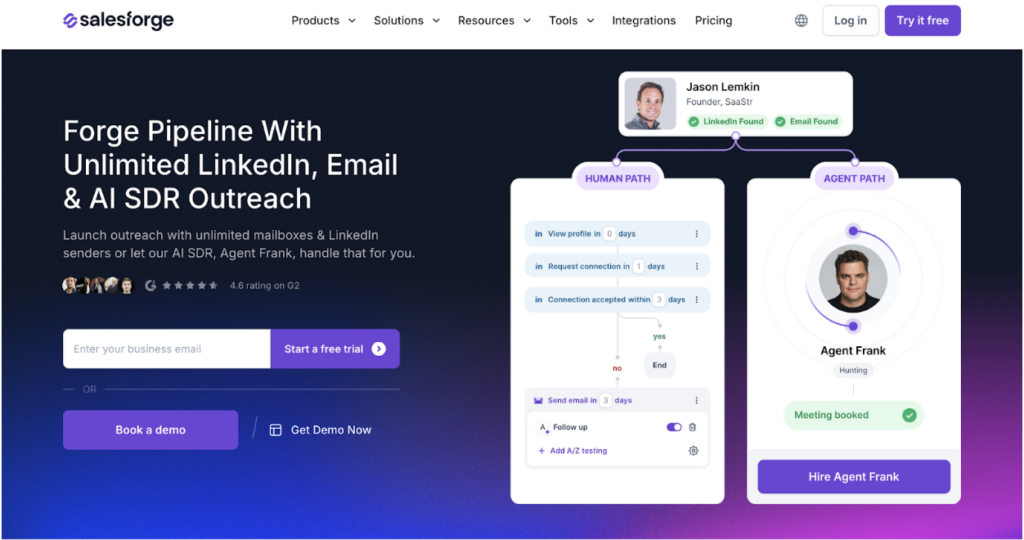
It combines LinkedIn automation, multichannel sequences, inbox warm-up, deliverability tools, and an AI SDR into one system.
Salesforge offers the following features:
- LinkedIn + Email Sequences: automate connection requests, DMs, InMails, and email steps inside one campaign,
- Unlimited LinkedIn Senders: scale outreach across teams without seat-based limits,
- Primebox™ Unified Inbox: manage LinkedIn and email conversations from one dashboard,
- AI SDR (Agent Frank): identify prospects, craft messages, follow up, and book meetings automatically,
- Smart Mailbox Rotation: distribute sending across inboxes for safer volume,
- Email Infrastructure Add-Ons: configure and manage deliverability layers with Mailforge, Infraforge, and Primeforge.
Advantages ✅: Built for scalable B2B outbound, unified cross-channel messaging, strong deliverability ecosystem.
Disadvantages ❌: Requires proper domain and mailbox setup, some add-ons are priced separately.
Salesforge offers tiered pricing with Pro at $48/month, Growth at $96/month, and Agent Frank at $499/month (billed quarterly). As you move up, you unlock higher sending limits, advanced testing and API features, unlimited mailboxes and warm-up, and an AI SDR for fully automated outreach and meeting booking.
#5 – SalesFlow
With SalesFlow, you’ll be able to quickly develop a qualified sales pipeline! 😊
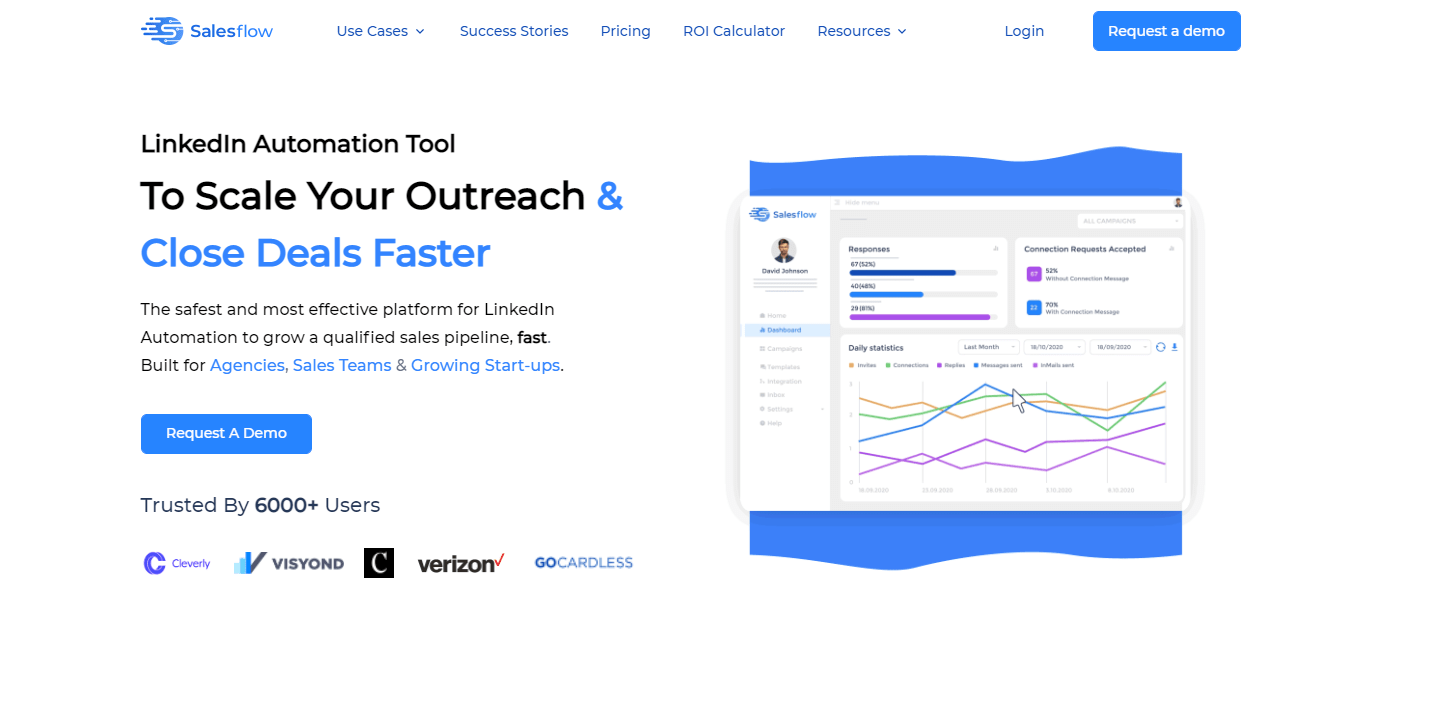
This automation tool is designed for agencies, sales team, or even startups and offers the following features:
- Add your branding to the white-label dashboard and give your customers direct access to a private inbox and detailed reports. 📚
- One tool to manage it all: access your customers’ LinkedIn accounts and sync them with SalesFlow. ☁️
- Advanced reporting: integrate the metrics your customer wants to see into your preferred CRM, like Zapier or other native integrations. 📊
- Powerful automation tool: you can define the criteria for your ideal prospects and the tool takes care of finding them. 🔎
Advantages ✅: Responsive customer support, cloud-based tool, good for avoiding getting banned by LinkedIn, smooth and nice interface.
Disadvantages ❌: Impossibility to import your contacts, you need to have a LinkedIn Premium account to use it, frequent error messages to fix.
Salesflow offers 3 different packages (price per users) and 14 days of free trial with access to all the features of the tool!
#6 – Zopto
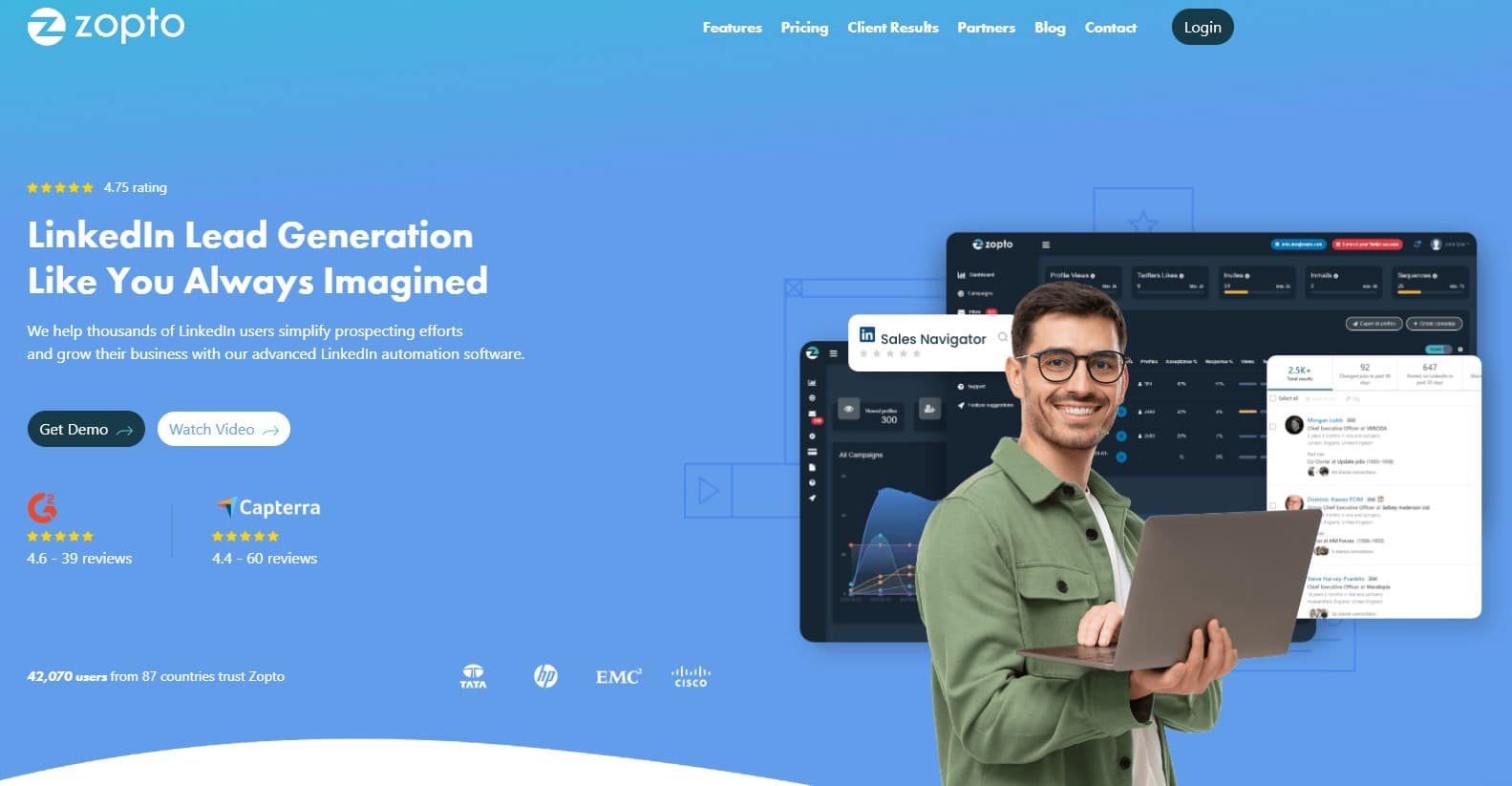
Zopto is a cloud-based LinkedIn automation tool that automates your LinkedIn prospecting campaigns. 🤖 It offers the next features :
- Integration system: works with marketing automation and CRM tools. 💻
- Automated campaigns: designed for different audiences and market segmentation, 📊
- Prospect research: find, identify and grow your network, 🔍
Advantages ✅ : Ideal for small to medium-sized businesses, regular updates.
Disadvantages ❌ : Limited customization of messages, costly tool.
Zopto offers 3 different packages (that provide the same features) and doesn’t offer a free trial period. 🤷🏻♀️
#7 – Folk
Folk is a CRM for LinkedIn built for teams that source leads on LinkedIn and want to turn conversations into structured follow-up without drowning in CRM admin.
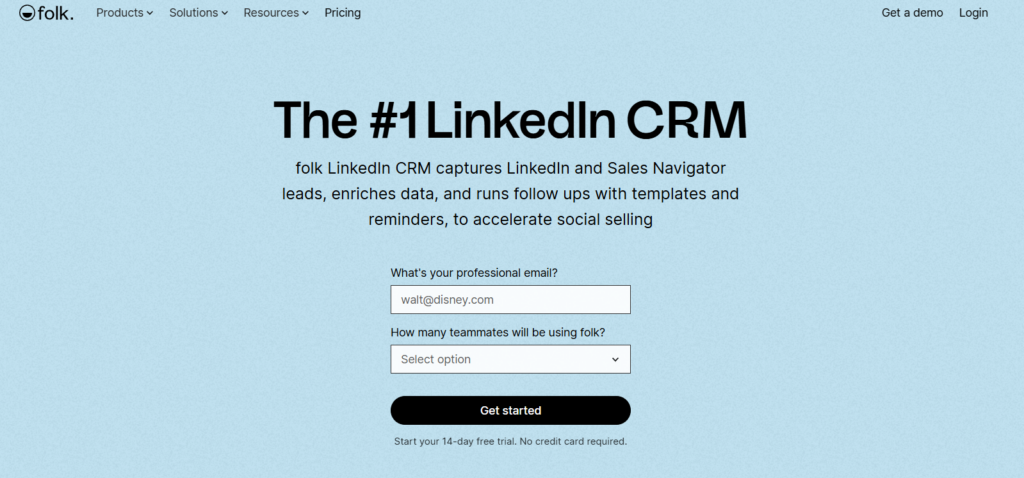
Folk offers the following features:
- LinkedIn lead capture: save LinkedIn profiles into the CRM with key context so prospects don’t get lost in browser tabs.
- LinkedIn outreach consistency: reuse message templates to stay consistent in DMs while keeping personalization and tone under control.
- LinkedIn follow-up workflow: convert LinkedIn conversations into CRM reminders and email follow-ups so warm leads don’t go cold.
Advantages: ✅ Clean LinkedIn to CRM workflow, strong follow-up discipline, and works well with email and enrichment!
Disadvantages: ❌ No free plan.
Still unsure which LinkedIn automation tool is the easiest and safest?
Discover the main use cases of LinkedIn automation and see how Waalaxy simplifies outreach, automates follow-ups, and helps you generate consistent opportunities.

5 Steps to Launch a LinkedIn Automation Strategy
There are five main steps in a good LinkedIn automation campaign: optimize, find, configure, test. ✨
#1. Optimize your LinkedIn profile
If you’re getting into LinkedIn automation, your LinkedIn profile is bound to be visited by many people. 👀
It’s therefore essential to optimize your LinkedIn profile, which is your professional shop window and often the first point of contact for your prospects.📍 It must clearly reflect your expertise and the value you can bring to your audience.
The most important elements of your profile are your profile photo, your banner and finally your title. It should be optimized with relevant keywords, accurately describing your business or value proposition.
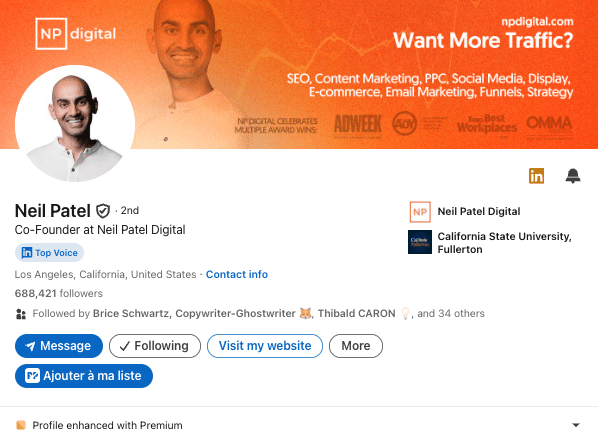
You can add detailed experience, recommendations and certifications to enhance your credibility. 🌟
Finally, make sure your profile is aligned with your automation strategy: it needs to attract and hold the attention of the people you’re targeting, while building trust from the first glance.
#2. Find the best LinkedIn automation tool
There are many types of LinkedIn automation tools on the market. They don’t have the same features or options, so you need to compare them to choose the right one.
Must-have features to search for
✅ Here are some features to consider when selecting tools to run automation campaigns on LinkedIn:
- Cloud-based infrastructure,
- User-friendliness,
- Reliability & Security for your LinkedIn account,
- Importing, cleaning and sorting prospect lists,
- Visiting profiles and automatically sending connection requests,
- Hyper-Personalization and automatic message delivery,
- Automated multichannel sequence & campaign with automatic stop feature when prospects reply,
- Compatibility and integration with third-party tools (like CRM),
- Integrated inbox to communicate with prospects,
- Advanced LinkedIn reporting capabilities,
- Analyses and statistics of your different campaigns.
- Customer resources and support,
- A/B Testing,
- Data enrichment (with email, phone number…),
- Powered by AI.
#3 Set up your LinkedIn automation campaigns
On most tools on the market, you need to create automated scenarios to set up your LinkedIn automation campaigns. 😬
This is the most important step: the more detailed and specific they are, the better your campaigns will perform. The problem is that this manipulation is difficult to do, and developing automated sequence scripts is a rather rare skill ❌ :
- Evaluation based on collected data.
- Import LinkedIn leads to associating them with a scenario.
- Create the scenario to trigger and connect all actions.
- Define delays between all actions, as well as quotas for each one.
- Determine all possibilities based on target behavior.
- Determine an appropriate response accordingly.
- Check that it works and is effective.
- …
🚨 That’s why Waalaxy offers you hundreds of automated scenarios (or sequences) to choose from (with every possible combination of multichannel actions).
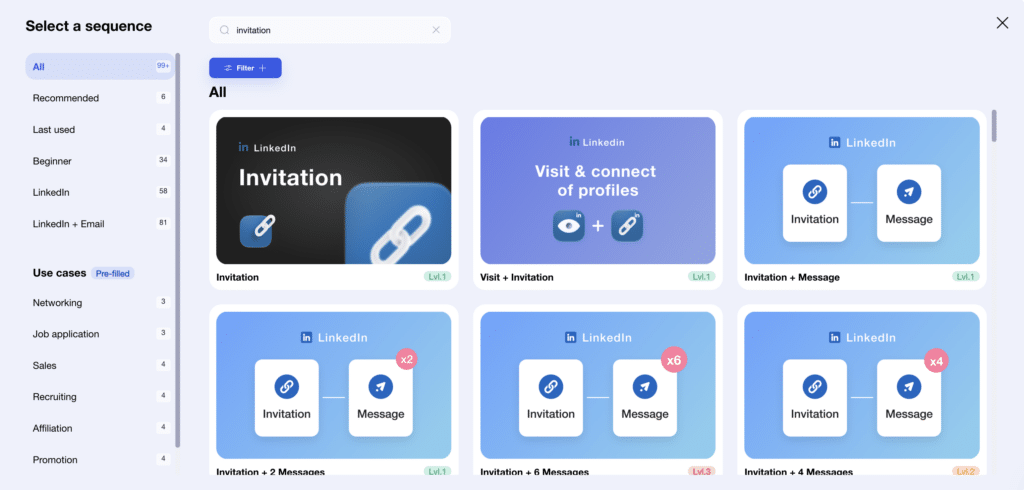
The only thing you have to do to set up your campaigns with our tool is to define deadlines and write the message (s) that will be sent to your prospect list. 👌
#4 Optimize your messages to increase engagement
The key to maximizing engagement is to optimize your messages. ✍🏼 Every message must be relevant, personalized and focused on the prospect’s needs:
- Start with an engaging introduction: use the recipient’s name and, if possible, a specific reference to their background, company or recent news.
- Be brief and to the point. Prospect receive many messages, so a concise, targeted communication is more likely to catch their attention.
- Focus on your value proposition: how can you meet their needs or solve their problems?
- Include a clear call to action, such as an open-ended question or an invitation to talk quickly.
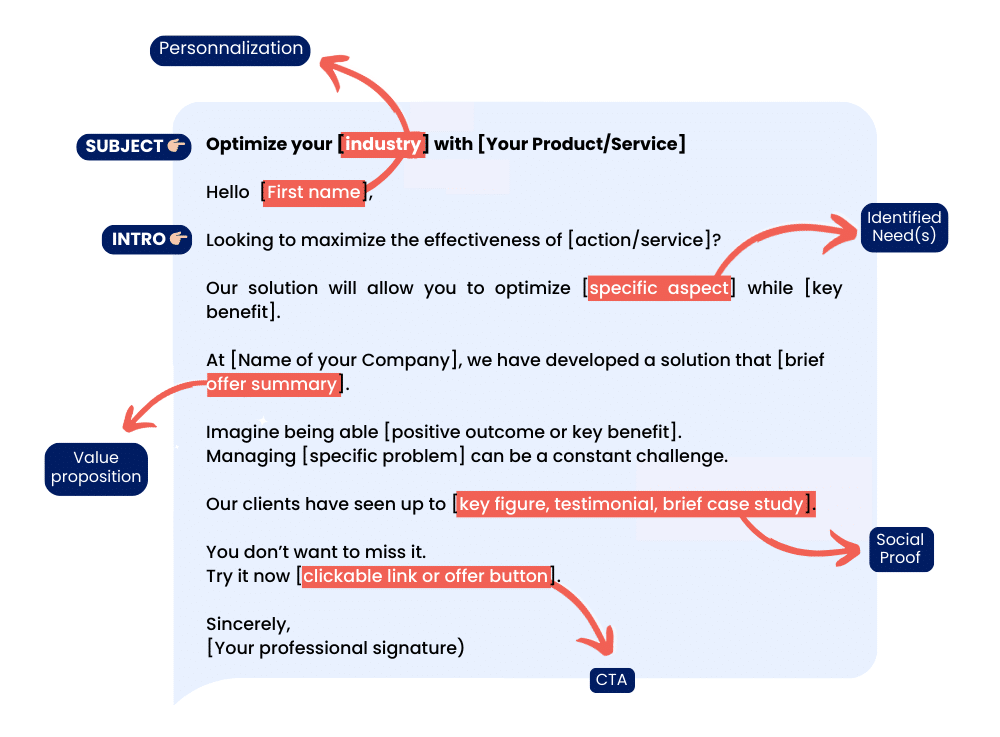
You can test different messages across campaigns to analyze what generates the most customer engagement, and adjust your strategy accordingly. 🔑 The key is to create authentic interactions, even in an automated setting.
#5 Test, measure and improve your LinkedIn automation
🧪 Testing, measuring and learning are essential to improving the effectiveness of your LinkedIn automation.
Start by regularly analyzing the data from LinkedIn and results of your campaigns: connection acceptance rates, message response rates and overall customer engagement. 📊
All LinkedIn automation tools will provide you with the data you need to make these strategic decisions and identify areas for improvement.
Then, experiment with different A/B testing to compare different approaches, as well as to understand what generates the most results (message sequences, content, personalization type and variables, timing, targeting criteria…), and refine your strategy for optimal performance. ⚡️
Now that you know the main steps to launch LinkedIn automation. Let’s take a look at the 6 types of LinkedIn automation and how to launch them with Waalaxy (auto-import, connection requests and invitations, messages, Email finder, IA prospect Finder, Inbox…).
7 Types of LinkedIn Automation Campaigns
- LinkedIn search results and data scraping.
- Data enrichment
- Connection requests.
- Personalized Messages
- Interactions
- Automate LinkedIn lead generation & prospecting.
- Tracking, reporting and analyzing results.
#1 Automate search and scraping
🔎 From a lead search on LinkedIn, you can automate the import of lead lists directly into your LinkedIn automation tool for inclusion in your campaigns.
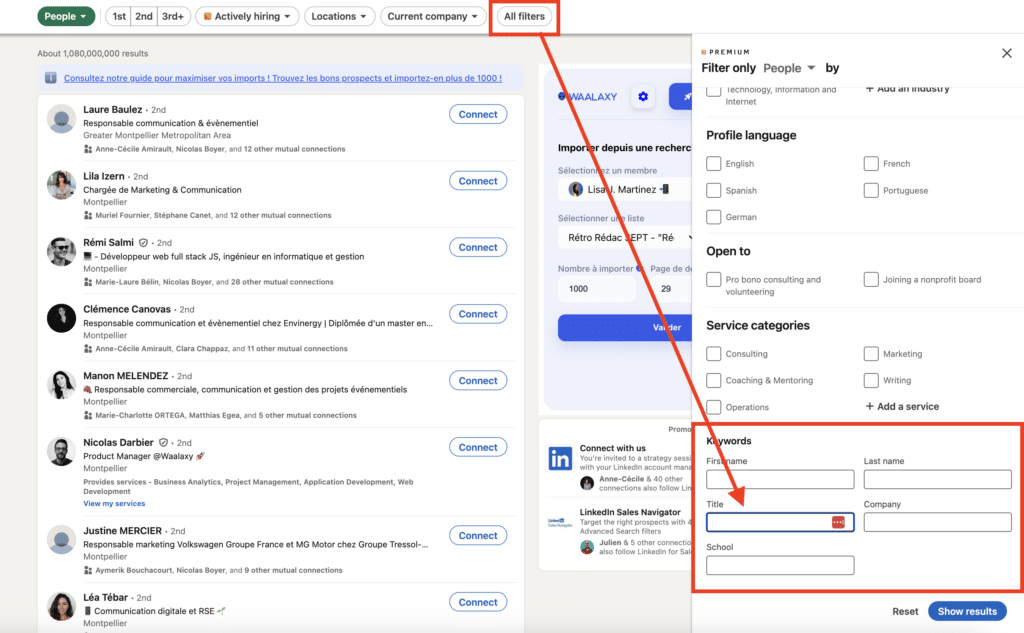
In the same way as for prospecting tools, thanks to the data collected during import, you can :
- Segment your search,
- Send invitation requests,
- Send personalized messages.
🤖 Some tools, like Waalaxy, even give you the option of doing an auto-import without going through the LinkedIn search, to retrieve :
- All your connections on LinkedIn,
- Members of a LinkedIn group,
- Participants in an event,
- People who react to your posts…
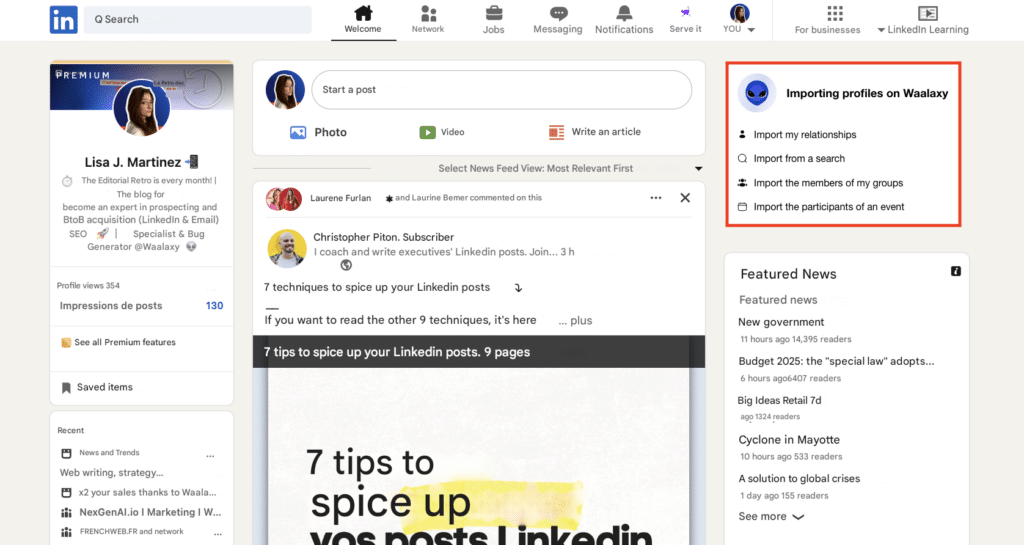
This last option works very well to create spontaneity in the exchange and, indeed, is recommended to automate and transform LinkedIn engagement around your LinkedIn content strategy. 📣
#2 Automate prospect data enrichment
In reality, to find prospects, you simply need to know how to do a good LinkedIn search. But, sometimes, the data gathered from your search import isn’t enough.
❌ For example:
- You won’t find your prospects’ email or phone numbers (which require a different type of search).
- You may not find enough profiles similar to your target (by searching with job title only).
✅ With Waalaxy, you can find both by integrating the following scraping actions into your AI-powered campaigns:
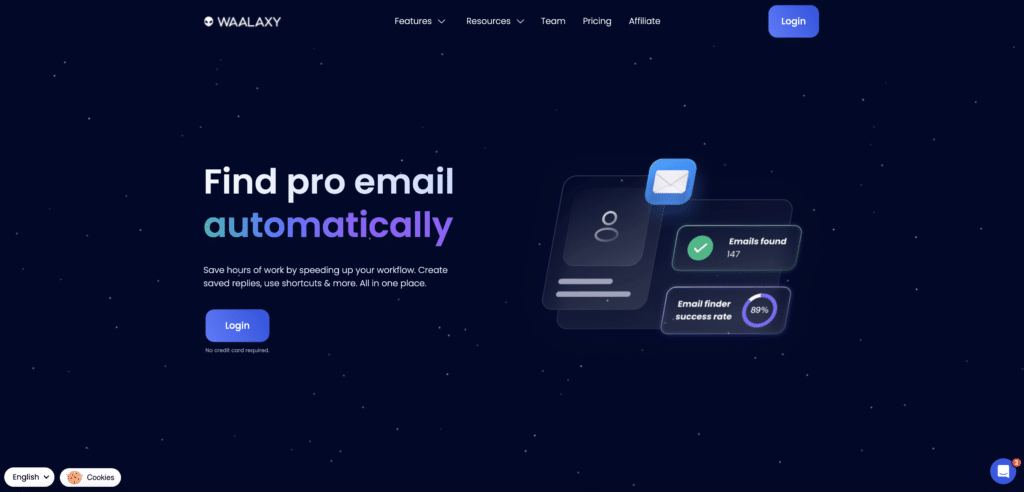
- Waalaxy Email Finder, which finds your prospects’ email and lets you run multichannel prospecting campaigns.
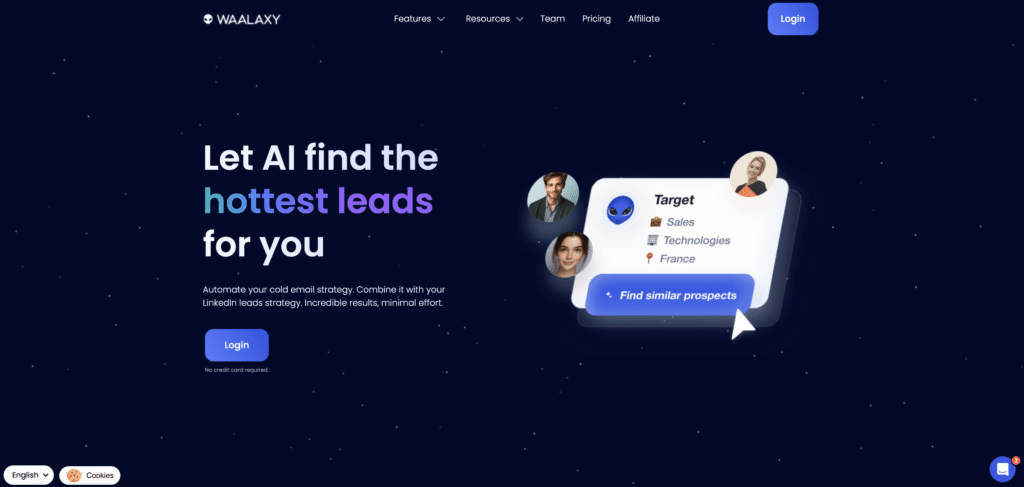
- IA Prospect Finder, which enables you to find similar prospects in relation to a pre-existing prospect or target list.
#3 Automate connection requests on LinkedIn
Before prospecting, you need to start by building a network on LinkedIn, this involves creating content, but also, and above all, sending LinkedIn connection requests. 🔗
Adding members to your network will help you gain the trust of LinkedIn and LinkedIn users. With 1 LinkedIn automation, you can create a campaign that will automatically send a personalized invitation to your list, i.e. accompanied by an (optional) note. 📩
For example, if you want to add the 300 members of a group you’re part of to your CRM (prospect list). It can take a long time to send them an invitation (especially with a note) if it’s not automated.
To personalize it, you can use variables with public information from their LinkedIn profile (name, position, company…). It’s a much better way to engage your lead. 🔥
Here’s an example of personalized notes for your connection requests and invitations to group members:
Hello {{FIrstName},
We are both members of the [group name] group. As a member of this group on [group topic], what are your thoughts on [problem you’re solving]?
I’m working on this topic and it would be a pleasure to discuss it with you.
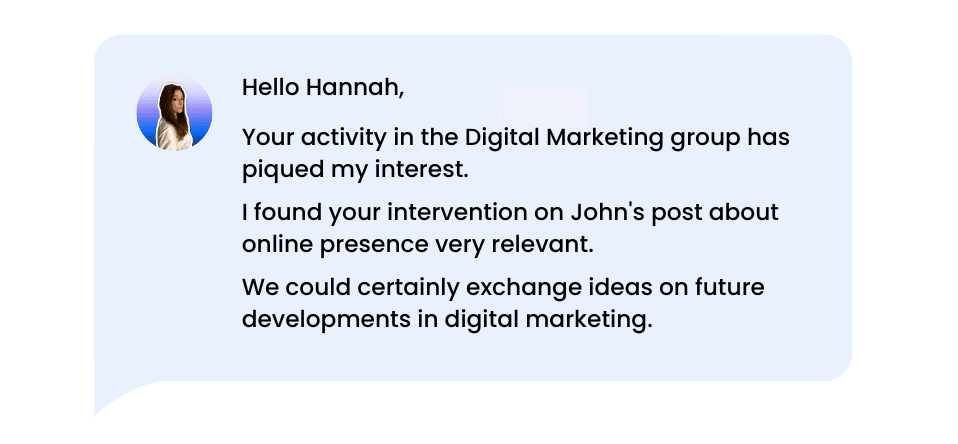
If you sent an invitation to a prospect a few days ago, and you still haven’t heard back… 😔 LinkedIn automation, lets you schedule a personalized automated follow-up messages to anyone who hasn’t accepted your invitation after a few days.
Example 👉🏼 Hello {FirstName}, I think my invitation has drowned in the wave of your overwork! Fancy finding a solution to be less underwater? 🚿 I’ll tell you what saves me 40 minutes a day [Name your solution or add a link].
#4 Automate the sending of personalized messages
When you have dozens of prospects (who are part of your network) to contact per day, writing specific messages on LinkedIn to each one is too time-consuming and doesn’t optimize your conversion rate. ❌
✅ With LinkedIn Automation, you send a message to your prospects as you would in a real conversation and increase engagement, using variables intelligently. 🔥
They enable you to adapt each message automatically according to the information available on your prospect’s profile (first name, position, company, location…).
This personalization gives the impression that the automated LinkedIn messaging has been written especially for the recipient (and is not automatic), thus increasing the chances of getting a positive response. 👌 But you mustn’t overdo it, and combine it with relevant content.
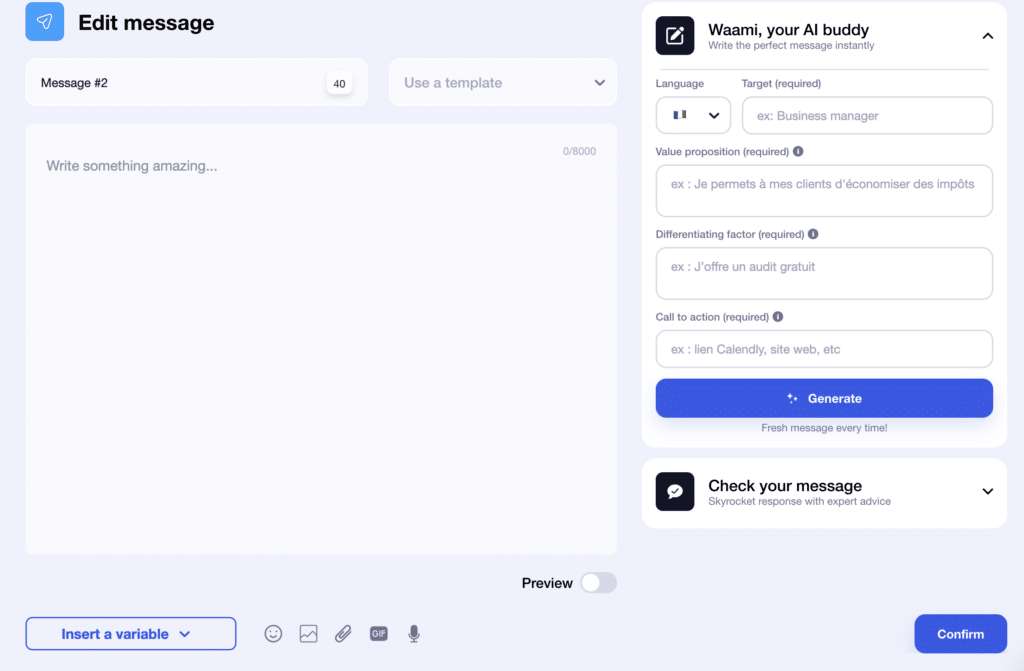
Again, harvest all the data you can find on your prospects (via your CRM or their LinkedIn profile) to craft the right message or email, the one that will get them to respond, the first time.
In this type of automated message, the possibilities are multiple, you can stay in touch with your prospects by working on customer loyalty, sharing and repurposing content (newsletter, e-book,…), evolving your offers, etc.
The secret to guaranteeing effective, natural interactions? 🤫 A balanced approach between automation and personalization. Your prospect is going to prefer to receive a message and speak to a person directly, rather than a bot sending a raw message, without any personalization.
To help you write your messages, Waalaxy offers an AI-driven copywriting assistant: Waami. With little information about the target and the value proposition, it will help you write the perfect message. 🌟
#5 Automate interactions
Messaging within LinkedIn does not allow you to send automatic personalized mass messages (only grouped conversations), nor to manage large volumes of responses to messages sent during your campaigns… ❌
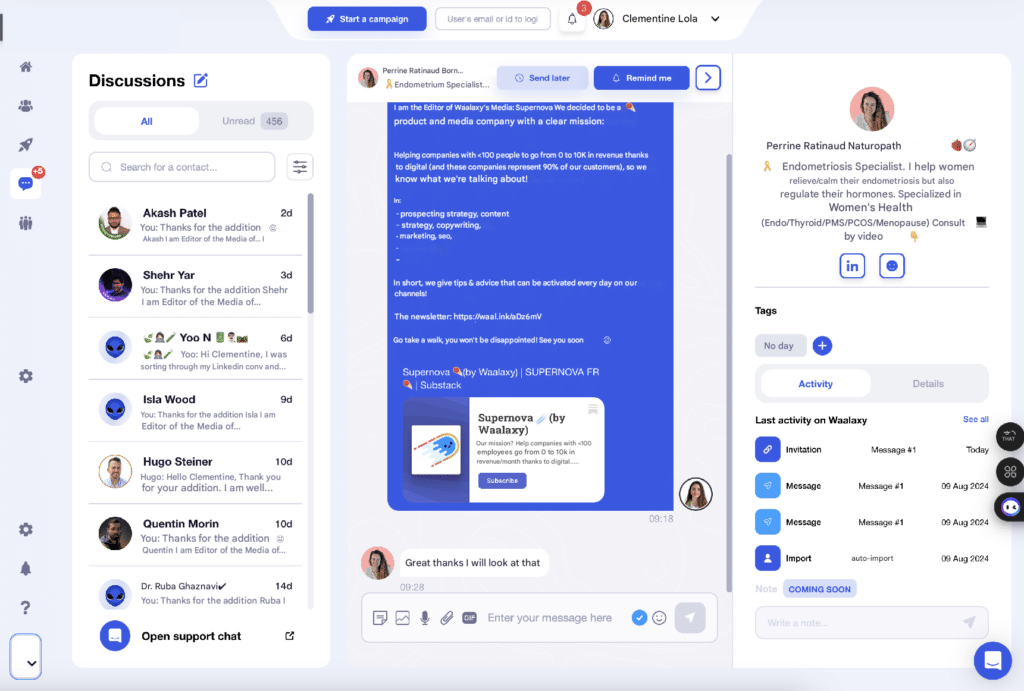
Lucky for you, there are tools you can use to automate your messages! 🤩 Waalaxy offers Inbox, LinkedIn’s messaging, only better. ✅ It allows you to:
- Schedule reminders 🔄 and synchronize with +2,000 applications.
- Personalize your messages and exchanges with variables, pre-recorded messages, tags and notes.
- Reply 💬 and manage your conversations in 10 times less time than with classic messaging.
- Increase your response and conversion rates.
- Filter conversations.
#6 Automate tracking, reporting and results analysis
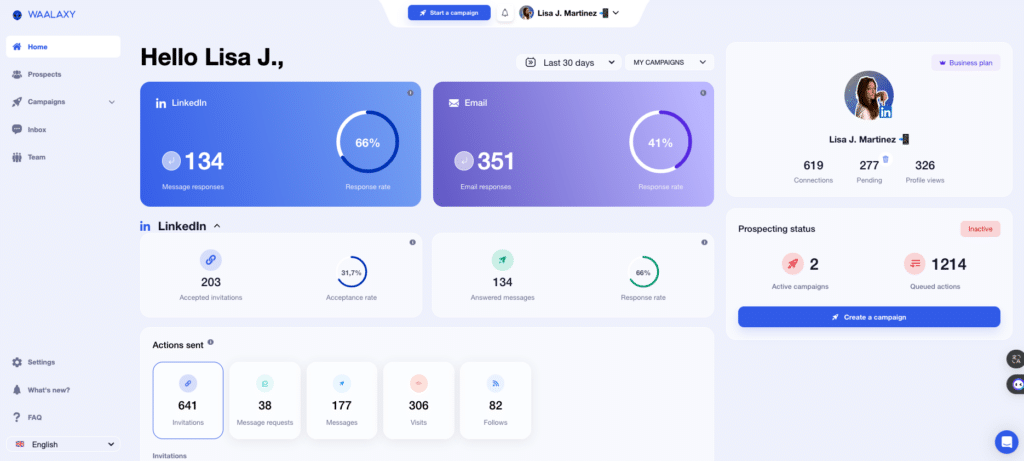
📊 To analyze the results of your LinkedIn automation campaign, you’ll need to know:
- Where you are in your Waalaxy campaigns,
- The number of people contacted per campaign,
- Message open rate,
- The number of refusals (in the case of invitations).
- Number of people who responded,
The Waalaxy dashboard shows you performance scores directly, helping you to improve your results! ⚡️
For the rest, it’s up to you to calculate your marketing ROI according to your objectives.
#7 Automate publishing and engagement on LinkedIn
Finally, if you’d like to develop your LinkedIn content strategy, thanks to automation and for prospecting purposes, you can:
- 🗓️ Schedule your LinkedIn posts in advance and automate publication.
- Automatically add all the people who interact with your posts to a marketing campaign (thanks to auto-import) to offer them further content.
- Join LinkedIn pods, to get automatic reactions and views to boost engagement on your publications, and therefore your visibility on the network. We recommend Podawaa 🪶.
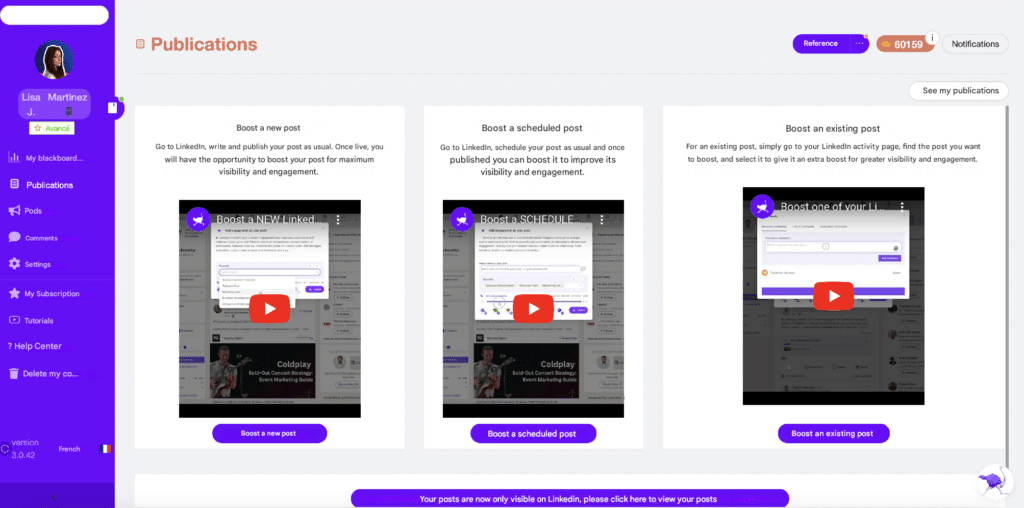
Podawaa is a great tool to generate more engagement around your content and automate your reactions and comments! 🥰
🤔 You can embed or create pods (engagement groups) that look like you, and you have 15 criteria to choose from to target your audience. One of the biggest advantages is its “Podawaan social index“.
It’s a feature that assigns a score to each user. We can blacklist users who don’t engage much, or have a history of what our account has commented and liked! ❤️
As a reminder, thanks to LinkedIn sales automation, you’ll also be able to automate the sending of connection requests to all the people who react to your posts and who aren’t part of your network.
We’ve shown you all the possible types of LinkedIn automation, now all you have to do is choose the actions that interest you and include them in a Waalaxy campaign!
LinkedIn Automation Best Practices
To use LinkedIn automation effectively, focus on personalization, consistency, and realistic activity limits.
- Avoid aggressive volume, generic copy-paste messages, or sudden spikes in outreach
- Instead, tailor your messages to your target audience, use multichannel follow-ups thoughtfully, and monitor your account performance regularly.
- Automation should support your strategy, not replace genuine human interaction.
FAQ on LinkedIn Automation Tools
1. Is LinkedIn Automation Worth It?
Yes, when used strategically.
LinkedIn automation can save time, increase consistency, and help scale your prospecting efforts. However, success depends on choosing the right tools, respecting platform limits, and prioritizing meaningful engagement over volume. Used wisely, automation becomes a powerful growth lever rather than just another shortcut.
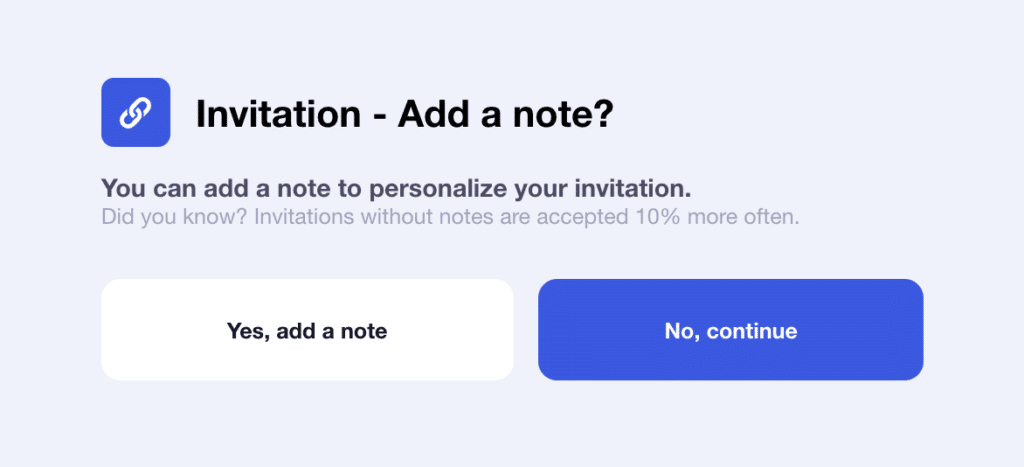
2. Should you send automated LinkedIn invitations with or without a note?
It depends on your audience and your positioning.
Invitations without a note can feel less intrusive and may generate solid acceptance rates in high-volume prospecting campaigns. However, a well-crafted personalized note can significantly increase trust and response rates.
If you add a note, focus on the recipient’s interests or challenges — not on pitching yourself. If you cannot provide clear value in a short message, it may be better to keep it simple.
3. How can you avoid LinkedIn restrictions when using automation?
LinkedIn allows automation within limits, but excessive or unnatural behavior can trigger restrictions.
To reduce risk 🚨:
- Stay within realistic daily activity limits
- Gradually increase activity volume
- Personalize your messages
- Target relevant prospects
- Monitor acceptance and response rates
Automation should mimic human behavior, not overwhelm the platform.
4. Can LinkedIn detect automation tools?
Yes. LinkedIn monitors behavioral patterns such as activity speed, volume, repetition, and login locations.
Aggressive automation or unusual activity can lead to warnings or temporary restrictions. Choosing tools with built-in safety limits and using them conservatively reduces risk — but never eliminates it entirely.
5. What are LinkedIn’s daily automation limits?
LinkedIn does not publicly disclose exact limits, and they vary by account type and activity history.
As a general guideline, safe usage often includes:
- 20–40 new connection requests per day
- Moderate daily messaging volumes
- Gradual scaling over time
Sudden spikes in activity are more risky than consistent, controlled growth.
6. What features should you look for in a LinkedIn automation tool?
When comparing LinkedIn automation tools, consider:
- Activity safety controls (rate limits, delays)
- Multichannel capabilities (LinkedIn + email)
- Inbox management
- CRM integrations
- Analytics and reporting
- Ease of use
The best tool isn’t the most aggressive, it’s the one that balances scalability with safety.
Tools like Waalaxy are designed with that balance in mind.
7. What is the best LinkedIn automation tool for beginners?
The best LinkedIn automation tool for beginners is one that combines simplicity, safety controls, and guided campaign templates.
Beginners should prioritize:
- An intuitive interface
- Built-in rate limits
- Pre-designed campaign sequences
- Easy inbox management
- Clear onboarding
Tools like Waalaxy are often recommended for beginners because they focus on ease of use, step-by-step campaign creation, and multichannel outreach (LinkedIn + email), without requiring technical skills.
The right choice ultimately depends on your goals, budget, and level of experience but simplicity and safety should always come first.
 Toinon
09/03/2026
Toinon
09/03/2026 













