



When it comes to automated LinkedIn prospecting, two names keep popping up: Dux-Soup and Waalaxy.
Both tools are designed to save you time, automate your outreach, and make lead generation way more efficient. But here’s the thing, they may aim for the same outcome, yet the way they get there is completely different. 👀
In this article, we’ll break down Dux-Soup vs Waalaxy so you can pick the tool that actually fits your workflow—whether you’re a freelancer, a sales rep, or part of a marketing team. 😎
Let’s dive in. ⬇️
Dux-Soup vs. Waalaxy: Which one should you actually choose?
Before we get into the details, here’s a quick comparison table to help you see the big picture 👇🏻:
| Features | Waalaxy | Dux-Soup |
| Automated campaigns | ✅ | ✅ |
| Copywriting assistance | ✅ | ❌ |
| Message customization | ✅ | ❌ |
| Statistics customization | ❌ | ❌ |
| Email Finder | ✅ | ✅ |
| Email Templates | ✅ | ❌ |
| Integrations with third-party tools | ✅ | ✅ |
| Multi-channel prospecting | ✅ | ❌ |
| A/B testing | ✅ | ✅ |
| LinkedIn Messaging | ✅ | ❌ |
| Detailed statistics | ✅ | ✅ |
| Ease of use | ✅ | ❌ |
| Customer support | ✅ | ✅ |
| Help Center | ✅ | ✅ |

Introducing Dux-Soup
Dux-Soup is a Chrome extension that automates repetitive LinkedIn tasks like profile visits, connection requests, messages, and follow-ups.
It helps you save time while growing your network and generating more business opportunities. 🤓
With a large user base, Dux-Soup offers a solid set of features to boost engagement and make it easier to find and connect with potential leads. 😉
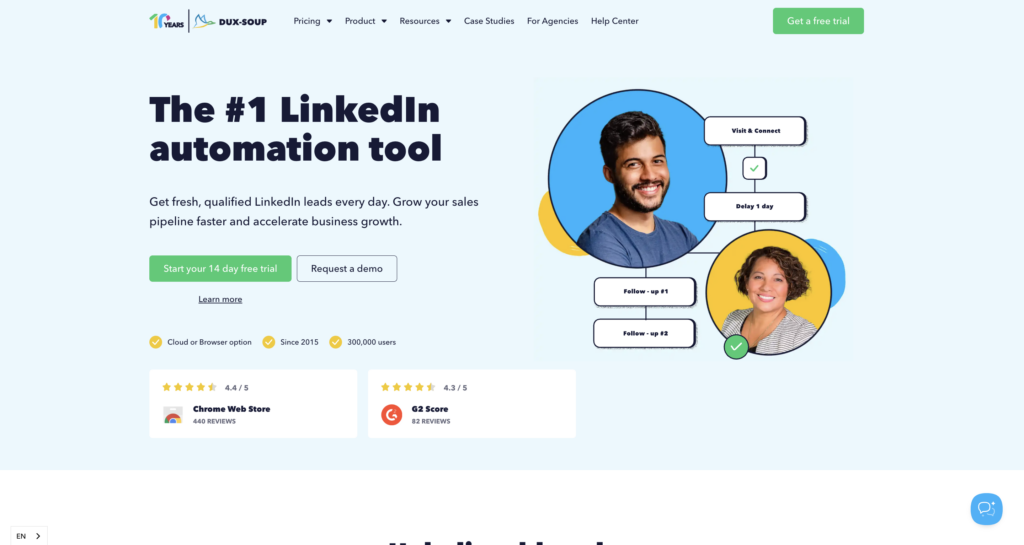
Here’s what you get with Dux-Soup : 🦆
- 🟣 Campaign creation: Build multi-step sequences (visit, follow-up, message, InMail, etc.), with customizable time intervals between each action.
- 🟣 Lead generation and management: Track replies, manage leads in LinkedIn or your CRM, and use campaign stats to optimize performance.
- 🟣 Prospect targeting and search: Run targeted LinkedIn searches and automate actions on profiles that match your ideal audience.
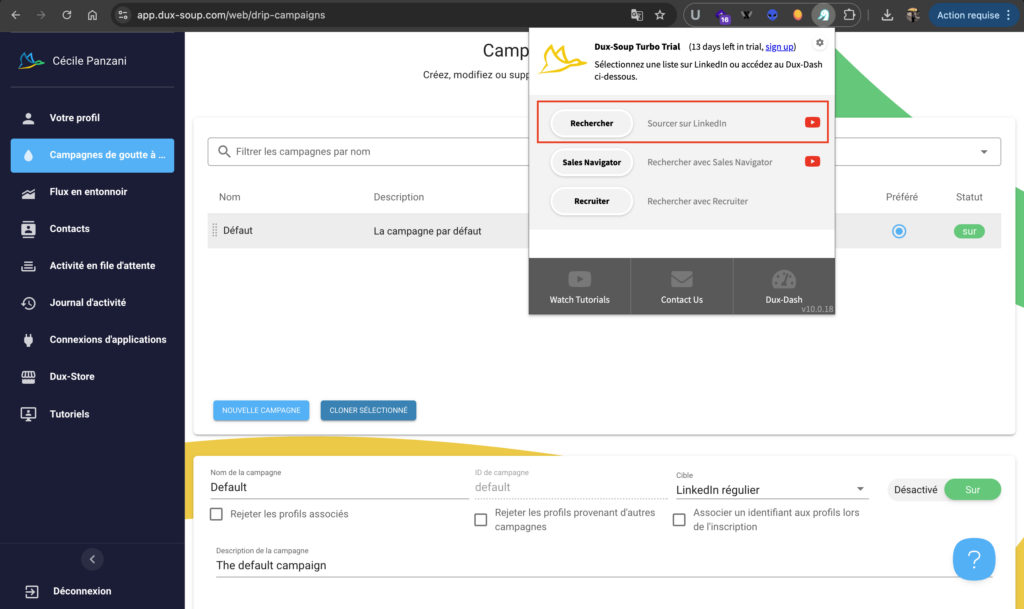
- 🟣 Message personalization: Personalize messages for each prospect to boost response rates.
- 🟣 Data export and management: Export leads as CSV files or sync them with your CRM to keep everything in one place.
- 🟣 Performance tracking: Access analytics to monitor results and improve your campaigns.
Dux-Soup is an effective tool for anyone looking to leverage LinkedIn for business growth and networking. 🗣️
Dux-Soup review: What do its users think?
The tool makes it easy to automate prospecting while keeping full control over your campaigns. You can build your own workflows, target the right people, and generate a steady flow of leads. 🚀
Another big plus: exporting data is simple, so you can easily use your leads in your CRM. 👀
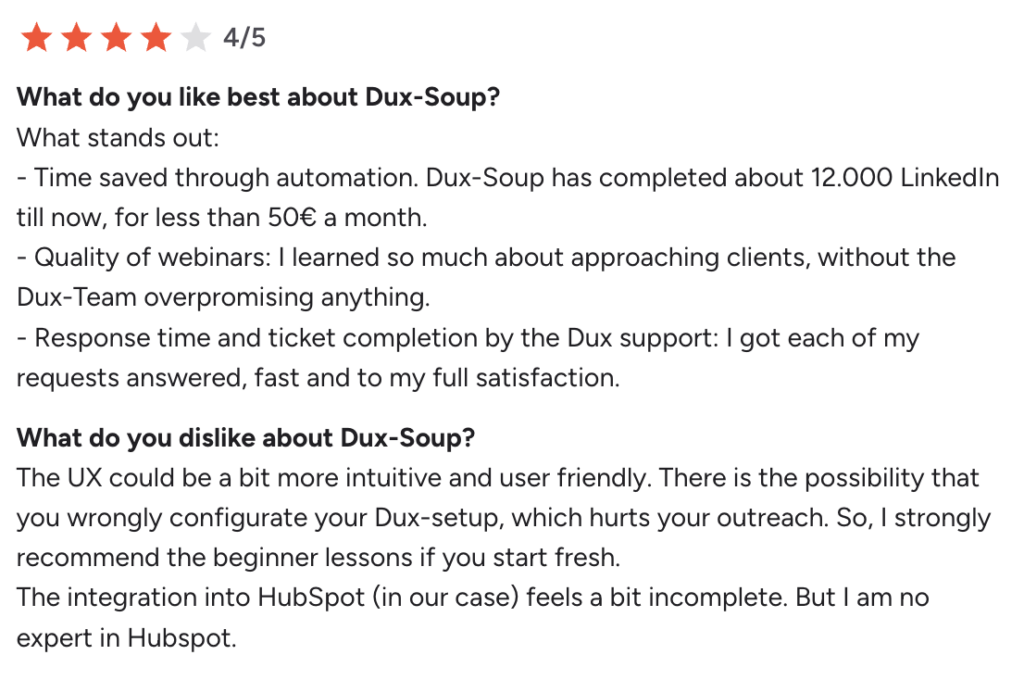
🚨 On the downside, users often mention that the interface feels outdated and less intuitive than newer tools, and that it comes with a steeper learning curve, especially for beginners. Collaboration features are also limited, especially in the cloud version. Some users also report that the extension can occasionally crash LinkedIn.
Finally, as with any LinkedIn automation tool, careful use is necessary to avoid any risk of restrictions. ⚠️
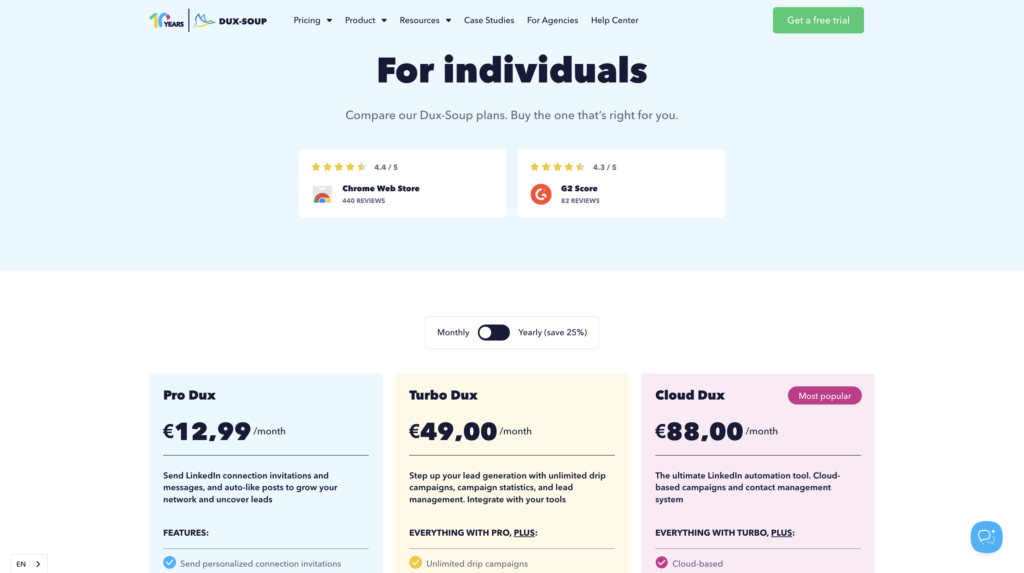
How much does Dux-soup cost?
Dux-Soup plans start at €12.99/month for an individual subscription.. 👇🏻
Introducing Waalaxy
Waalaxy is a tool for automating prospecting on LinkedIn and via email. 👽
Also available as a Chrome extension, this tool offers a secure and easy-to-use solution that requires no existing database or special technical skills. 😇
With Waalaxy, limits are managed; you can send up to 200 invitations per week, which is equivalent to about 800 invitations per month.
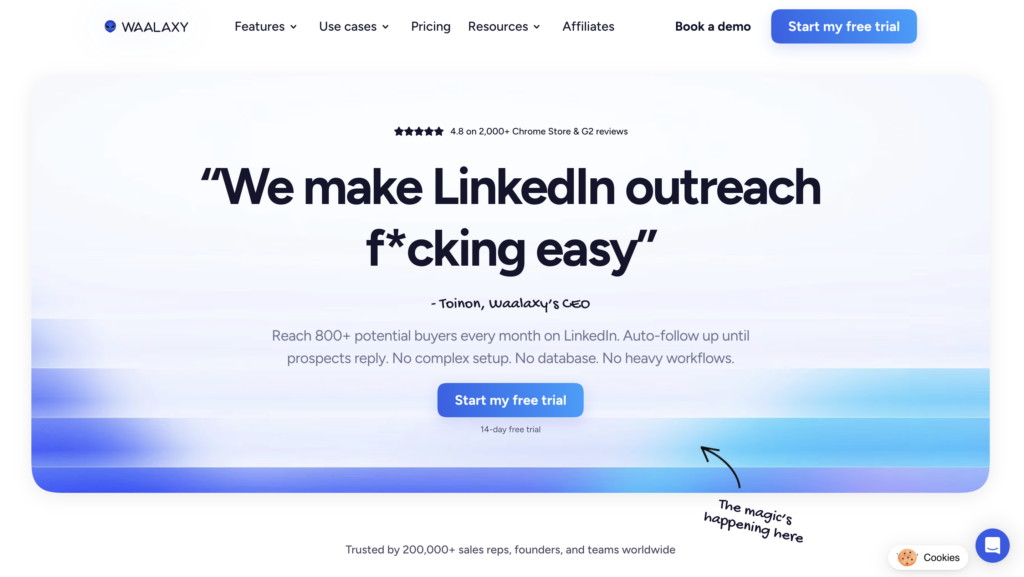
Unlike most tools on the market, which are often designed for users with technical skills and packed with complex features, Waalaxy stands out for its ease of use. 😅
Waalaxy is recognized as the simplest option available on the market. 🛸 If you’re looking for a tool that’s both easy to use and powerful, you’ve come to the right place! 😇
Here’s a quick look at Waalaxy’s key features:
- 🟣 Native integration with your favorite tools like HubSpot, Pipedrive, Salesforce, or noCRM, to keep all your data perfectly synced.
- 🟣 Plans designed for all types of users: sales reps, freelancers, or agencies, with practical features like the Team Plan, template sharing, and management of multiple LinkedIn accounts.
- 🟣 A built-in Email Finder to easily retrieve your prospects’ professional email addresses directly from LinkedIn.
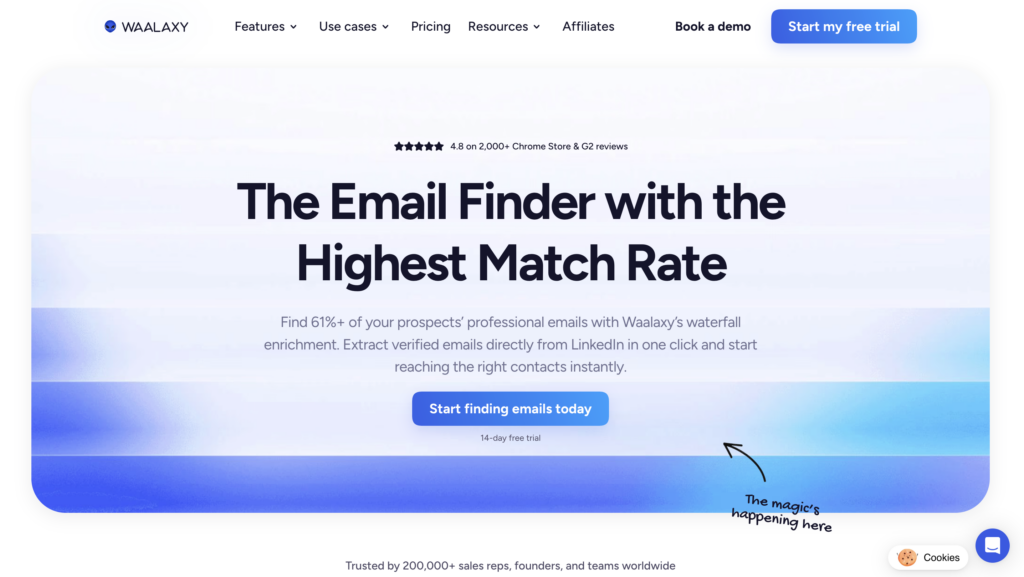
- 🟣 Automated cold email campaigns, with multi-channel sequences ready to use.
- 🟣 Access to Skipcall to streamline appointment scheduling and accelerate your sales cycle.
- 🟣 Automatic import of prospects based on their interactions on LinkedIn (profile visits, comments, reactions, etc.).
- 🟣 A unified inbox to centralize all your conversations and manage them more effectively with filters and sorting options.

- 🟣 Easy-to-launch LinkedIn campaigns thanks to pre-configured workflows, even if you’re just getting started.
- 🟣 Customizable campaign dashboards.
- 🟣 An AI-powered lead scoring system to quickly identify the most promising leads.
Waalaxy reviews: What do its customers say?
What users appreciate most about Waalaxy is clearly its ease of use. 🧘🏻♀️
The interface is intuitive, smooth, and easy to pick up very quickly, even if you have no technical skills. The sequences are already set up and organized by channel, saving you time on configuration. In practice, you can get started right away, without starting from scratch. 😊
You save valuable time and can launch your first campaigns quickly, all while staying within LinkedIn’s ecosystem. 💃
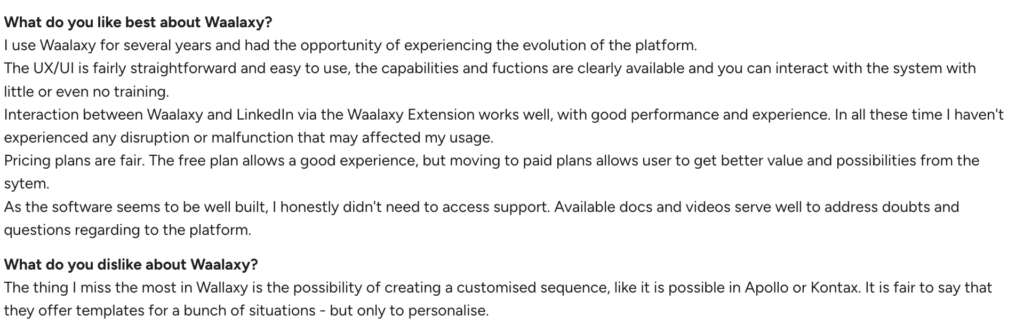
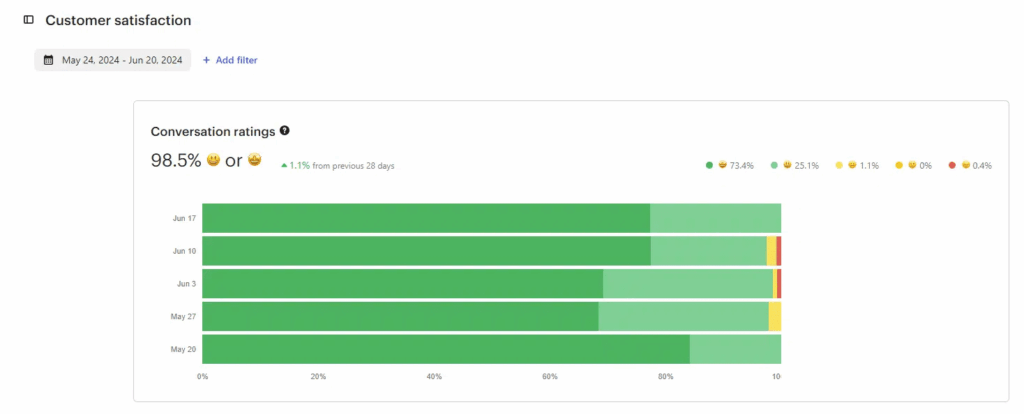
Another strong point is that the platform is available in 10 languages, which is particularly useful if you’re doing international sales prospecting. 🌍 Customer support is also highly regarded, with generally excellent feedback and a high level of satisfaction. 🤩
On the downside, some users mention the lack of a mobile app—a fairly common issue with this type of tool—as well as the service’s still-limited availability in certain areas. 🙃
How much does the Waalaxy extension cost?
A Waalaxy subscription starts at $19 per month. 👀
Monthly
Quarterly
Yearly
Without Inbox
With Inbox
Add-on


Dux-Soup vs. Waalaxy: What are the similarities and differences in features?
To effectively compare Dux-Soup and Waalaxy, there’s nothing better than taking action. Launching an initial campaign lets you see firsthand how each tool works 👇
1) Automation of prospecting campaigns
We’ll explain how this works with both tools. 👇🏼
How do you do it with Waalaxy?
Once logged in to the platform, simply click on « Start a Campaign » to access the setup. From there, select your prospects and define your scenario in just a few steps.

You can then refine your campaign based on several criteria:
- 🎯 Target: Your connections or profiles outside your network
- 📡 Channel: LinkedIn, email, or a multi-channel approach
- ⚙️ Actions: Follow a profile, visit, send an invitation, a message, or enrich your data
- 💬 Volume: Number of LinkedIn messages or emails to send
You can also add or remove filters as you see fit. The advantage here is that you have access to ready-made sequences. No need to build everything yourself—simply choose the one that matches your goal. Each sequence is organized, and Waalaxy guides you through the entire process: 👇🏼
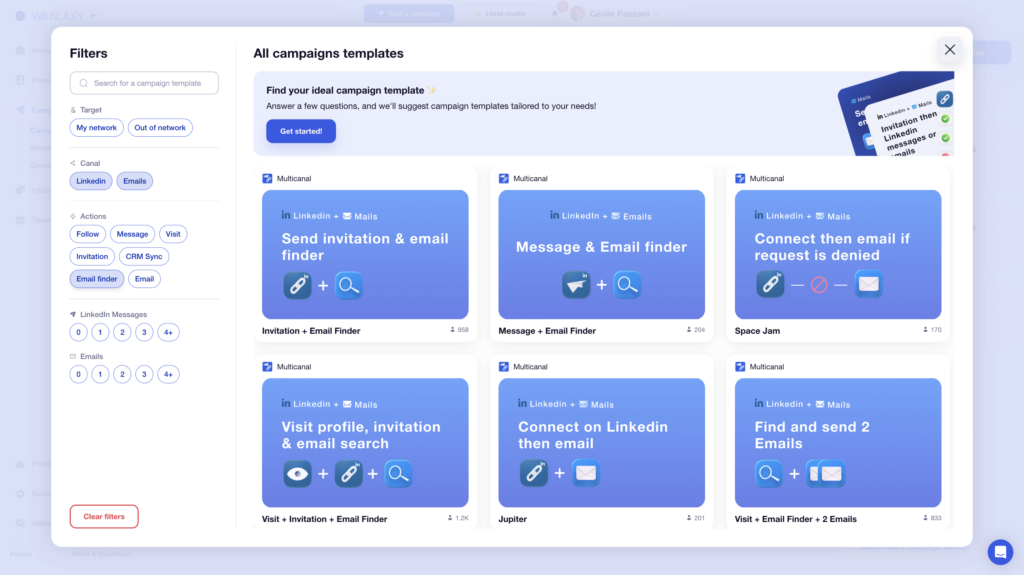
For example, you can choose “ Invitation + 2 messages” You’ll be able to name your campaign (optional step). 👀
Next, you can add prospects in several ways:
- 🥇 From your own lists, if you’ve already prepared them.
- 🥈 Via auto-import, which automatically retrieves people who have interacted with your profile.
- 🥉 Directly from LinkedIn using the Waalaxy Chrome extension (from a standard search or via Sales Navigator).

Once your prospects are imported, you can add a note.

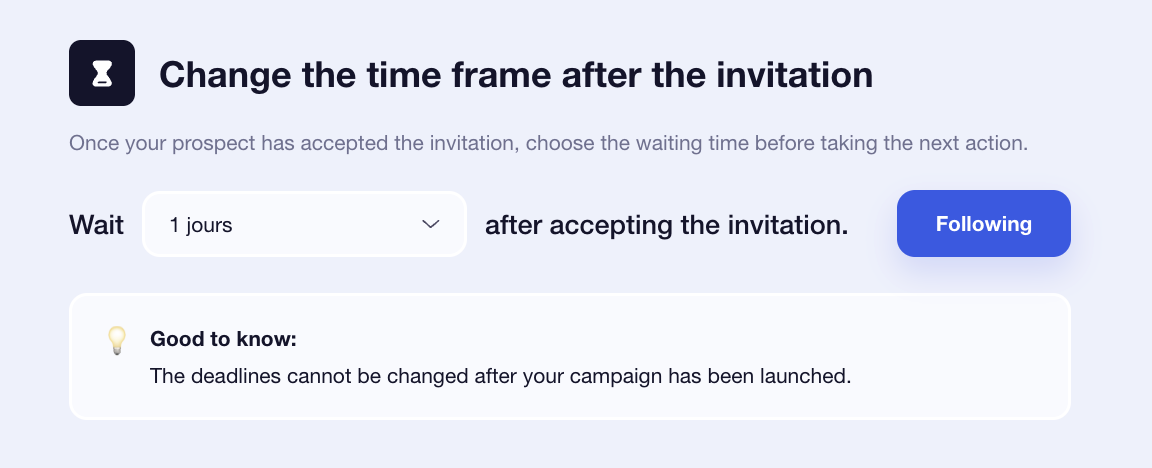
All that’s left is to personalize your messages and adjust the time intervals between each action, typically ranging from 0 to 28 days. 📆
How to use the Dux-Soup extension?
Once you’ve downloaded the extension. 👀 To launch the campaign, simply click “New Campaign.” You’ll be able to define your messages and your sequence. 🔀
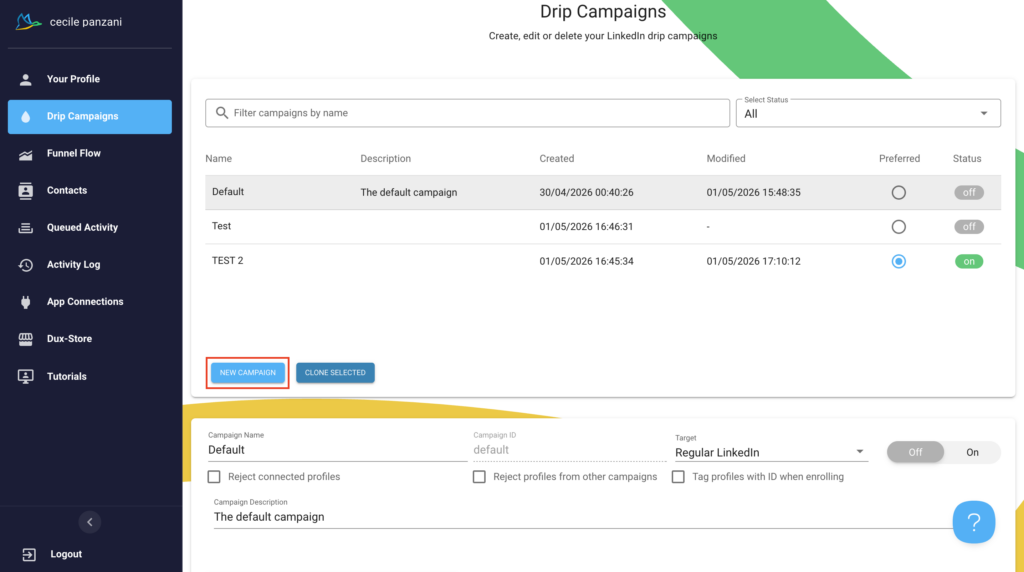
➡️ Your sequences can include:
- Profile visits.
- Connection requests.
- Messages.
- Reminders.
- IMs.
- Skill recommendations or post likes.
Once created, you need to add your prospects. Click the Dux-Soup icon 🦆 in the top-right corner of the browser toolbar and select the LinkedIn account to define a target audience:
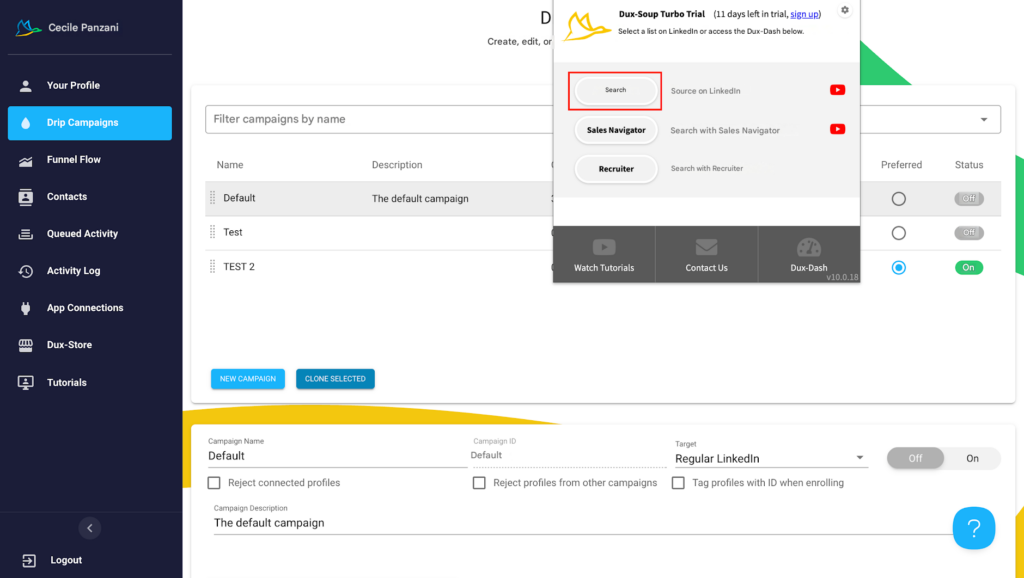
Once you’ve done that, just perform a standard search. 🔍 After applying all the filters that best define your target audience, you have two options for adding a selected audience to the campaign: 👇🏻
- To add all profiles, click the Dux-Soup icon in the top-right corner again. Then, select “«” and enter » to add profiles in bulk to the campaign of your choice.
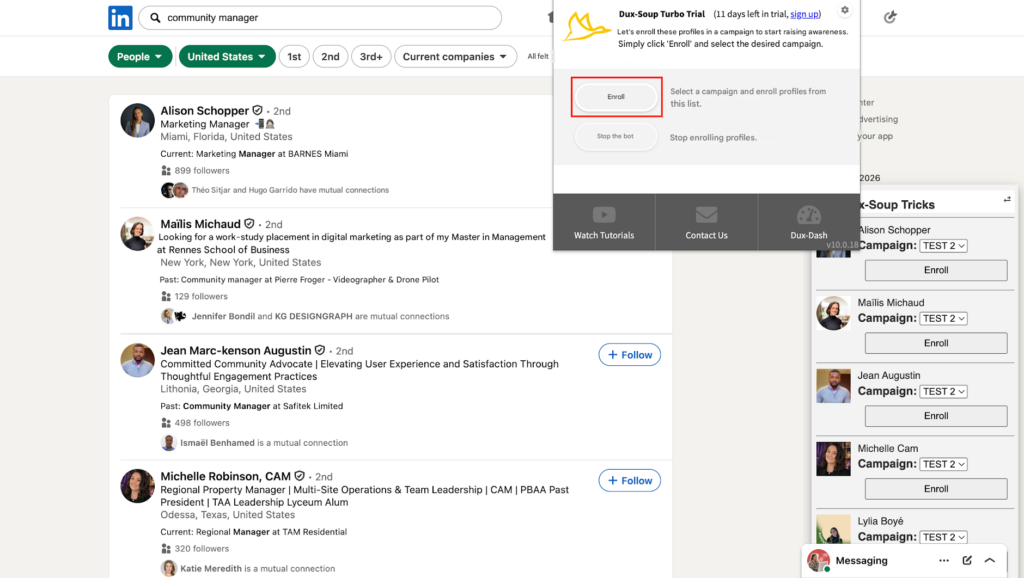
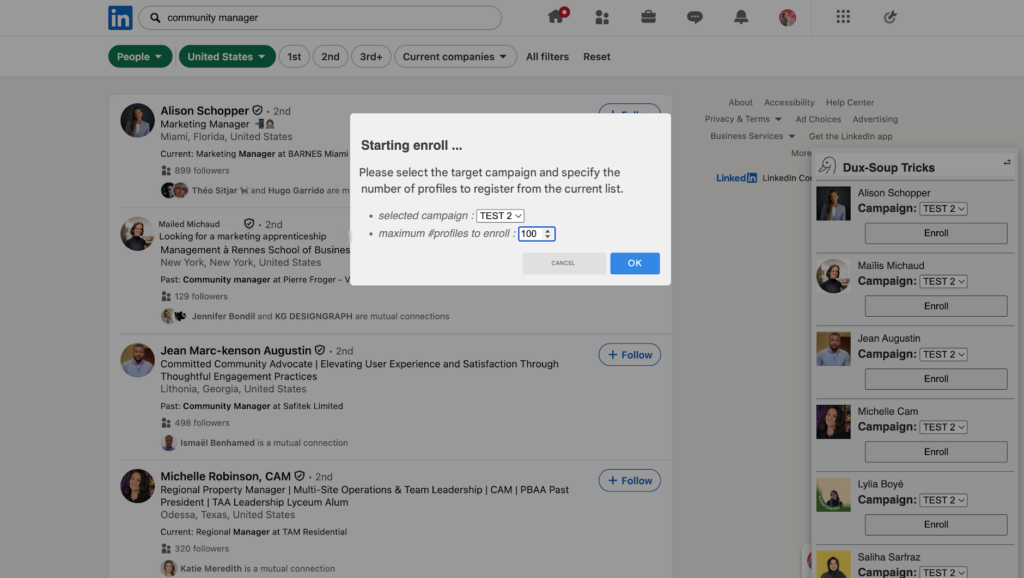
- A pop-up window will then appear, allowing you to select the campaign and specify the maximum number of people Dux-Soup should add to the campaign based on this search. Click on “«” and “OK,” and Dux-Soup will add everyone on the list to the campaign and launch it automatically. 🔄
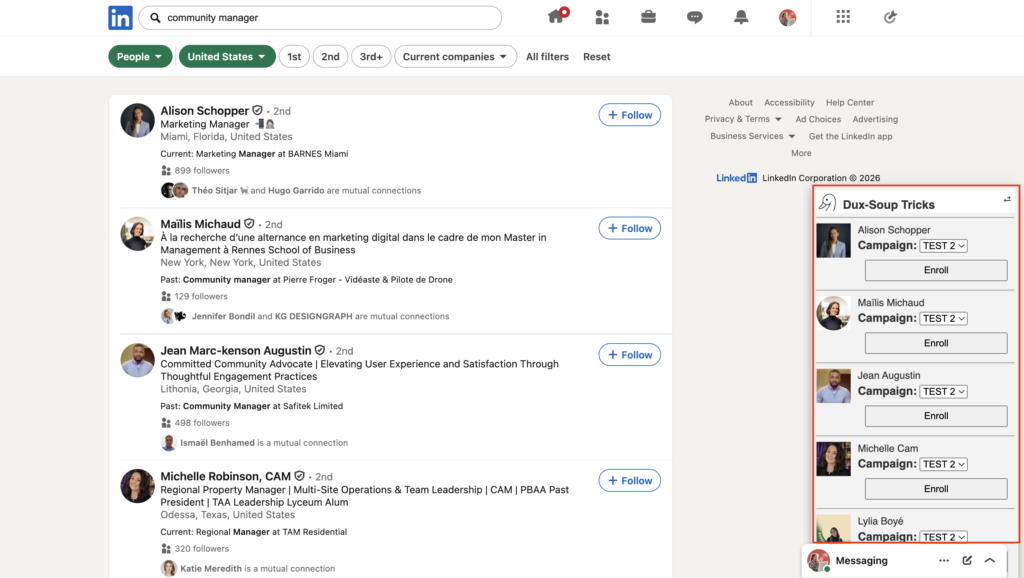
- To manually select the profiles to be enrolled or added to the campaign, click the Dux-Soup Tricks icon located on the right side of the browser. Once you have clicked the “Dux-Soup Tricks” icon, you can individually add them to the selected campaign by clicking the “« Enroll” button:
Before we continue, here’s a quick comparison chart! 👇🏼
| Features | Waalaxy | Dux-Soup |
|---|---|---|
| Sending automated emails | ✅ | ❌ |
| Message personalization | ✅ | ✅ |
| Multi-channel prospecting | ✅ | ❌ |
| Integration with third-party tools | ✅ | ✅ |
| Automated email sequences | ✅ | ❌ |
| Email template library | ❌ | ❌ |
| Automated tracking and follow-ups | ✅ | ✅ |
| A/B testing | ✅ | ✅ |
| Prospect list creation | ✅ | ✅ |
| Import leads from LinkedIn via Chrome extension | ✅ | ✅ |
| Sequence templates tailored to specific use cases (sales, recruitment, etc.) | ✅ | ❌ |
2) Customizing and scripting messages
Once your campaign is ready, you move on to a crucial step: writing your messages! 📮
How does it work with Waalaxy?
After selecting your leads, you’ll be taken directly to the message composition area on LinkedIn. The interface is simple and well-designed, allowing you to focus on what matters most. ✍️
If you’re lacking inspiration, you can rely on Waami, the built-in AI, which helps you quickly generate tailored and personalized messages. 😎
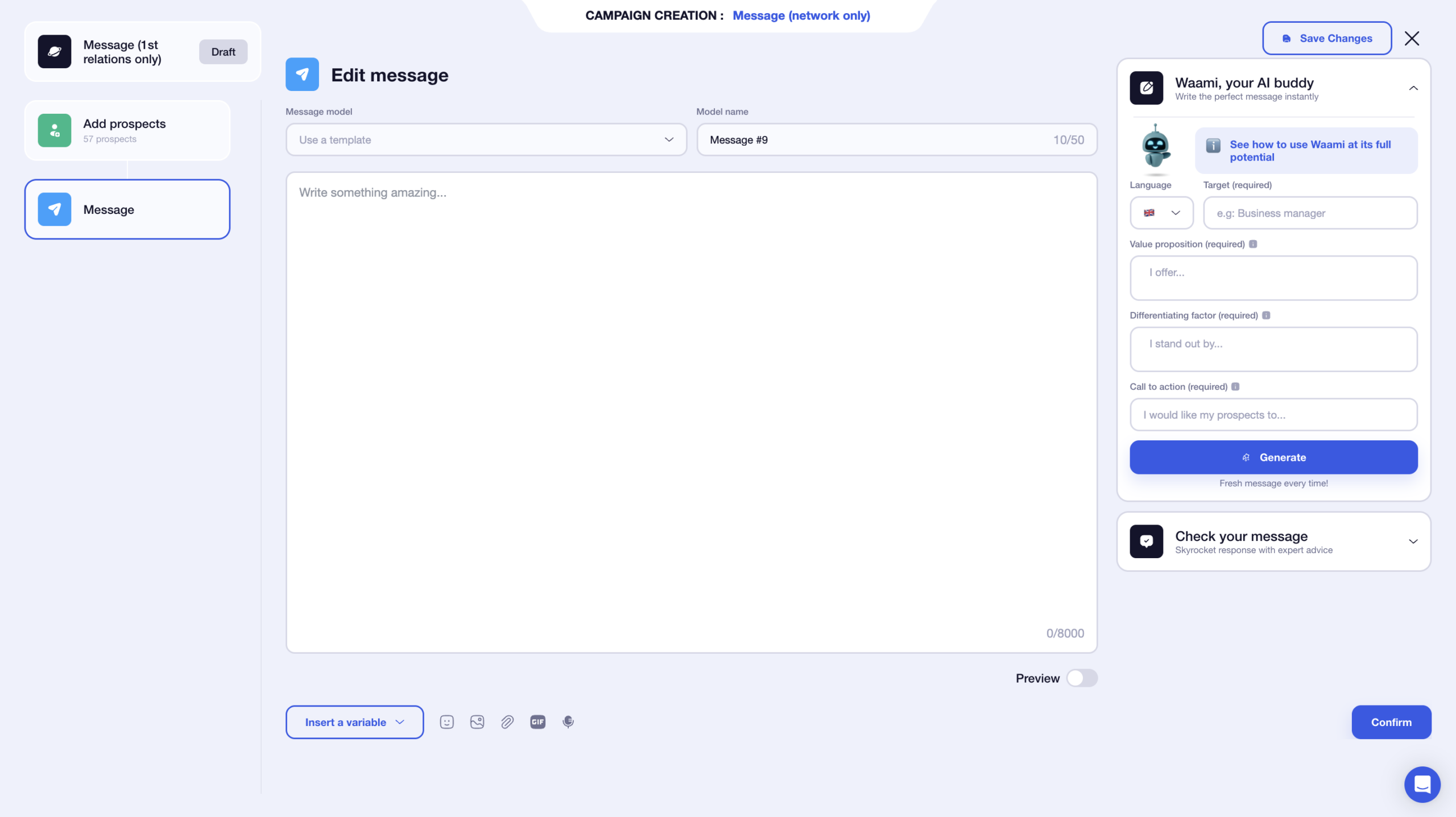
You also have the option to save your messages as templates. This saves you a lot of time for your future campaigns, so you don’t have to start from scratch every time. 👀
You have a limit of 8,000 characters, which gives you plenty of room… even though, in reality, short messages often work better. 😉
You can also add several elements to your text:
- 🔗 Attachment.
- 🗣️ Voice notes.
- ✳️ Variables (first name, last name, and company).
- 📸 Images.
- 🎥 GIFs.
You also have a preview of your text on the same page. You can immediately see how your message will look in the end, which helps you avoid mistakes, especially with variables 🤩
What makes the experience enjoyable is that the interface is entirely focused on writing at that moment. You aren’t distracted by the rest of the sequence, which makes the process smoother and more comfortable. 👀
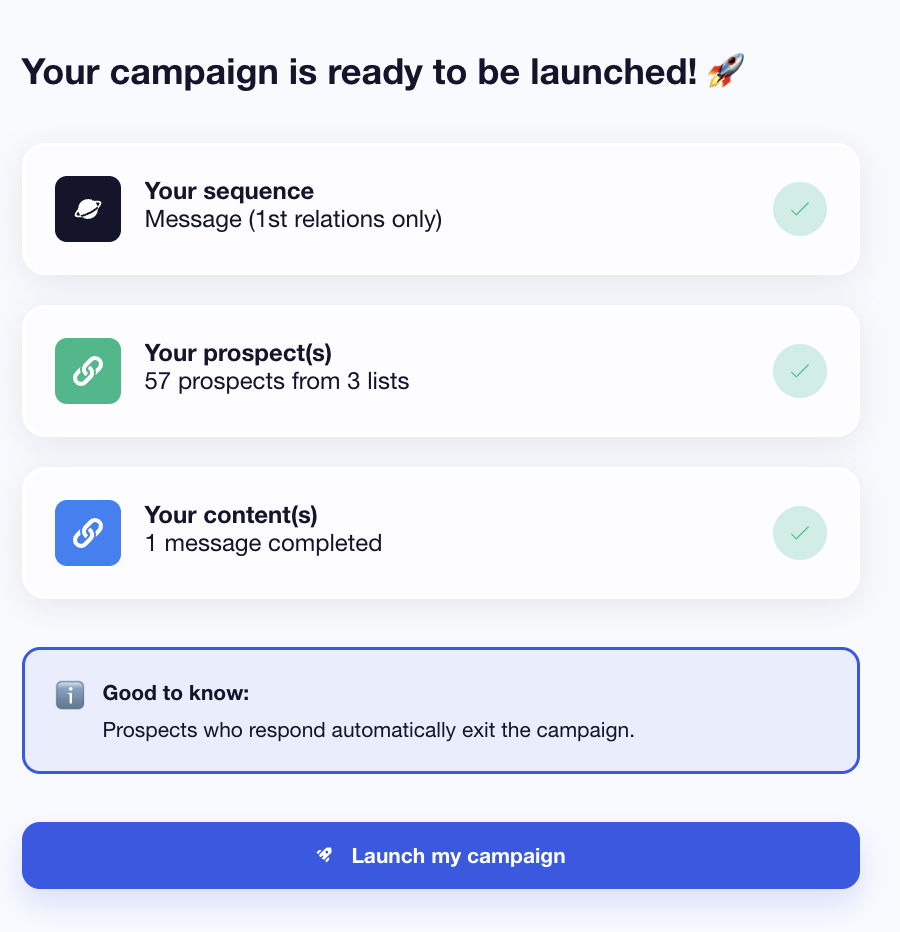
Once your messages are finalized, you’ll see a complete summary of your campaign. All that’s left is to launch it. 😌
How does it work with Dux-Soup?
With Dux-Soup, you can only send messages. You can’t add attachments, links, or images. 🥲
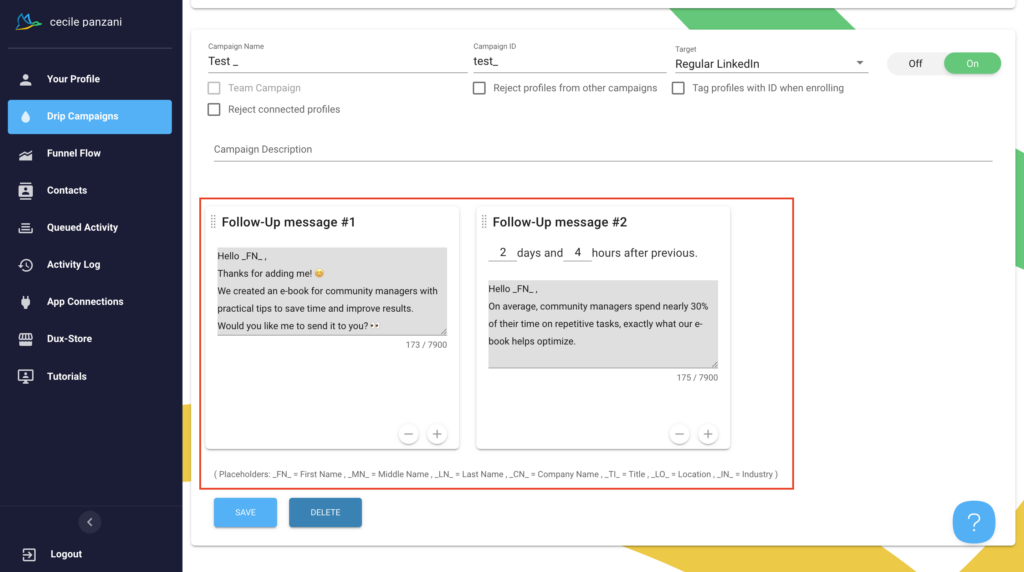
You have to add variables manually… 🙈 which means you need to be more careful when drafting your outreach message! Plus, you can’t see your messages in full, and there’s no preview.
Once this step is complete, all you have to do is « Save » and launch your campaign! 😇
Now, let’s take a look at our little summary table. 👇🏼
| Features | Waalaxy | Dux-Soup |
|---|---|---|
| Variables | ✅ | ✅ |
| Images | ✅ | ❌ |
| Attachments | ✅ | ❌ |
| GIFs | ✅ | ❌ |
| Voice notes | ✅ | ❌ |
| Message templates | ✅ | ❌ |
| Preview | ✅ | ❌ |
| Clone campaigns | ❌ | ✅ |
| AI | ✅ | ❌ |
3) Managing Responses and Tracking Engagement Rates
Once your campaign is launched, it’s time to track performance. This is a key step for adjusting your approach and improving your results 📊
How to do it with Waalaxy?
From the tool, you can easily access statistics directly from the dashboard. Everything is centralized and easy to view. 😇
To refine your analysis, you can use two main filters:
- 1️⃣ Campaign dates.
- 2️⃣ Select the campaign you want to view.
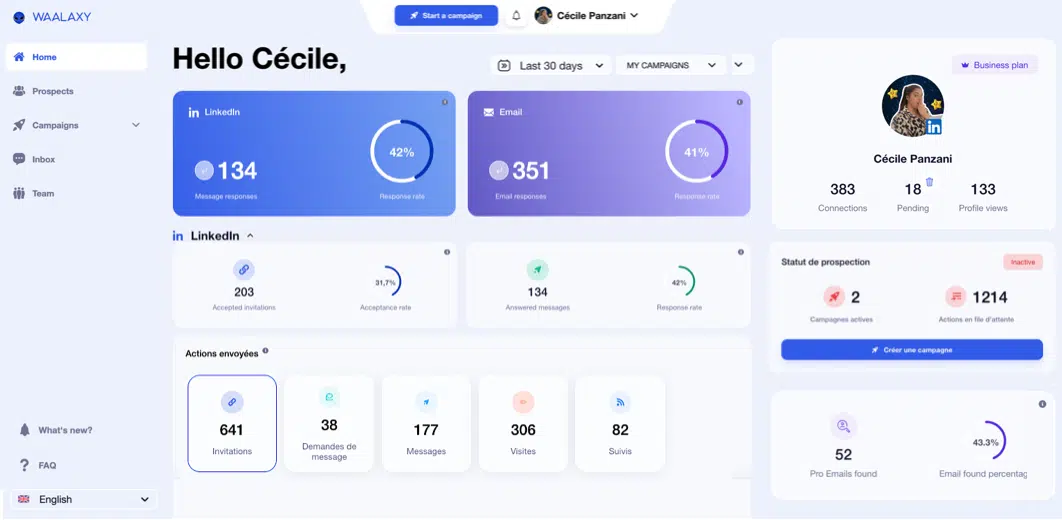
For each one, Waalaxy highlights key metrics such as the number of responses and the response rate. ✨
Depending on the selected campaign, you can access several useful metrics:
- 1️⃣ Number of accepted invitations + acceptance rate.
- 2️⃣ Messages that generated a response + response rate.
- 3️⃣ Details of sent actions in graph form (with CSV export available).
For email campaigns, you’ll also find other important metrics 👇
- 📬 Deliverability rate.
- 💬 Response rate.
- ❌ Undelivered emails and bounce rate.
All this data is available in the section dedicated to your campaign statistics.
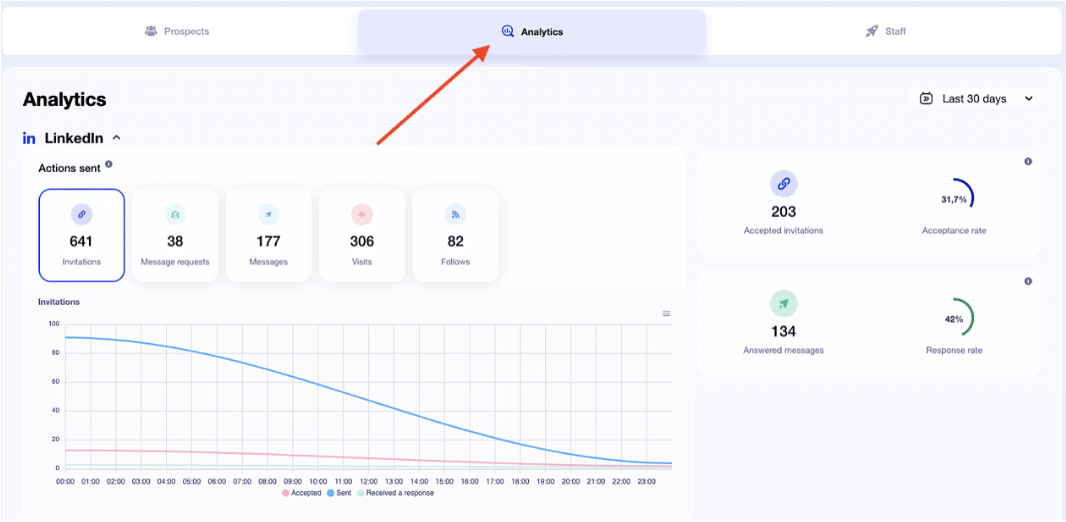
There, you’ll find an overview of your campaign with: ⬇️
- Prospect details by tier.
-
The name of each prospect with:
- The stage.
- The status.
- The list of prospects.
- The tag.
- Filters based on stage, status, or tags.
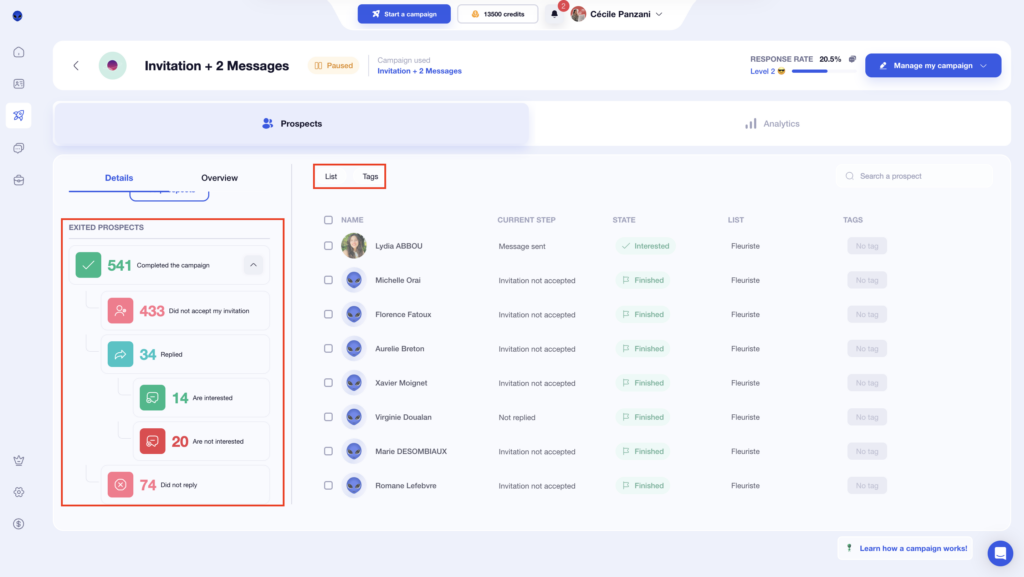
At Waalaxy, we love ease of use. A basic understanding of certain performance metrics is all it takes. 😇
How does it work with Dux-Soup?
However, with Dux-Soup, you need to go to the “Funnel Flow” page to find your stats! 🥸
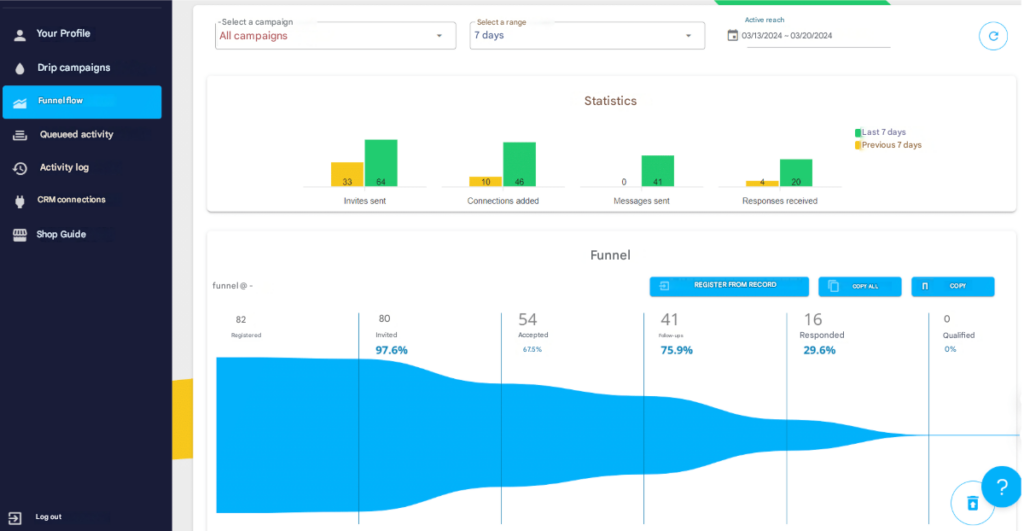
At the top of the page, you can select the time period and the campaign name. 🤓
The Funnel Flow consists of three panels: Statistics, Funnel, and Outlook.
- The Statistics panel displays KPIs for B2B lead generation within the specified timeframe. ⏰
- The Funnel is located in the middle of the Funnel Flow and includes a variety of actions you can take, as well as a display of all profiles with Dux-Soup activity during the selected period. 🌪️
- Insights provides features to effectively manage your campaign funnel flow and efficiently manage your LinkedIn inbox. 🔎
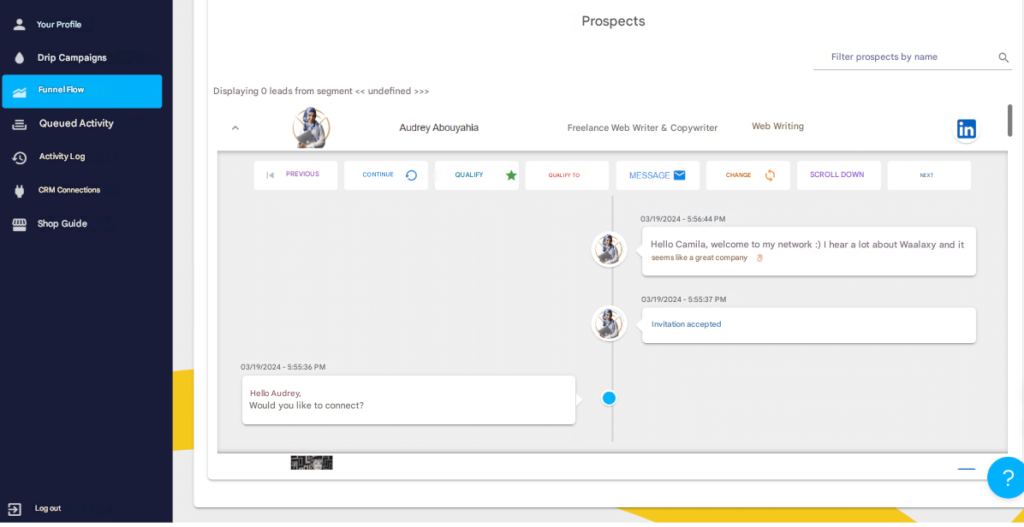
You know the drill—here’s a quick summary table! 👇🏼
| Features | Waalaxy | Dux-Soup |
|---|---|---|
| Statistics | ✅ | ✅ |
| Dashboard filters | ✅ | ✅ |
| Multiple KPIs available | ✅ | ✅ |
| Customizable statistics | ❌ | ❌ |
| Separate statistics for LinkedIn and email | ✅ | ❌ |
| Suitable for beginners | ✅ | ✅ |
4) Integration, CRM, and accounting with other tools
To get the most out of your prospecting, connecting Waalaxy to your everyday tools (CRM, marketing, etc.) makes a clear difference. 👀
How does it work with Waalaxy?
Waalaxy offers native integrations with several well-known CRMs, making it easier to manage and track your leads. And if you need to take it further, you can also connect Waalaxy to automation tools like Make, n8n, or Zapier via an API key. 🔑
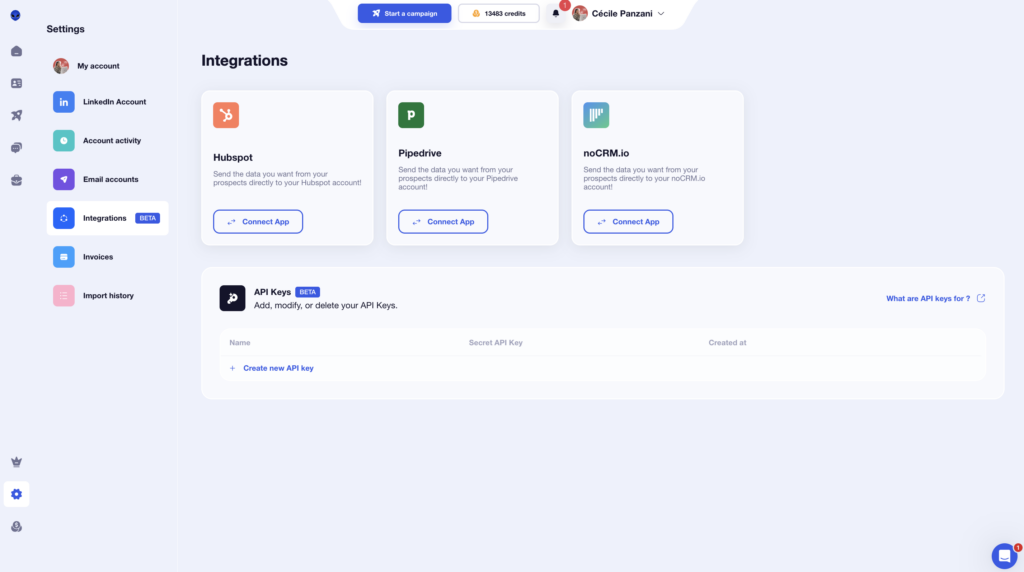
But that’s not all. Directly from your campaigns, you can also connect other handy tools:👇🏻
- Airtable.
- Brevo (Sendinblue).
- Sellsy.
- Axonaut.
- Google Sheets.
The goal is to automate your data flow as much as possible and avoid repetitive tasks. 😉
How does it work with Dux-Soup?
Dux-Soup lets you connect to various CRMs and other integrations like Salesforce or Teams.
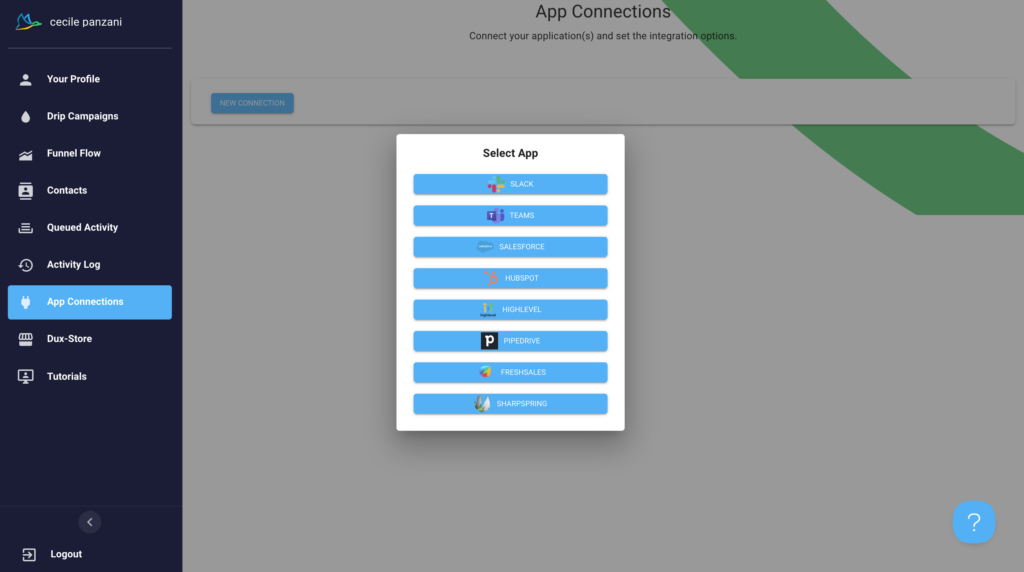
Here’s a summary of the CRM integrations for both tools. 📈
| Features | Waalaxy | Dux-Soup |
| CRM Integrations | ✅ | ✅ |
| With subscription | ✅ | ✅ |
| Multiple CRMs available | ✅ | ✅ |
| API keys | ✅ | ❌ |
5) Ease of use and user interface
Now, let’s talk about design and user interface—here we go! 💟
Waalaxy
Right from the start, Waalaxy’s UI/UX stands out with a clear and intuitive interface. Everything is designed so you can quickly find your way around without having to search for long. 🧭
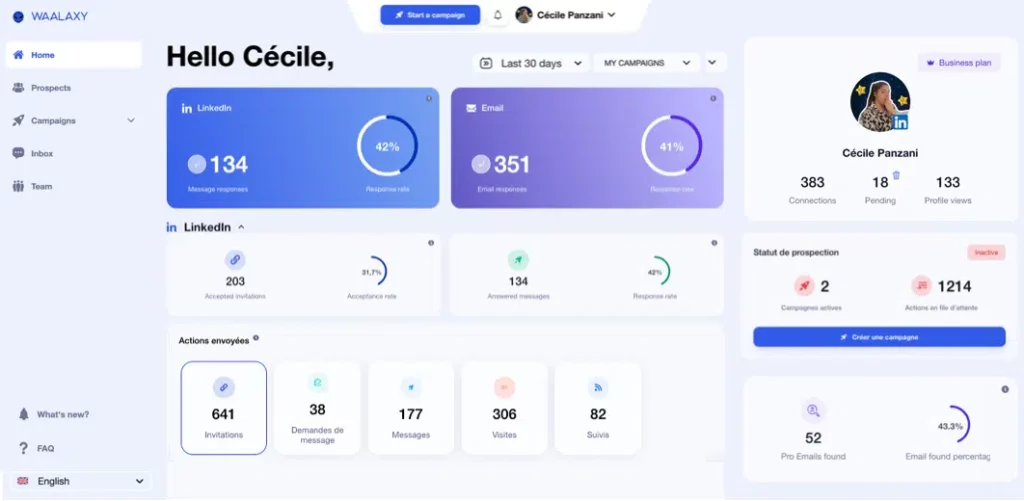
The visual style is consistent, colors are used effectively, and the whole experience is a pleasure to navigate. You’ll quickly understand where to click and how to proceed with your tasks. 🥳
With just a few clicks, you can access your campaigns and key metrics like the number of responses or the response rate 📊 The menu, which is discreet and collapsible, frees up screen space and improves readability. You can tell that a lot of work has gone into the user experience. 👀
For your LinkedIn campaigns, a simple color-coding system helps you quickly visualize the status of your prospects:
- 🩶 Gray: not connected.
- 🧡 Orange: pending.
- 💙 Blue: connected.
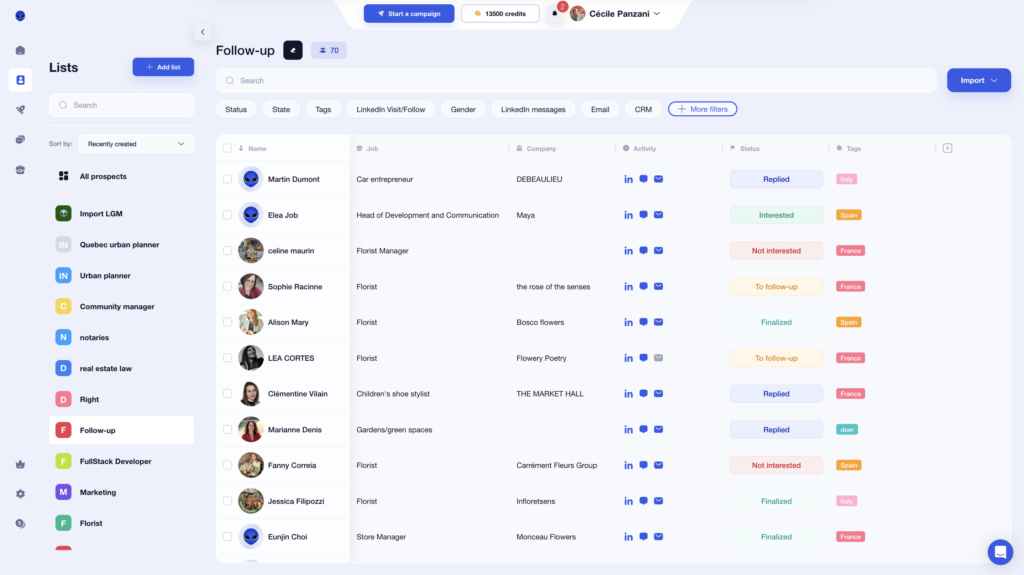
Hover-over tooltips appear to guide you, without cluttering the interface.
As for Email Finder, it operates on a credit system. You can check your balance with a single click, directly from your profile—no need to dig through settings.
Here’s a quick overview of the rates 💸:
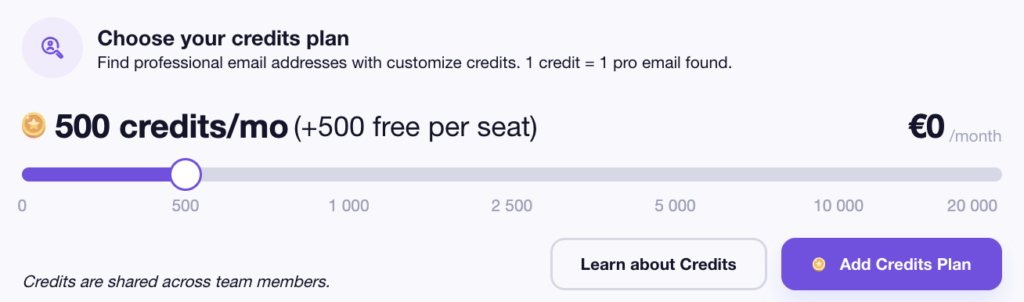
Waalaxy’s biggest strength is its ease of use. You can launch, track, and analyze your campaigns in just a few minutes, even without technical expertise. 😅
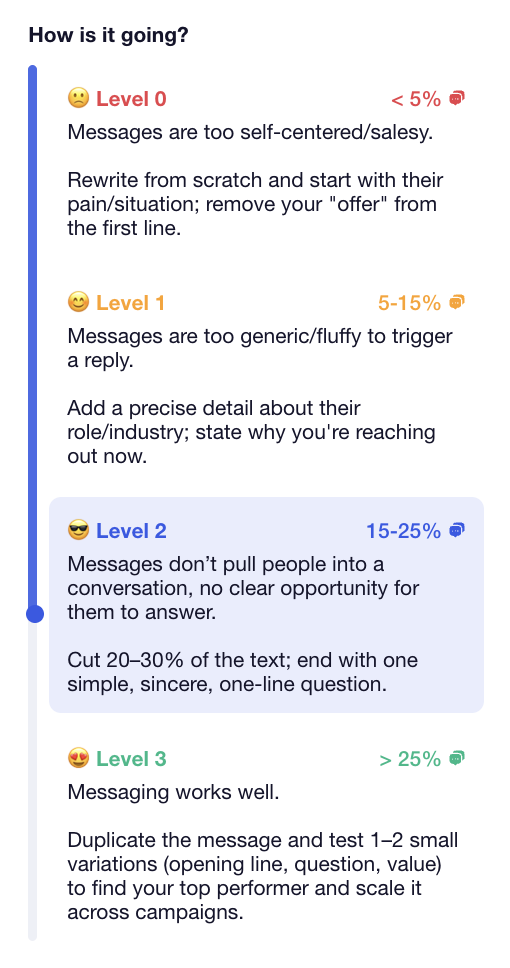
For example, each campaign displays a performance score (from 0 to 3), based on the response rate, with a quick explanation to help you understand your results. 🛸
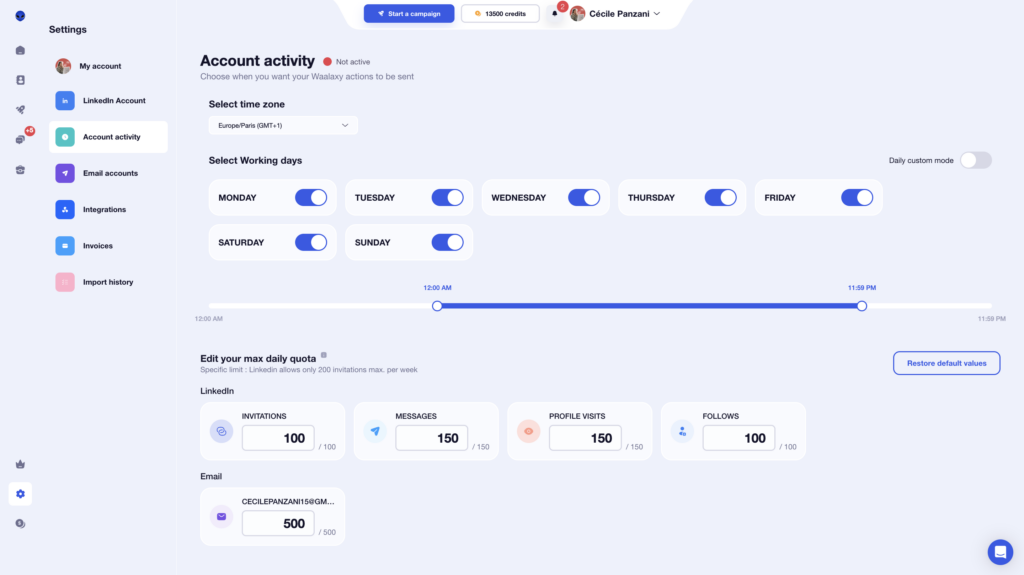
Finally, you retain full control over your campaigns:
- 📆 Choose the days and times to send.
- 🧾 Manage quotas.
- 🎛️ Easily adjust settings.
All in all, the experience is seamless, accessible, and enjoyable from start to finish. 🧘♀️
How does it work at Dux-Soup?
As for Dux-Soup’s interface, we have to say the design is pretty basic… the platform’s “look and feel” lacks consistency. 🟡 Plus, the tool is only available in English. 💂🏻♀️
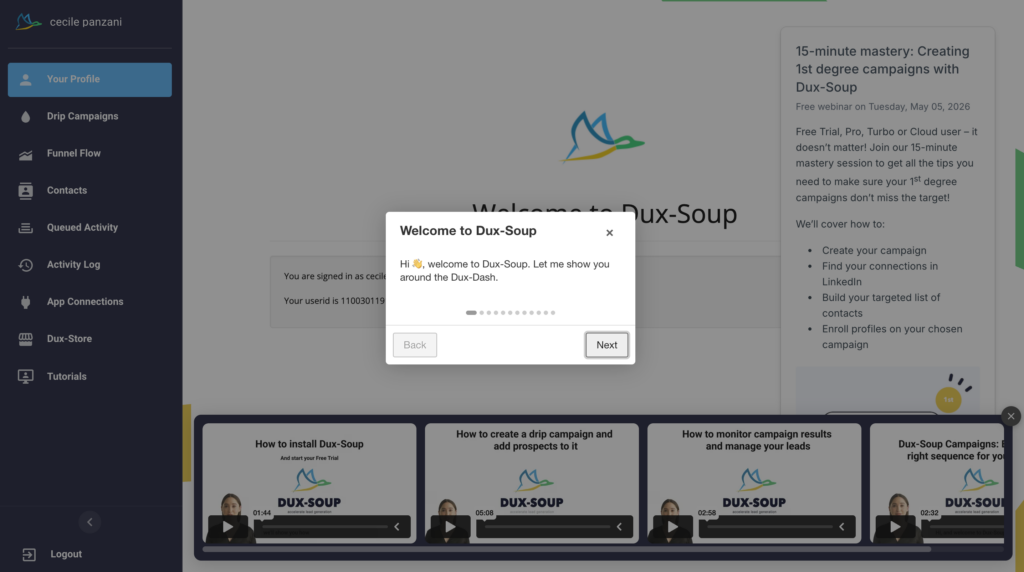
However, the tool’s onboarding is good. It’s pretty simple to get started, but once campaigns are launched, you no longer have details on what’s happening with your prospects (unlike Waalaxy, where you see the info right on the homepage). 😉
Plus, there’s no design all the features look very similar visually, so it’s easy to get confused. Everything is gray, uses the same font, and is only available in English… 😴
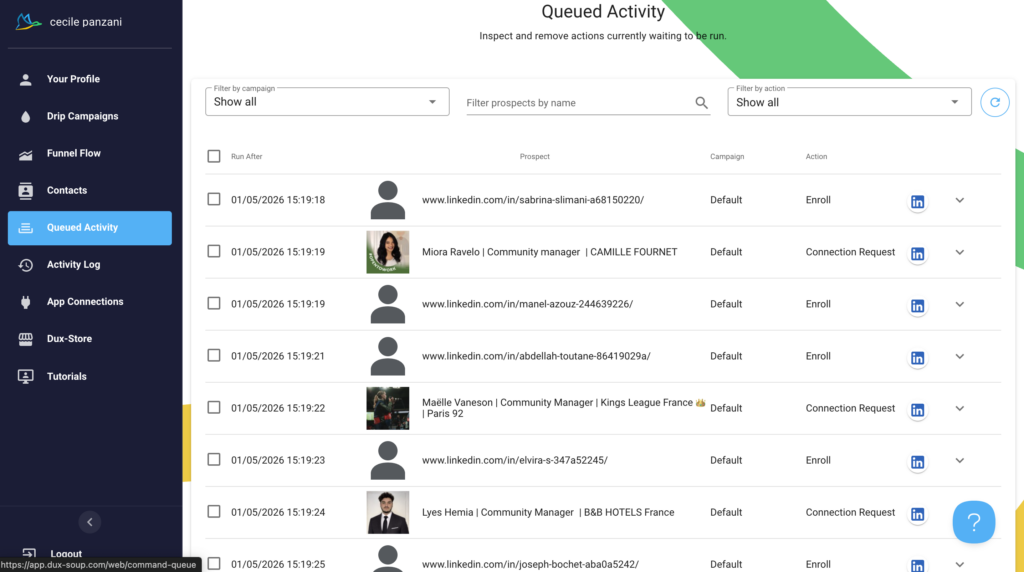
For example, in “ the Activity log ”, you can sort by “ Status ”, but there’s no info when you « hover over » the checkmark icon ✅—you have no idea what it means. Or when you’re looking at your campaigns in the “drip campaigns” tab, you can’t find the list of prospects participating in them; it’s less intuitive. 🫠
Campaigns aren’t clearly labeled, so it’s easy to make a mistake and launch an old one or one without personalization. 🔴
Here’s our quick recap below: 👇🏻
| Feature | Waalaxy | Dux-Soup |
|---|---|---|
| Available in multiple languages | ✅ | ❌ |
| Clean interface | ✅ | ❌ |
| Consistent visual identity | ✅ | ✅ |
| Campaign accessible on the homepage | ✅ | ❌ |
| Intuitive menu | ✅ | ❌ |
| Easy to use | ✅ | 🟠 |
| Menu visible at all times | ✅ | ✅ |
6) Support resources available to users
When using a lead generation tool, the ideal scenario is to be able to move forward easily, without having to contact support at every step. Let’s see how Waalaxy stacks up in this regard. 🔎
What about Waalaxy?
The Waalaxy extension offers customer support via chat, available Monday through Friday, from 8:30 AM to 6:00 PM. 📆
But the real strength lies in everything that’s been put in place to help you help yourself. Even before contacting support, you have access to a comprehensive knowledge base that answers most questions. There you’ll find:
- ✔️ Clear and detailed answers.
- 🎥 Video tutorials to guide you step by step.

The goal? To help you resolve your issues quickly, without wasting time. ⌛️
From the interface, you can also easily access other tools in the Waalaxy ecosystem, such as Skipcall or Kawaak. 👇🏻
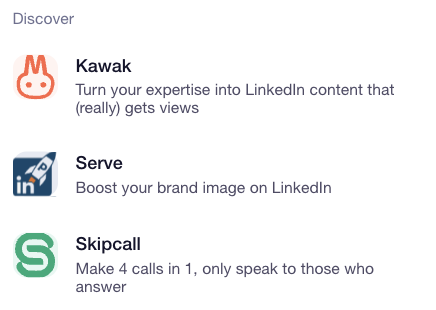
You also have access to hundreds of articles available on the blog and in the Help Center to help you get started and optimize your campaigns.

You can also join an active community (3,900+ members) to connect and share insights on:
- 🚀 The latest strategies.
- 📈 Proven best practices.
- 🛠️ Tools related to growth hacking, sales, and prospecting.
Waalaxy also offers different formats so you can learn at your own pace:
- 📖 A daily newsletter
- 🎬 A YouTube channel
- 📘 Ebooks focused on prospecting
- 🎥 Webinars
- 👀 A blog covering everything from LinkedIn and marketing to outreach, automation, and recruiting …).
Whether you’re just getting started or already experienced, everything is designed to help you improve quickly with resources you can access anytime. 🤩
What about Dux-Soup?
With Dux-Soup, you get in-app chat and solid customer support—but it’s only available in English. 🤠
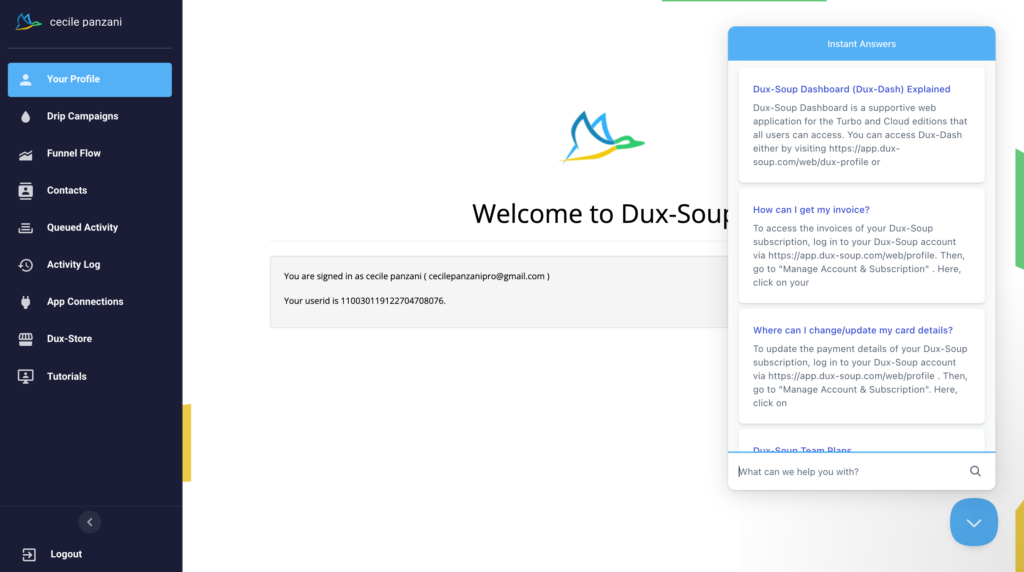
You can also request a callback from their support team. These free calls last up to 15 minutes. 📞
Dux-Soup has also expanded its support offering with two additional options: : 👇🏻
- Booster sessions: Starting at $79.95/hour, these sessions help you build workflows or define and target your ICP on LinkedIn.
- Technical sessions: Also starting at $79.95/hour, focused on integrations and technical setup.
While Dux-Soup isn’t the most widely used tool on the market, it has built its own community that actively helps answer user questions. 🤓
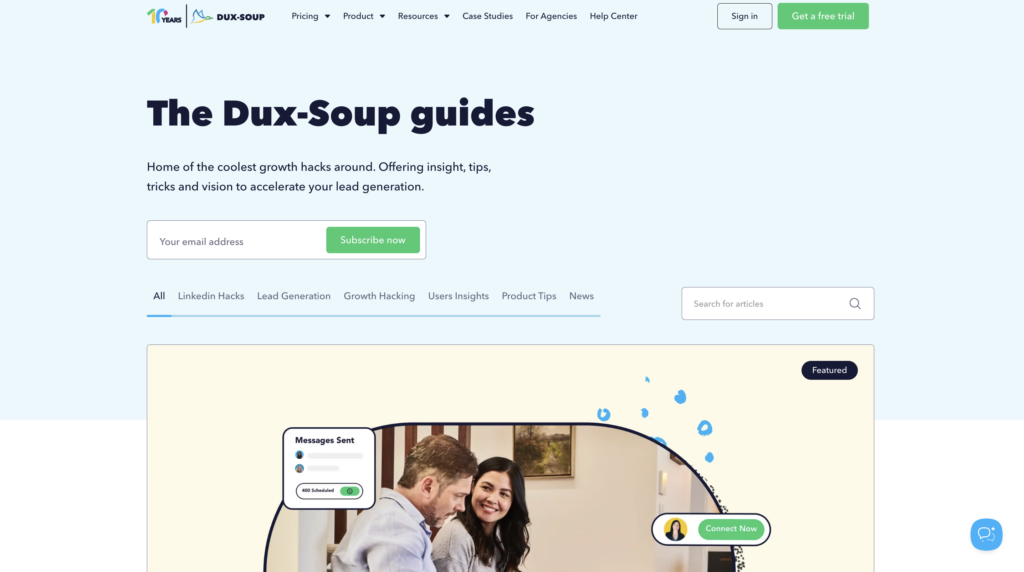
On their website, you’ll also find a help center and various additional resources..
Quick recap: ⬇️
| Features | Waalaxy | Dux-Soup |
|---|---|---|
| FAQ | ✅ | ✅ |
| Blog | ✅ | ✅ |
| YouTube channel | ✅ | ✅ |
| News/updates | ✅ | ❌ |
| Help center | ✅ | ✅ |
| Customer support | ✅ | ✅ |
| Community | ✅ | ✅ |
| Newsletter | ✅ | ✅ |
| E-book | ✅ | ❌ |
| Webinaire | ✅ | ✅ |
| Free calls | ❌ | ✅ |
Let’s do a recap about Dux-Soup Vs Waalaxy
At the end of the day, both tools help automate LinkedIn prospecting—but they’re clearly not in the same league.
👉🏻 Dux-Soup is a solid option if you’re looking for flexibility and a high level of control. But it comes with a steeper learning curve, it’s less customizable, and the overall experience isn’t as smooth day to day. 🥲
👉🏻 Waalaxy, on the other hand, goes further where it really matters: simplicity, speed, and efficiency. Everything is ready to help you save time, sequences, multichannel outreach, a clean interface… You can launch campaigns in minutes, without overthinking it. 😇
No matter which platform you choose, what really matters is making sure it aligns with your marketing and outreach strategy.
FAQ : Dux-Soup vs Waalaxy
How do you migrate from Dux-Soup to Waalaxy?
Switching from Dux-Soup to Waalaxy is simple and doesn’t require any technical skills:
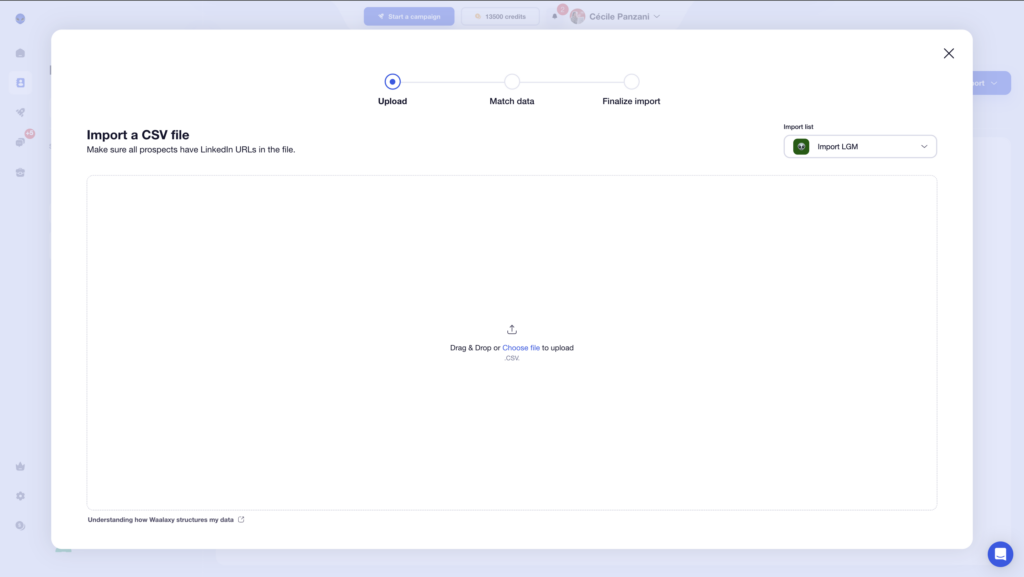
- 1️⃣ Export your leads from Dux-Soup as a CSV file (name, email, company, LinkedIn URL, etc.).
- 2️⃣ Import them into Waalaxy using the “Import prospects” section, making sure each field is properly mapped.
- 3️⃣ Relaunch your campaigns by rebuilding your sequences or using ready-made templates.
Is Dux-Soup allowed on LinkedIn?
Dux-Soup works as a Chrome extension that automates various tasks on LinkedIn. 🤖
While it can save you a lot of time when it comes to lead generation, LinkedIn has strict rules against automation tools that interact with the platform without explicit permission. 🙈
Dux-Soup operates in a bit of a gray area when it comes to LinkedIn’s terms of service. 🔎 That means users need to be careful to stay within LinkedIn’s guidelines to avoid penalties like account restrictions or suspension. 🥲
Comment éviter de se faire limiter ou bloquer son compte LinkedIn ?
Here are a few best practices to stay under LinkedIn’s radar:
- ➡️ Keep your activity at reasonable levels (connection requests, messages, etc.).
- ➡️ Avoid actions that are too fast or overly repetitive.
- ➡️ Personalize your messages to stay natural and avoid getting flagged.
- ➡️ Add delays between each action.
- ➡️ Don’t run multiple automation tools at the same time.
Keep your behavior as human as possible, that’s the key to staying under the radar.
Is Waalaxy better than Dux-Soup?
It all depends on what you’re looking for. 😇
👉🏻 Dux-Soup is often appreciated for its flexibility and more technical approach, making it a good fit for users who want advanced control.
👉🏻 Waalaxy, on the other hand, focuses on simplicity—with an easy setup, ready-to-use templates, more customizable messaging, and a more guided experience.
Can you manage multiple LinkedIn accounts with Waalaxy?
Yes, you can manage multiple LinkedIn accounts with Waalaxy using the Team plan.
This is especially useful if you work in a team, run an agency, or manage multiple profiles at once. With it, you can:👇🏻:
- Centralize your actions.
- Share templates.
- Track performance across multiple accounts.
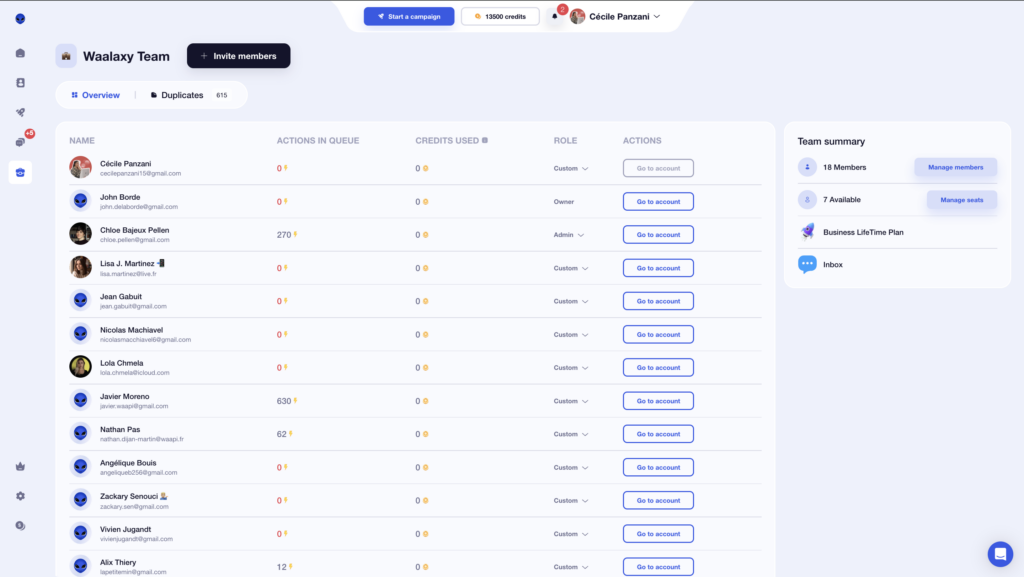
A great feature for scaling and organizing your outreach.
That’s it ! You now have everything you need to choose between Dux-Soup and Waalaxy. 🧚🏻♀️
 Cécile PANZANI
01/05/2026
Cécile PANZANI
01/05/2026 












