



Want to launch an automated lead generation campaign but not sure which tool deserves your time and budget? Let’s break down La Growth Machine vs Waalaxy and see which one actually delivers. 🚀
By the end, you’ll know exactly which B2B prospecting tool fits your strategy and your growth goals. 👍
What is La Growth Machine?
La Growth Machine is a multichannel automation tool that helps you build personalized prospecting sequences across LinkedIn, X (formerly Twitter), and email. 📧
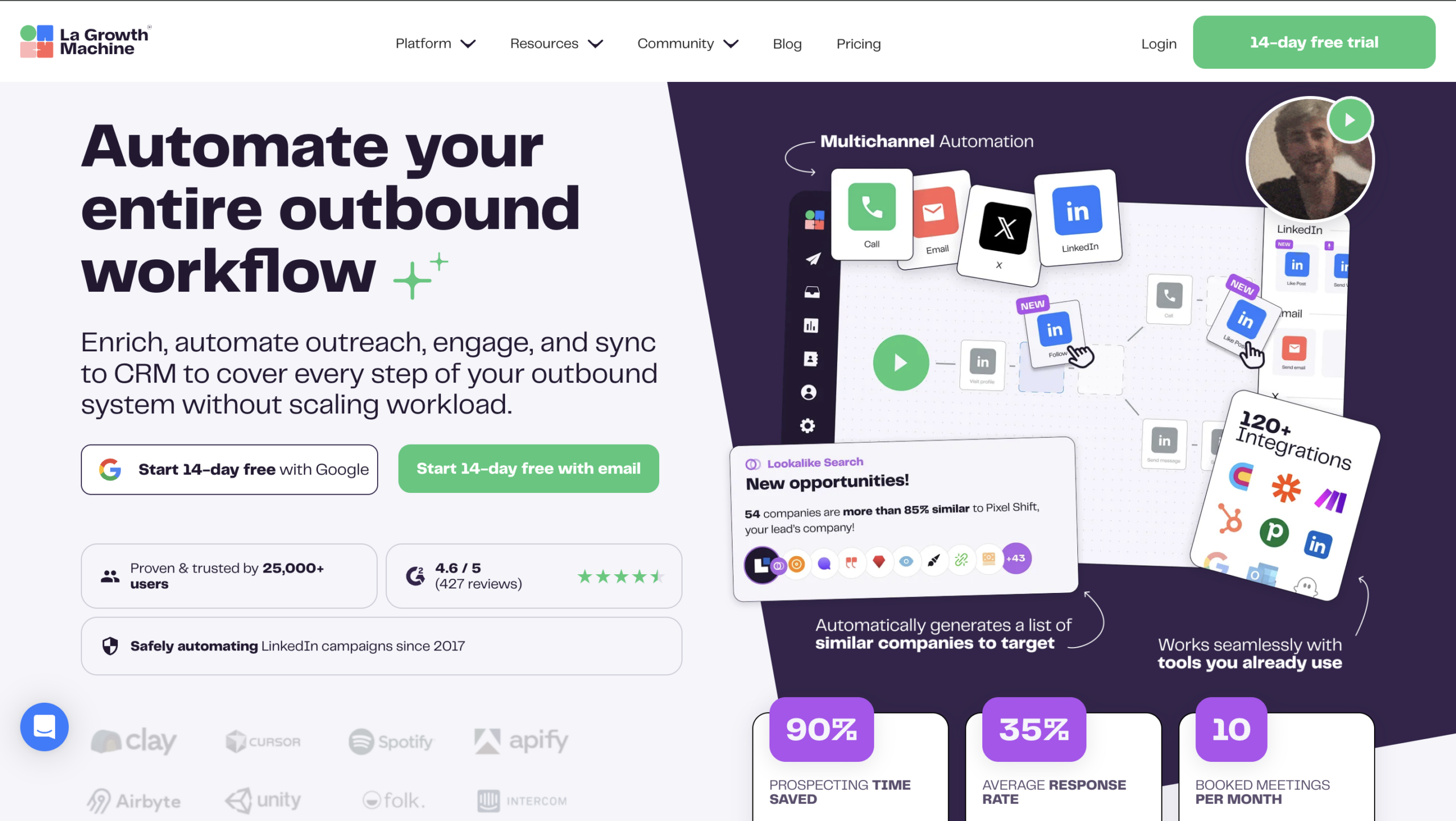
La Growth Machine is a robust tool packed with features designed for multichannel prospecting. 🎰 Here’s a quick look at its core features:
- 🔵 Automated multichannel prospecting campaigns.
- 🔵 Easy prospect import from LinkedIn and external sources.
- 🔵 A built-in call step you can add directly into your outreach sequences.
- 🔵 Prospect Finder to help you identify and target new leads.
- 🔵 CRM integrations with HubSpot and Pipedrive.
- 🔵 Unified LinkedIn and email messaging.
- 🔵 Multichannel outreach, including X (formerly Twitter).
It also includes its own Multichannel Inbox, which centralizes LinkedIn conversations and email replies in one place. 📩
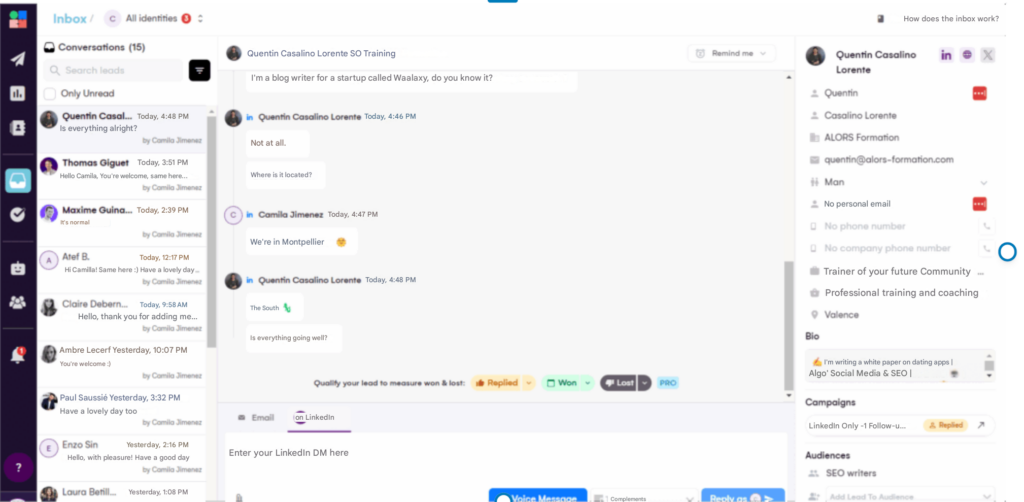
That said, managing everything in one place can get messy fast and it’s easy to drown in a flood of messages. 🌊 Email + LinkedIn campaigns are proven to work for B2B prospecting. 💥
Adding X (formerly Twitter), however, doesn’t always add real value. The platform is more volatile and leans heavily toward B2C and entertainment. For most B2B strategies, it’s not necessarily a game-changer. 🤹🏻♀️
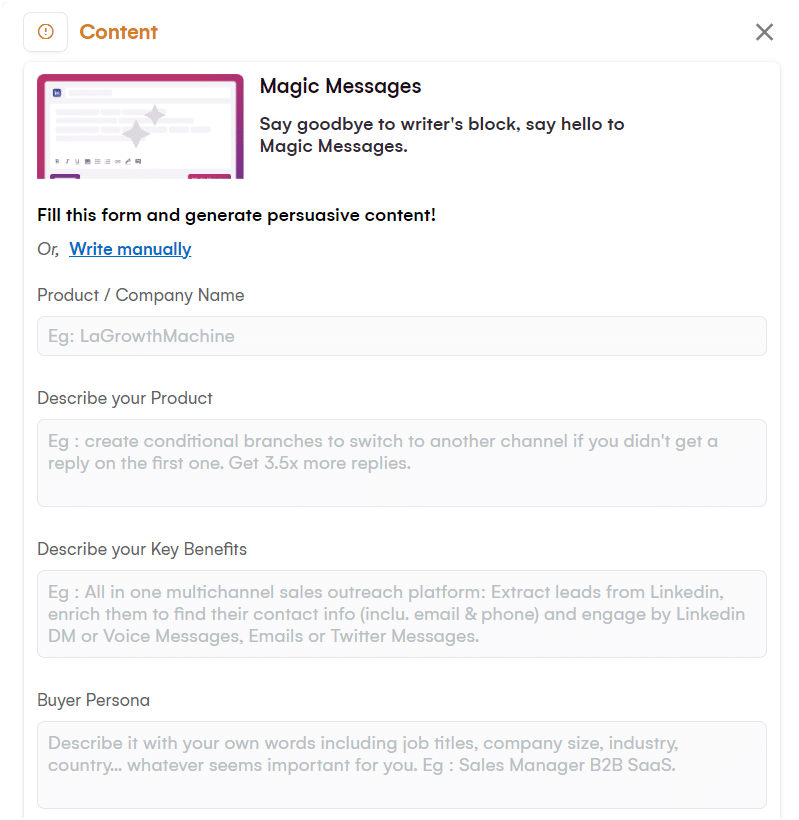
One real upside? An AI assistant that helps you write your messages just like Waalaxy does. 👽
It saves serious time and helps you craft sharper, more persuasive outreach without staring at a blank screen. 🪶
La Growth Machine review
Users of La Growth Machine particularly like the interface and customer support. 🗣️
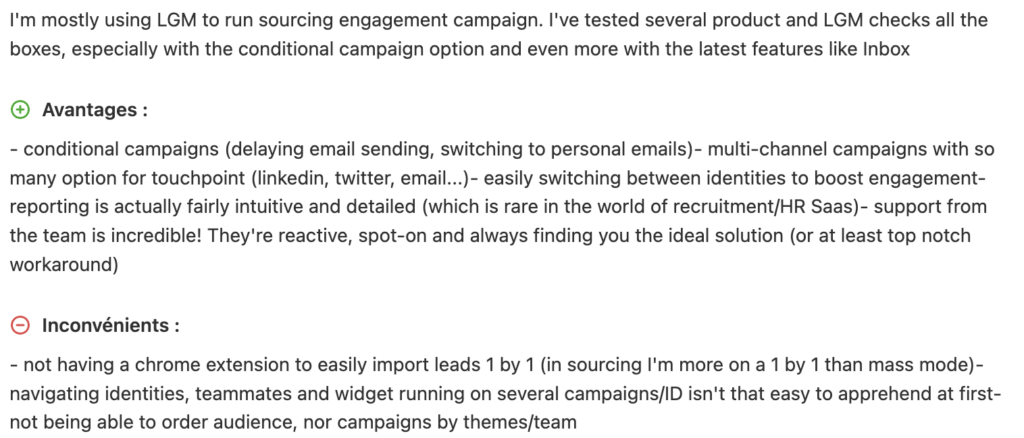
However, they lack a plug-in to launch campaigns from LinkedIn (unlike Waalaxy). 😯
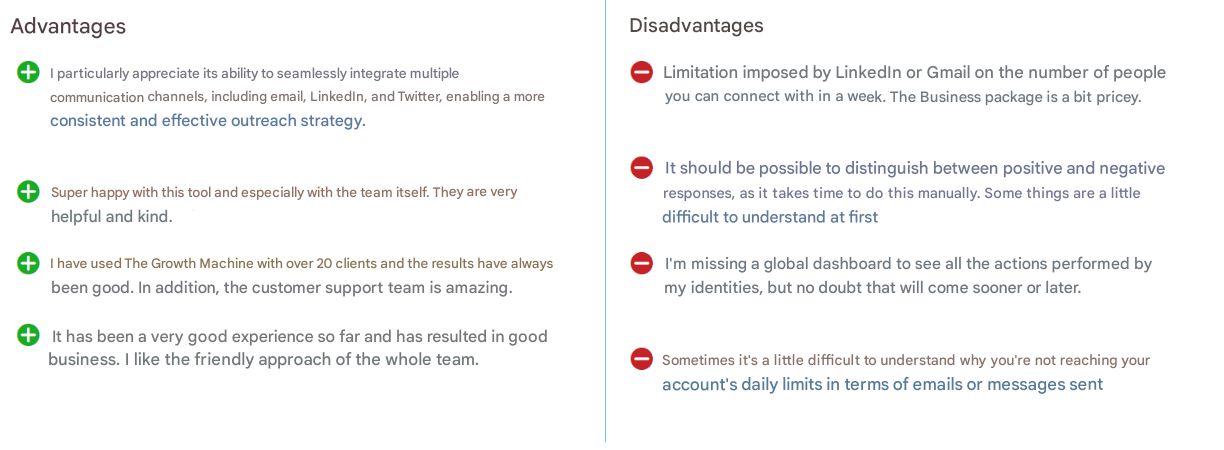
In addition, customers complain that the dashboard is not comprehensive enough. 👎
The tool is fairly easy to understand,, and there is plenty of support available 🌟, which is what customers appreciate most about this tool!
How much does La Growth Machine cost?
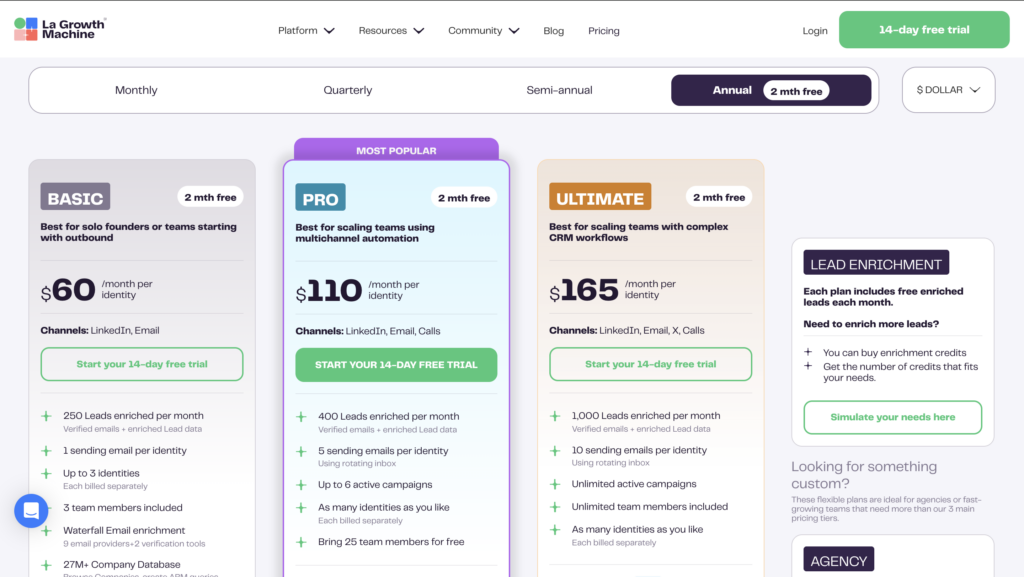
La Growth Machine pricing starts at $60 per month. 💸

La Growth Machine vs Waalaxy
What is Waalaxy? It’s a prospecting tool built to automate your outreach on LinkedIn and email. 👽
Available as a Chrome extension, it’s secure, easy to use, and doesn’t require a pre-built database or technical skills. 😇
Waalaxy doesn’t cap your growth you can send up to 200 LinkedIn invitations per week. That’s roughly 800 invitations per mont !
Many prospecting tools are built for highly technical users. They’re powerful but often complicated and hard to navigate. 😅 Waalaxy takes a different approach: simplicity.
It’s one of the most user-friendly B2B prospecting tools on the market, designed for teams that want results without wrestling with a complex setup. 😎
It’s more than just an email outreach tool.
Waalaxy combines LinkedIn and email into ready-to-launch multichannel sequences that are easy to manage and built for real results. If you want to grow your B2B lead generation without juggling five different platforms, Waalaxy is built for that. 😎
With Waalaxy, you have access to:
- 🟣 Integrations with leading CRMs and tools like Salesforce, noCRM, and more.
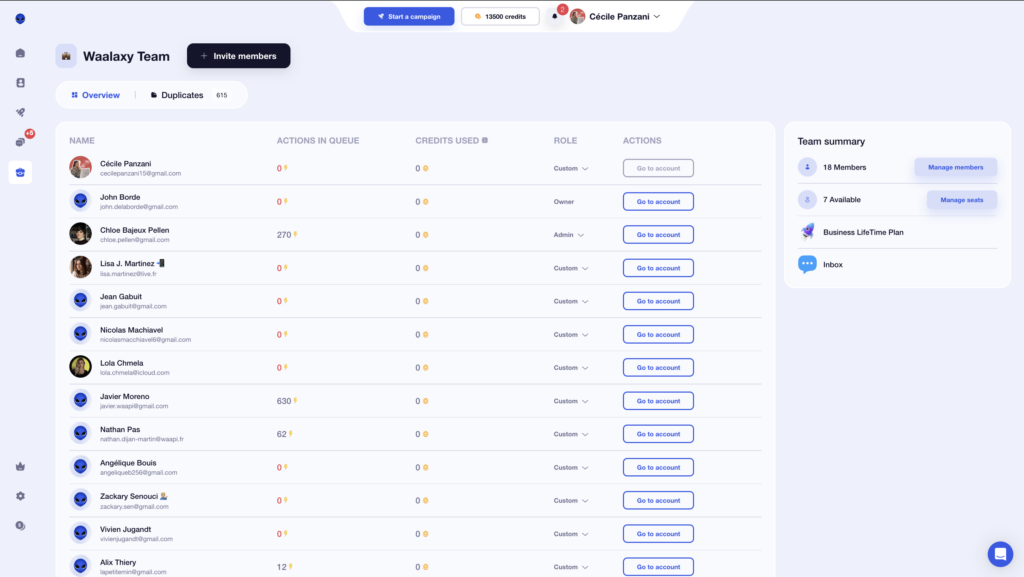
- 🟣 Plans tailored for sales teams, freelancers, and agencies. Collaborate with teammates, share templates, and manage campaigns together. One account can even manage multiple LinkedIn profiles.
- 🟣 A built-in Email Finder to uncover your prospects’ professional email addresses.
- 🟣 Automated cold email campaigns with ready-to-use sequences.
- 🟣 Access to Skipcall to simplify appointment scheduling.
- 🟣 Ready-made LinkedIn workflows you can launch in just a few clicks.
- 🟣 Automatic lead import so you can skip manual data entry.
- 🟣 A unified inbox that centralizes all replies, with smart filters to keep you organized and save time.

- 🟣 Automatic prospect capture based on LinkedIn activity (profile visits, comments, and more).
- 🟣 AI-powered interest scoring to instantly spot your most engaged prospects.
Why choose Waalaxy?
🚀 LinkedIn and automated email — all in one platform.
🤝 Team-friendly plans built for collaboration and scale.
📥 A smart inbox that keeps every conversation in one place.
🧠 AI insights to help you focus on your most promising leads.
🔗 Seamless integrations with dozens of tools (Zapier, CRM, etc.).
Waalaxy reviews: what do users think?
What do users love most? Its intuitive, easy-to-use interface.
Sequences and templates are built right into the platform, organized from beginner to expert level. That means less guesswork and more action from day one. 💪
Another big plus: Waalaxy is available in 10 languages, which makes international prospecting much easier. 🌍
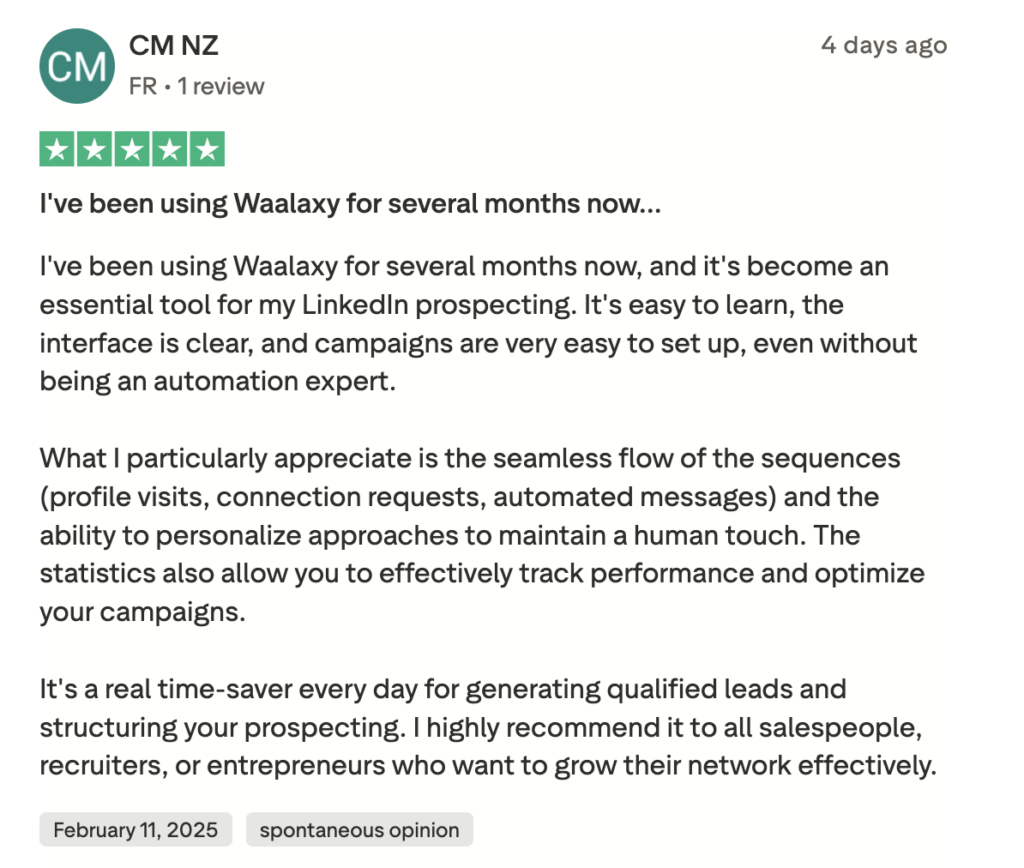
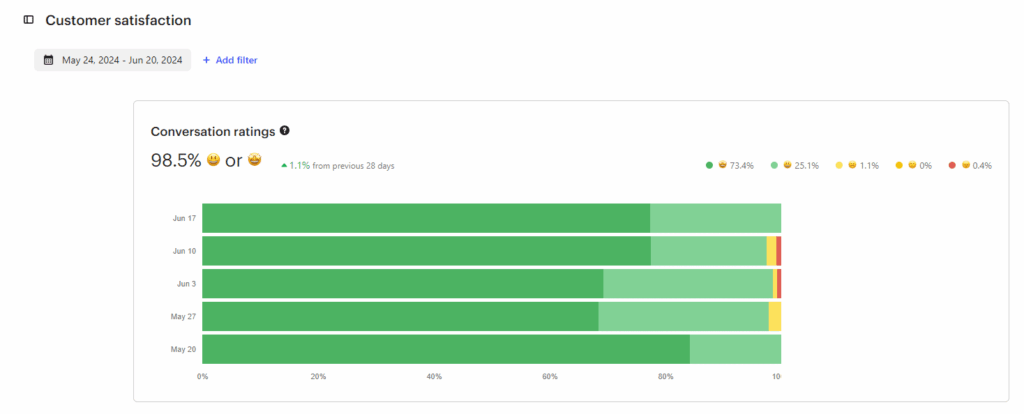
Another strong point: the tool is available in 10 languages, making it easier for you to prospect internationally. 🌍 And when it comes to customer support, the satisfaction rate is almost perfect.
One small drawback? There’s no mobile app (which is common for tools like this), and the extension is only available on Chrome. 🫠
Curious to see it in action? The best way is to try it for yourself. 🪐
Waalaxy pricing, how much does it cost?
Waalaxy plans start at $0 per month. 👀 Whether you’re just getting started or scaling a full outbound team, there’s a plan designed to match your growth stage.🤓
Monthly
Quarterly
Yearly
Without Inbox
With Inbox
Add-on

What are the similarities and differences in features?
Waalaxy and La Growth Machine are often compared as equivalent solutions. 🤔 Before deciding which tool best suits your strategy, it’s important to understand how each interface works… and, above all, which one you find most intuitive to use. ⬇️
1) Ease of use and interface
Now let’s talk about design and user interface. 🌈 Let’s go!
How does it work with Waalaxy?
From the very first few minutes, we were impressed by Waalaxy’s sleek and intuitive UI/UX. The graphic charter is respected, the colors are consistent and harmonious, and above all… you immediately understand where to click and what to do. 😇
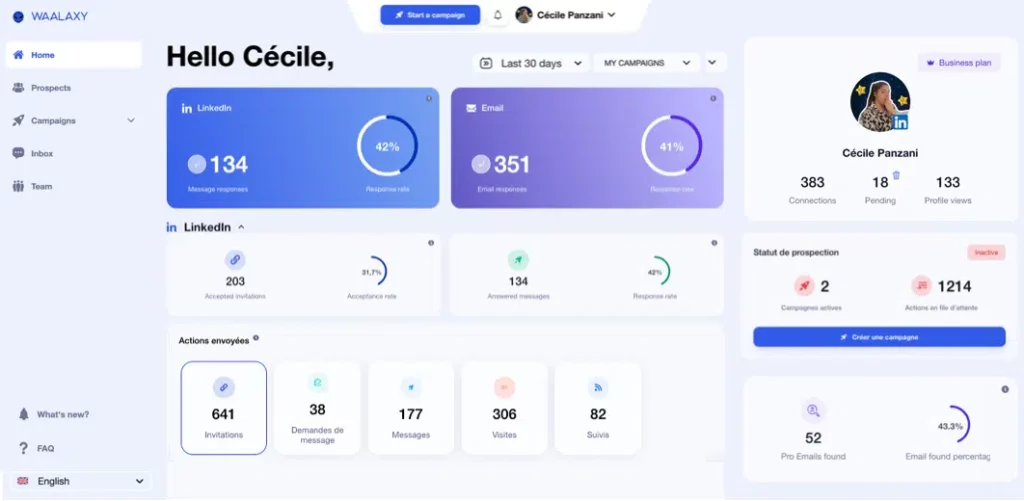
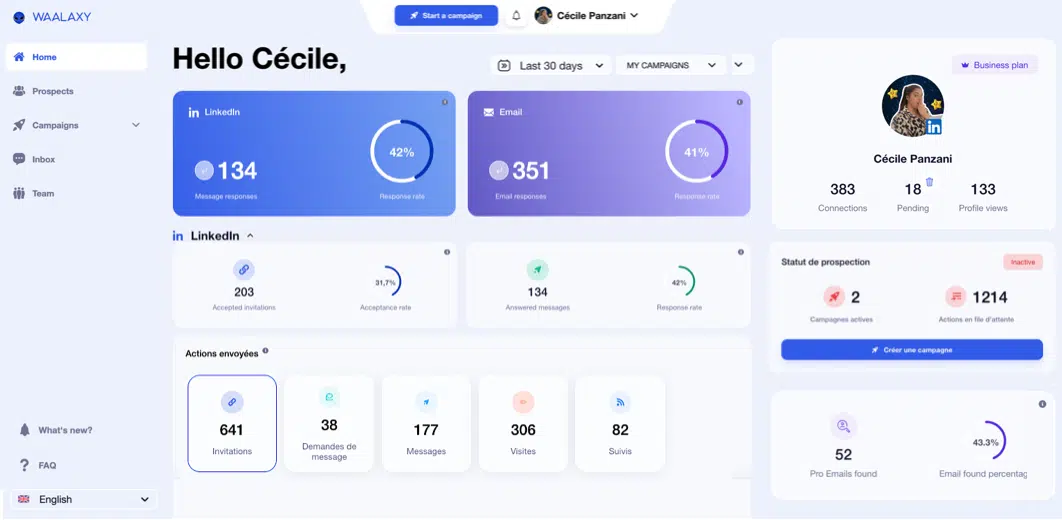
For example, you choose the campaign you want to view and instantly access key performance indicators: response rate and number of responses. 📊
One small detail we particularly appreciated was that the menu automatically collapses when you navigate between pages. The result? More space and greater clarity. 👀 It quickly becomes apparent that Waalaxy places real importance on UI/UX. 💟
On a LinkedIn campaign, for example, a clear color code helps you understand the situation at a glance:
- 🩶 Gray: not connected.
- 🧡 Orange: pending.
- 💙 Blue: connected.
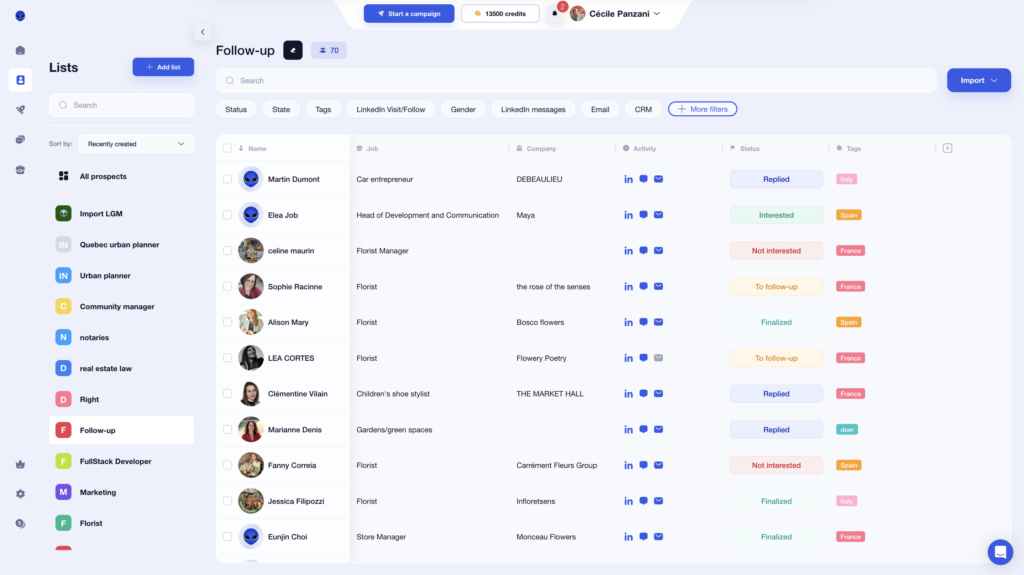
And when you hover your mouse over an item, a small explanatory window appears to guide you. Simple and effective.
As for the Email Finder feature, Waalaxy works with a credit system. A nice surprise: the number of credits available is visible directly by clicking on your name. No need to dig through the settings.
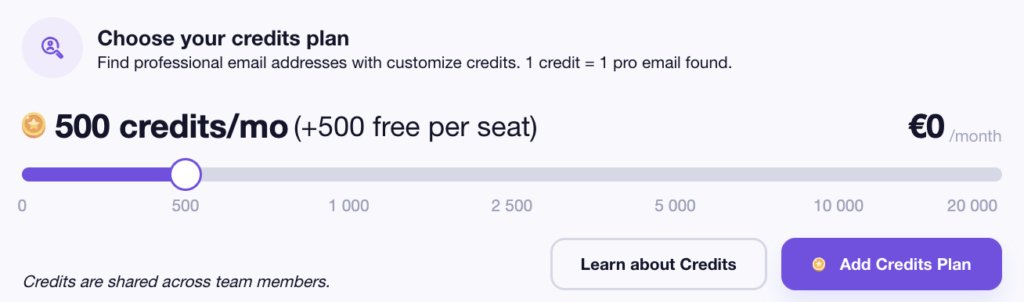
Waalaxy’s greatest strength remains its simplicity. You don’t need a master’s degree in prospecting to quickly create and analyze a campaign. 😅
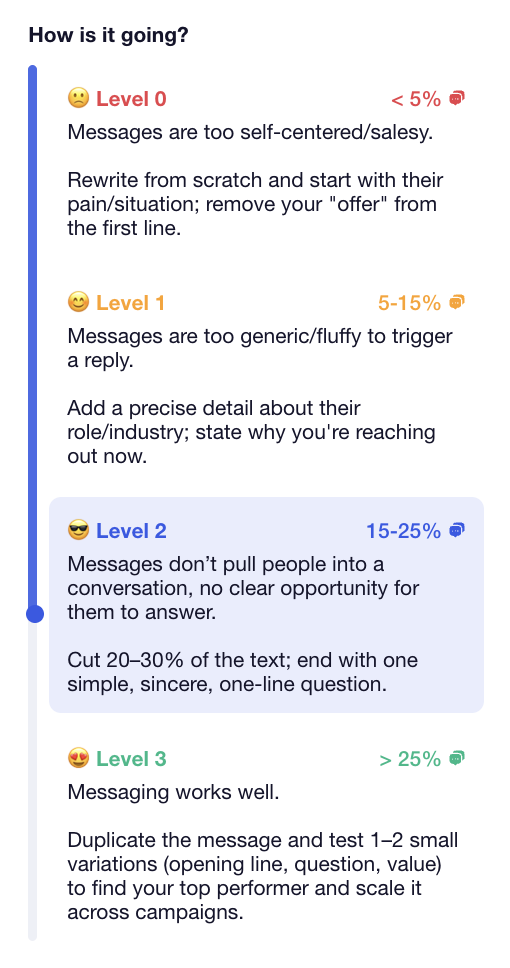
For example, for each campaign, your response rate is accompanied by a scale from 0 to 3, with a short explanation, always in the brand’s graphic universe. 🛸
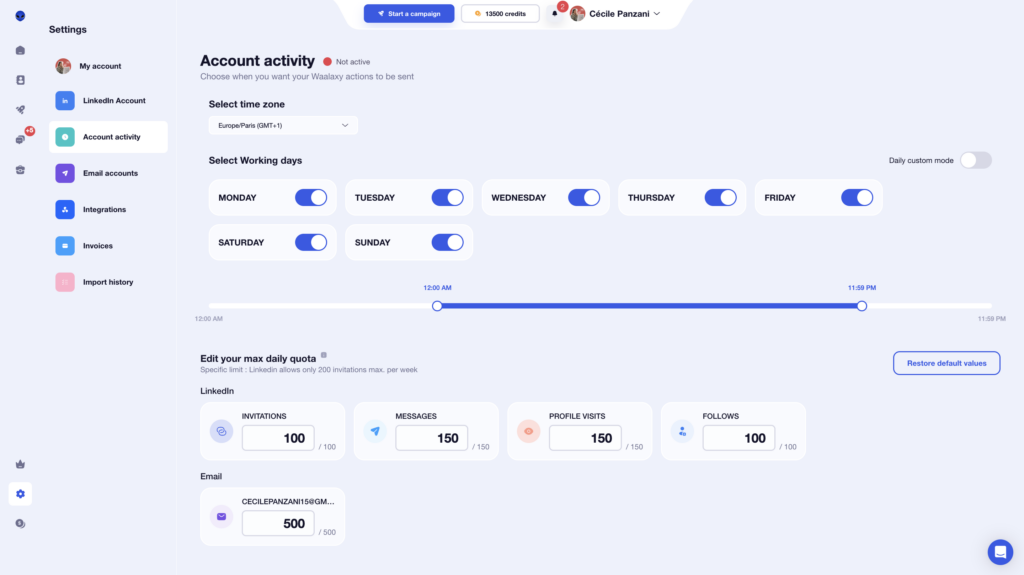
Finally, you have control over your quotas and are free to choose the days and times during which your campaigns run. Simple and flexible. 😇
You feel supported from start to finish. And that’s particularly nice. 🧘🏻♀️
How does it work with La Growth Machine?
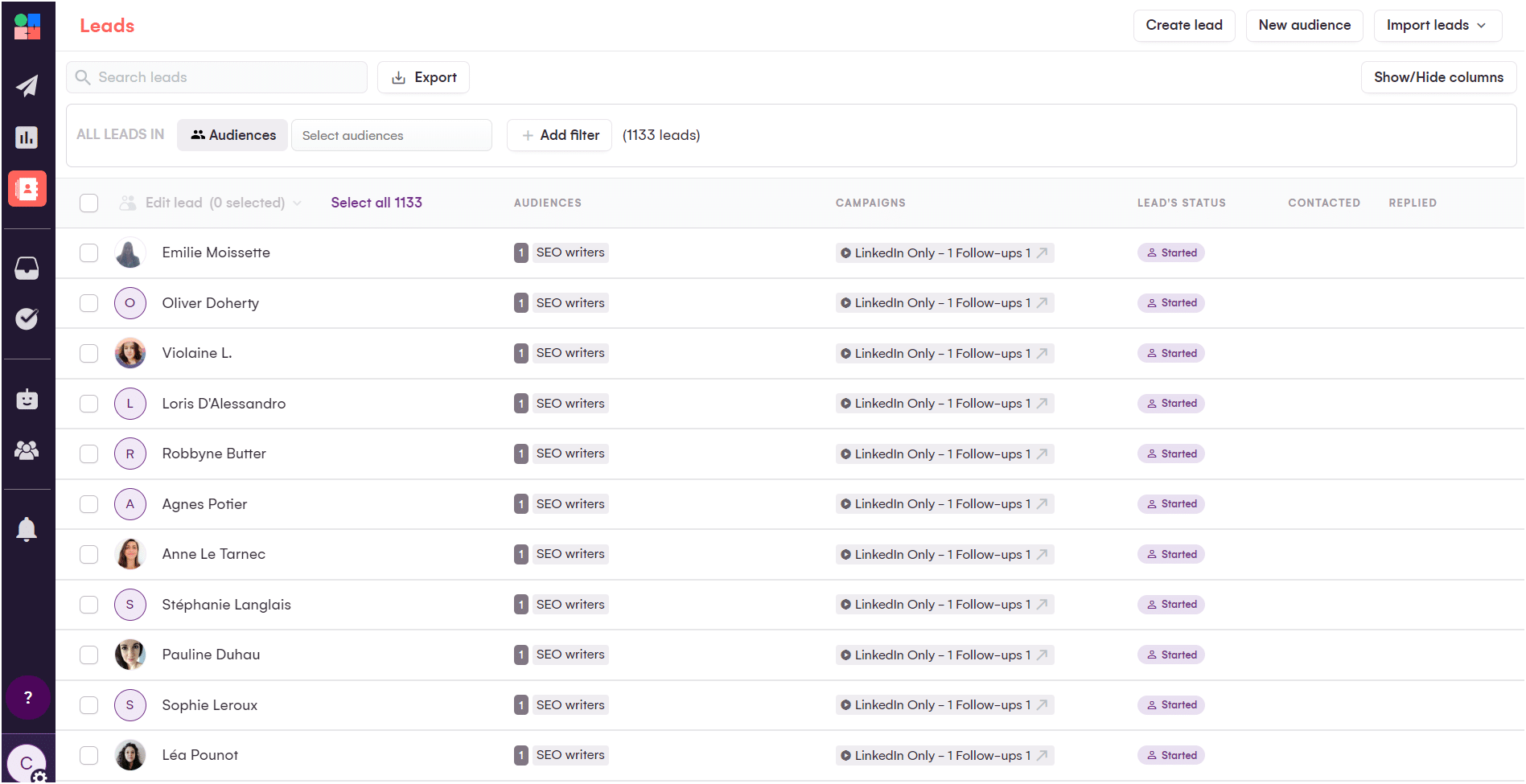
As for La Growth Machine interface, we can say that the design is minimalist and neat. 🤩 It’s still very pleasant to use!
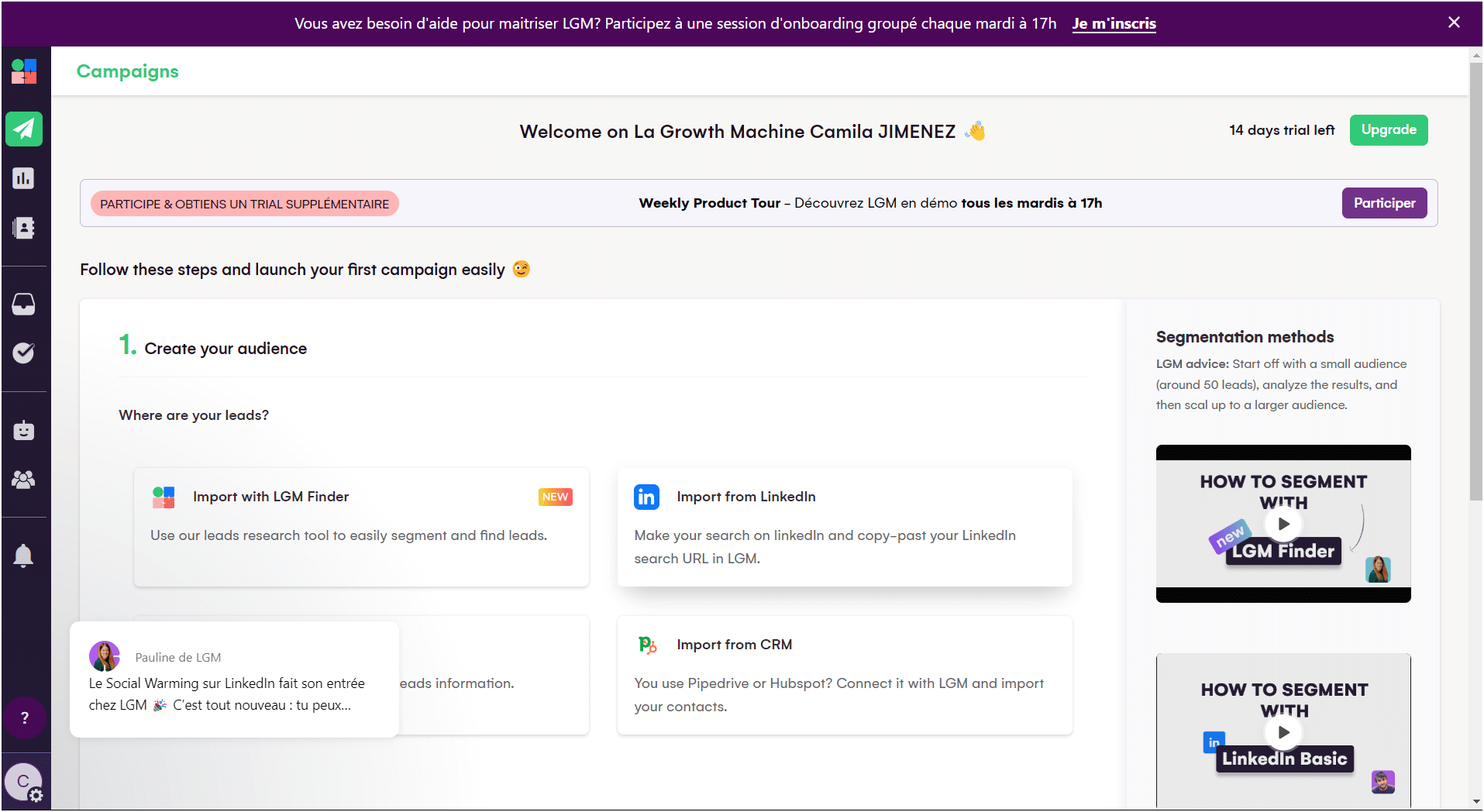
Features are easy to find in the left-hand menu, such as profile, campaigns, leads, inbox, and team. ✨
However, this software does not use color coding to indicate a change in the action or current status of a prospect. Everything is relatively monochrome. 😴 In addition, the platform is only available in English… 😅
Here is a quick summary below: 👇
| Feature | Waalaxy | LGM |
|---|---|---|
| Available in multiple languages* | ✅ | ❌ |
| Streamlined interface | ✅ | ✅ |
| Consistent graphic design | ✅ | ✅ |
| Campaign accessible on the home page | ✅ | ✅ |
| Smart menu | ✅ | ✅ |
| Ease of use | ✅ | ✅ |
| Menu visible at all times | ✅ | ✅ |
2) Automate lead campaigns
Let me explain how to automate your prospecting campaigns. 👇🏼
How to create a sequence with Waalaxy?
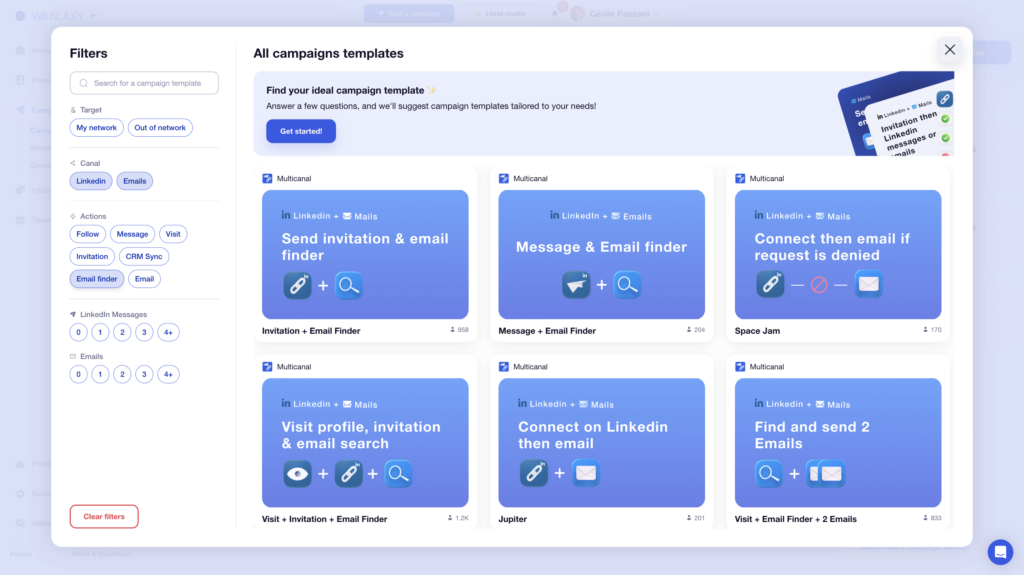
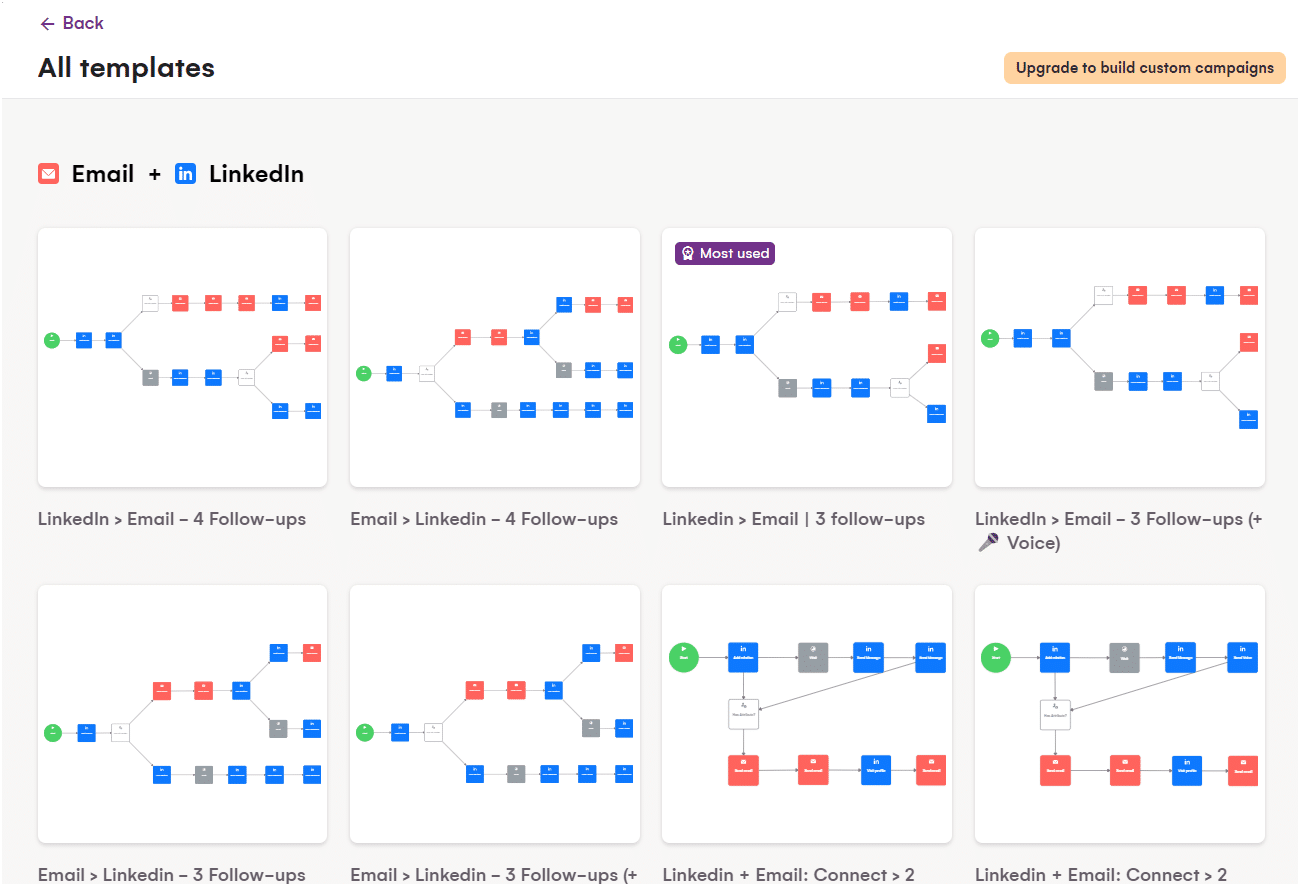
Click on “Start a campaign,” and you will be taken to the Waalaxy control center. This is where you build and manage your campaign while defining the path your prospects will follow.

There are several options available to you:
- 1️⃣ “Beginner”: simple, ready-to-use sequences to get you started easily (invitation, message, visit, etc.).
- 2️⃣ LinkedIn sequences integrating LinkedIn actions (visit + invitation + message, etc.).
- 3️⃣ LinkedIn + Email: multichannel sequences combining LinkedIn actions, data enrichment, and emailing (visit + invitation + email, etc.).
Each sequence is clearly structured, and Waalaxy guides you step by step. 👇🏼 You can apply different filters to create the sequence that is perfectly suited to your objective. 🧚🏻♀️
Next, you can name your campaign (optional, but highly recommended so you don’t get lost among your future campaigns).
You can then import your prospects in several ways:
- 🥇 From your lists (provided you have prepared them in advance).
- 🥈 Via auto-import (when someone performs an action related to your LinkedIn account).
- 🥉 Directly from LinkedIn, using the Waalaxy Chrome extension (classic search or Sales Navigator).

Once your prospects have been imported, you can add a personalized note. 🗒️
Tip: Invitations without notes are accepted about 10% more often. However, it all depends on your target audience.
How do I create a sequence with lagrowthmachine?
To launch a campaign, click on the « Campaigns » 🏹 icon in the left-hand menu and click on the button « + Create Campaign »:
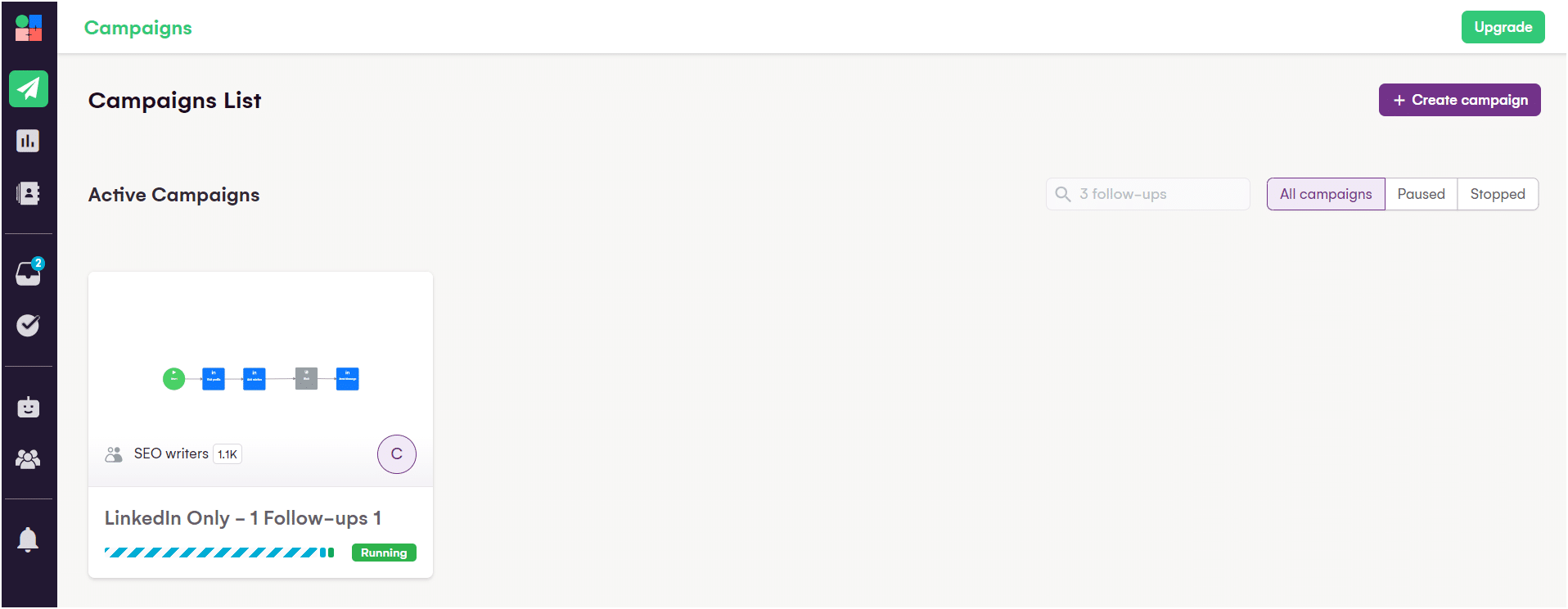
The system will then start finding potential customers for your campaign via LinkedIn. 🎯 To do this, you need to provide details about your target audience:
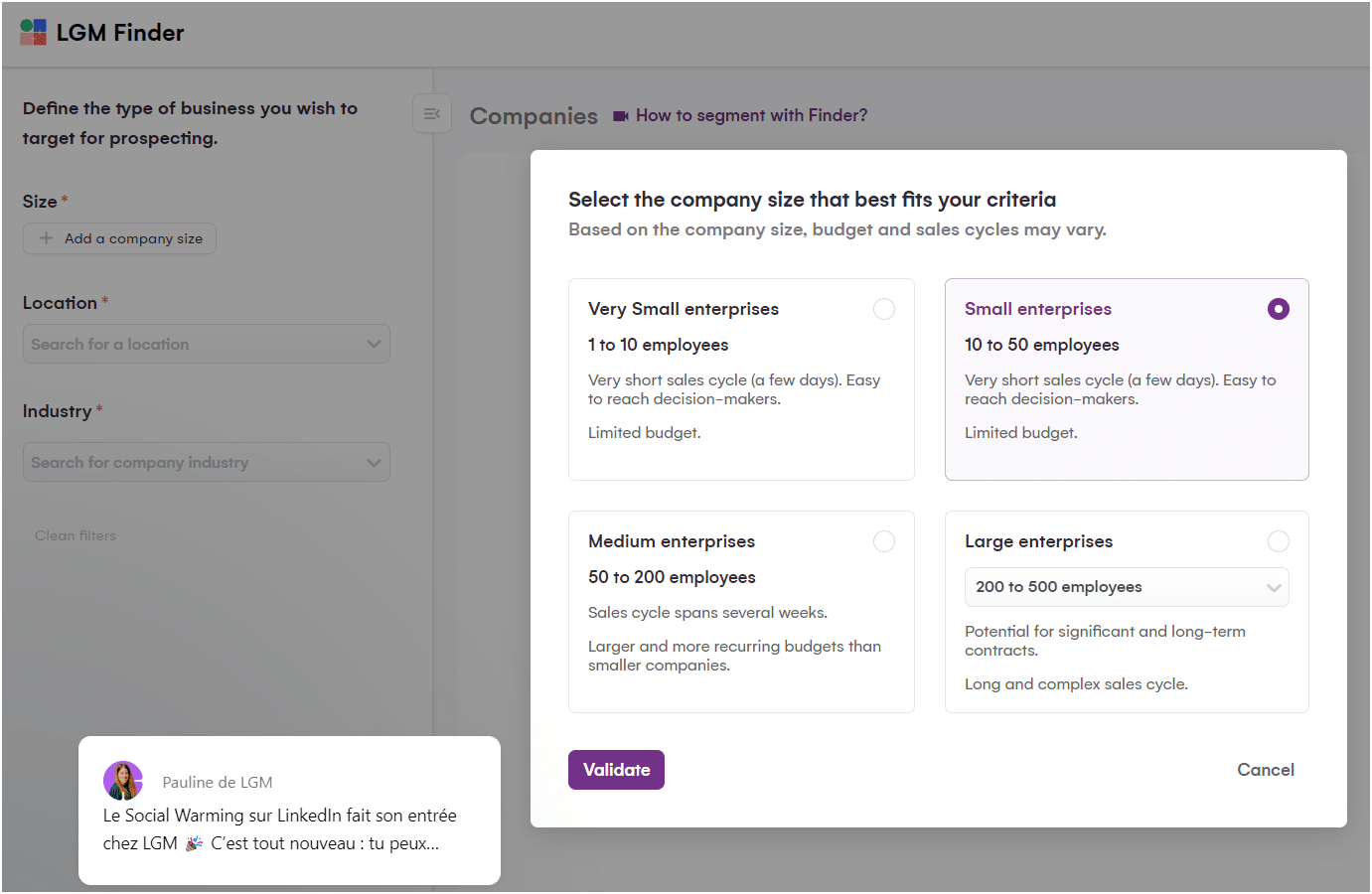
You can also choose your target criteria and start your search with « View results »:
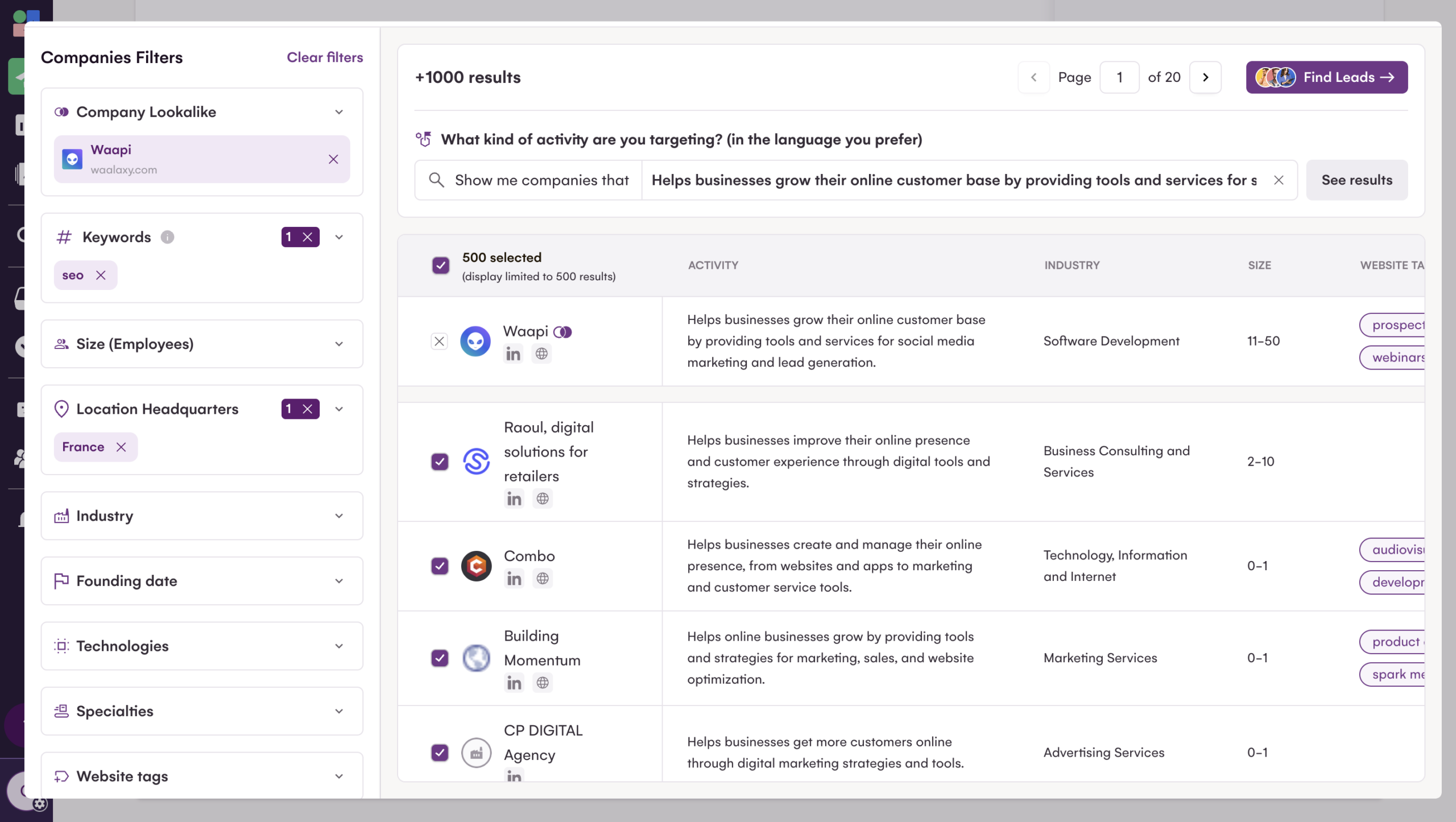
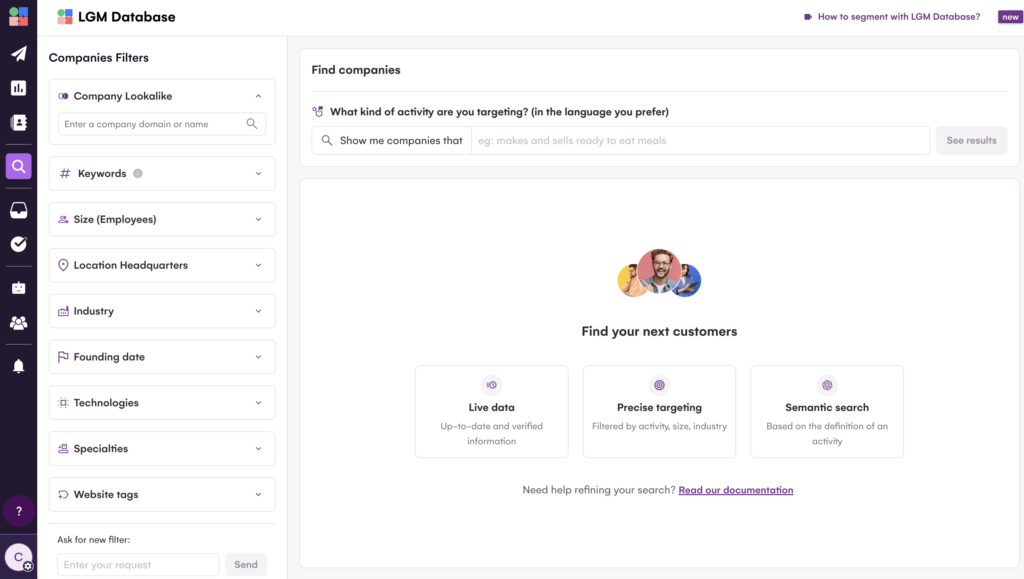
You can also use their database to import your prospects!
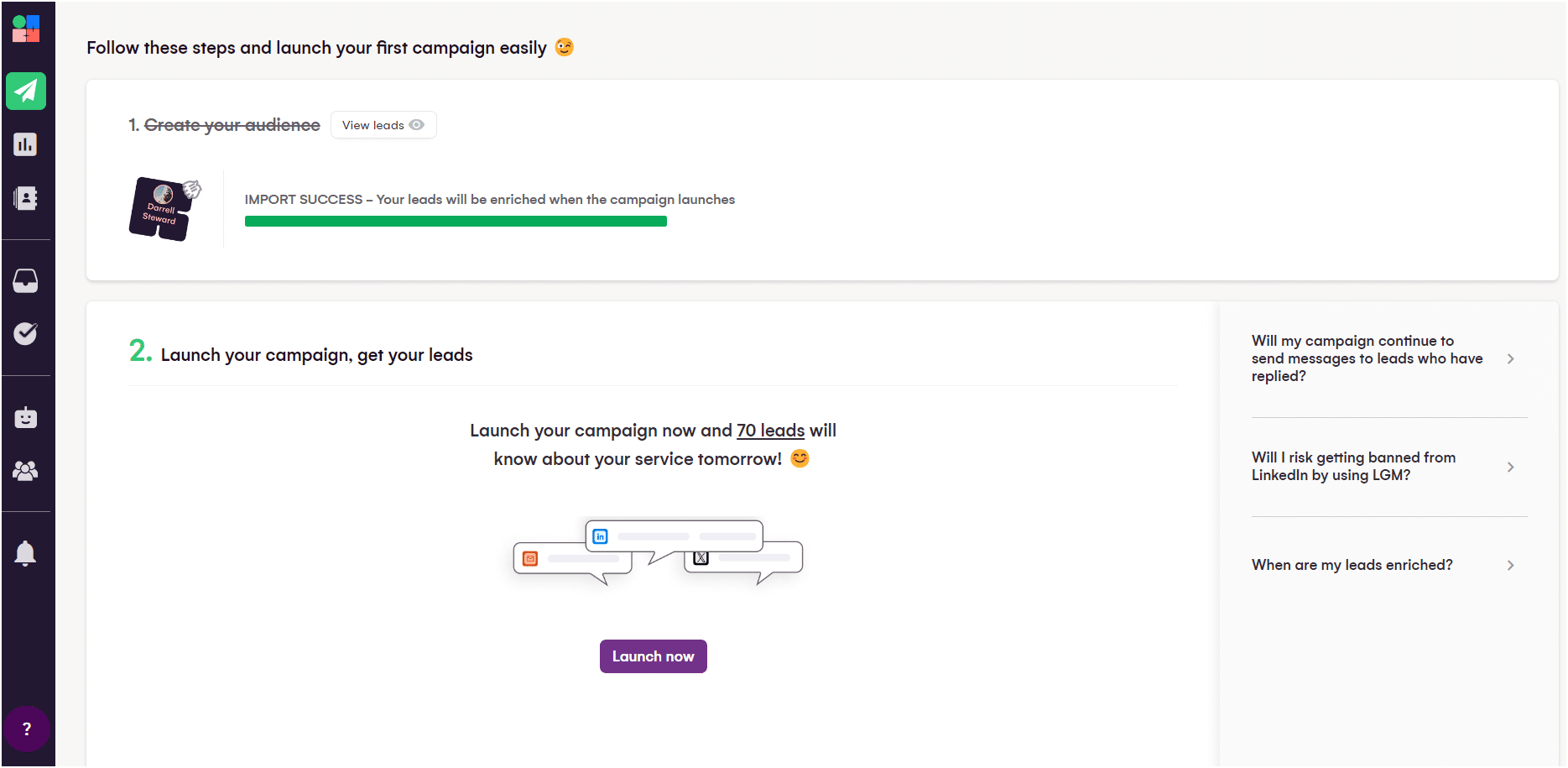
After applying all the filters that best define your target audience, the import can begin, and then you can select your campaign. 🤑
In this step, you must choose the sequence to use and the time between each message:
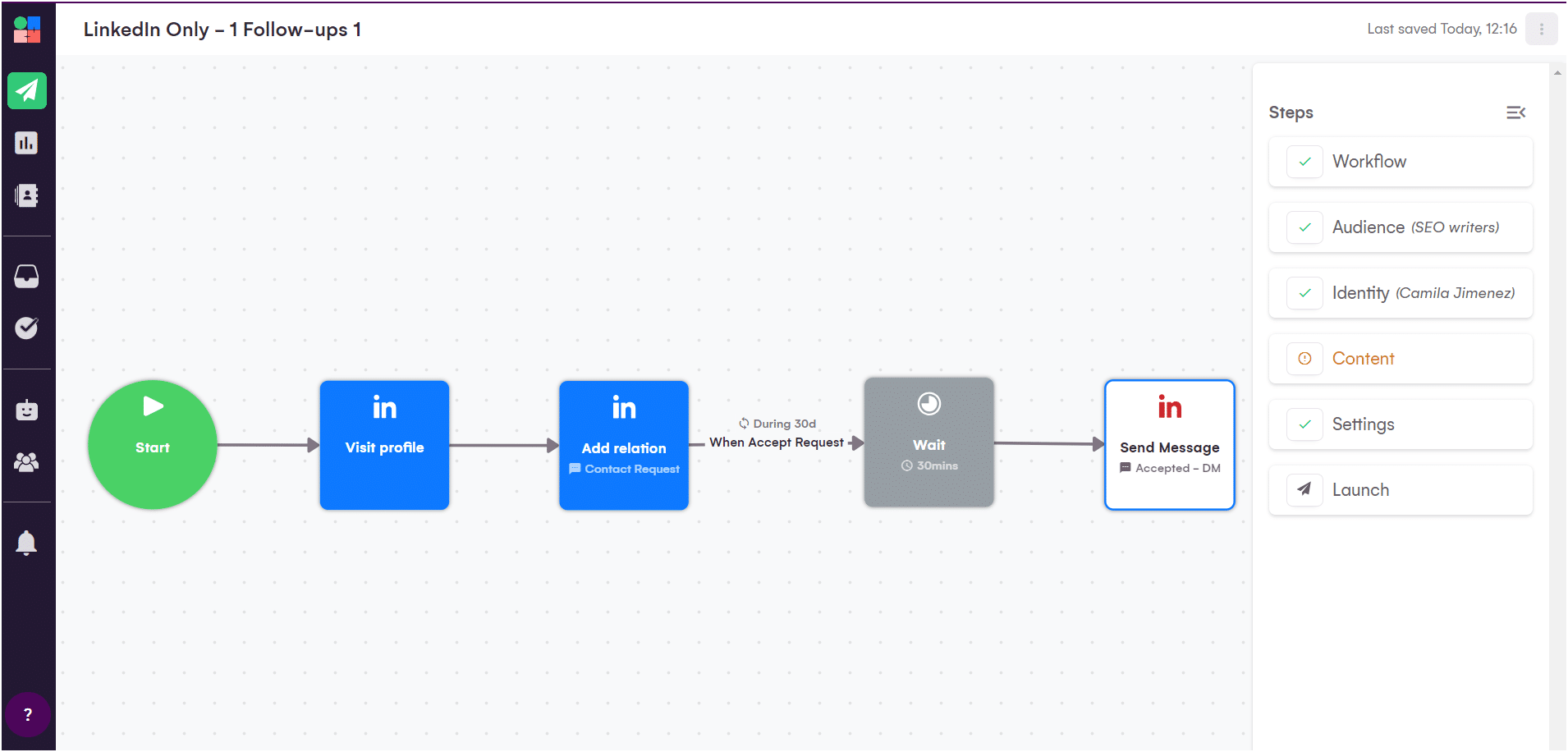
You can choose different email templates, LinkedIn messages, and Twitter/X posts.
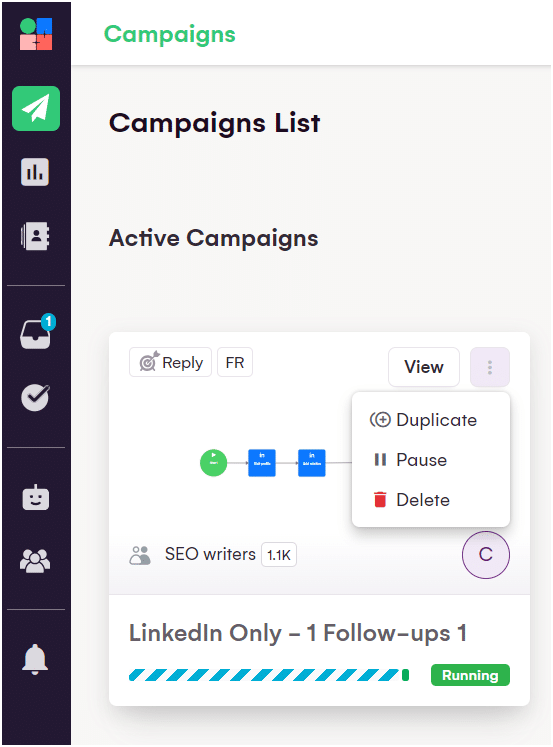
Or, you can duplicate or pause an existing campaign to reuse it with the three dots. ⏬
Before continuing, here is a comparison table! 👇🏼
| Features | Waalaxy | LGM |
|---|---|---|
| Automated email sending | ✅ | ✅ |
| Message customization | ✅ | ✅ |
| Multi-channel prospecting | ✅ | ✅ |
| Integration with third-party tools | ✅ | ✅ |
| Automated email sequences | ✅ | ✅ |
| Automated tracking and follow-up | ✅ | ✅ |
| A/B testing | ✅ | ❌ |
| Database | ❌ | ✅ |
| Prospect list creation | ✅ | ✅ |
| Import prospects from LinkedIn via Chrome extension | ✅ | ❌ |
| Customizable sequence templates | ❌ | ✅ (paid) |
3) Customizing messages
Now that your campaigns are ready 👀, let’s move on to the messages.
How do you do this with Waalaxy?
Let’s get down to business. Here, you write the LinkedIn message you want to send. And if you’re lacking inspiration, you can get help from Waami, Waalaxy’s built-in AI tool, designed to help you write the perfect message. 👇🏼
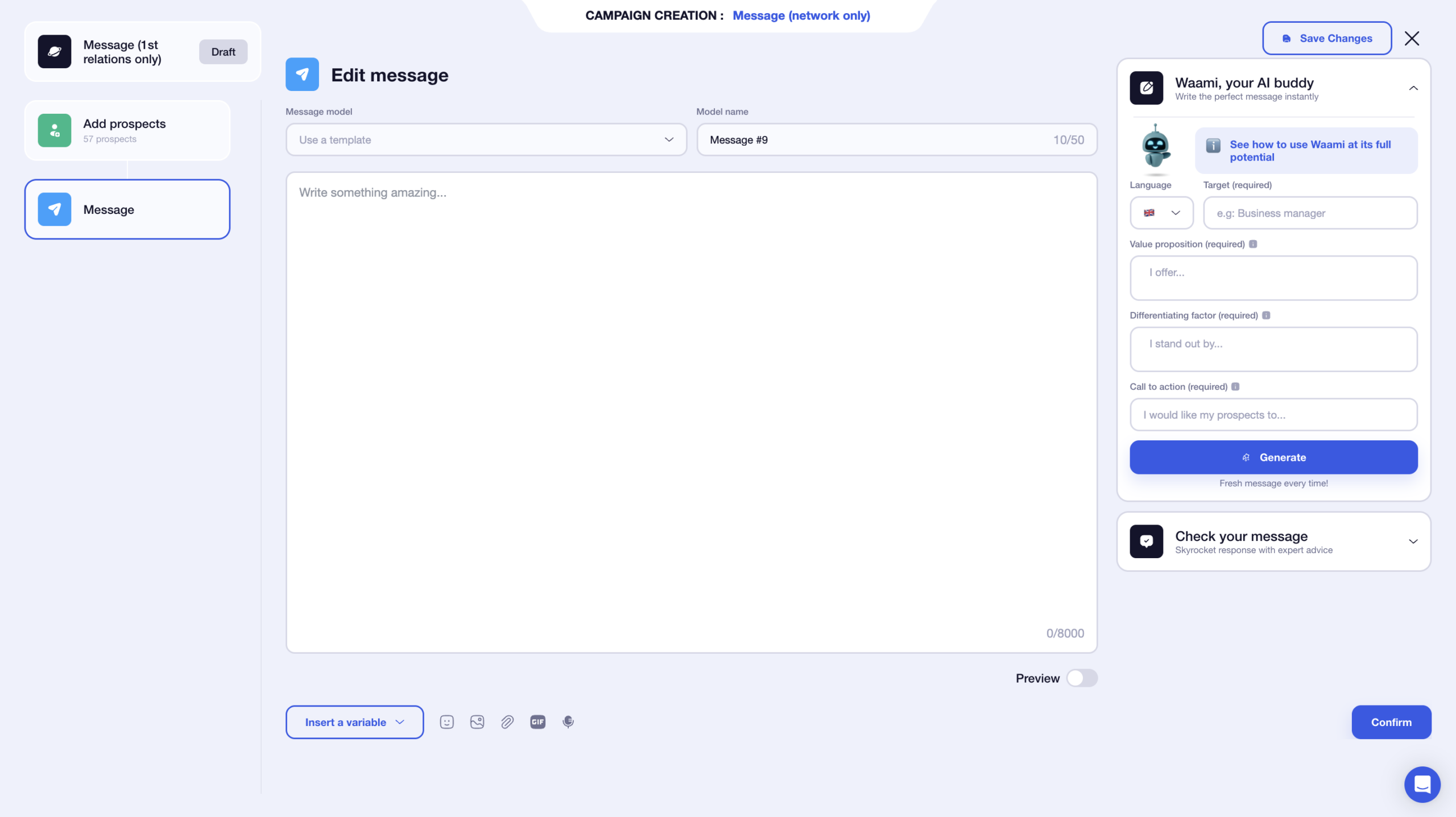
You can rename your message template so that it is automatically saved in your templates. The result: no more rewriting the same messages over and over again. 👀
You have a limit of 8,000 characters, which is plenty 🍾 (but stay relevant 😉).
You can also enrich your message with different elements:
- 🤔 Dynamic variables (first name, last name, company).
- 📸 Images.
- 🔗 Attachments.
- 🎥 GIFs.
- 🗣️ Voice notes.
The added bonus? You can preview your message directly on the same page. This is very handy for checking that your variables are displayed correctly. 🤩
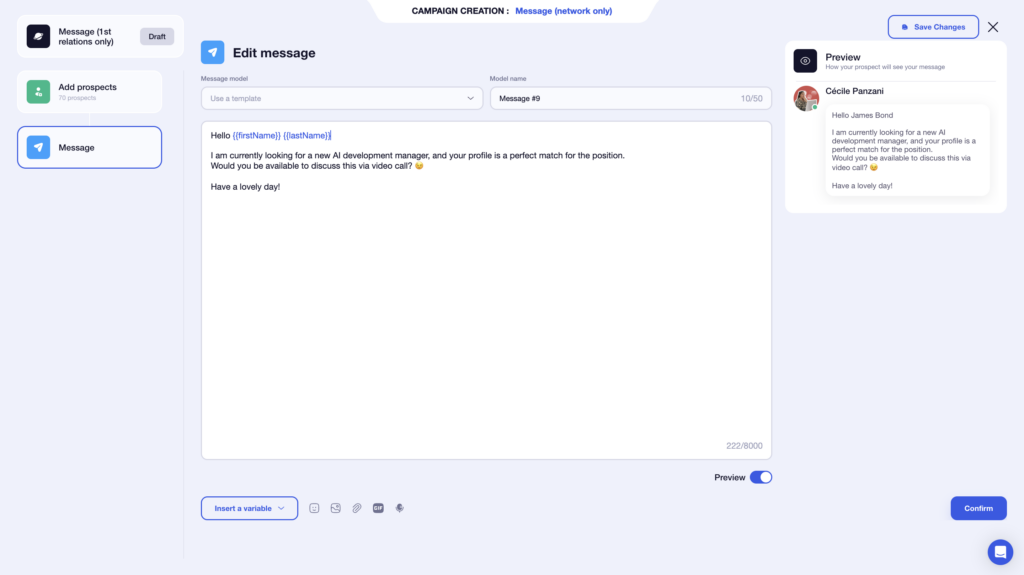
Another nice feature is that you can focus solely on your message. The interface isn’t cluttered with the entire sequence, which makes writing more fluid. 👀
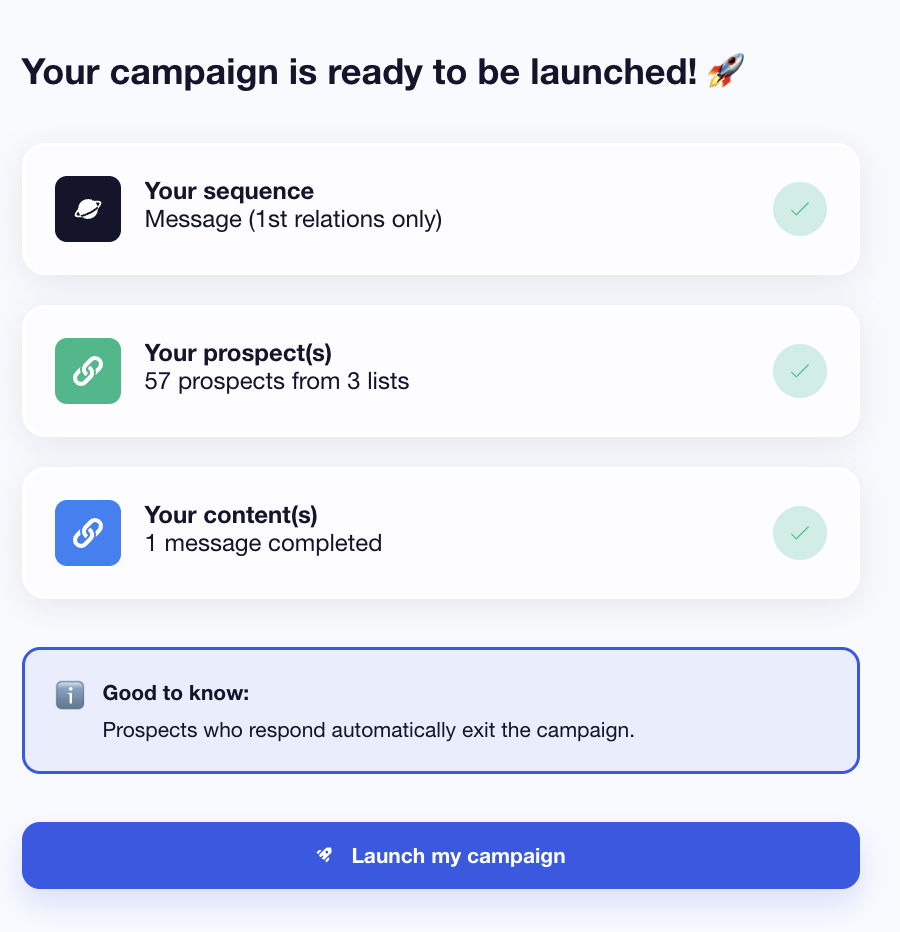
Once your messages have been validated, you will see a short summary of your campaign. What next? All you have to do is click on Launch. 🚀
How does L.G.M. work?
However, here’s what L.G.M. offers to personalize your LinkedIn campaigns. 🔍
You can also add variables, 👍 which makes this task much easier.
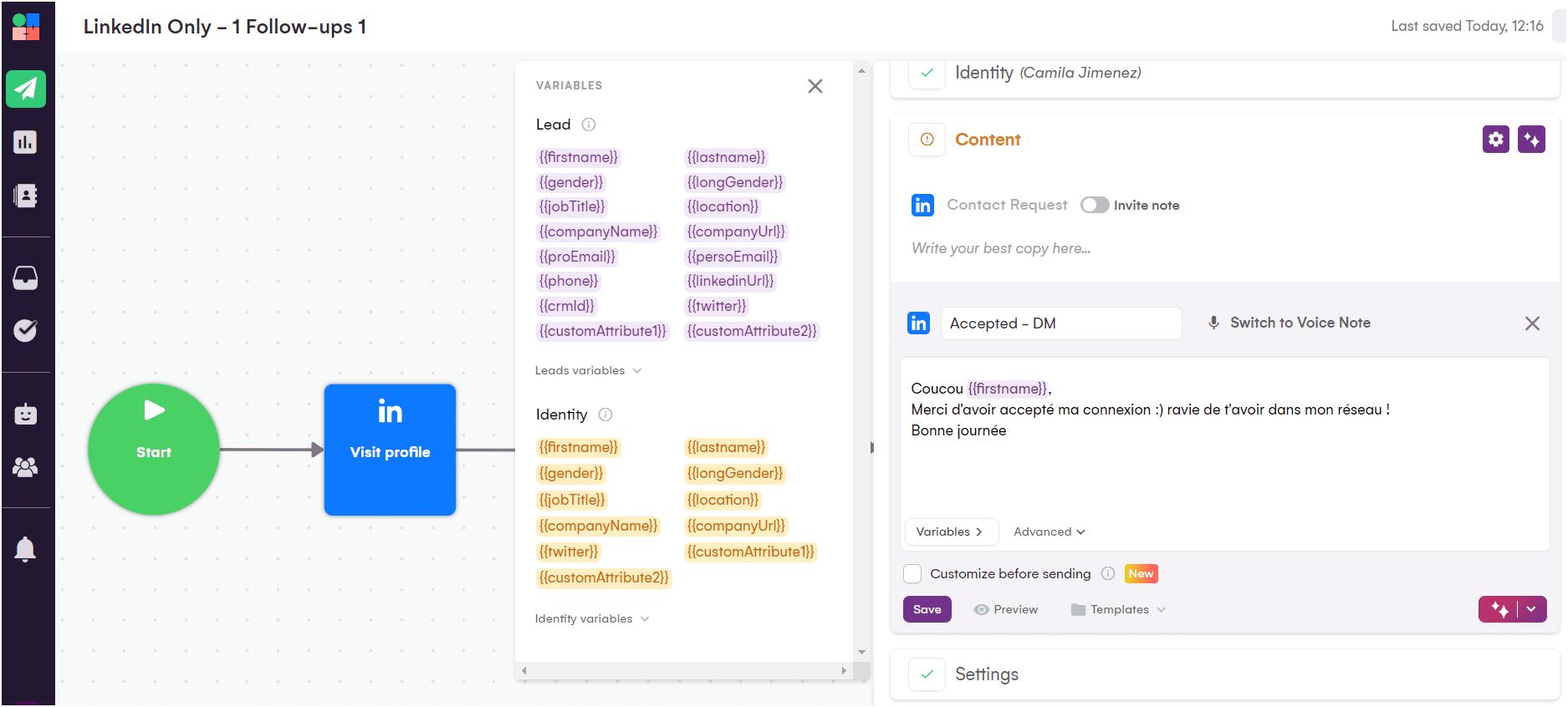
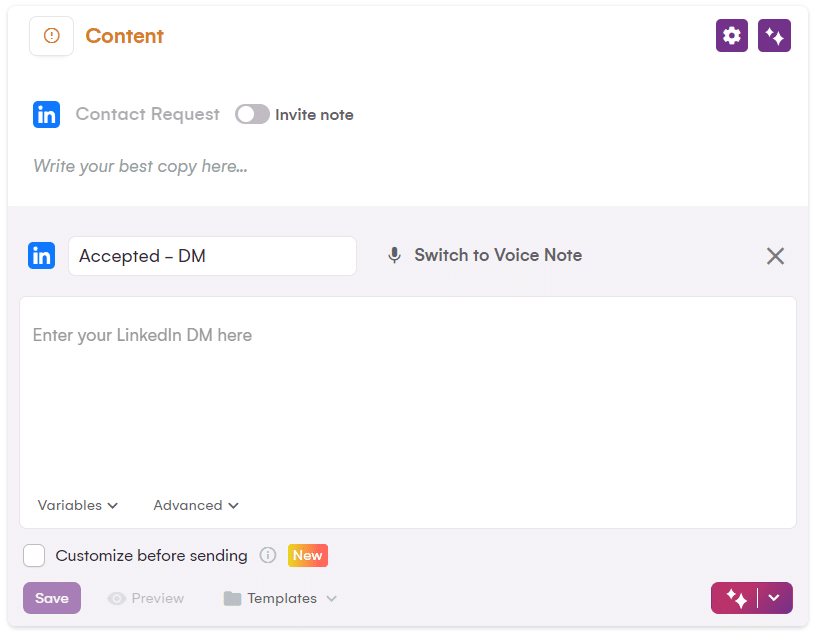
Once this step is complete, simply add this message to your campaign using the « Save » button. 😇
In addition, you can change the message depending on the prospect with the « Customize before sending » option, but this requires more attention to detail. 🤫
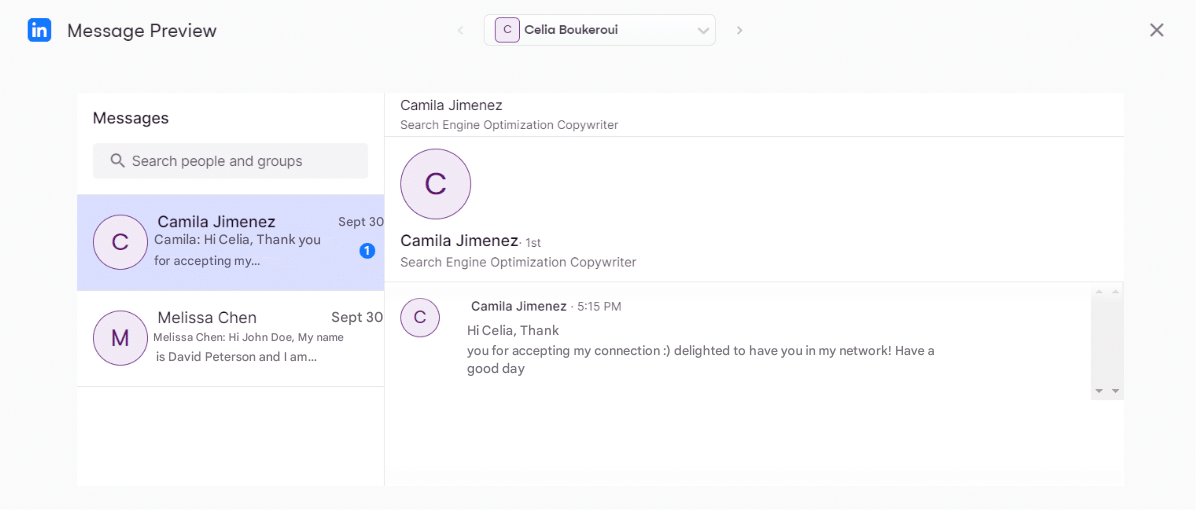
On the other hand, you can also preview the text before sending the message… ✍️
Now, let’s take a quick look at this summary table: 👇🏼
| Features | Waalaxy | LGM |
|---|---|---|
| Variables | ✅ | ✅ |
| Images | ✅ | ✅ |
| Attachments | ✅ | ✅ |
| GIFs | ✅ | ✅ |
| Voice notes | ✅ | ✅ |
| Message templates | ✅ | ❌ |
| Preview | ✅ | ✅ |
| Copy campaigns | ❌ | ✅ |
| AI messages | ✅ | ✅ |
4) Response management and follow-up
Now let’s see how the dashboards of these tools work! 🤓
How does it work with Waalaxy?
From the home page, you have immediate access to your campaign statistics. 😇
Two simple filters are available:
- 1️⃣ The campaign period.
- 2️⃣ The campaign selection.
You will also see two distinct sections:
- 🔵 One dedicated to LinkedIn automation.
- 🟣 One dedicated to email campaigns (in the brand’s colors).
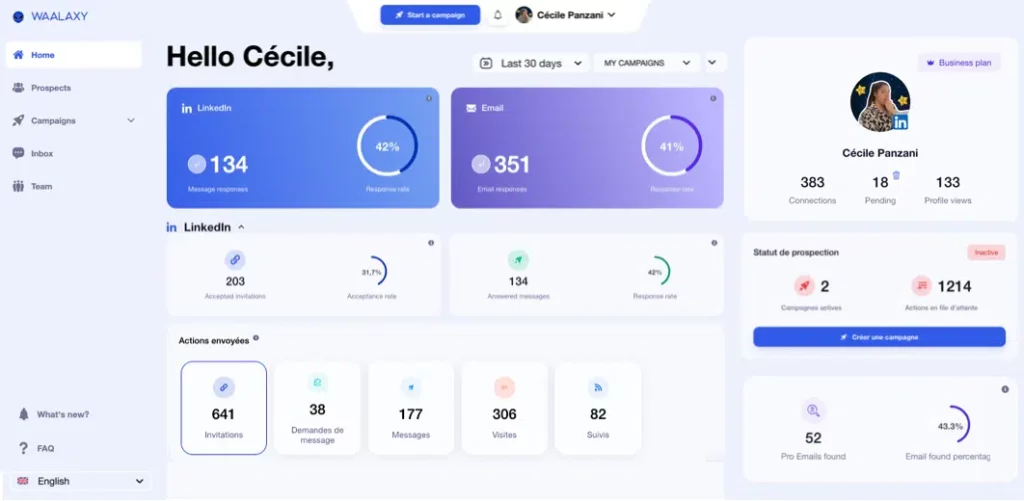
For each section, Waalaxy highlights two key indicators: volume and response rate. ✨
You can go further with three specific views depending on the type of campaign:
- 1️⃣ Accepted invitations and acceptance rate.
- 2️⃣ Message responses and response rate.
- 3️⃣ Details of actions, displayed in graph form and exportable to CSV file.
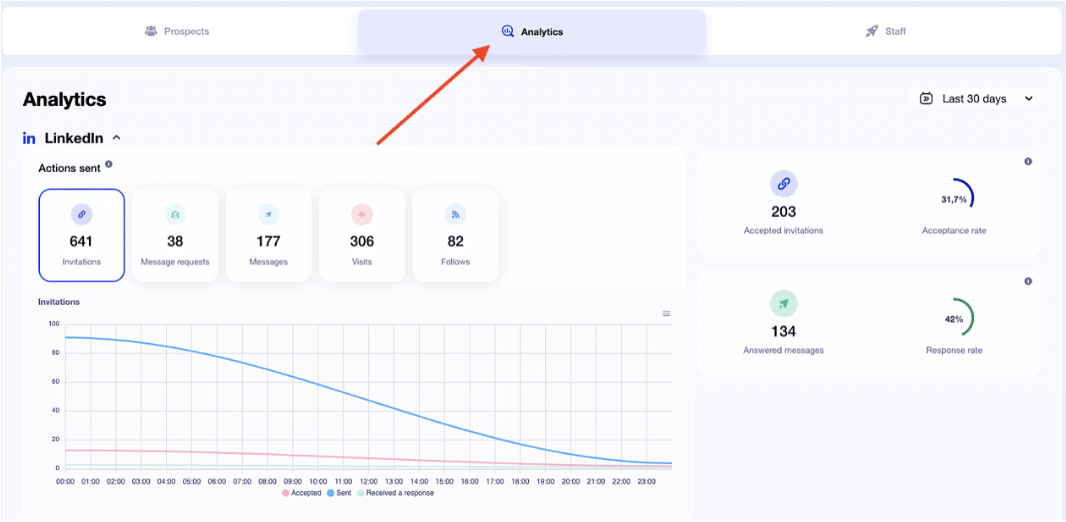
For email campaigns, additional indicators are available:
- 📬 Deliverability and spam rate.
- 💬 Responses and response rates.
- ❌ Undelivered emails and bounce rates.
You can also view detailed statistics directly from the statistic tab.
To go even further: the “Staff.” 👀 If you like to analyze data in depth, you’ll love this section. Here you’ll find a complete overview of your campaign with ⬇️:
- Details of prospects by level.
-
The name of each prospect, with:
- Their stage in the sequence.
- Their status.
- The list they belong to.
- Their import type.
You can also filter by:
- Import type.
- Stage.
- Status.
- Tag.
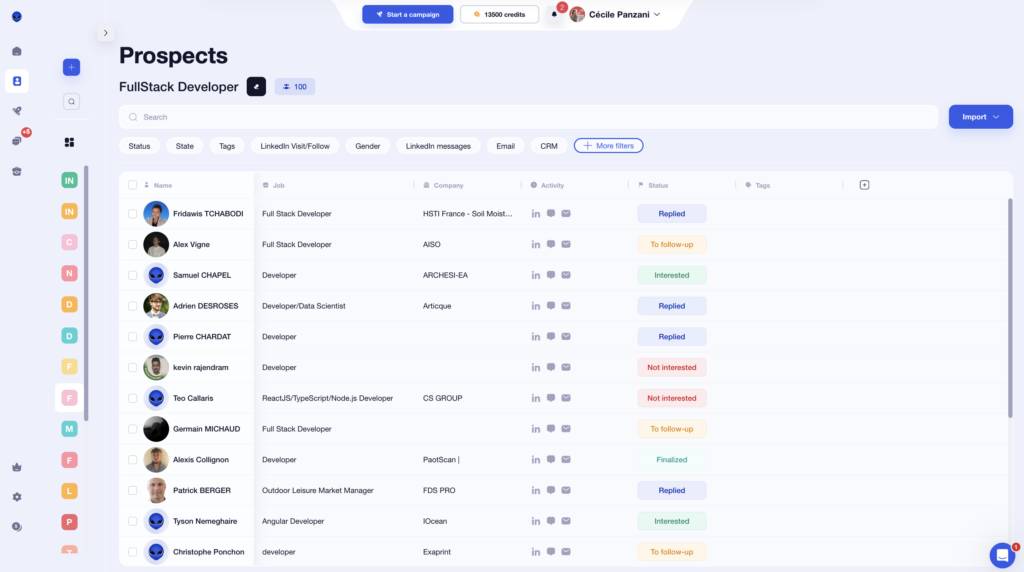
What stands out about Waalaxy is how easy it is to read the data. You don’t need to be a data expert: a basic understanding of KPIs is enough to analyze your performance effectively. 😇 In just a few clicks, you’ll know exactly where your campaigns are and how they’re performing. 🤫
How does Lagrowthmachine work?
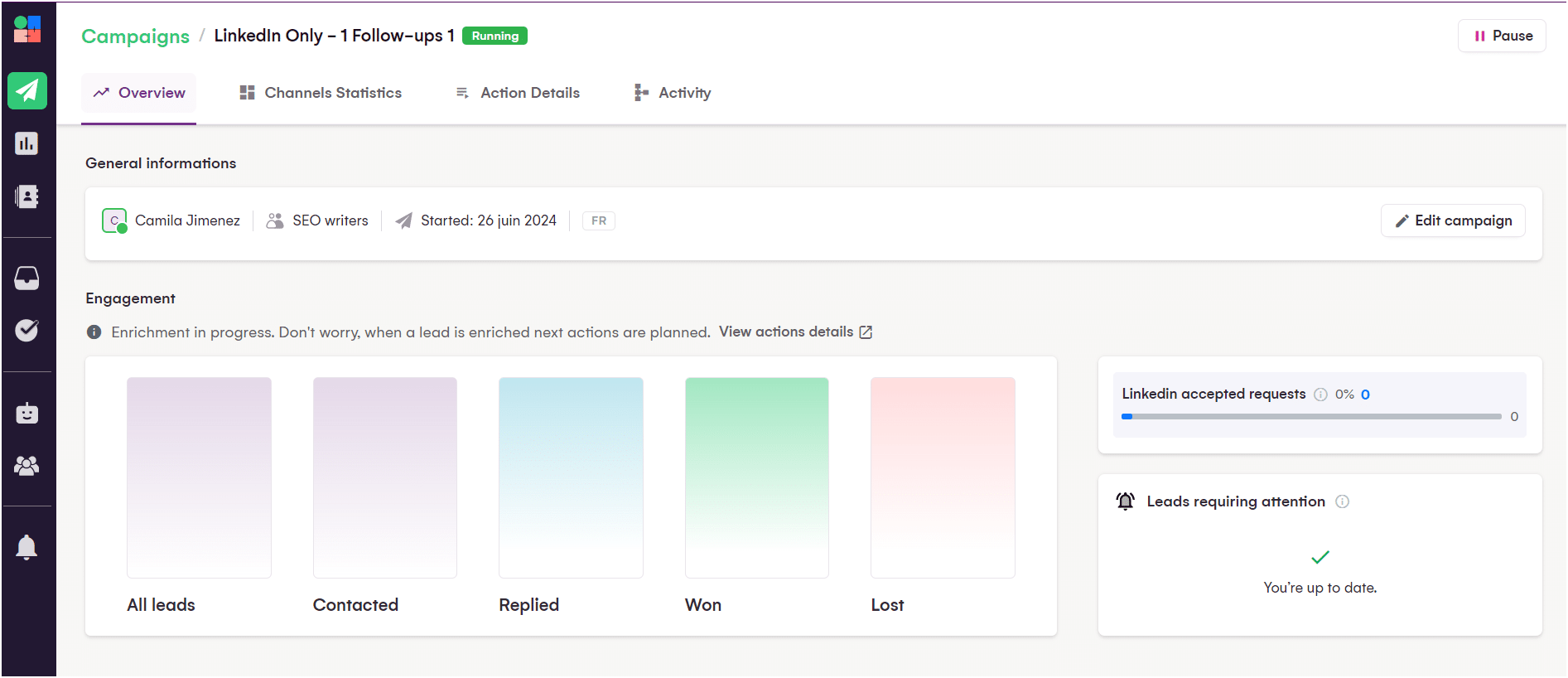
However, with Lagrowthmachine, you need to go to the menu on the left in the « Reports » to find the statistics. But there isn’t much information… 🧐
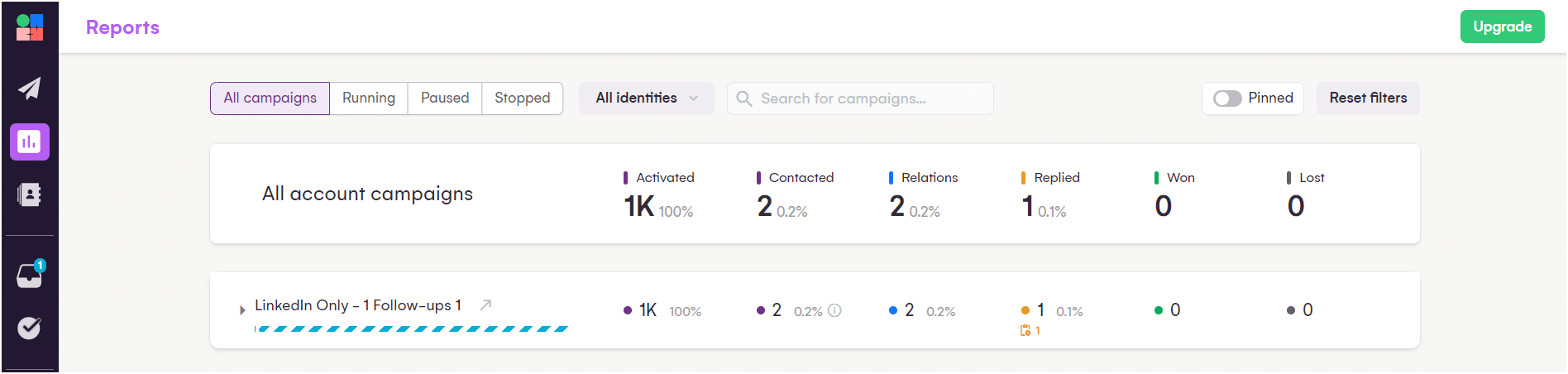
At the top of the page, you can choose team members and search for campaigns, but you can’t filter the data. 👆
In the campaigns, you have a summary of current actions and prospect statuses. However, you don’t have an overview of performance, as you do with Waalaxy. 🙊
You know how it goes; here’s the comparison! 👇🏼
| Features | Waalaxy | LGM |
|---|---|---|
| Global dashboard* | ✅ | ❌ |
| Dashboard filters | ✅ | ✅ |
| Multiple KPIs available | ✅ | ✅ |
| Customization of statistics | ❌ | ❌ |
| Separate statistics for LinkedIn and email | ✅ | ✅ |
| Suitable for beginners | ✅ | ✅ |
5) Integration with other tools
In this section, we will examine the integrations of these two tools! 👁️
How can you do this with Waalaxy?
With Waalaxy, you can directly connect your account to the following CRMs: 👇🏼
- HubSpot.
- noCRM.
- Pipedrive.
- Salesforce (coming soon).
- Zoho CRM (coming soon).
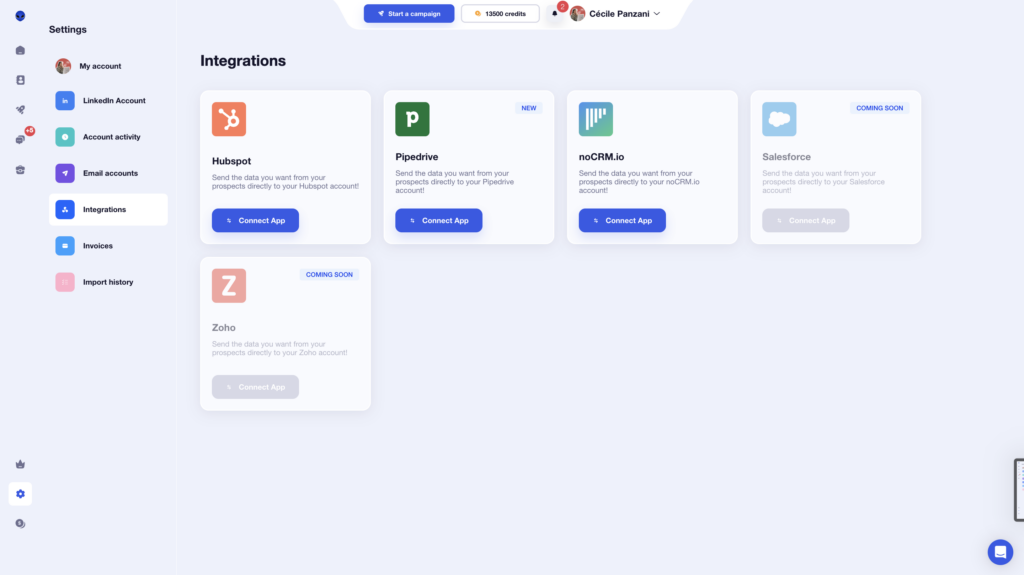
But that’s not all! 👀 Directly from your campaigns, you can also integrate:
- Airtable.
- Brevo.
- Sellsy.
- Axonaut.
- Google Sheets.
The result? Your data flows automatically between your tools, without copying and pasting or manual manipulation. All you have to do is connect your tools… and let the magic happen. 😇
How can you do this with LGM?
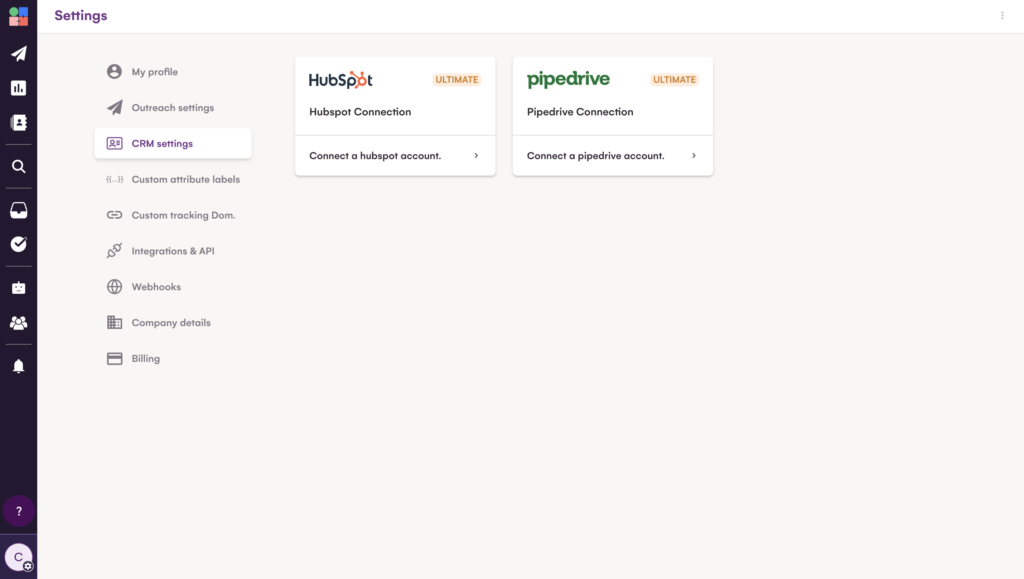
With your LGM account, you can only synchronize the solution with your HubSpot or Pipedrive CRM. 🌪️
In addition, you can only use the following integrations: 👇
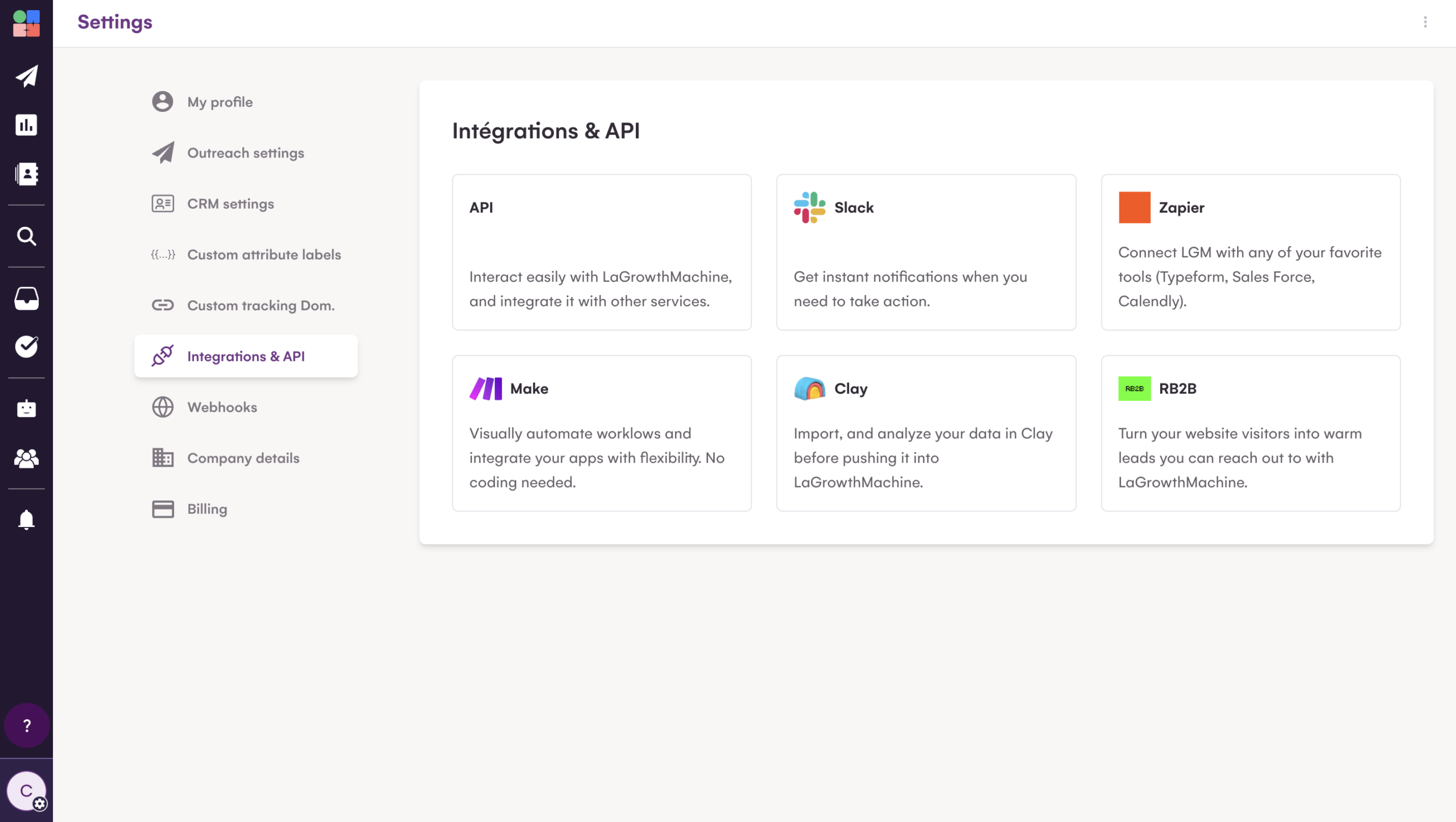
Here is a summary of the CRM integrations: 📈
| Feature | Waalaxy | La Growth Machine |
|---|---|---|
| CRM integrations available | ✅ | ✅ |
| Requires paid subscription | ✅ | ✅ |
| Multiple CRM options* | ✅ | ❌ |
6) Resources Available for Users
Let’s break this down for each tool. 🔎
What Does Waalaxy Offer?
With Waalaxy, you get access to live chat support, available Monday through Friday from 8:30 AM to 6 PM. 📆
Before reaching out, you can browse a dedicated help section covering the most common user questions. Inside, you’ll find:
- Clear, straightforward answers. 👀
- Step-by-step video tutorials. 🧚🏻♀️

The goal? Help you solve issues on your own—fast.
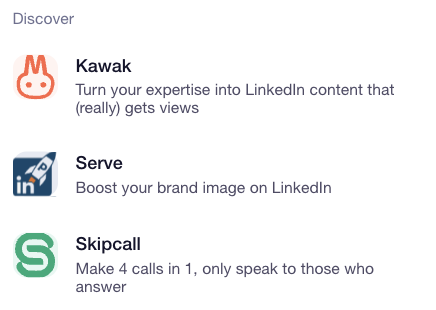
By clicking the small arrow next to the logo, you can also access other tools developed by Waalaxy, such as Skipcall. 👇🏻
You also get access to hundreds of articles on the blog and in the Help Center to guide you through setup and campaign optimization.

If you want to connect with other users, Waalaxy has created a public Facebook group with more than 3,900 members. Inside, members share recent tactics, best practices, and tools related to growth hacking, lead generation, and sales. 🤩
Waalaxy also offers:
- 📖 A daily newsletter
- 🎬 A YouTube channel
- 📘 Prospecting-focused eBooks
- 🎥 Webinars
- 👀 A blog packed with hundreds of articles (LinkedIn, marketing, prospecting, email outreach, social media, automation, recruiting, and more).
You’re never on your own. Whether you’re just getting started or already advanced, there’s always a resource to help you level up. 😇
What About La Growth Machine?
With La Growth Machine, you also get in-app online support directly from your interface.
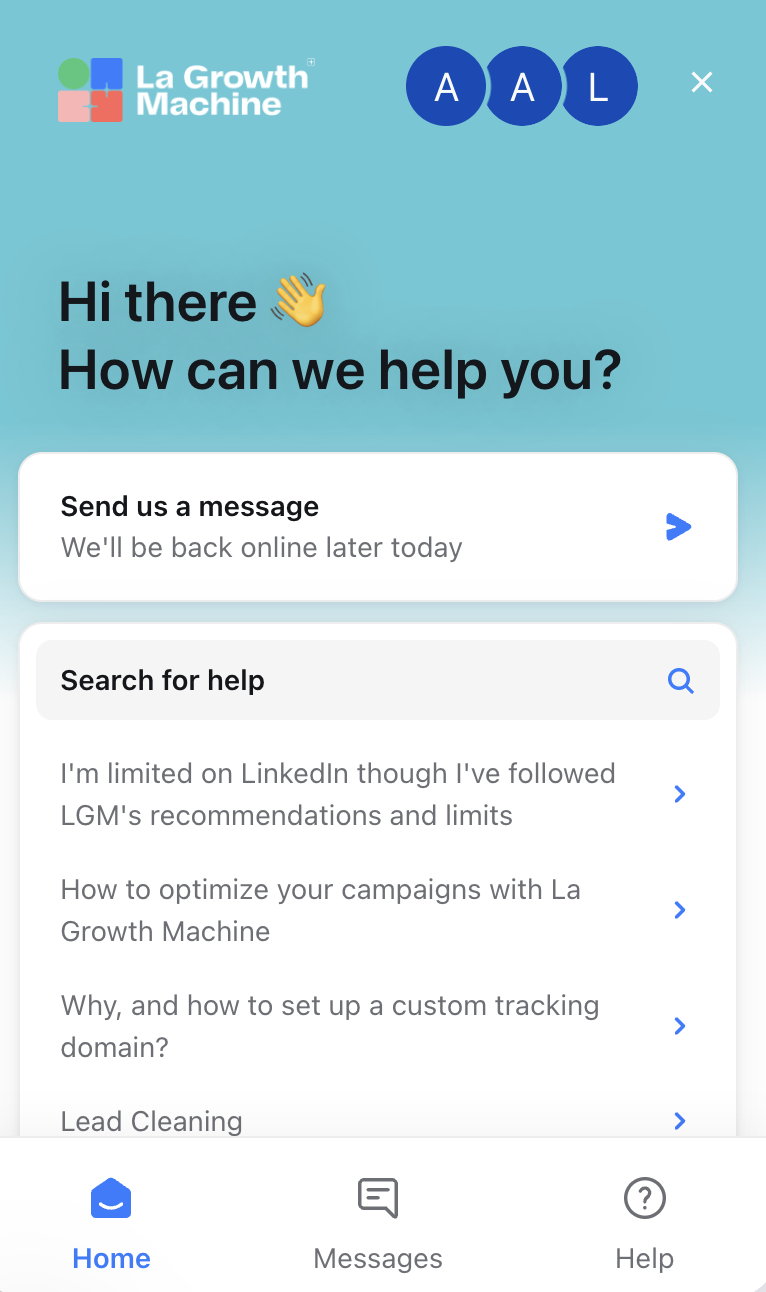
They provide a Help Center, a blog, and a user community. 💡 Overall, their resource ecosystem is solid and well developed. ✅
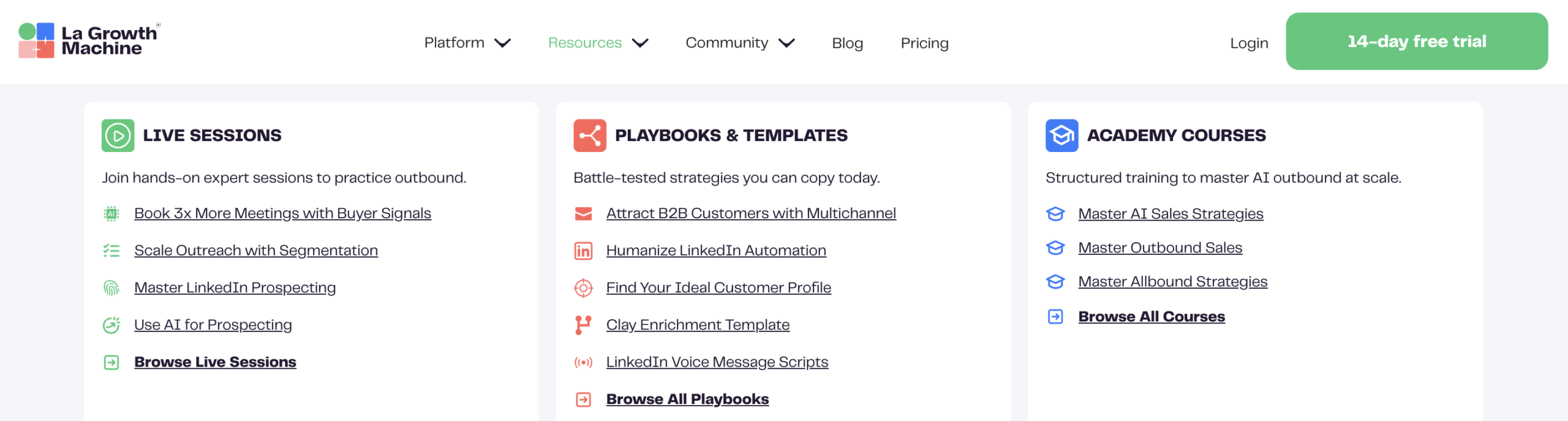
Quick Recap: ⬇️
| Feature | Waalaxy | La Growth Machine |
|---|---|---|
| FAQ | ✅ | ✅ |
| Blog | ✅ | ✅ |
| YouTube channel | ✅ | ✅ |
| Help Center | ✅ | ✅ |
| Customer support | ✅ | ✅ |
| Community | ✅ | ✅ |
| Newsletter | ✅ | ❌ |
| eBook / Playbook | ✅ | ✅ |
| Webinars | ✅ | ✅ |
| Free strategy calls* | ✅ | ❌ |

La Growth Machine vs. Waalaxy: Which Should You Choose?
Between La Growth Machine vs Waalaxy, the real question is simple: do you prioritize power or simplicity?
If you’re looking for a feature-heavy tool and enjoy exploring multiple outreach channels, La Growth Machine could be a good fit.
But if you want to: 👇🏻
- 🚀 Launch high-performing campaigns quickly.
- 📊 Track results without drowning in data.
- 🤝 Collaborate easily with your team.
- 🔗 Connect multiple CRMs and third-party tools.
- 😇 Keep your workflow simple and intuitive.
Then Waalaxy is likely the better match. 💪
Both tools cover the essentials of multichannel prospecting. But when it comes to overall user experience, clarity, and ease of execution, Waalaxy stands out as the better value proposition solution.
Final Feature Comparison: Waalaxy vs LaGrowthMachine. 🤩
| Feature | Waalaxy | La Growth Machine |
|---|---|---|
| Automated campaigns | ✅ | ✅ |
| Advanced stats customization | ❌ | ❌ |
| Email Finder | ✅ | ❌ |
| Email templates | ✅ | ❌ |
| Third-party integrations | ✅ | ✅ |
| Duplicate campaigns | ❌ | ✅ |
| Multichannel prospecting | ✅ | ✅ |
| A/B testing | ✅ | ❌ |
| LinkedIn messaging | ✅ | ✅ |
| Detailed statistics | ✅ | ❌ |
| Ease of use | ✅ | ✅ |
| Customer support | ✅ | ✅ |
| Free strategy calls | ✅ | ❌ |
| Help Center | ✅ | ✅ |
Now you have everything you need to confidently choose between La Growth Machine vs Waalaxy! 🌌
- If you want flexibility and depth, La Growth Machine is a great fit.
- If you want efficiency, clarity, and speed, without sacrificing performance, Waalaxy makes it easy to move fast and scale smarter. 🚀
FAQ: La growth machine vs Waalaxy
How Do You Migrate from La Growth Machine to Waalaxy?
Migrating from La Growth Machine to Waalaxy is straightforward and doesn’t require technical skills.
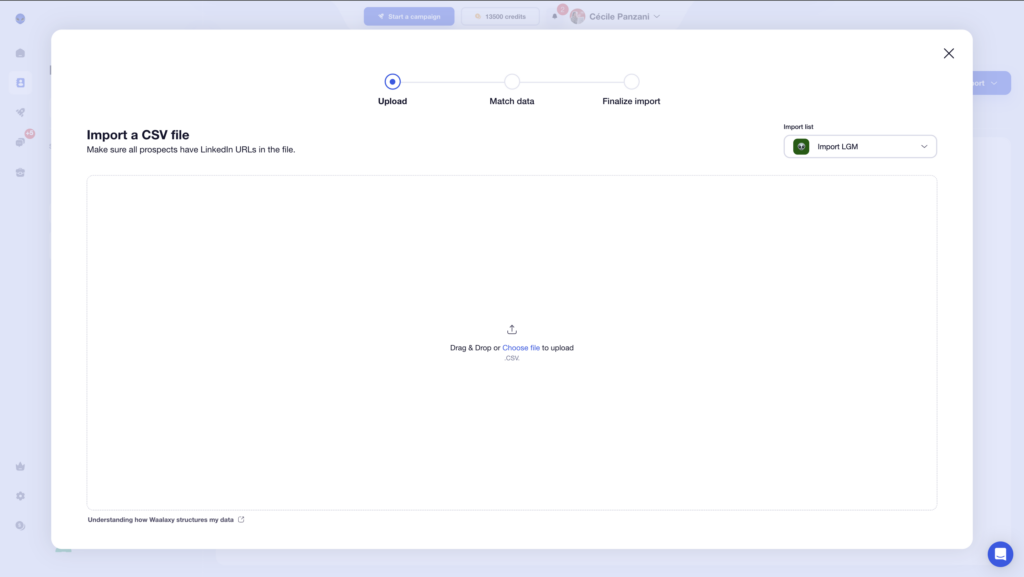
Start by exporting your leads from La Growth Machine or your CRM, then import them into Waalaxy using a CSV file. 📃
Next, recreate your sequences step by step. You can begin with email-only campaigns or switch to multichannel workflows combining LinkedIn and email.
Once your email account is connected, you can launch campaigns and track performance from a clear, easy-to-read dashboard.
What Is The Growth Machine’s Pricing?
La Growth Machine offers three pricing plans billed annually per account:
- Basic: $60/month
- Pro: $110/month
- Ultimate: $165/month
All plans include multichannel features and data enrichment. A 14-day free trial is available.
In comparison, Waalaxy lets you get started for free, with paid plans starting at $21 per month as you scale.
Is La Growth Machine better than Waalaxy?
La Growth Machine offers more advanced multichannel features and data enrichment, making it suitable for complex outreach strategies.
Waalaxy, however, stands out for its ease of use, faster setup, and more intuitive interface, making it ideal for teams who want to launch campaigns quickly without technical complexity.
Is Waalaxy easier to use than La Growth Machine?
Yes, Waalaxy is generally easier to use. Its interface is simpler, and campaigns can be launched quickly without advanced configuration.
La Growth Machine provides more customization, but requires more setup and experience.
Can you run multichannel campaigns with La Growth Machine and Waalaxy?
Yes, both tools support multichannel campaigns combining LinkedIn and email outreach.
However, Waalaxy focuses on simplicity and guided workflows, while La Growth Machine offers more advanced customization options.
La Growth Machine vs. Lemlist: Which Should You Choose?
The choice depends on your outreach strategy.
La Growth Machine focuses on multichannel prospecting and data enrichment, while Lemlist is known for advanced email personalization features like dynamic images and videos.
If you’re looking for a simpler, more intuitive solution combining LinkedIn and email with built-in automation, Waalaxy may be a better fit.
 Camila
31/03/2026
Camila
31/03/2026 













