



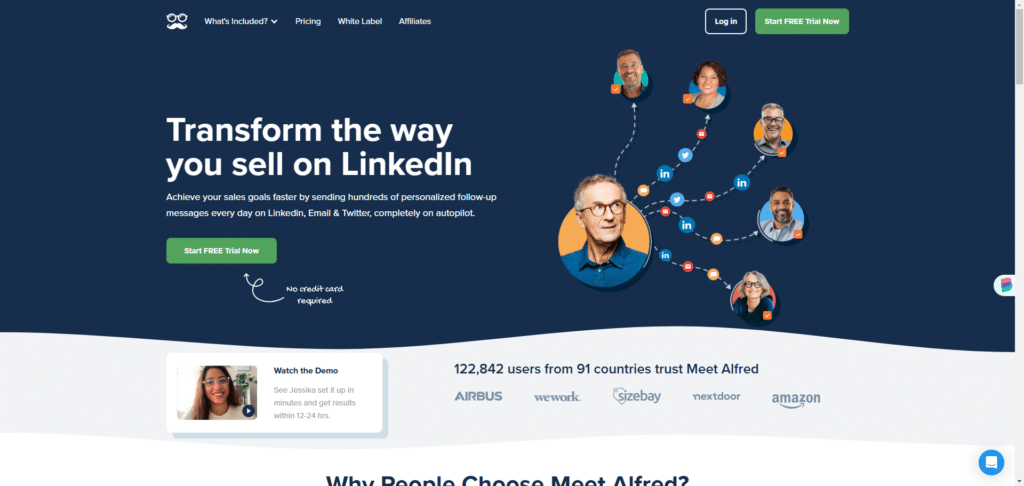
- What Is Meet Alfred?
- Waalaxy: A Simpler Alternative to Meet Alfred
- How to Choose the Right LinkedIn Automation Tool
- Waalaxy vs. Meet Alfred: Pricing & Plans Compared
- Waalaxy vs. Meet Alfred: Onboarding Experience
- Waalaxy vs. Meet Alfred: Feature-by-Feature Breakdown
- Waalaxy vs. Meet Alfred: Customer Support
- Waalaxy vs. Meet Alfred: Full Comparison Summary
- Verdict: Waalaxy vs. Meet Alfred — Which One Should You Choose?
- Waalaxy vs Meet Alfred FAQ
Trying to choose between Meet Alfred and Waalaxy?
Both tools help automate LinkedIn outreach—but they’re built for different types of users.
In this guide, we break down their features, pricing, and use cases to help you find the right fit. 😎
What Is Meet Alfred?
Meet Alfred presentation
Created in 2016, Meet Alfred is a — and beyond: this application also works with other social networks, such as Instagram, X, Facebook…
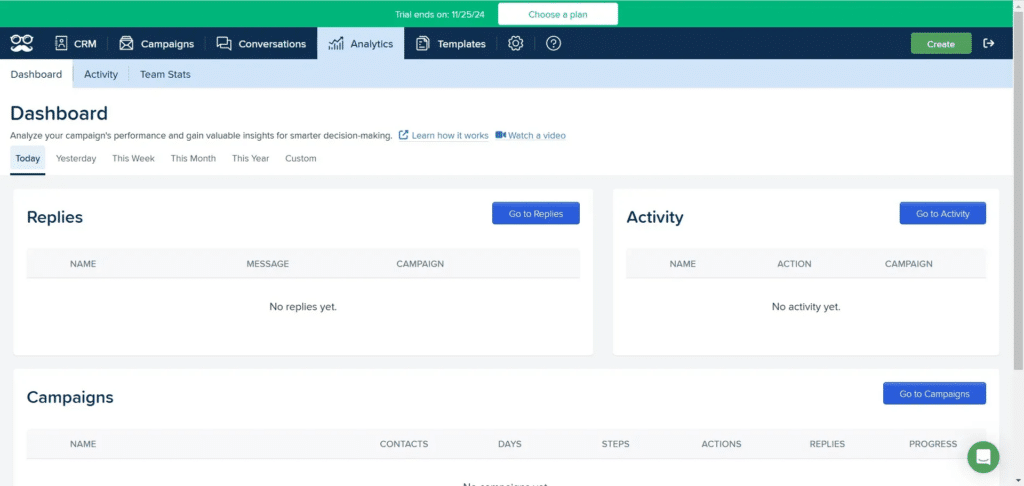
Here are Meet Alfred‘s key features:
- ⚫ LinkedIn messaging on the app for better prospecting follow-up,
- ⚫ Connection to over 3,000 software and applications via Zapier,
- ⚫ Launch of 100% customizable campaigns,
- ⚫ Multi-channel prospecting thanks to the ability to connect other accounts: mails, Instagram, Facebook, X,
- ⚫ Team functionalities and the ability to preview collaborators’ performance,
- ⚫ Scheduling of posts on social networks.
Meet Alfred is aimed at all company sizes, but seems to target agencies and sales teams. It’s also a solid fit for communications teams and community managers
Meet Alfred: What Are Users Saying?
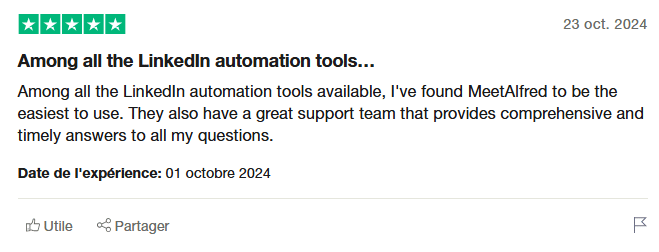
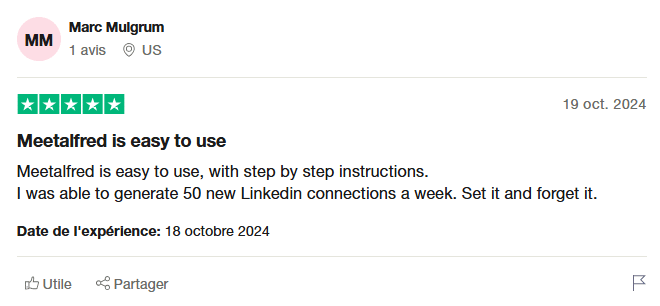
On Trustpilot, the average rating is 4.6/5, which indicates good overall satisfaction among users.
Weak points include frequent disconnection from the LinkedIn account, account restrictions and the high price in relation to usage limits.
Strengths include multi-channel capability, ease of use and the ability to create your own sequences. Exchanges with Support are also appreciated.
Meet Alfred pricing
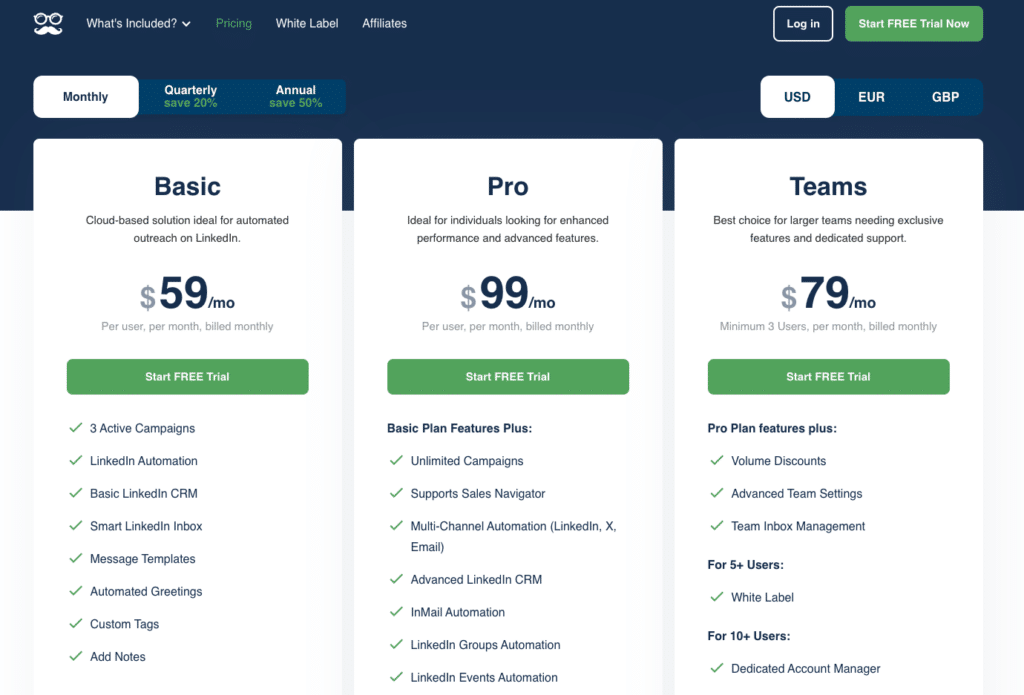
Meet Alfred’s paid plans start at $55/month, with no free plan available. 💸

Waalaxy: A Simpler Alternative to Meet Alfred
Waalaxy is a LinkedIn and email outreach automation tool built for simplicity and speed.
Unlike many tools in this space, it’s designed to be easy to use, even if you have no technical background.
Instead of building complex workflows from scratch, Waalaxy lets you launch campaigns quickly using proven templates. 😇
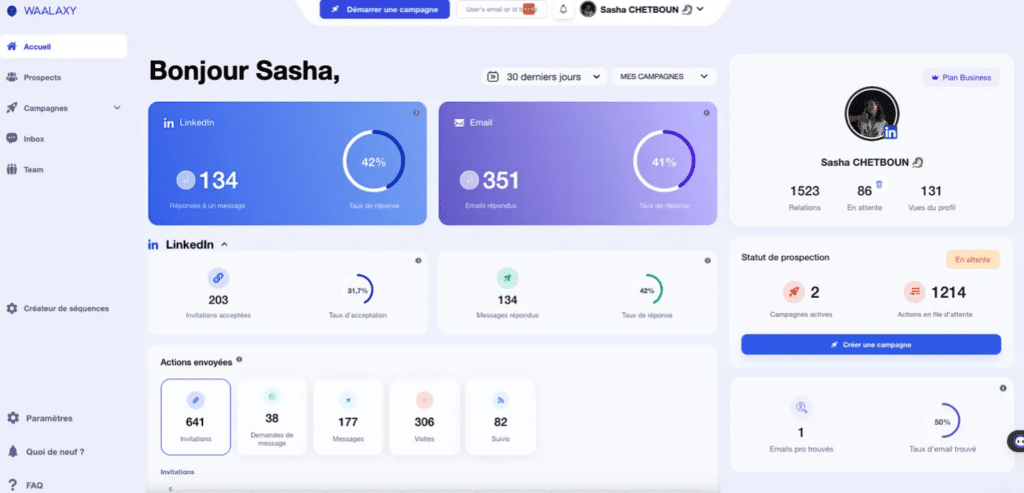
Here are some of Waalaxy’s key features:
- 🟣 Auto-import leads.
- 🟣 Launch campaigns.
- 🟣 Professional email enrichment with « Email Finder ».
- 🟣 Cold email automation.
- 🟣 Integrations with third-party tools such as HubSpot, Salesforce, NoCRM, Zoho, etc.
- 🟣 LinkedIn messaging “Inbox Waalaxy” that simplifies and streamlines the management of your conversations.
Waalaxy is built for sales reps, marketers, recruiters, and freelancers who want results without the learning curve. 😇
What do users think of Waalaxy?
With a rating of 4.6/5 on Truspilot, Waalaxy users are generally satisfied with the tool.
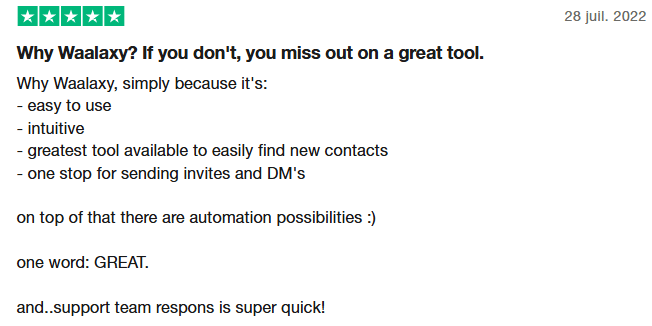
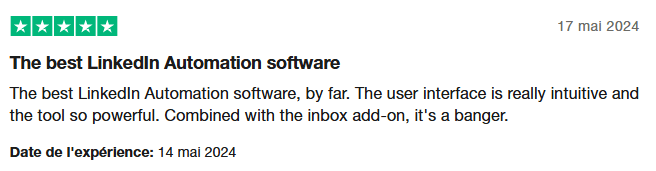
Users emphasize the time saved, the simplicity of the tool and the reliability of prospecting, as well as the quality of support.
Waalaxy pricing
Waalaxy plans starts at $16 per month per user and the tool offers a free trial. 👀
Monthly
Quarterly
Yearly
Without Inbox
With Inbox
Add-on

How to Choose the Right LinkedIn Automation Tool
Choosing the right isn’t straightforward: what works for one team may not work for another. The best tool depends entirely on your goals, budget, and technical comfort level. If we had to define universal criteria, we’d talk about simplicity, time savings and cost.
But to choose the right tool for you, you need to look a little deeper into its functionalities: what type of campaign can I run? Which channel? Which social network? Can I connect it to my CRM?

Waalaxy vs. Meet Alfred: Pricing & Plans Compared
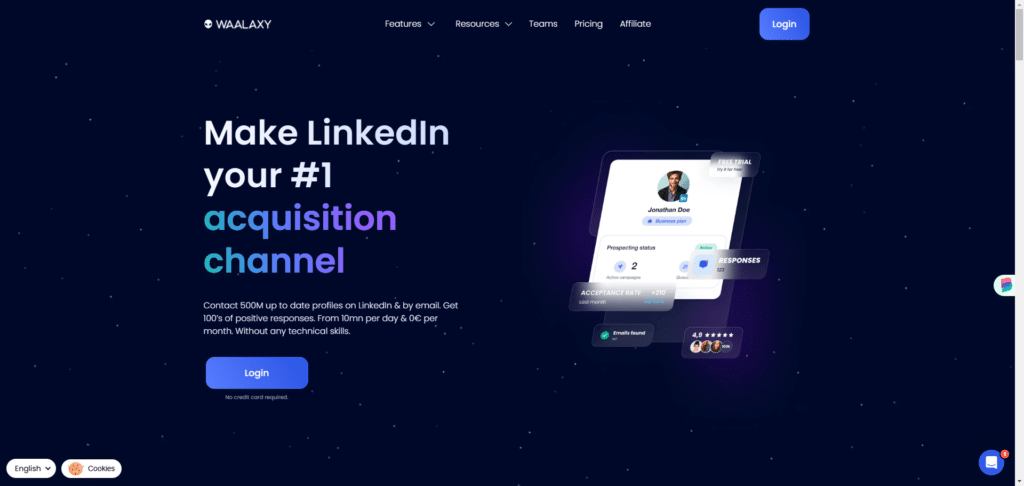
Waalaxy subscriptions
You can choose between 4 different Waalaxy subscriptions:
- A Free plan, which is limited in terms of the number of actions that can be sent each day.
- A Pro plan, which includes a limit on the quota ofinvitations, but allows you to maximize other types of action.
- An Advanced plan, which maximizes the quota of invitations and is ideal for LinkedIn prospecting.
- A Business plan, with the same features as the Advanced plan, but with the added possibility of multi-channel prospecting with Emailing features. 500 crédits for Email Finder are included.
With each plan, you can add Inbox, as well as Email Finder credits for finding professional email addresses.
There’s no limit to the number of campaigns you can launch at the same time.
Pro, Advanced and Business plans can be subscribed to as a Team.
Meet Alfred subscriptions
Meet Alfred offers 3 subscriptions:
- Basic subscription: only allows LinkedIn automation, 3 active campaigns at the same time, and basic CRM functionalities.
- Pro subscription: allows multi-channel, emailing and advanced CRM functionalities. The number of campaigns is unlimited.
- Teams subscription: offers all the features of the Pro plan. This plan is only available for 5 or more users.
Inbox is included in all plans.
Waalaxy vs. Meet Alfred: Onboarding Experience
Getting Started with Meet Alfred
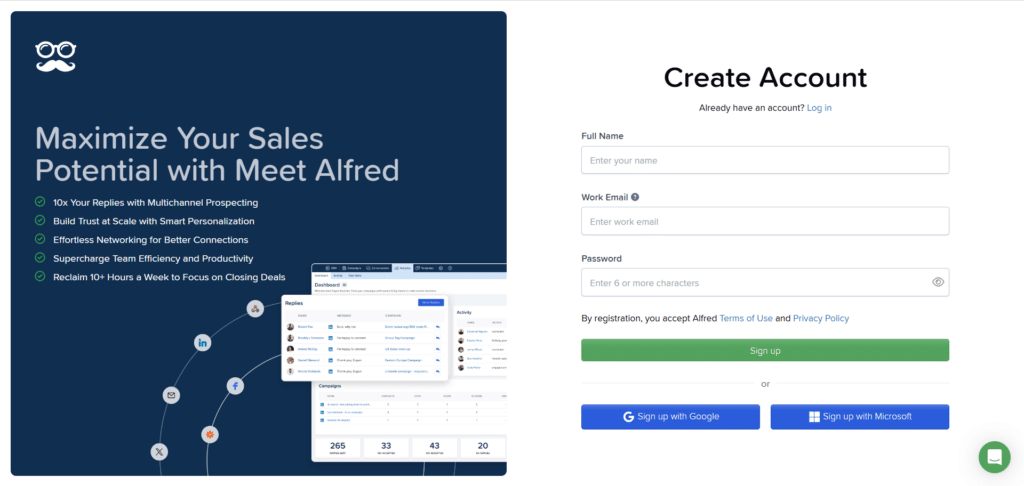
When you arrive on Meet Alfred, unlike Waalaxy, you need to create an account to access the application:
After verifying the email address, you are invited to connect your different accounts (it is not mandatory to connect them all):
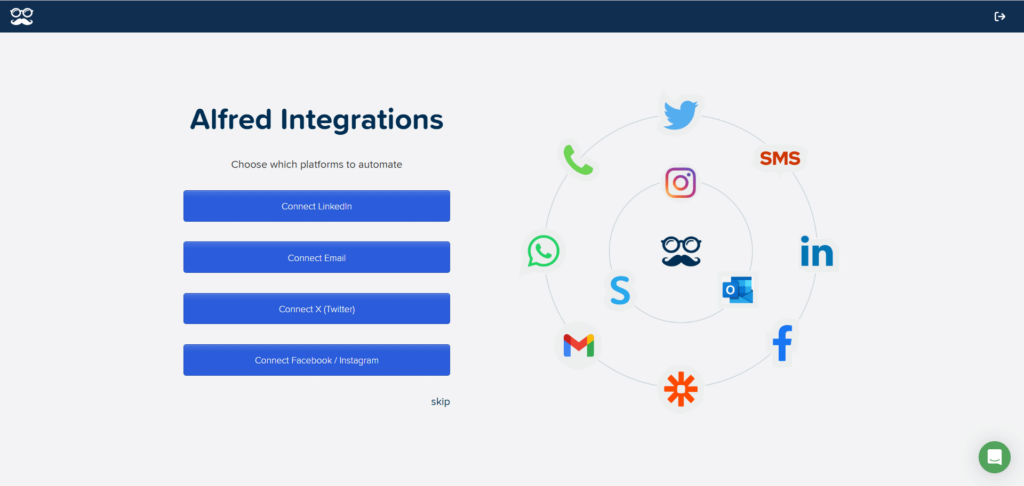
I choose to connect my , I must validate the new connection via a code received on my e-mail address (note that this varies according to your double authentication method).
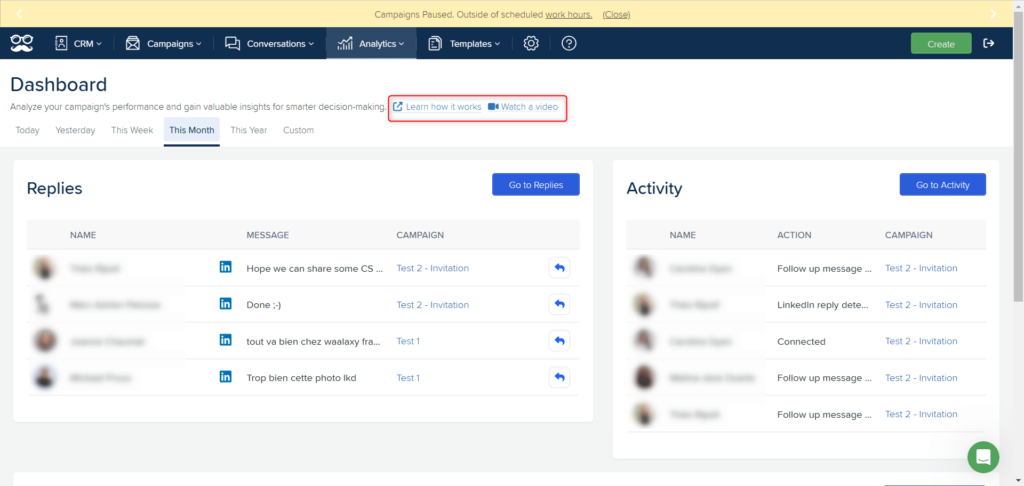
Once that’s done, I don’t need any help to take my first steps on the application. That said, at every point in the application, there’s the possibility of accessing help resources:
A free 7-day trial is available on the Basic plan — no credit card required.
Getting Started with Waalaxy
To create a Waalaxy account, there are 3 steps:
- Connect to your LinkedIn account,
- Download the extension from the Chrome Store,
- Open the application from app.waalaxy.com.
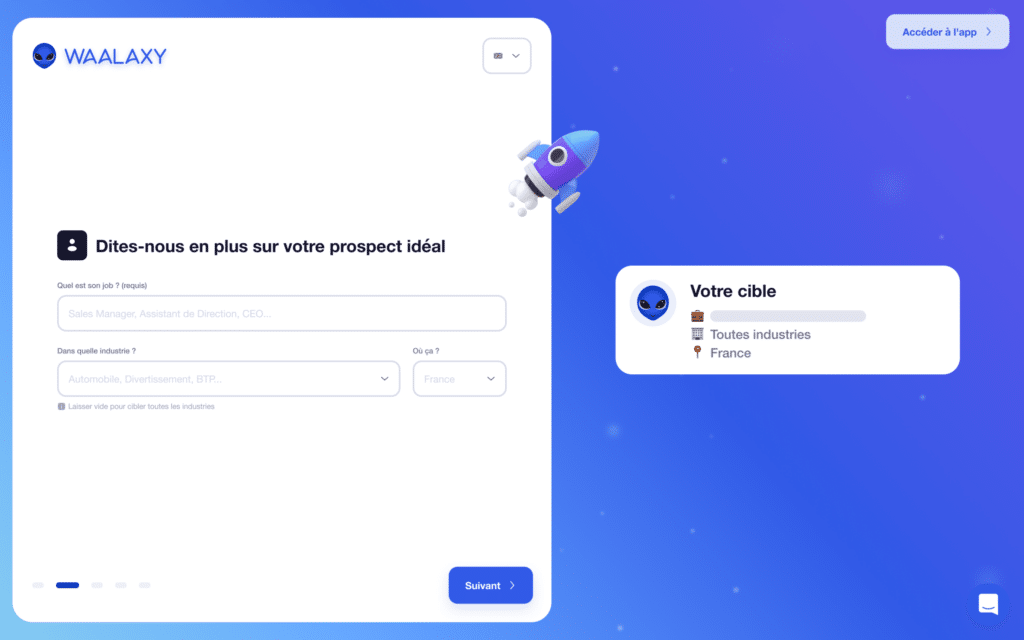
The setup is straightforward and takes just a few minutes. The extension automatically synchronizes with the LinkedIn account, so there’s no need to create an account like on Meet Alfred. A free 14-day trial on the Business plan then begins, and I’m guided through the discovery of the tool thanks to an onboarding path. This will help me define my target, find my prospects and launch my first campaign:
Waalaxy vs. Meet Alfred: Feature-by-Feature Breakdown
Lead Import: Waalaxy vs. Meet Alfred
Importing leads on Meet Alfred
As Meet Alfred isn’t a Chrome extension, you can’t import leads directly from LinkedIn or Sales Navigator.
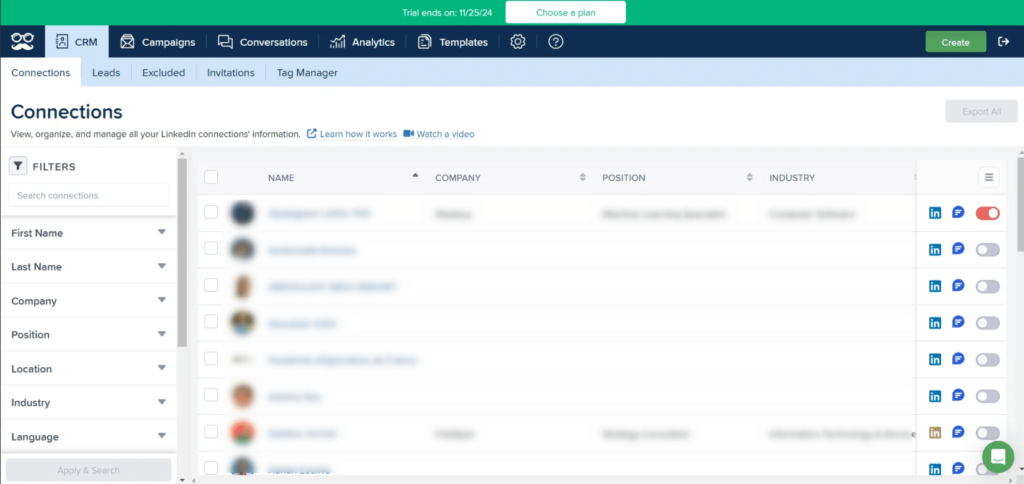
There are two main ways to do this. The first is to import your relationships from CRM > Connections :
The second is directly during campaign creation:
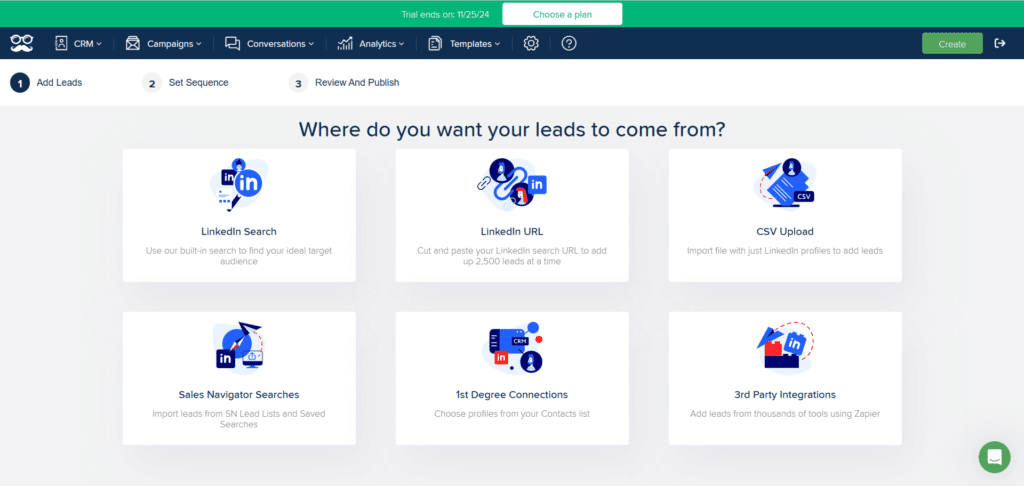
6 possibilities :
- From a LinkedIn search,
- From the URL of a LinkedIn search,
- From a CSV import,
- From a Sales Navigator search,
- From the “Connections tab”,
- From a third-party tool: big difference with Waalaxy, here I can receive data from a third-party tool, via Zapier.
We tested the first option, which was to import from a LinkedIn search: everything is done from the interface:
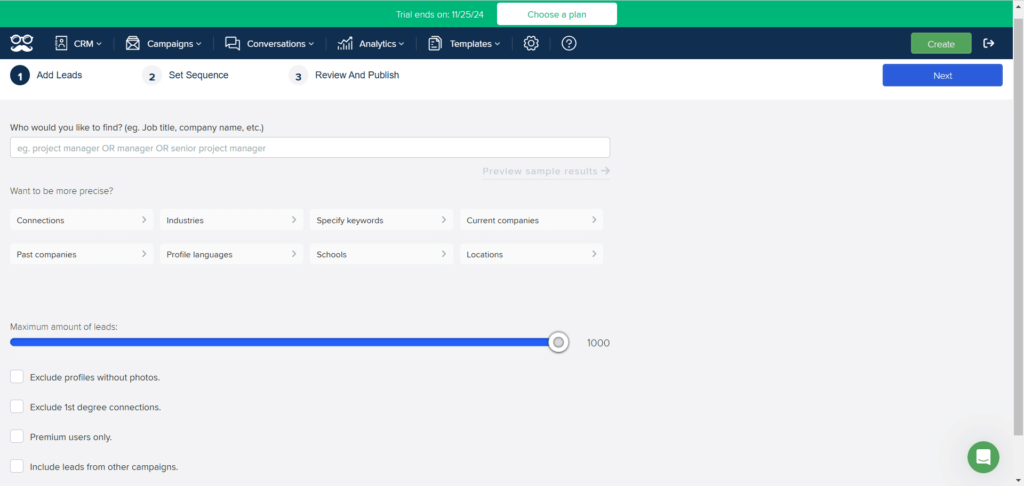
The filters are the same as on LinkedIn, but there’s no option to view the leads that will be imported and added to the campaign.
Importing leads on Waalaxy
Unlike Meet Alfred, Waalaxy offers a Chrome extension built for simplicity — no technical background or prior prospecting experience required. This allows you to import leads directly from LinkedIn, Sales Navigator or Recruiter Lite. Here are the different ways to import LinkedIn leads into Waalaxy:
From LinkedIn :
- The classic search.
- The “My network page” for first-degree connections.
- Event pages.
- Groups.
- The prospect’s LinkedIn profile.
From Sales Navigator :
- Search.
- Saved search.
- Lists.
- Prospect’s Sales Navigator profile.
From Recruiter Lite :
- Search.
- The registered project.
From a CSV file.
All these options allow you to view the leads that will be imported, even before adding them to Waalaxy and/or a campaign 👌.
Campaign Creation: Waalaxy vs. Meet Alfred
Create a campaign with Meet Alfred
I decide to launch a campaign from the “Connections tab”, selecting a few of my top-level relationships, then click “Create Campaign”:
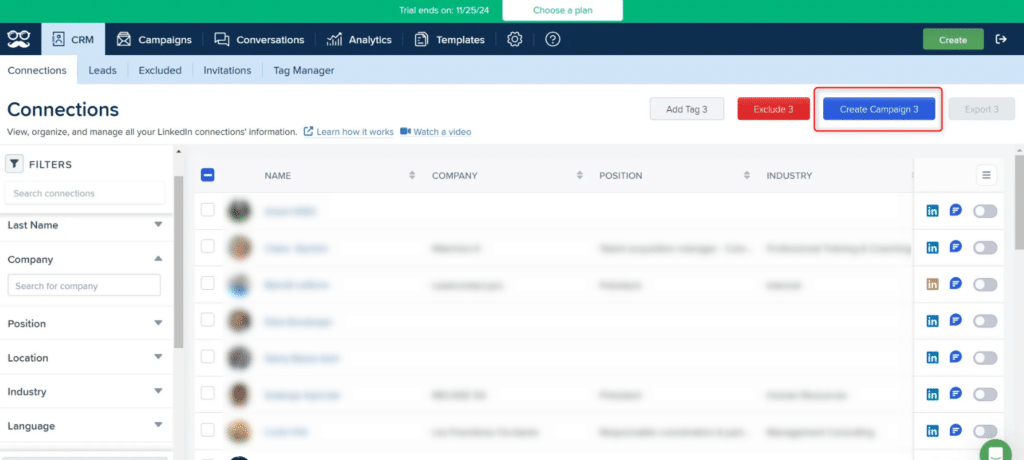
This brings me to the second step in building my sequence. On the trial version, there’s no possibility of creating a multi-channel campaign, just a LinkedIn campaign. Now you have to choose the steps you want to add to the sequence:

Different actions are possible:
- Sending LinkedIn messages,
- Engaging with the profile: visiting the profile, following up, making a skills recommendation, liking the most recent LinkedIn posts.
Note that here, there is no possibility of adding a connection request step, as these are first-level relationships.
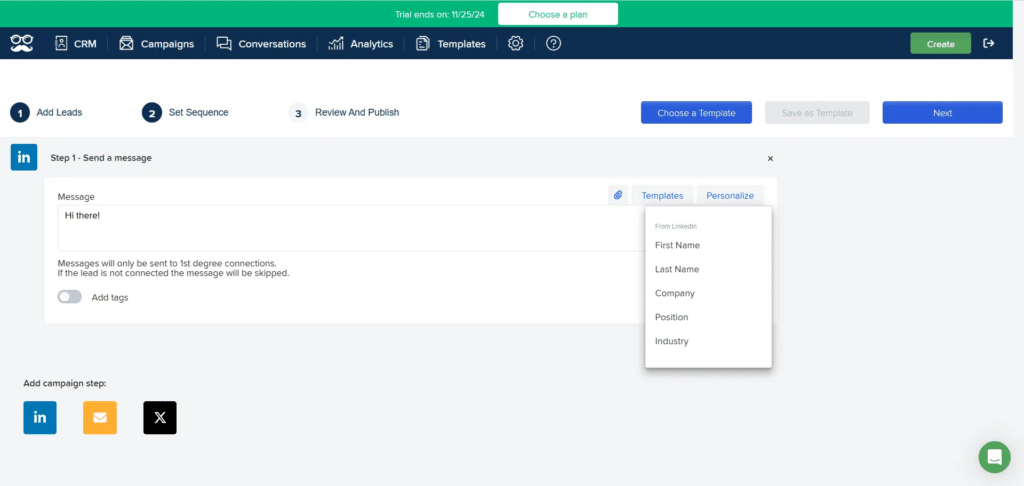
On Meet Alfred, you can create your sequence from A to Z, or choose a template according to your plan (templates are not available with the Basic plan).
Once I’ve written my message, I can launch my campaign by clicking on “Publish”:
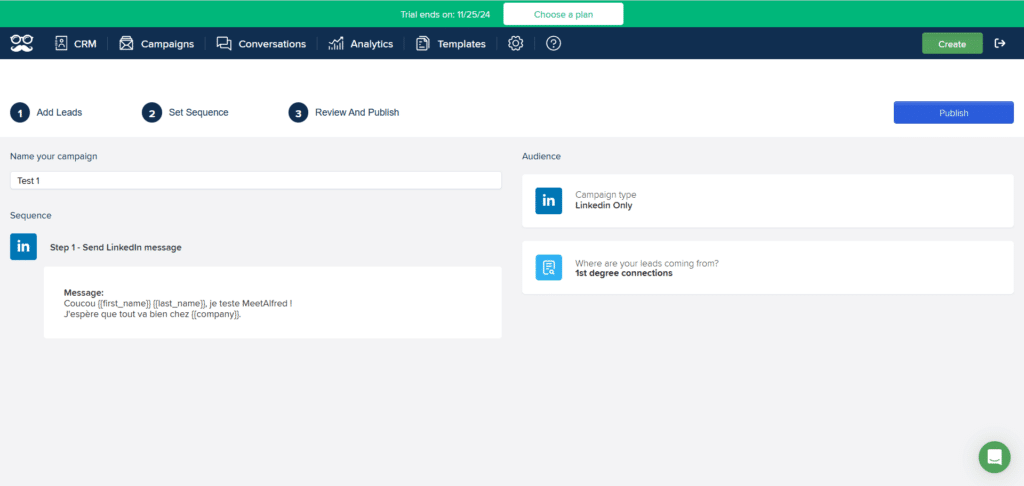
In conclusion, the interface for creating a LinkedIn campaign is simple and basic, but effective enough to be set up in a matter of moments.
Creating a campaign with Waalaxy
I start by clicking on “Create a campaign”, then “Browse sequences”.
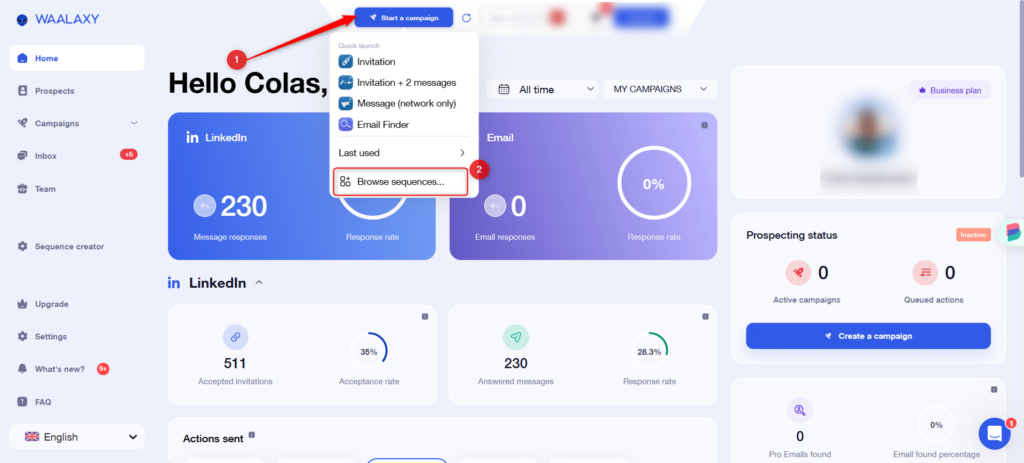
There’s no possibility of creating your own sequences, but on each plan, a catalog of Waalaxy sequences is accessible. They have been designed to cover all types of prospecting, whether multi-channel or not. I can either search by keyword (1), by filter (2), or directly select the sequence I’m interested in, here the “Messages” sequence:
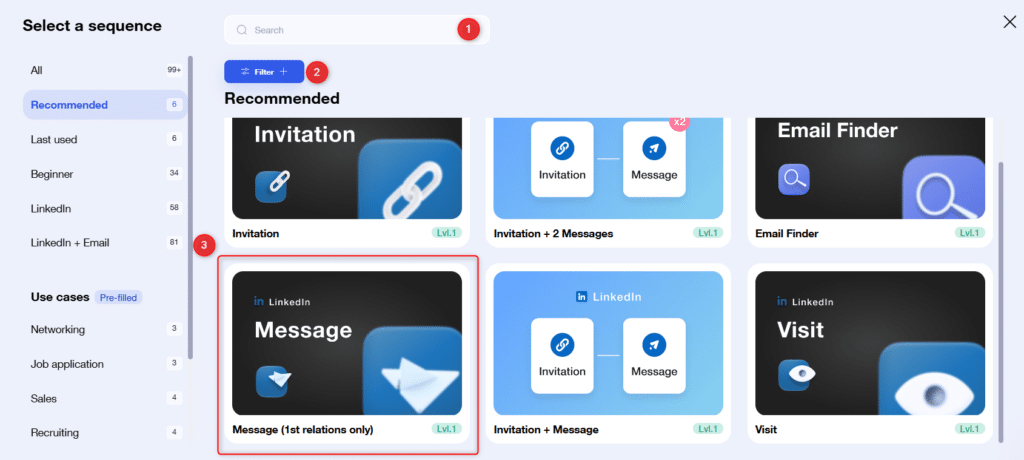
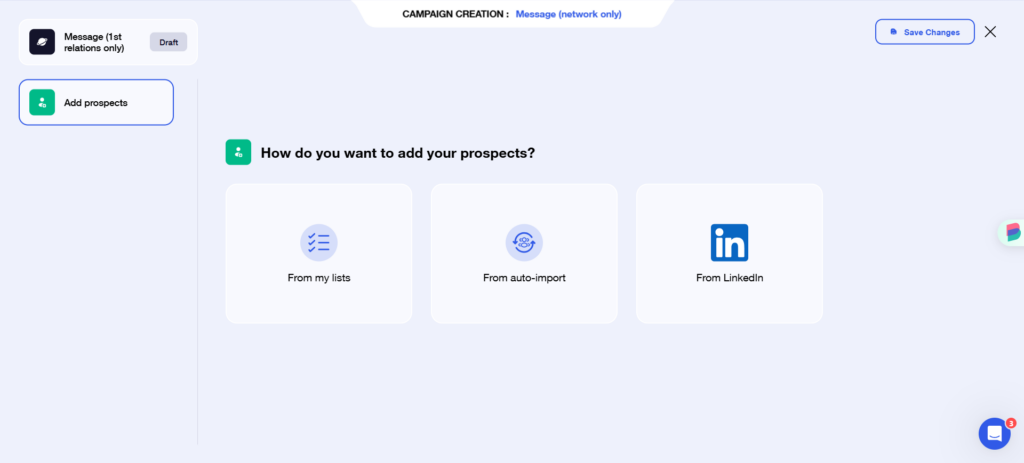
Let’s move on to the settings: I can add prospects already present in my prospect lists, via an auto-import, or by doing a new LinkedIn search, in which case I’ll be redirected to the :
The next step is to write the message:
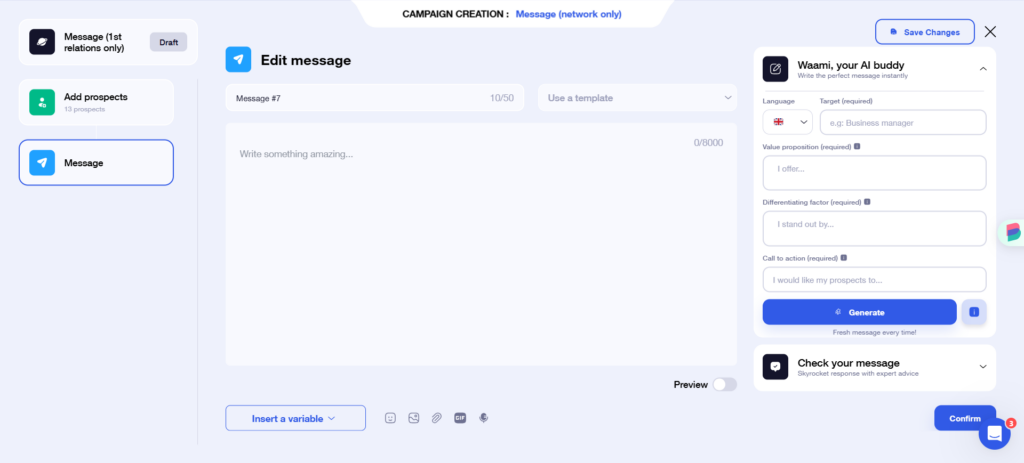
Waalaxy’s standout feature here is its built-in AI writing assistant, powered by Waami.
Once the message has been drafted, all that’s left to do is launch the campaign:
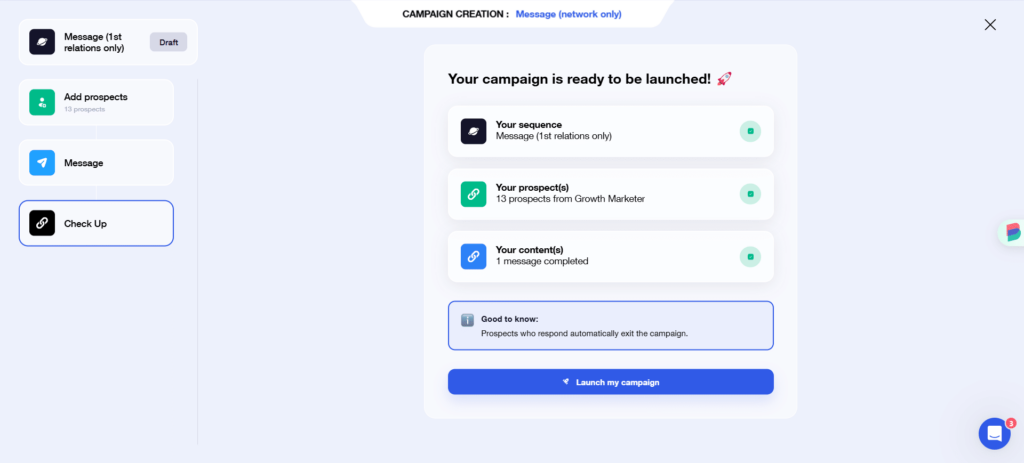
Both platforms make it easy to get a campaign up and running quickly. With Meet Alfred, you need to have a more precise idea of what you want to do, insofar as you have to create your sequence, but also know the LinkedIn rules (e.g. connection status) to make sure that all the prospects you want fit into the sequence.
Waalaxy vs. Meet Alfred: CRM
Meet Alfred CRM
Meet Alfred offers two types of CRM, depending on the plan chosen: a simplified CRM for the basic plan, and an advanced CRM for the other two plans.
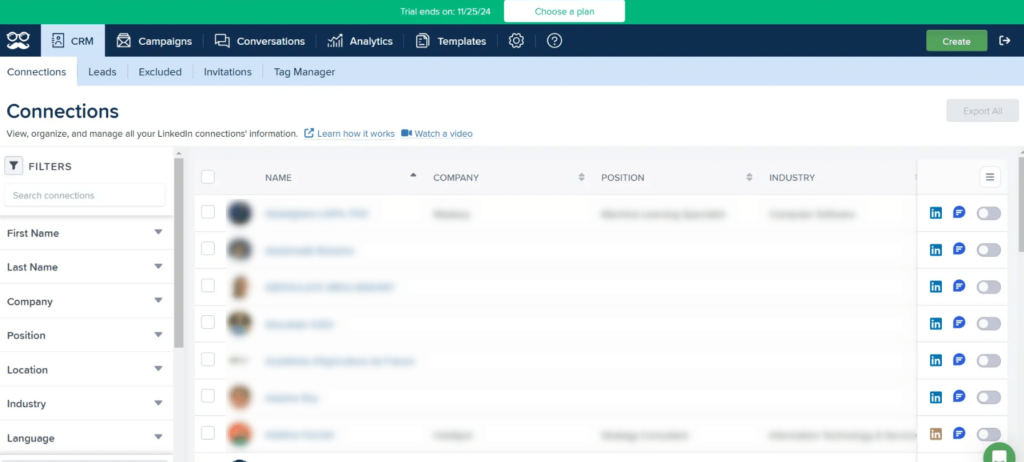
The Meet Alfred CRM is divided into different sections. The first tab is reserved for connections:
And a Leads tab, reserved for prospects that have been added to a campaign:
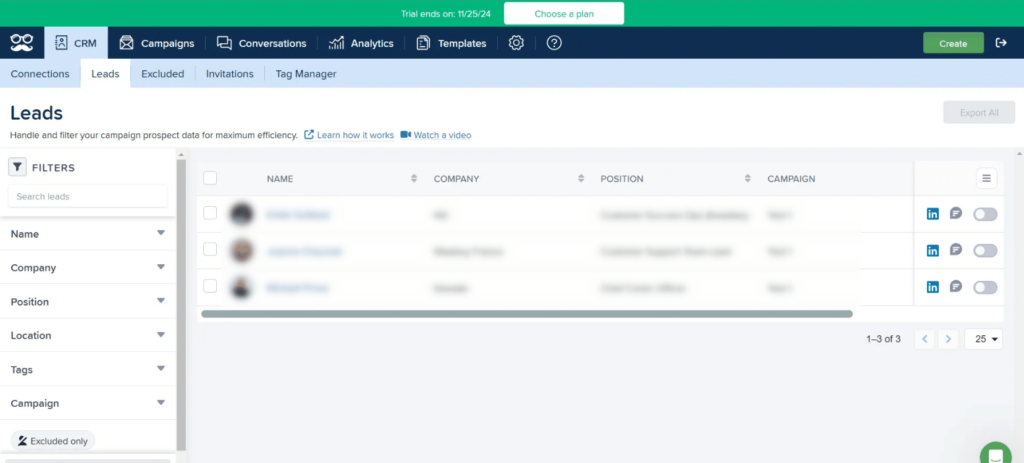
You can filter and tag prospects, but you can’t sort them into lists.
In the basic CRM, the following information is available at a glance: name, company, position, campaign, LinkedIn Premium subscription or not.
You can exclude prospects from campaigns by clicking the small button on the right.
Meet Alfred CRM
The Waalaxy CRM is common to all subscription types. It consists of a tab “All prospects” (1) which, as its name suggests, contains all prospects imported into Waalaxy, and lists (2), which are 100% customizable, and enable you to classify prospects according to criteria you define: location, job type, company…
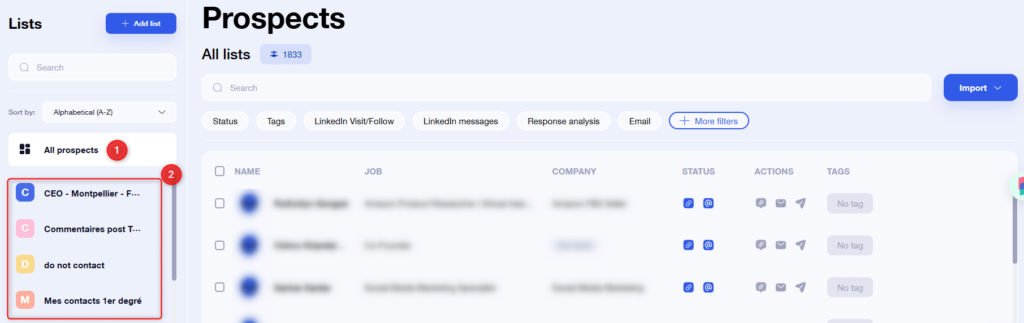
At a glance, we have access to the same information as Meet Alfred, plus connection status, whether any actions have been sent via Waalaxy, and the tags associated with the prospect.
All in all, the two CRMs are similar, but the organization into lists represents a definite advantage for segmenting prospects and thus improving prospecting 🚀.
Many are available in prospect lists: status, tag, email…
Analytics & Reporting: Waalaxy vs. Meet Alfred
Meet Alfred statistics
The Meet Alfred dashboard is simple in appearance, just like the rest of the application. You have data for all campaigns combined:
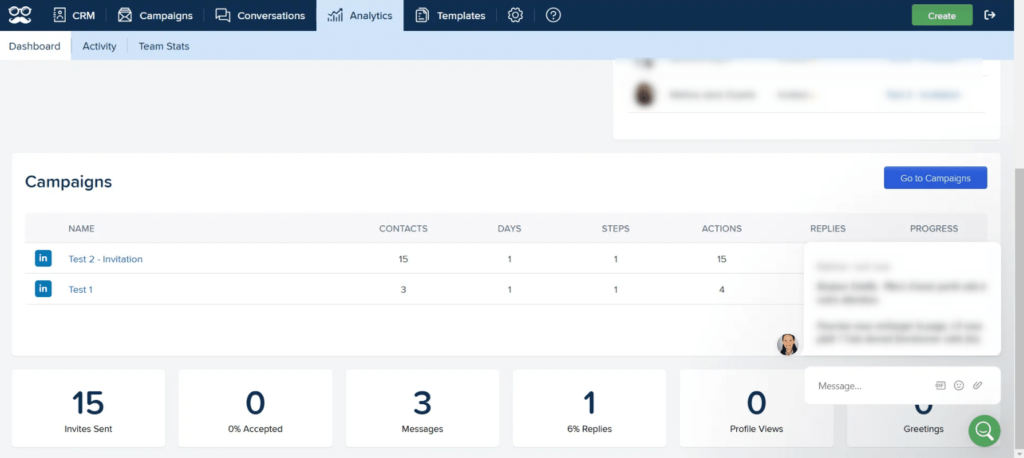
Available data are :
- Number of prospects in the campaign,
- Number of days since campaign launch,
- Stage prospects are at,
- Number of actions sent,
- Number of responses,
- Percentage of progress,
- Number of invitations sent
- Percentage of invitations accepted,
- Response rate to messages,
- Number of visits made,
- Number of recommendations sent.
But also data by campaign:
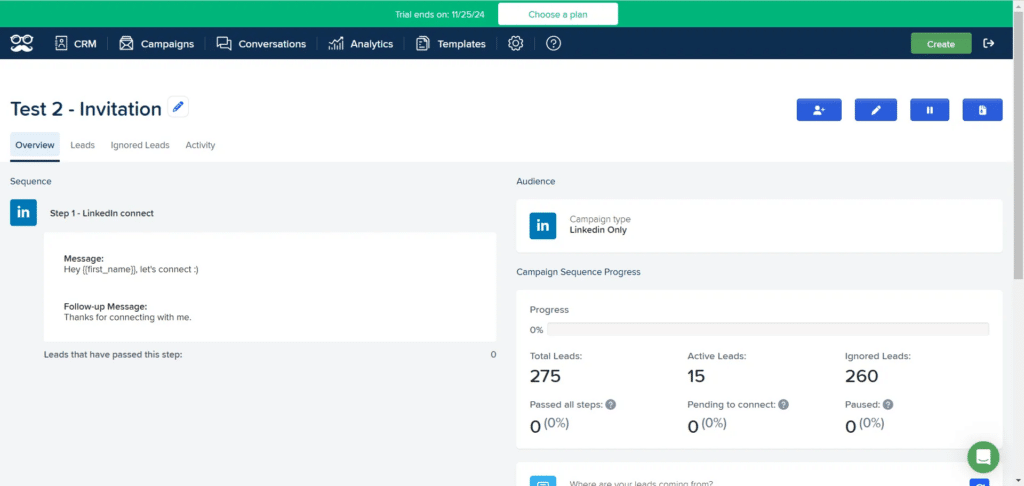
Available data are :
- Campaign progress percentage,
- Total number of prospects added to the campaign,
- Number of active leads,
- Number of imported leads (= those who did not qualify for the campaign),
- Percentage of prospects who have finished,
- The percentage of prospects waiting to accept the invitation,
- Percentage of prospects on pause.
When you’re in Team, there’s also access to a common dashboard:
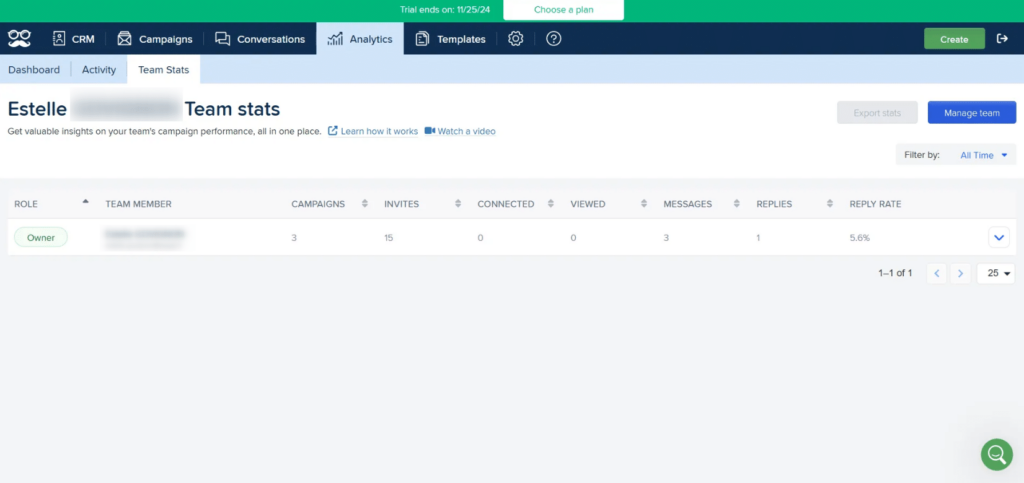
At a glance, you can see for each member :
- Number of campaigns,
- Number of invitations sent,
- Number of invitations accepted,
- Number of profiles visited,
- Number of messages sent,
- Number of replies received,
- Percentage of replies to messages.
These statistics are less comprehensive than those available on Waalaxy. In addition, there are no graphical elements, and it is not possible to view all statistics campaign by campaign (e.g. number of invitations sent), which is nevertheless interesting for prospecting.
Waalaxy statistics
There are three types of dashboard on Waalaxy. The first is the home page dashboard, with data from all campaigns:
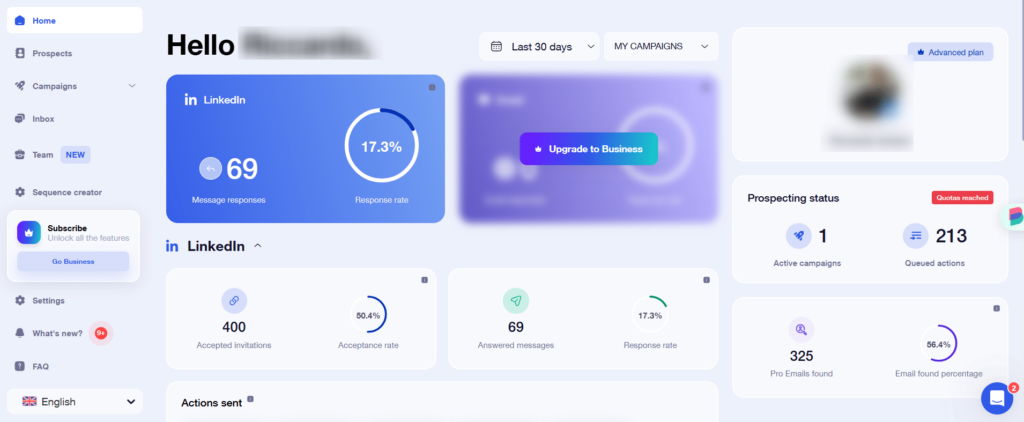
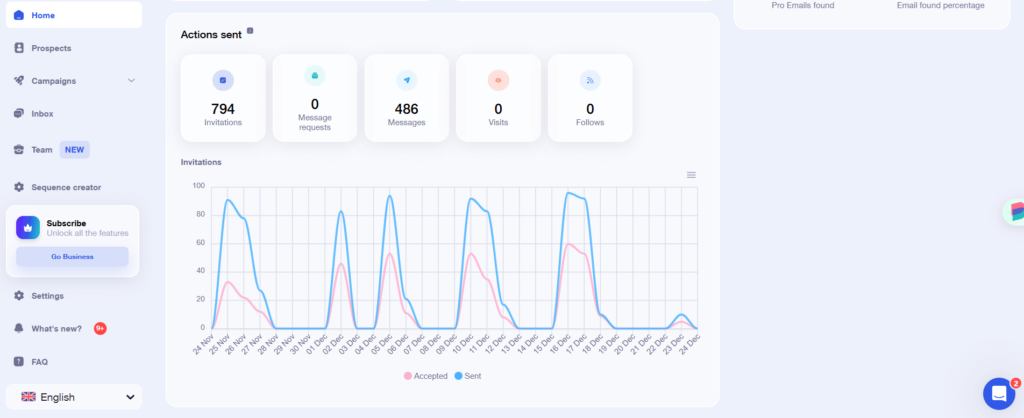
The performance indicators available are :
- Number of invitations sent,
- Number of invitations accepted,
- Acceptance rate,
- Number of messages sent,
- Number of replies received,
- Response rate,
- Number of profiles visited,
- Number of profiles followed,
- Number of active campaigns,
- Number of actions in queue,
- Number of email addresses found with the Email Finder,
- Email Finder success rate.
On the Business side, you also have access to email statistics:
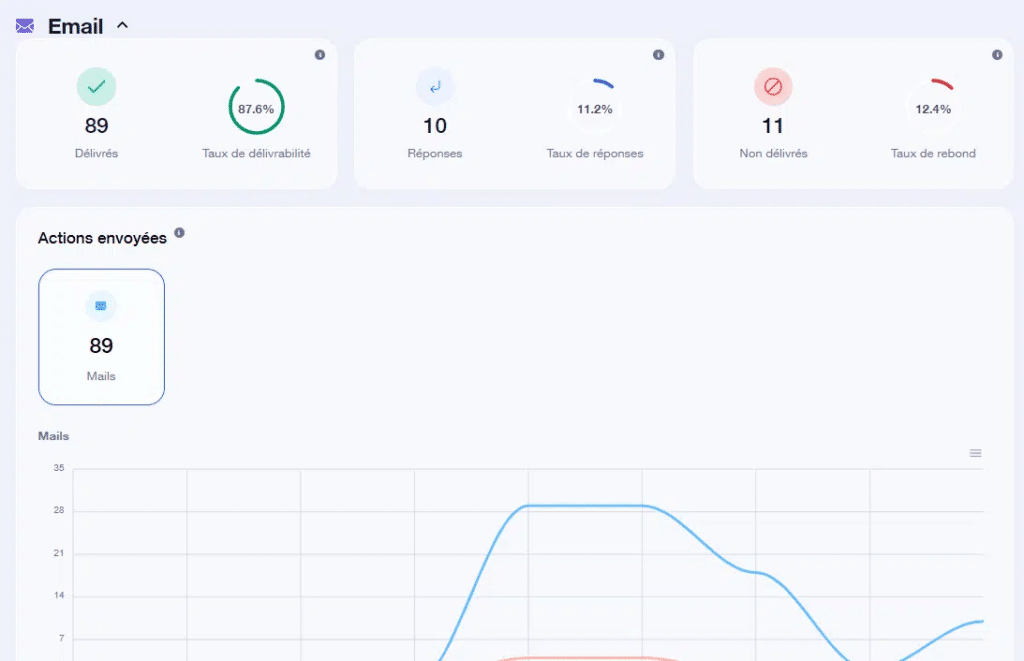
These statistics include :
- Number of e-mails sent,
- Deliverability rate,
- Number of replies,
- Response rate,
- Number of undelivered e-mails,
- Bounce rate.
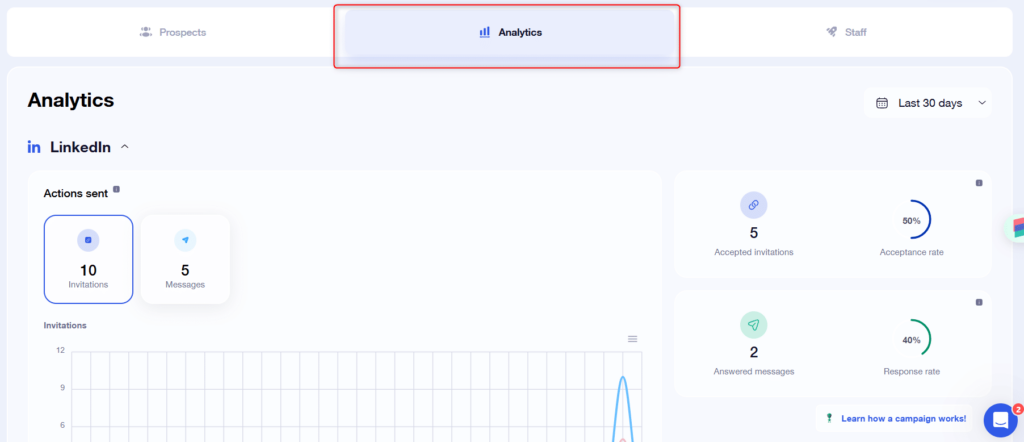
The second dashboard is for each campaign. The statistics are the same as above, but for a particular campaign 😊 :
And finally, the last dashboard is the Team dashboard. From the Team tab**,** you’ll find statistics for each team member (with the same information as on the home page dashboard ):
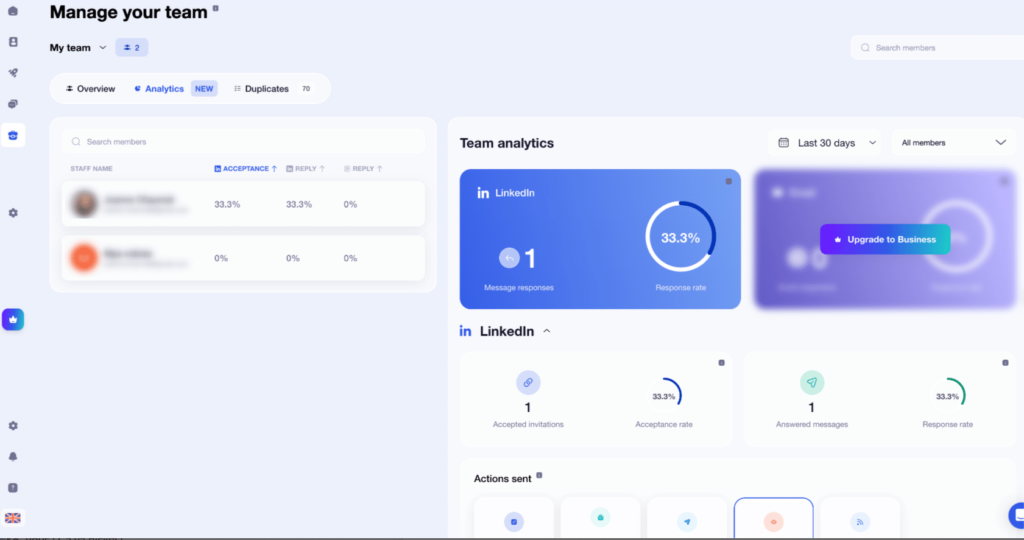
Waalaxy’s dashboards stand out for their visual clarity — charts and graphs make it easy to assess account and campaign performance at a glance.
Team Features: Waalaxy vs. Meet Alfred
Team functionality at Meet Alfred
At Meet Alfred, the Team feature is only available for a minimum of 5 members, and only on a specific plan, which includes the features of the Pro plan.
Please note that it is not possible to test the Team plan.
Team functionality at Waalaxy
Waalaxy’s Team feature is available for all paid plans: Pro, Advanced and Business.
You can test the Team plan for 15 days by contacting support.
Waalaxy vs. Meet Alfred: Customer Support
Meet Alfred Support: Is It Any Good?
According to the reviews left on the Internet, Meet Alfred ‘s support is appreciated, and described as fast and efficient.
For our part, we found it friendly, but the response time was sometimes long (on the order of a few hours depending on the question). They have always responded favorably to our requests (trial period extension).
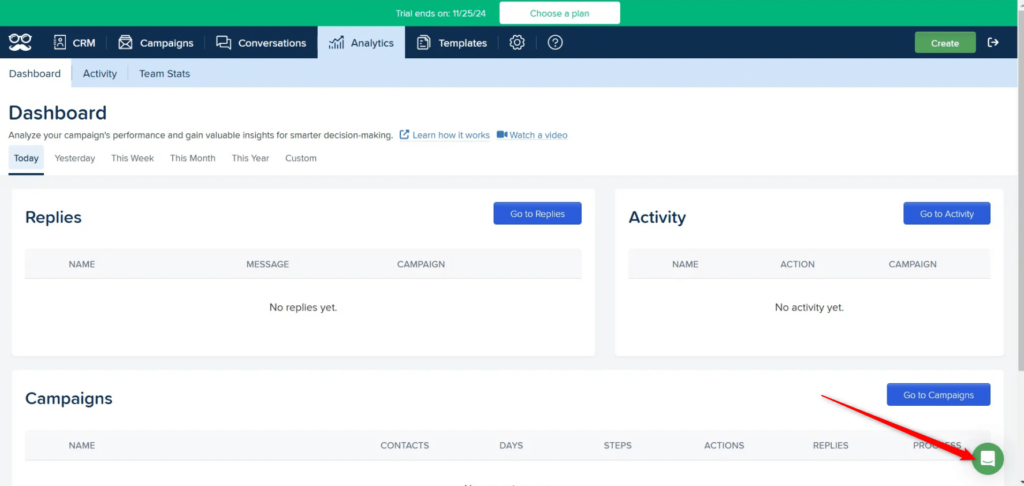
To contact them by chat, just click on the green bubble at the bottom right of the screen:
Waalaxy Support: Fast, Responsive, and Available Daily
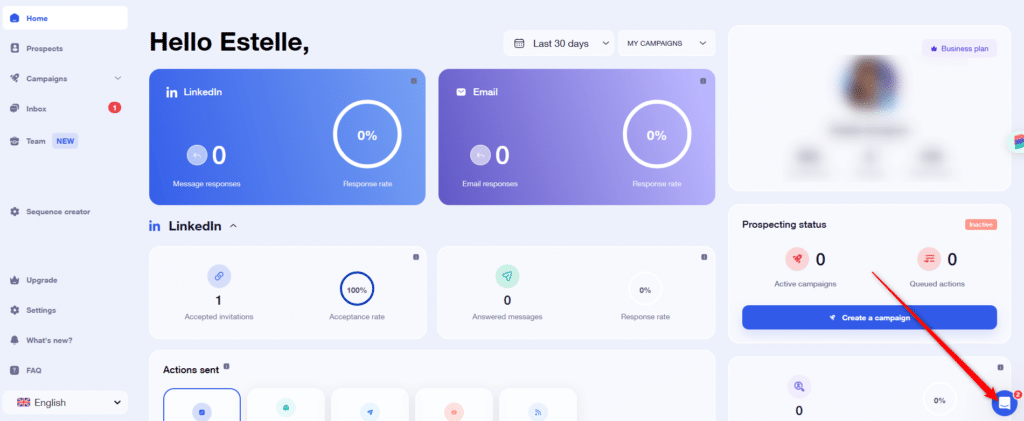
Waalaxy’s support team is available Monday through Friday, 9am–6pm, with a stated response time of under one hour 👽. A team of Waalaxy experts is on hand Monday to Friday, 9am to 6pm, to provide you with a response within the hour. 😁 Contacting them couldn’t be easier: just click on the little blue button at the bottom right of your screen. This will open a small window from which you can launch a chat conversation quickly and simply with our support.
Waalaxy vs. Meet Alfred: Full Comparison Summary
Here’s a side-by-side summary of everything covered in this article: 😎
| Waalaxy | Meet Alfred | |
| Onboarding | ✅ | ❌ |
| Team plan trial | 15 days on the Team Business Plan | ❌ |
| Free trial | 7 days on Business plan (can be extended) | 7 days on Basic plan (can be extended) |
| Free plan for life | ✅ | ❌ |
| LinkedIn Automation | ✅ | ✅ |
| Meta automation (Facebook, Instagram) | ❌ | ✅ |
| X automation (e.g. Twitter) | ❌ | ✅ |
| Creation of customized sequences | ❌ | ✅ |
| Catalog of sequences created by experts | ✅ | ❌ |
| Complex sequences (with conditions) | ✅ | ❌ |
| Sending emails | ✅ | ✅ |
| Synchronizing emails other than Gmail and Outlook | ✅ | ❌ (Team only) |
| Email enrichment | ✅ | ❌ |
| Import prospects from Recruiter Lite | ✅ | ❌ |
| Organization of leads into lists | ✅ | ❌ |
| View upcoming actions | ✅ | ❌ |
| Visual performance indicators | ✅ | ❌ |
| AI-assisted message writing | ✅ | ❌ |
| Add prospects to a current campaign | ✅ | ❌ (not on the Basic plan) |
Verdict: Waalaxy vs. Meet Alfred — Which One Should You Choose?
So, which tool should you choose?
- Choose Waalaxy if you want a simple, efficient tool to launch LinkedIn and email outreach quickly.
- Choose Meet Alfred if you need advanced customization and multi-platform automation.
👉 In short:
Waalaxy = speed and simplicity
Meet Alfred = flexibility and control
Waalaxy vs Meet Alfred FAQ
What is Meet Alfred best for?
Meet Alfred is best suited for users who need advanced automation and multi-channel workflows across platforms like LinkedIn, email, and social media. It’s particularly popular among agencies and teams managing complex outreach strategies.
What is Waalaxy best for?
Waalaxy is ideal for users who want to launch LinkedIn and email outreach quickly without technical setup. It’s designed for sales reps, founders, recruiters, and teams who prioritize ease of use and fast execution.
Is Waalaxy easier to use than Meet Alfred?
Yes. Waalaxy is generally easier to use because it relies on pre-built sequences and a simplified interface, while Meet Alfred requires more setup and customization.
Can you automate LinkedIn outreach with both tools?
Yes, both tools allow you to automate LinkedIn outreach, including connection requests, messages, and follow-ups. However, they differ in how campaigns are built and managed.
Does Meet Alfred support multi-channel outreach?
Yes. Meet Alfred supports LinkedIn, email, and other platforms like Instagram and X (Twitter), making it a good choice for multi-channel strategies.
Does Waalaxy support email outreach?
Yes. Waalaxy includes cold email automation and multi-channel campaigns combining LinkedIn and email outreach.
Which tool is better for beginners?
Waalaxy is generally better for beginners due to its ease of use, guided onboarding, and ready-to-use campaign templates.
 Toinon
23/06/2026
Toinon
23/06/2026 














