

LeadIn is a popular tool for automating LinkedIn outreach and generating qualified leads. 👀 Many sales and growth teams rely on it to save time and get their prospecting campaigns up and running faster.
But like many prospecting tools, what works for you today may not meet your needs tomorrow. 😅 As your prospecting strategy evolves, you may start looking for advanced features, stronger cold email capabilities, or more powerful automation options.
In this guide, we’ll compare the 10 best LeadIn alternatives so you can find the prospecting tool that’s the right fit for your goals, workflow, and budget.
What Is LeadIn?
LeadIn is a B2B prospecting platform built to automate LinkedIn outreach and cold email campaigns. It helps sales teams, growth marketers, and founders launch multichannel outreach campaigns without handling every task manually.
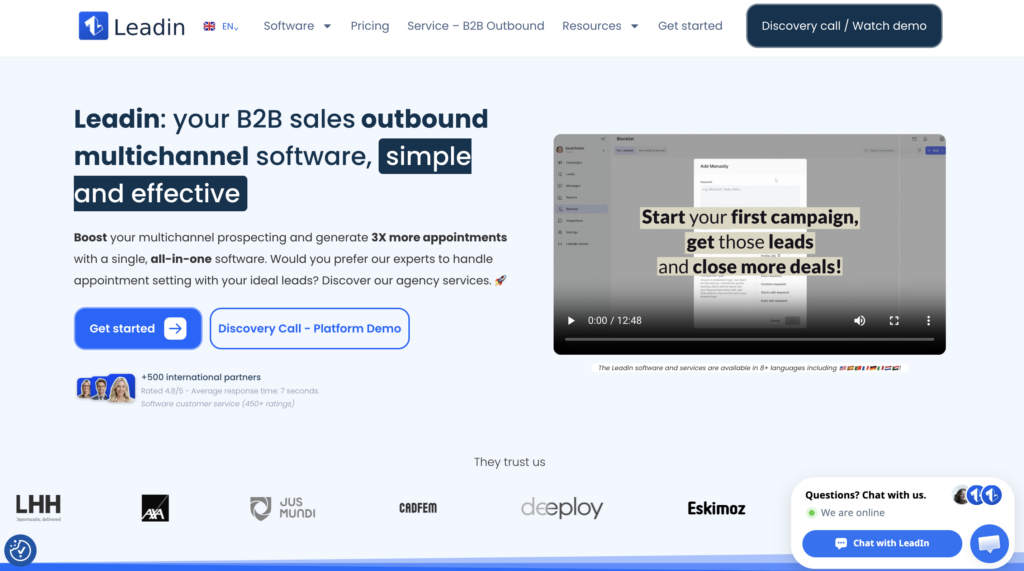
The tool primarily focuses on LinkedIn and cold email, featuring automated sequences, prospecting workflows, and features designed to simplify B2B lead generation.LeadIn also emphasizes its cloud-based infrastructure, unlimited sequences, and a setup built for teams that want to scale outreach without dealing with a complex tech stack.
How to Use LeadIn ?
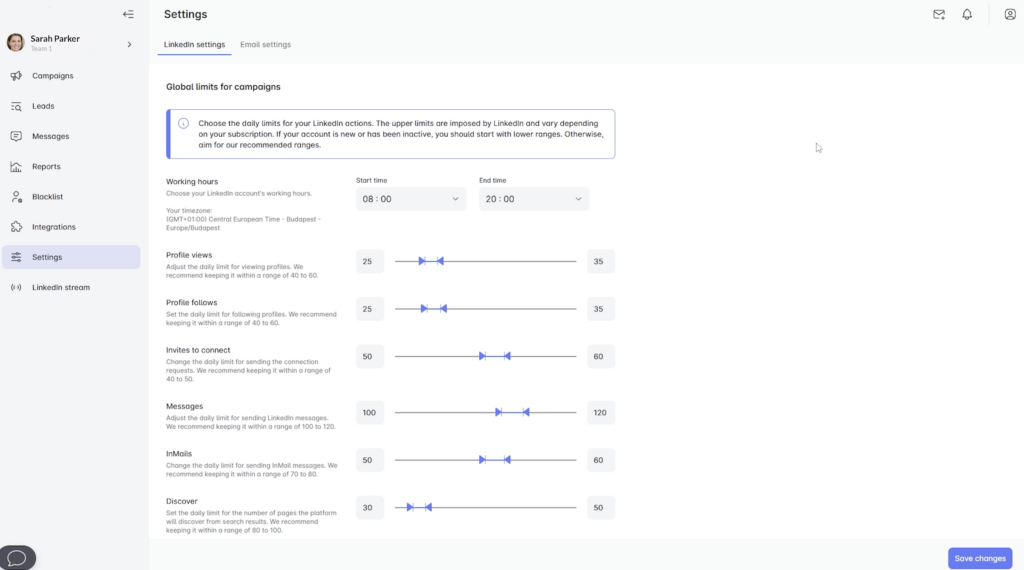
LeadIn includes several tools designed to automate LinkedIn and email prospecting. Its multichannel approach allows teams to manage outreach activities from a single platform.
Some of its key features include:
- 📮 Automated invitations, messages, and follow-ups on LinkedIn to save time on repetitive tasks.
- 🔀 Multichannel sequences that combine LinkedIn, InMail, and cold email into a single workflow.
- 👩🏻💻 Custom prospecting workflow with conditions, time limits, and advanced automations.
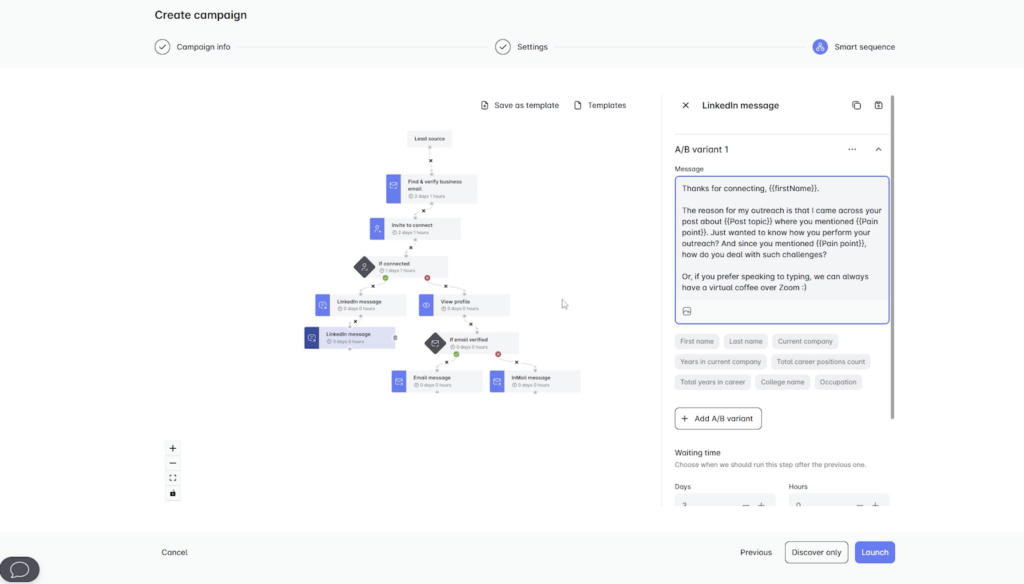
- 🥶 Cold email with unlimited email accounts and automatic mailbox rotation to send more campaigns at no extra cost.
- 🔥 Built-in warm-up emails to improve deliverability and prevent emails from ending up in spam.
- 🔎 Professional email lookup and verification directly from the platform.
- ☁️ Cloud automation with a proxy system to further secure LinkedIn actions.
- 🖼️ Personalized images and GIFs to increase engagement and response rates.
- 🛜 CRM and third-party integrations to connect LeadIn plugin with your existing sales stack.
LeadIn positions itself as an easy-to-use solution, offering ready-made campaign templates and a user-friendly interface for sales teams, startups, and SMBs that want to launch outbound campaigns quickly.
LeadIn’s Strengths and Weaknesses
Like most prospecting platforms, LeadIn comes with both advantages and limitations worth considering before making a decision. 🤓
| Strengths | Weaknesses |
|---|---|
| Easy-to-use interface with a short learning curve. | Fewer advanced capabilities than tools like Clay or PhantomBuster. |
| Multichannel prospecting across LinkedIn and email from one platform. | Less suitable for highly complex outbound strategies or large-scale automation. |
| Cloud-based automation eliminates the need to keep Chrome running. | Pricing can become expensive for larger teams. |
| Unlimited email accounts and sequences depending on the plan. | Limited data enrichment and B2B database features. |
| Built-in email warm-up improves deliverability. | Reporting and analytics are less advanced than some RevOps-focused platforms. |
| Personalized images and dynamic GIFs for outreach. | Smaller integration ecosystem compared to Apollo.io. |
| Centralized management of LinkedIn and email campaigns. | Some automations offer less flexibility than tools like TexAu or Smartlead. |
| Beginner-friendly for startups, SMBs, and sales teams. | May become limiting as outreach volume and complexity increase. |
How Much Does LeadIn Cost?
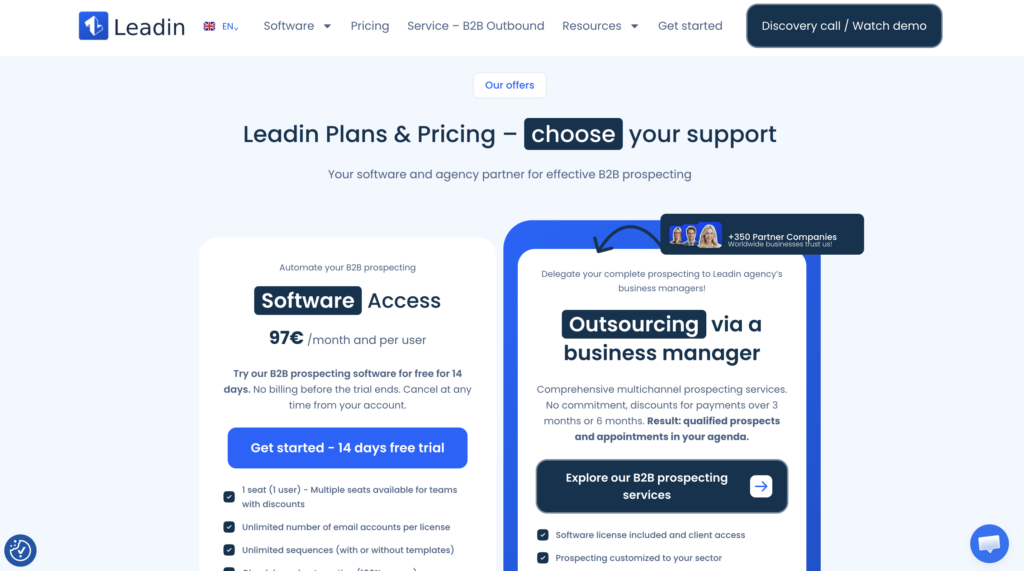
LeadIn offers a software plan starting at €97 (excl. tax) per month per user with a 14-day free trial. 💸 The company also offers a more service-oriented package that includes managed prospecting support through dedicated business managers.
LeadIn Reviews: What Do Users Think?
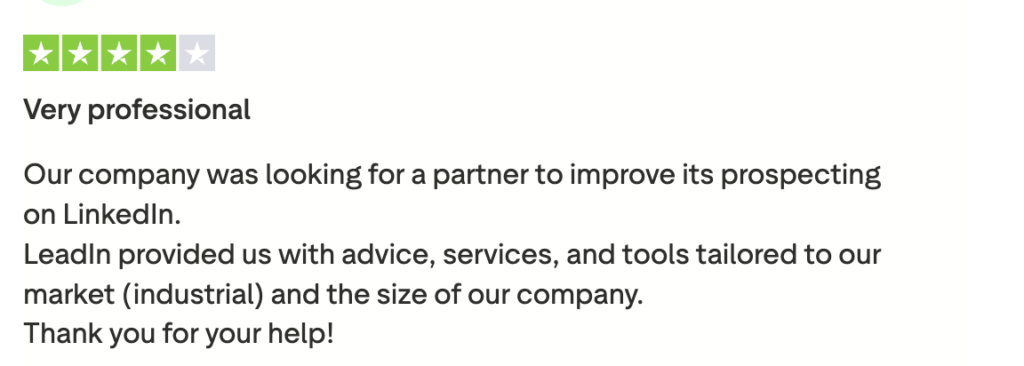
According to information published on its website, LeadIn has a 4.8/5 rating based on more than 450 verified reviews. However, as of 2025, user reviews appear to be limited on major software review platforms such as Capterra and G2. On Trustpilot, the platform holds a 3.8/5 rating.
Overall, user feedback for LeadIn is largely positive. Customers frequently highlight the platform’s ease of use, multichannel outreach capabilities, and the time saved through LinkedIn and email automation.
That said, some users would like to see more advanced features for scaling outreach and building more sophisticated automation workflows. As a result, LeadIn seems best suited for startups and SMBs looking for a prospecting solution that’s easy to implement and start using right away.
Why Look for an Alternative to LeadIn?
While LeadIn is a solid option for getting started with automated outreach, it won’t be the perfect fit for every team. 👀
For example, some teams are looking for more advanced features to scale their outreach, enrich their databases, or create more complex workflows. Others want to improve their email deliverability, manage multiple LinkedIn accounts, or integrate more tools into their sales stack.
Cost can also become a concern as teams grow and add more users. 😅
And sometimes, the reason is even simpler, a team needs a platform that’s more specialized for its prospecting strategy, whether that’s LinkedIn automation, cold email, AI-powered outbound, or large-scale lead generation.
The 10 Best LeadIn Alternatives
There are now many alternatives to LeadIn depending on your prospecting approach. 👀 Some focus on LinkedIn automation, while others specialize in cold email, AI-powered outbound, data enrichment, or advanced workflow automation.
Here are the 10 best LeadIn alternatives to help you automate outreach, book more meetings, and generate more leads.
| Tool | Specialty | Starting at | Ideal for |
|---|---|---|---|
| Waalaxy | LinkedIn + email prospecting | $19/month | SMEs, startups, and sales teams. |
| PhantomBuster | Scraping & advanced automation | €56/month | Growth hackers and agencies. |
| Lemlist | Multi-channel cold email | Priced on a per-use basis | Teams focused on cold email and deliverability. |
| HeyReach | Multi-account LinkedIn scaling | $79/month | Agencies and outbound teams. |
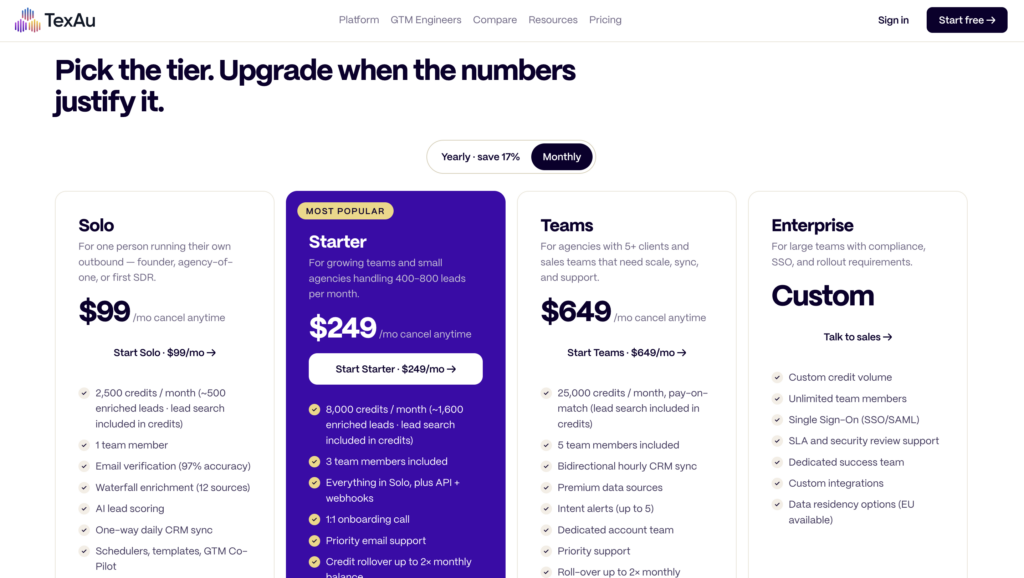
| TexAu | Workflows & multi-channel scraping | $99/month | SDRs and technical roles. |
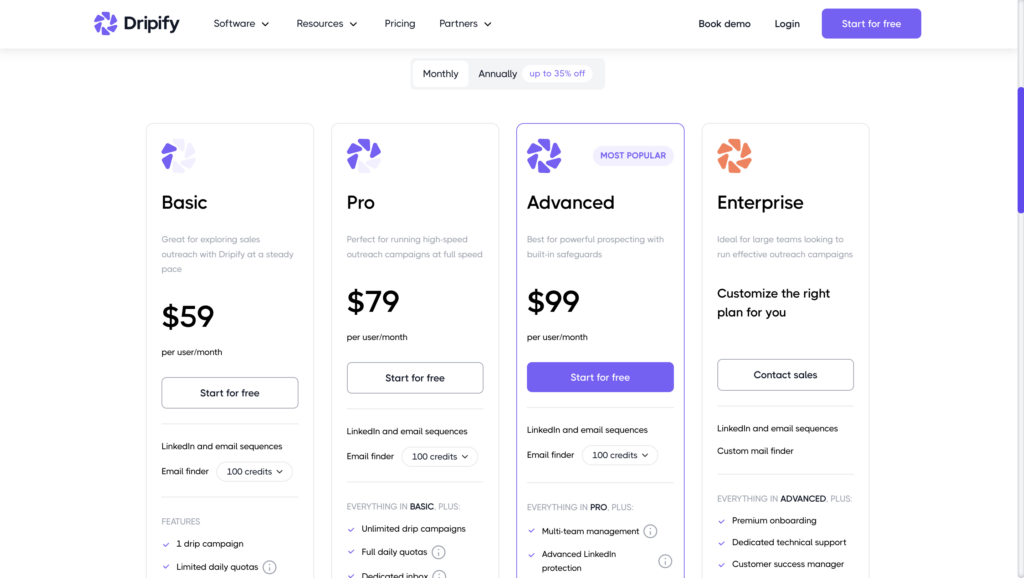
| Dripify | Simple LinkedIn automation | $59/month | Freelancers and small sales teams. |
| Clay | AI outbound & enrichment | $185/month | RevOps, growth, and advanced outbound. |
| Smartlead | High-volume cold email | $39/month | Cold email agencies and scaling. |
| Apollo.io | B2B database & sales intelligence | $59/month | Sales and RevOps teams. |
| Salesforge | Cold email & deliverability | $48/month | Outbound and multichannel campaigns. |
#1 Waalaxy: The Best Alternative for LinkedIn and Email Prospecting
Waalaxy is a multichannel prospecting platform that helps you automate LinkedIn outreach and cold email from one place. Popular among startups, SMBs, and agencies, it’s built around simplicity, automation, and time savings.
With the Waalaxy Chrome extension, you can build automated outreach sequences that combine LinkedIn invitations, messages, emails, and follow-ups into a single workflow designed to generate more conversations and opportunities. 🚀
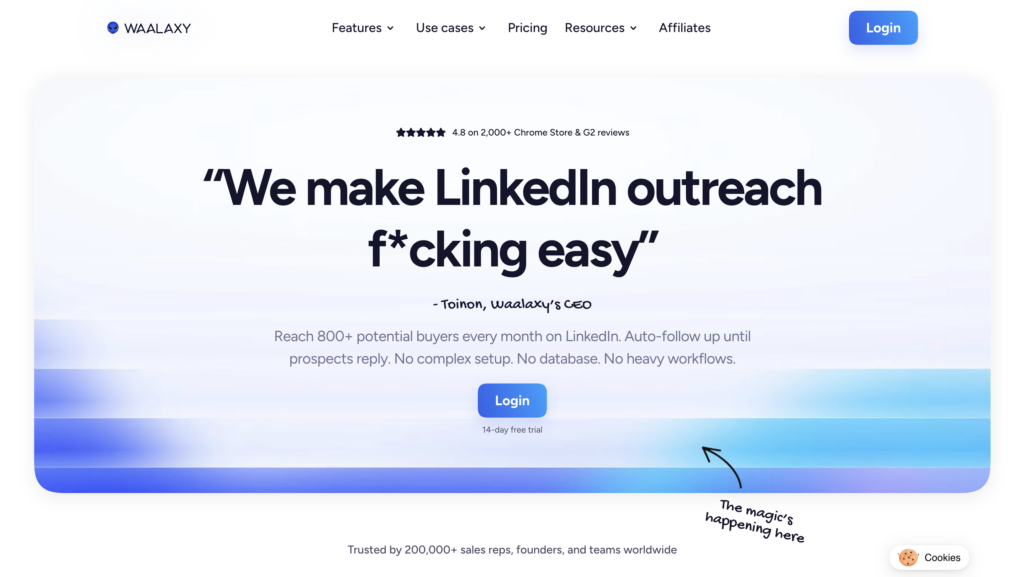
What is waalaxy used for?
The tool allows you to automate:
- LinkedIn invitations.
- Messages.
- Follow-ups.
- Emails.
- Multi-channel prospecting workflows…
All while staying within activity limits designed to help reduce the risk of LinkedIn restrictions. 👀
Waalaxy also includes several features that go beyond standard outreach automation:
- 🔁 Auto-import of leads: You can automatically import leads from the comments on a LinkedIn post or after a profile visit. Very handy for quickly targeting qualified audiences without having to import each contact manually.
- 🧑💼 Team Plan: Waalaxy offers features designed for sales teams, agencies, and organizations that prospect collaboratively. Each user can manage their campaigns, templates, and lists more easily.
- 📥 Integrated Inbox: All LinkedIn and email replies arrive in a centralized inbox so you can track conversations without missing a thing.

- 🤖 AI and Interest Scoring: Waalaxy also incorporates artificial intelligence capable of writing messages (Waami) or identifying the most engaged prospects based on their responses and interactions. A real time-saver for prioritizing hot leads.
Waalaxy’s Strengths and Limitations
| Strengths | Limitations |
|---|---|
| LinkedIn + email automation in a single platform. | Less specialized in advanced cold emailing than some dedicated tools. |
| Simple interface that’s quick to learn. | No built-in B2B database. |
| Features designed for SMEs, startups, and agencies. | Requires a Google Chrome extension. |
| Auto-import of leads from LinkedIn. | Less suitable for very large outbound teams. |
| Centralized inbox to manage all responses. | |
| AI that identifies the most engaged leads. | |
| Numerous CRM integrations. | |
| Easy-to-use dashboard |
How Much Does the Waalaxy Extension Cost?
Waalaxy pricing starts at $19/month/user. 💸
Monthly Quarterly Yearly Without Inbox With Inbox Add-on

Waalaxy Reviews: What Do Customers Think?
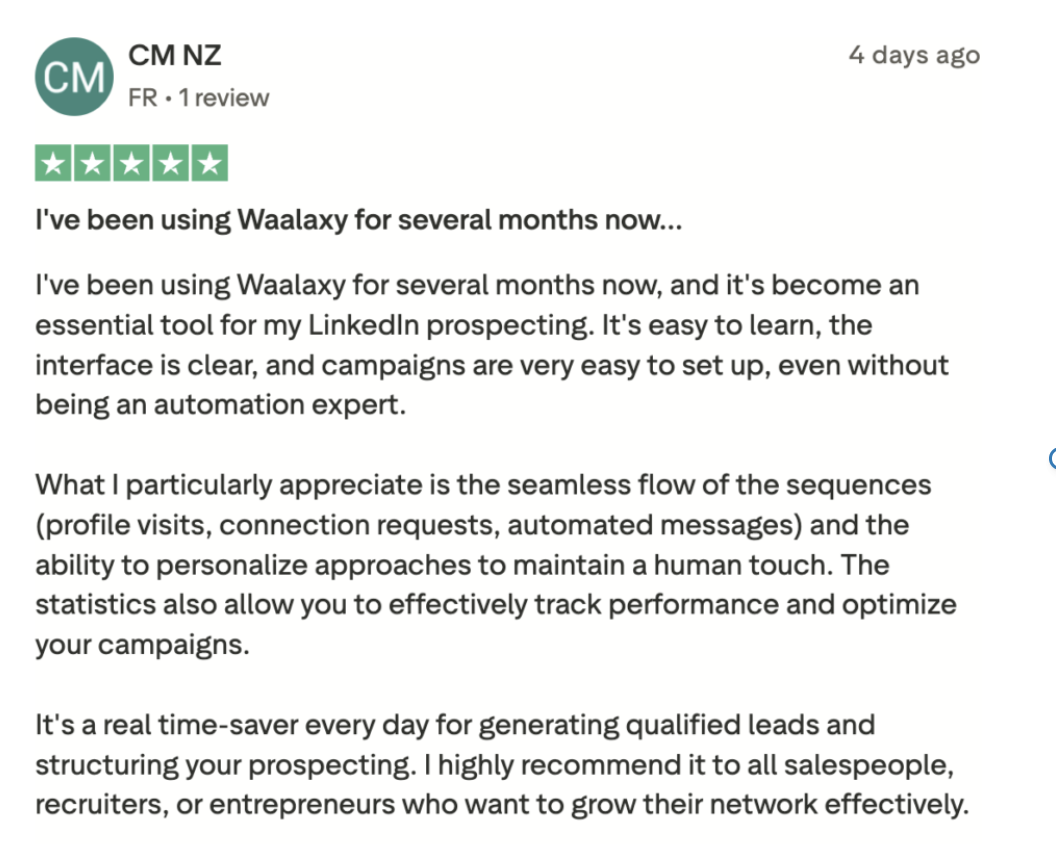
Users especially appreciate the tool’s simplicity, the time saved on LinkedIn prospecting, and the multi-channel prospecting sequences. 👀
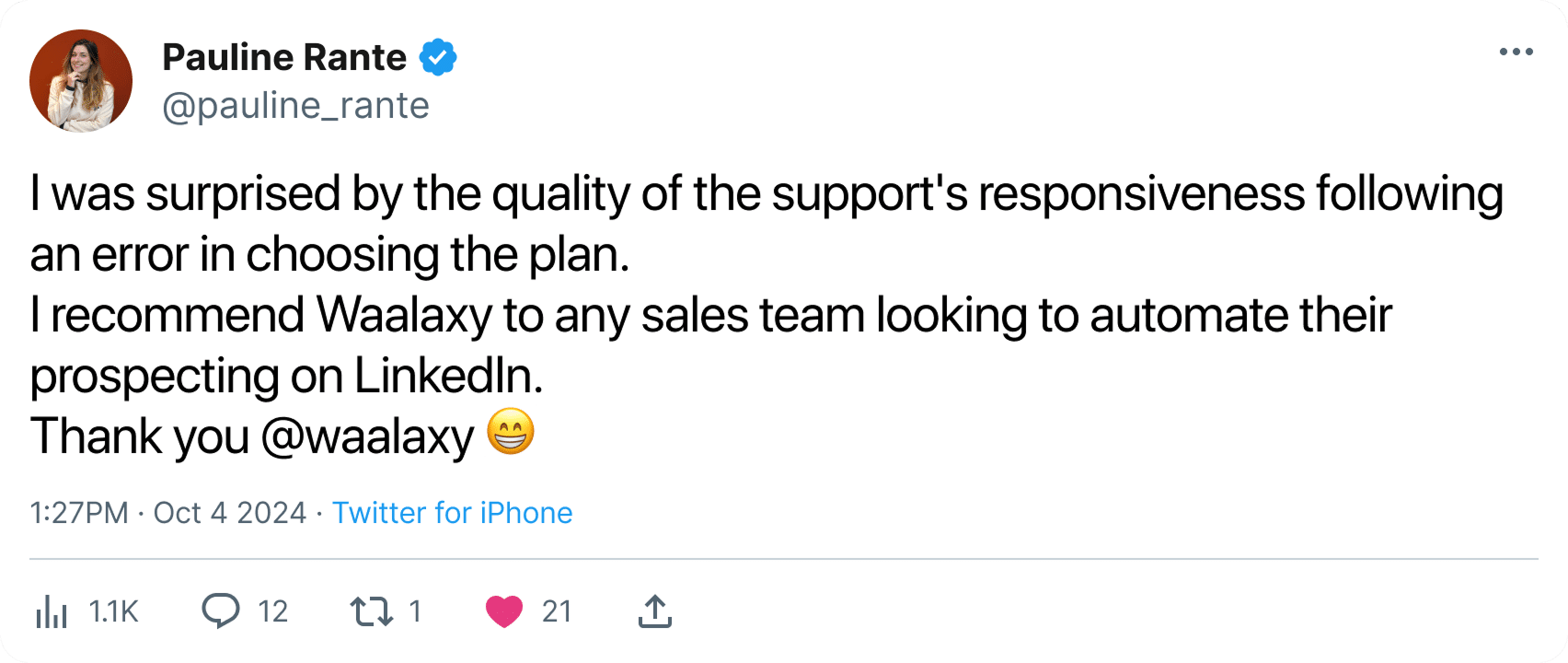
Customer support is another area that receives frequent praise, with many users mentioning the team’s responsiveness and willingness to help.
#2 PhantomBuster
is an automation platform focused on web scraping and lead generation. Popular among growth teams and agencies, it helps automate actions across LinkedIn, Sales Navigator, Instagram, X, and even Google.
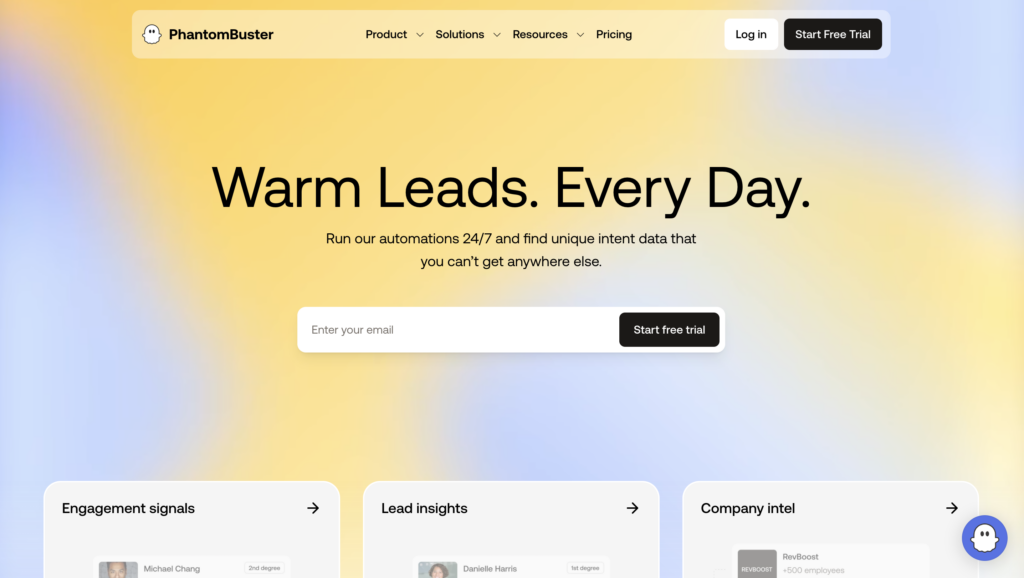
The platform is built around ready-made automations called “Phantoms.” These automations can collect LinkedIn profile data, extract prospect information, automate repetitive tasks, and connect workflows across multiple platforms. Key Features are :
- 📚 Library of ready-to-use templates.
- 🧲 Scraping of LinkedIn and Sales Navigator profiles.
- 📋 Extraction and enrichment of prospect data.
- 🤖 Automation of LinkedIn invitations and messages.
- 🔀 Automated workflows between multiple tools.
- ☁️ Cloud automations running 24/7.
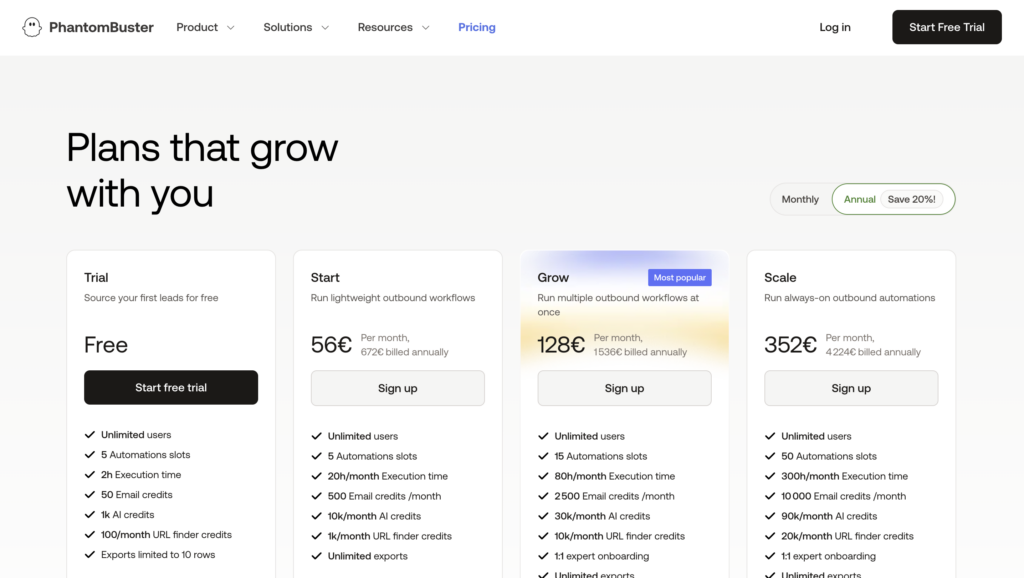
What Are PhantomBuster’s Pricing Plans?
PhantomBuster offers a limited free plan along with several paid subscription tiers designed for individuals, agencies, and larger teams.
What Do Users Say?
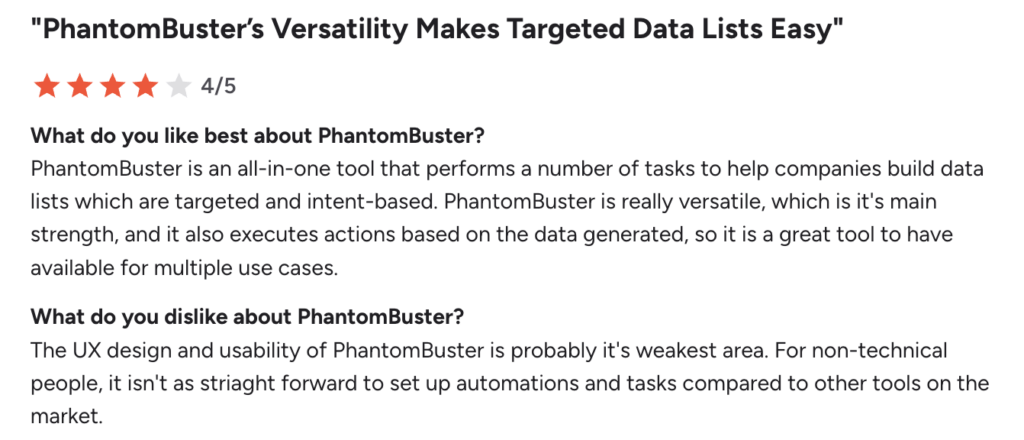
Users especially appreciate PhantomBuster’s flexibility and its many automation options. The main drawback? The learning curve can be steeper than with more beginner-friendly prospecting tools. 🫠 Setting up advanced automations often requires some experimentation and a solid understanding of prospecting workflows.
#3 Lemlist
Lemlist is a multichannel prospecting platform designed to automate B2B outreach across email, LinkedIn, and other channels such as WhatsApp. The tool is best known for its advanced personalization capabilities and its built-in email warm-up solution, Lemwarm.
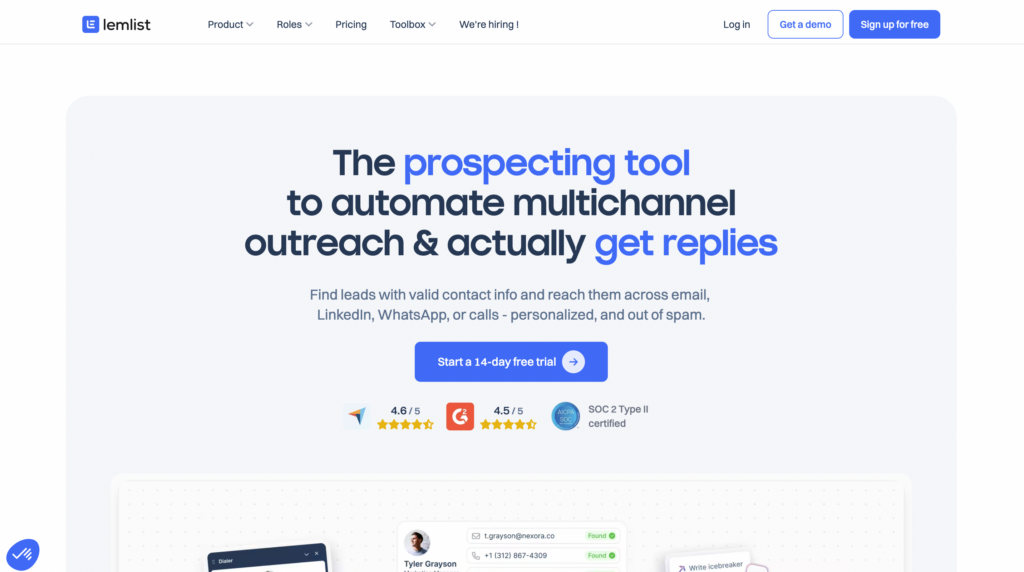
With Lemlist, you can mainly:
- 📧 Automate cold email campaigns and follow-ups.
- 🔀 Create multi-channel email + LinkedIn sequences.
- 🖼️ Personalize messages with variables, images, and GIFs.
- 🔥 Improve deliverability with the Lemwarm warm-up.
- 📥 Centralize responses in a unified inbox.
- 📊 Track performance with detailed statistics.
How Much Does Lemlist Cost?
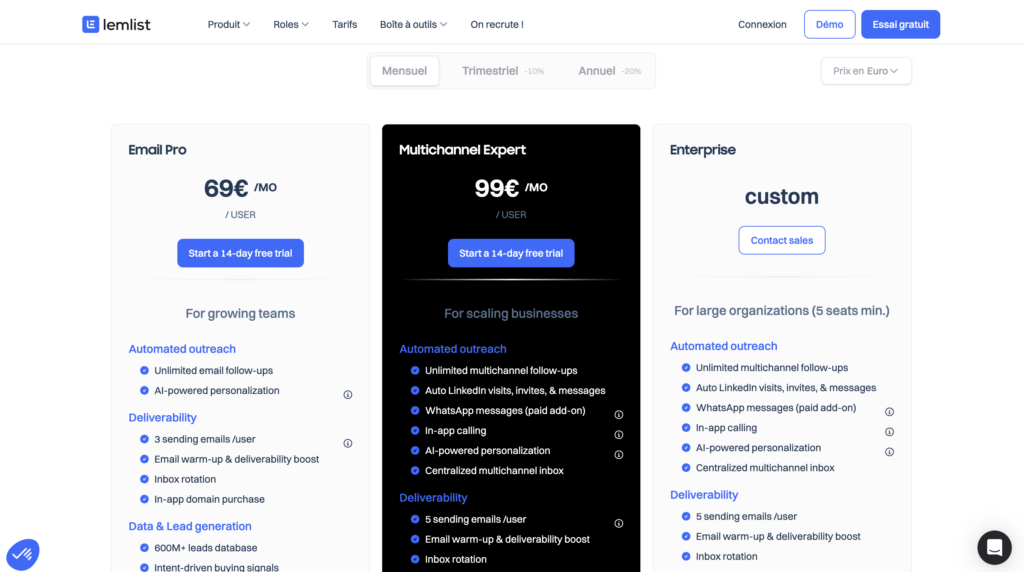
Lemlist offers several subscription plans, with pricing based on the number of users, connected mailboxes, and selected features. 💸 A 14-day free trial is available for new users who want to test the platform before committing.
What Do Customers Think?
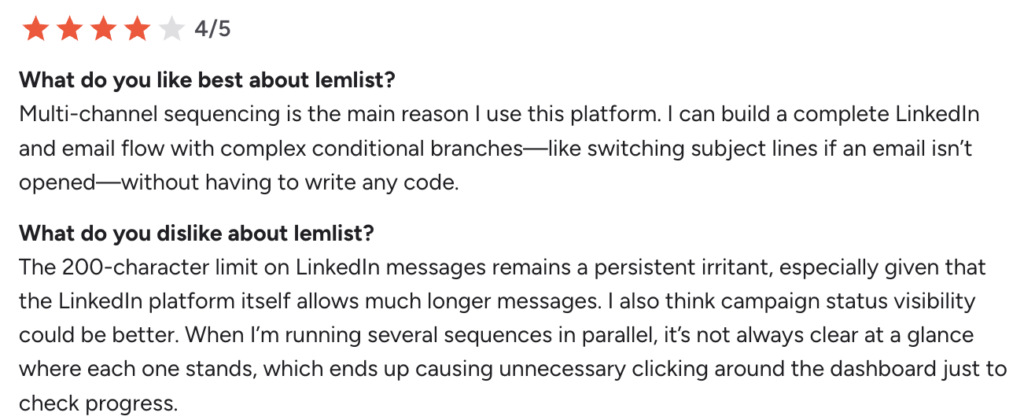
Users particularly appreciate the campaign customization, the simplicity of multichannel sequences, and the deliverability features. On the downside, some users report that campaign management can feel cluttered as workflows become more complex. Others feel the platform can become expensive over time and mention that certain integrations may be limited or require higher-tier plans depending on usage volume.
#4 HeyReach
HeyReach is a LinkedIn automation platform built for outbound teams, agencies, and sales professionals who need to manage multiple LinkedIn accounts from a single workspace. 🤓
The tool is designed to help teams scale LinkedIn outreach efficiently without juggling multiple browser sessions or manually switching between accounts.
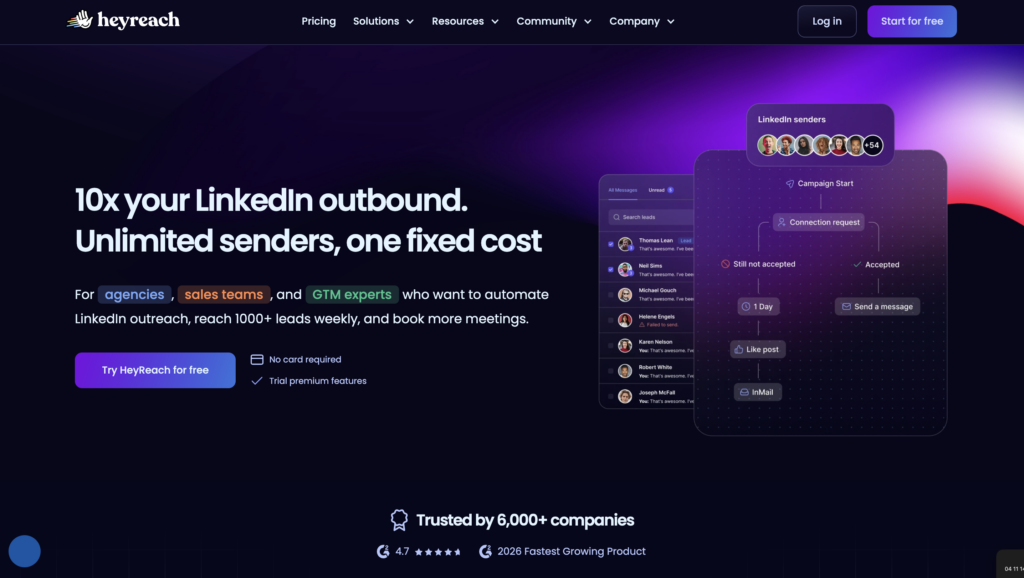
Its features include:
- 👥 Centralize multiple LinkedIn accounts from a single interface.
- 🔁 Create automated prospecting sequences.
- 📥 Centralize responses in a unified inbox.
- 🔗 Connect HeyReach to tools like Clay, Slack, or Zapier.
- 📊 Track performance with detailed dashboards.
- 🔐 Secure accounts with a cloud infrastructure and dedicated proxies.
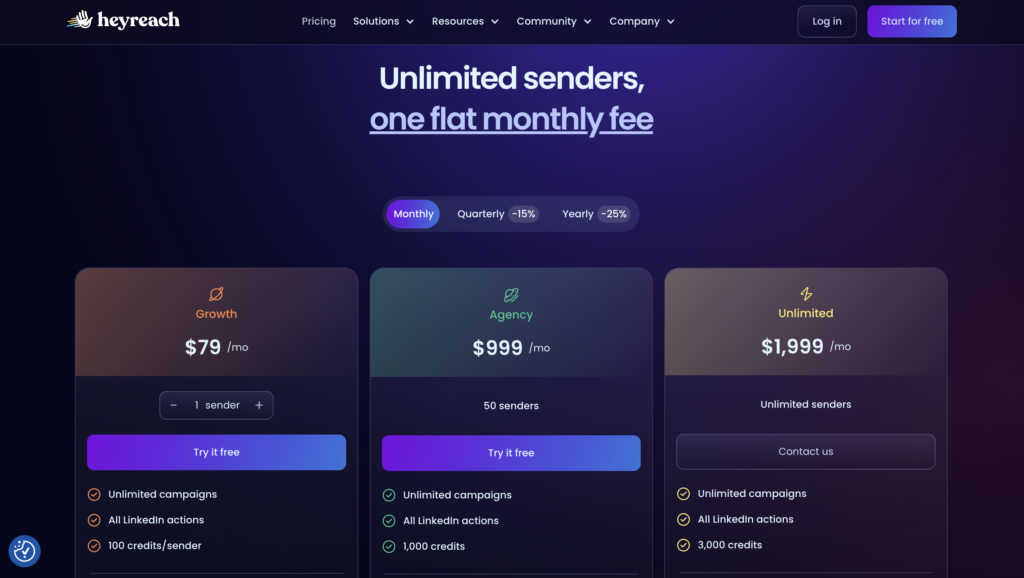
What Are HeyReach’s Pricing Plans?
HeyReach offers several pricing tiers based primarily on the number of LinkedIn accounts connected to the platform.
What Do Users Think?
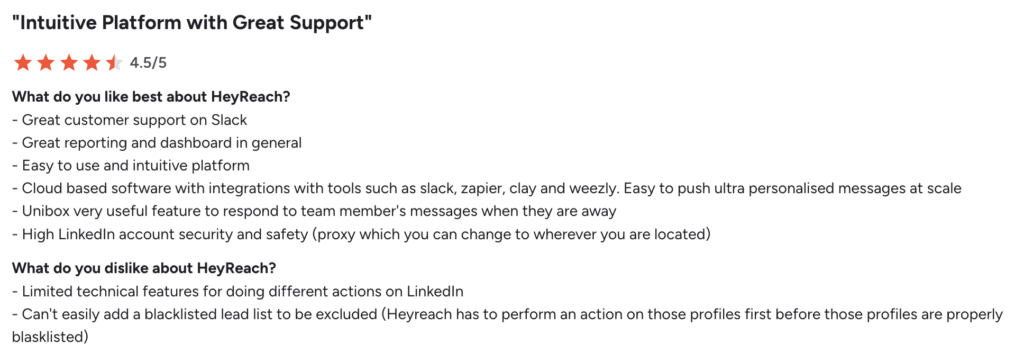
Users generally find the platform intuitive and easy to use. The ability to manage multiple LinkedIn accounts from one place is frequently cited as one of its biggest advantages, especially for agencies and outbound sales teams. Customer support also receives positive feedback for being responsive and helpful.
Some users regret the lack of automatic saving in certain workflows, which can sometimes result in the loss of changes in progress, for example. 🙃
#5 TexAu
TexAu is an automation and scraping platform built for , agencies, and sales development reps who want to automate prospecting across multiple channels.
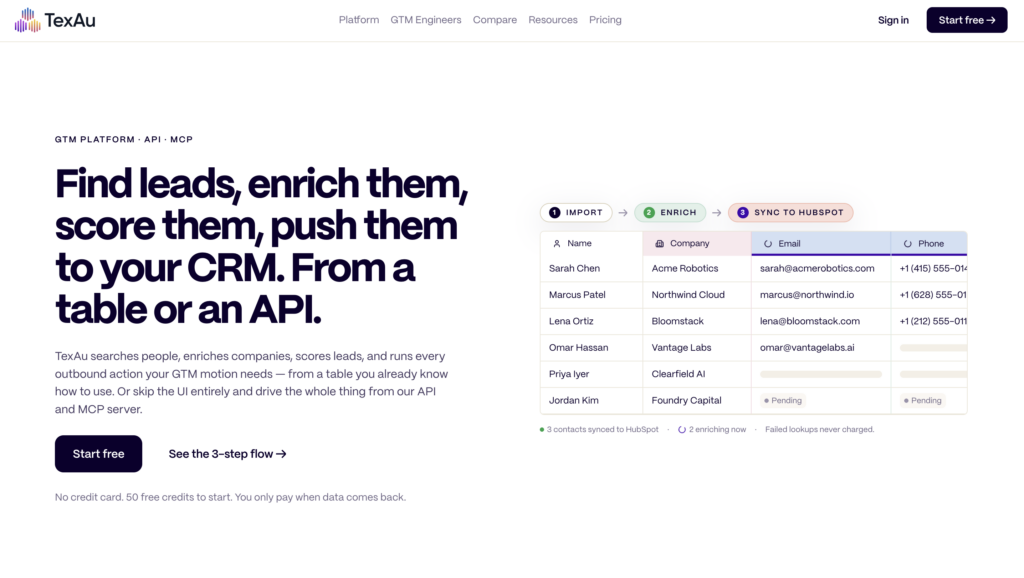
With TexAu, you can:
- 🔀 Automate multi-channel prospecting workflows.
- 🔎 Scrape data from LinkedIn, or X.
- 📊 Enrich leads with additional data.
- 🔁 Create automated sequences across multiple tools.
- 📧 Verify email addresses and enrich contacts.
- 🛠️ Centralize multiple automations in a single platform.
How Much Does TexAu Cost?
TexAu offers several subscription plans based on credit volume. A custom Enterprise plan is also available for large teams.
What Do Users Think?
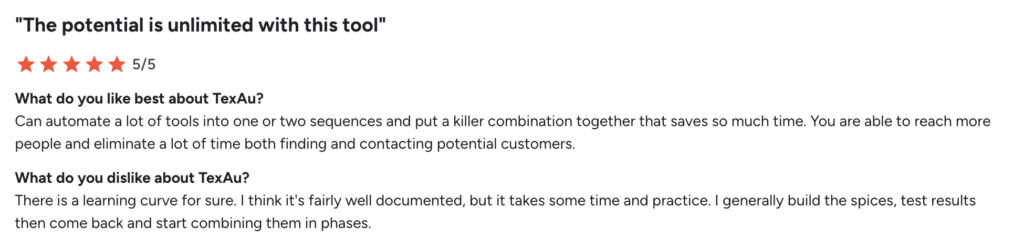
Users frequently highlight the platform’s powerful automation capabilities and the flexibility it offers when building custom prospecting workflows. The significant time savings on prospect research and enrichment is a recurring theme.
On the other hand, several reviews mention a steep learning curve, especially for less tech-savvy users. 😅
#6 Dripify
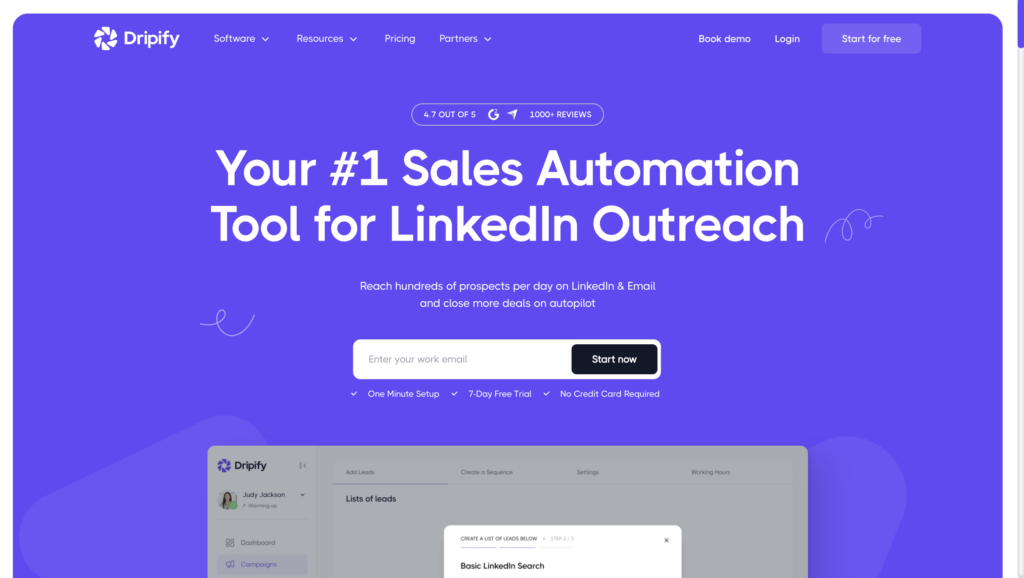
Dripify is a LinkedIn automation platform built for teams that want to launch outbound campaigns without a steep learning curve.
The platform emphasizes simplicity, automated outreach sequences, and cloud-based execution, making it easy for sales teams to get LinkedIn campaigns up and running quickly.
With Dripify, you can:
- 🔁 Create sequences with follow-ups and conditions.
- 📥 Centralize responses and conversations with prospects.
- 📊 Track performance with detailed dashboards.
- ☁️ Automate LinkedIn actions via the cloud.
- 📧 Search for and enrich prospect email addresses.
- 👥 Manage multiple campaigns from a single interface.
How Much Does Dripify Cost?
Like most prospecting tools, Dripify offers multiple subscription plans tailored to different usage levels and team sizes.
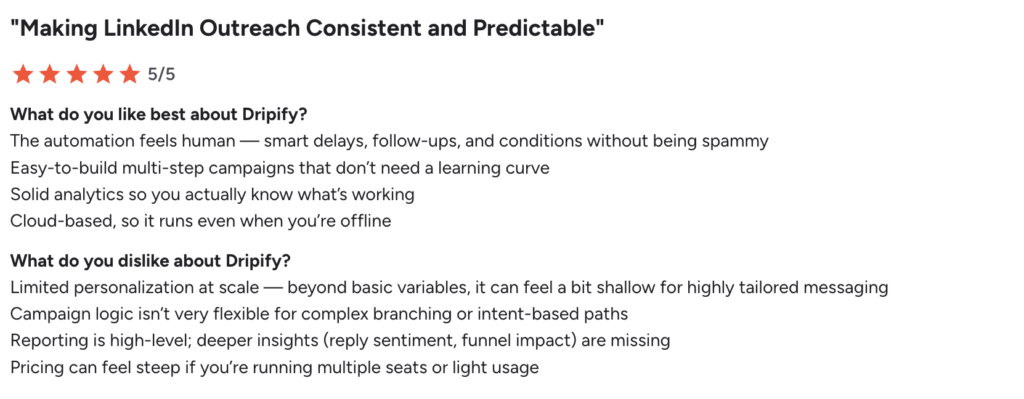
What Do Customers Think?
The tool is easy to use, and the automated sequences and performance analytics offered by the platform are effective.
However, some customers mention that integrations remain somewhat limited, particularly with HubSpot. Others note that support quality can vary depending on the issue and that the platform offers less flexibility than some more advanced automation tools.
#7 Clay
Clay is a lead generation and enrichment platform designed to automate the discovery, enrichment, and personalization of leads at scale. Very popular among growth and RevOps teams, the tool combines B2B data, automation, and artificial intelligence in an interface similar to a smart spreadsheet.
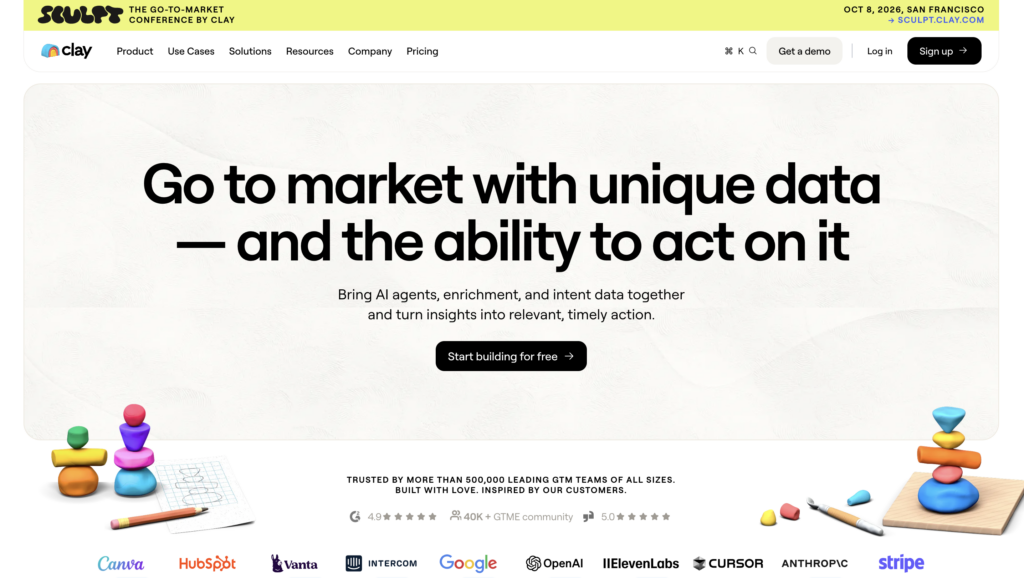
The platform is often used to create sophisticated outbound systems that automatically enrich prospect lists using dozens of different data providers and signals.
Key features:
- 📊 Automatically enrich leads with data from multiple sources.
- 🤖 Generate personalized messages using AI.
- 📧 Search for email addresses, phone numbers, and company data.
- 🔗 Connect multiple tools and APIs within a single workflow.
- 🗂️ Centralize data in a spreadsheet-style interface.
- 🎯 Create campaigns based on signals and intent data.
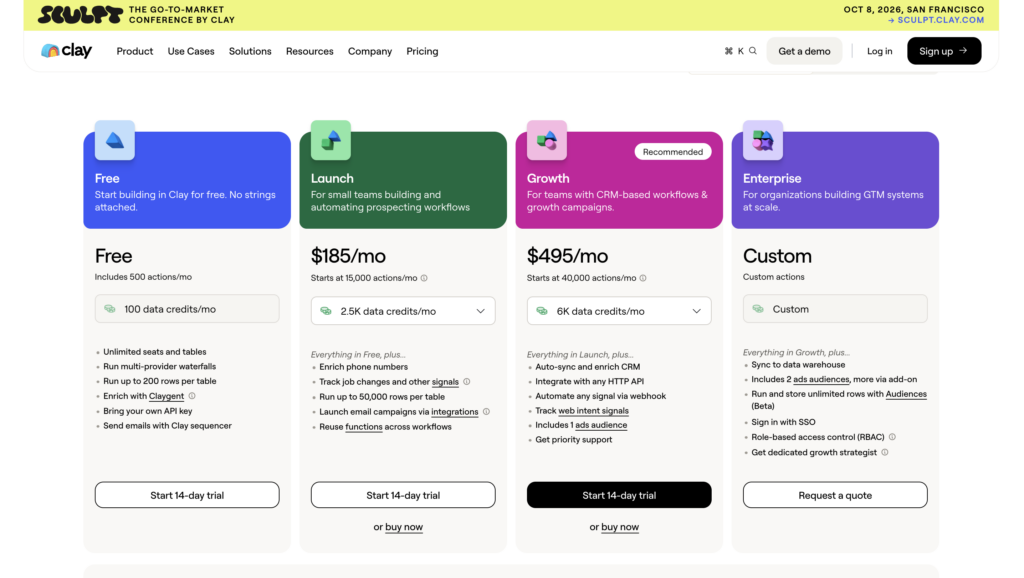
How Much Does Clay Cost?
Clay offers several subscription plans based on credit usage and workflow volume. A free plan is available for getting started, while larger organizations can opt for a custom Enterprise package.
What Do Customers Say?
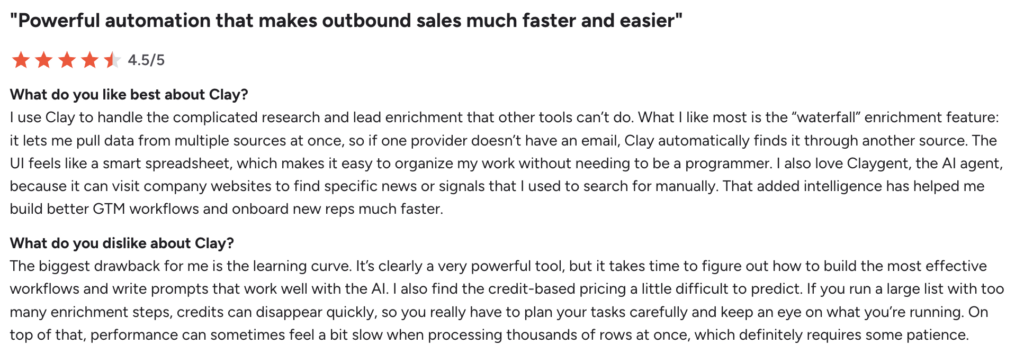
Users particularly appreciate Clay’s power for data enrichment and advanced automation. They also highlight the spreadsheet-style interface and the possibilities offered by AI to customize outbound workflows.
The biggest challenge for new users is the learning curve. Several reviews note that Clay can feel overwhelming at first, especially for teams unfamiliar with enrichment workflows, APIs, and advanced automation setups. 😅
#8 Smartlead.ai
Smartlead is a cold email platform built for sending high-volume campaigns while maximizing deliverability. Very popular with outbound agencies and sales teams, the platform makes it easy to manage multiple sending accounts and scale email outreach efficiently.
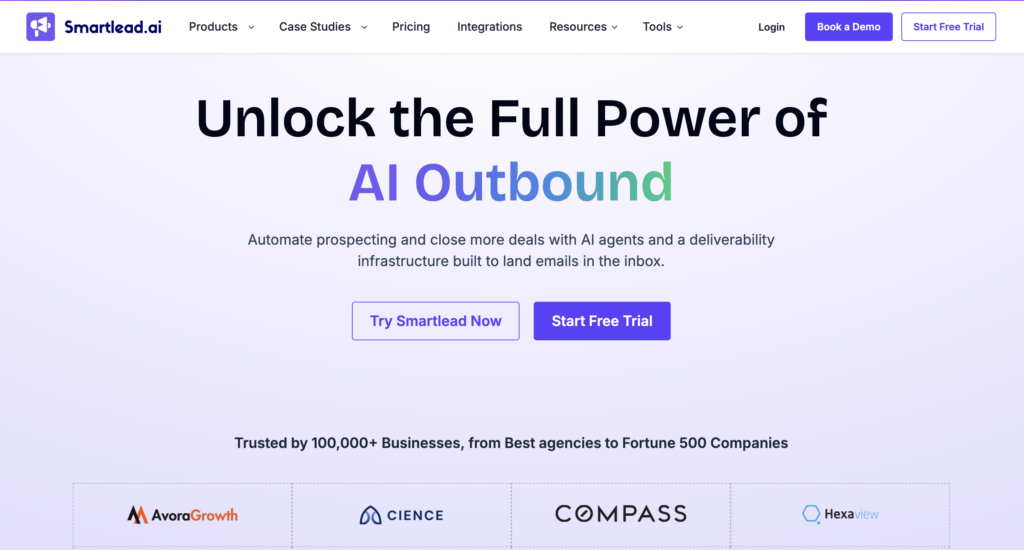
Smartlead allows you to:
- 📧 Automate large-scale cold email campaigns.
- 📥 Manage multiple email accounts from a single platform.
- 🔥 Improve deliverability with automatic warm-up.
- 🔁 Create email sequences with automated follow-ups.
- 📊 Track the performance of email campaigns.
- 🔗 Connect Smartlead to CRMs and external tools.
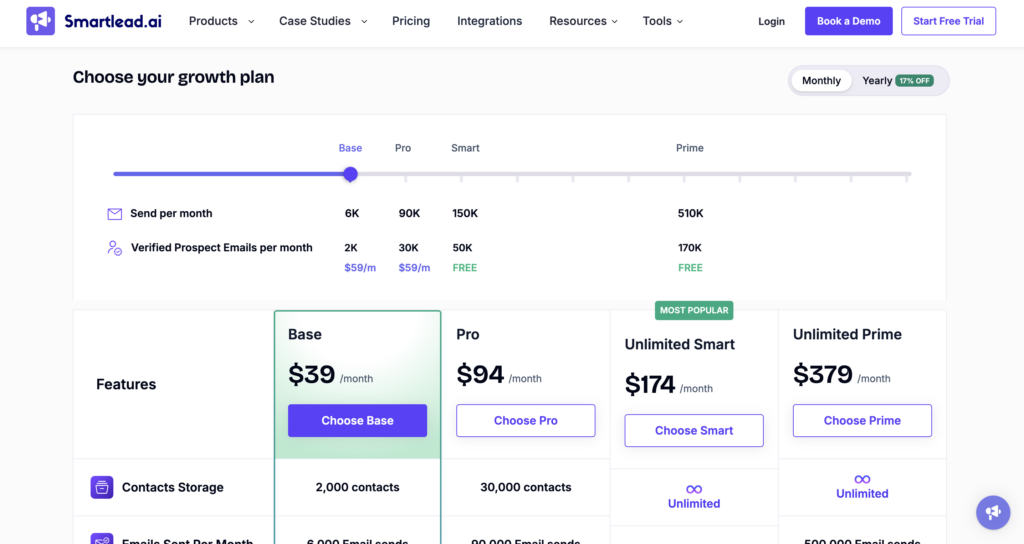
What Are Smartlead’s Pricing Plans?
Smartlead offers multiple subscription tiers. Pricing primarily depends on the number of email accounts connected and the sending volume required.
What Do Users Think?
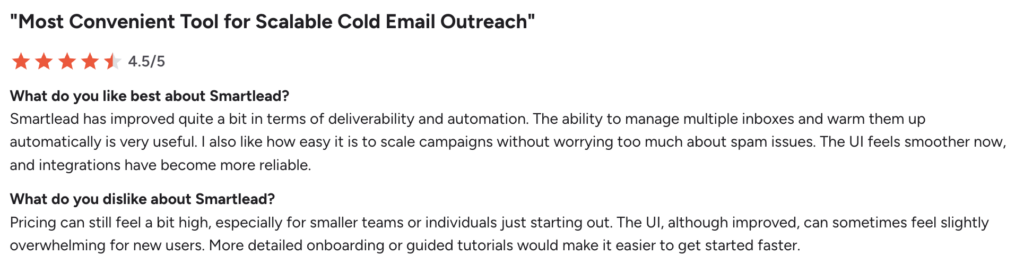
Users particularly appreciate the deliverability features, the automatic warm-up, and the ability to easily manage multiple email accounts.
Some mention issues with tag management and inbox replies, the high price, and customer support that is sometimes slow to respond.
#9 Apollo.io
Apollo.io is a sales intelligence and lead generation platform designed to help teams find, enrich, and engage prospects from a single workspace.
Built around sales intelligence and data-driven prospecting, Apollo combines a large B2B database, enrichment tools, outreach automation, and CRM functionality into one comprehensive platform.
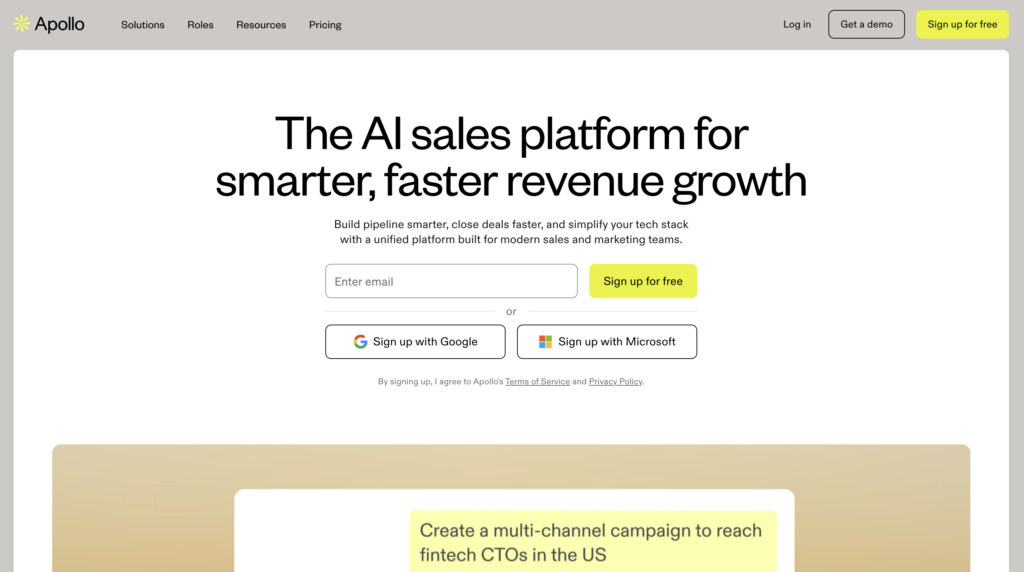
Apollo offers various features
- 🔎 Search for leads via an enriched B2B database.
- 🔀 Create multi-channel sequences for email, calls, and social selling.
- 📊 Automatically enrich contacts and companies.
- 🧲 Capture leads via a Chrome extension.
- 📈 Track sales performance with advanced analytics.
- 💼 Manage conversations and opportunities with the built-in CRM.
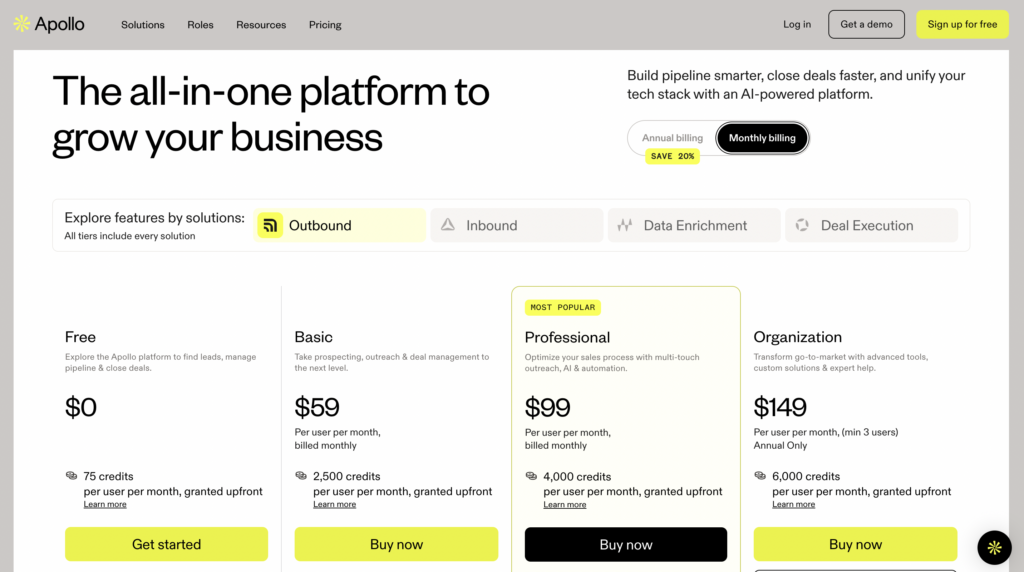
How Much Does Apollo.io Cost?
Apollo.io offers several subscription tiers, including a free plan for individuals and small teams. Pricing varies based on the number of users, available credits, and advanced features included.
What Do Users Think?
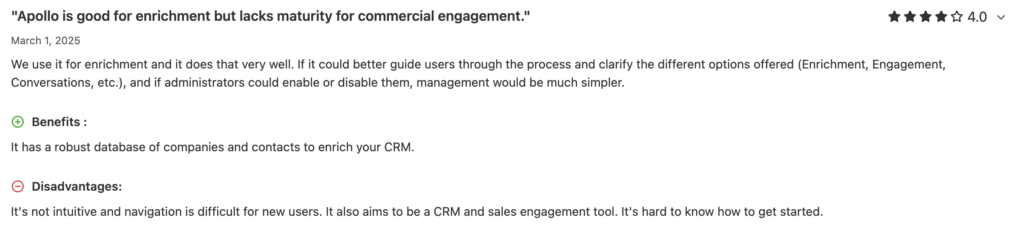
Users particularly appreciate the extensive database, advanced search filters, and data enrichment features. The CRM integrations simplify lead management. However, some reviews mention that the interface can be overwhelming at times and that it’s more complex for new users to get started.
#10 Salesforge
Salesforge is a multichannel outreach platform built to automate cold email campaigns and improve deliverability
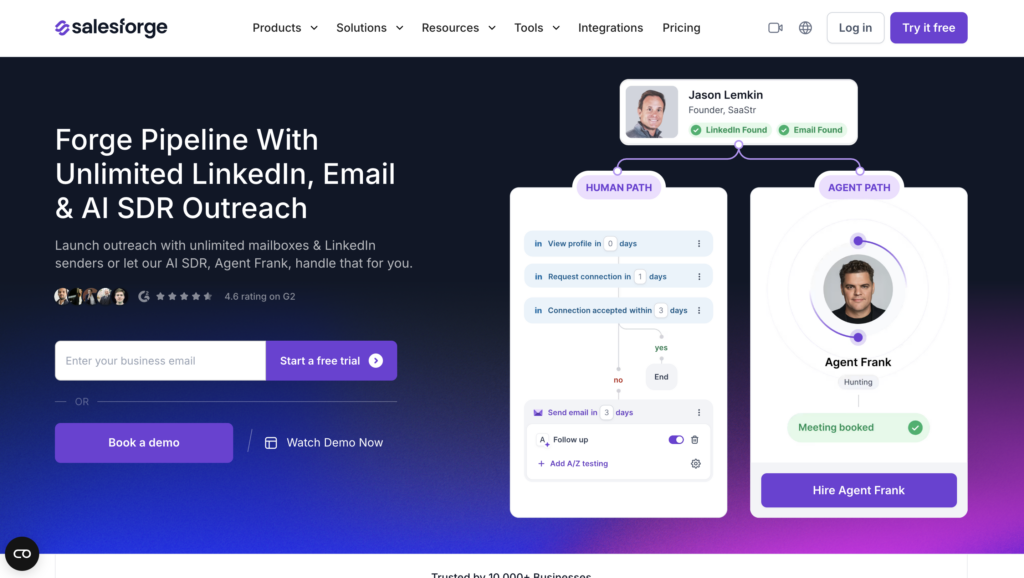
The tool offers features such as:
- 📧 Automate cold email campaigns.
- 📥 Manage multiple email accounts and LinkedIn senders.
- 🔥 Improving deliverability with dedicated tools.
- 🤖 Personalizing messages using AI.
- 📊 Track campaign statistics and performance.
- 🔗 Connect Salesforge to Clay, HubSpot, or Salesforce.
- 🛠️ Centralize multiple outbound workflows on a single platform.
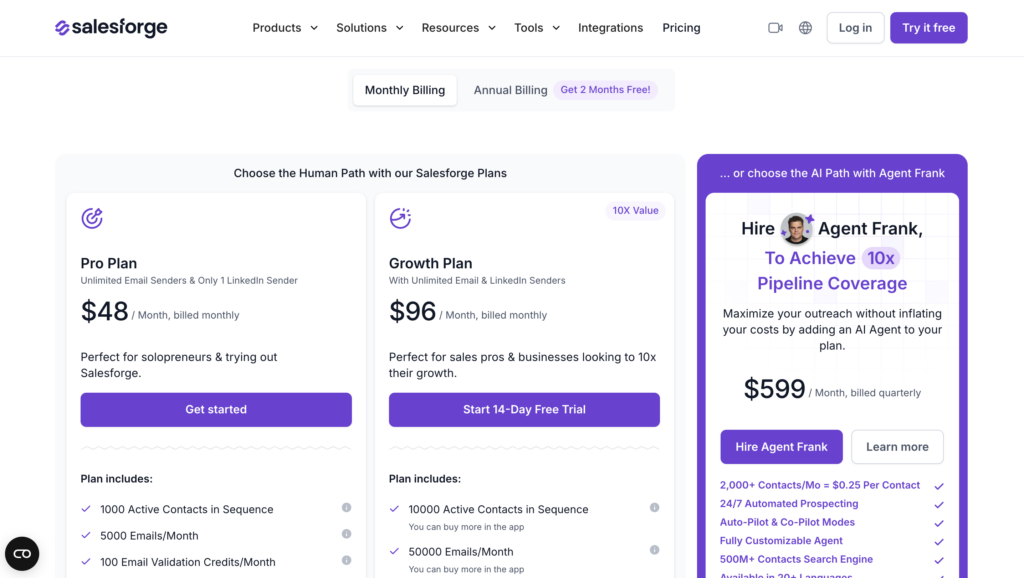
What Are Salesforge’s Pricing Plans?
Salesforge offers several subscription tiers based on usage and team needs. A 14-day free trial is available for users who want to test the platform before committing.
What Do Users Say?
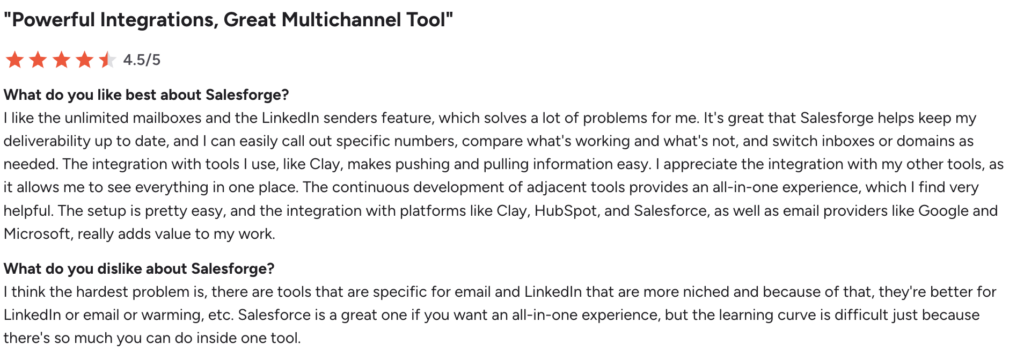
Users particularly appreciate the integrations, multi-inbox management, and deliverability features. They also value the platform’s all-in-one approach and the ability to scale outbound campaigns. However, getting started can be a bit complex at first, especially when it comes to understanding the interface and managing multiple campaigns simultaneously.
Let’s recap the alternatives to LeadIn
LeadIn remains a solid entry point for teams new to automated LinkedIn and email prospecting. However, as outreach programs become more sophisticated, with greater demands for scaling, data enrichment, deliverability, and automation, other platforms may be a better fit.
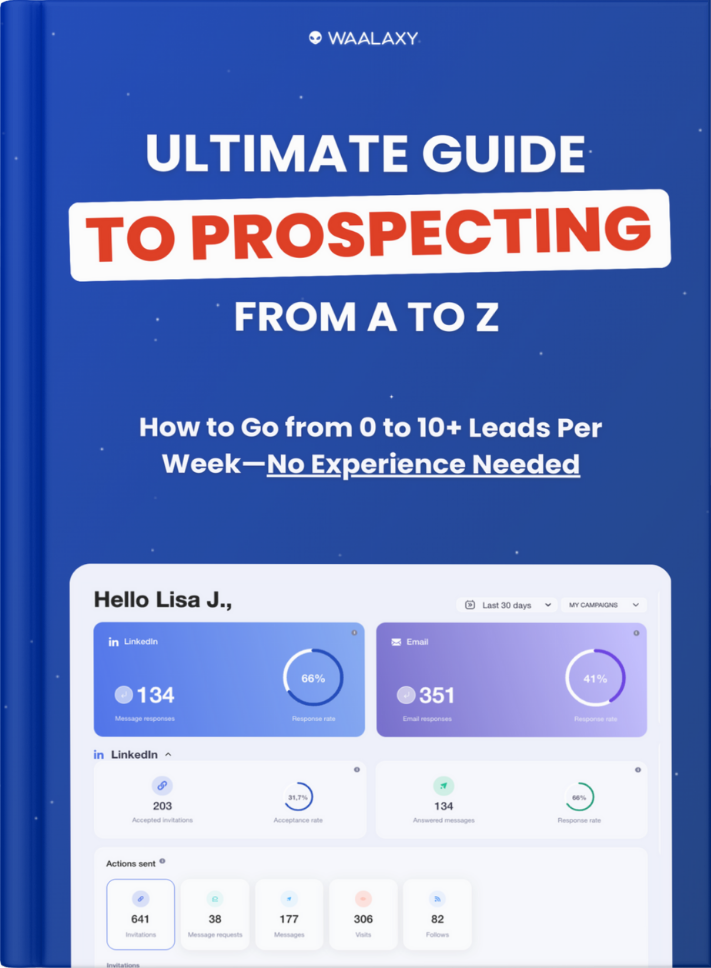
Waalaxy remains one of the strongest options for teams looking for a simple, effective way to automate both LinkedIn and email outreach from a single platform.
Lemlist is a great fit for organizations that prioritize cold email and deliverability, while Clay, PhantomBuster, and TexAu are better suited for advanced outbound workflows, enrichment, and growth-focused automation.
Ultimately, the best tool is the one that aligns with your outreach strategy, team structure, technical expertise, and growth objectives.
FAQ: LeadIn alternative
How Do I Migrate From LeadIn to Waalaxy?
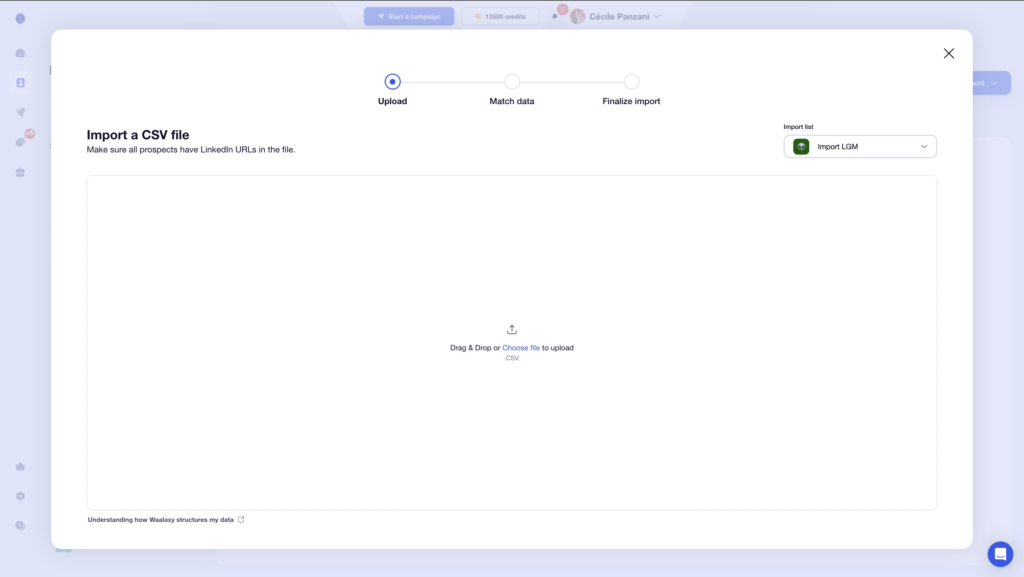
Migrating from LeadIn to Waalaxy is relatively straightforward. 👀 Just export your prospect lists from LeadIn and then reimport them into Waalaxy via a CSV file.
From there, it’s a good idea to rebuild and test your outreach sequences gradually before moving all active campaigns to the new platform.
Is LeadIn Safe for LinkedIn?
LeadIn highlights several security mechanisms, such as cloud automation, time delays between actions, and the use of dedicated proxies to mimic more human behavior on LinkedIn.
AThat said, no is completely risk-free. The safest approach is to stay within reasonable activity limits and avoid overly aggressive prospecting campaigns.
Is LeadIn GDPR Compliant?
LeadIn states that it complies with regulations related to data management and prospecting activities. 👀
However, GDPR compliance also depends on how you use the platform. You remain responsible for the data you collect, how you process it, and whether your outreach complies with consent requirements or legitimate-interest rules.
Which Is The Best LinkedIn Automation Tool?
The answer depends on your prospecting goals and workflow.
If you’re looking for a simple tool to automate LinkedIn and cold email from a single platform, Waalaxy is often the best choice for SMEs and startups.
Lemlist is better suited for teams focused on cold email and deliverability, while Clay is better suited for advanced outbound strategies based on AI and data enrichment.
For growth-focused teams looking to build sophisticated automations and workflows, PhantomBuster remains an excellent choice.
Can You Automate LinkedIn Without Risk?
No, no tool can guarantee zero risk. 😅 LinkedIn officially prohibits overly aggressive automation.
However, cloud tools that adhere to LinkedIn’s quotas, add delays between actions, and mimic human behavior significantly reduce the risk of restrictions.
Is LeadIn Suitable for Beginners?
Yes. LeadIn is generally beginner-friendly. 👀
Its interface is designed to help users launch LinkedIn and email outreach campaigns quickly without requiring advanced technical knowledge.
That’s one of the reasons it’s often popular among startups, SMBs, and smaller sales teams looking for a straightforward way to get started with automated prospecting.
Now you know everything about LeadIn alternatives ! 🧚🏻♀️
 Elodie
22/06/2026
Elodie
22/06/2026