



- Train with Waalaxy for free in 10 easy steps
- Step 1: Optimize your LinkedIn profile
- Step 2: Import your prospects in the blink of an eye
- Step 3: Create prospect lists with Waalaxy
- Step 4: Make a targeted prospecting strategy with Waalaxy.
- Step 5: Send automatic invitations on LinkedIn
- Step 6: Write personalized messages with Waalaxy
- Step 7: Send automatic campaigns with Waalaxy
- Step 8: Setting up a Team plan with Waalaxy
- Step 9: Use Waalaxy Inbox for LinkedIn messaging
- Step 10: Integrate your CRM with Waalaxy
- Conclusion: How do I train for Waalaxy?
Are you using our tool and looking for different tutorials on how to train in Waalaxy? 💌
If you use Waalaxy and want to maximize its potential, you’ve come to the right place! 😇
Whether it’s finding and exporting your leads, sending messages or connection requests, here you’ll find all the tutorials you need to make the most of Waalaxy and attract new B2B leads. 🥳
Train with Waalaxy for free in 10 easy steps
We’ve created this tutorial video, to easily show you how to train for Waalaxy! 👽
In this short webinar, our CEO, explains the main features of our tool and how to take advantage of them, depending on your use case: 😉
- Sales,
- Recruiting,
- Product testing,
- Invite to an event,
- Find a job.
Let’s go ! 🚀

Step 1: Optimize your LinkedIn profile
First and foremost, you need to optimize your LinkedIn profile!
We’ve told you this many times before, but it’s a crucial step in getting your prospecting off to a good start. 🤩
Your target will see these 3 things about you: 👇
- First and last name (add emojis to stand out…),
- LinkedIn title (what do you do, what do you bring to the table…),
- Profile photo (sober background, smile, good quality…).
In this article, we explain how to create an optimized profile photo. 💫
Once your profile is ready, like this one, you can launch your lead searches.

Step 2: Import your prospects in the blink of an eye
You can import your prospects through a LinkedIn search or from our Prospect Finder IA, directly from the Waalaxy platform. 💥 (We’ll tell you more, in the next step).
We recommend using the Sales Navigator to refine your searches further. 🏹 Reach up to 95% of good « matches » profiles with this tip!
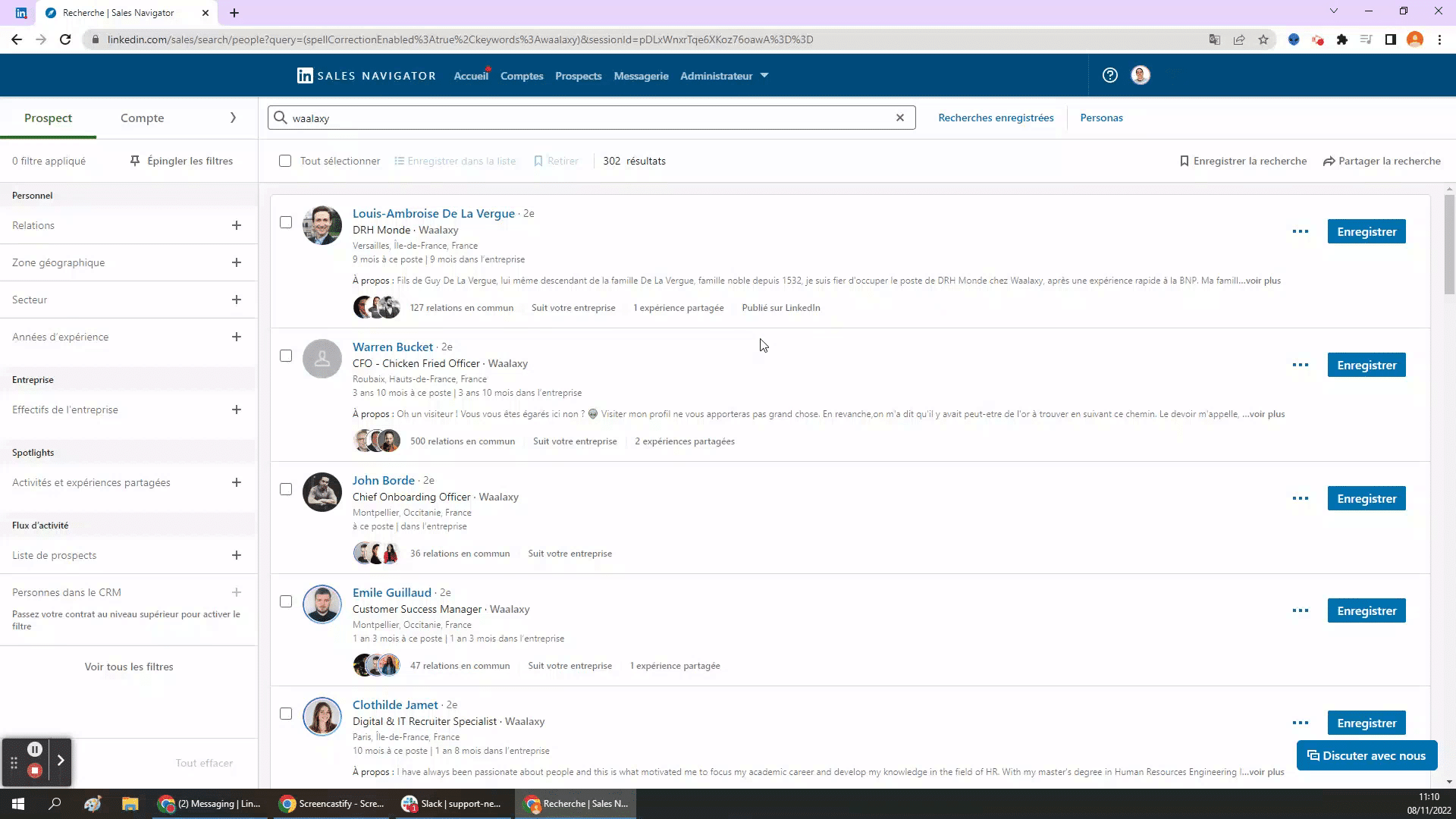
In fact, you’ll be able to target your prospects and then launch your actions, so take a few minutes to take a good look at your results. 💪
Here’s the step-by-step procedure:
- Start a search on LinkedIn.
- Target your search by « person ».
- Check the results pages to verify the targeted profiles,
- If you find any anomalies, remember to use Boolean operators to refine your results,
- Relaunch the LinkedIn search if necessary (this is a key step). 🗝️
- Open the Waalaxy extension.
- Choose your campaign and the number of leads to export.
- Click on « Validate ».
- You’re ready to start prospecting! 😊
Want to take prospect exporting a step further and learn all the techniques?
[maxbutton id=”117″ url=”https://blog.waalaxy.com/en/prospect-list/” text=”Lead export tutorial 😍” ]

Step 3: Create prospect lists with Waalaxy
Now that you’ve exported LinkedIn profiles to your Waalaxy list, you need to qualify your leads by applying the right filters! 🔍
Think about sorting your lists, to separate the profiles that interest you from those that don’t… You can do this using our tags (profile labeling).
Also, create your own “blacklist ” to avoid contacting certain profiles. 🤫 This way, you’ll have fewer invitation rejections or poor returns in your campaigns.
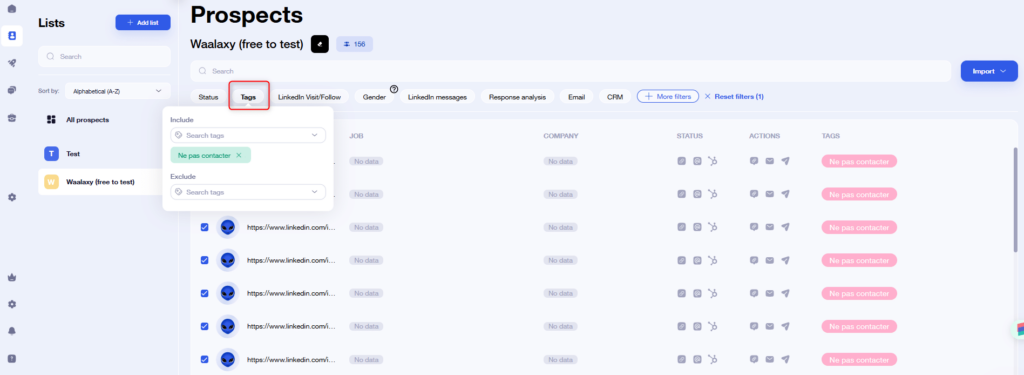
In addition, you should know that we have an anti-duplication safety feature that prevents you from recontacting the same people or importing them into existing lists by mistake. 💡
Step 4: Make a targeted prospecting strategy with Waalaxy.
To create a good prospecting strategy on LinkedIn, here are a few tips ⏬
- Focus on less solicited prospects to increase the chances of a response (CEOs often receive a lot of requests, so less chance of a positive response).
- Contacting profiles ancillary to your target can lead to more fruitful interactions (if you want to contact a CEO, consider adding his assistant too to increase your chances).
It’s important to target prospects corresponding to the profile you’re looking for to launch an effective campaign! 👏
Here’s a tutorial video on how to create your first automated campaign:
Step 5: Send automatic invitations on LinkedIn
Sending automated connection requests on LinkedIn allows you to effectively target your prospects and save valuable time so you can concentrate on other tasks. 💎
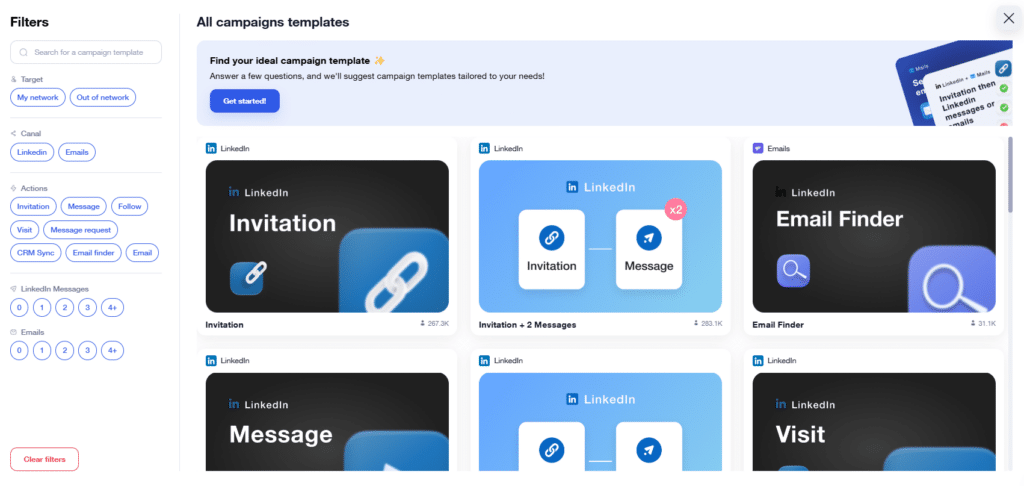
For example, use the sequence called “Invitation + message” to send mass connection requests: 👇
- Click on “Create a campaign” in Waalaxy.
- Search for the sequence named “Invitation + message”.
- Add your prospects to the campaign.
- Personalize your connection note if necessary.
- Launch the campaign. 🚀
In fact, we recommend a maximum of 3 touch points to get started, otherwise you could be considered « spammy ». 🙈
Want to know more about lead generation on LinkedIn?
[maxbutton id=”117″ url=”https://blog.waalaxy.com/en/how-to-find-leads-on-linkedin/” text=”Discover how to find your leads 🤑” ]
Step 6: Write personalized messages with Waalaxy
When you write your prospecting messages, think about creating a connection with your contact instead of trying to sell from the very first moment. 😥
Here are some tips for writing a good message 👇
- Avoid long blocks, your text should be around 300-500 characters.
- Don’t just talk about yourself (« I, I, I… »), also ask questions to generate a response.
- There’s no need to add too many polite expressions or talk about your identity (we already know it).
Use the AIDA method to make your messages structured and attractive. 🧲 Above all, be original!
Would you like to personalize your messages, but waste too much time doing it manually?
Waalaxy offers you the possibility to send personalized messages automatically: 👇
- Click on “Create a campaign” in Waalaxy.
- Look for the sequence called « Message ».
- Create the content of your personalized message.
- Or, use our AI Waami assistant to write it.
- Add your prospects to the campaign.
- Launch the campaign.
Don’t know what to write to your prospects? 🤔
Don’t worry, Waami is our new AI assistant for writing the best prospecting messages!
All you need to do is enter some key data about your target, along with a description of your product/service, then it’s a fun call to action and off you go! 🪄
[maxbutton id=”117″ url=”https://blog.waalaxy.com/en/linkedin-message-template/” text=”Read our detailed examples to reuse 💌” ]
Step 7: Send automatic campaigns with Waalaxy
With Waalaxy, it’s easy to launch your automatic campaigns, since we’ve created ready-to-use sequence templates! 🥰
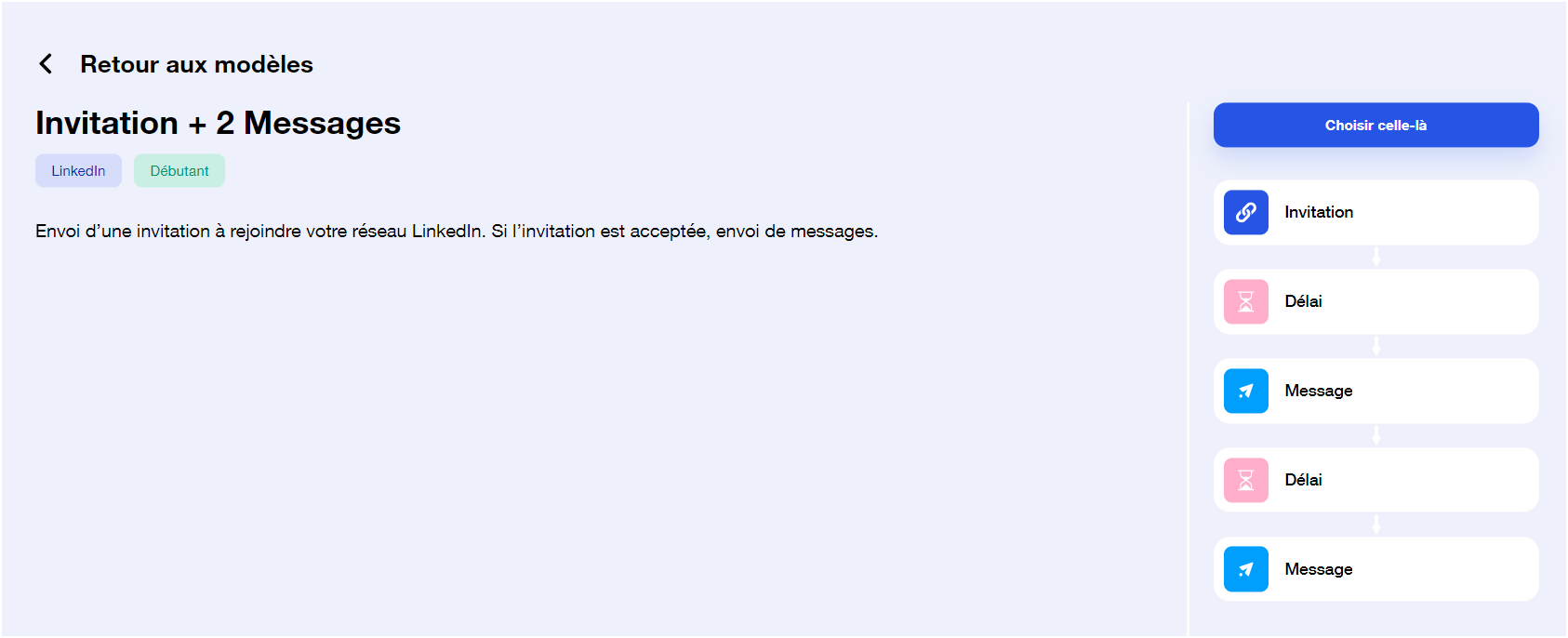
The following actions are currently possible with your sequences: 👇
- Send LinkedIn invitations (with or without note),
- Send message(s),
- Follow and/or visit a profile,
- Find and send a professional e-mail.
- Add a « delay » to wait a specific number of days before moving on to the next step.
- Finally, you can create your own sequences if you wish.
In addition, you can use our “E-mail Finder” to enrich your contacts, and find the professional e-mails you need for your campaigns. 🧠
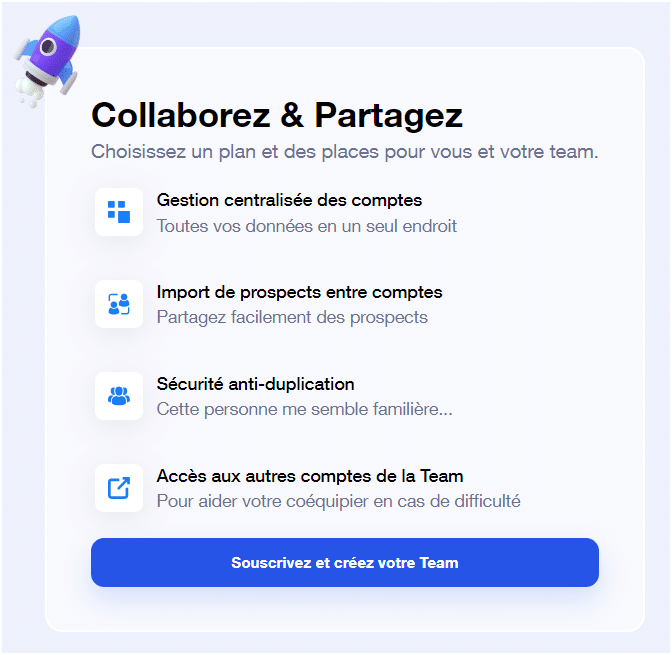
Step 8: Setting up a Team plan with Waalaxy
What’s more, we also offer a « Team Plan » from 2 licenses, so you can work as a team with complete peace of mind! 🌛
The advantage is that you can save money (from 5 licenses) and with your Team accounts, you’ll be able to use a single Sales Navigator account for everyone. 🧭
You also get anti-duplication security, shared credits for the E-mail finder, and management of your team accounts from a single interface. 👌
Step 9: Use Waalaxy Inbox for LinkedIn messaging
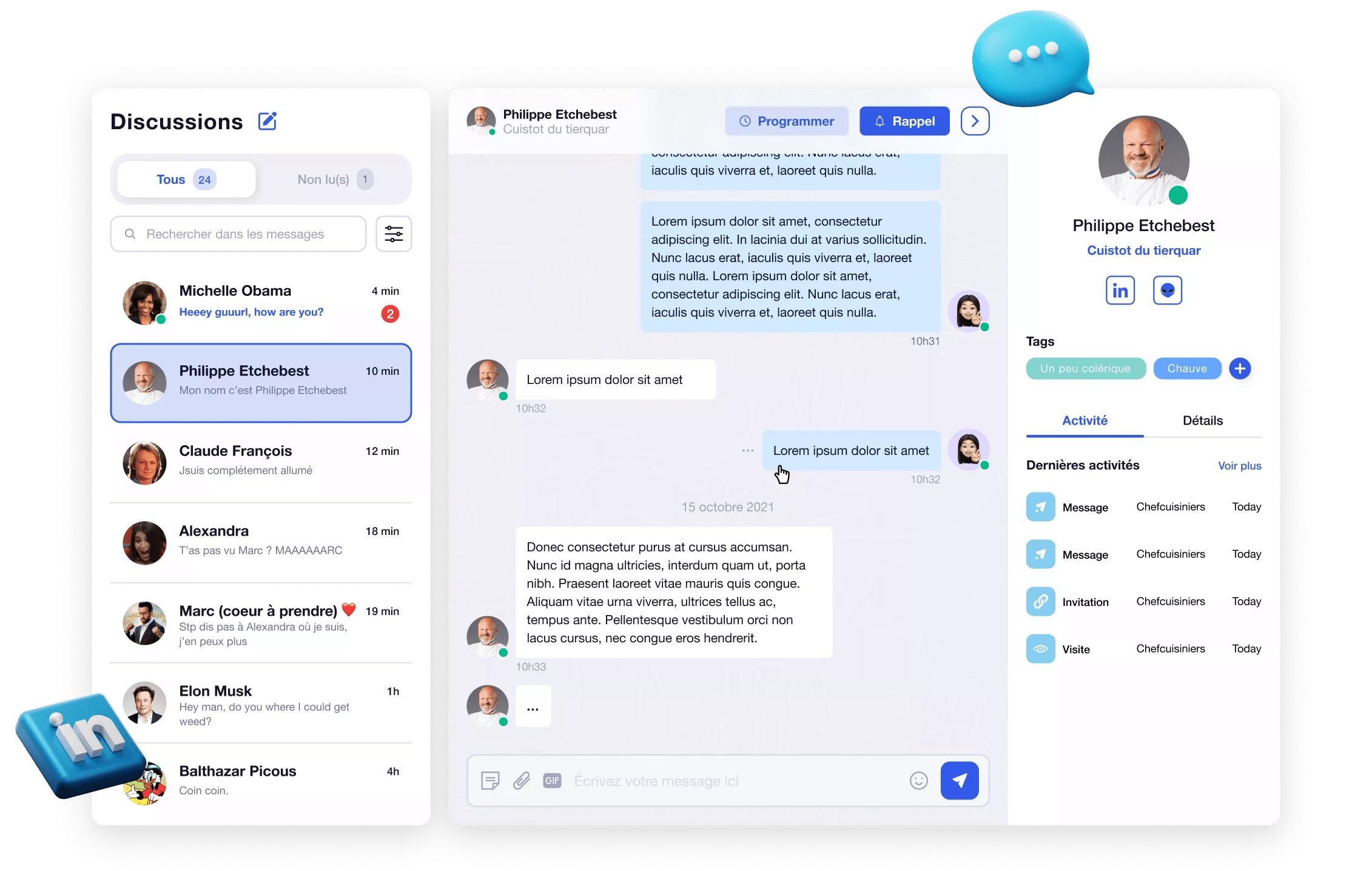
Now let’s take a look at « Inbox Waalaxy », a tool for managing your LinkedIn messaging, without having to leave our platform. ✍️
You’ll find all the basic LinkedIn inbox f unctionalities, such as sending voice messages, GIFs, emojis, etc., in this tool.
However, we have additional features like saved replies (with a « # + keyword »). ✨ Then you can tag your prospects according to their response (« interested or not interested »), filters by conversation and the « snooze » to send a reminder. 🔔
Step 10: Integrate your CRM with Waalaxy
Finally, exporting your leads to your CRM is an important step in automating your digital prospecting on LinkedIn. 🌐
In your campaigns, you can add the « Synchro step to the CRM », that way, you’ll be able to do it automatically as soon as you launch your campaign! 👽
Similarly, as soon as you receive a response from your prospect, you can modify your current campaign and set up the CRM step. ✔️
Conclusion: How do I train for Waalaxy?
In conclusion, training with Waalaxy is super simple, just download the tool and watch the demo video at the beginning of this article (or read it again, of course). 😗
Just so you know, you don’t need any paid training! 💰 Since we’ve created a resource-filled blog, our YouTube channel with tutorials, as well as our support chat and communities. 🫶
Plus, if you want to share Waalaxy with your acquaintances, you can join our ambassador program and earn great commissions. 💲
So what are you waiting for to get started?
Waalaxy FAQ
If you have further questions, you can read our Waalaxy FAQ with all the answers you need to revolutionize your prospecting! 🧨
How do I use Waalaxy?
In this article, find out how to use Waalaxy and develop your LinkedIn network simply and securely. 🪖
Now training with Waalaxy has no secrets for you. 😜
 Elodie
26/01/2026
Elodie
26/01/2026 












