



PhantomBuster and Waalaxy are two popular tools for automating B2B prospecting. 🤓
But behind this PhantomBuster vs Waalaxy comparison, the real question is simple: Which one is best suited to your prospecting style and skill level?
In this article, we compare their features, limitations, and use cases to help you make the right choice. 😇
PhantomBuster vs Waalaxy Comparison for B2B
Before diving into the details of Phantombuster vs Waalaxy, here’s a comparison table to give you a quick overview. 👇
| Feature | Waalaxy | PhantomBuster |
|---|---|---|
| LinkedIn automation | ✅ Simple & guided | ✅ Powerful but technical |
| Multi-channel sequences (Email + LinkedIn) | ✅ Ready to use | 🟠 Possible but requires setup |
| Message personalization | ✅ + Built-in AI | ✅ Basic variables |
| Campaign templates | ✅ Ready-to-use sequences | ❌ No templates |
| Data extraction (scraping) | 🟠 Limited | ✅ Very advanced |
| Lead enrichment | ✅ Built-in Email Finder | ✅ Via Phantoms |
| Performance tracking | ✅ Clear & easy to read | ❌ Raw data to analyze |
| Dashboard & statistics | ✅ KPIs visible | ❌ No marketing dashboard |
| Unified inbox | ✅ Yes | ❌ No |
| CRM integrations | ✅ Easy & native | ✅ Very flexible |
| Advanced automation (workflows) | 🟠 Limited | ✅ Very advanced |
| Interface & UX | ⭐ Very intuitive | 🟠 More complex |
| Learning curve | ⭐ Low | 🔺 High |
| Available languages | ✅ Multiple languages | ❌ Primarily English |
| Support & resources | ✅ Very accessible | 🟠 More technical |
| Cloud-based | ✅ Yes | ✅ Yes |
| Chrome extension | ✅ Yes | ✅ Yes |
| Quota/Time Management | ✅ Supervised | ❌ Complex time/slot management |
| Starting price | 💲 ~€19/month | 💲 ~€69/month |

What is PhantomBuster extension ?
PhantomBuster extension is an automation tool designed to collect data and automate actions at scale across multiple platforms such as LinkedIn, Google, and X. 👻
Available via a Chrome extension and a cloud platform, it lets you run automations (Phantoms) directly from your browser or in the background, without needing to leave your computer on. 😇
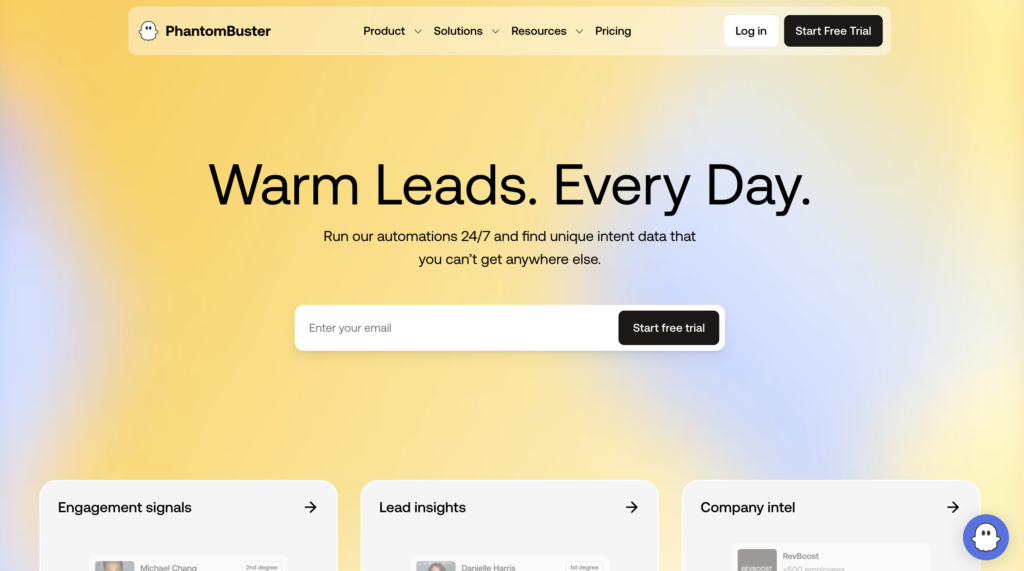
Many automation tools are very comprehensive… but also complex to use. PhantomBuster fits this mold: powerful and flexible, but with a more advanced learning curve. 😅
If you’re looking to build complex workflows and leverage data, it becomes very appealing. 🤓
The main features of the PhantomBuster extension are:
- 🟡 Data extraction from LinkedIn, Sales Navigator, Google Maps, X, Instagram…
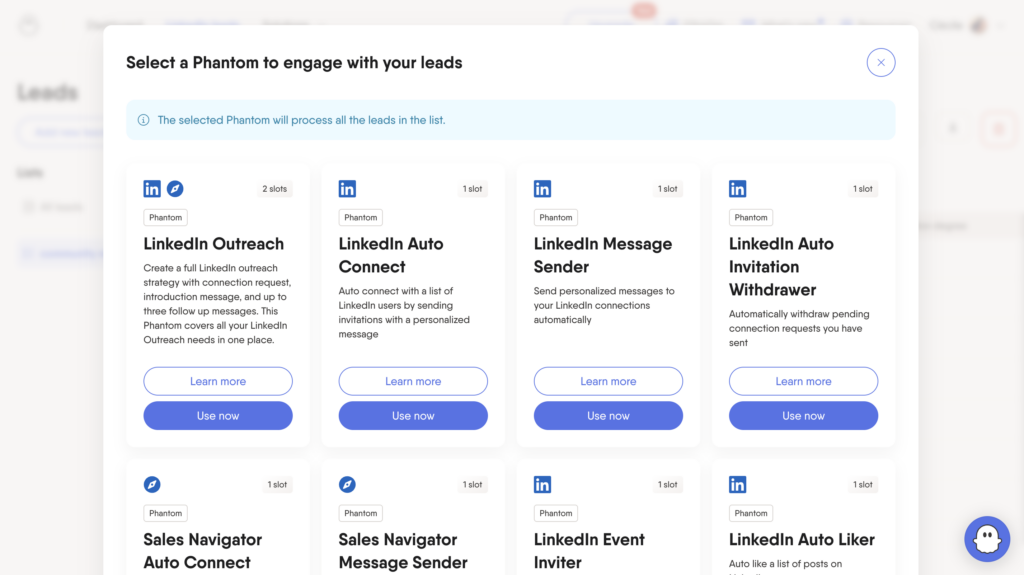
- 🟡 Over 100 ready-to-use automations (“ Phantoms ”) for scraping, enriching, or automating actions.
- 🟡 Ability to chain multiple automations to create complete workflows.
- 🟡 Automation of LinkedIn actions (visits, invitations, messages).
- 🟡 Export data to CSV or Google Sheets.
- 🟡 Advanced integrations via Phantombuster API, Zapier, and Webhooks.
- 🟡 Data enrichment (emails, company information, etc.).
- 🟡 Run automations in the cloud.
Phantombuster reviews: what do users say?
What do users appreciate most? The tool’s power and flexibility. It allows you to automate many tasks and save a considerable amount of time on data collection and analysis. 💪
But certain points come up regularly: 👇
- ❌ Unintuitive interface (UI/UX) and only available in English.
- ❌ Takes time to master.
- ❌ Workflows can get stuck, especially during updates to platforms like LinkedIn, which requires regular monitoring.
- ❌ Prices rise quickly.
- ❌ The slot system is limited; even if you don’t need more than “ slots ”, you may be forced to upgrade to a higher plan just to get more execution time.
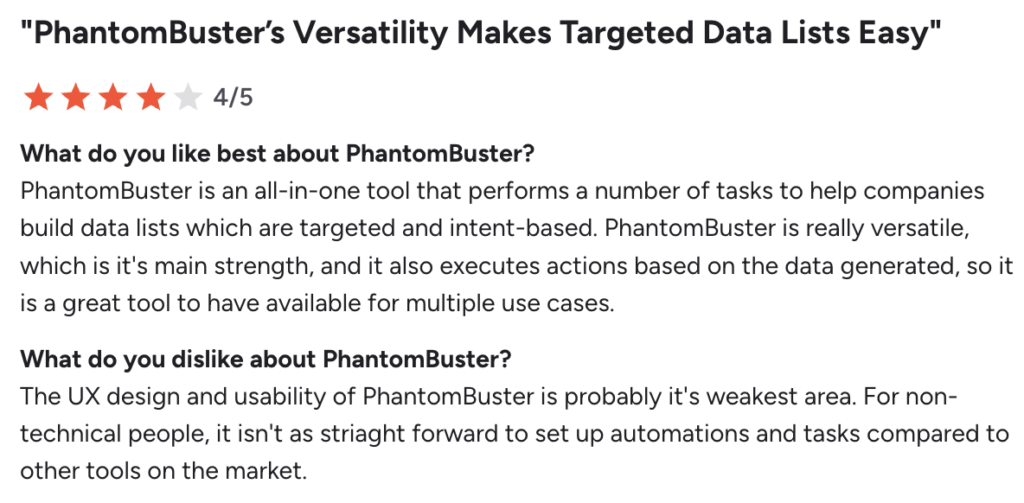
The tool is therefore particularly popular with technical users, but may be harder for the average person to get the hang of. 😉
Phantombuster pricing : How much does cost?
The PhantomBuster extension operates on a model based on automation execution time, not on the number of campaigns. The cost can be difficult to predict. You get a free trial along with different paid plans. 📨
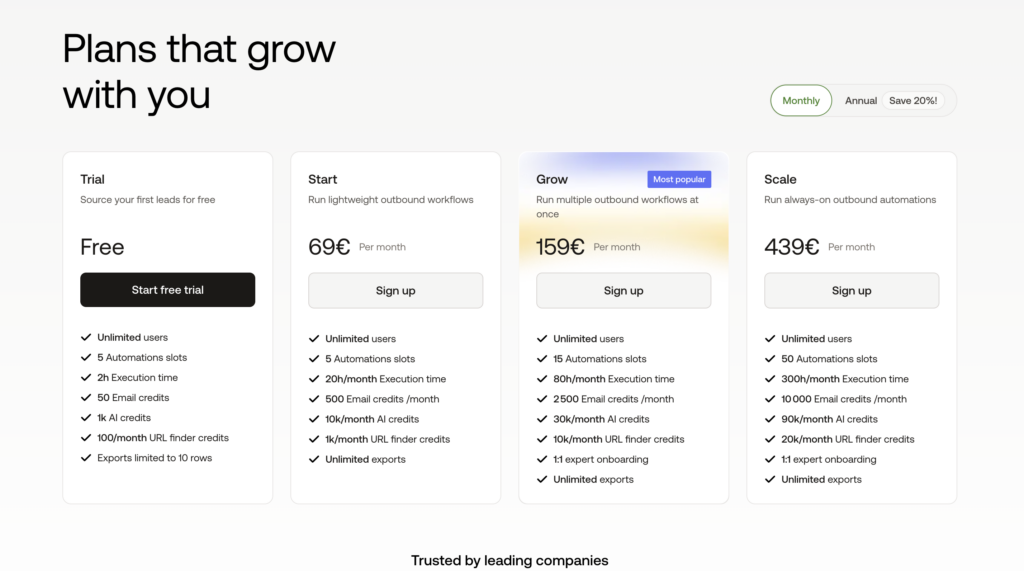
Each plan includes :
– ✔️ A quota of automation hours.
– ✔️ A number of active workflows.
– ✔️ Credits based on usage.
What is Waalaxy ?
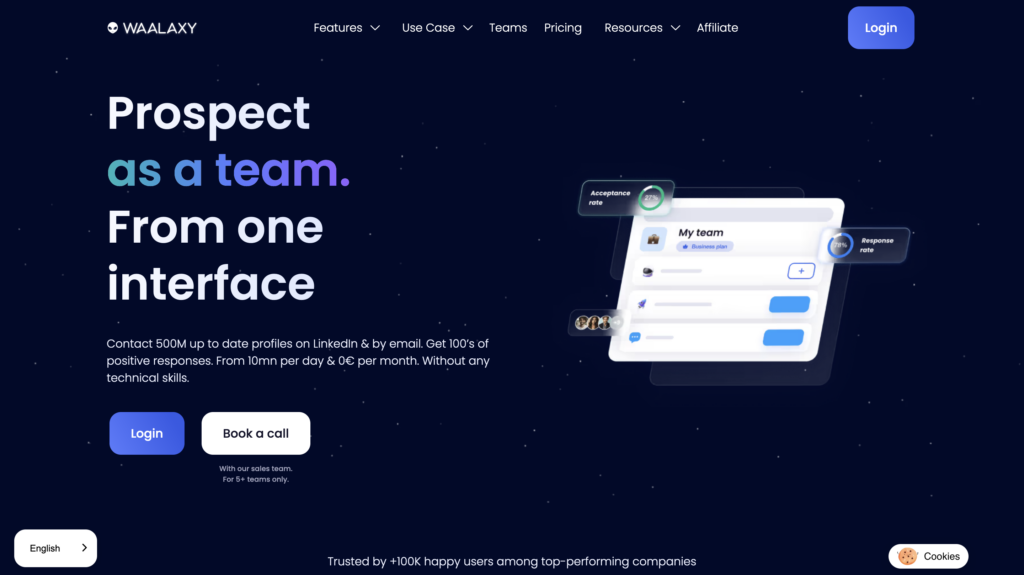
Waalaxy is a prospecting tool designed to automate your outreach strategy on LinkedIn and via email. 👽
Available as a Chrome extension, it offers a solution that is secure, intuitive, and accessible, requiring no prior database or technical skills. 😉
Waalaxy doesn’t impose strict limits and lets you send up to 200 invitations per week, or about 800 invitations per month. 😌
Many prospecting tools are designed for tech-savvy users: very comprehensive, but often complex to set up and use. 😅 Waalaxy takes the opposite approach by prioritizing simplicity. It is now one of the most accessible B2B prospecting tools on the market. If you’re looking for an effective and easy-to-use solution, you’ve come to the right place. 🤓
This Phantombuster competitors , combines LinkedIn and email into ready-to-use multi-channel sequences that are easy to launch and simple to manage. If you want to boost your B2B lead generation without adding more tools, it’s the perfect solution. 🥳
Waalaxy’s key features include:
- 🟣 Native integration with popular CRMs and tools like HubSpot, Pipedrive, Salesforce, noCRM…
- 🟣 Plans tailored for sales teams, freelancers, and agencies (collaborative work, template sharing, multi-account LinkedIn management).
- 🟣 Built-in Waalaxy Email Finder to retrieve professional email addresses directly from LinkedIn.
- 🟣 Automated cold email campaigns and ready-to-use multi-channel sequences.
- 🟣 Access to Skipcall to simplify appointment scheduling and accelerate your sales cycle.
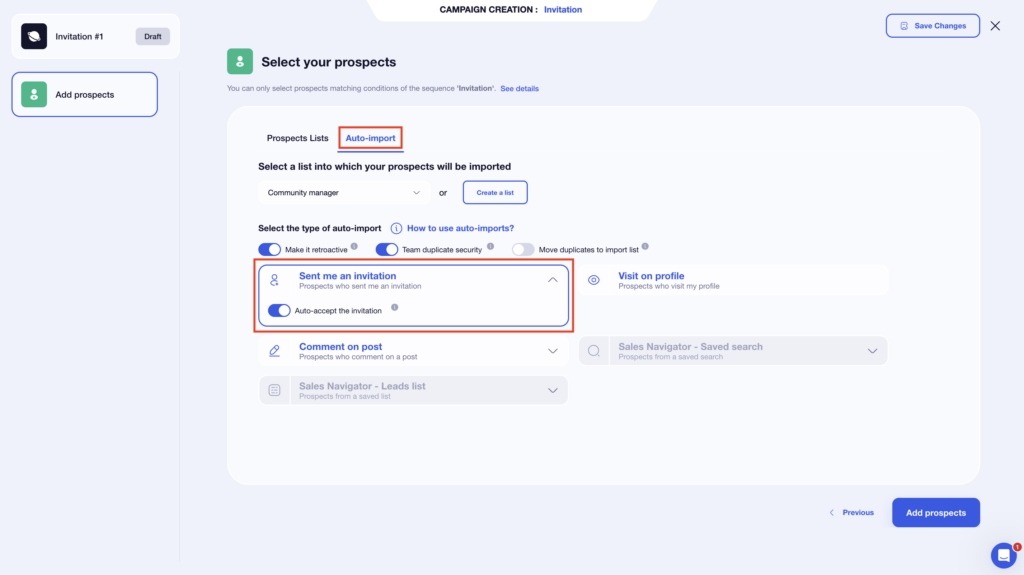
- 🟣 Automatic import of leads based on their LinkedIn interactions (visits, comments, reactions, etc.).
- 🟣 Easy-to-launch LinkedIn campaigns thanks to pre-configured workflows.
- 🟣 Unified inbox to centralize and manage all your conversations, with filters and sorting options for more efficient management.
- 🟣 AI-powered lead scoring to quickly identify the most engaged prospects.
Waalaxy is designed for salespeople, marketers, managers, recruiters, and entrepreneurs. ☺️
Why choose the Waalaxy extension?
– 🚀 LinkedIn + Email automation on a single platform.
– 🤝 Plans tailored to small teams and growth.
– 📥 Smart inbox to centralize communications.
– 🧠 AI insights to prioritize the best leads.
– 🔗 Seamless integrations with numerous tools (CRM, Zapier).
Waalaxy reviews: what do its customers think?
What users appreciate most is, above all, the platform’s simplicity. The interface is clear, intuitive, and allows for a very quick learning curve, even without technical experience. Workflows are already built-in and organized by channel, eliminating the need for complex setup. You don’t start from scratch: everything is ready to use. ☺️
As a result, you save a considerable amount of time and can launch your first campaigns quickly, while avoiding LinkedIn restrictions. 🕺🏻
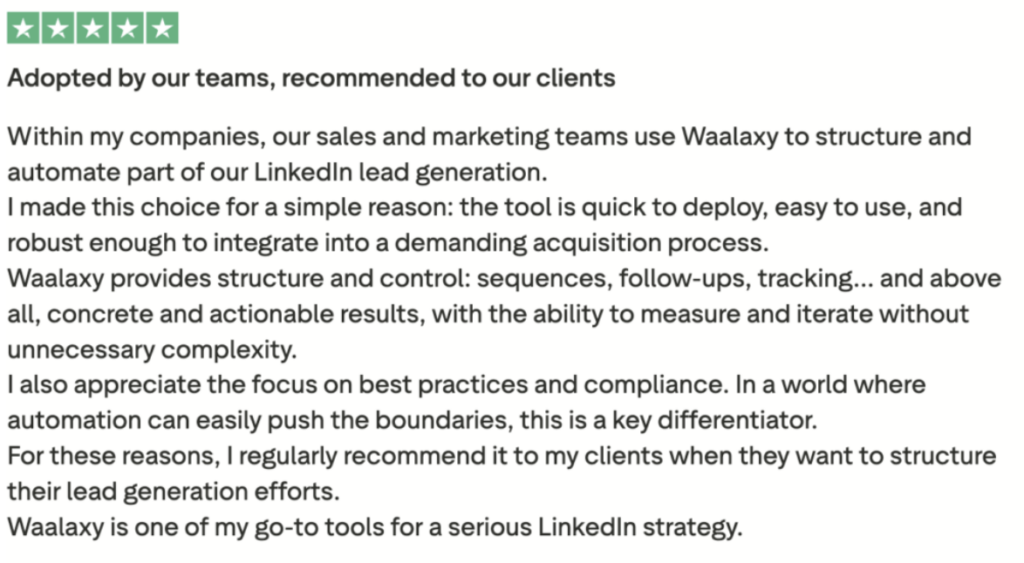
Another major advantage is that the tool is available in 10 languages. A real plus for those engaged in international sales prospecting. 🌍
The Waalaxy support, feedback is also very positive, with a nearly perfect satisfaction rate. 🤩
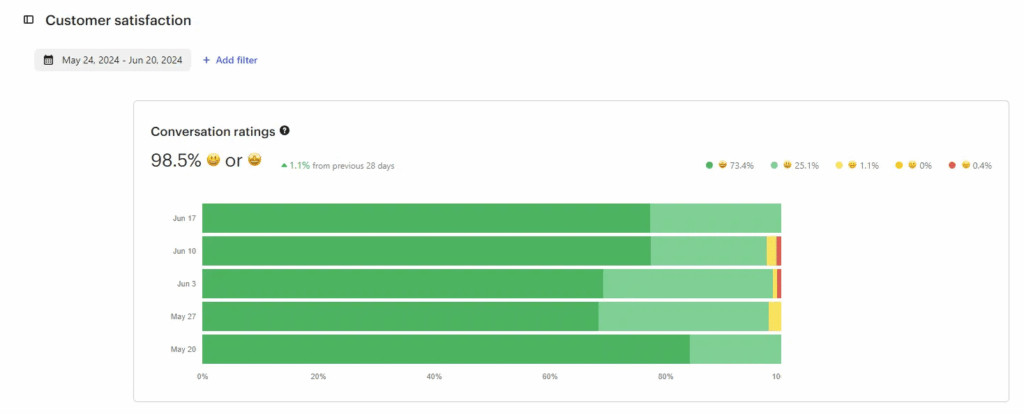
The main drawback mentioned is the lack of a mobile app, a fairly common choice for this type of tool, as well as the plugin’s limited availability, which is currently only on Google Chrome. 💁
Waalaxy pricing: how much does the tool cost?
Waalaxy pricing starts at €19 per month/year. 👀
Monthly
Quarterly
Yearly
Without Inbox
With Inbox
Add-on


What are the differences between Phantombuster and Waalaxy?
Before deciding which tool is best for your prospecting strategy, you need to understand the different features to determine which one suits you best! ⬇️
1) Automate LinkedIn prospecting campaigns
What better way to compare these two tools than by launching your first campaign ? It’s the best way to see exactly how they work. 👇🏼
How to use waalaxy?
Once in the tool, simply click on « Start a Campaign » to access the setup. You can then select your leads and define your scenario. 🛸

You can refine your selection based on several criteria:
- 🎯 Target: Connections or non-connections.
- 📡 Channel: LinkedIn, Email, or multi-channel.
- ⚙️ Actions: Follow, visit, invite, send a message, enrich your databases…
- 💬 Number of LinkedIn messages or emails.
You can quickly find a sequence tailored to your goal, without having to build everything yourself.
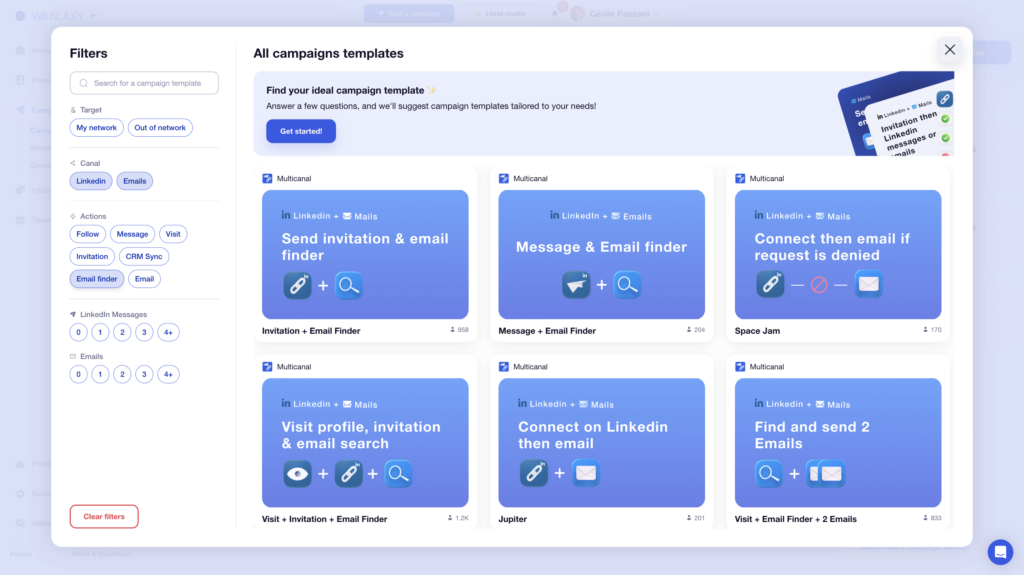
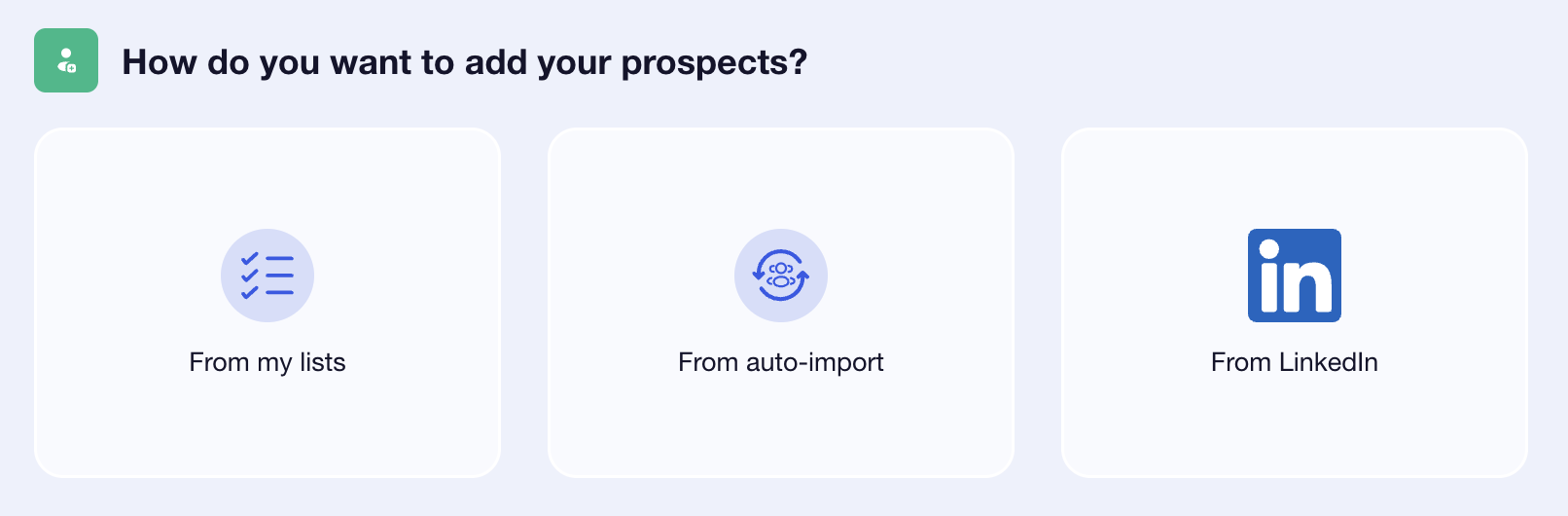
Once you’ve selected your template, you can name your campaign (highly recommended 👀), then import your prospects:
- 🥇 From your lists, provided you’ve created them beforehand.
- 🥈 Using auto-import, which automatically adds people who have interacted with your LinkedIn account.
- 🥉 Directly from LinkedIn via the Waalaxy Chrome extension (from a standard search or via LinkedIn Sales Navigator).
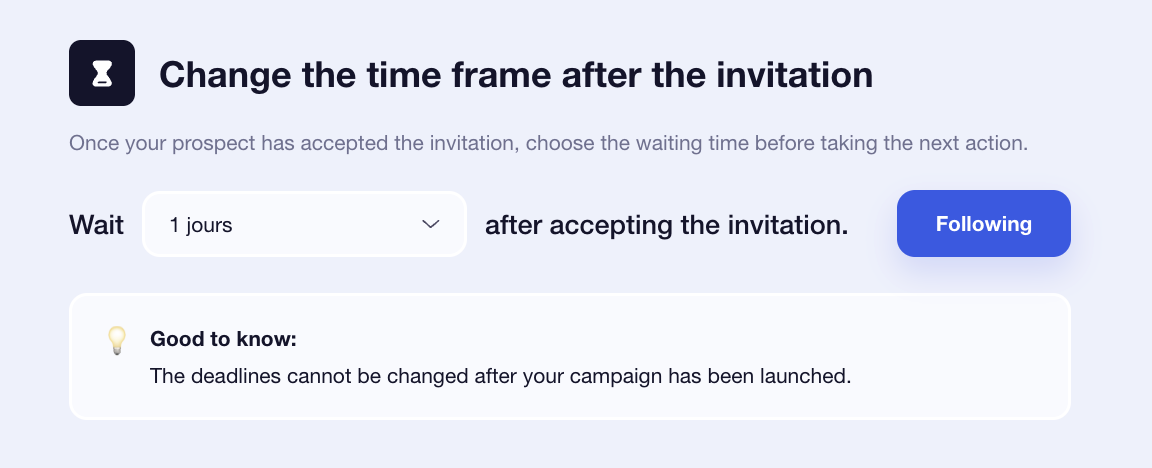
Finally, you can customize your messages and adjust the time intervals between each action (from 0 to 28 days). 📆
How do you do this with PhantomBuster?
Now, let’s move on to setting up a campaign with the PhantomBuster extension. Here, the process is a bit different: you’ll build your automation step by step. 🪜
After onboarding, you’ll arrive at a library of “ Phantoms”, ready-to-use automations. Each Phantom corresponds to a specific action: exporting a search, sending messages, accepting invitations… In our case, we’ll start with a Phantom for extracting LinkedIn leads.
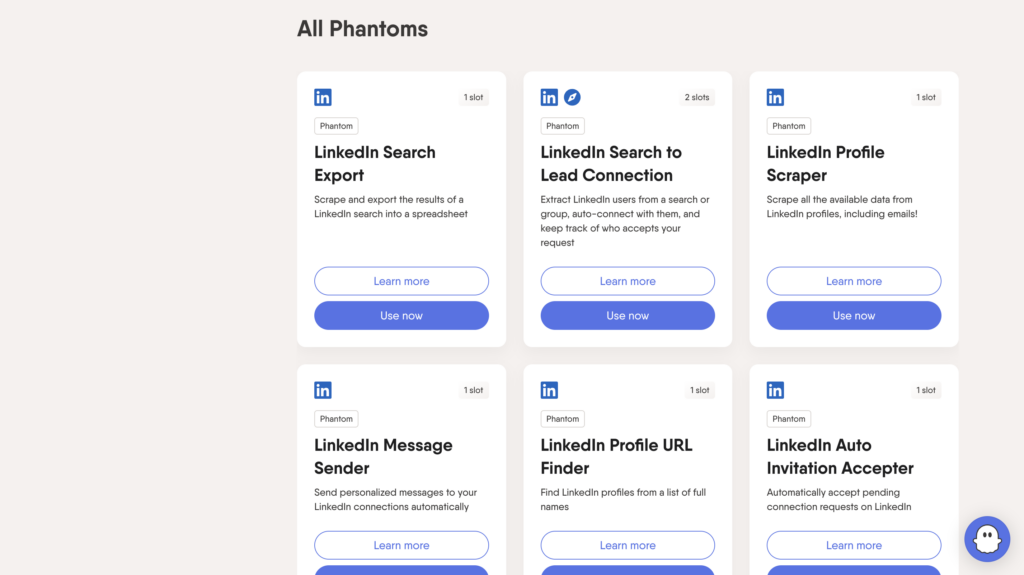
There are no predefined sequences; it’s up to you to build them by choosing from the different Phantoms. Once selected, you need to enter two pieces of information 👇🏻:
- What you typed into the LinkedIn search bar.
- The URL of your search.
Once the automation is launched, PhantomBuster will extract the LinkedIn profiles and create a list of leads. Once your list is ready, you can choose a new Phantom to interact with these leads. In our case, we’ll choose a message–sending Phantom. 📨
2) Customize B2B scenarios and messages
Once your campaign is set up, it’s time for a key step: writing the messages. 📨
With Waalaxy
After selecting your prospects, this is where you write the LinkedIn message you want to send. And if you’re lacking inspiration, Waami, the built-in AI, can help you quickly generate a relevant and personalized message. 😎
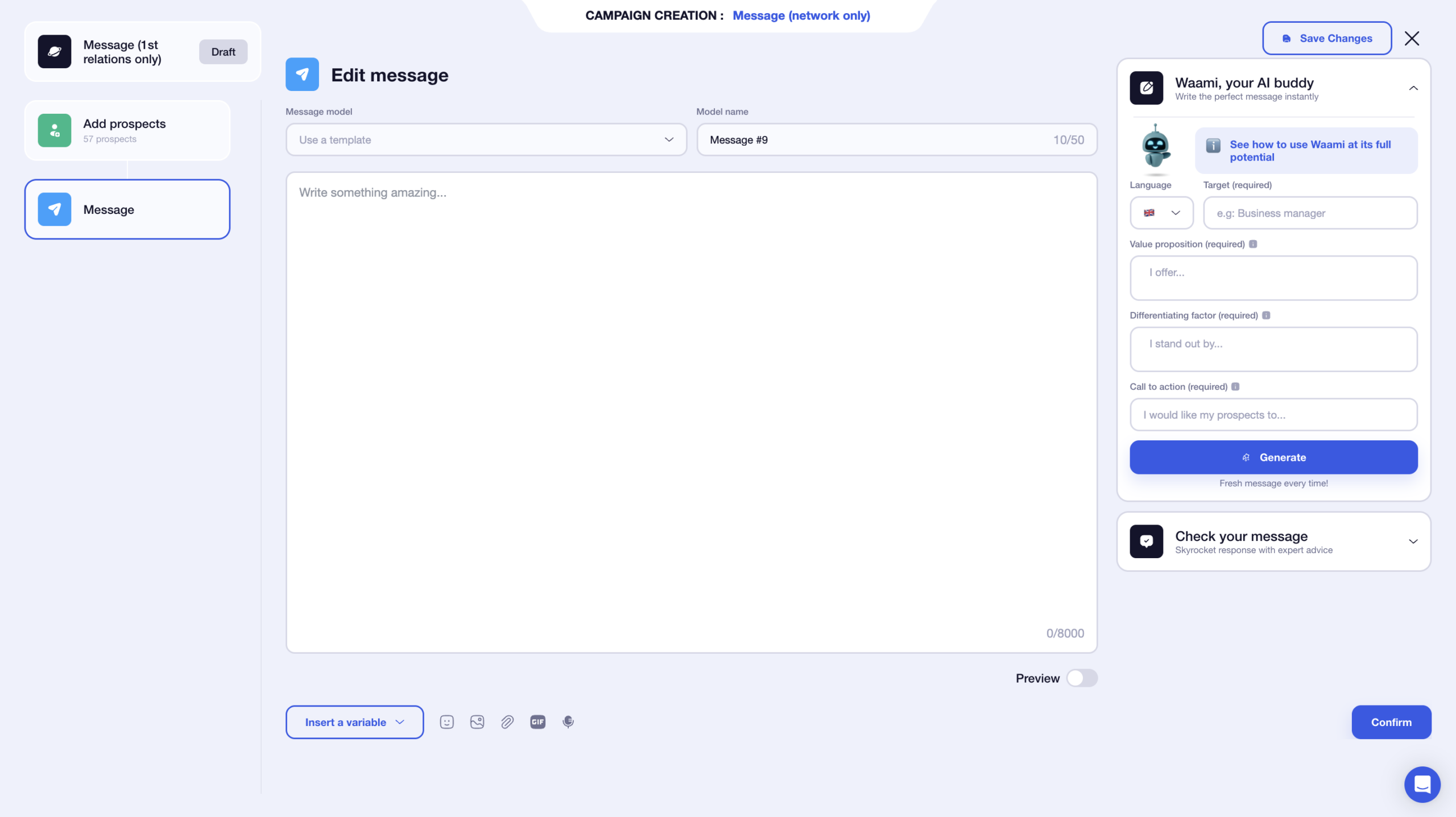
You can save your messages as templates by renaming them. No need to start from scratch with every new campaign. 👀
You have a limit of 8,000 characters, which gives you plenty of freedom… even though, in practice, short messages are often more effective. 😉
You can also enhance your message with various elements:
- 🤔 Dynamic variables (first name, last name, company…).
- Images.
- 🔗 Attachments.
- 🎥 GIFs.
- 🗣️ Voice messages.
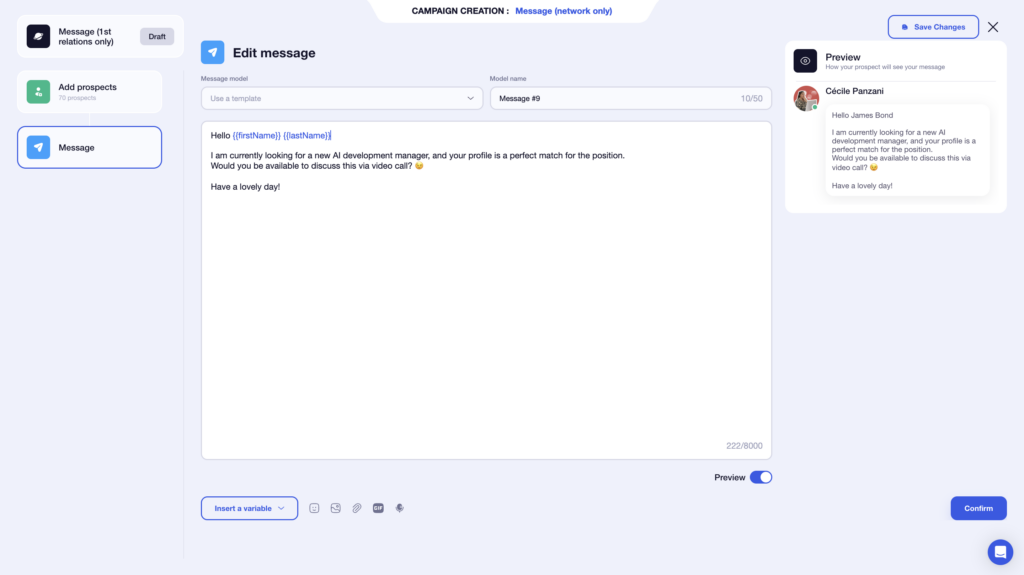
One of the major advantages is the real-time preview. You can immediately see how your message will appear, which helps prevent errors with variables. 🤩
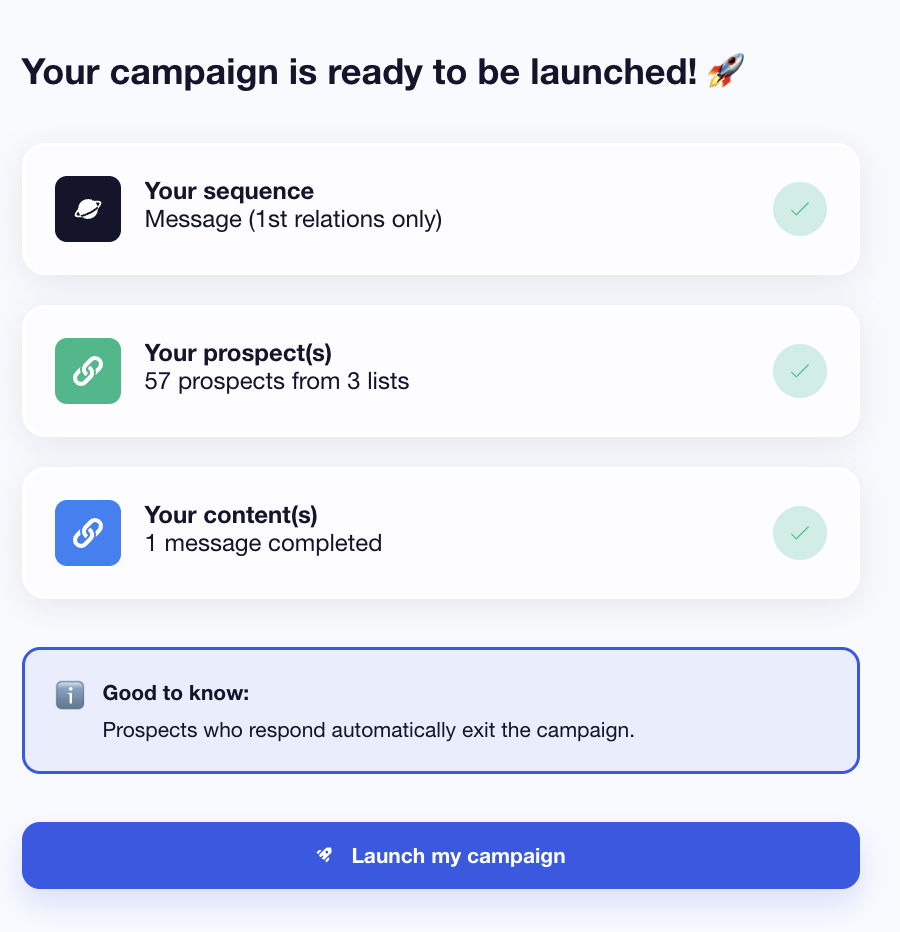
Once your messages are finalized, a complete summary of the campaign appears. All you have to do is launch your campaign. 🚀
Another advantage? The interface focuses solely on writing. You aren’t overwhelmed by the entire sequence, which makes the experience much smoother. 👀
With Phantombuster
After choosing a message-sending Phantom, you’ll access an editor where you’ll compose your LinkedIn message.📮
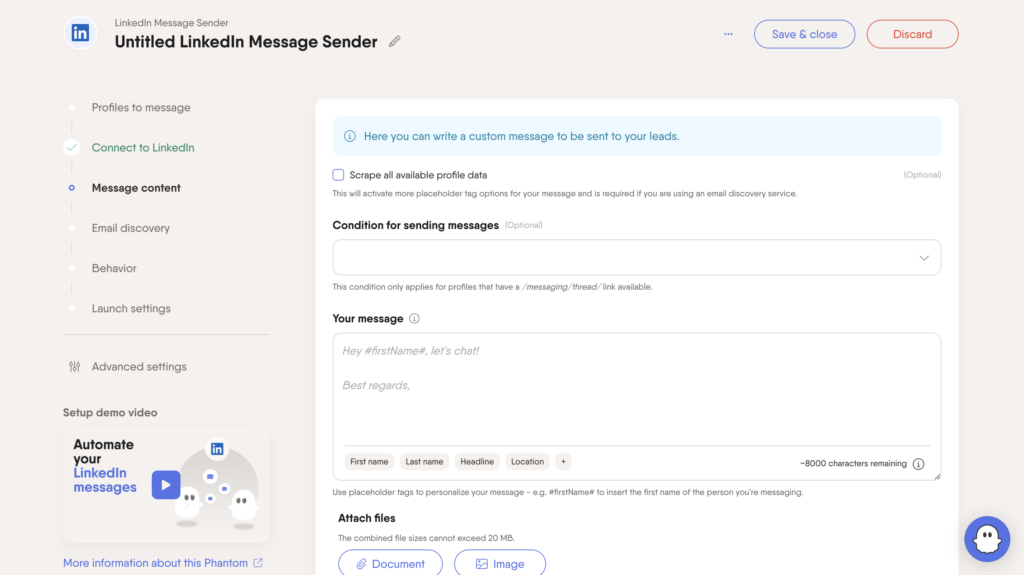
➡️ You can:
- Write your message.
- Add variables (first name, etc.).
- Personalize your message with an attachment.
Unlike highly guided tools, the PhantomBuster extension doesn’t offer ready-made templates or a wizard to help you write. More freedom but less guidance. 🥲
Finally, you need to configure how your automation will run. You can set 👇🏻:
- The sending frequency.
- The time intervals between each action.
- The order of your actions.
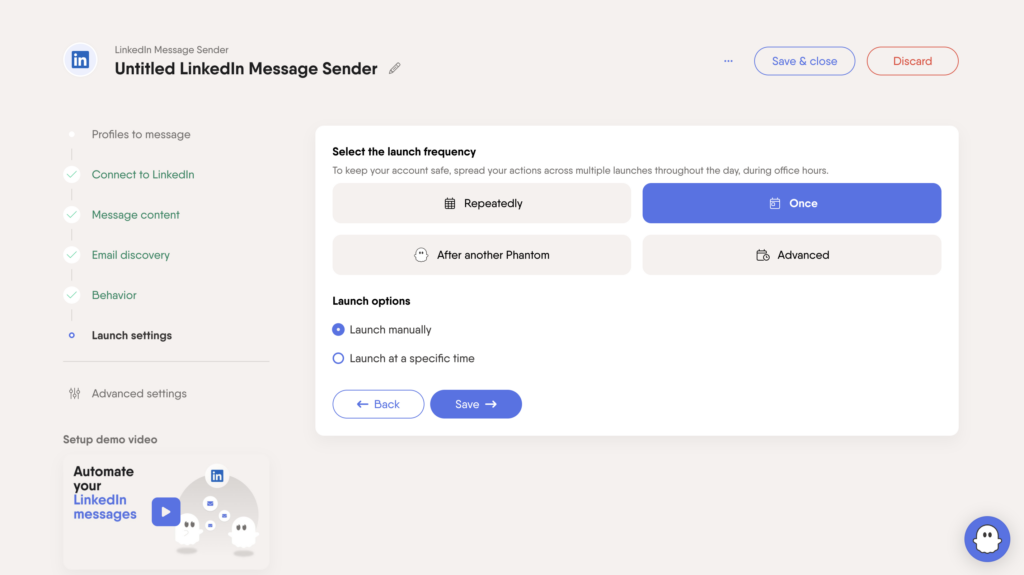
This is where it all comes down to, because a poor configuration can make your automation ineffective… or risky. ⚠️
3) Tracking responses and lead engagement rates
Once your campaign is launched, performance analysis becomes essential for optimizing your strategy.
With the Waalaxy extension
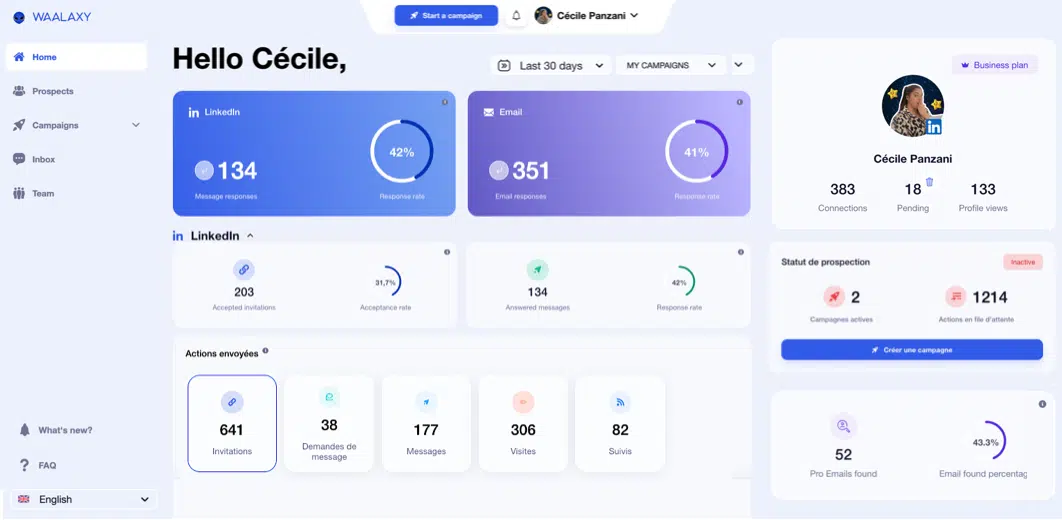
You can access statistics directly from the tool’s home page. 😇
Two main filters are available to refine your analysis:
- 1️⃣ The campaign launch date.
- 2️⃣ The campaign you want to view.
Additionally, two other sections are available: one for LinkedIn 🔵 and one for email campaigns 🟣.
For each channel, Waalaxy highlights two key metrics: the number of responses and the response rate. ✨
Depending on the selected campaign, you can view several metrics:
- 1️⃣ Accepted invitations + acceptance rate.
- 2️⃣ Messages that received a reply + reply rate.
- 3️⃣ Details of sent actions in graph form (CSV export available).
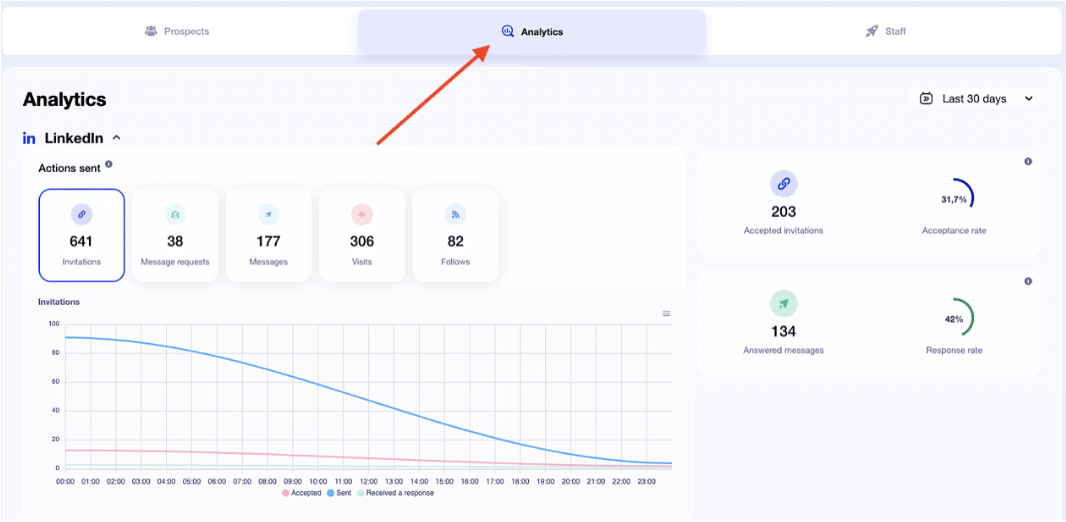
Here are some additional performance metrics for your email campaigns: 👇🏼
- 📬 Bounce rate.
- 💬 Response rate.
- ❌ Undelivered messages and bounce rate.
You can view the statistics for each campaign in the Campaign Statistics section here.
One of Waalaxy’s strengths is the clarity of its statistics. You don’t need to be a data expert to understand your results! 😇 With just a few clicks, you’ll know exactly where your campaigns stand and how they’re performing.
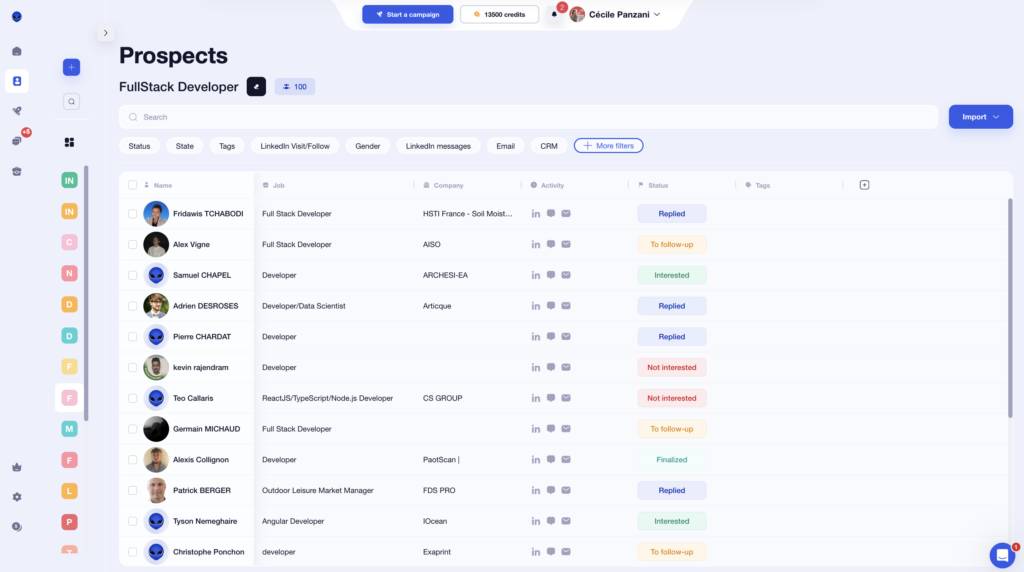
You can also filter your lists by 👇🏻:
- Import type.
- Campaign stage.
- Status.
- Tag.
With the PhantomBuster extension
PhantomBuster doesn’t offer a traditional dashboard with ready-to-read marketing KPIs. Tracking is primarily done through the results of your automations. 🤖
Specifically, each Phantom generates a results file accessible from your dashboard. You can then:
- Download this data as a CSV.
- Send it to Google Sheets.
- Connect it to other tools to analyze it.
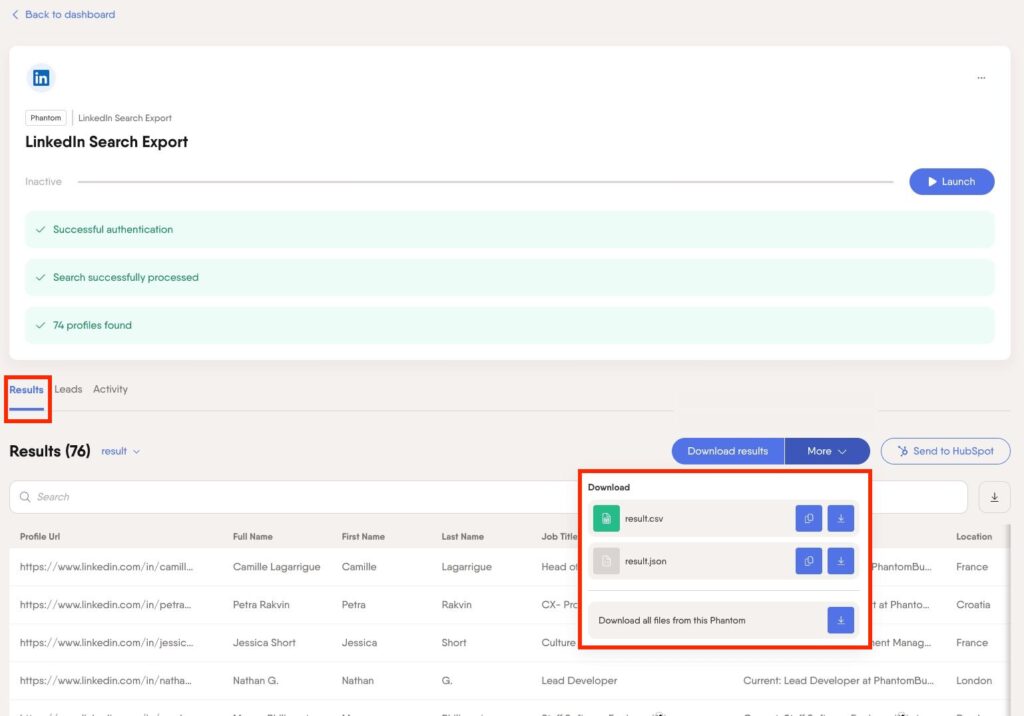
For example, in some LinkedIn workflows, your leads appear directly in an “Outreach queue,” with the option to export the entire list in one click.
Unlike Waalaxy, you have access to raw data, but it’s up to you to interpret it. 🫠 Follow-up is therefore less immediate and requires more manual work. 😅
As for your lists, you can’t really customize them the way you can with Waalaxy. You can’t add tags…
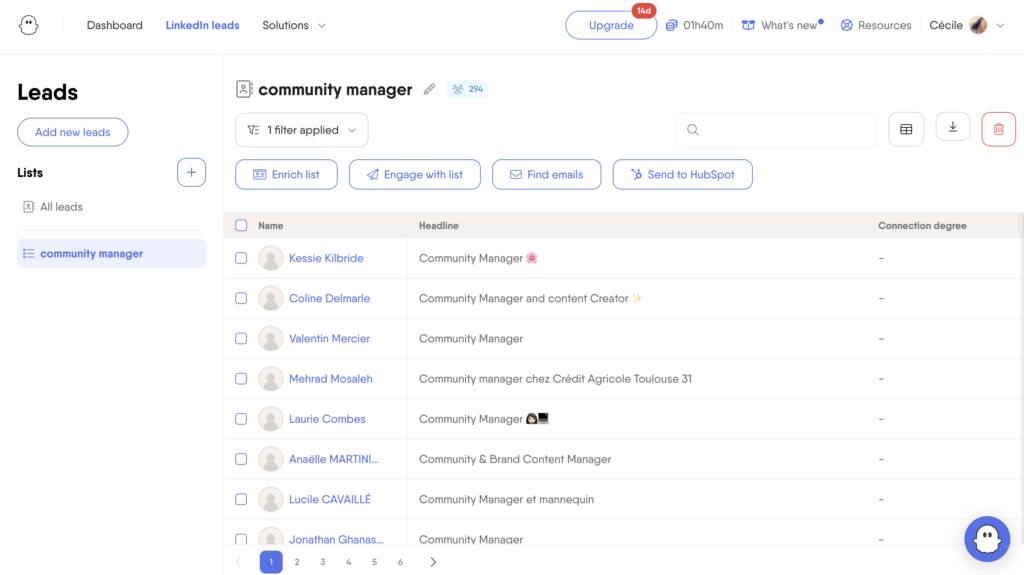
4) Integration with other tools
To fully leverage the potential of your prospecting, it’s essential to connect your tool to your ecosystem (CRM, marketing tools, etc.). Let’s see how it works. 👀
How does it work with Waalaxy?
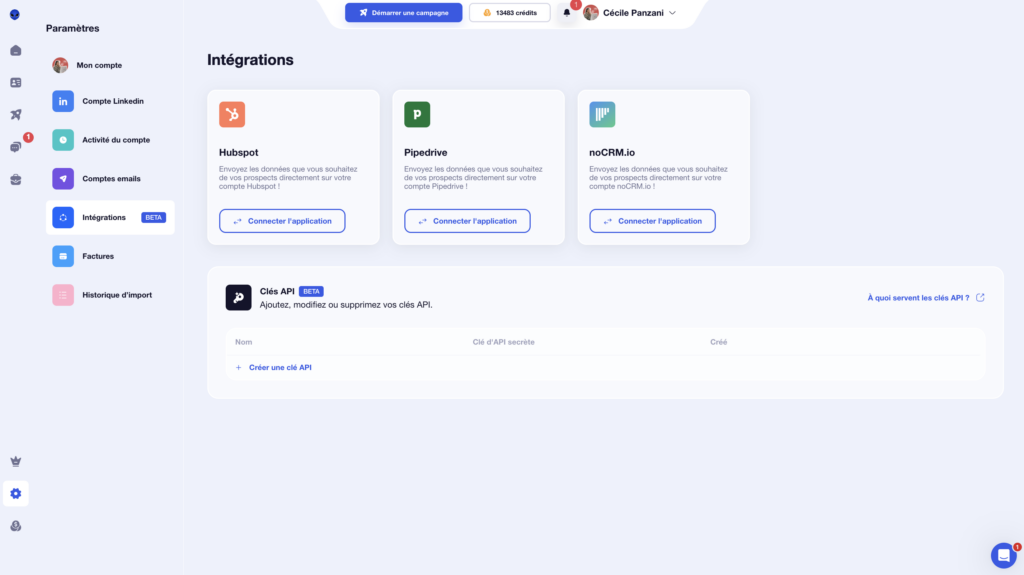
Waalaxy lets you natively sync your campaigns with the following CRMs: 👇🏼
- HubSpot.
- NoCRM.
- Pipedrive.
And recently, you can connect to Make, n8n, and Zapier using your API key. 🔑
But that’s not all. From within your campaign, you can also integrate the following tools: 👇🏼
- Airtable.
- Brevo (Sendinblue).
- Sellsy.
- Axonaut.
- Google Sheets.
You can automate your data transfer and centralize your prospecting without adding extra steps. All you have to do is test and integrate these tools into your tech stack! 🧰
For Phantombuster
To connect your lead generation to your tech stack (CRM, automation, data, etc.), this Waalaxy alternative offers several options depending on your skill level and needs. 👀
For example, you can use certain automations that are directly compatible with HubSpot. If you want to take it further, the PhantomBuster extension integrates easily with Zapier or Make. This allows you to automatically send your results to other tools and create advanced workflows. 🔗
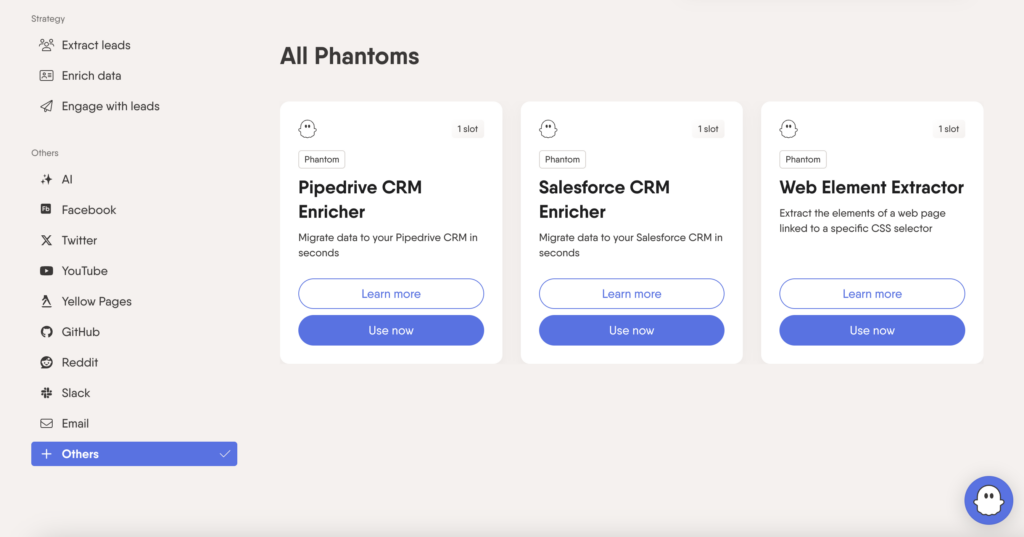
Finally, for more advanced use cases, you can use the API. It allows you to retrieve your data and push it directly into your CRM or internal tools like Slack. 📲
On the other hand, this requires a bit more configuration and a more technical approach. It’s not plug-and-play, but rather a system you build according to your needs.
5) UX/UI Experience
Now let’s move on to the user experience and the tool’s design. 🎨
For Waalaxy
From the moment you start using it, Waalaxy’s UI/UX stands out for its simplicity and clarity. The visual design is consistent, the colors are well-chosen, and most importantly… everything is designed so you immediately understand where to go and what to do. 🥳
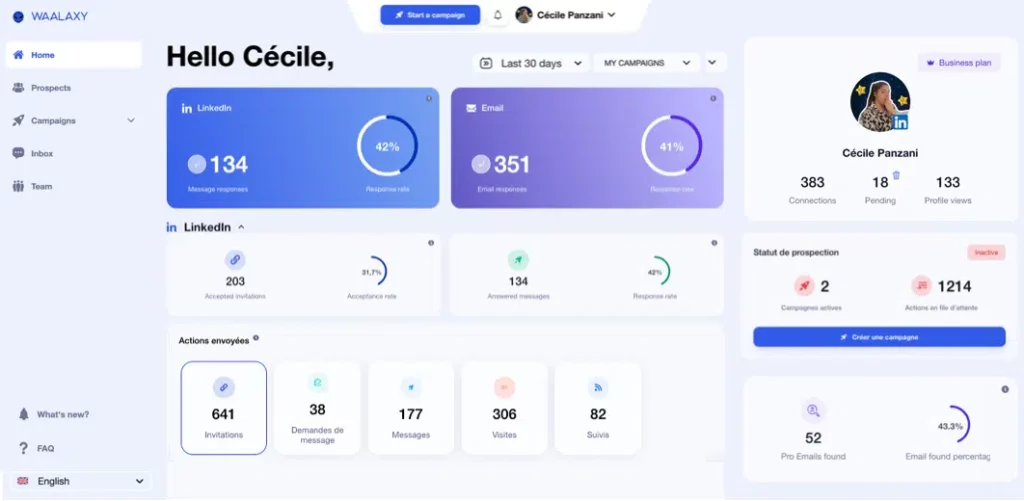
With just a few clicks, you can access a campaign and view key metrics such as the number of responses and the response rate. 📊
The menu automatically collapses while navigating, freeing up screen space and improving readability. You can tell that the user experience has been carefully crafted. 👀
On your LinkedIn campaigns, a simple color-coding system lets you quickly understand the status:
- 🩶 Gray: not connected.
- 🧡 Orange: pending.
- 💙 Blue: connected.
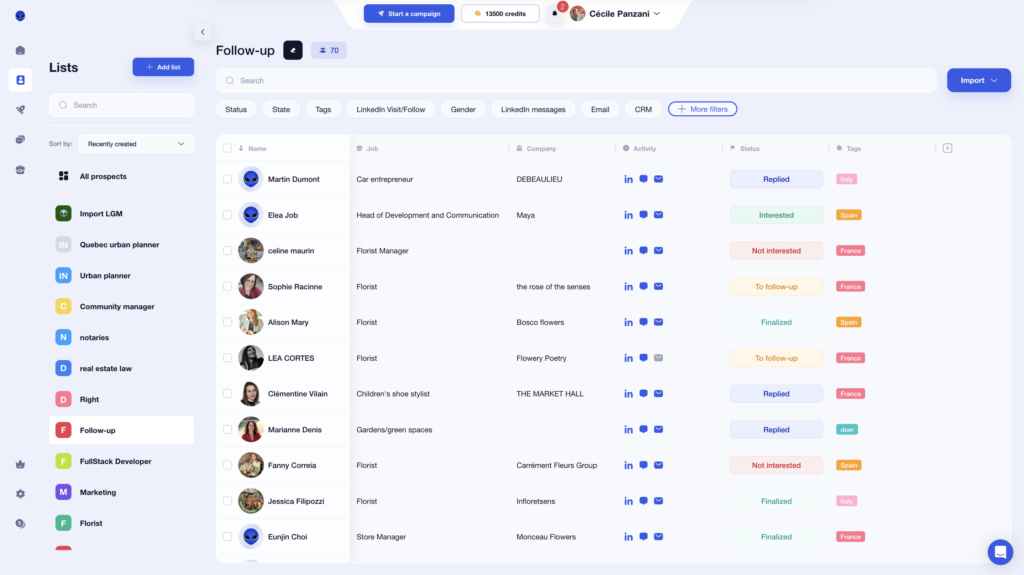
Help bubbles also appear when you hover over items to guide you, without cluttering the interface.
As for Email Finder, Waalaxy operates on a credit system. You can check your remaining credits with a single click from your profile, without having to navigate through settings.
Here’s a quick overview of the pricing 💸:
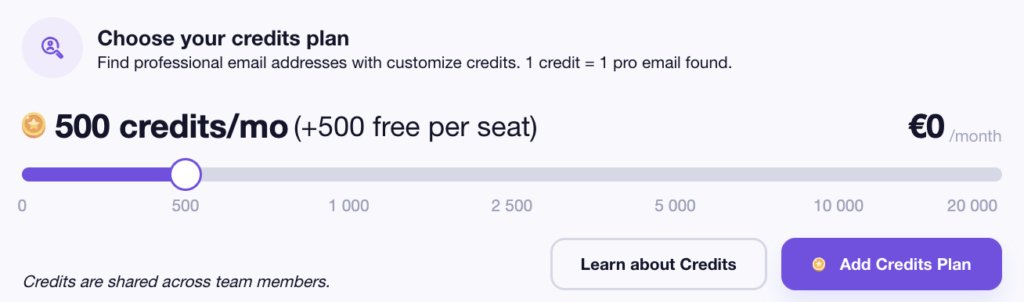
Waalaxy’s biggest strength is its ease of use. You can launch, track, and analyze your campaigns in just a few minutes, even without technical expertise. 😅
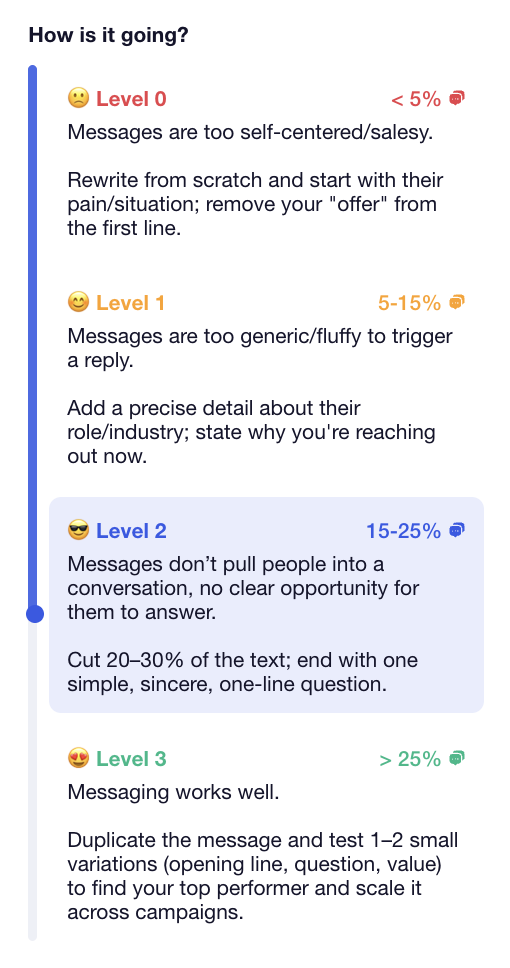
For example, each campaign displays a performance level (from 0 to 3) based on the response rate, accompanied by a brief explanation. 🛸
Finally, you retain full control over your campaigns:
- 📆 Choose the days and times to send messages.
- 🧾 Manage sending limits.
- 🎛️ Easily adjust settings.
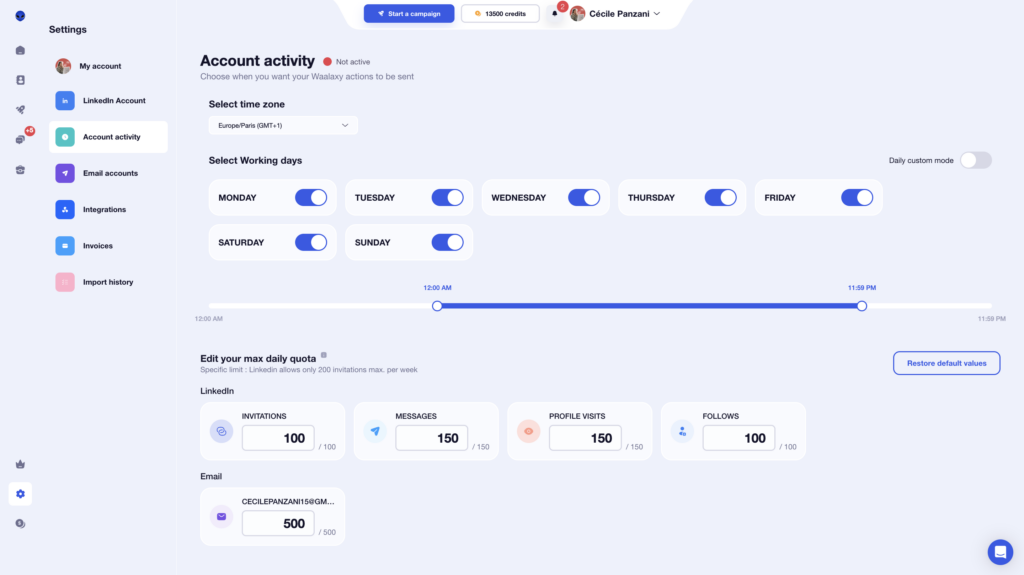
A smooth, intuitive, and enjoyable experience from start to finish. 🧘🏻♀️
For the PhantomBuster extension
The user experience on PhantomBuster is quite unique. 🫣
From the very first minutes, it’s clear that the tool is designed to be powerful before being simple. The interface is clean, but it’s based on a workflow logic that can be confusing at first. 😕
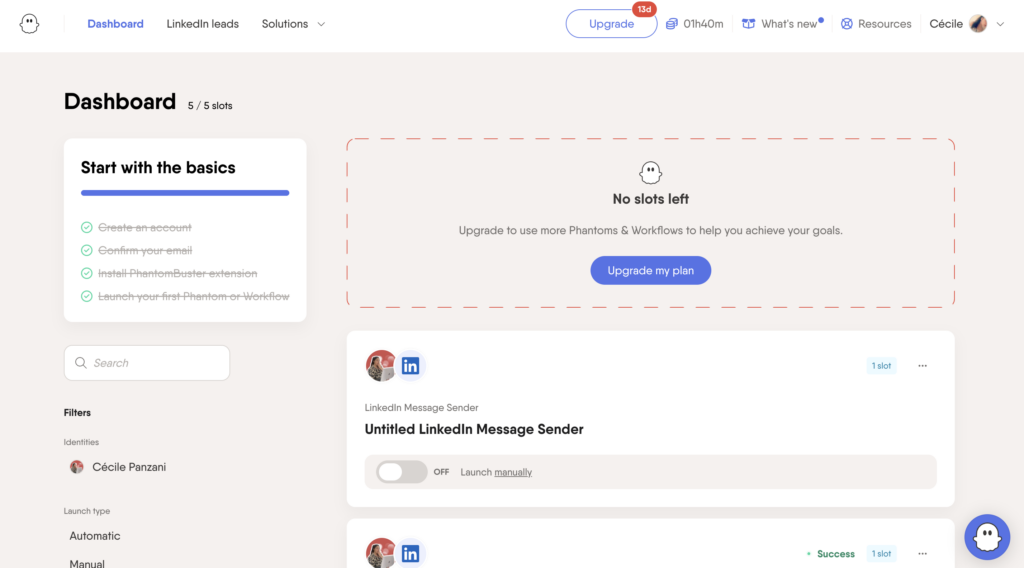
👉It’s not always clear where to start, and the onboarding process is too brief to provide a true step-by-step guide. If you’re not comfortable with English, this can even slow down the learning curve.
On a day-to-day basis, you navigate between different automations rather than within a single campaign overview. This gives you a lot of freedom, but makes the whole experience less intuitive, especially when managing multiple actions simultaneously. 😅
For example, you manage your quotas by campaign, which can become a problem if you don’t keep track of the others. You can quickly exceed the limits.
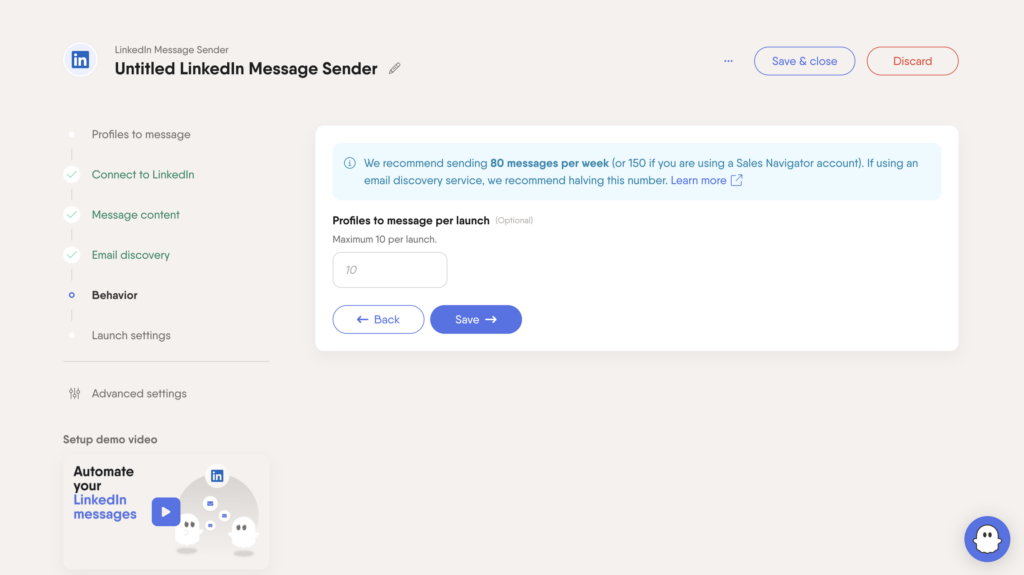
Here, this information isn’t highlighted visually. You have to go find the data, export it, and analyze it. 🙃
The same goes for guidance: you have fewer visual cues, less contextual information, and no immediate feedback on your actions.
Finally, the system of slots and execution times can quickly become limiting. Even in the free version, resources run out very quickly, sometimes before you’ve even really gotten the hang of the tool. 🛠️
6) Support and resources for users
When using a lead generation tool, what you really want is to be able to work independently, without constantly relying on support. Let’s analyze this final aspect of Phantombuster vs. Waalaxy. 🔎
What about Waalaxy?
Waalaxy offers customer support via chat, available Monday through Friday from 8:30 AM to 6:00 PM. 📆
But the main benefit doesn’t stop there. Even before contacting support, you have access to a comprehensive knowledge base that covers the most common issues. There you’ll find:
- ✔️ Clear and detailed answers.
- 🎥 Video tutorials to guide you step by step.

The goal? To help you resolve your questions quickly and independently.
By clicking on the small arrow next to the logo, you can also access other Waalaxy tools, such as Skipcall or Kawaak. 👇🏻
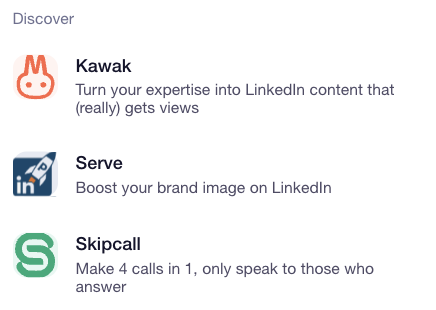
You also have access to hundreds of articles available on the blog and in the Help Center to help you get started and optimize your campaigns.

You can also join an active community (over 3,900 members) to exchange on:
- 🚀 Latest strategies.
- 📈 Best practices.
- 🛠️ Tools related to growth hacking, sales, and prospecting.
Waalaxy also offers:
- 📖 A daily newsletter
- 🎬 A YouTube channel
- 📘 E-books dedicated to prospecting
- 🎥 Webinars
- 👀 A blog covering all prospecting topics (LinkedIn, marketing, outreach, emailing, social media, automation, recruitment…)
Whether you’re a beginner or more experienced, everything is designed to help you improve quickly, with resources available at any time. 🤩
What resources are available on PhantomBuster?
With the PhantomBuster extension, you have access to several resources to support you… but the experience is quite different from what you might expect from a more “sales-oriented” tool.
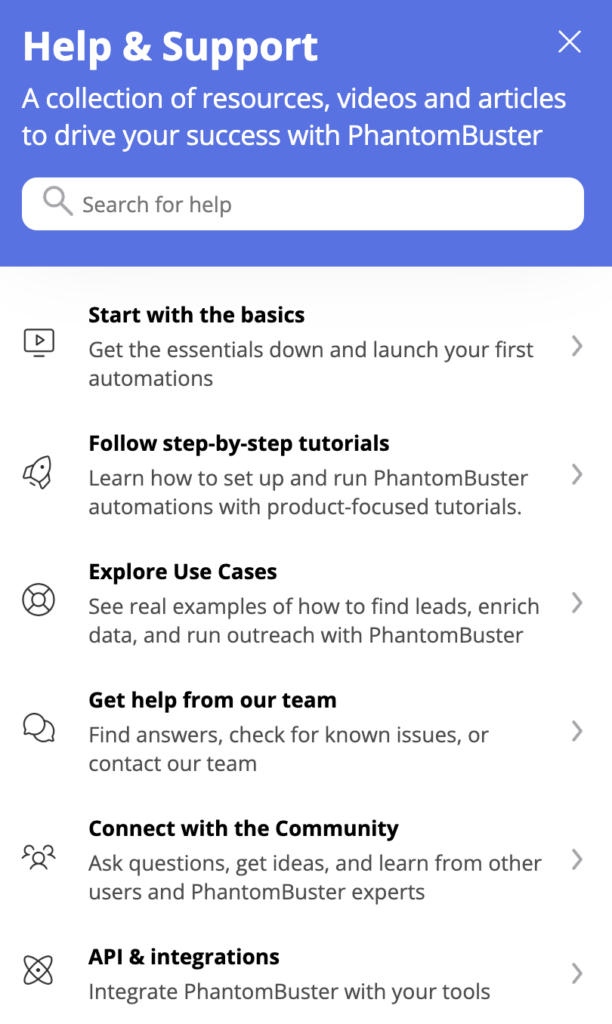
👉 You do get access to support via an integrated widget, as well as a fairly comprehensive Help Center with guides, tutorials, and answers to frequently asked questions.
Let’s do a recap about Phantombuster VS Waalaxy
At the end of the day, PhantomBuster and Waalaxy are built for different types of users. 👀
If you need a powerful tool to scrape data, enrich leads, and build advanced automations, PhantomBuster is a solid choice. That said, it requires more time, technical skills, and a good understanding of workflows.
On the flip side, if your goal is to quickly launch LinkedIn and email campaigns with a clean interface and ready-made sequences, Waalaxy is usually the better fit.
In short, Phantombuster vs Waalaxy comes down to a trade-off between power and flexibility on one side, and simplicity and ease of execution on the other.
FAQ Phantombuster VS Waalaxy
What is the alternative to PhantomBuster?
It really depends on your needs. For simple and effective Email + LinkedIn prospecting, Waalaxy is often one of the best alternatives.
Where PhantomBuster requires you to build and configure your own workflows, Waalaxy lets you launch campaigns quickly using ready-made sequences and a more intuitive setup.
If you’re looking for performance without the complexity, tools focused on outreach and ease of use will usually be a better fit. 🤓
Does PhantomBuster use AI?
No, PhantomBuster does not natively rely on artificial intelligence. The tool mainly works through automations (“Phantoms”) and configurable workflows.
That means :👇🏻
- No AI to write your messages.
- No built-in lead scoring.
- No integrated assistant.
However, you can connect it to external tools (APIs, enrichment tools, AI solutions…) to enhance your stack. 🎨
How to migrate from PhantomBuster to Waalaxy?
Here’s a simple 3-step process to migrate safely : 👇
- 1️⃣ Export your leads from PhantomBuster : Download your prospect lists in CSV format, making sure to include key data such as first name, last name, email, company and LinkedIn URL.
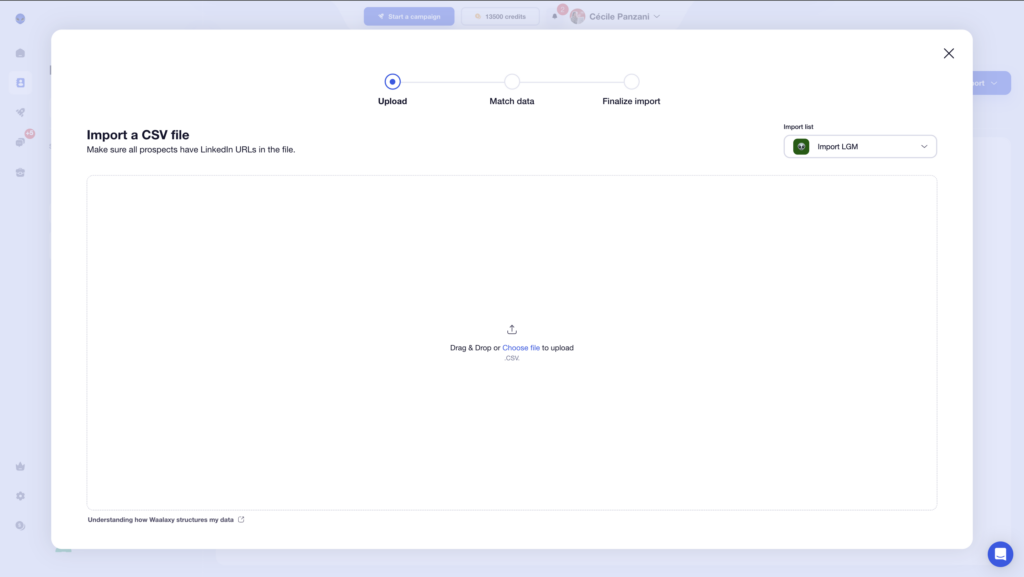
- 2️⃣ Import your leads into Waalaxy : Go to the “Import prospects” section, upload your CSV file, and correctly match each column with the corresponding fields.
- 3️⃣ Restart your outreach campaigns : Recreate your sequences or use ready-made templates. Before scaling, run a test on a small sample (10–20 prospects) to ensure everything works smoothly. 🥸
Now you know everything about Phantombuster vs Waalaxy, it’s up to you to choose the LinkedIn automation tool that fits your needs! 🧚🏻♀️
 Cécile PANZANI
27/03/2026
Cécile PANZANI
27/03/2026 













