



If you use LinkedIn for prospecting, the first step is usually finding the right people through LinkedIn search. Easy enough so far. From there, LinkedIn encourages users to upgrade to paid plans, especially LinkedIn Sales Navigator, to unlock advanced search filters, lead recommendations, and more powerful prospecting features.
The problem? Sales Navigator can get expensive fast. 💸
Want to know how to get LinkedIn Sales Navigator for free? The good news is that there’s a way to have it !
What Is LinkedIn Sales Navigator?
LinkedIn Sales Navigator is LinkedIn’s premium prospecting and sales intelligence tool.
It helps sales tteams, recruiters, founders, and marketers find and connect with the right prospects faster, making it easier to build targeted outreach campaigns and generate qualified leads.
Compared to the free version of LinkedIn, Sales Navigator unlocks much more advanced search capabilities. You can filter prospects by job title, industry, location, company size, years of experience, and many other criteria to build highly targeted prospect lists.
Beyond advanced search, Sales Navigator includes several features designed to streamline prospecting:
- 📌 Save leads and keep track of important prospects.
- 📋 Create custom lead lists to organize your outreach.
- 🔔 Get real-time alerts when prospects change jobs, engage on LinkedIn, or publish new content.

How Much Does LinkedIn Sales Navigator Cost?
If you’re looking for a way to get LinkedIn Sales Navigator for free, it’s important to understand what you’re actually paying for.
Sales Navigator is popular because it helps sales teams find, qualify, and track prospects more efficiently with advanced search filters, lead tracking, and outreach tools.
The downside? Sales Navigator isn’t cheap. How to get sales navigator cheaper? 💸
Which Sales Navigator Plan Should You Choose?
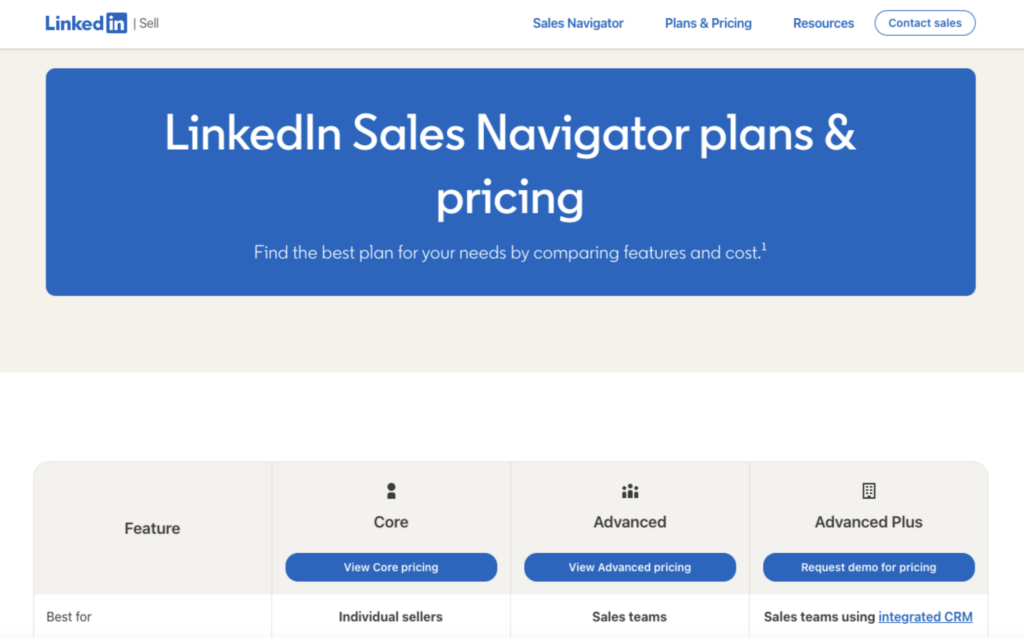
LinkedIn offers several Sales Navigator plans designed for everyone from solo professionals to enterprise B2B sales teams.
Here’s a quick breakdown of each option. 👀
Sales Navigator Core
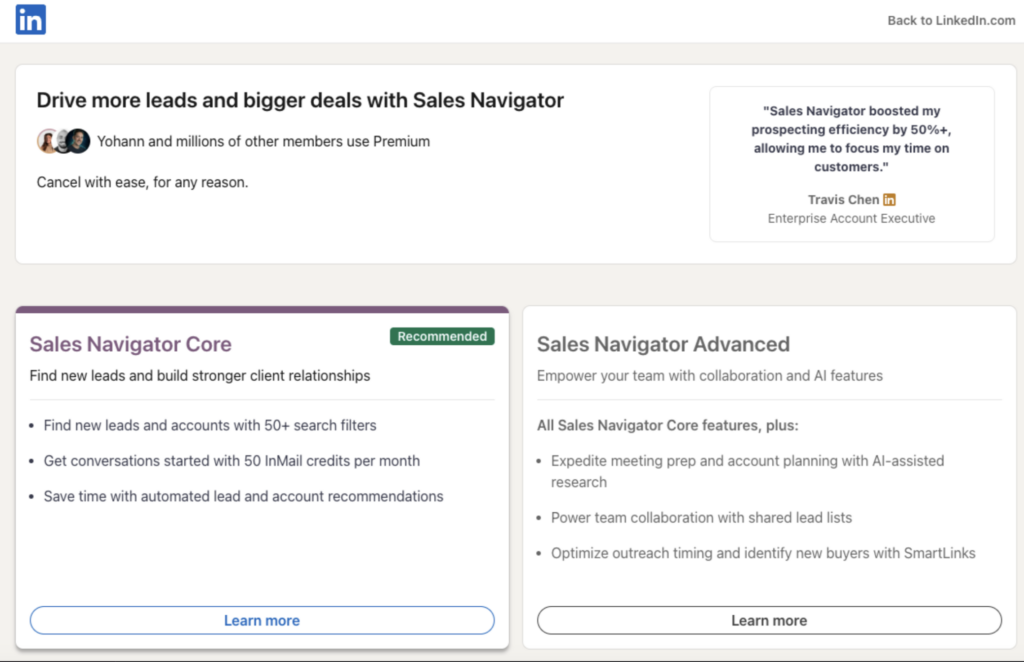
Sales Navigator Core is the most popular plan. Starting at $119.99 per month, it includes the essential features most sales professionals need to find and qualify prospects.
With Core, you get:
- 🎯 Advanced search filters to refine your targeting.
- 🔔 Alerts on your prospects and saved accounts.
- 📋 Custom lists to segment your targets.
- ✉️ 50 InMails per month.
- 🎓 Access to LinkedIn Learning.
- 🔗 Advanced search capabilities and integrations with numerous tools.
For freelancers, consultants, and small sales teams, this plan is usually more than enough for effective LinkedIn prospecting.
Sales Navigator Advanced
Sales Navigator Advanced starts at $159.99 per month and includes everything available in the Core plan, plus additional collaboration features for teams.
You also get:
- 🤝 Leverage your team’s network with TeamLink.
- 🎯 Improve your outreach to prospects.
- ⚙️ Access advanced administration features.
- 💳 Centralize license and billing management.
This plan is ideal for teams that collaborate on prospecting and account management.
Sales Navigator Advanced Plus
Sales Navigator Advanced Plus is LinkedIn’s most advanced Sales Navigator plan.
Pricing is custom and depends on your team’s size and requirements. Most companies will need to speak with a LinkedIn sales representative before purchasing.
In addition to everything included in the previous plans, Advanced Plus offers:
- 🔄 Advanced CRM integrations.
- 📊 Large-scale data management tools.
- 🤝 Advanced TeamLink features.
- 🔗 Smart Links.
- 📈 Enhanced reporting and analytics.
This plan is built for enterprise organizations with large sales teams, complex sales cycles, and extensive CRM requirements.
LinkedIn Sales Navigator pricing comparison :
| Subscription | Monthly Price | Ideal for | Key features |
|---|---|---|---|
| Sales Navigator Core | $119.99/month | Freelancers, consultants, salespeople | Advanced search, prospect lists, alerts, 50 InMails/month |
| Sales Navigator Advanced | $159.99/month | Sales teams | Core features + team collaboration, TeamLink, reporting |
| Sales Navigator Advanced Plus | Upon request | Large enterprises | Advanced features + CRM integrations and advanced data management |
How to Get LinkedIn Sales Navigator for Free With Waalaxy ?
The cost of LinkedIn Sales Navigator can quickly become a challenge, especially if you’re just getting started with prospecting or working with a limited budget. 💸
However, there’s a simple way to take advantage of its advanced features without maintaining an active subscription all year round. The idea is to use the Sales Navigator free trial to build a database of qualified leads, then continue your prospecting with Waalaxy.
Here’s how it works.
Step 1: Activate the LinkedIn Sales Navigator Free Trial
The first step is to activate the LinkedIn Sales Navigator free trial. There’s nothing to install or download. Simply visit the Sales Navigator signup page and log in with your LinkedIn account.
Once activated, you’ll get full access to all Sales Navigator features for 30 days.
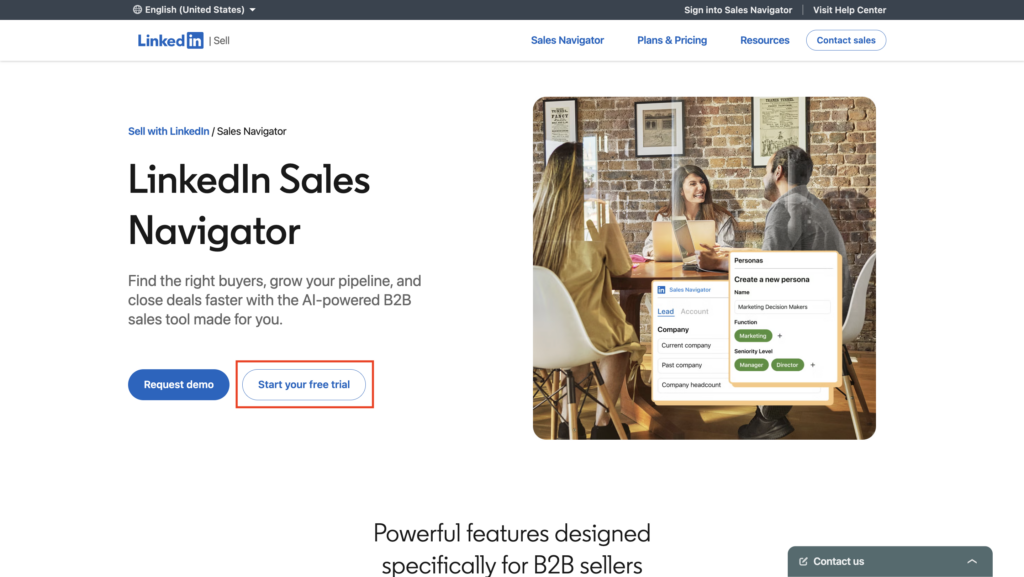
To start the trial, LinkedIn requires a payment method. Don’t worry, you won’t be charged as long as you cancel before the trial period ends. Once activation is complete, Sales Navigator will be directly linked to your LinkedIn account. To access it, click the Sales Navigator icon located in the top-right corner of LinkedIn.

Step 2: Find Qualified Leads With Sales Navigator
This is where Sales Navigator becomes especially valuable. 🎯
Its advanced filtering capabilities make it easy to find highly targeted prospects and avoid spending time on people who don’t fit your ideal customer profile.
To get started, click the Sales Navigator icon on LinkedIn, then enter a keyword in the search bar. This could be a job title, a company, an industry, or a specific skill. You can then refine your search using all the available filters.
The more precise your targeting, the more relevant your prospect list will be. Once you’ve built your list, it’s time to import those leads into Waalaxy.
Step 3: Import Your Leads Into Waalaxy
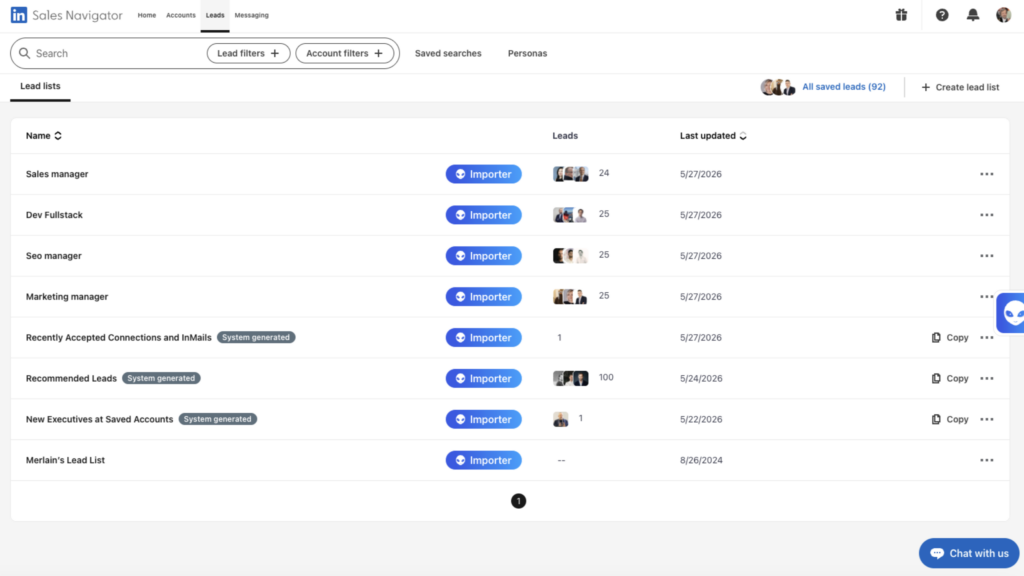
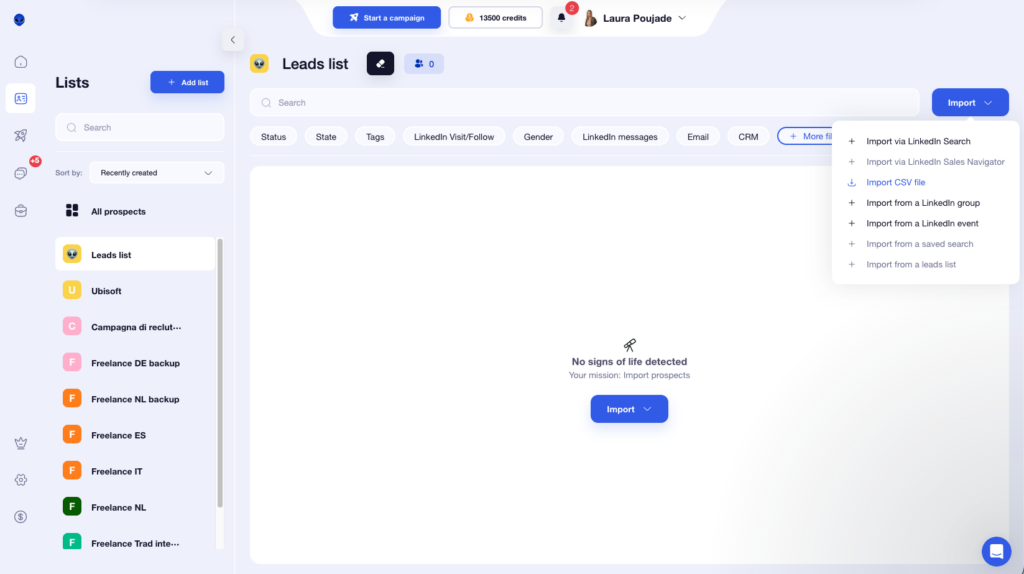
After completing your search, you can import your prospects directly into Waalaxy. 👽
This step is important because it lets you keep your prospect data and continue using it even after your Sales Navigator trial expires.
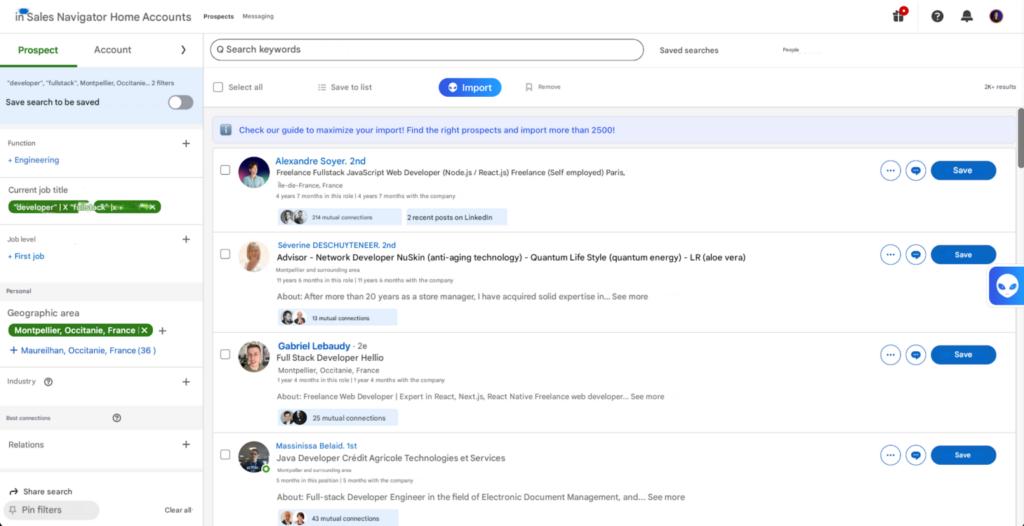
LinkedIn Sales Navigator displays a maximum of 2,500 results per search.
If your audience exceeds that limit, create several smaller searches using more specific filters. This allows you to capture more prospects while keeping your lists organized and segmented.
Step 4: Continue Prospecting After Your Trial Ends
Waalaxy lets you send between 80 and 100 connection requests per day. 🔥 You can set quotas to send actions on LinkedIn without exceeding the 200-per-week limit.
Exporting 25,000 leads into Waalaxy can give you enough prospects to fuel your outreach for months, all from just a handful of targeted Sales Navigator searches.
Once your database is built, simply cancel your Sales Navigator trial before the 30-day period ends to avoid being charged.
Since your leads are already stored in Waalaxy, you can continue prospecting without needing an active Sales Navigator subscription.
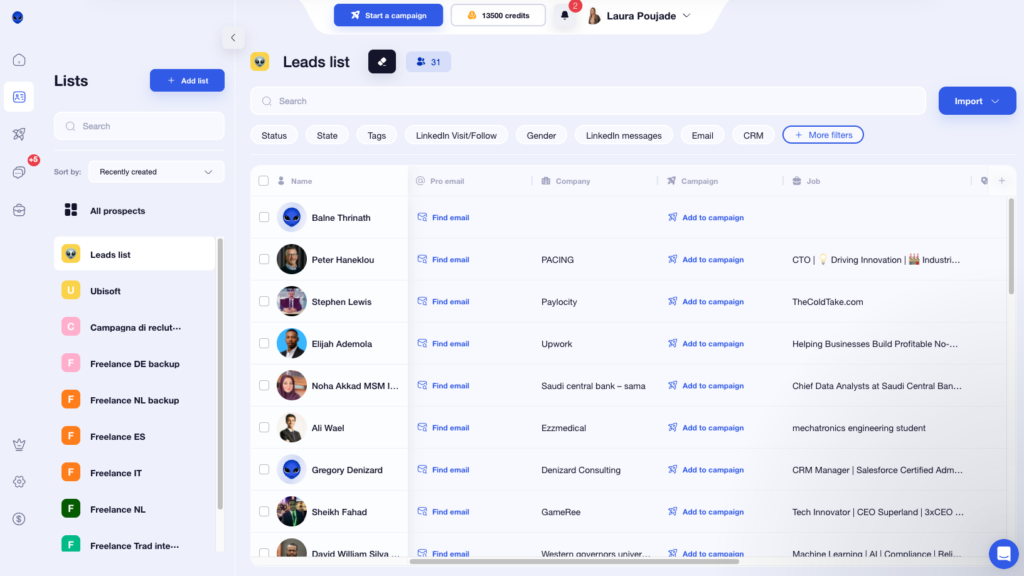
With Waalaxy, you can:
- 🤝 Send connection requests.
- 💬 Schedule automated messages.
- 📋 Organize your prospects into different lists.
- 🚀 Launch multi-channel LinkedIn + email prospecting campaigns.
- 📊 Track the performance of your campaigns.
If you import several thousand leads during your trial period, you’ll already have enough contacts to support months of prospecting activity.
If multiple people use LinkedIn in your company, each can take advantage of their own Sales Navigator trial to enrich the shared prospecting database. You can then consolidate all prospects in Waalaxy and manage them from a single account with the Team plan.
You can also use the CSV Export/Import feature to share prospect lists across your team.
What are the advantages and limitations of this technique?
Like any prospecting strategy, this approach comes with both benefits and limitations.
| Advantages | Limitations |
|---|---|
| Access LinkedIn Sales Navigator for free for 30 days. | Prospect data can become outdated over time. |
| Use advanced Sales Navigator filters to find qualified leads. | LinkedIn limits search results to 2,500 profiles per search. |
| Build a prospect database containing thousands of leads. | Large audiences often require multiple segmented searches. |
| Continue prospecting in Waalaxy after canceling Sales Navigator. | New searches require active access to Sales Navigator. |
| Reduce your overall LinkedIn prospecting costs. |

Let’s Recap How to Get LinkedIn Sales Navigator for Free
LinkedIn Sales Navigator remains one of the most effective tools for finding qualified leads and streamlining prospecting on LinkedIn.
The challenge is that subscription costs can add up quickly, especially for freelancers, startups, and growing sales teams. 💸
By combining the LinkedIn Sales Navigator free trial with Waalaxy, you can build highly targeted prospect lists, import your leads, and continue your outreach long after the trial expires. This approach gives you access to Sales Navigator’s advanced search filters without committing to a long-term subscription right away.
FAQ: How to Get LinkedIn Sales Navigator for Free ?
Can You Export Leads From Sales Navigator?
No. LinkedIn Sales Navigator doesn’t include a built-in feature for exporting leads directly to CSV or Excel.
With Waalaxy, you can import your Sales Navigator search results into prospect lists in just a few clicks. Once imported, you can organize, segment, and use those leads in your prospecting campaigns.
What Happens to My Prospect Lists After My Subscription Ends?
Once your Sales Navigator subscription expires, you’ll lose access to advanced search features, filters, and lead lists saved directly within Sales Navigator.
However, if you imported your leads into Waalaxy before your subscription ended, they’ll remain available in your account.
That means you can continue prospecting without interruption, launch campaigns, send connection requests, and follow up with leads even without an active Sales Navigator subscription. 🤓
Is Sales Navigator Included With LinkedIn Premium?
No, Sales Navigator is not included in LinkedIn Premium subscriptions. ❌
While both products are offered by LinkedIn, they serve different purposes :
| LinkedIn Premium | LinkedIn Sales Navigator |
|---|---|
| Professional network development. | Advanced sales prospecting. |
| Access to more profile information. | Over 50 advanced search filters. |
| InMails and profile statistics. | Lead management, lists, and alerts. |
| Suitable for networking and job hunting. | Suitable for B2B lead generation. |
How Long Is the LinkedIn Sales Navigator Free Trial?
The LinkedIn Sales Navigator free trial lasts 30 days. 🗓️ During this period, you have access to the same features as a paying user. Keep in mind that the free trial is typically limited to one activation per LinkedIn account.
How Do I Cancel the LinkedIn Sales Navigator Free Trial?
To avoid being charged, cancel your LinkedIn Sales Navigator free trial before the 30-day period ends. ❌
- Log in to your LinkedIn account.
- Go to Sales Navigator by clicking on your LinkedIn profile in the top right corner.
- Select Settings.
- Under Manage your subscription, click Cancel subscription.
- Follow the instructions until the cancellation is confirmed.
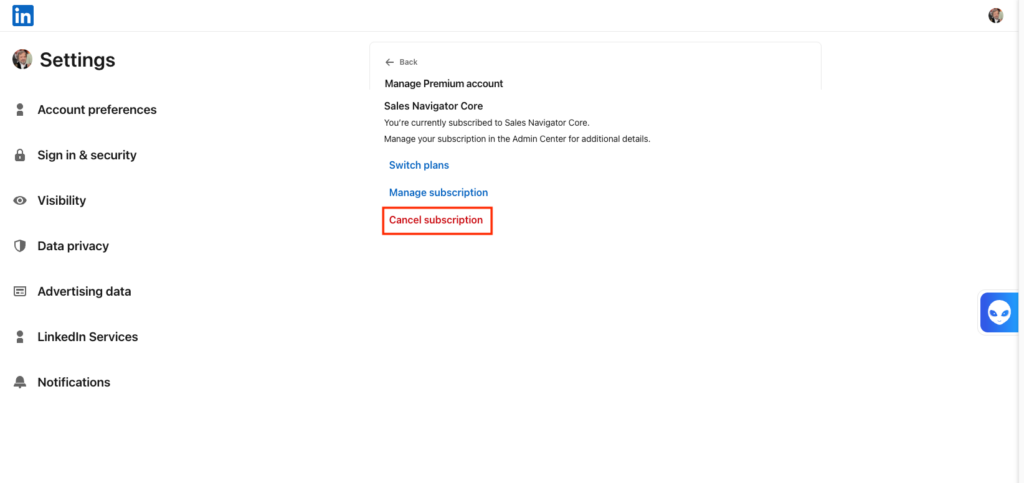
Cancellation must be completed before the end of the trial period; otherwise, LinkedIn will automatically charge your payment method. Once canceled, access to Sales Navigator features remains active until the end of the trial.
Are There Free Alternatives to LinkedIn Sales Navigator?
Yes, several free alternatives to LinkedIn Sales Navigator allow you to prospect effectively without a paid subscription:
- LinkedIn Advanced Search: By using the free filters (location, company, job title), you can already identify prospects to follow or join LinkedIn groups to identify opportunities.
- Google X-Ray Search: A Google search using the operator “site:linkedin.com/in” allows you to find targeted prospects without restrictions but is more difficult to use.
- CRM: Solutions like Waalaxy, which offers contact retrieval and prospecting features when used alongside Sales Navigator, and allows you to access it for free (yet another bonus).
Now you know how to get LinkedIn Sales Navigator for free! 🧚🏻♀️
 Elodie
05/06/2026
Elodie
05/06/2026 












