



If you’ve landed on this article, you’re probably looking for the perfect tool, LeadIn vs Waalaxy, to automate your prospecting on LinkedIn, via email… or both! 😎
In this guide, you’ll find a full comparison of both tools to help you choose what actually fits your goals. ✅
Let’s get started with the LeadIn vs. Waalaxy showdown! 🏁
LeadIn vs Waalaxy: Which LinkedIn automation tool is best for you?
Before we get into the details, here’s a quick comparison table to give you a clear overview. 😊
| Features | Waalaxy | Leadin |
|---|---|---|
| Chrome extension | ✅ | ❌ |
| Request a demo | ✅ | ✅ |
| CRM Integration / Integration | ✅ | ✅ |
| Sequence Templates | ✅ | 🟠 |
| Customizable worflow | ❌ | ✅ |
| Email finder | ✅ | ✅ |
| Multi-channel prospecting | ✅ | ✅ |
| Generative AI for messages | ✅ | ❌ |
| Message A/B testing | 🟠 | ✅ |
| Campaign statistics | ✅ | ✅ |
| Cloud tools | ✅ | ✅ |
| Team management | ✅ | ✅ |
| Creation of prospect lists independent of campaigns | ✅ | ❌ |
| LinkedIn messaging management | ✅ | ✅ |
| LinkedIn feed integrated into the tool | ❌ | ✅ |
| Tool integration into LinkedIn | ✅ | ❌ |
| Multilingual platform | ✅ | ✅ |
| Customer support | ✅ | ✅ |
| Help Center / Blog | ✅ | 🟠 |

Introduction to Waalaxy
Waalaxy is a prospecting tool designed to easily automate your outreach strategy on LinkedIn and via email. 👽
Available as a Chrome extension, it’s intuitive, secure, and easy to use. No technical skills. No database setup. Just plug in and go. 😉
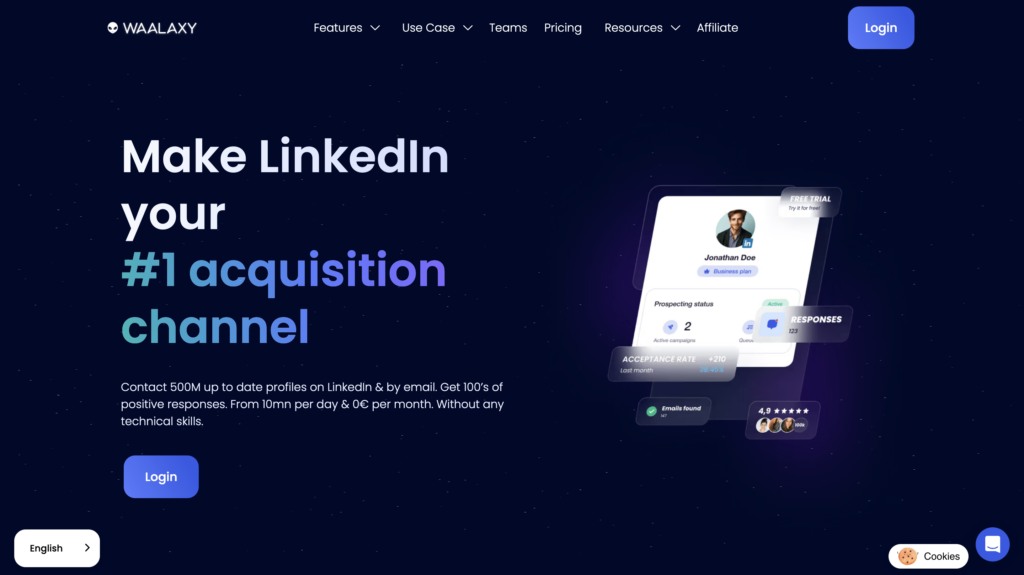
In terms of volume, the tool lets you send up to 200 invitations per week (about 800 per month), more than enough to prospect effectively without overcomplicating things. 😌
While many prospecting tools are powerful… but complex 😅, Waalaxy keeps things simple.
The main features are 👇🏻:
- 🟣 Automation of LinkedIn campaigns (invitations, messages, follow-ups).
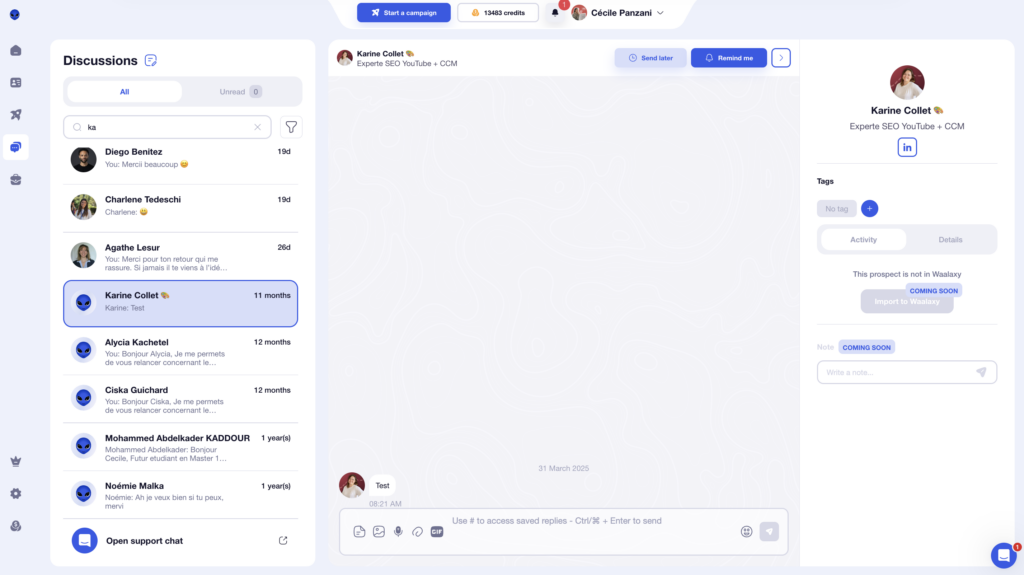
- 🟣 Unified inbox to centralize all your conversations.
- 🟣 Ready-to-use multi-channel LinkedIn and email sequences.
- 🟣 Email Finder to retrieve professional email addresses.
- 🟣 AI-powered lead scoring to identify the most engaged prospects.
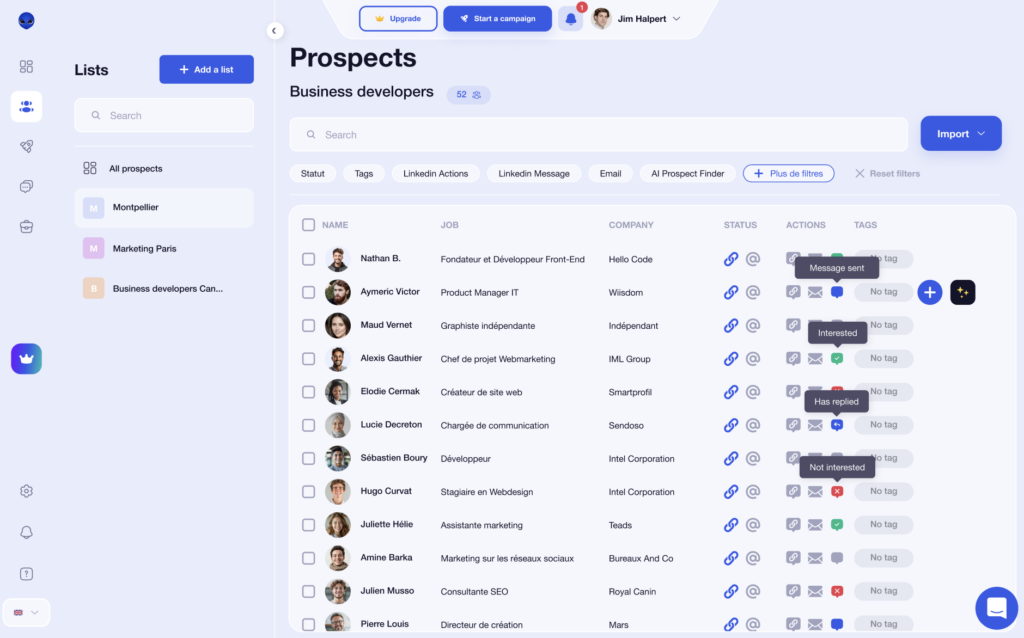
- 🟣 Automatic import of leads based on their LinkedIn interactions.
- 🟣 Integrations with CRMs (HubSpot, Make, N8N…).
- 🟣 Collaborative features (multi-account support, template sharing).
- 🟣 Telemarketing tool (Skipcall) to accelerate the sales cycle.
How much does the Waalaxy extension cost?
Waalaxy pricing start at $21 per month. 👀
Monthly
Quarterly
Yearly
Without Inbox
With Inbox
Add-on

Waalaxy reviews: what do its customers think?
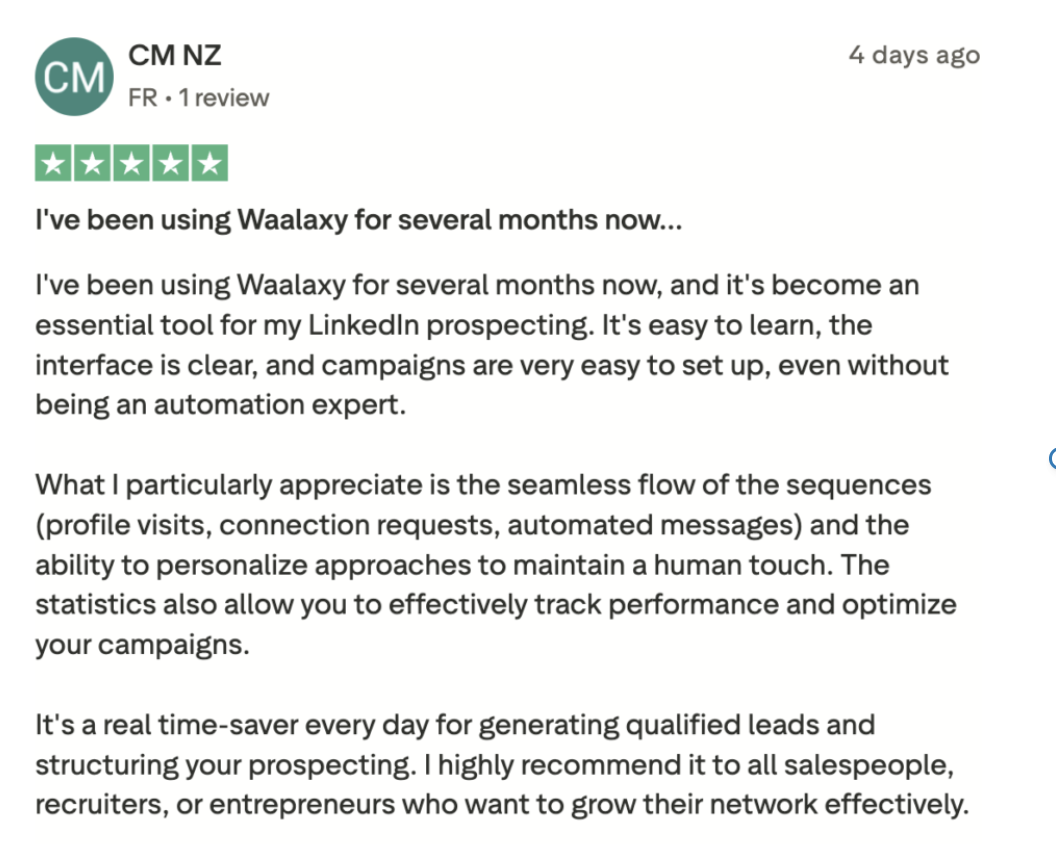
👽 Waalaxy is fortunate to have users who share their experiences. What stands out from these reviews:
- A simple, intuitive interface. 🖥️
- Easy onboarding, even without technical skills. ✋
- Fast, responsive support. 📞
- Strong performance when it comes to generating qualified leads. ✅
Another key feature: The tool is available in 10 languages, which is ideal if you’re prospecting internationally! 🌍
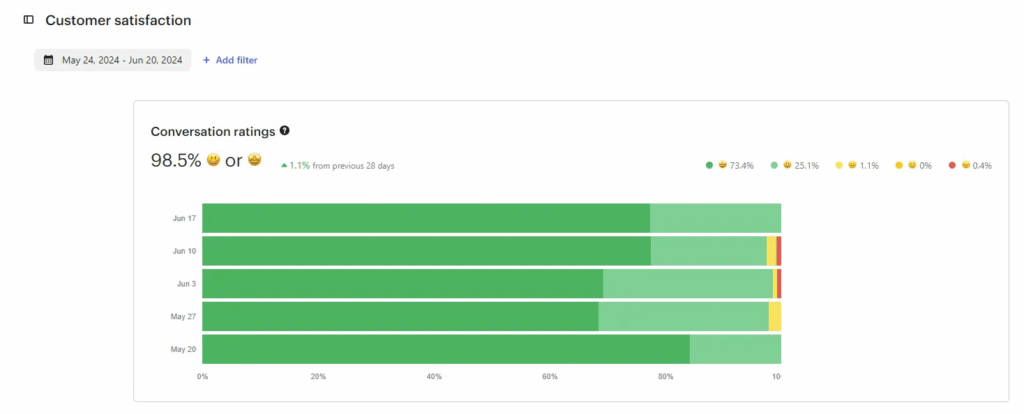
And when it comes to support, user feedback is overwhelmingly positive, with near-perfect satisfaction scores. 🤩
Introducing Leadin
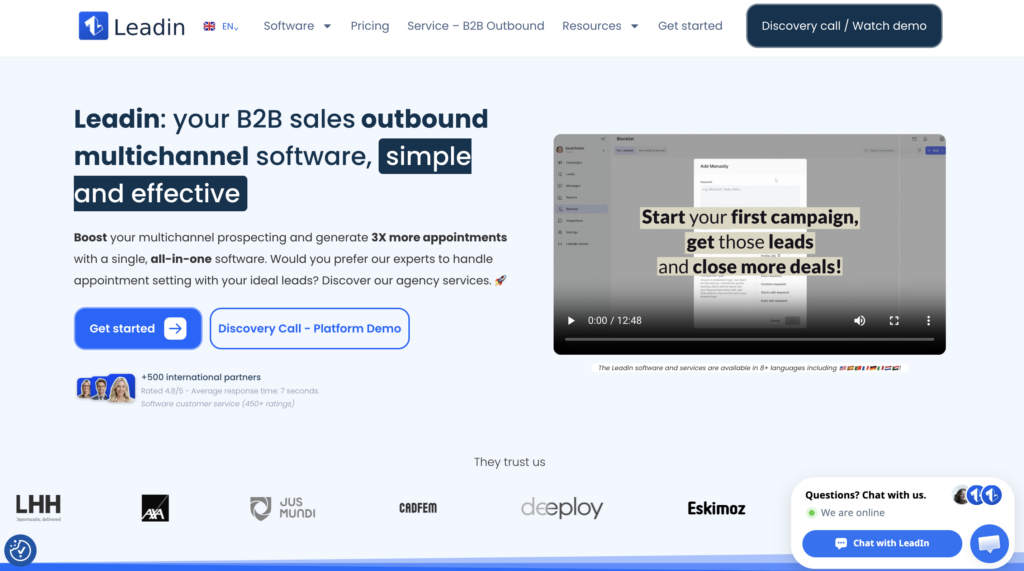
Leadin is a B2B prospecting tool designed to structure and optimize your prospecting on LinkedIn and via email. 🚀
Unlike more basic tools, LeadIn focuses on performance and personalization to help you generate higher-quality leads. 🤓
Leadin allows you to:
- 🔵 Automate LinkedIn campaigns (visits, invitations, messages).
- 🔵 Set up personalized multi-channel sequences (LinkedIn + email) with advanced scenarios based on prospect behavior.
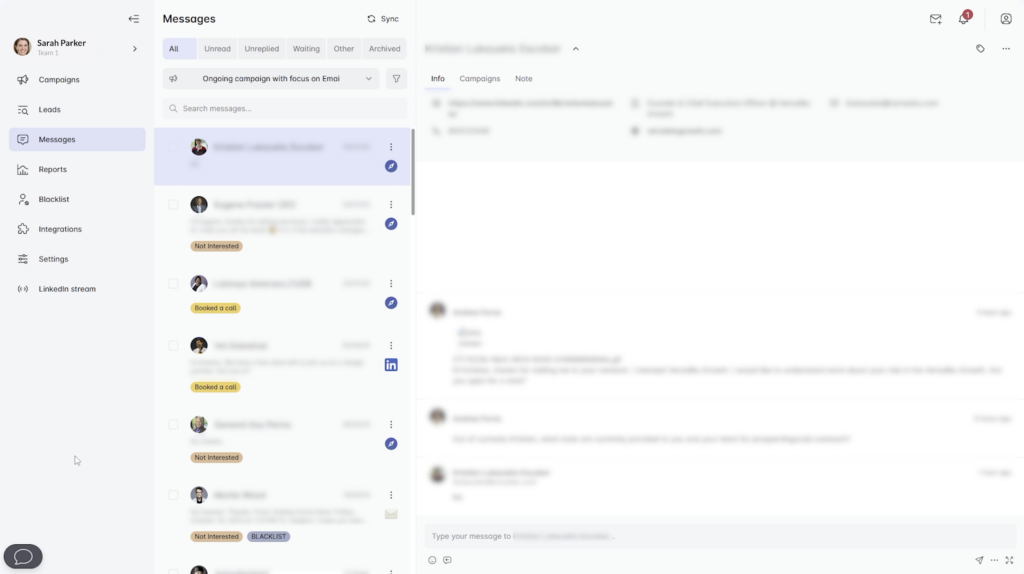
- 🔵 Centralize and manage all your prospect conversations through a dedicated inbox.
- 🔵 Launch email campaigns with automated sends and follow-ups.
- 🔵 Track performance via a detailed dashboard.
- 🔵 Leadin integrates a LinkedIn stream, allowing you to connect to your account and interact directly with LinkedIn from within the tool.
While Waalaxy’s philosophy is centered on a product accessible to everyone, Leadin seems to target similar but more expert users with a larger budget. 💰
➡️ Thus, Leadin stands out with:
- More advanced (and more complex) settings.
- A less guided, less educational experience.
- The ability to outsource your prospecting.
How much does Leadin cost?
At Leadin, the plans are more expensive than at Waalaxy. You’ll have a choice between two types of subscriptions: a software license for €97/month. 💸
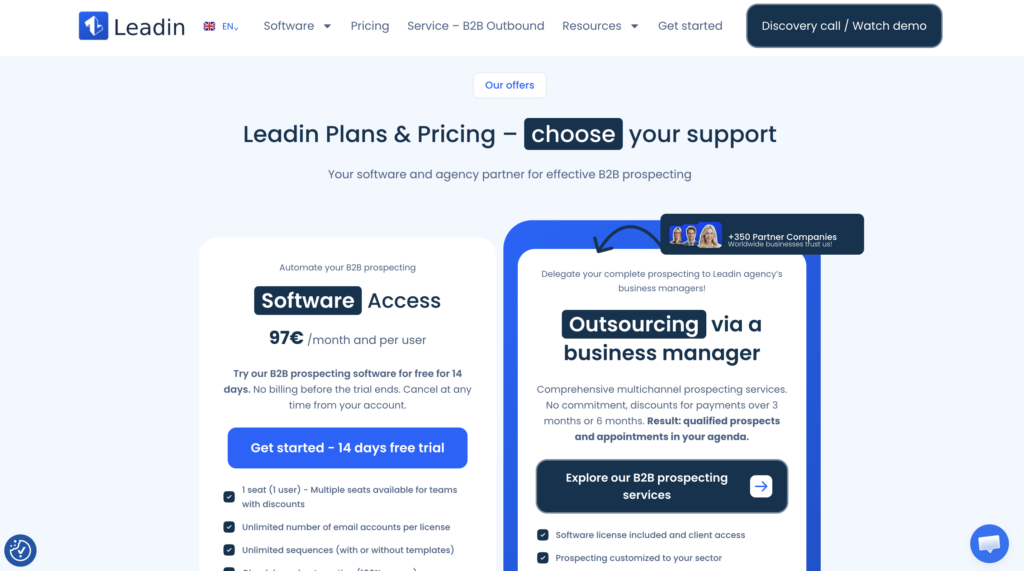
There’s also a 14-day trial but you’ll need to enter your payment details to try it out. ⏳
LeadIn reviews: what do users say?
There aren’t many customer reviews available, aside from those on the LeadIn website, it has an average rating of 3.7 on Trustpilot, with no new reviews since 2025… However, users seem to particularly appreciate the expertise of the LeadIn teams, as well as the quality of their support and responses. 🤝

LeadIn vs. Waalaxy: Which tool is the best fit?
That’s it! We’ve reviewed the features, pricing, and reviews… now let’s get down to the practical details.👇 How do the two tools work? 👀
1) Connect to your LinkedIn account
Before you can launch your campaigns, the first step is, of course, to connect your LinkedIn account to the tool. 🛠️
How do you do this with Waalaxy?
With Waalaxy, syncing the tool with your LinkedIn account takes just a few clicks. 🤗
Once you’ve signed up, a window will automatically open asking you to link your account by entering your LinkedIn credentials. You’ll then be asked to enter a verification code that you’ll have received via email, and… that’s it! 👌
How to use LeadIn ?
In theory, LeadIn makes it simple to connect both your LinkedIn account and your email inbox.
👉 But in practice, setup can take a bit longer than expected:
- Creating an account (“ or ”) to link your accounts.
- Synchronizing LinkedIn involves several steps (uploads, CAPTCHA, PIN code, etc.).
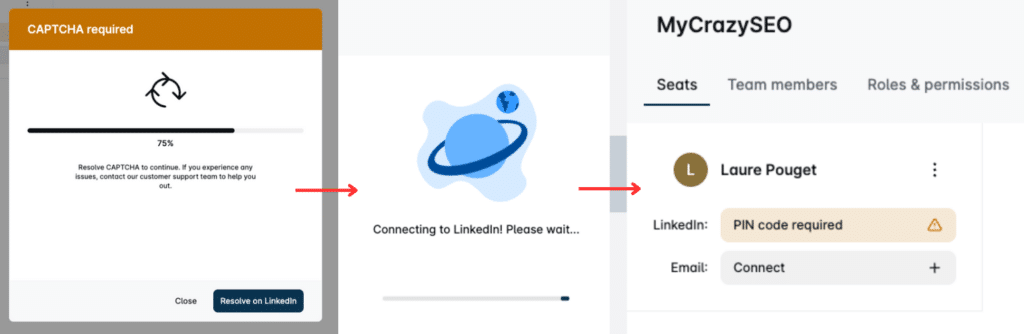
- Email connection can be unstable, sometimes requiring you to repeat steps.
2) Automate your prospecting campaigns on LinkedIn
Launching your first campaign is the easiest way to understand how each tool works and see the differences in action ! 👀
Launch a campaign with Waalaxy
With Waalaxy, campaign creation is fast and easy. 😊
As soon as you log in, you can click on « Start a campaign». You’ll then be guided step-by-step through setting up your outreach, without needing any special technical knowledge. 🧘🏻♀️

Waalaxy provides ready-made sequences tailored to the most common use cases. You simply select the one that matches your goal, saving you from having to build the entire campaign logic yourself. You can filter sequences by 👇🏻:
- 🎯 Target: Contacts or non-contacts.
📡 Channel: LinkedIn, Email, or multichannel.
⚙️ Actions: Follow, visit, connect, message, enrich your data…
💬 Number of steps: LinkedIn messages or emails.
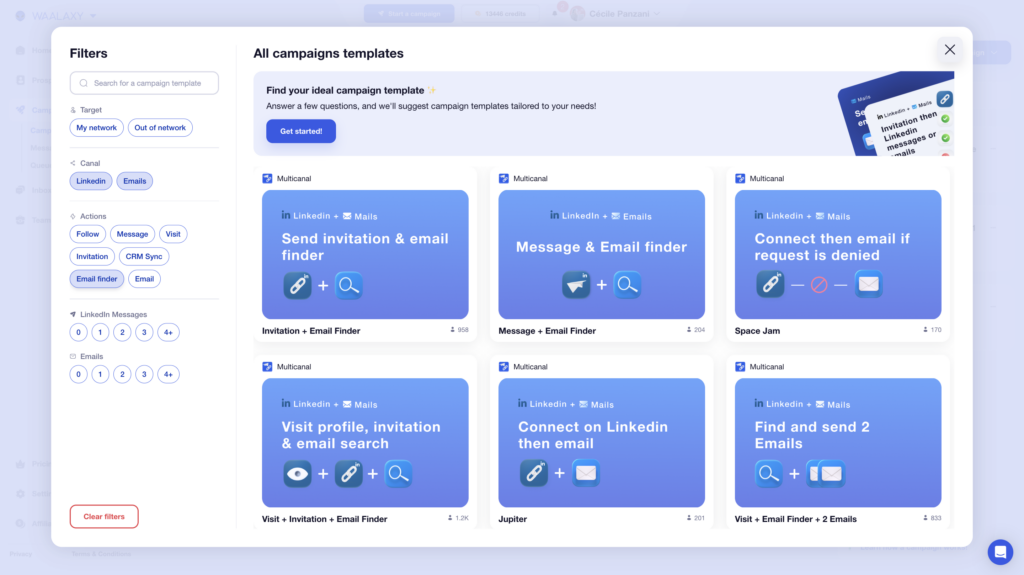
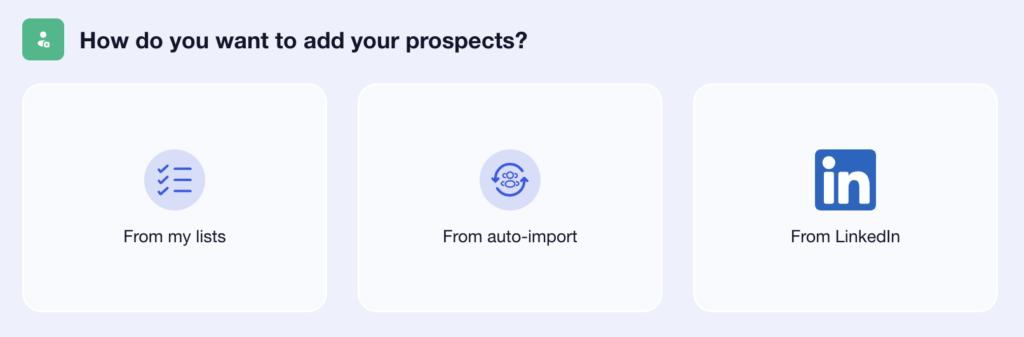
Once you’ve selected your sequence, give your campaign a name (trust us, it helps you stay organized), then move on to importing your leads 🤓
➡️ Several options are available to you:
- Import leads from your existing lists.
- Use auto-import to target people who have interacted with your LinkedIn profile.
- Import directly from LinkedIn via the Chrome extension (search or LinkedIn Sales Navigator).
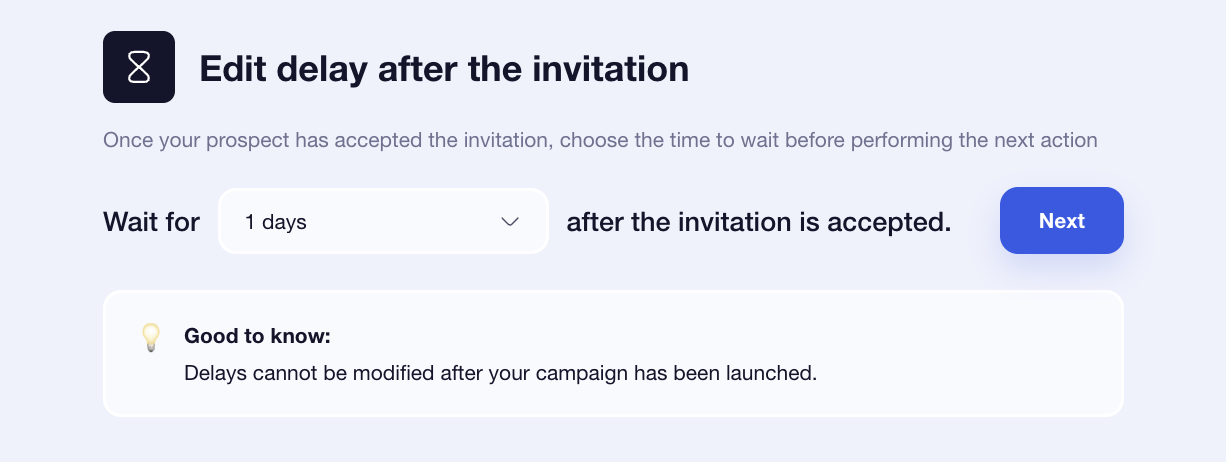
Finally, adjust the time intervals between each action (from 0 to 28 days). 📆
Launch a campaign with LeadIn
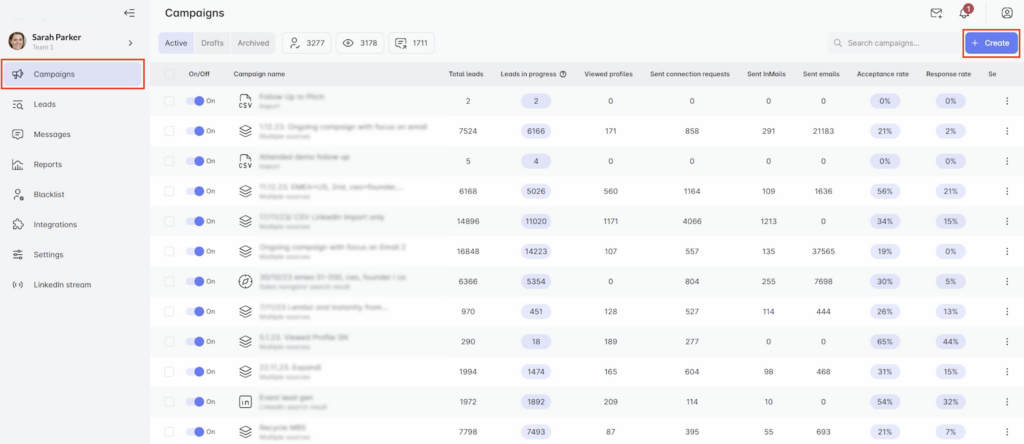
To get started, go to the ”Campaigns”, then click “ Create ” to launch a new campaign. 🤓
LeadIn first asks you to choose where your leads come from 👇🏻:
- From a LinkedIn search.
- From Sales Navigator.
- From LinkedIn Recruiter.
- From a LinkedIn post.
- From a CSV import.
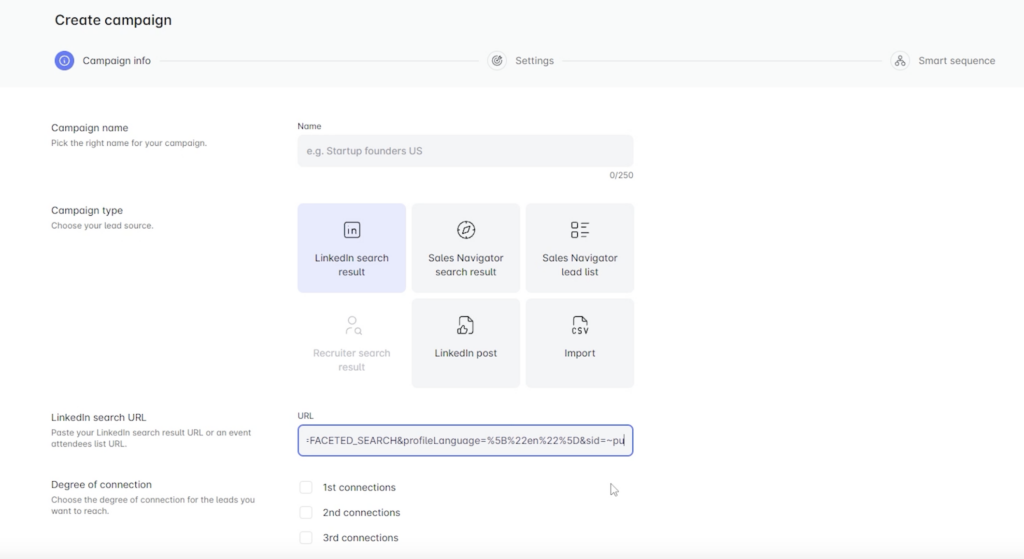
Unlike Waalaxy, you’ll need to paste a LinkedIn search URL to import leads which makes the process a bit less seamless. 👀
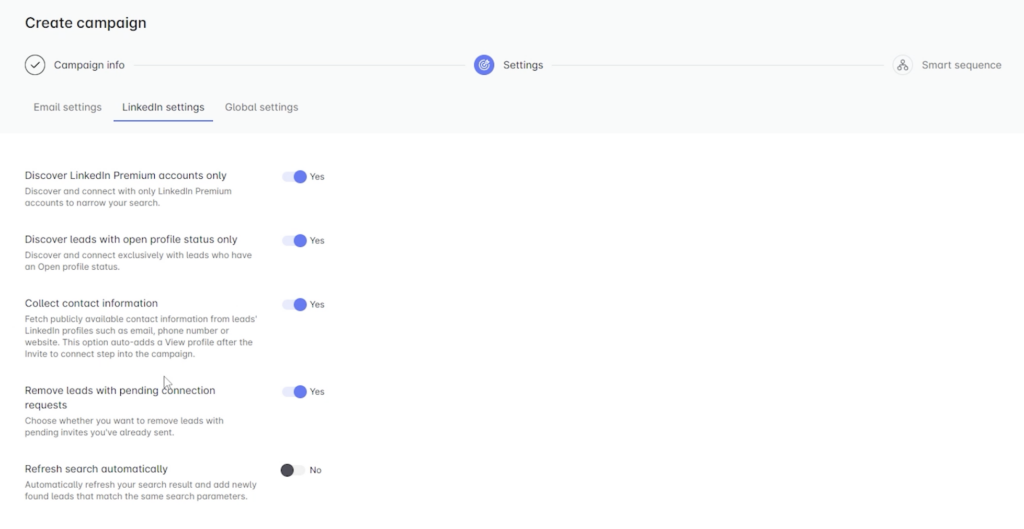
Next, you’ll access the campaign settings, organized into different sections:
- Email settings. 📧
- LinkedIn settings. 💼
- Global settings such as campaign duration…⚙️
Here’s a quick recap:
| Features | Waalaxy | Leadin |
|---|---|---|
| Simple, guided campaign creation | ✅ | ❌ |
| Ready-to-use sequences | ✅ | 🟠 (only 8) |
| Advanced custom sequences | ❌ | ✅ |
| Direct import from LinkedIn (extension) | ✅ | ❌ |
| Advanced campaign settings | 🟠 (limited) | ✅ |
| Multi-channel (LinkedIn + email) | ✅ | ✅ |
3) Write and personalize your B2B messages
Once your campaign is ready, it’s time to write your messages. 📨
With Waalaxy Extension
After selecting your prospects, you’ll get access to a dedicated space to write your LinkedIn messages.
👉Running out of ideas? Waami, the built-in AI, can instantly generate a personalized message for you. 😎
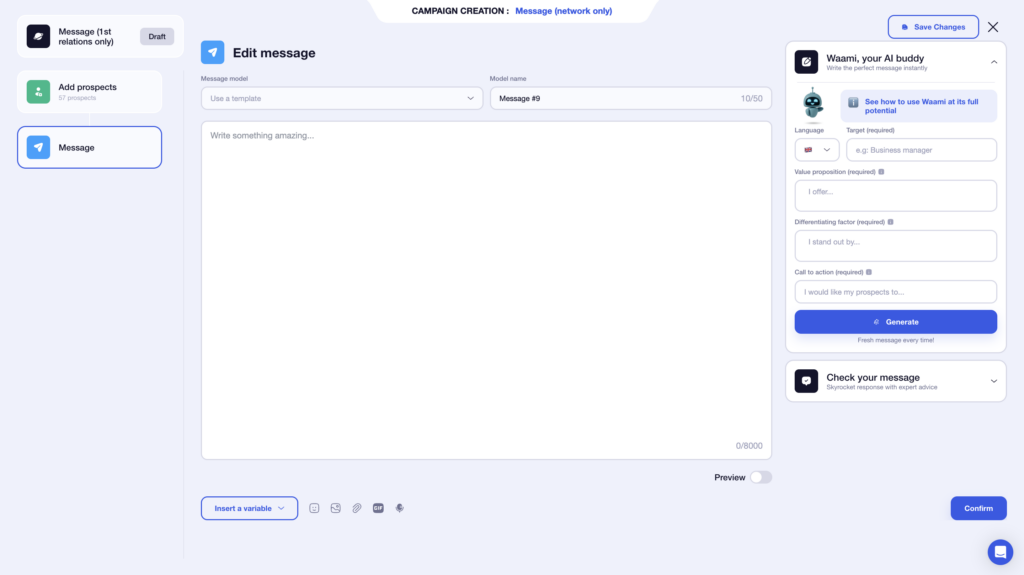
You can also save your messages as templates, so you can reuse them in future campaigns. 👀
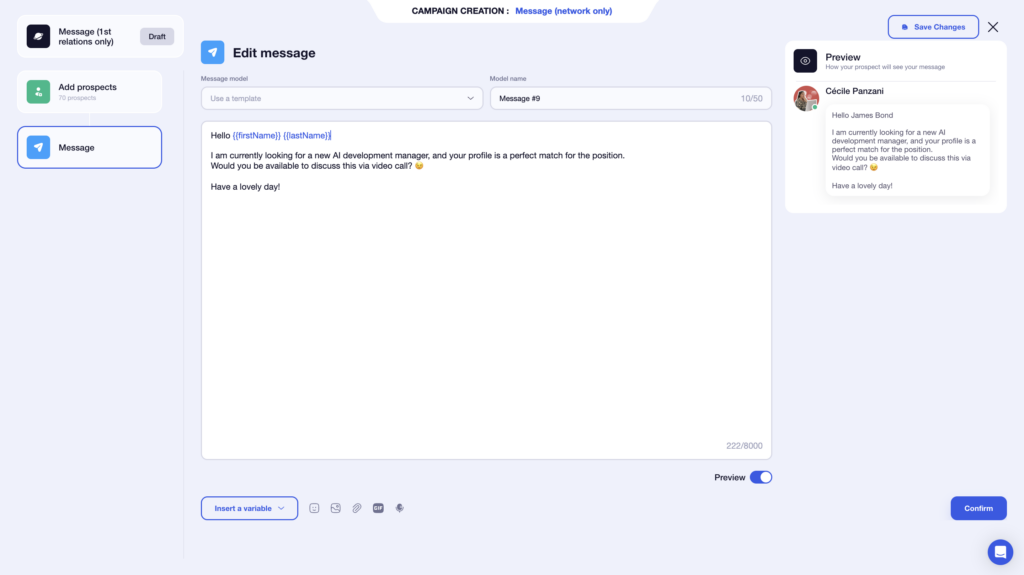
Waalaxy lets you add a variety of elements to make your messages more engaging:
- 🤔 Custom variables.
- 📸 Images.
- 🔗 Attachments.
- 🎥 GIFs.
- 🗣️ Voice messages.
You also get a real-time preview, so you can review the final result and catch mistakes before sending. 🤩
With a limit of 8,000 characters, you have plenty of room to express yourself freely… even though short messages generally perform best. 😉
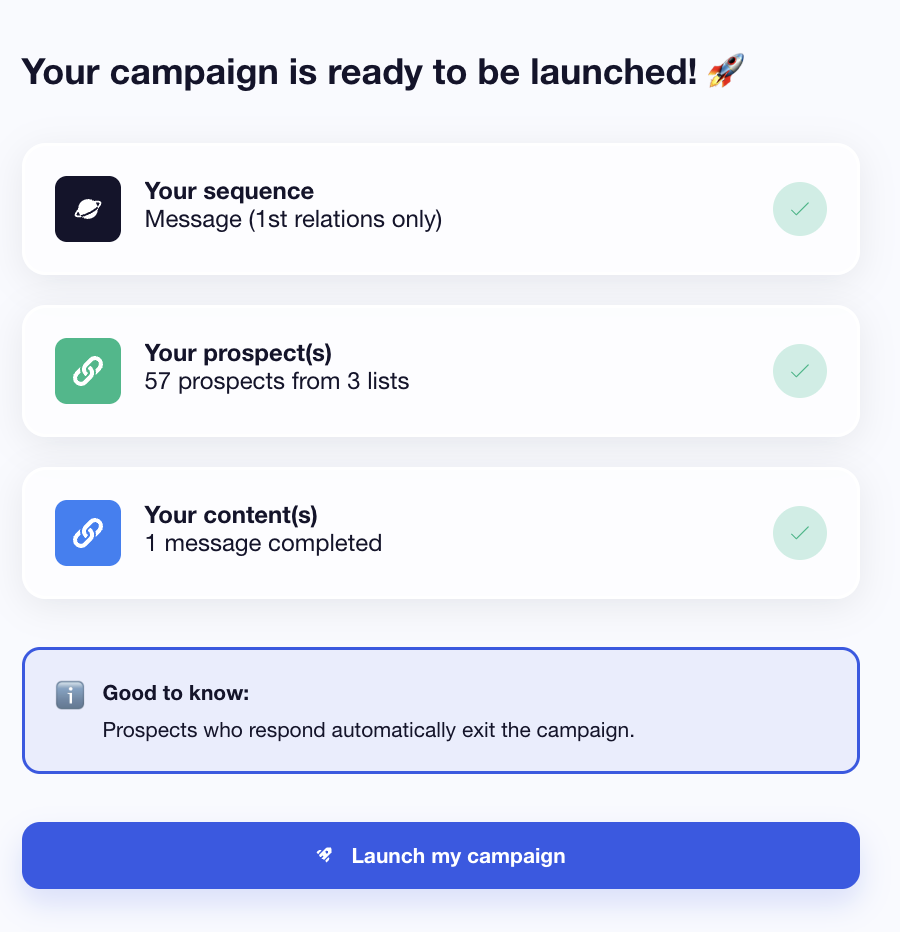
Once your messages are ready, you’ll see a campaign summary before launch. ⭐️
With LeadIn
LeadIn uses a drag-and-drop builder to create your sequences. You start with a source of leads, then gradually add actions 👇🏻:
- Profile visit.
- LinkedIn message.
- Email search.
You can save your sequence for later or choose from one of the 8 pre-built templates if you don’t want to start from scratch. 👩🏻🎨
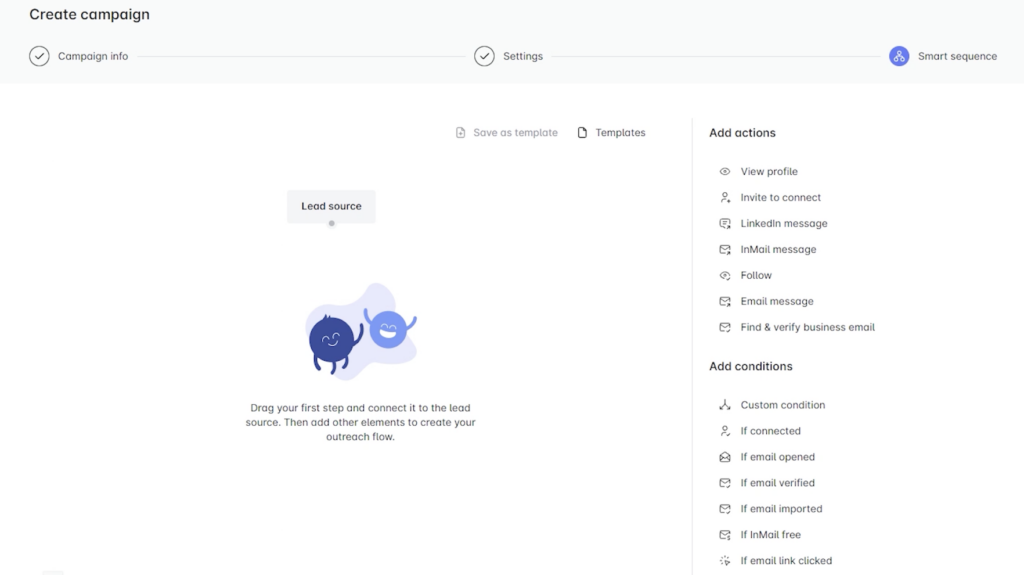
You can link actions together and add conditions (for example: if a prospect accepts your request, then send a message). 👀
With LeadIn, message writing is built directly into the sequence creation. ✍🏻
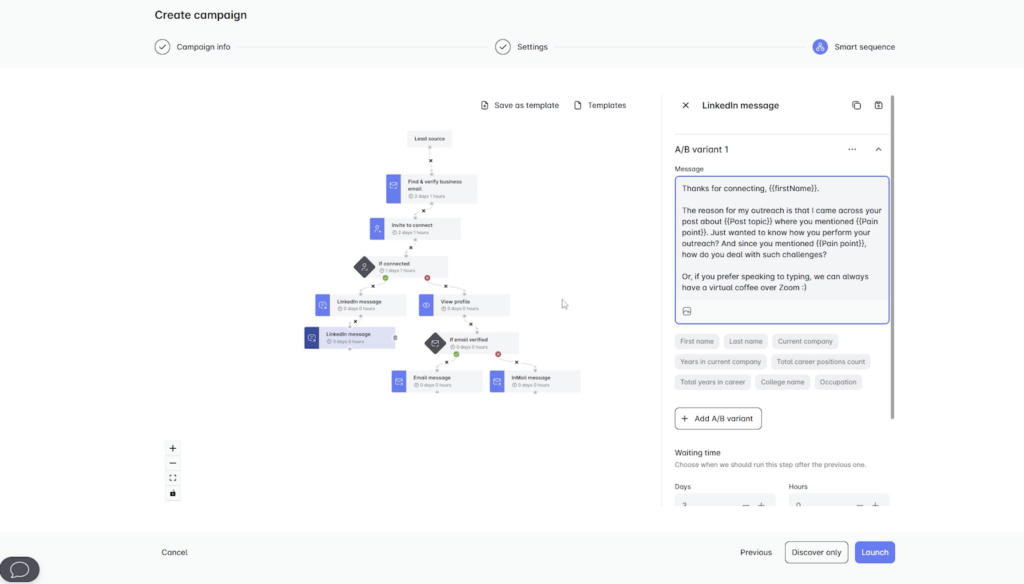
When you add an action “ LinkedIn Message ” or “ Email ”, you can:
- Compose your message.
- Add dynamic variables (first name, company, etc.).
- Write up to 5 variations for A/B testing.
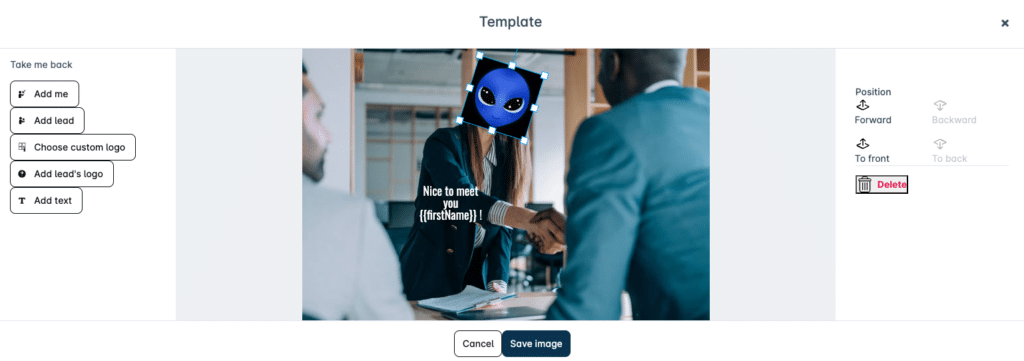
- Create a custom image directly using a logo, the prospect’s photo, or ours, along with text. However, you can’t add attachments, GIFs, or voice messages.
You can also control the delay between each action (in hours or days) to manage your follow-ups precisely. ⏳
One thing to keep in mind: if you build a more complex sequence without fully understanding the logic, you might run into a few small (🤏) roadblocks, like not being able to connect certain actions without a clear explanation why. 🥲
The comparison table is right here:
| Features | Waalaxy | Leadin |
|---|---|---|
| Dedicated message editor | ✅ | ❌ |
| AI for drafting messages | ✅ | ❌ |
| Custom variables | ✅ | ✅ |
| A/B testing of messages | 🟠 | ✅ |
| Rich messages (attachments, voice, GIFs, etc.) | ✅ | ❌ |
| Custom visual creation | ❌ | ✅ |
4) Track campaign results
Once your campaign is live, it’s time to analyze your performance—see what’s working and what needs improvement. 🫣
With Waalaxy
From the Waalaxy dashboard, you can easily access your stats right from the home page. 😇
➡️ You can refine your analysis using two main filters:
- The campaign launch date.
- The campaign you want to view.
The data is then divided into two sections: LinkedIn 🔵 and email marketing 🟣, providing a clear overview based on the channel used.
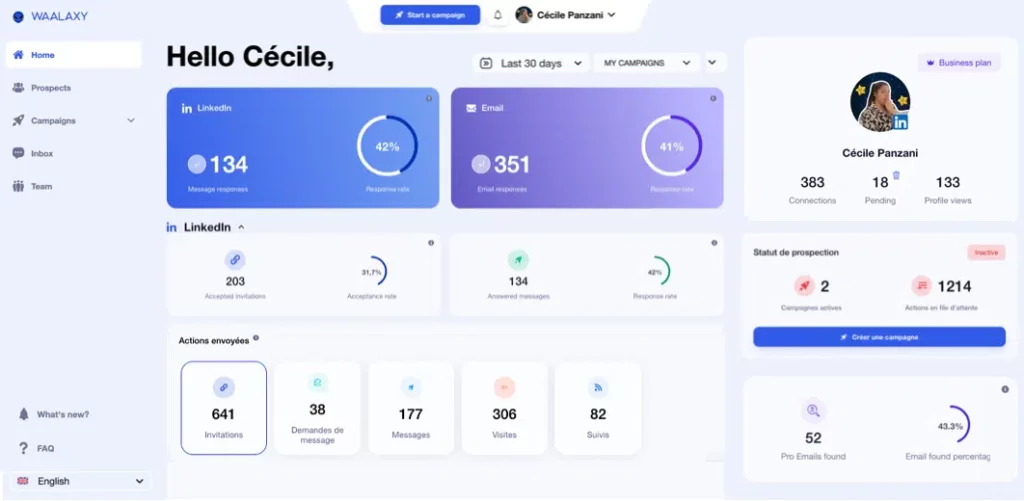
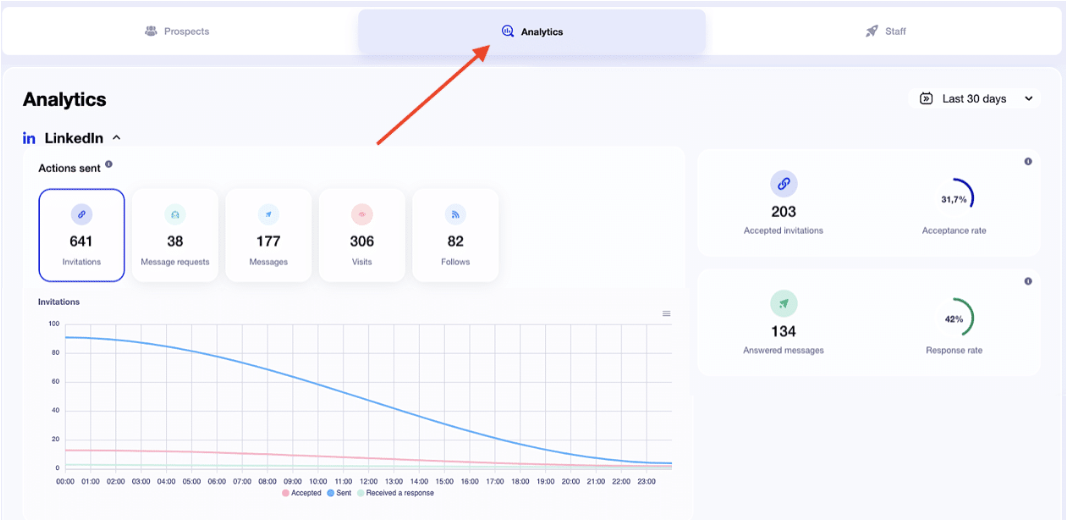
For each channel, Waalaxy surfaces the most important metrics. Based on your selected timeframe, you can track:
- The number of accepted invitations.
- The response rate.
- A visual breakdown of actions sent (exportable as a CSV file).
For email campaigns, you also get additional metrics like:
- 📬 The deliverability rate.
- 💬 The response rate.
- ❌ Undelivered emails and the bounce rate.
You can also view the statistics for each campaign in the corresponding statistics section. 😇
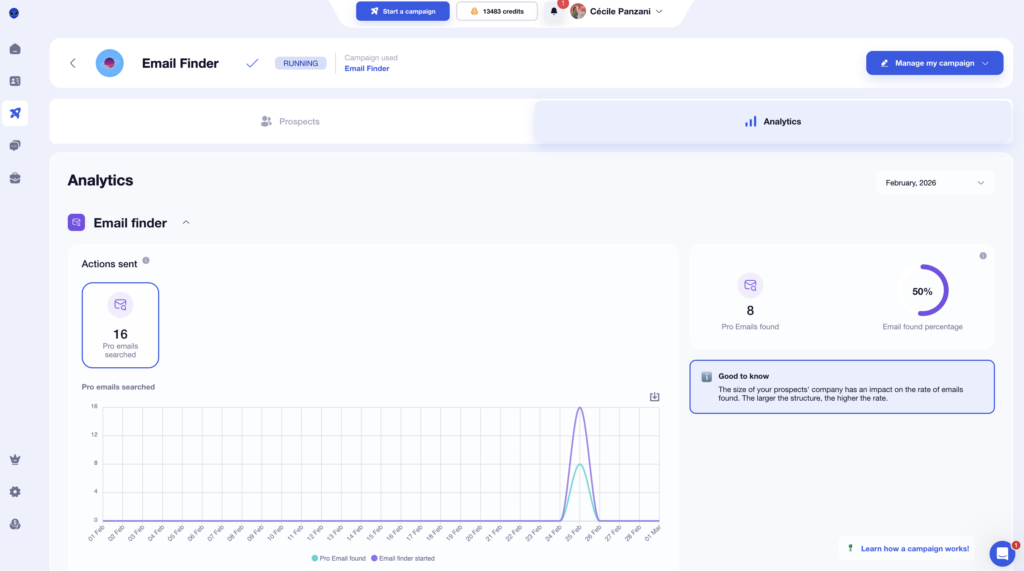
And it gets even better, your lists update automatically to show which prospects are interested based on their interactions. 😇
On the LeadIn side
When you go back to the Campaigns tab, you’ll see key metrics at a glance👇🏻:
- The number of active leads.
- Actions taken (visits, invitations, messages…).
- Response or acceptance rates.
For deeper insights, head to the “Reports” tab. There, you can analyze:
- A specific campaign. 👀
- All your campaigns combined. ⭕️
The data is displayed as charts with several metrics (messages sent, connection requests, emails, responses…).
Don’t select too many metrics at once—you’ll end up with cluttered charts that are hard to read. 😉
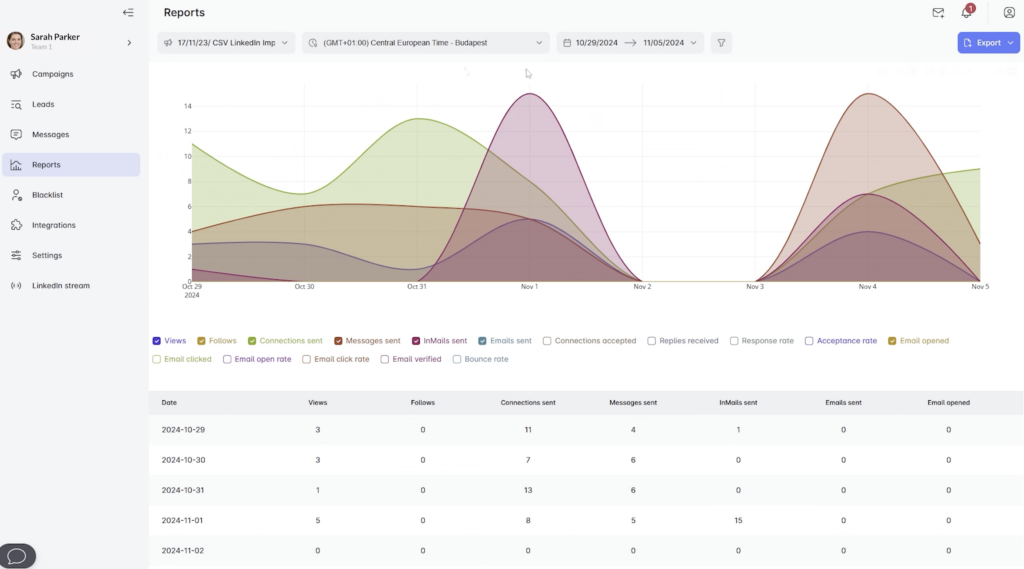
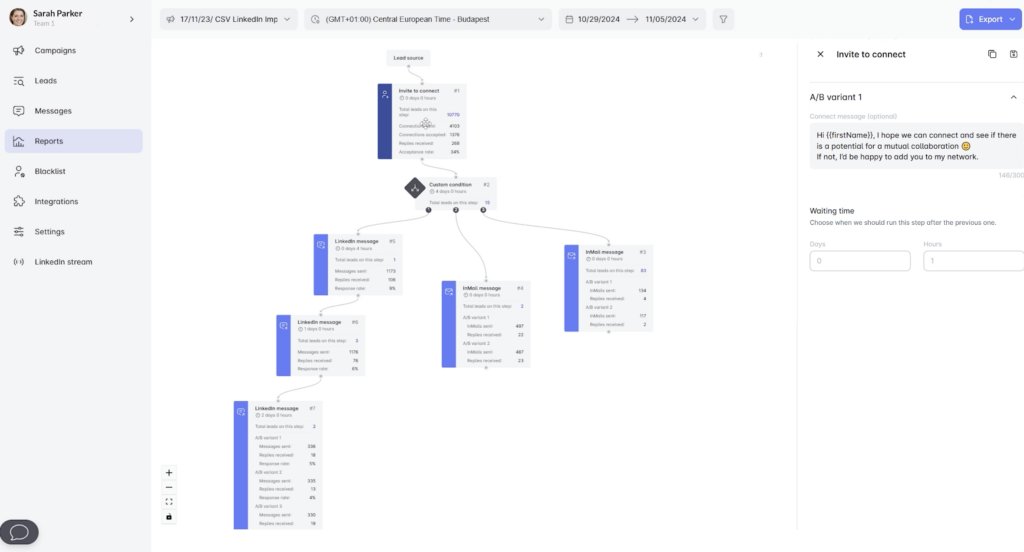
You can also track performance at each step of your sequence. ⭐️
LeadIn also includes a dedicated Prospects view, where you can see each lead’s status, their stage in the sequence, and detailed info. You can even add tags to help with lead scoring. 🤓
The analytics are solid, but there are a few downsides:
– Key metrics aren’t always highlighted, which can make insights harder to interpret.
– It’s not always easy to combine multiple campaigns for a full, high-level view.
– List management is fairly rigid, you can’t easily move leads between lists without recreating a campaign.
Here’s a summary:
| Features | Waalaxy | Leadin |
|---|---|---|
| Quick access to statistics (dashboard) | ✅ | ✅ |
| Filters (date, campaign) | ✅ | ✅ |
| Data breakdown by channel (LinkedIn / email) | ✅ | ❌ |
| View campaign stages | ❌ | ✅ |
| Detailed lead tracking (status, tags, etc.) | ✅ | ✅ |
| Clear and easy-to-read KPIs | ✅ | 🟠 |
5) Connect to CRMs and integrations
To get the most out of your outreach, connecting your tool to your existing stack (CRM, marketing tools, automation platforms…) is key. Let’s break it down. 👀
For Waalaxy
Waalaxy makes it easy to sync your campaigns with your CRM. You can connect natively to👇🏻:
- HubSpot.
- noCRM.
- Pipedrive.
You can also connect Waalaxy to other tools like Make, n8n, or Zapier via an API key. 🔑
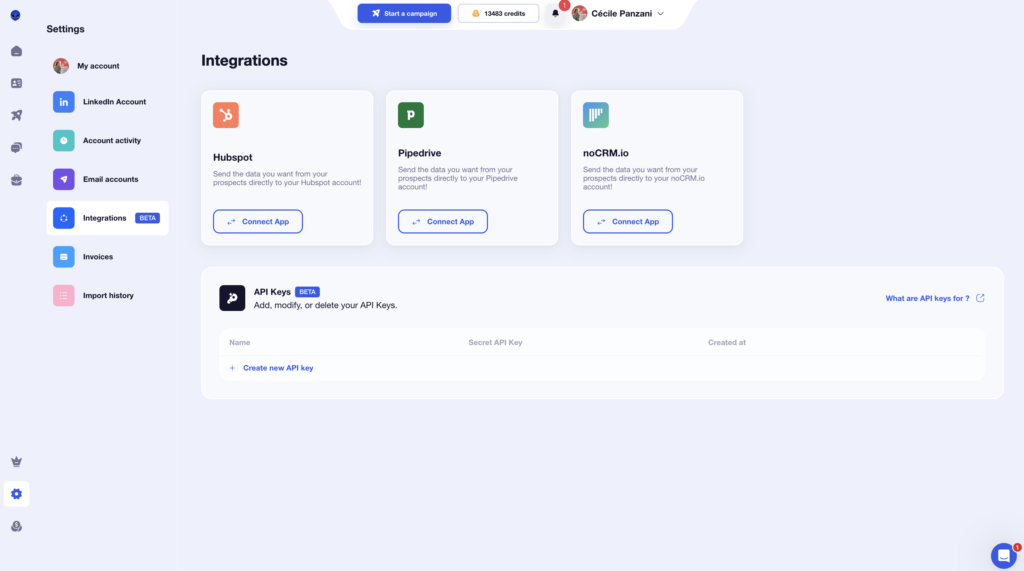
From your campaigns, you can also send your data to various tools such as Airtable, Brevo (Sendinblue), Sellsy, Axonaut, or Google Sheets. 💻
You can automate the transfer of your leads and centralize your data without having to perform manual tasks.🤓
For LeadIn
To connect LeadIn to your stack (CRM, no-code tools, automation, etc.), everything happens in the “Integrations” tab. 🔗
From there, you can create connections using webhooks making it easy to automatically send your data to other tools. 🧰
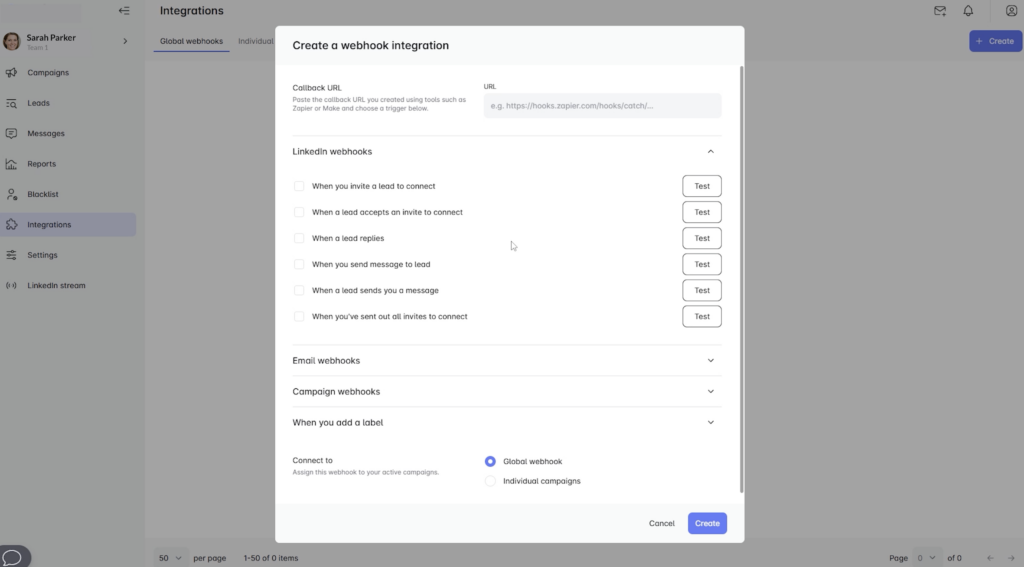
LeadIn can thus be synced with your tools via Zapier, Make, or API so you can automate data transfers and avoid jumping between tools. 😉
Here’s a summary:
| Features | Waalaxy | Leadin |
|---|---|---|
| Native CRM integrations (HubSpot, Pipedrive…) | ✅ | ❌ |
| Connection via Zapier / Make / API | ✅ | ✅ |
| Automatic data transfer (leads) | ✅ | ✅ |
| Connection via webhooks | ❌ | ✅ |
| No-code tools (Airtable, Google Sheets, etc.) | ✅ | ✅ |
| Simple setup (plug & play) | ✅ | ❌ |
6) Compare the UX/UI experience
Now let’s move on to the user experience and the tool’s design. 🎨
The Waalaxy user experience
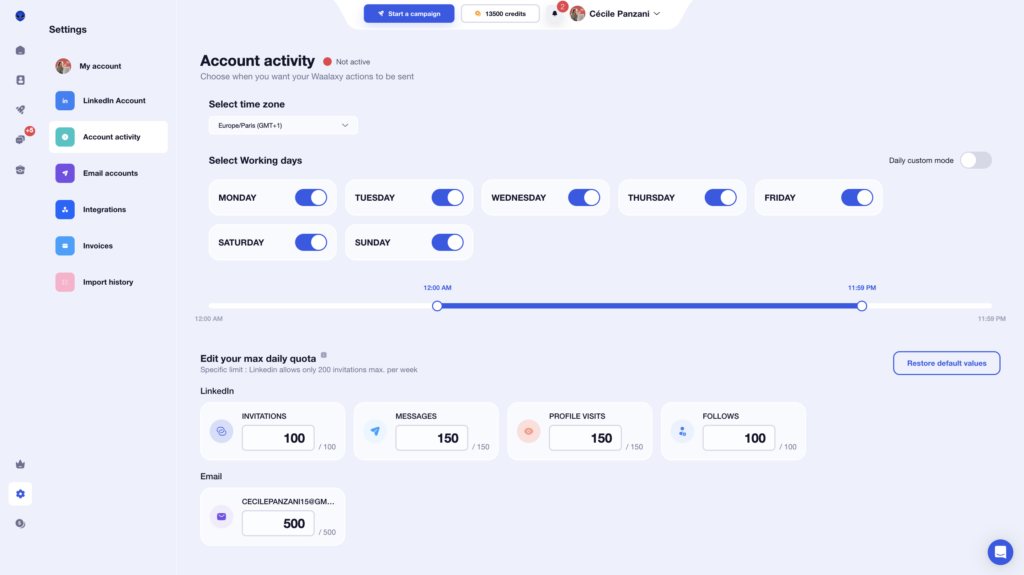
Waalaxy clearly focuses on a simple and effective interface, designed to be quickly understood. 😊
From the moment you start, everything feels intuitive. Key actions are easy to access, and you can instantly find your campaigns along with their performance metrics. No digging required everything important is right in front of you. 📊
The tool uses simple visual cues to help you navigate, including color-coding on LinkedIn campaigns so you can quickly understand their status.
- 🩶 Gray: not connected.
- 🧡 Orange: pending.
- 💙 Blue: connected.
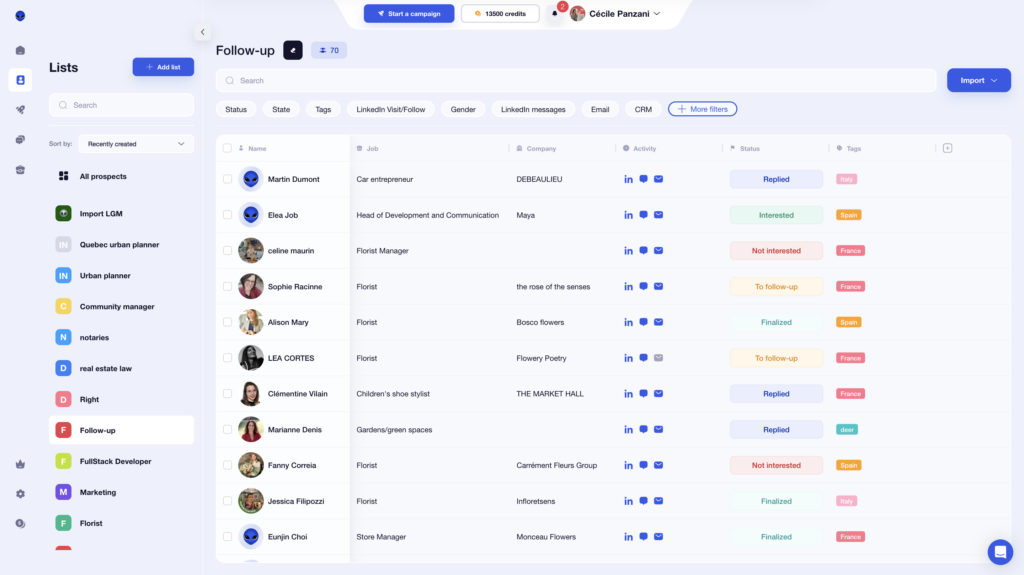
Contextual help shows up when you need it, giving you just enough guidance without overwhelming the interface. 👀
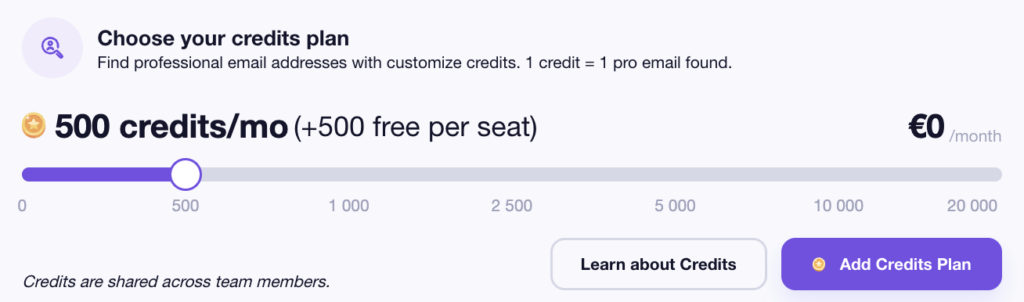
When it comes to the Waalaxy Email Finder, you can easily track your credits and purchase more directly from your profile. 💸
Waalaxy doesn’t require any technical skills. You can launch a campaign in minutes, monitor performance, and tweak your settings without friction. 😅
The platform also gives you clear, easy-to-read performance metrics so you can make decisions fast. 🛸
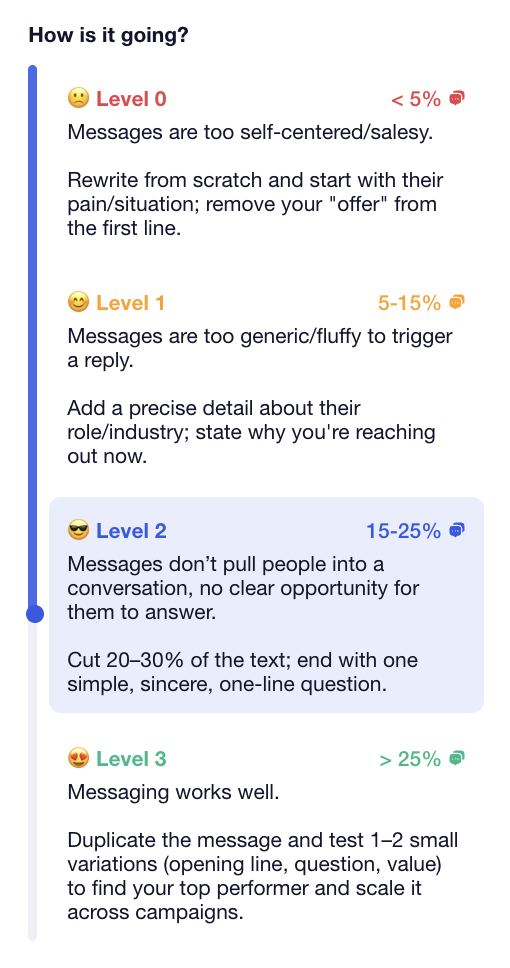
And you stay in full control of your campaigns:
- 📆 Choose your sending time slots.
- 🧾 Manage delivery quotas.
- 🎛️ Adjust your settings anytime.
The LeadIn User Experience
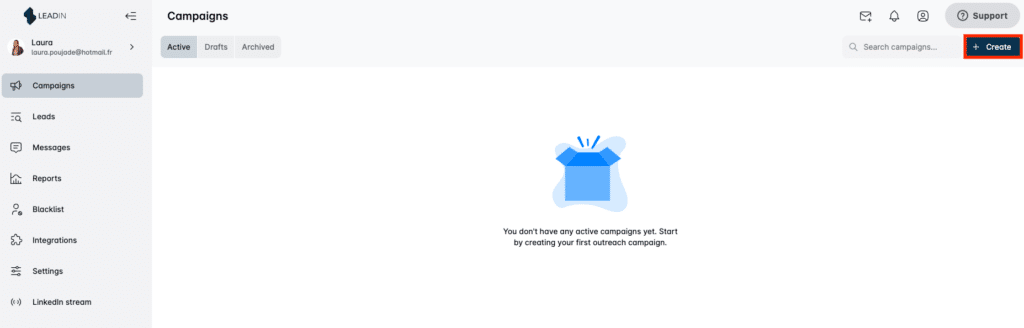
LeadIn offers a clean, functional interface, focused on efficiency over flashiness. 🤩
Once your accounts are connected, just click on your profile icon to access the campaign management dashboard. You’ll notice right away that LeadIn uses a minimalist design:
- A clearly visible “Create” button to launch a campaign.🚀
- A soft gray color palette with touches of blue. 🔵
- A straightforward menu to navigate between features. 🛠️
The tool also uses color coding to track the status of your actions :
- 🟠 Light orange: pending actions.
- 🟢 Green: connected prospects who have replied (or completed actions)
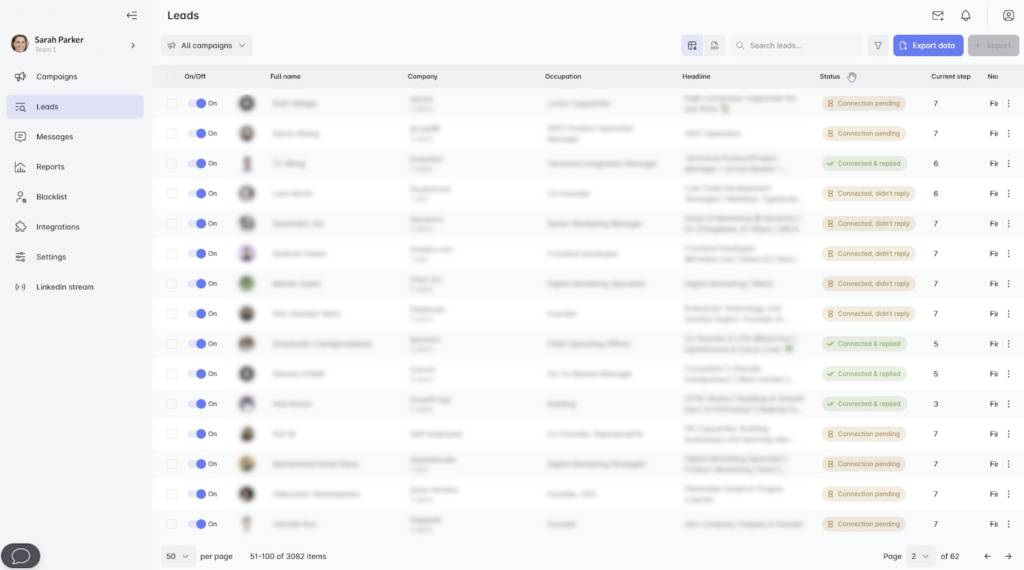
The tool is fairly intuitive you can easily access key sections like campaigns, prospects, messages, and reports, all organized in a clean, logical layout. 🤓
You’ll also find helpful tooltips on certain pages to guide you and make the platform easier to understand.
LeadIn offers advanced customization options, similar to Waalaxy. ⚙️
➡️ For example, you can set:
- Your activity time slots. ⏰
- Your daily limits (connection, messages requests, etc.). 📆
- The number of actions to stay within LinkedIn’s limits. 🙃
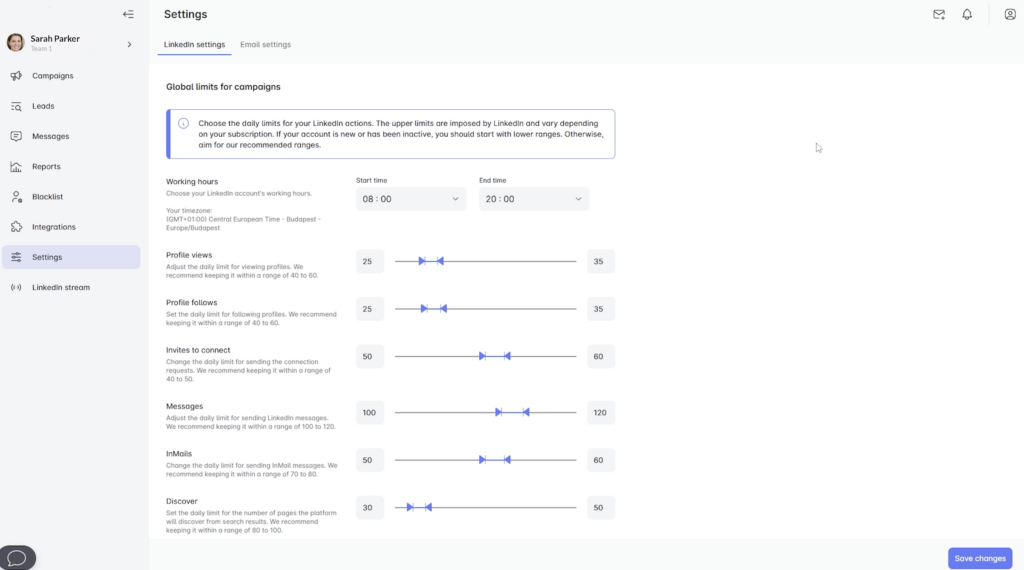
This gives you precise control over your outreach but don’t overdo it. Keep your activity as human-like as possible to avoid LinkedIn restrictions. 😣
Here’s how the two tools compare:
| Features | Waalaxy | Leadin |
|---|---|---|
| Intuitive, easy-to-use interface | ✅ | 🟠 |
| Clean, simple design | ✅ | ✅ |
| Color coding to track actions | ✅ | ✅ |
| Built-in contextual help | ✅ | 🟠 |
| Quick access to performance metrics | ✅ | ❌ |
| Advanced action settings | 🟠 | ✅ |
7) Utiliser le support et ressources
When you’re using a prospecting tool, the goal is simple: stay independent and move fast without relying on support at every step. Here’s how both tools help you do exactly that. 📚
Waalaxy Resources
Waalaxy offers responsive customer support via chat, available Monday through Friday, 8:30 AM to 6 PM. 📆
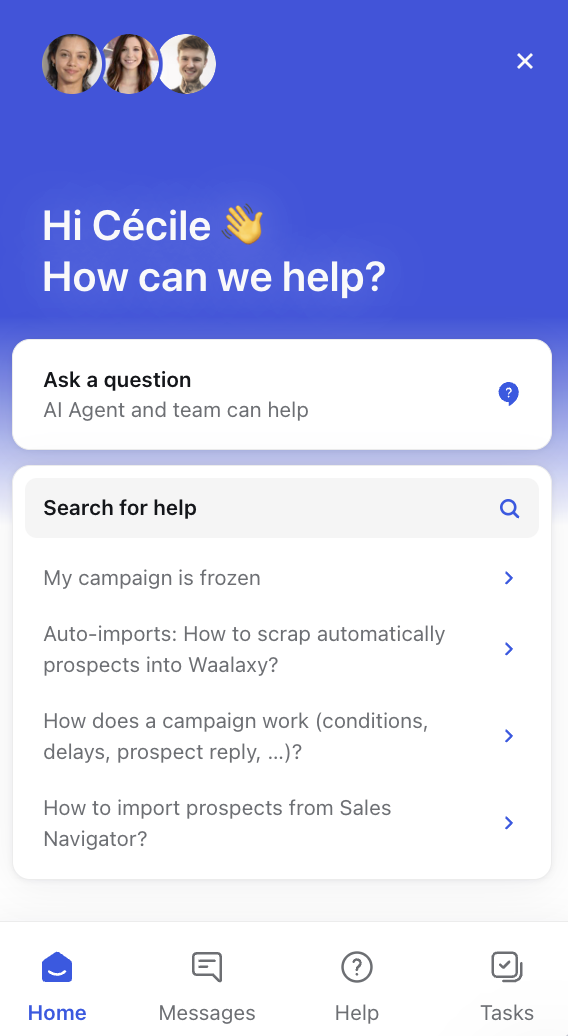
Before even reaching out, you get access to a comprehensive knowledge base that covers most common questions. Inside, you’ll find:
- 🤖 An AI agent to help you quickly find the right resources.
- ✔️ Clear, detailed answers.
- 🎥 Step-by-step video tutorials.
And that’s just the beginning. Waalaxy also provides a full ecosystem of resources to help you level up your outreach:
- 👩🏻🏫 A blog and Help Center packed with hundreds of articles to help you build and optimize your campaigns.

- 🛠️ An active community (3,900+ members) where you can share best practices, discover growth hacking tools, and talk outreach strategies.
- 📖 Extra content like a newsletter, YouTube channel, eBooks, and webinars
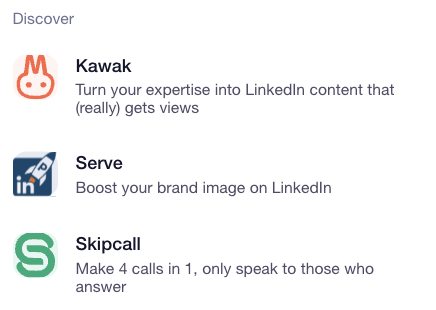
You can also easily connect with other tools in the ecosystem, like Skipcall or Kawaak.
Whether you’re just getting started or already experienced, everything is built to help you improve quickly with resources available 24/7. 🤩
LeadIn Resources
LeadIn also provides several resources to help you get up and running. 😉
➡️ Here’s what you’ll find:
- The LeadIn blog focuses mainly on prospecting and LinkedIn usage, with practical tips to improve your campaigns accessible directly from their landing page.
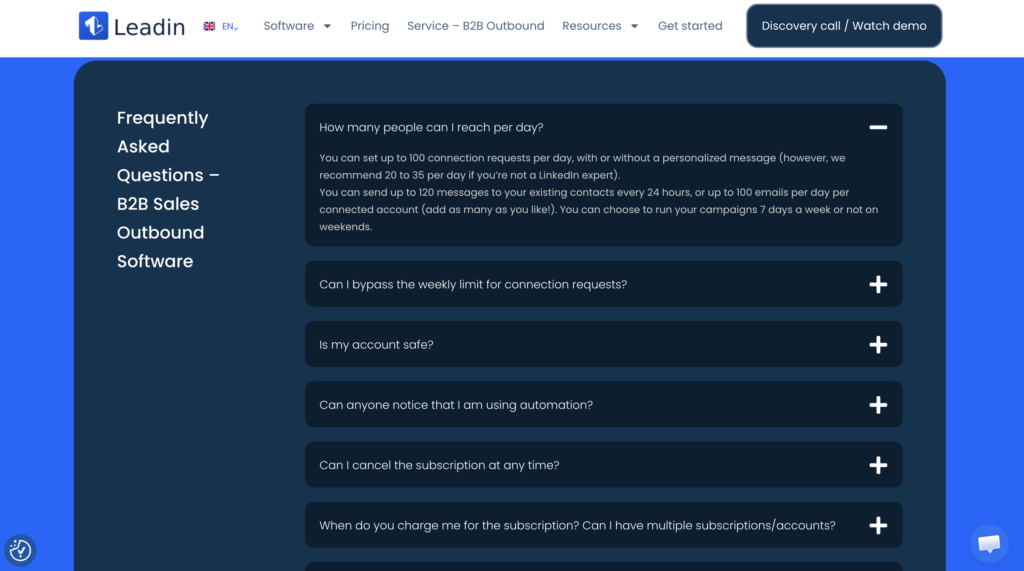
- On the homepage, there’s a FAQ section that answers common questions (billing, general usage, etc.).
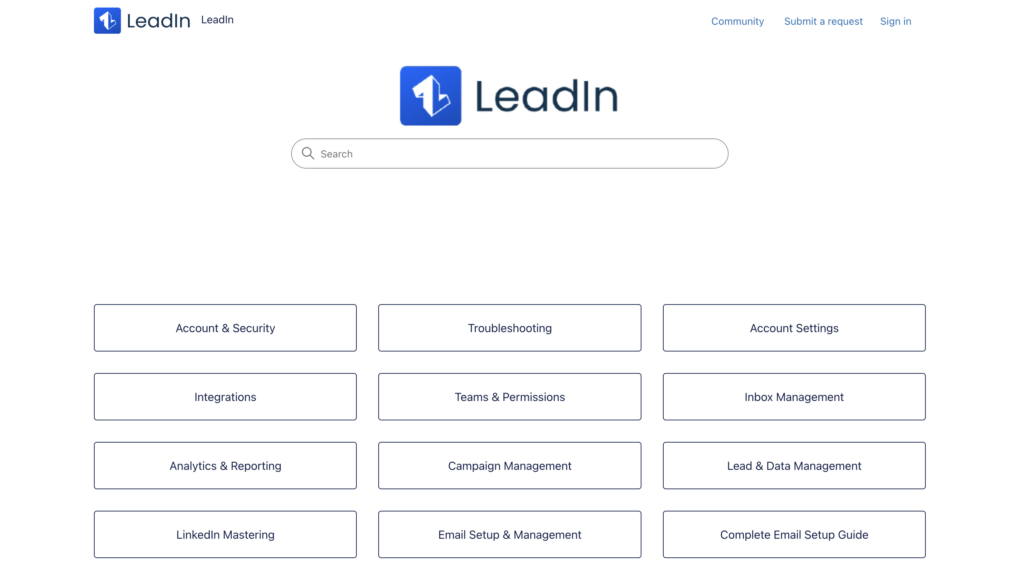
- For more technical topics, you can check out the Help Center. It’s fairly comprehensive… but only available in English. 🇺🇸
- This Waalaxy alternative also offers use cases to help you understand how to use the tool based on your role (sales, recruiting, marketing).
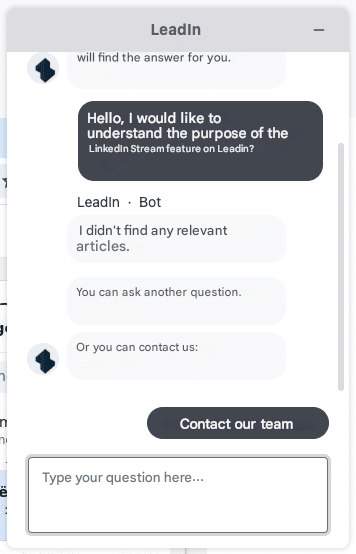
Inside the platform, you’ll find an integrated chat 💬 You ask a question, a bot suggests relevant articles and if needed, you can connect with a human support agent 👩🏻🏫
Here’s how they stack up:
| Features | Waalaxy | Leadin |
|---|---|---|
| Live chat support | ✅ | ✅ |
| Help Center | ✅ | 🟠 (English only) |
| Video tutorials | ✅ | ✅ |
| Blog & educational | ✅ | ✅ |
| Active community | ✅ | ❌ |
| Advanced resources (webinars, eBooks…) | ✅ | 🟠 |
Quick recap of resources LeadIn VS Waalaxy
The LeadIn vs Waalaxy match is coming to an end. 🥊
At the end of the day, the right choice depends on your experience level and what you’re looking for. 👇
- 🟣 Waalaxy is clearly the most accessible option: easy to use, quick to learn, and perfect for launching campaigns without friction.
- 🔵 LeadIn, on the other hand, is better suited for users who want more customization and controleven if it means a steeper learning curve.
FAQ : Leadin vs Waalaxy
How do you blacklist someone in LeadIn?
LeadIn offers a simple, easy-to-use blacklist feature to keep certain prospects out of your campaigns. You can blacklist a contact in two ways 👇🏻 :
- Only for your personal campaigns. 🙆🏻♀️
- Across all campaigns, including your sale team’s. 👯♂️
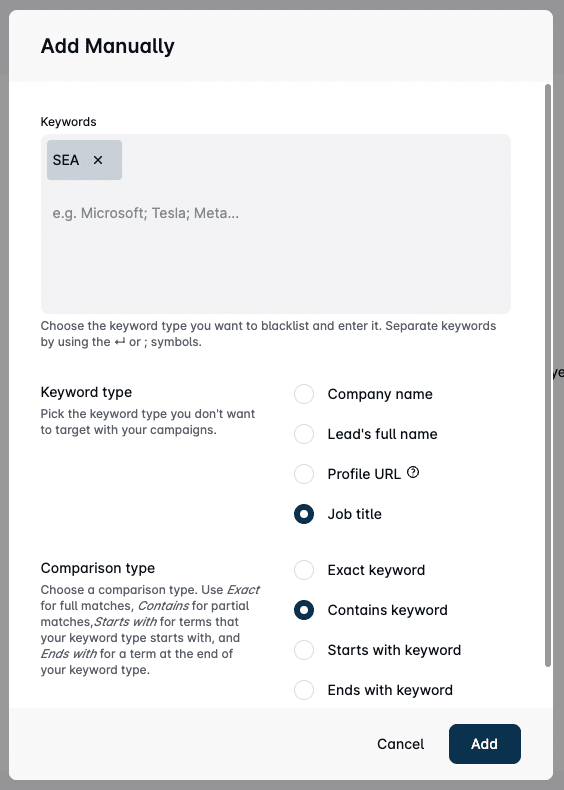
It works using a keyword-based exclusion system. For example, you can filter out prospects based on their name, job title, or company. 🙃
Once set up, the blacklist runs automatically so you don’t waste time reaching out to irrelevant profiles 😎
You can also blacklist email addresses by excluding specific email domains (like competitors or partners).
Can you run multichannel campaigns with Waalaxy and LeadIn?
Yes both tools let you combine LinkedIn and email in the same campaign, so you can increase your touchpoints and boost your chances of getting replies. 😊
You can automatically sequence connection requests, LinkedIn messages, and email follow-ups based on how your prospects respond helping you build smarter, more effective outreach flows 🎯
Is Waalaxy easier to use than LeadIn?
Yes. Waalaxy is generally easier for beginners. Its interface is simpler, more intuitive, and faster to get started with making it a great fit whether you’re new to outreach or already experienced. 🕺🏻
Can you do team prospecting with Waalaxy and LeadIn?
Yes but they take very different approaches 🤭
Waalaxy offers a Team plan that brings all your prospecting into one place. You can:
- Add up to 50 team members.
- Share prospect lists.
- Launch campaigns from multiple accounts.
- Remove duplicates in one click.
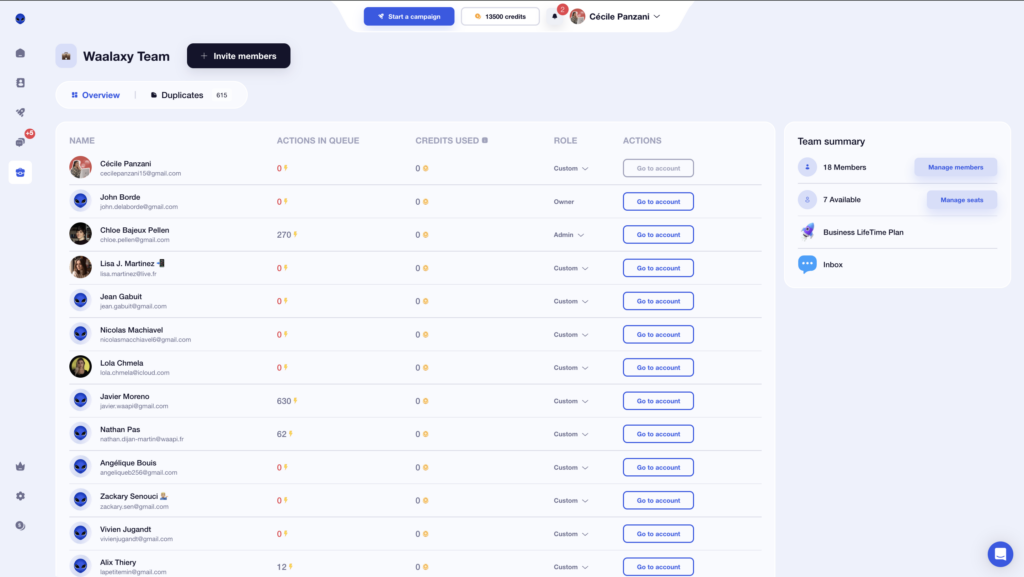
Your whole team can share a single Sales Navigator subscription, saving you serious money. 💰
On the other hand, LeadIn uses a role and permission system. You can access campaigns and leads based on the permissions assigned to you 🔑.

Along with standard roles (owner, admin, editor), LeadIn lets you assign very specific permissions to each team member based on their responsibilities. That’s a strong advantage for larger or highly structured teams. 🏉
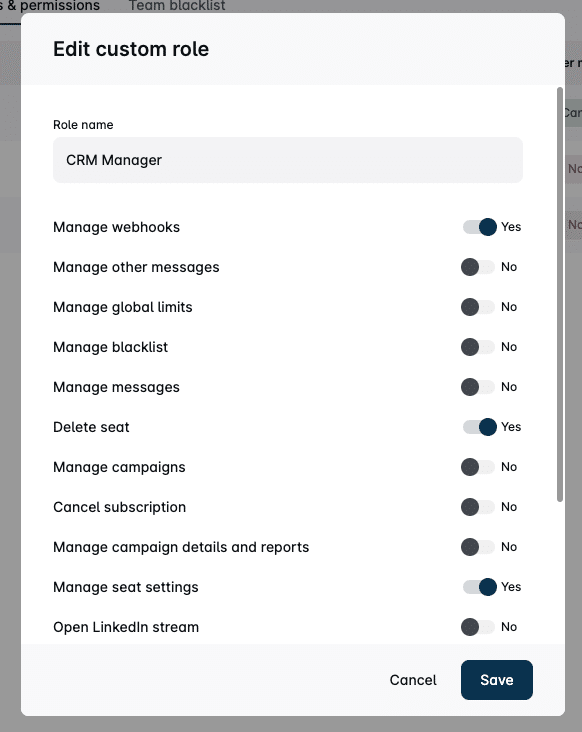
The downside? Each user needs their own Sales Navigator subscription, which can get expensive. 🥲
Comment migrer de LeadIn à Waalaxy ?
Switching from LeadIn to Waalaxy is quick and doesn’t require any technical skills.
- 1️⃣ Export your leads from LeadIn as a CSV file (name, email, company, LinkedIn URL, etc.)
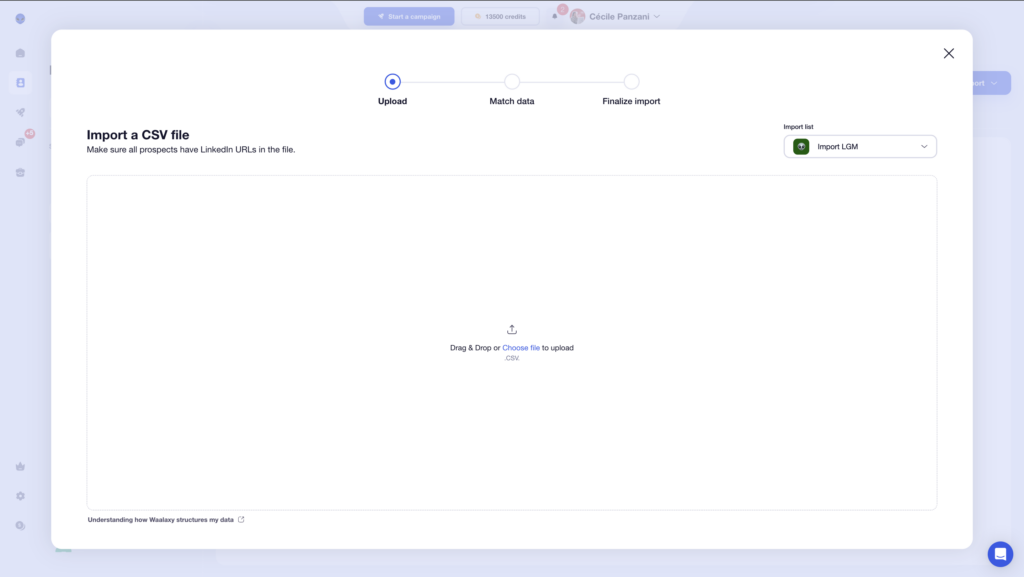
- 2️⃣ Import them into Waalaxy using the “Import Prospects” feature and match the fields correctly.
- 3️⃣ Rebuild your campaigns or use ready-made templates. Start with a small test batch (10–20 prospects) before scaling up.
Now you’ve got everything you need to choose between Leadin vs Waalaxy ! 🧚🏻♀️
 Laura
01/04/2026
Laura
01/04/2026 














