



LinkedIn is one of the best free places to find B2B prospects. But prospecting still costs you something: time. 😅
- Searching for the right profiles,
- Opening 30 tabs,
- Sending invites,
- Forgetting follow-ups,
- Replying, sorting, following up again…
…And still needing to post (otherwise your profile looks like a résumé in hibernation).
So the goal of “free LinkedIn tools” isn’t to hoard apps. It’s to help you:
✅ Prospect faster.
✅ Publish more easily.
✅ Keep your process organized.
✅ And stay consistent without burning out.
Here are 5 free LinkedIn tools (plus a genuinely useful plan) to start prospecting effectively on LinkedIn.
1) Waalaxy (Chrome extension) to structure outreach
If your goal is prospecting (not just “being on LinkedIn”), you need a free LinkedIn prospecting tool that lets you:
- Find/import prospects.
- Contact them with a logical sequence.
- Follow up consistently.
- Track what’s working with a dashboard that summarizes your actions overall and by campaign.
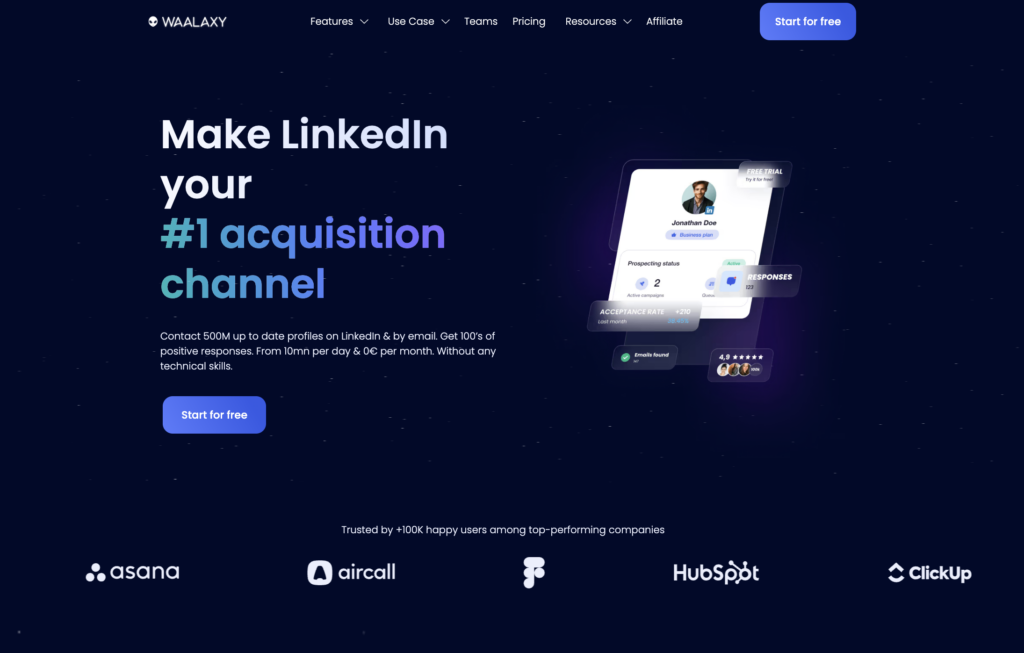
👉 That’s exactly what Waalaxy is built for: a Chrome extension connected to your LinkedIn account that helps you organize and automate repetitive parts while keeping your approach structured.
- Automate your prospecting on LinkedIn.
- Import prospects,
- Send invitations and messages.
- Send follow-ups automatically.
- Manage campaigns without living in a spreadsheet.
That’s why it’s a go-to free LinkedIn tool for getting started: no tech skills required, no three-hour setup… and you save time fast (even on the free plan).
What you can do with the free plan
With the free version, you’re not stuck in “demo mode.” You can actually run a real routine. 🎶
Free-plan limits can change, but you can typically build a simple daily workflow in about 10 minutes a day, including:
- Send up to 80 connection requests within your monthly allowance to grow your network.
- Send messages and trigger personalized automatic follow-ups.
- Import prospects (including via CSV and auto-imports).
- Get 25 Email Finder credits to enrich your lists.
- Launch your first prospecting sequences.
- Check basic stats to see what’s working.
- Get help from a real support team when you need it.
- Start quickly without a complicated setup.
This is often the real switch: instead of “prospecting when you think about it”, you prospect regularly, without spending your evenings doing it. 😌
A beginner-friendly sequence to start with
A simple “Visit → Invite → Message” flow works because it feels organic:
- They notice a profile visit. 👀
- They receive the invitation.
- Once they accept, they get a message.
It’s a softer first touch than opening with “Hi, I sell X” on line one. We’ll show you how to use it.
Pirate rule: using free LinkedIn tools for automation isn’t an excuse to spam. The win is consistency and personalization, not volume.
Waalaxy includes lots of sequences: you can pick what fits your style. The launch logic stays pretty similar, and you’ll be guided either way.
Before you start: install the Waalaxy extension and connect your LinkedIn account.
Step 1: Search/find prospects for free on LinkedIn
You can search directly on LinkedIn:
- Click the search bar (magnifying glass).
- Filter by “People.”
- Use advanced search filters and keywords: job title, location, industry, etc.
A LinkedIn search filtered by a keyword search in quotes is almost always more effective than a vague search.
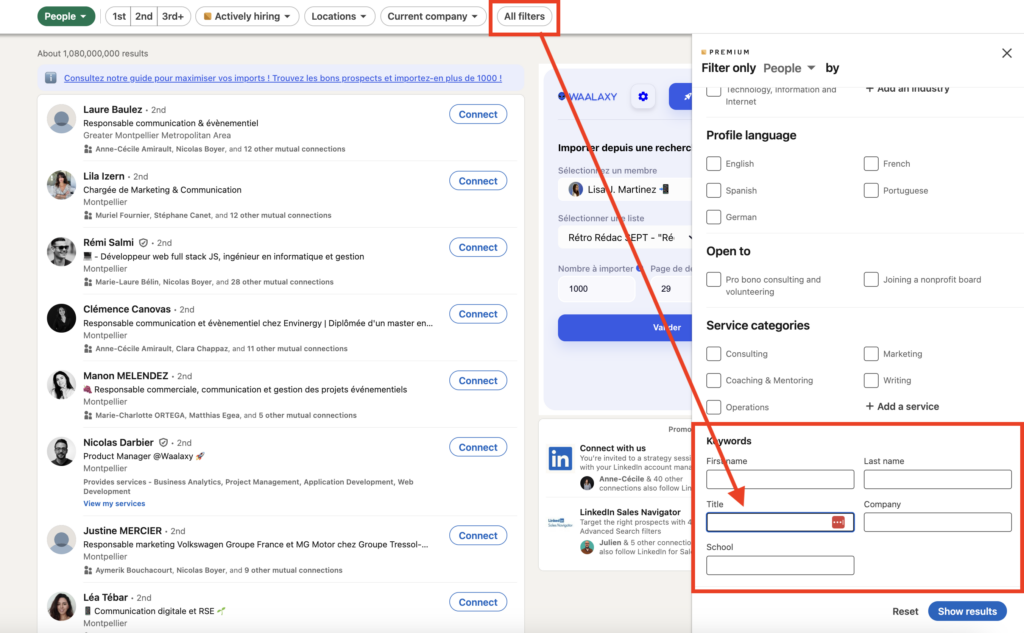
Targeting matters. If you’re selling something, define your ICP before you start clicking “Connect.” If your criteria aren’t clear, your results won’t be either.
Step 2: Import prospects to Waalaxy
Once your results are displayed, Waalaxy lets you turn them into a prospect list (this also works with Sales Navigator).
Instead of copy/pasting profiles into a file… you click and import. 🪄
With the extension, you can:
- Create a new list.
- Or import into an existing list.
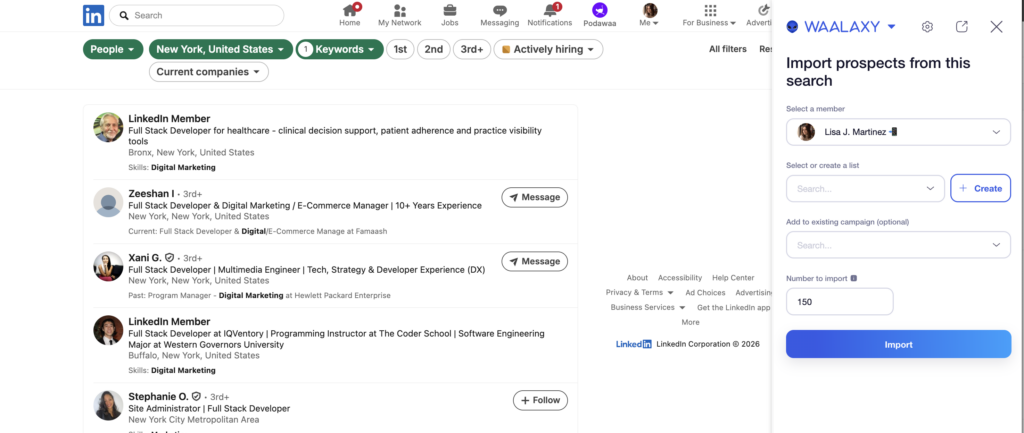
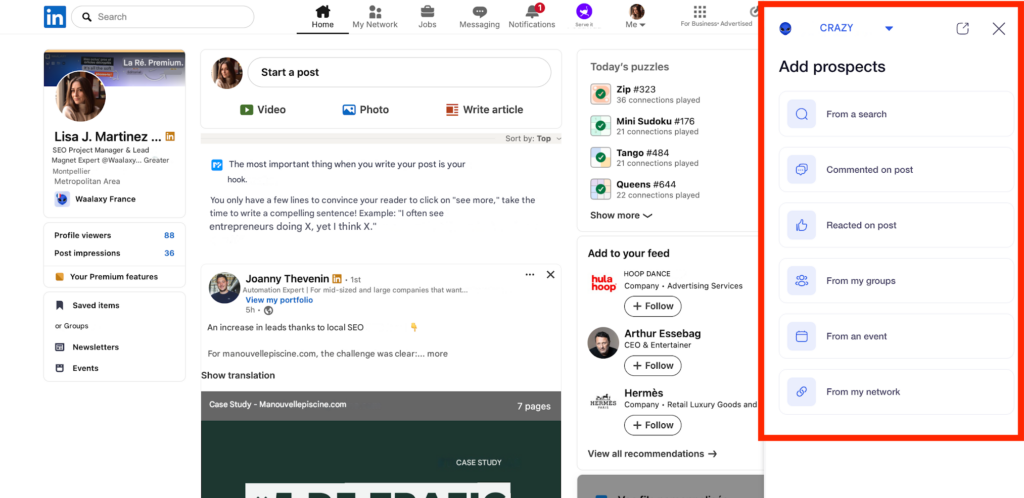
You can also auto-import prospects from your feed, post reactions and comments, and join groups and events and even your existing connections.
From the LinkedIn interface, the extension adds buttons so you can import fast, without hopping between tools.
What this means in real life:
- ✅ Less time “collecting.”
- ✅ Fewer manual mistakes.
- ✅ Lists that fill up way faster.
Step 3: Launch a LinkedIn campaign (in a few clicks)
In Waalaxy, your free LinkedIn tool:
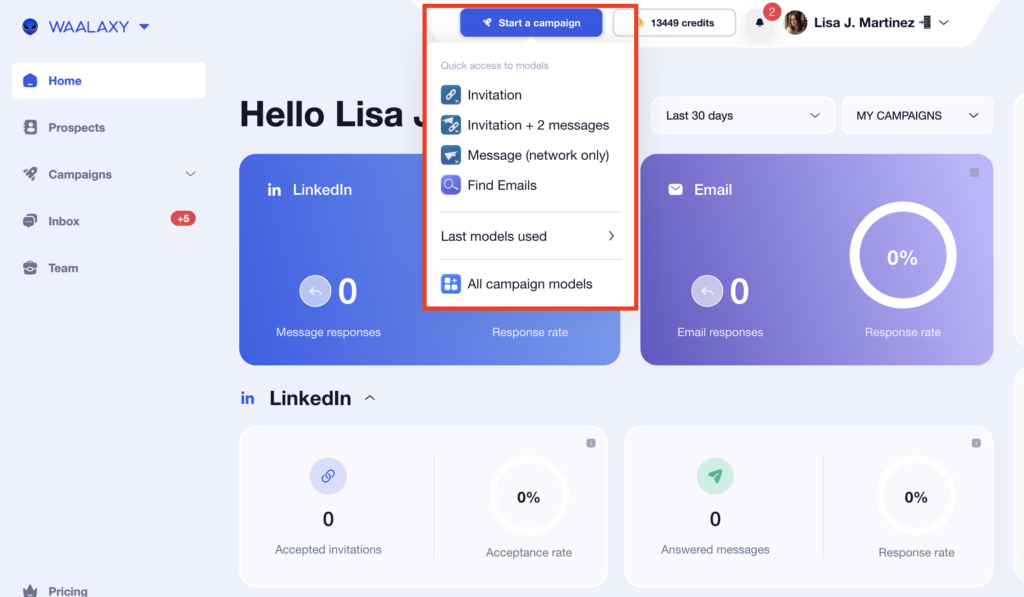
1. Go to Campaigns → Start a Waalaxy campaign.
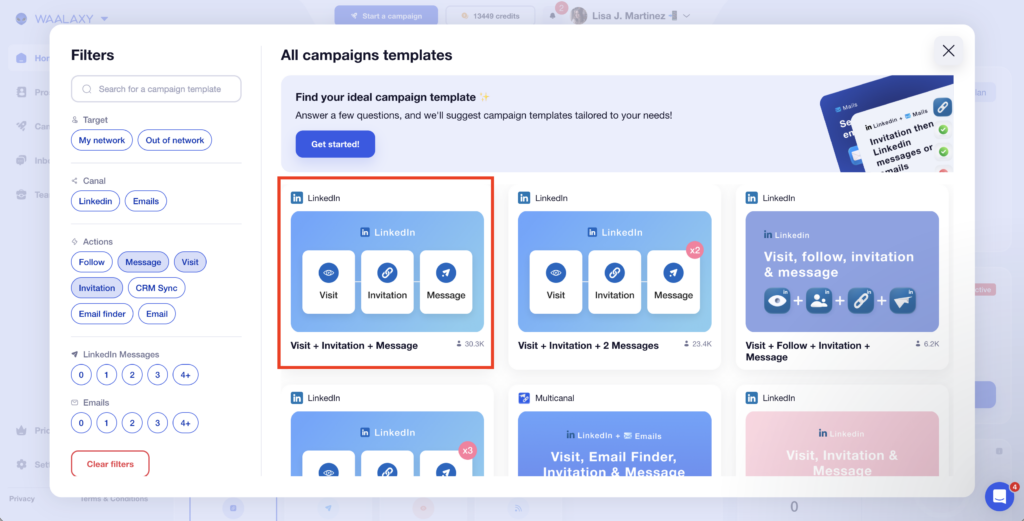
2. Choose Visit + Invitation + Message (or another sequence from the library)
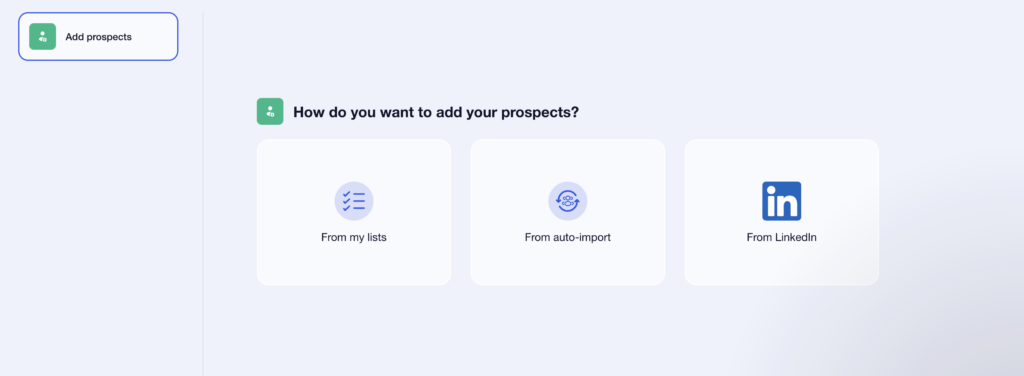
3. Add prospects from your list.
4. Write your invitation (with or without a note) + your post-acceptance message
Launch it… and let the magic happen. 🚀 Then check your dashboard to track results.
🎉 That’s it: your LinkedIn prospecting is structured and running, and you’re not manually chasing follow-ups all day.
Connection requests without a note can perform better than ones with a note.
Finally, it’s not a free LinkedIn tool, but Waalaxy also offers an inbox designed like an upgraded messaging system (tags, templates, organization, reminders, etc.) so you can handle LinkedIn messages more like a CRM.
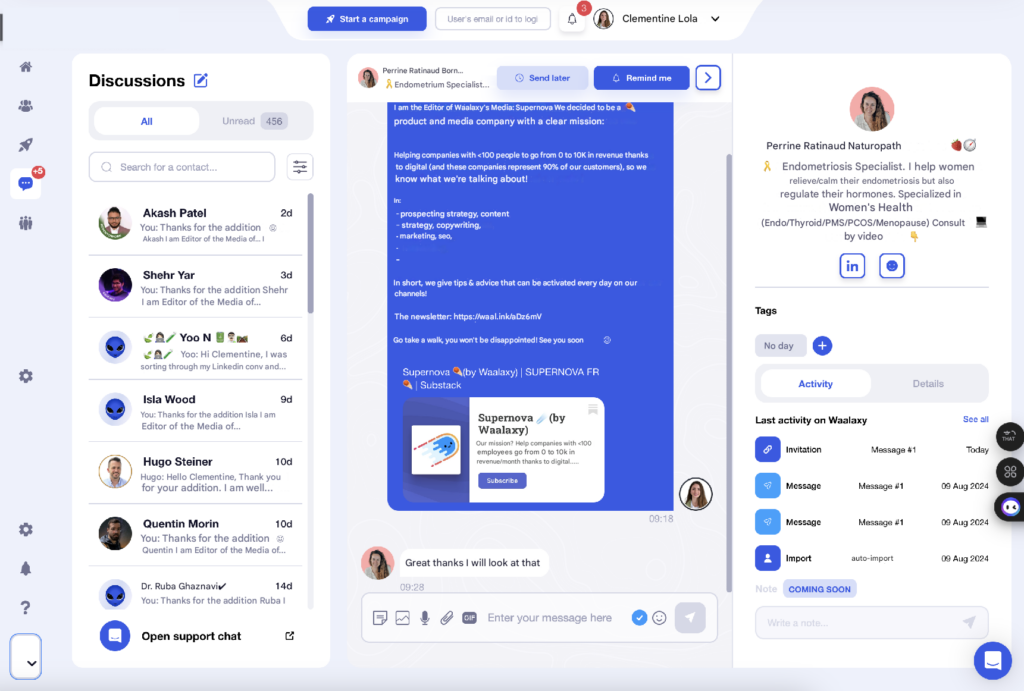
Because let’s be honest: once you start getting replies, LinkedIn messaging turns into a spaghetti bowl. 🌀 And prospecting isn’t just sending messages—it’s sorting, following up, and timing things smartly.
Step 4: Enrich your lists for multi-channel (LinkedIn + email)
One more thing: the most effective prospecting is often not “LinkedIn only.”
LinkedIn + email is a combo that works really well. 📩
Even if you don’t run a full email strategy on day one, having professional emails (depending on available credits) helps you:
- Avoid relying 100% on LinkedIn replies.
- Test a simple multi-channel approach.
- Increase response odds without spamming.
Also: you can start attracting customers before you ever message them by posting consistently. That visibility helps generate inbound marketing leads—and qualifies them.
2) Kawaak: LinkedIn post generator to write LinkedIn posts faster
Content makes prospecting easier.
When someone receives your invite or message, they often click your profile. An active profile that shares useful ideas builds trust fast. ✅
If posting regularly feels like a chore, this is the kind of free tool that removes friction—so you can publish faster than the competition (and yes, LinkedIn is a crowded ocean). 💥
That’s where Kawaak comes in: a LinkedIn post generator and AI tool built for LinkedIn copywriting.
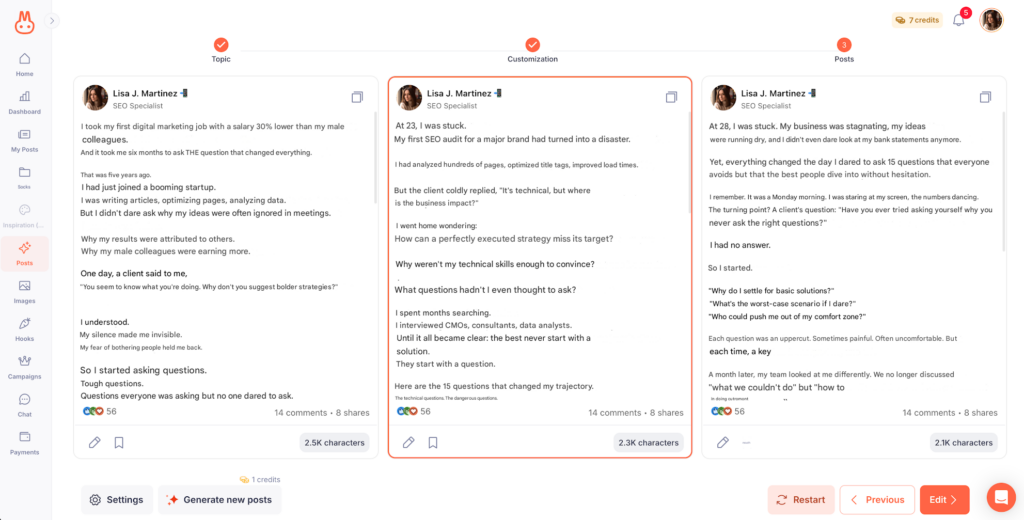
Kawaak (with free options) helps you:
- Generate post ideas.
- Explore angles and structure.
- Improve your copywriting.
- Write faster.
- Generate images (photos and infographics) AI-powered.
Whether you’re brand new or already posting, Kawaak saves time ⏰ and helps you publish LinkedIn content that boosts visibility.
And that visibility makes outreach work better because… the people you message see a profile that actually adds value. ✅
3) Canva to illustrate your posts
Surprising? Not really. Even in the free version, Canva gives you what you need to optimize your LinkedIn profile and your content look sharp.
Your profile is a storefront. When someone clicks, you’ve got seconds to make a solid first impression. 🧠
Canva (even free) is enough to quickly create high-quality visuals:
- A clean LinkedIn banner.
- Post visuals.
- Simple carousels.
- A consistent visual style.
Yes, the banner matters. So does your photo. If you’re prospecting, your LinkedIn page is your showcase. Make it count the moment someone lands there.
4) Podawaa to boost engagement
If Waalaxy is your best ally for outreach, Podawaa is a handy tool for boosting engagement on your content. 🪶
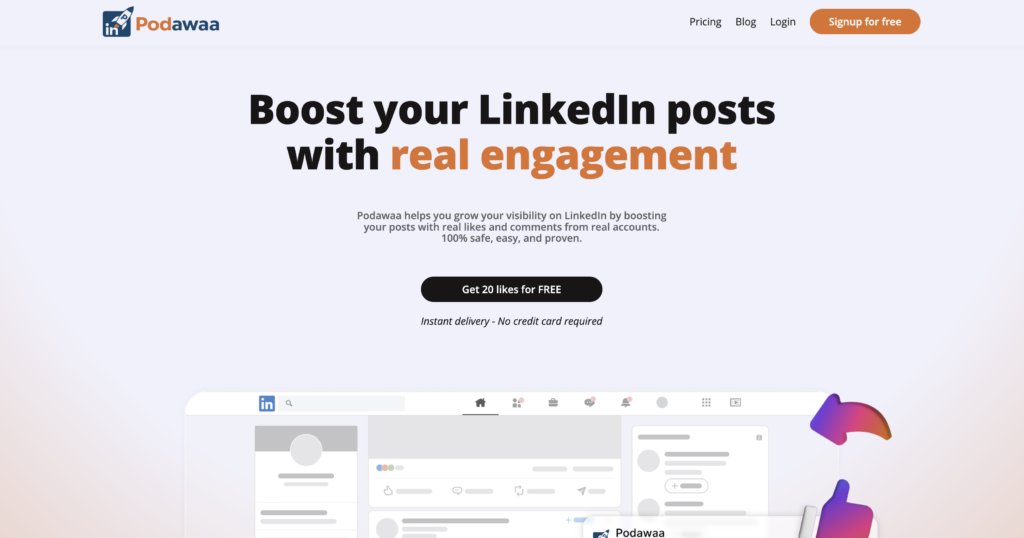
Prospecting from a “silent” profile (no posts, no activity) can lower acceptance and reply rates. On the flip side, an account that posts and gets a bit of interaction feels more legit. ✅
Podawaa is a useful free LinkedIn tool when you want to go from “I send messages” to “I send messages and I’m visible.” It can help you:
- Schedule LinkedIn posts.
- Improve early engagement via pods/support groups. 💬
- Increase reach → more profile visits → more inbound opportunities. 👀
Best combo in practice: Podawaa for visibility (inbound) + Waalaxy to convert that visibility into leads (outreach).
Podawaa isn’t always “100% free” for every feature, but it’s easy to test—and useful as soon as you want to level up from “I prospect” to “I prospect + I show up.”
5) Free LinkedIn Analytics tool
Before you add more dashboards, start with LinkedIn’s built-in analytics to see:
- Whether your profile is doing its job.
- If your content is improving.
- Whether your activity is actually moving the needle.
Good news: LinkedIn gives you some of this for free.
1. LinkedIn Post stats: impressions, clicks, comments, follows gained
That’s enough to spot what your ICP reacts to.
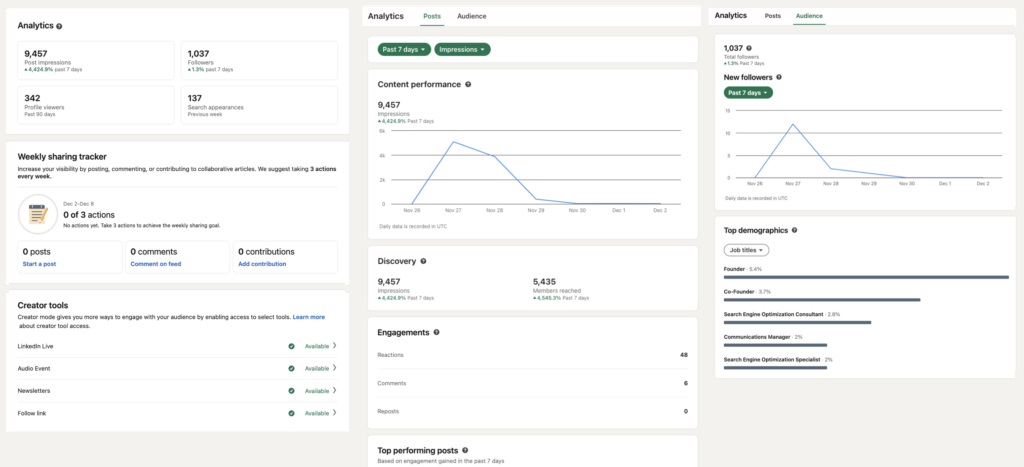
2. SSI (Social Selling Index): a score out of 100 based on 4 pillars (personal brand, targeting, engagement, and relationships).
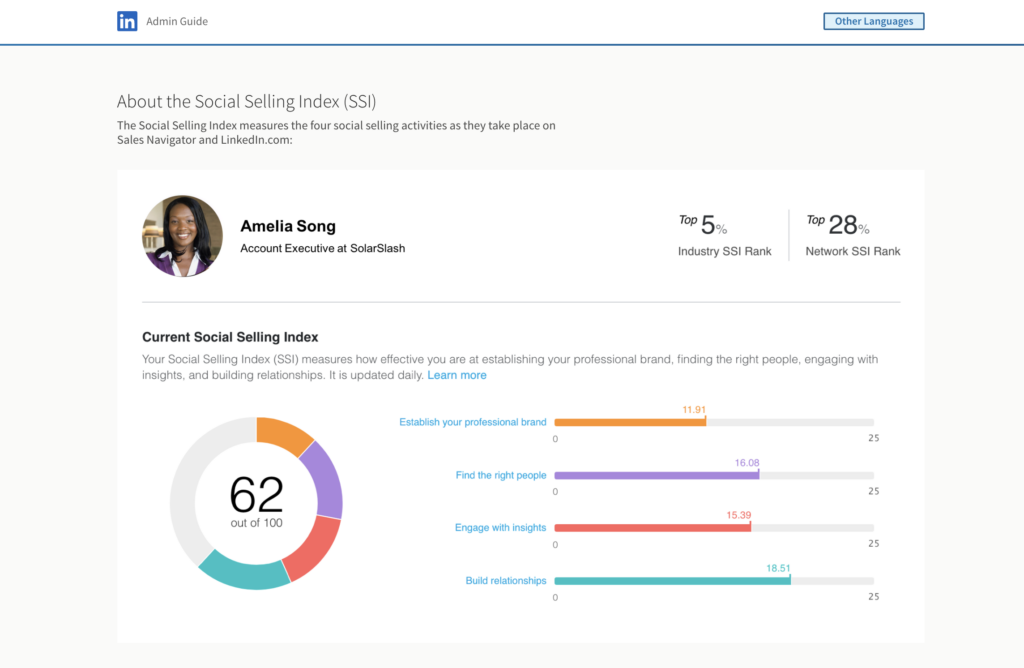
💡 If you want a free LinkedIn analytics tool, start here before piling on extra platforms. You already have enough to see what’s working—and double down.

How about a recap on free tool?
LinkedIn isn’t just a social network—it’s the professional network, with over a billion users. It’s basically the largest free B2B database on earth, which makes it a goldmine for prospecting.
Since everyone’s realized that, a ton of tools have popped up to help you stay active and prospect (because yes, it’s time-consuming).
Most tools simply automate tasks you’d otherwise do manually. ✍️ If you want a light setup that works:
- Waalaxy: The most useful free tool to structure outreach and follow-up. 👽
- Kawaak: Write posts faster and more often. ✍️
- Canva: Visuals, carousels, banners. 🎨
- Podawaa: Boost reach via pods. 📸
- Stats + SSI: Free analytics to track progress. 📊
With this stack of free LinkedIn tools, you can:
- Find prospects.
- Run simple LinkedIn and email campaigns.
- Post and comment regularly without overthinking.
- Track what’s working.
- Improve without paying upfront.
Frequently asked questions about Free LinkedIn Tools
🏁 To conclude, here are the answers to the most frequently asked questions about free LinkedIn tool. 👇🏼
Why make daily use of LinkedIn?
Because LinkedIn rewards consistency—and humans do too. Daily use helps you:
- Stay top-of-mind,
- Build familiarity,
- Create “warm recognition,”
- And generate inbound opportunities over time.
You don’t need to be on LinkedIn 3 hours a day. 🤷🏻♀️ A realistic daily habit is:
- 10 minutes of outreach (or list building),
- 5 minutes of engaging with relevant posts,
- 5 minutes of checking replies.
That’s it. Consistency beats intensity. 💪
Is there a way to get LinkedIn for free?
Yes. LinkedIn’s core platform is free:
- Create a profile.
- Search and connect.
- Post.
- Comment.
- Message your connections.
Paid plans like Premium and Sales Navigator unlock extras (advanced filters, insights, InMails), but you can absolutely start prospecting without paying, especially if you use free LinkedIn tools to stay
Bonus: with Waalaxy, you can even access LinkedIn Premium for free. 🤩
Why use Waalaxy?
Manual LinkedIn prospecting gets repetitive fast—and it’s easy to lose track of follow-ups.
Waalaxy helps you build a real routine in about 10 minutes a day, even on the free plan 🤑: fast prospect importing (including auto-import), automated invitations + messages + follow-ups, optional LinkedIn + email via Email Finder, and basic stats to see what’s working.
If you want sharper targeting, Sales Navigator (paid, often with a free trial) helps with advanced filters and list building. The best combo is usually Sales Navigator for targeting and Waalaxy for execution and tracking.
And one more time for the people in the back: automating doesn’t mean spamming. The goal is to automate repetitive tasks while keeping personalization—so you can focus on the relationship.
The simple method is still the best: target well → import a list (scraping) → launch a short sequence → follow up → analyze → improve.
How to prospect on LinkedIn?
A simple prospecting framework:
- Targeting: define your ICP (industry, title, geography, company size)
- Profile: make your value clear in 5 seconds
- Connection: short request, no pitch
- Message: 2–4 lines, contextual, one clear question
- Follow-up: polite, spaced, helpful
- Measure: acceptance + replies + positive replies
Prospecting is not about being clever. It’s about being consistent and relevant.
How to prospect with LinkedIn Sales Navigator?
LinkedIn Sales Navigator isn’t free, but LinkedIn usually offers a trial (often 1 month) so you can test the main features before subscribing.
The big win is better targeting: advanced filters, prospect lists, and stronger tracking signals (engagement, activity, etc.).
In some cases, it also lets you contact people faster than standard LinkedIn workflows.
In practice, it’s best used as a complementary tool: Sales Nav to target, then a tool like Waalaxy to run and structure the outreach.
You can also get Sales Navigator for free with Waalaxy. 🎉
With a free LinkedIn tool, you’re ready to take on the entire LinkedIn network and conquer it. See you soon! 👽
 Melany
13/03/2026
Melany
13/03/2026 















