



If you’re looking for a Waalaxy alternative, it’s usually not random. Most of the time, you’re already using Waalaxy (or you’ve seriously considered it), and you just want to see if there’s a better fit for your needs. And yep, totally fair. 👀
In this guide, we’ll compare 10 popular Waalaxy alternatives to help you pick the right tool. 😎
What is Waalaxy?
Waalaxy is a B2B prospecting tool that automates LinkedIn outreach and email follow-ups, simple, efficient, and (most importantly) safe for your account. 🧘🏻♂️
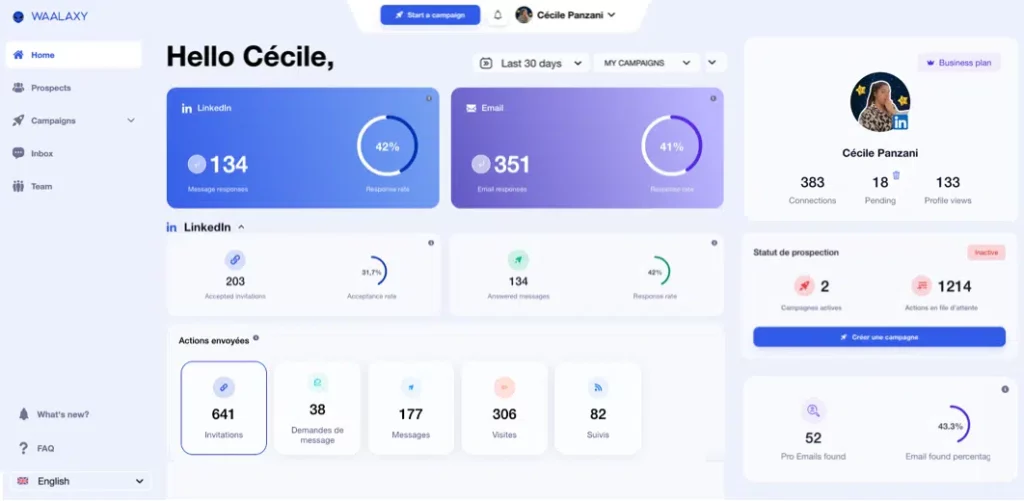
It’s built for people like 👇🏻:
- Sales reps, SDRs, and business developers
- Founders and business owners who handle their own sales
- Sales teams and agencies
- B2B freelancers, solopreneurs and consultants.
Basically, anyone who wants to structure and scale their prospecting without juggling a bunch of tools or risking LinkedIn restrictions. 🤓
What are the main features of Waalaxy?
Waalaxy stands out because it’s truly plug-and-play, built to help you get results fast: 👇🏻
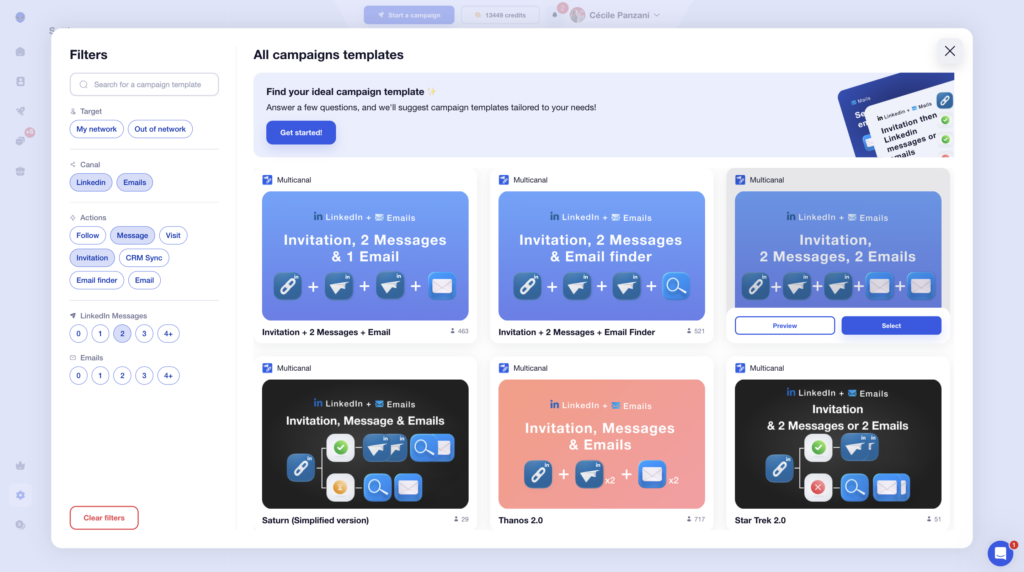
- 🤖 LinkedIn + email automation: Send invites, prospecting messages, and email follow-ups in one flow. Everything runs inside ready-to-use multichannel sequences, and Waami AI helps you write your prospecting messages.
- 🔁 Predefined sequences: Pick a campaign based on your goal, and Waalaxy handles the timing, conditions, and smart pauses to stay within LinkedIn limits.
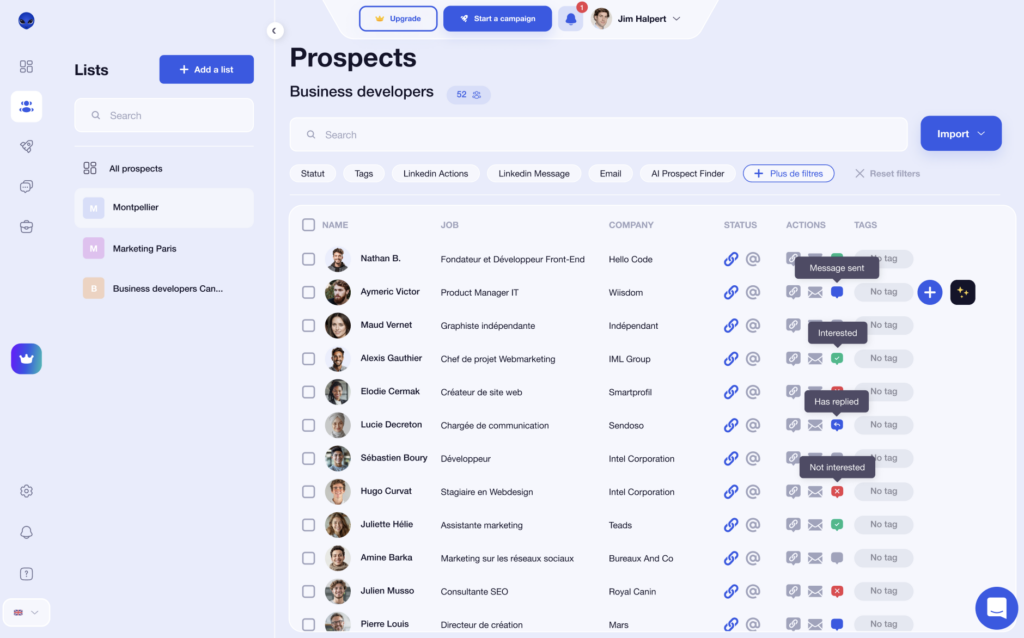
- 📥 Unified inbox: All replies land in one place. No more missed LinkedIn messages. Tag conversations, prioritize follow-ups, and save a ton of time.
- 📌 Automatic import of prospects: From post comments, LinkedIn profile visits, or Sales Navigator searches, your leads are pulled in automatically, with zero manual copy/paste.
- 🧠 AI & interest scoring: Waalaxy spots who’s engaging (views, replies, clicks) so you can focus on the hottest leads first.
- 👥 Team plans & collaboration: Collaborate with teammates, share templates, manage multiple LinkedIn accounts, and run separate campaigns per account.
- 🔗 CRM integrations: Connect with the leading CRMs on the market (Hubspot, Zapier, etc.) to keep your pipeline clean and up to date.
What are the pros and cons of the Waalaxy extension?
Here’s what you need to know at a glance:
| ✅ Pros | ⚠️Cons |
|---|---|
| A real LinkedIn + email combo in one tool—no duct-taping 3–4 platforms together. | Less “email-first” than tools built specifically for high-volume cold email. |
| Easy to learn, even if you’re not technical or you’re new to outreach. | No built-in mega database for contacts/enrichment; depending on your workflow, you may need a separate enrichment tool. |
| A safer outreach approach that helps reduce the risk of LinkedIn restrictions. | It’s a Chrome extension, which won’t work for every IT/security setup. |
| Big time-saver for getting your outreach organized fast. Example: Waalaxy Email Finder can uncover emails for a large share of your leads (often around 60%, depending on your target list). | |
| Built to scale steadily without blasting your account or pushing risky volumes. | |
| It runs in the cloud, so you don’t have to leave your computer on. | |
| Waalaxy is packed with practical playbooks, tutorials & tips to level up your LinkedIn outreach. |
Waalaxy pricing: How much does it cost?
Monthly
Quarterly
Yearly
Without Inbox
With Inbox
Add-on

You can use the free trial and launch your first campaign in 10 minutes:
Waalaxy reviews: what do users actually think?
👍 What users love:
The #1 thing people mention is how easy it is to use. Many users describe Waalaxy as a simple, intuitive tool for automating LinkedIn prospecting, even if you’re not tech-savvy.
Support gets a lot of love too. The team is responsive and quick to reply, which is clutch when you’re getting started or stuck on a specific step. 🕺🏻
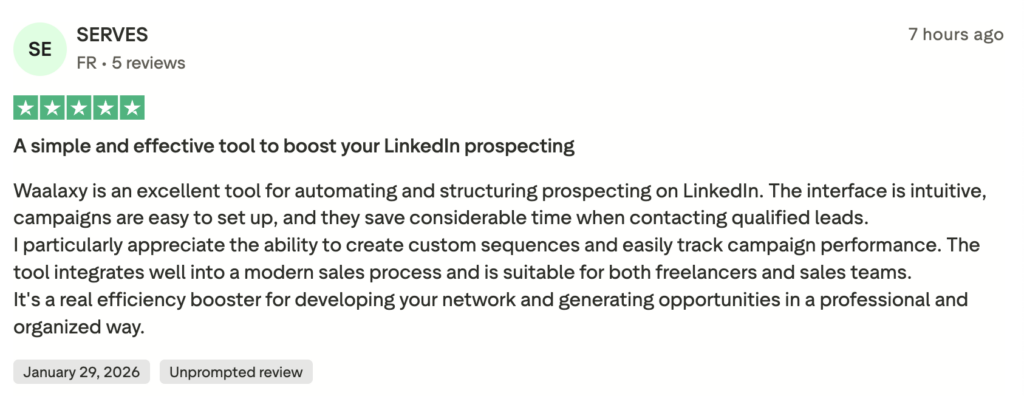
And the time savings are huge. A lot of users say they finally have a simple system for outreach, no chaos, no guessing, just clear, easy steps to follow every day.
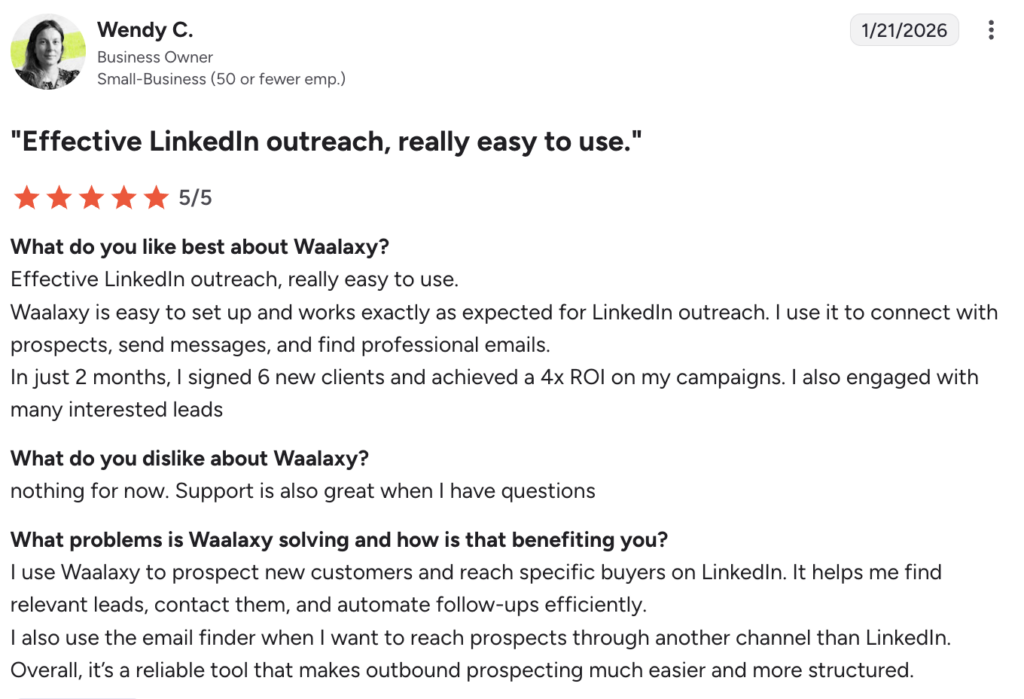
⚠️ A few users mention small bugs or quirks, mostly tied to the Chrome extension or LinkedIn syncing. Usually, they’re not deal-breakers, and they’re typically fixed in updates. 🔧

Why would you look for a Waalaxy alternative?
In most cases, Waalaxy is more than enough to automate your LinkedIn and email outreach. But in a few situations, it makes sense to compare it with other tools: 👀
- 📧 You send cold emails at high volume.
- 🗂️ You need a built-in B2B lead database.
- 🧠 You need advanced, highly customizable multichannel workflows.
- 👥 You manage multiple accounts or a client portfolio.
- 💸 You want to benchmark your total stack cost at scale.
For 90% of use cases, “LinkedIn-only” or “LinkedIn + email” prospecting is the most effective approach. In practice, Waalaxy often remains the simplest and most effective solution for prospecting without overcomplicating things. 😉
The 10 best Waalaxy alternatives
Waalaxy remains the simplest and most effective option for most outreach needs.
That said, some tools are a better fit for specific situations.
Here are 10 Waalaxy alternatives you can compare based on your volume, channels, and outreach style 👇
#1 Expandi
Expandi.io is a cloud-based LinkedIn automation tool designed for sales teams running personalized LinkedIn campaigns (and email too, on some plans 😌). It’s a good alternative to Waalaxy, check out our detailed Expandi vs Waalaxy comparison.
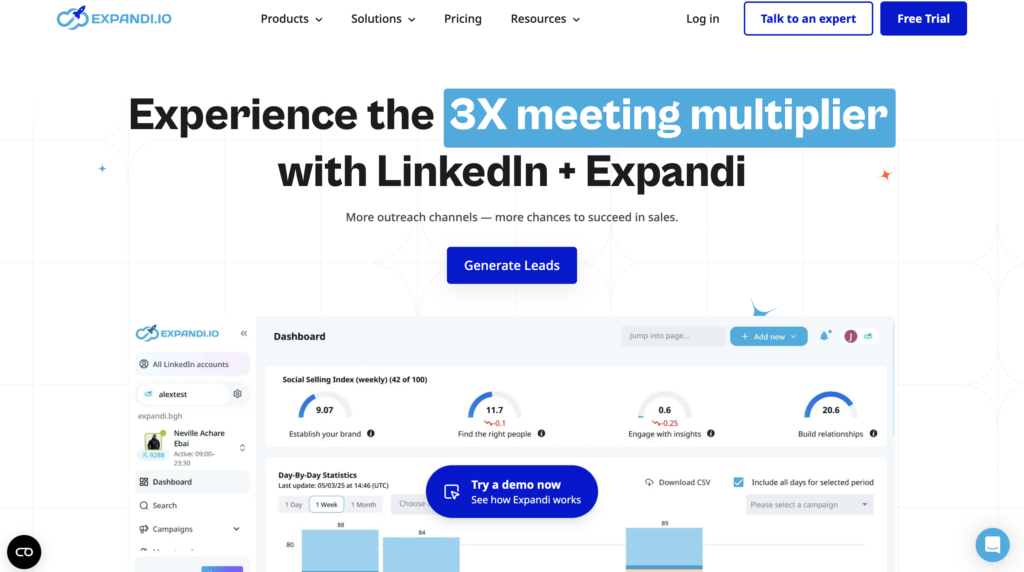
Expandi’s features are:
- 🤖 Automates LinkedIn sequences (messages + follow-ups).
- 🔍 Advanced personalization to make your outreach marketing feel human.
- 📈 Response tracking and analytics to measure campaign performance.
- 🔄 Manage multiple workspaces and accounts in one place.
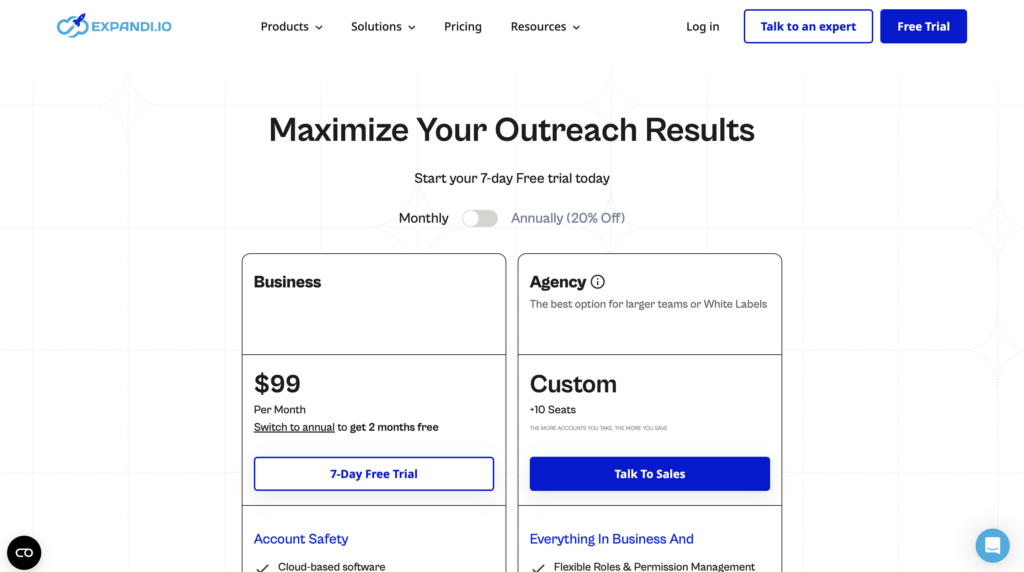
How much does Expandi.io cost?
Expandi.io is typically priced as a premium LinkedIn automation tool (around $99/month), but it doesn’t always offer more built-in multichannel features than Waalaxy. 🫣
What do its customers think?
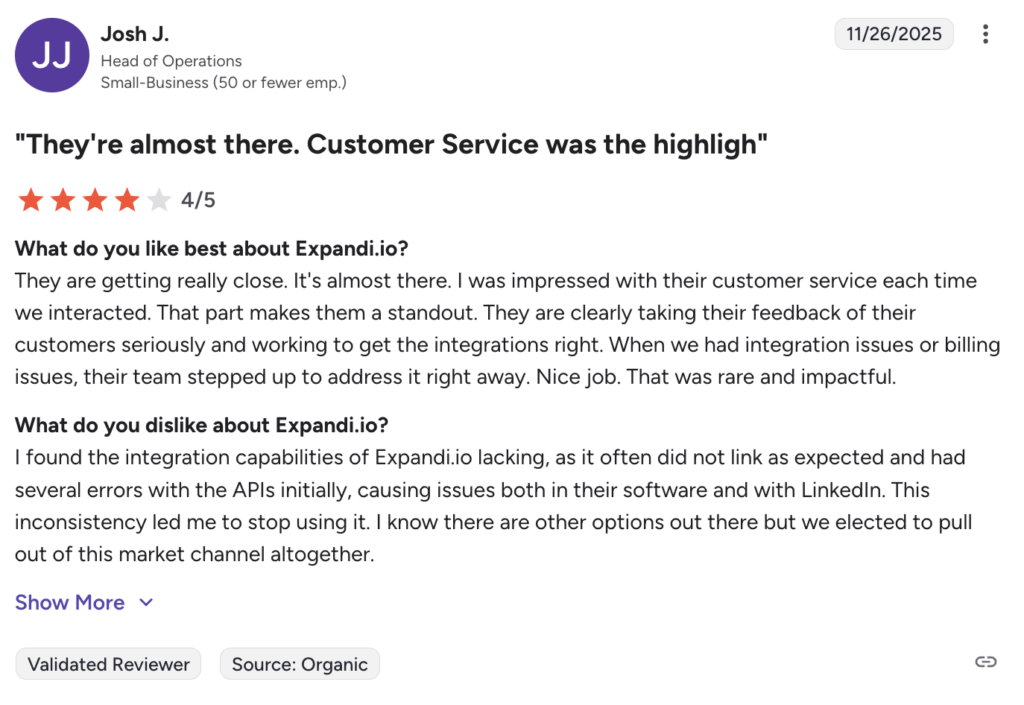
👍 Customer support gets strong reviews for being fast, proactive, and genuinely helpful, especially for integration or billing questions. Users also like how flexible the LinkedIn campaign setup is.
👎 On the flip side, some users report integration and stability issues, a campaign builder that can feel unintuitive, and limits around exports or data consistency.
#2 Lemlist
Lemlist is a cold email platform built for creating and automating B2B email campaigns, with a strong focus on personalization 🎨
If you’re comparing email-first tools with LinkedIn-led outreach, check out our detailed Waalaxy vs Lemlist comparison.
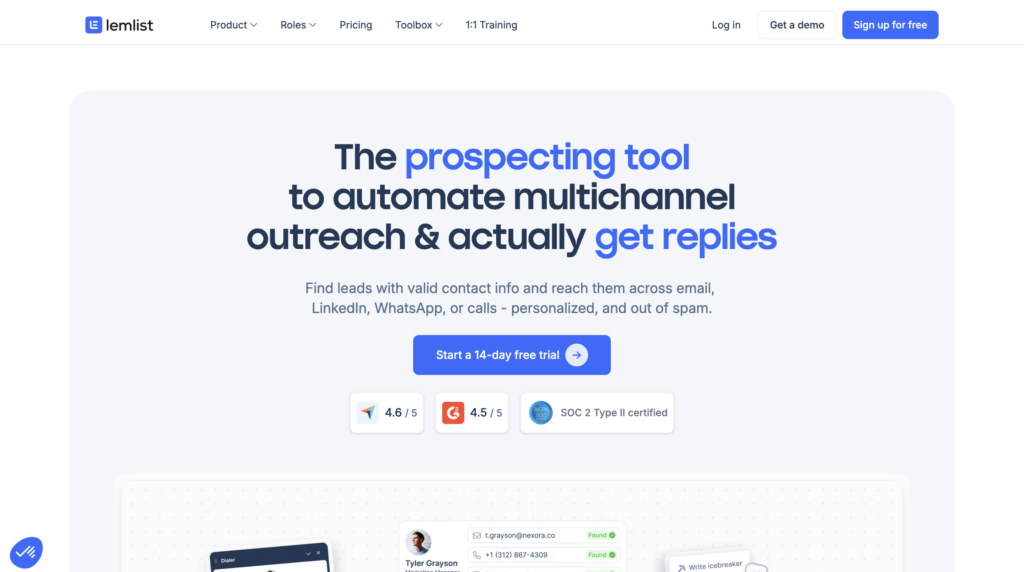
Lemlist’s main features include:
- 🤖 Automates email sequences with reminders and follow-ups.
- 👩🏻🎨 Advanced personalization (liquid templating and dynamic fields).
- 🔥Built-in email warm-up (Lemwarm) to boost deliverability.
- 🔀 Multichannel workflows (email and LinkedIn, plus other channels via the Lemlist API).
- 📊 Tracking and analytics to monitor campaign performance.
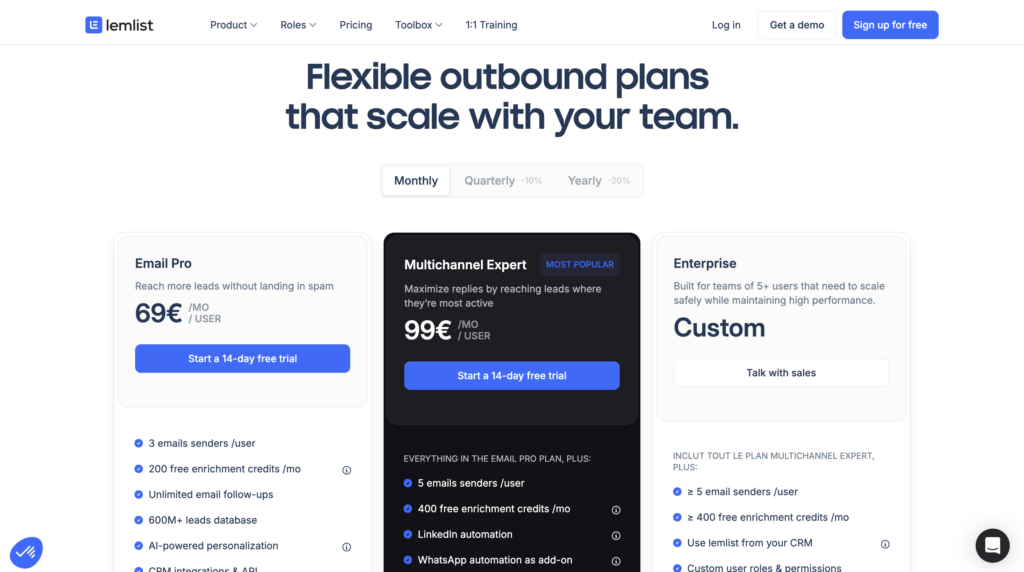
How much does Lemlist cost?
Lemlist sits in the mid-range (starting around $79/month), but costs can climb fast once you add users, mailboxes, or multichannel features.
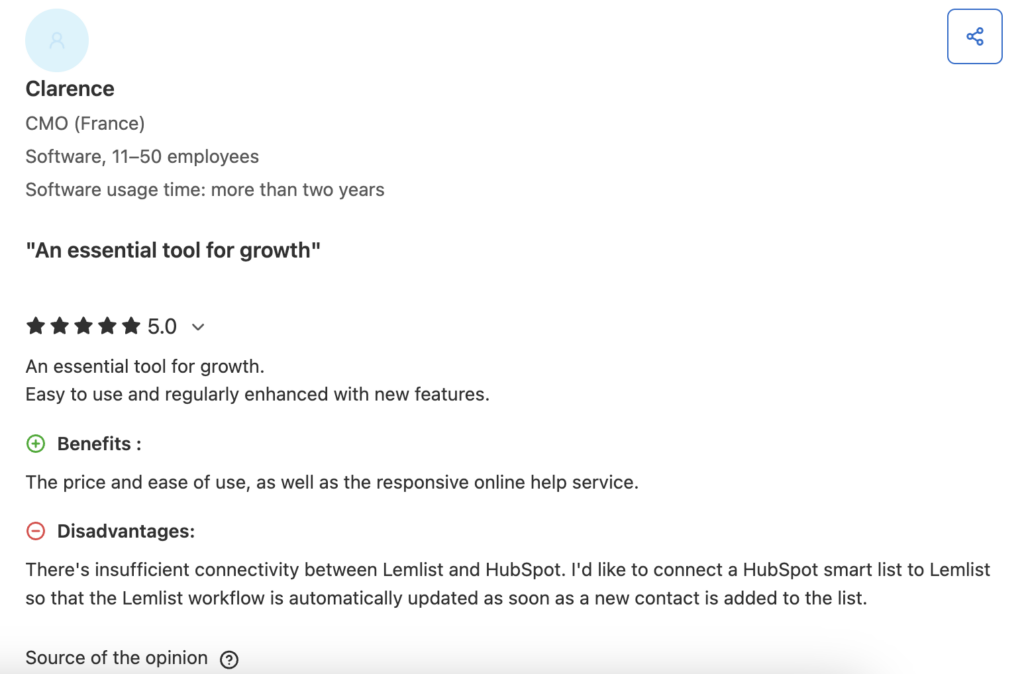
What do its users say?
👍 Users like the deep customization, how easy it is to launch campaigns, and generally solid deliverability.
👎 Common downsides vs. Waalaxy: pricing, limited integrations in some setups, and lead management.
#3 La growth machine
The Growth Machine (LGM) vs Waalaxy? LGM leans into advanced multichannel outreach, combining email, LinkedIn, X (formerly Twitter), and more in workflows that are far more complex and tech-specific than what Waalaxy offers 👀
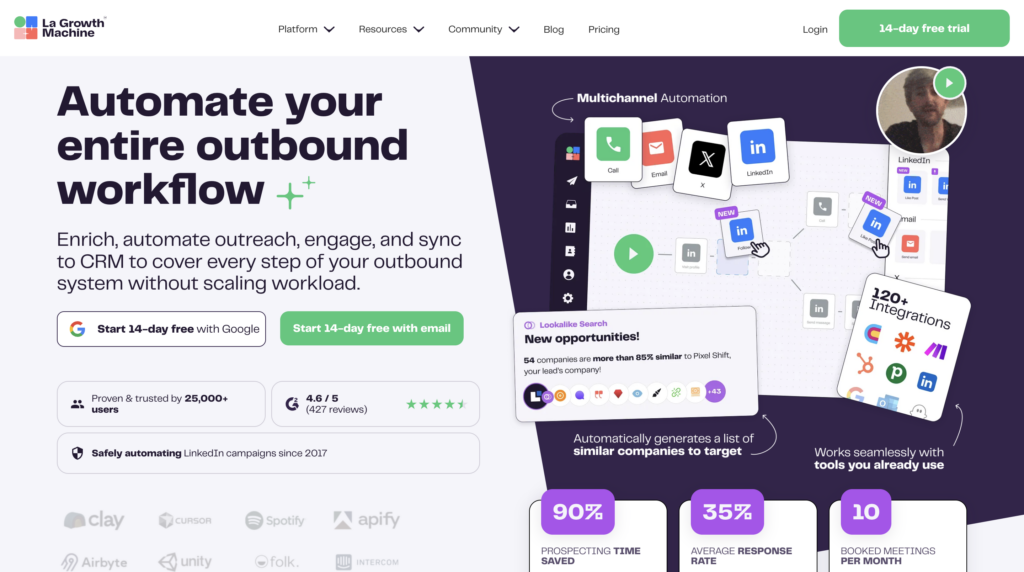
Here’s what you get with La Growth Machine:
- 🎯 Custom multichannel workflows: Build tailored sequences that connect email, LinkedIn, and other channels based on your conditions and triggers.
- 🤝 LinkedIn and email automation, with a more advanced growth marketing approach.
- 📈 Detailed tracking so you can measure performance and optimize campaigns.
- 🔄 CRM integrations and automations to keep your data in sync with the rest of your stack.
La Growth Machine pricing
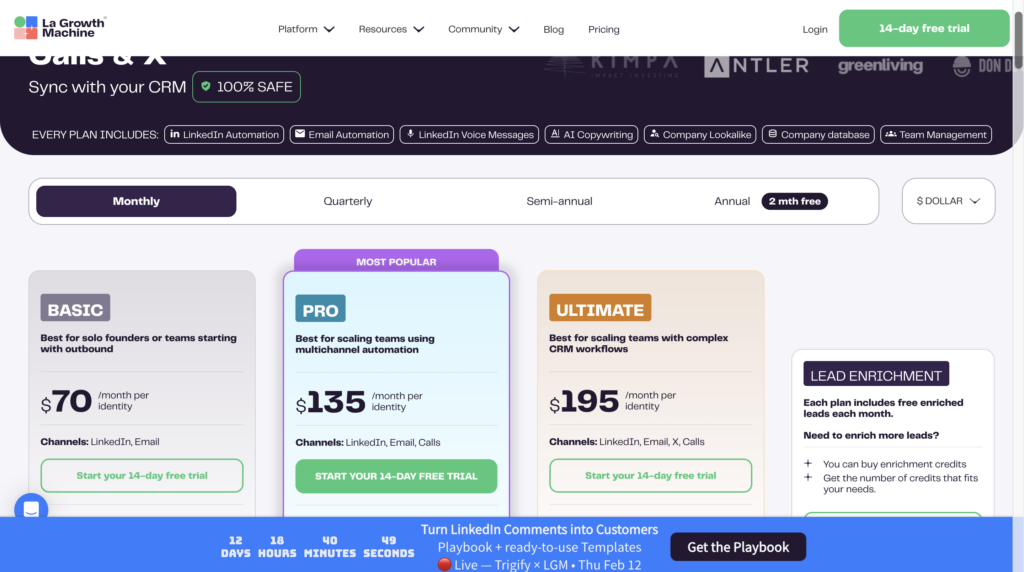
This Waalaxy competitor offers different plans starting at $70/month. It is a tool particularly suited to structured teams and complex multi-channel campaigns. 🧠
What do its customers say?
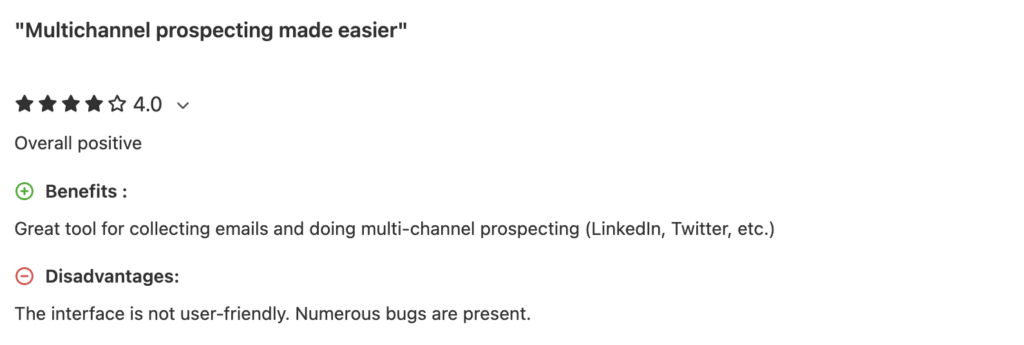
👍 Users praise how powerful and flexible the multichannel workflows are.
👎 The trade-off: there’s a bigger learning curve than Waalaxy, and pricing can feel steep if you’re solo (or you don’t truly need advanced multichannel).
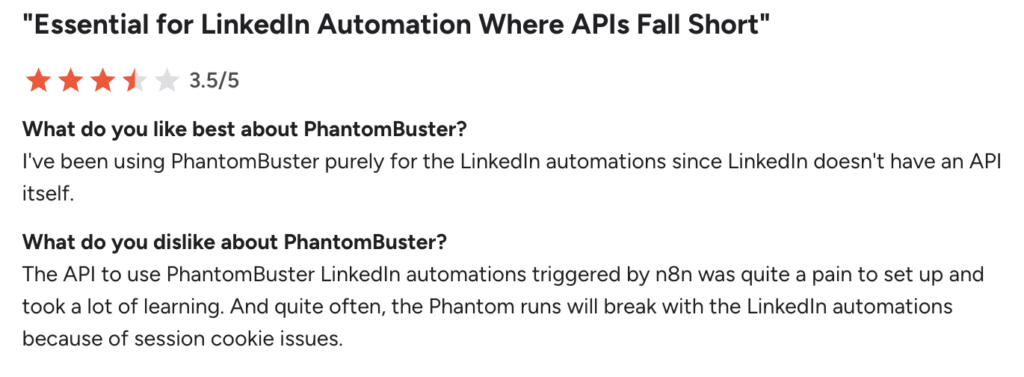
#4 Phantombuster
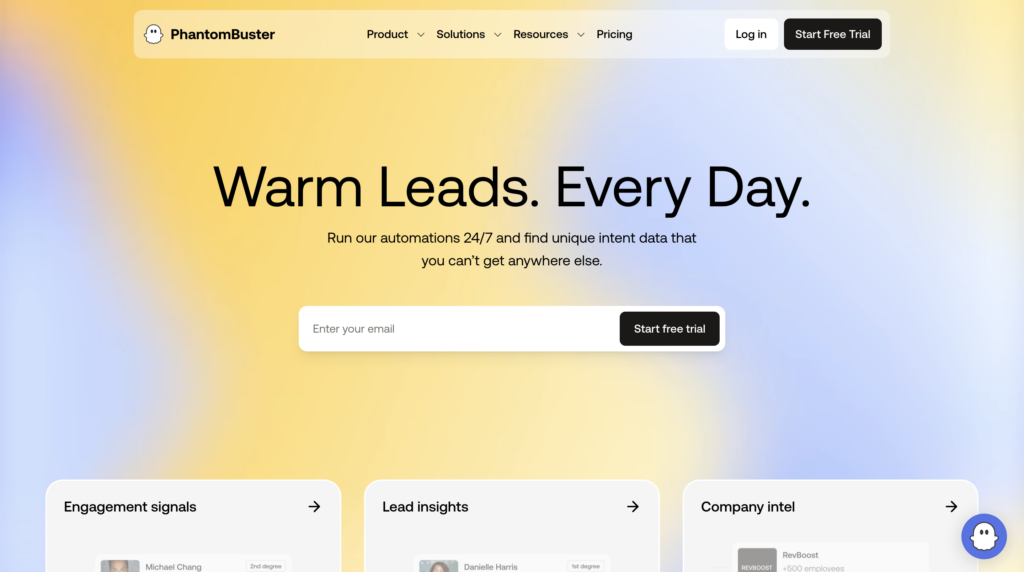
Phantombuster goes all-in on automation and data extraction, way beyond classic LinkedIn outreach and far more flexible than Waalaxy. It’s built for people who want maximum control, customization, and scale. ⚙️
Here’s what Phantombuster brings to the table:
- 🧩 “Phantoms” (prebuilt automations): Run ready-made scripts to automate LinkedIn actions, scrape data, enrich leads, and trigger workflows.
- 🌐 Multi-platform automation: LinkedIn, Instagram, X (formerly Twitter), Google Maps, and more, so you can run real data workflows, not just outreach.
- 📊 Data extraction and enrichment: Build highly targeted lead lists with scraping and external APIs.
- 🔄 API and integrations: Connect it to CRMs, Zapier, or custom tools to build a more advanced stack.
How much does PhantomBuster cost?
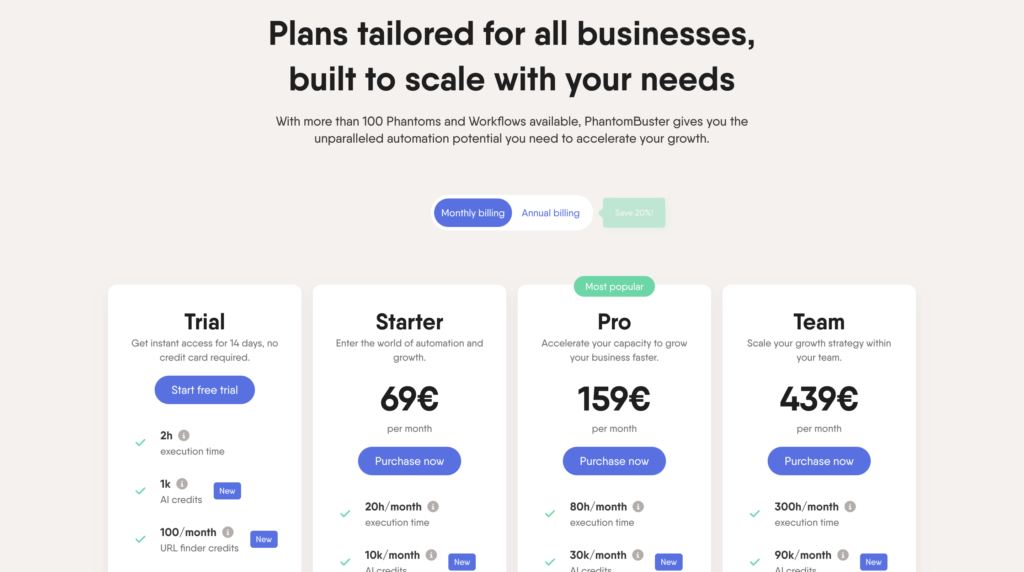
Phantombuster uses a credit-based model, with plans with a free trial. Costs can climb fast as usage grows, so it’s usually a better fit for growth teams and power users than solo founders. 💸
What do its customers think?
👍 Users love the raw power, flexibility, and depth of automation.
👎 The trade-off: a steeper learning curve, more technical setup, and less of a plug-and-play experience than Waalaxy.
#5 Salesforge
Salesforge focuses on AI-powered cold outreach, helping teams scale personalized LinkedIn and email campaigns faster than Waalaxy, while protecting deliverability and sender reputation. 🤖
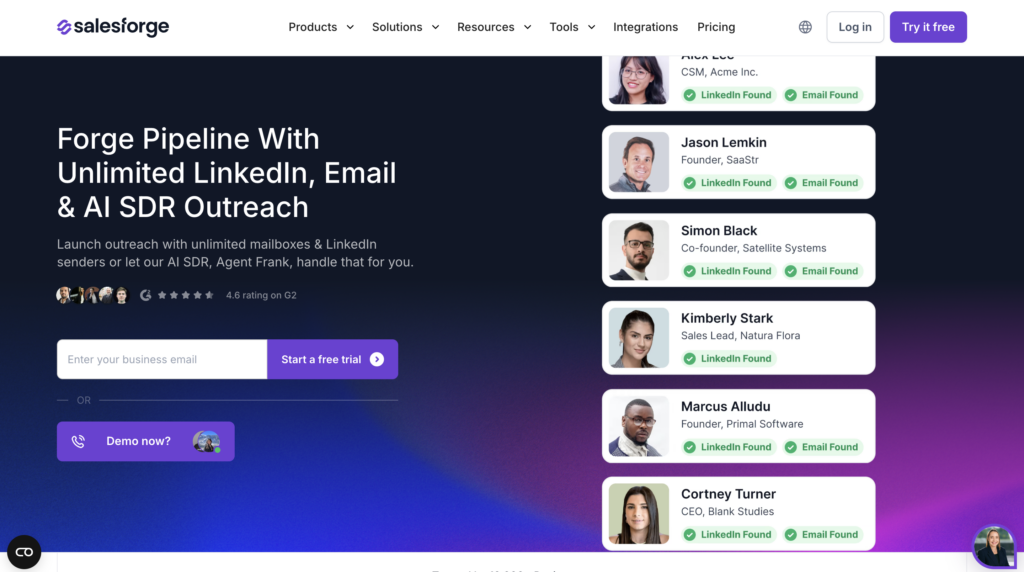
Here’s what you can do with Salesforge :
- 🧠 AI-driven personalization: Generate tailored messages at scale using prospect data and intent signals.
- ✉️ LinkedIn + email automation: Run LinkedIn steps and cold email sequences in one workflow.
- 📬 Deliverability-first setup: Built-in warmup and inbox rotation to protect sender reputation.
- 📊 Analytics + optimization: Track replies and conversion rates so you can keep improving results.
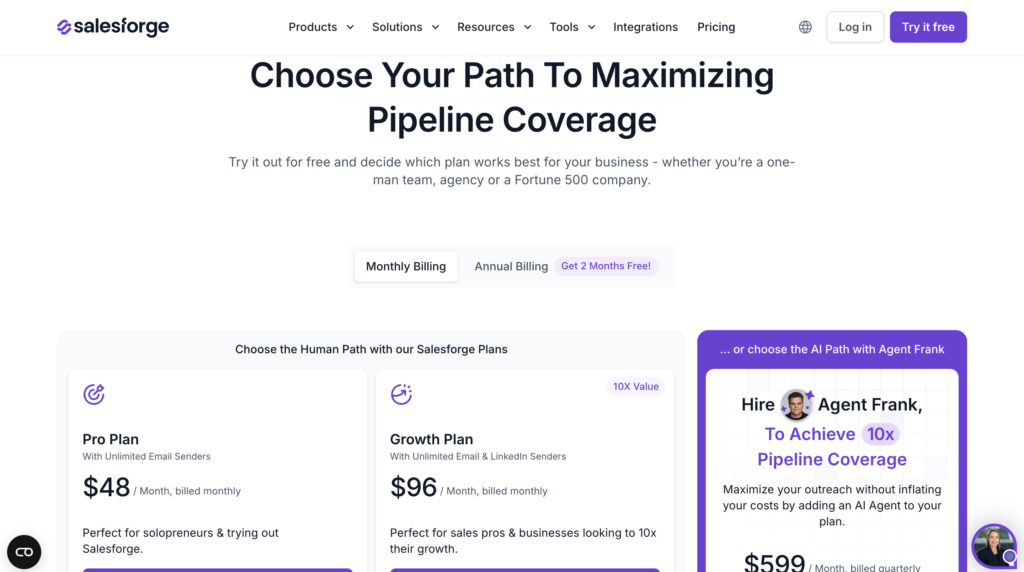
How much does Linked Helper cost?
Plans start around $48/month and are built for scaling teams running outbound-heavy workflows. Best for high-volume, AI-assisted outreach.
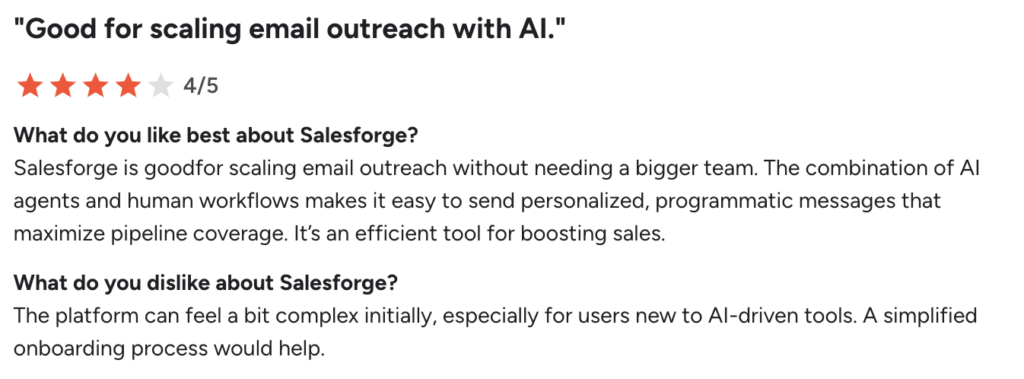
What do its users say?
👍 Users call out the AI personalization, how easy it is to scale, and the deliverability features.
👎 Some users mention less flexibility and complexity than other tools, and for very small teams, pricing can feel a bit steep.
Alternative Waalaxy vs Kanbox
Kanbox is a LinkedIn automation tool that bundles campaigns, a Kanban-style pipeline, a smart inbox, and built-in lead management/CRM features. 🔗
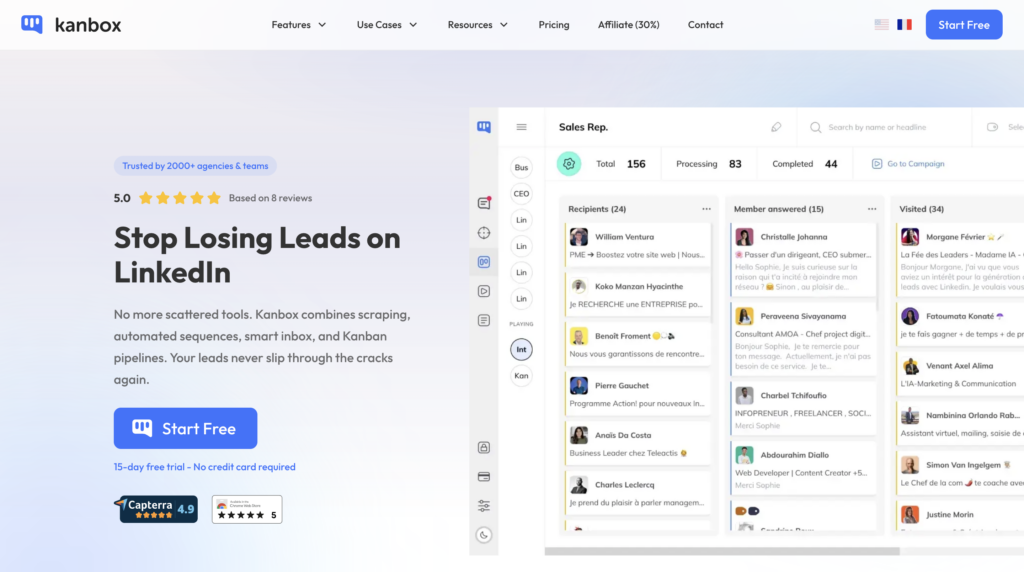
What you get with Kanbox:
- 🤖 LinkedIn automation (connection requests, messages, and follow-ups) to run structured sequences.
- 📋 A visual Kanban CRM to track prospects through your pipeline.
- 📨 A centralized Smart Inbox with filters and labels to manage messages in one place.
- 🔍 Import & segmentation of leads from LinkedIn (including Sales Navigator).
How much does Kanbox cost?
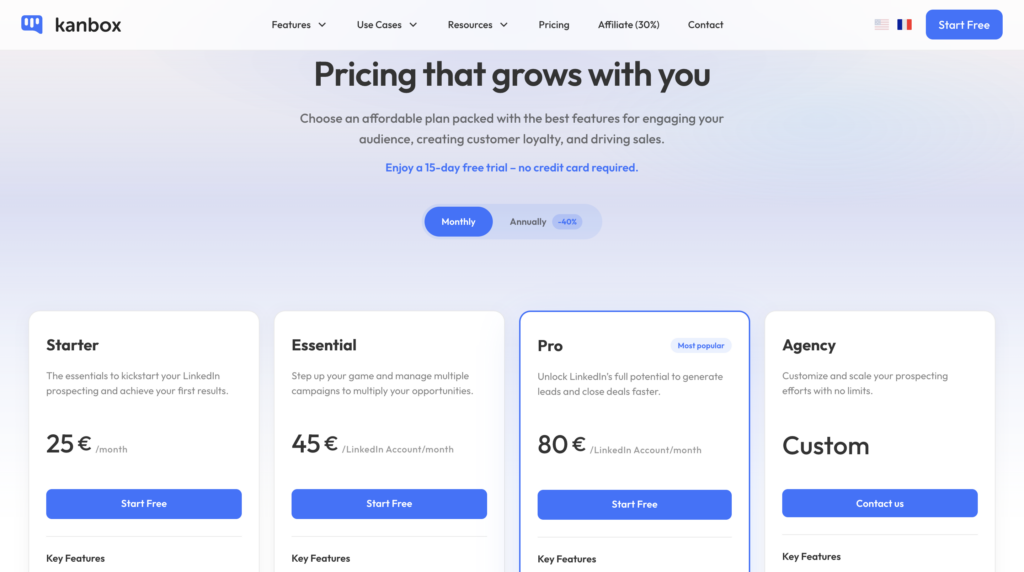
Kanbox starts around €25/month for basic features. More advanced plans add things like multi-account support, a deeper pipeline, scraping, and API access.
What do its users think?
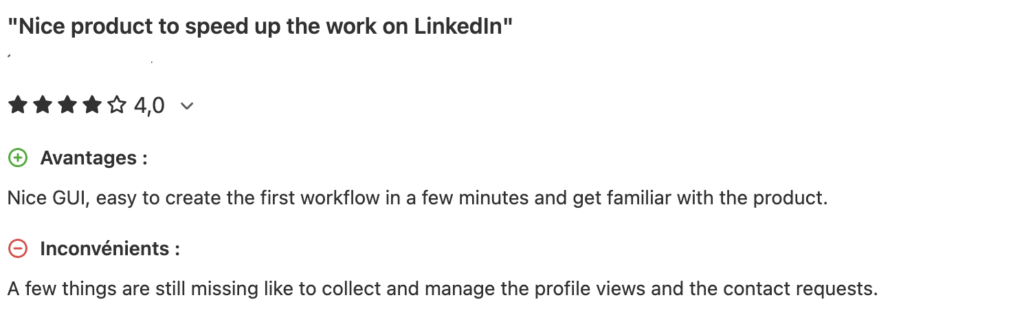
👍 Users like the intuitive interface and responsive support. Many also mention saving time on LinkedIn outreach—especially with the Kanban view and centralized lead management.
👎 Some mention a learning curve for advanced features and less multichannel capability (email + other channels) than Waalaxy.
#6 SalesRobot
Salesrobot is an AI-powered outreach assistant that automates LinkedIn, email, and multichannel outreach at scale. Compared to Waalaxy, it leans harder into “smart” sequencing and automation. 🤖
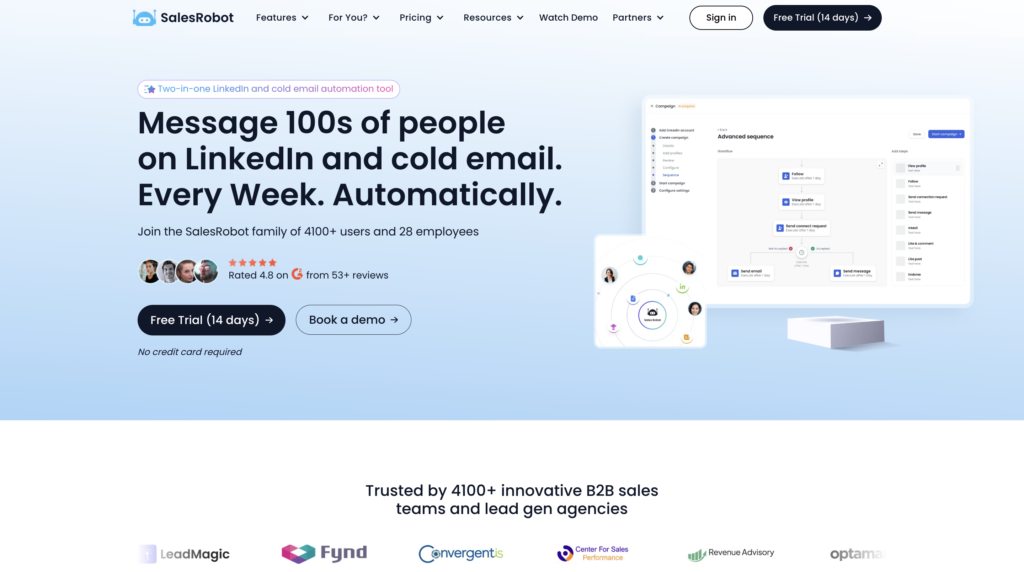
Here’s what you get with Salesrobot:
- 🤖 AI message generation and personalization: Create tailored messages at scale using prospect data and intent signals.
- 📬 LinkedIn and email automation: Run combined sequences from a single dashboard.
- ⚙️ Smart follow-ups: Trigger follow-ups and if/then steps automatically to boost replies.
- 📊 Analytics and insights: Track replies and engagement trends so you can optimize performance.
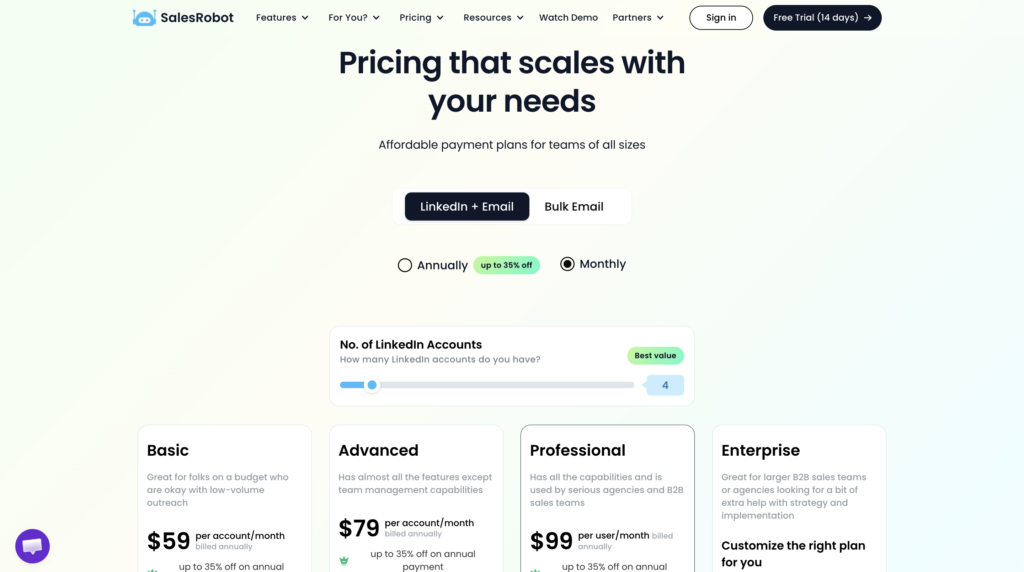
How much does SalesRobot cost?
Salesrobot has tiered pricing, starting around $59/month (and going up to ~$99/month depending on features). Best for startups and SMBs that want AI-assisted outreach without a ton of manual setup. 💼
What do its users say?
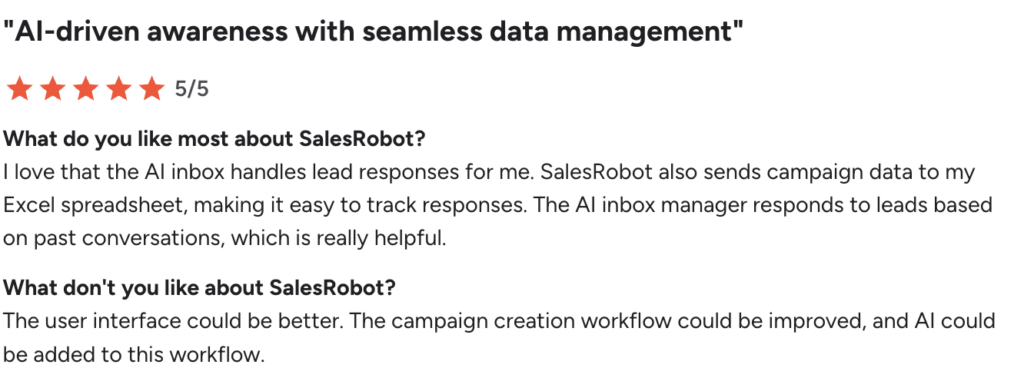
👍 Users praise the AI personalization, simplicity, and how quickly they can scale outreach.
👎 Some limitations remain, including a less intuitive UI and a cumbersome campaign editing process. Adding AI features could significantly improve the workflow.
#7 Lusha
Lusha isn’t a LinkedIn outreach automation tool like Waalaxy; it’s a B2B contact data and enrichment platform. It helps you build stronger prospect lists with verified emails, direct dials, and firmographic data, which makes it a great companion (or an alternative) when data quality is your top priority. 📇
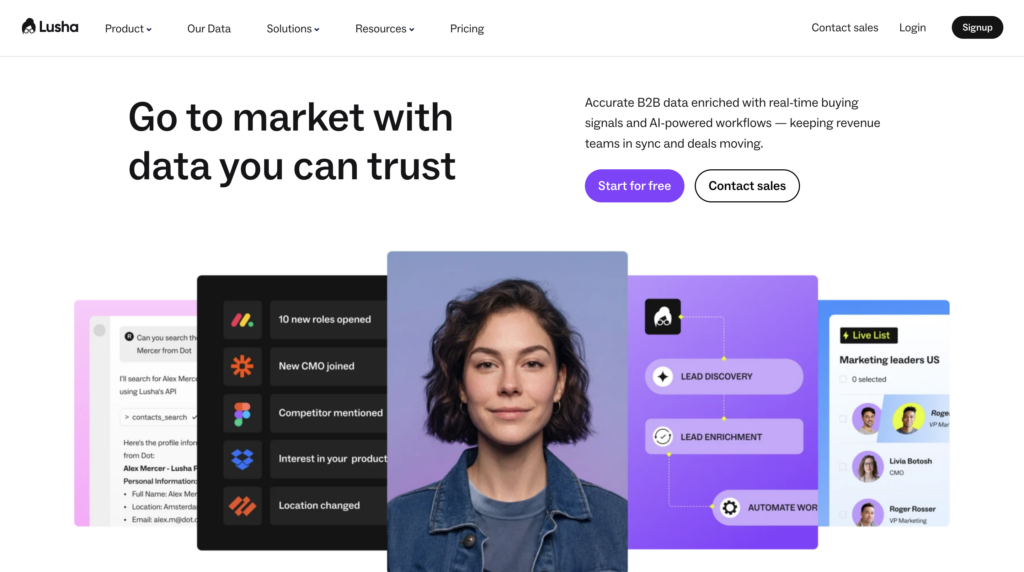
The features of Lusha are:
- 🔍 Accurate contact and company data: Access verified B2B emails and direct dials to sharpen outbound outreach.
- 📈 Enrichment at scale: Add firmographic and technographic details to your lists in bulk.
- 🧠 Chrome extension and integrations: Pull contact data from LinkedIn and sync it with tools like Salesforce, HubSpot, and other CRMs.
- 📊 Prospect scoring and segmentation: Segment leads using intent-style signals and prioritize high-value targets.
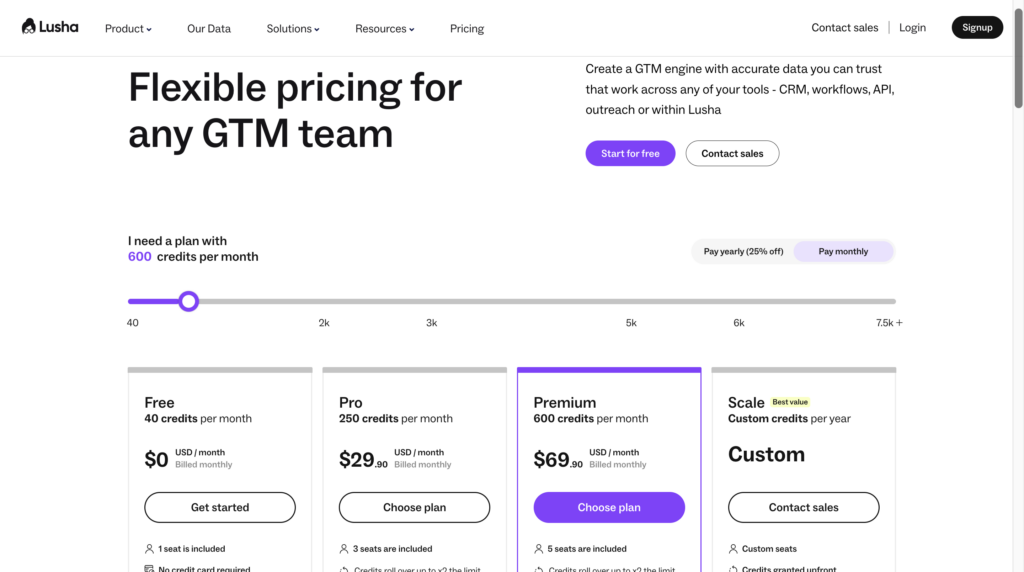
How much does Lusha cost?
Lusha uses a tiered, credit-based model, you get a set number of credits per month on the base plan, with higher tiers that scale for teams and enterprise needs. 💼
What do its customers think?
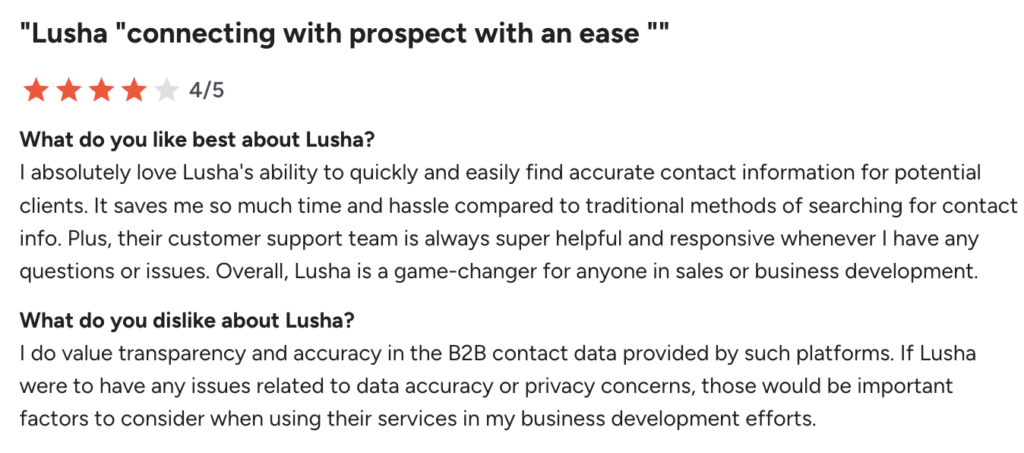
👍 Users praise the data accuracy, how easy it is to enrich lists, and the smooth CRM integrations.
👎 Common downsides include higher pricing at scale, the need for an outreach tool, and potential concerns around B2B data accuracy and privacy.
#8 UseArtemis
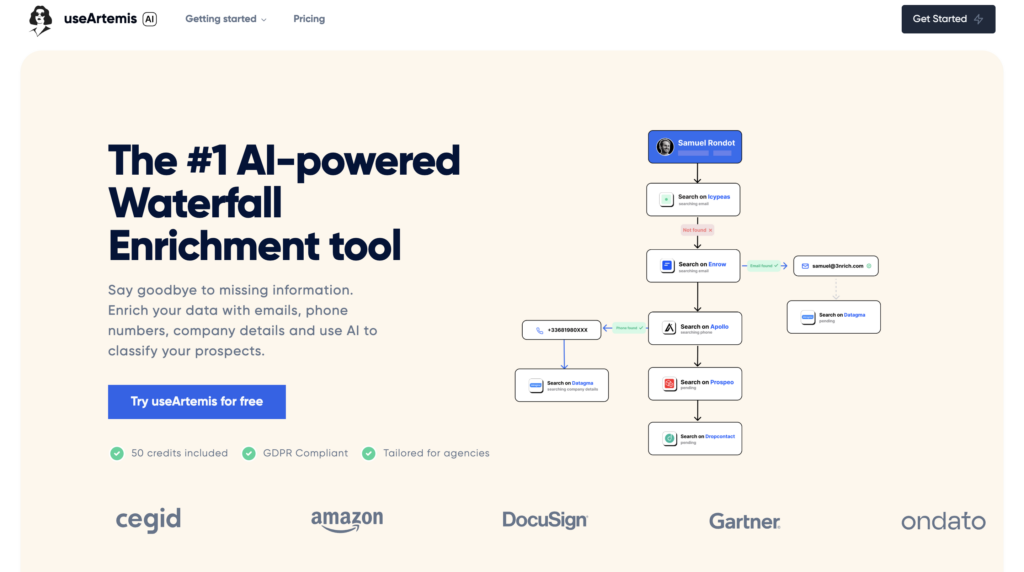
UseArtémis is a lead generation and data enrichment tool that helps you quickly find and verify B2B contacts (emails, job titles, and company info). 🤓
UseArtémis’ main features are:
- 🔍 Email discovery and data enrichment to find verified work emails.
- 📥 Prospect database and filters to segment by job title, sector, or location.
- 📊 Export and integration into your outreach tools (CSV, CRM, etc.).
- 📈 Strong value for money, often praised for lead accuracy relative to the price.
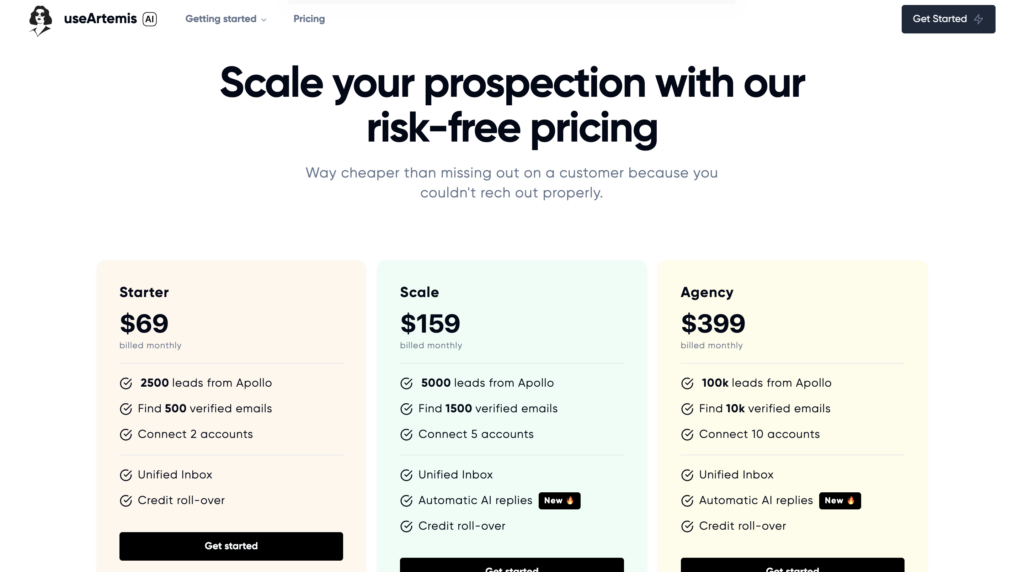
How much does UseArtemis cost?
UseArtemis uses a credit-based model and is often seen as a budget-friendly option for data access and enrichment. It can also pair well with tools like Apollo.io. 👀
What do its users think?
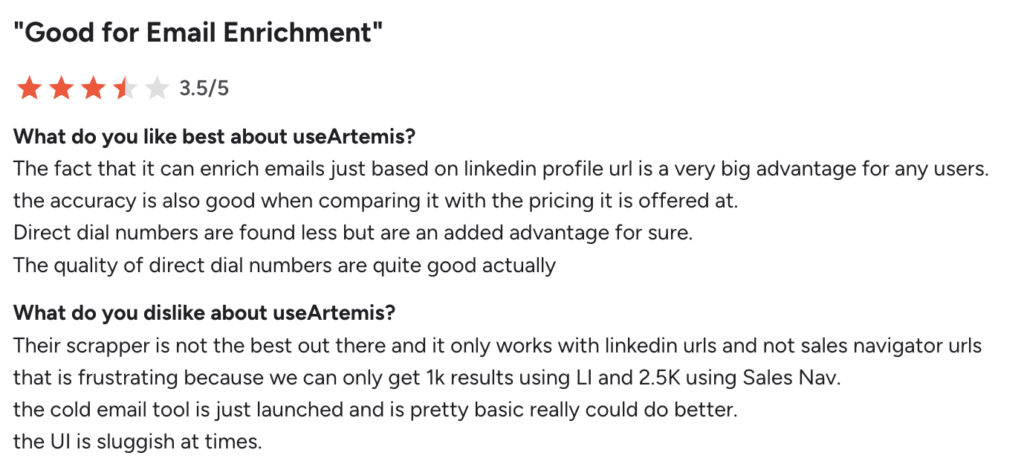
👍 Users like how easy it is to use and how intuitive the UI feels.
👎 Cold email and automation are limited, so many teams pair it with an outreach tool like Waalaxy. Some users also report slow or inconsistent customer support.
#9 Dripify
Dripify is a solid alternative to Waalaxy as a LinkedIn-focused automation tool (with some email features) that helps you generate leads and run sequenced campaigns with more customization and analytics than simpler tools. 😇
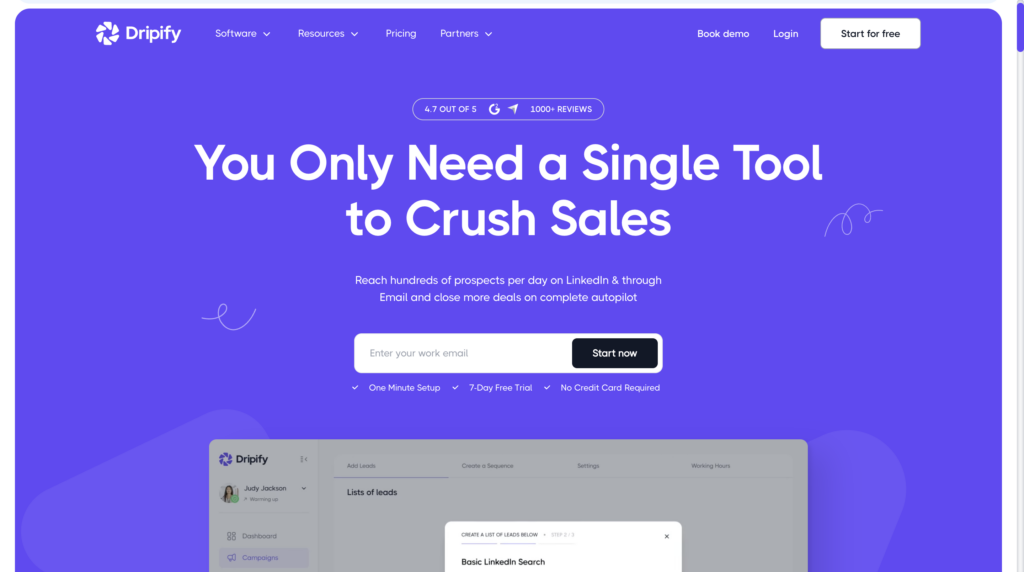
The tool’s main features:
- 🤖 LinkedIn automation with personalized messages and follow-ups.
- 📊 Advanced campaign customization and analytics to improve your sequences.
- 🔀 Multichannel support (LinkedIn + email, depending on plan).
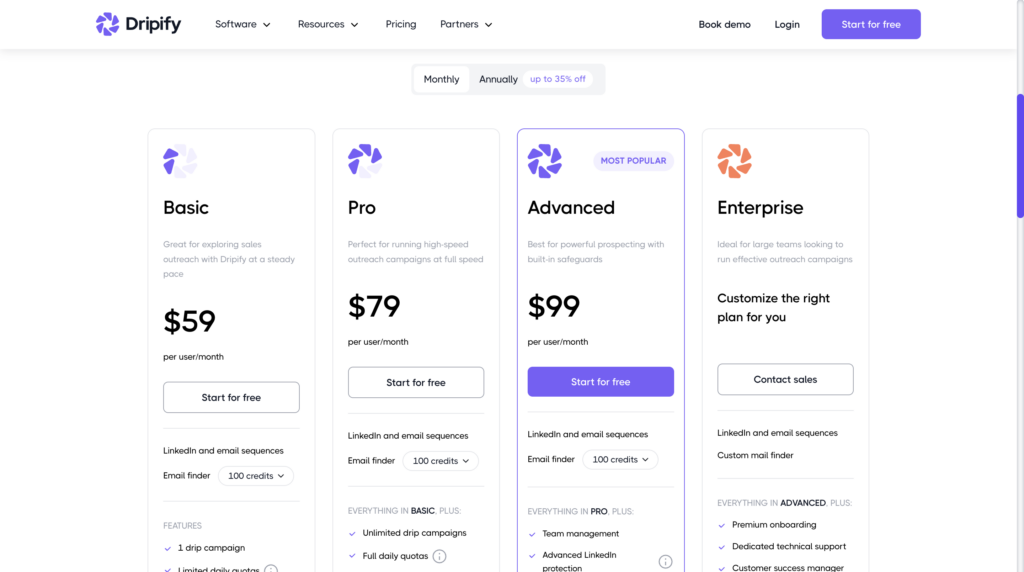
How much does Dripify cost?
Dripify starts around $59/month, with higher tiers unlocking more advanced features and deeper analytics. 📈
What do its users think?
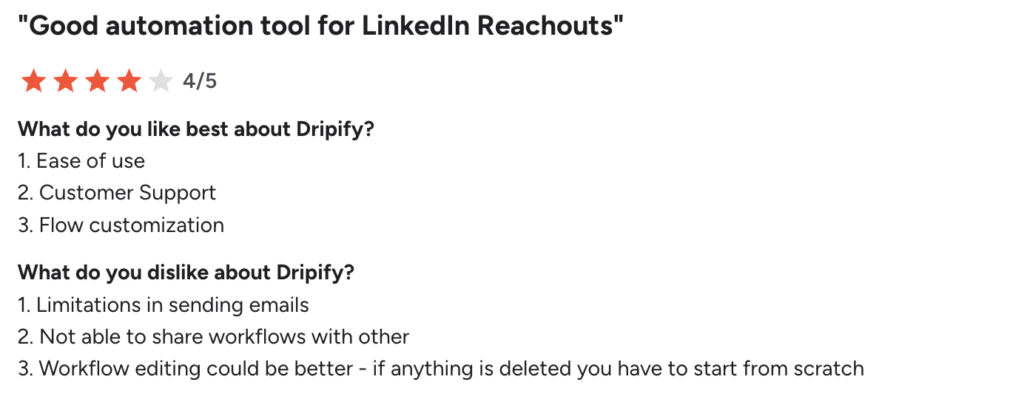
👍 Users like the campaign customization and analytics, which some find more detailed than Waalaxy’s.
👎 The trade-off: it can feel less intuitive at first, and some features take time to learn—especially on the more advanced plans.
Here is a summary table of the 10 Waalaxy alternatives:
| Tool | Main channels | Approximate price (per user/month) | Compliance with LinkedIn rules | Ideal for |
|---|---|---|---|---|
| Waalaxy | LinkedIn + Email | $0 (Freemium) / Pro $19 / Advanced $49 / Business $69 | ✅ Yes (safe approach, built-in quotas) | Simple, plug-and-play LinkedIn and email outreach |
| Expandi | LinkedIn (+ Email) | Starting at $99 | ⚠️ Mostly yes, but can be more aggressive | Advanced cloud LinkedIn automation (teams) |
| Lemlist | Email (+ LinkedIn via API) | Starting at $79 | ✅ Yes (LinkedIn only via API/indirect) | Cold email personalization and warmup |
| La Growth Machine | Email, LinkedIn, X, and more | Starting at $60 | ⚠️ Yes, but depends on the configuration | Complex multichannel workflows for teams |
| PhantomBuster | LinkedIn + multi-platform automation | Starting at €69 (credits, free trial) | ⚠️ Depends on what you automate | Power users: scraping, enrichment, custom automations |
| SalesForge | LinkedIn + Email | Starting at $48 | ⚠️ Depends on setup/usage | High-volume, AI-assisted outbound with deliverability focus |
| Kanbox | Starting at $25 | ⚠️ Yes, within limits/settings | LinkedIn automation + Kanban CRM pipeline | |
| Salesrobot | LinkedIn + Email + multichannel | At $59–$99 (tiered) | ⚠️ Depends on setup/usage | AI sequencing and smart follow-ups for SMBs |
| Lusha | Data enrichment | Freemium, credit-based (varies) | Not applicable (no LinkedIn automation) | Verified emails/phones and CRM enrichment |
| UseArtemis | Data enrichment | Starting at $59 | Not applicable (no LinkedIn automation) | Budget-friendly contact data and enrichment |
| Dripify | LinkedIn (+ Email) | Starting at $59 | ⚠️ Highly dependent on settings | LinkedIn sequences and deeper analytics/customization |

How do you choose the prospecting tool that actually fits your needs?
Picking the right prospecting tool doesn’t mean picking the biggest or most expensive one. It’s about choosing the tool that matches how you work—and what you’re trying to achieve right now. 👀
Start with a few honest questions. It usually comes down to a few criteria: 👇🏻
- 📌 Your main channels: LinkedIn, email, both, or other social networks.
- 📊 Your prospecting volume: Dozens of leads… or thousands?
- 🧠 Your experience level: do you need plug-and-play or advanced workflows?
- 🔐 Your risk tolerance, especially on LinkedIn.
- 💸 The real cost of subscription, data, time saved, and ROI.
If LinkedIn is your core channel and you want to add email without stacking tools or messing with a million settings, Waalaxy is usually the cleanest choice. 🕺🏻
Let’s wrap up the alternatives to Waalaxy
If you’re looking for a Waalaxy alternative, you’re probably just sanity-checking your decision. 👀 And honestly, that makes sense.
After comparing Waalaxy with 10 other tools, one thing becomes clear: for most LinkedIn + email use cases, it remains the simplest, most effective, and most balanced option.
That said, some alternatives do shine in specific scenarios — like high-volume cold email, data-heavy workflows, or complex CRM setups.
But for most sales reps, freelancers, and B2B teams, Waalaxy helps you launch, organize, and scale your outreach without unnecessary complexity. 😉
FAQ about Waalaxy alternatives
1. What is the best alternative to Waalaxy?
There’s no single “best” alternative to Waalaxy; the right tool depends on your outreach context and goals.
- If you mainly run high-volume cold email campaigns, tools like Lemlist, Instantly, or Smartlead may be a better fit.
- If your priority is B2B data and contact enrichment, solutions such as Apollo.io, Evaboot, or UseArtemis can complement your stack.
- However, if your strategy relies on LinkedIn only or LinkedIn + email, Waalaxy often remains the simplest and most effective option, since it avoids juggling multiple tools and complex setups.
Ultimately, the right choice depends on your channels, outreach volume, and sales maturity.
2. Why look for an alternative to Waalaxy?
In most cases, Waalaxy already covers the needs of LinkedIn + email outreach very well.
That said, some situations may justify comparing other tools:
- You send thousands of emails per day and LinkedIn isn’t a key channel.
- You need a very large built-in B2B database.
- You rely on highly complex multichannel workflows with many conditions.
- You manage a large number of client accounts or users.
For most B2B teams, founders, solopreneurs, and sales reps, these scenarios remain the exception rather than the rule.
3. Is Waalaxy suitable for beginners?
Yes and that’s actually one of its biggest strengths.
Waalaxy is designed for non-technical users: founders, freelancers, small sales teams, and agencies.
Thanks to pre-built sequences, automatic daily limits, and a “safe” approach, you can launch your first campaigns quickly without putting your LinkedIn account at risk.
That’s why Waalaxy is often preferred over more complex alternatives.
4. Is there a cheaper alternative to Waalaxy?
It depends on what you’re comparing.
Some tools may look cheaper at first glance, but often require:
- one tool for LinkedIn
- another for email
- another for data
- sometimes a CRM on top of that
In practice, the total cost of the stack can quickly exceed Waalaxy’s pricing.
For LinkedIn outreach or LinkedIn + email, Waalaxy remains one of the best options in terms of simplicity, price, and results.
5. How do you avoid LinkedIn restrictions when automating outreach?
To avoid restrictions or being banned from LinkedIn, you need a gradual, human-like approach. The goal is to stay as close as possible to normal user behavior.
Best practices include:
- Gradually ramping up activity, especially on new or inactive accounts.
- Spacing out actions (connection requests, messages, follow-ups).
- Personalizing messages to avoid a spammy feel.
- Using a tool with built-in daily limits and automatic breaks.
- Avoiding multiple automation tools on the same LinkedIn account.
Waalaxy applies these safeguards by default, allowing you to automate outreach with lower risk.
6. Is Waalaxy GDPR-compliant for B2B prospecting?
Yes. Waalaxy supports GDPR compliance from both a technical and contractual standpoint and meets European data protection and security requirements.
That said, as with any prospecting software, compliance ultimately depends on how you use it. Make sure to:
- Prospect based on legitimate interest or consent, depending on your case.
- Keep clean lists (remove duplicates, invalid emails, and opt-outs).
- Respect opt-out and data deletion requests.
7. How do you migrate your data to Waalaxy?
Migration is simple and fast.
You can export your contacts from your current tool as a CSV, then import them into Waalaxy while keeping key fields such as email, first name, and company.
From there, you can enrich leads via LinkedIn, add them to LinkedIn + email sequences, and launch clean campaigns without starting from scratch.
 Elodie
30/03/2026
Elodie
30/03/2026 












