



- Why Should You Use LinkedIn Analytics Tools in B2B?
- The 7 best LinkedIn analytics tools to analyze your performance
- LinkedIn analytics tools: What data can you actually analyze?
- Choosing the Right LinkedIn Analytics Tool
- How Can You Turn Analytics on LinkedIn Into Business Opportunities?
- Let’s recap about LinkedIn analytics tools
- Frequently asked questions about LinkedIn Analytics tools
Every day, you generate dozens of data points with LinkedIn… but you don’t know what to do with them. 🥲
Impressions, likes, comments, clicks, new followers… the platform gives you a ton of stats. Yet many professionals simply glance at these numbers without actually using them. 🫠
That’s exactly where LinkedIn analytics tools come in. 📊
In this article, we’ll explain what they are and show you the best tools you can use to analyze all that data.
Why Should You Use LinkedIn Analytics Tools in B2B?
LinkedIn is no longer just a professional social network. For many companies, it’s become a major acquisition channel. 😎
But simply posting content isn’t enough anymore. If you’re not analyzing your data, it’s hard to know what’s actually working and what needs fixing.
That’s where LinkedIn analytics tools come in. They turn your statistics into clear, actionable decisions. 📊
1. LinkedIn has become a strategic acquisition channel
LinkedIn has become the go-to platform for marketing, sales, and business development professionals. Today, professionals use it to: 👇🏻
- Developing a social selling strategy.
- Strengthening their personal branding.
- Generate qualified leads.
For many B2B companies, LinkedIn is now a key part of the sales pipeline. 👀
2. The problem with vanity metrics on LinkedIn
Many users focus on surface-level metrics like likes or impressions. The issue? These metrics can be misleading. 😅
For example:
Lots of likes ≠ interested prospects
Lots of impressions ≠ a growing sales pipeline
High visibility doesn’t always translate into real business results.
Raw numbers alone don’t mean much; you need to understand how to interpret them and connect them to your sales funnel. 🤓
3. Continuously improve your strategy
Analyzing your LinkedIn data helps you move from guesswork to strategy. Instead of posting randomly and hoping for results, you can rely on data to improve your approach.
With proper analytics, you can 👇🏻:
- Understand what truly works in your content.
- Optimize your outreach and content strategy.
- Identify interactions that can become business opportunities.
With the right analytics tools, you’re no longer just looking at stats; you’re using data to improve performance, generate more leads, and win more customers. 🥰

The 7 best LinkedIn analytics tools to analyze your performance
If you want to truly understand how you’re performing on LinkedIn, the platform’s native analytics often aren’t enough. That’s where LinkedIn analytics tools come in. They help you go deeper with post-analysis, engagement tracking, advanced reporting, and performance comparisons. 😯
Instead of simply looking at numbers, these tools help you turn LinkedIn data into real strategic insights.
Here are 7 LinkedIn analytics tools to analyze your data and drive your strategy. 🚗
| Tool | Type | Main Features | Price |
|---|---|---|---|
| LinkedIn Analytics | Native LinkedIn tool | Impressions, clicks, engagement rate, follower growth, demographic insights | Free |
| Shield Analytics | Dedicated LinkedIn analytics | Post analysis, engagement tracking, top-performing content insights, audience analytics | $30/month |
| Taplio | Analytics and content creation | Performance analysis, post ideas, scheduling, engagement and growth tracking | $39/month |
| Socialinsider | Social media analytics | LinkedIn post analysis, engagement tracking, benchmarking, competitor comparison | €89/month |
| Hootsuite | Social media management and analytics | Content scheduling, performance analysis, reporting, multi-network management | $199/month |
| Sprout Social | Advanced social media analytics | Detailed LinkedIn analytics reports, engagement analysis, custom boards, multi-network comparisons | $199/user/month |
| Vaizle | Social media analytics | Post-performance insights, LinkedIn profile and page analytics, audience insights | Free and paid plans starting at $49/month |
1. What is the LinkedIn analytics tool used for?
LinkedIn offers a native analytics tool built directly into the platform. It allows you to track your LinkedIn performance without installing any external tools. 🤗
Here’s what you can analyze:
- Post clicks.
- Post impressions.
- Engagement rate (likes, comments, shares).
- Follower growth.
- Audience demographics (industry, job title, company).
- Competitor performance comparisons.
You can access these statistics directly inside LinkedIn, in the analytics section of your posts or your company page.
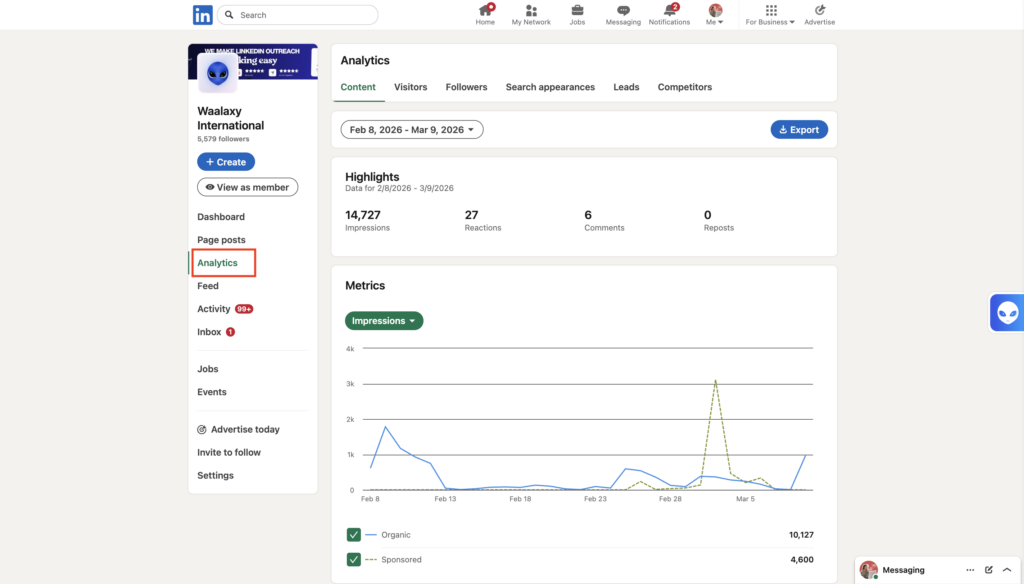
✅ It gives you a clear overview of your performance and helps you understand what generates engagement with your audience, and it’s completely free.
❌ The tool quickly becomes limited if you want deeper insights. Data export is restricted, comparing posts can be difficult, and there’s no direct integration with most marketing tools.
The limitations of LinkedIn analytics tools
The statistics integrated into LinkedIn are useful for getting an initial overview of your performance. But as soon as you want to implement a real marketing strategy, they are no longer sufficient. ⚠️ Here are the limitations:
- Analysis focused on visibility rather than conversion: LinkedIn analytics mainly focuses on impressions, likes, comments, and shares. While these metrics are helpful, they don’t always show the real impact on your sales pipeline. 🌪️
- Limited advanced reporting: The possibilities remain limited because there are few custom boards, data export is restricted, and performance comparisons can sometimes be difficult. 📊
- It is not possible to easily connect LinkedIn to your CRM, which makes tracking conversions more complex.
- Difficulty managing multiple accounts or teams: LinkedIn Analytics doesn’t always provide a centralized view of performance across multiple accounts or team members. 👀
That’s why many professionals rely on additional LinkedIn analytics tools to get deeper insights and better control over their LinkedIn strategy. ⚒️
2. Shield Analytics
Shield LinkedIn Analytics is one of the most popular tools for analyzing LinkedIn content performance, especially if you’re focused on personal branding or building a strong content strategy. 📆
Once you connect your profile, the platform gathers all your data into a clear and easy-to-read LinkedIn analytics dashboard, making it simple to track how your posts perform and how your audience engages with them. 📊
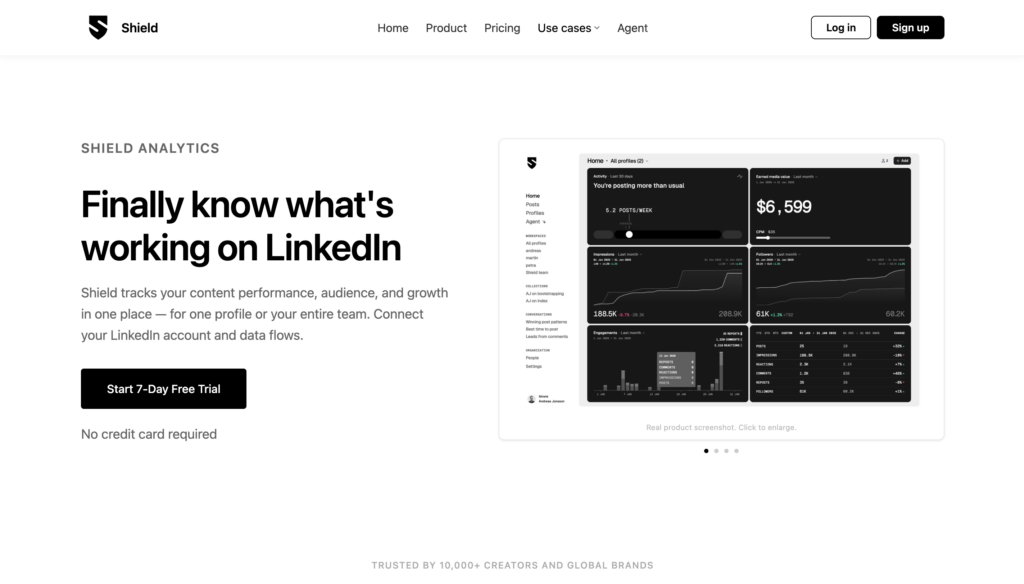
➡️ With Shield, you can:
- Analyze the performance of each LinkedIn post.
- Identify which content performs best.
- Better understand your target audience.
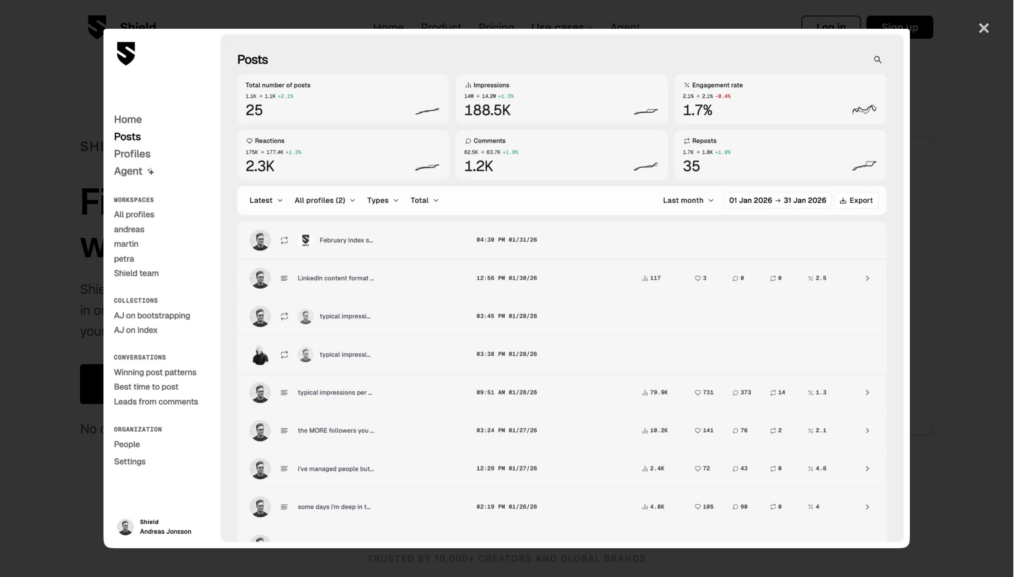
It’s a very useful tool for understanding what content works best on LinkedIn and adjusting your strategy. 😎
💰 In terms of price, it costs around $30 per month with a free trial available.
3. Taplio
Taplio is a very popular tool for developing your presence on LinkedIn. Unlike some purely analytical tools, it combines performance analysis, content creation, and post planning. ✍️📊
The tool uses AI to help you publish more easily and analyze what works best on your profile.
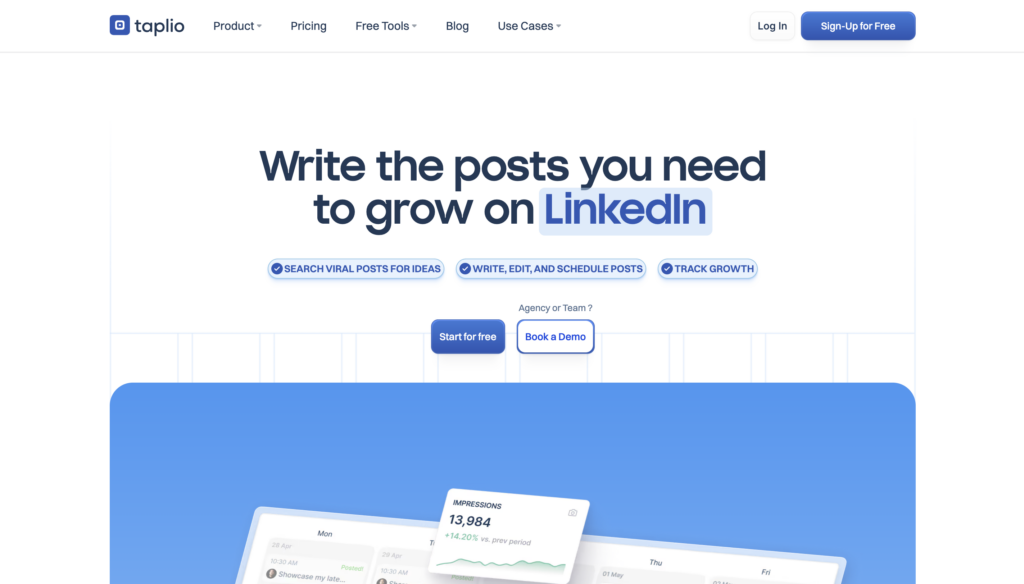
With Taplio, you can, for example:
- 📊 Analyze the performance of your LinkedIn posts.
- 🔎 Discover post ideas inspired by high-performing content.
- 📆 Schedule your posts.
- 🤓 Track your engagement and follower growth.
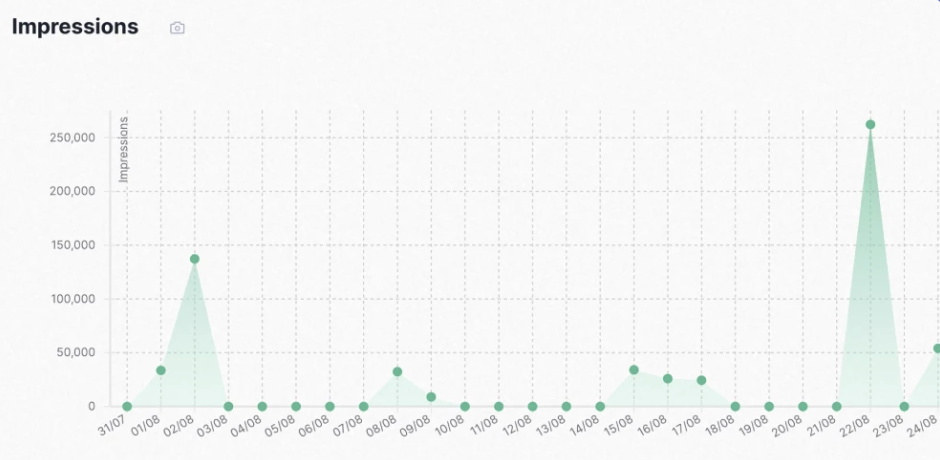
The goal is simple: help you improve your content strategy and increase your visibility on LinkedIn. 👀
💰 The tool offers several plans starting at $39/month.
4. Social Insider
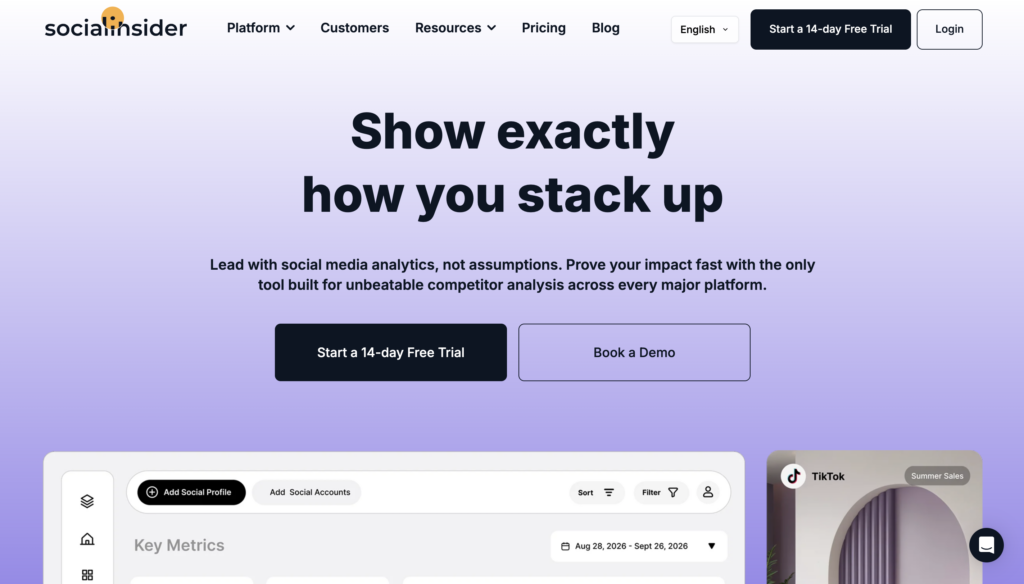
Social Insider is a social media analytics platform designed for marketing teams that want to track performance across multiple social networks, including LinkedIn. 📊
One of its biggest strengths is benchmarking. The platform allows you to compare your performance with competitors and identify the content formats that perform best in your industry. 😍
The key features: 👇🏻
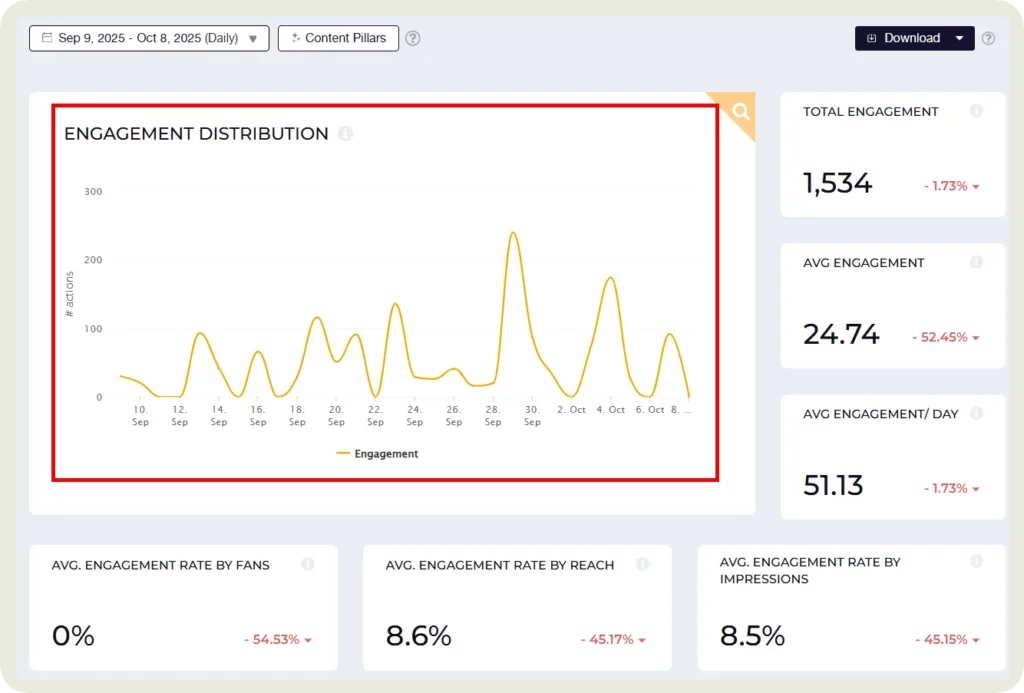
- 📊 Track the performance of your LinkedIn posts.
- 📉 Monitor how your engagement evolves over time.
- ⚖️ Compare your results with competitors and see where you stand.
It’s a mid-range tool starting at around $100/month, but with a 14-day free trial available. 😎
5. Hootsuite
Hootsuite is one of the best-known social media management tools. It allows you to plan, publish, and analyze your content on multiple platforms, including LinkedIn, all from a single board. 📊
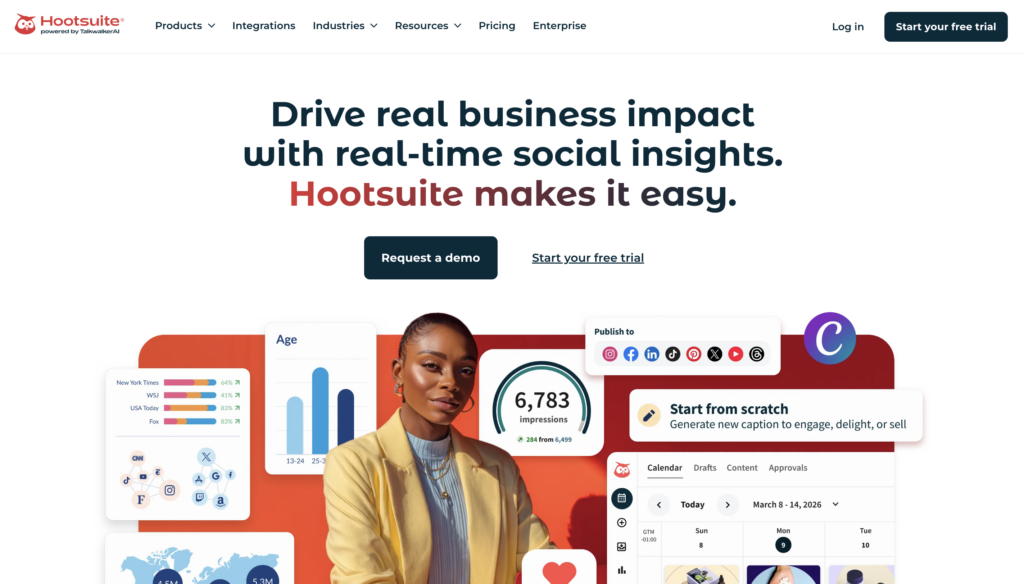
➡️ With Hootsuite, you can:
- Monitor the performance of your LinkedIn posts.
- View detailed audience demographics.
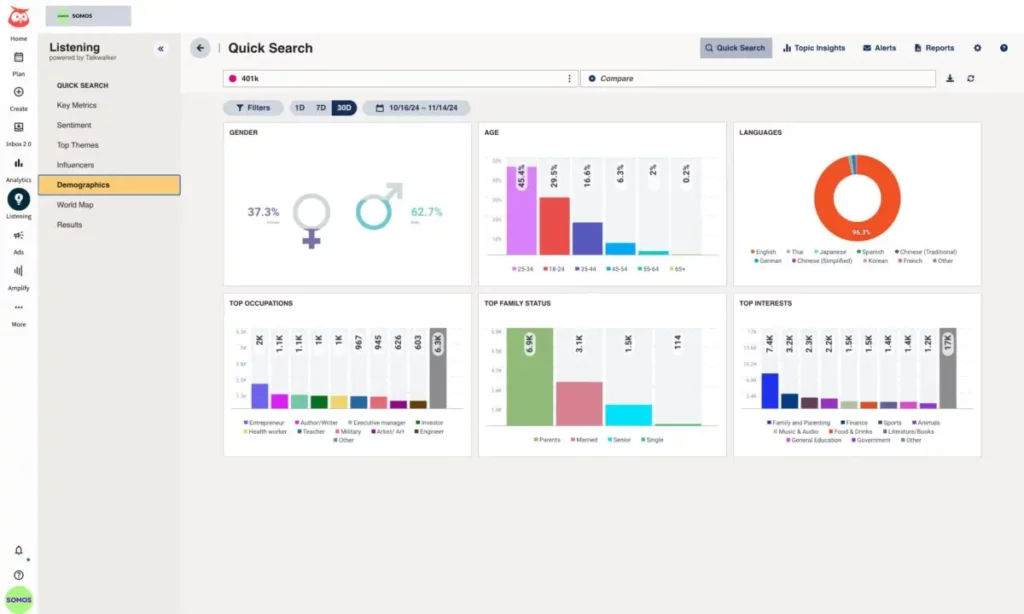
- Compare performance across different social networks.
- Generate customized reports for your sales teams.
Because it combines content scheduling and analytics, Hootsuite helps centralize social media management in one platform. That’s why it’s widely used by marketing teams and agencies managing multiple accounts. 🤓
💰 Regarding its price, its standard plan is €199 with a 30-day free trial.
6. Sprout Social
Sprout Social is a comprehensive social media management platform that includes advanced analytics for LinkedIn. 📊
It’s mainly used by marketing teams and agencies that need detailed performance reporting.
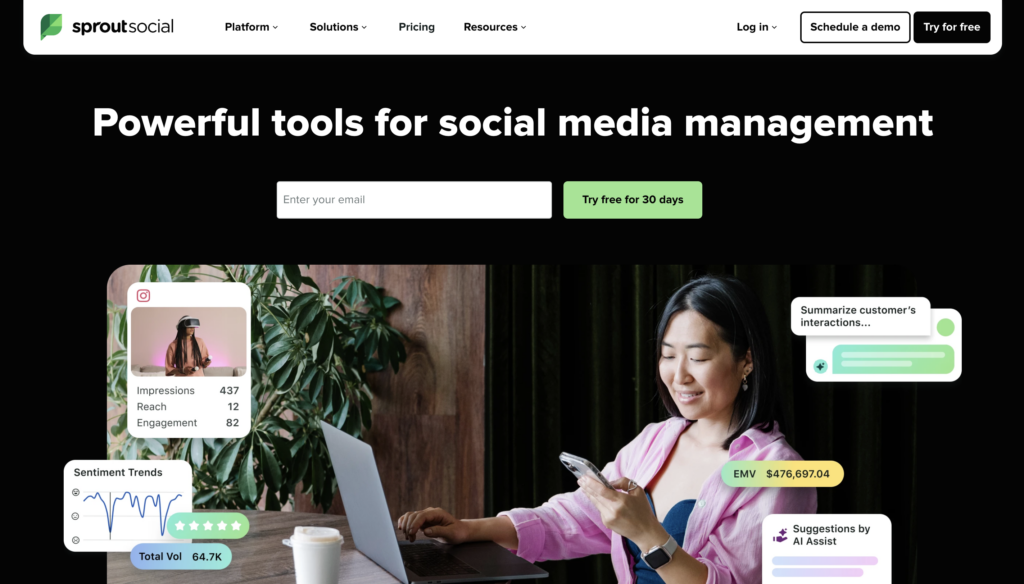
With Sprout Social, you can 👇🏻:
- Analyze how followers interact with your content.
- Track audience growth and engagement trends.
- Compare performance across multiple social networks.
- Create detailed marketing reports.
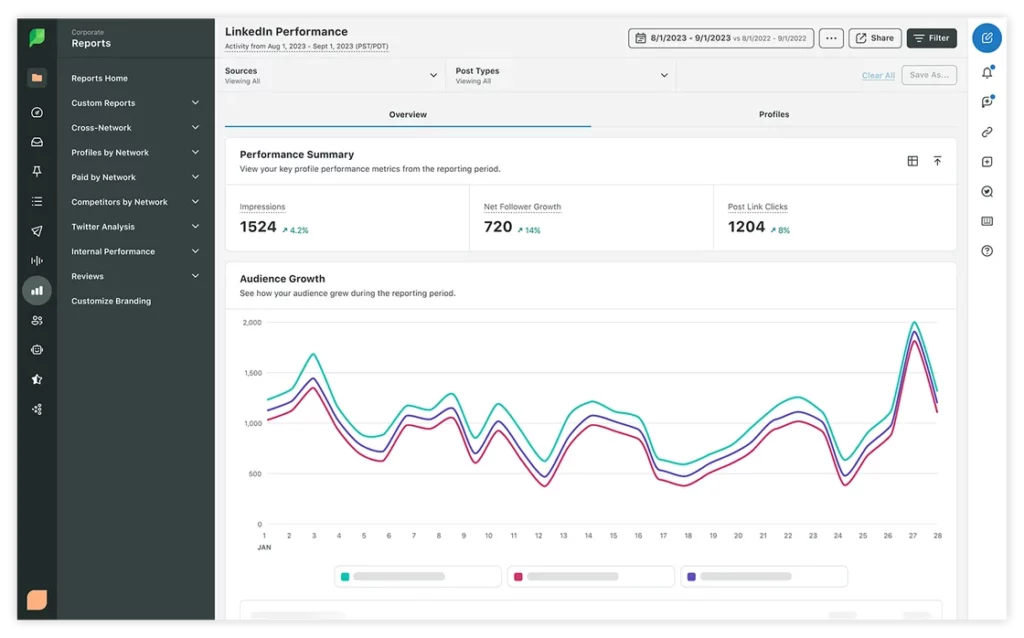
One of the platform’s main strengths is its centralized analytics dashboard, which allows you to monitor all your LinkedIn and social media data in one place. ✨
💰 Sprout Social is a premium tool with a Standard plan starting at $199/user/month.
7. Vaizle
Vaizle is a social media analytics platform that also offers features for tracking LinkedIn performance. 📊
While the platform is primarily designed for Facebook and Meta Ads analytics, it still includes several useful tools for monitoring LinkedIn activity. 📊
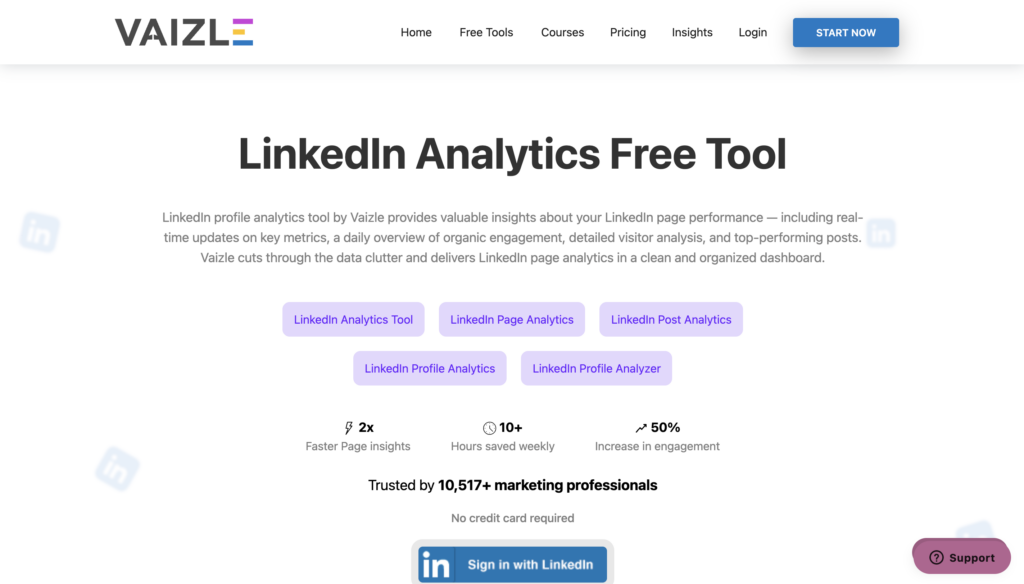
Vaizle’s main features include 👇🏻:
- Analyze the performance of your posts.
- See which industries interact with your page.
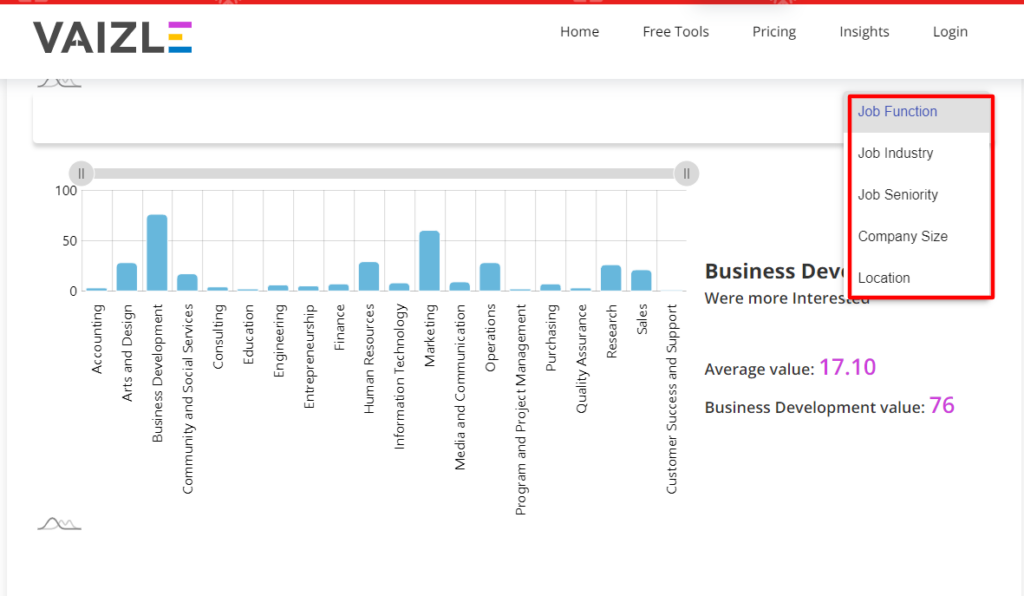
- Analyze your LinkedIn profile performance.
- Review analytics for your company page
💰 Vaizle offers free features with limited capabilities, along with paid plans starting at $49/month.
LinkedIn analytics tools: What data can you actually analyze?
Now that you know the main LinkedIn analytics tools, the real question is: which data should you actually focus on? 🤔
LinkedIn generates a lot of data, but not all of it is equally useful. The goal isn’t to track every number available. Instead, you should focus on the metrics that truly help you understand your performance and improve your strategy. 👇🏻
| Category | Metrics to track | What it tells you |
|---|---|---|
| Visibility | Impressions, reach, profile views | Whether your content is seen and well distributed in the feed. |
| Engagement | Likes, comments, shares, engagement rate | Whether your content really sparks interest and interaction. |
| Business performance | CTR, link clicks, website traffic, leads generated | Whether your content generates traffic and concrete opportunities. |
| Growth | New followers, network growth, acceptance rate | If your LinkedIn presence attracts new people. |
| Audience | Sectors, roles, companies, location | Whether you are actually reaching your B2B target audience. |

Choosing the Right LinkedIn Analytics Tool
Not every LinkedIn analytics tool serves the same purpose. A solo creator, for example, won’t have the same requirements as a marketing team or agency. That’s why it’s important to choose a tool that matches your goals and the level of analysis you need. ☺️
Here’s a quick comparison to help you choose the right LinkedIn analytics tool. 📊
| Profile | Recommended tool | Type of reporting | Post-analysis | Dashboards | Export & integrations |
|---|---|---|---|---|---|
| Freelancer/content creator | LinkedIn Analytics, Shield, Taplio | Basic to intermediate | Detailed analysis of posts and engagement | Simple dashboard | Limited export |
| Startup/SME | Taplio, Hootsuite, Socialinsider | Intermediate reporting | Content analysis + overall performance | Multi-post dashboard | CSV export / marketing integrations |
| Marketing team/agency | Sprout Social, Socialinsider, Hootsuite | Advanced reporting | Content analysis + benchmarking | Advanced dashboards | CRM integrations, advanced export |
🔍 Creators and solopreneurs: Choose a simple tool focused on post performance and engagement analysis.
📊 Startups and SMEs: Look for tools that include reporting features, dashboards, and performance tracking.
🔗 Agencies and marketing teams: Opt for platforms with advanced reporting, benchmarking, and CRM integrations.
How Can You Turn Analytics on LinkedIn Into Business Opportunities?
Analyzing your LinkedIn performance is a good start. But what really matters is how you use that data.
LinkedIn analytics shouldn’t just sit on a dashboard. When used correctly, they can help you identify prospects, start conversations, and generate B2B leads. 😎
1. A simple methodology to activate your data
To turn analytics into real results, you can follow a simple framework.
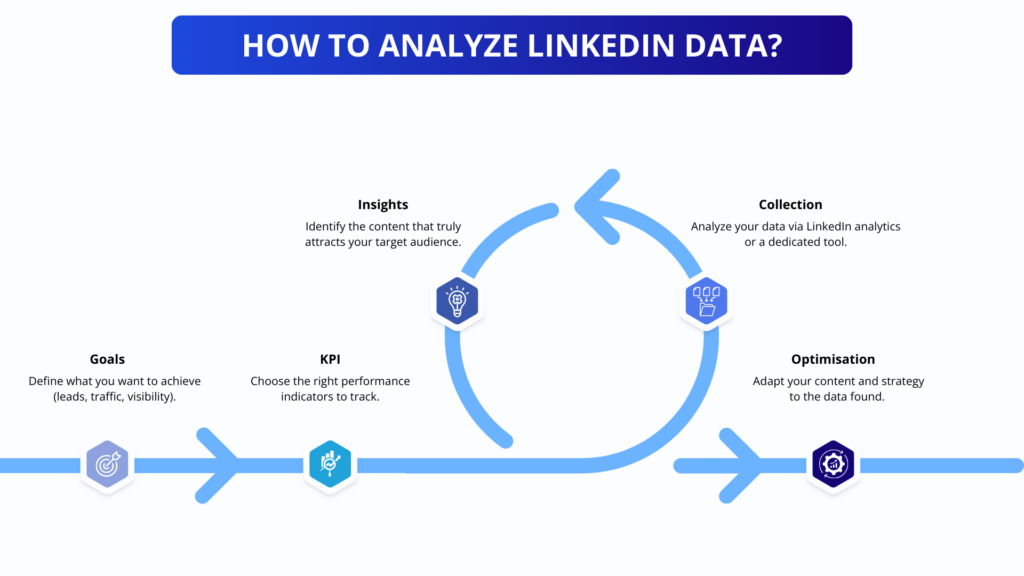
Start by observing what works…then double down on it. 😎
Look at the posts that generate the most engagement, identify the topics that resonate with your audience, and focus your strategy on what already works well. 😌
2. Identify prospects who interact with your content
People who like, comment on, or share your posts are often the most interested in your expertise or offer. These interactions are strong signals that can help you identify: 👇🏻
- Potential leads.
- Decision-makers are interested in what you share.
- People are already engaged with your content.
In many cases, reaching out to these users is far more effective than contacting completely cold prospects. 🥶
3. Segment your audience according to intent
Not all interactions carry the same level of intent. For example:
- 💕 A like usually signals light interest.
- 💬 A comment often signals stronger interest.
- 👀 A click or profile visit may indicate higher intent.
Segmenting this intent data helps you identify the most promising prospects to contact first. 👀
4. Turn insights into prospecting actions
Once you’ve identified these signals, you can take action: 👇🏻
- Send a personalized connection request.
- Follow up with people who commented on your post.
- Start a conversation about the topic you shared.
This approach works because you’re contacting people who already know your content and have shown interest. 🖼️
5. Use an automation tool to activate your LinkedIn data
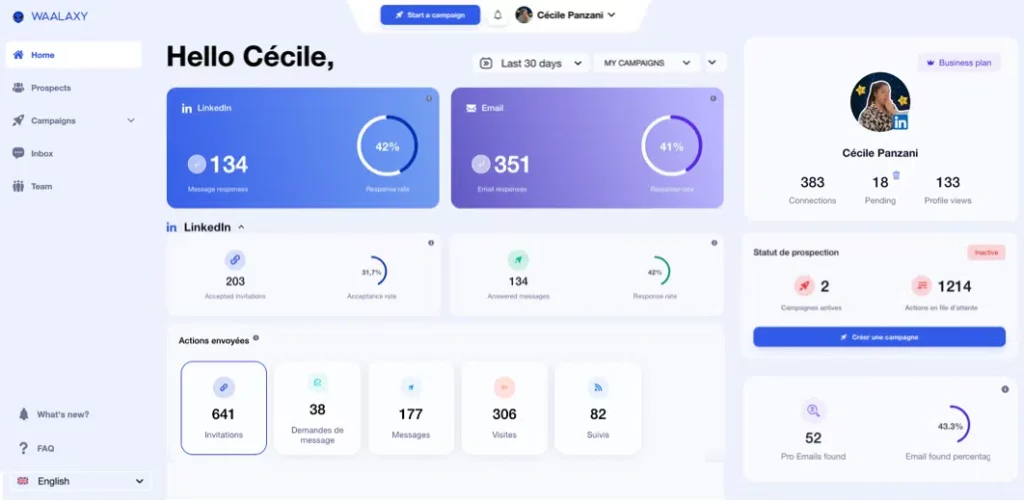
This is where tools like Waalaxy become useful. Instead of just analyzing your LinkedIn data, you can turn it directly into prospecting campaigns. 😏
With Waalaxy, you can:
- 🧩 Turn engagement into sales conversations with multi-channel sequences.
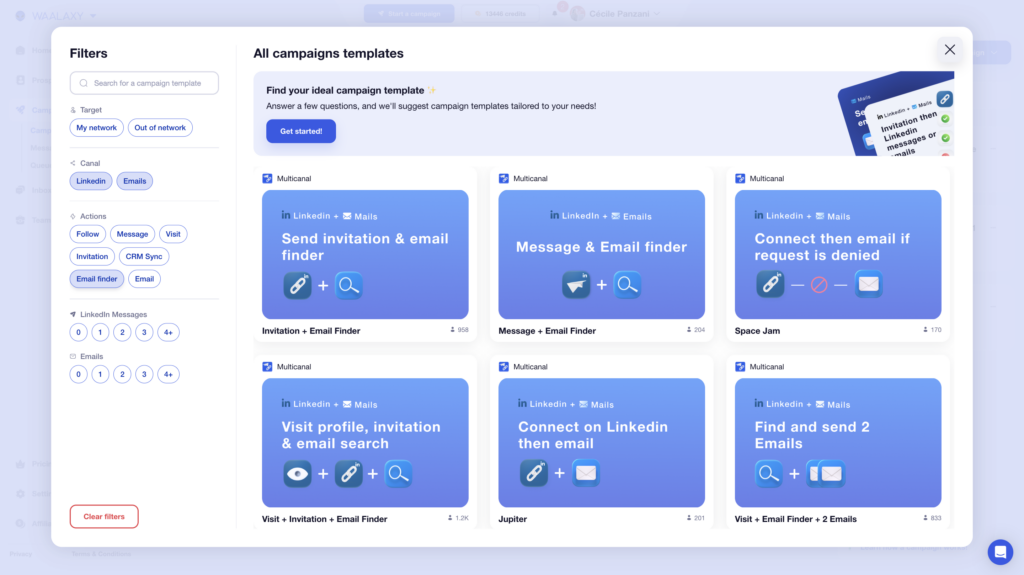
- 🧲 Import prospects based on their LinkedIn actions (profile visits, likes).
- 🤖 Automate your LinkedIn outreach.
- Connect to multiple integrations and CRM tools (Make, n8n, etc.).
Your analytics stop being just numbers; they become a powerful engine for generating leads. 📈
Let’s recap about LinkedIn analytics tools
With LinkedIn analytics tools, the goal isn’t just to track impressions or likes.
The real challenge is understanding what works, who engages with your content, and how to turn that data into real opportunities. 💸
LinkedIn’s native analytics are a good starting point, but they quickly reach their limits. With the right tools, you can go deeper into performance analysis, build better reports, and most importantly, turn insights into action. 🤓
When used strategically, LinkedIn analytics tools help you move beyond simple metrics and transform your LinkedIn activity into a real source of B2B leads and business growth. ✨
Frequently asked questions about LinkedIn Analytics tools
{ “@context”: “https://schema.org/”, “@type”: “FAQPage”, “mainEntity”: [ { “@type”: “Question”, “name”: “Comment puis-je consulter les statistiques LinkedIn ?”, “acceptedAnswer”: { “@type”: “Answer”, “text”: “LinkedIn propose un outil intégré appelé LinkedIn Analytics. Vous pouvez y accéder depuis vos publications (via les statistiques sous le post) ou depuis l’onglet Analytics d’une page entreprise.
Vous y retrouvez notamment les impressions, le taux d’engagement et les interactions de votre audience. Ces données permettent d’identifier rapidement quels contenus performent le mieux auprès de votre réseau.
” } }, { “@type”: “Question”, “name”: “ChatGPT peut-il analyser LinkedIn ?”, “acceptedAnswer”: { “@type”: “Answer”, “text”: “Pas directement. ChatGPT ne peut pas se connecter à votre compte LinkedIn ni accéder à vos statistiques internes.
En revanche, si vous lui partagez vos données (export, tableau, captures, chiffres clés), il peut vous aider à les interpréter, à repérer des tendances et à identifier des pistes d’amélioration.
C’est donc un bon outil d’analyse et de réflexion, mais pas un outil natif connecté à LinkedIn.
” } }, { “@type”: “Question”, “name”: “Comment récupérer les LinkedIn analytics ?”, “acceptedAnswer”: { “@type”: “Answer”, “text”: “Pour récupérer vos données LinkedIn, voici le plus simple :
- Connectez-vous à LinkedIn et ouvrez votre profil ou votre page entreprise.
- Sur un post, cliquez sur les statistiques affichées sous la publication pour consulter impressions, clics, réactions et commentaires.
- Sur une page entreprise, accédez à l’onglet Analytics pour retrouver les données regroupées.
- Selon votre page, exportez certaines statistiques ou utilisez un outil tiers (par exemple Shield, Taplio ou Socialinsider) pour centraliser et suivre vos performances plus facilement.
Oui, globalement, les statistiques LinkedIn sont fiables puisqu’elles proviennent directement de la plateforme.
En revanche, elles doivent être interprétées avec méthode. Une impression, par exemple, ne signifie pas forcément qu’un contenu a été lu. Et il reste souvent difficile d’attribuer une conversion ou une vente à un seul post.
” } }, { “@type”: “Question”, “name”: “Comment optimiser vos analytics LinkedIn ?”, “acceptedAnswer”: { “@type”: “Answer”, “text”: “Pour améliorer vos performances, utilisez vos données pour ajuster votre stratégie au fil du temps.
- Analysez les posts qui performent le mieux (format, sujet, angle, accroche).
- Repérez les thématiques et formats qui génèrent le plus d’intérêt et d’engagement.
- Testez, itérez et standardisez ce qui fonctionne pour créer une progression régulière.
Progressivement, vous comprendrez mieux ce qui attire votre audience et ce qui peut générer de vraies opportunités.
” } } ] }How Can You View LinkedIn Analytics?
LinkedIn already includes a built-in tool called LinkedIn Analytics. You can access it directly from your posts or from the Analytics tab on your company page. 📃
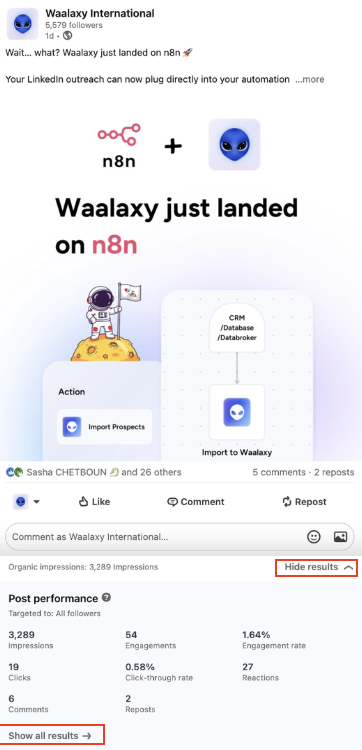
There you’ll find metrics such as impressions, engagement rate, and audience activity. These insights help you quickly understand which content performs best with your network. 📊
Can ChatGPT analyze LinkedIn?
Not directly. ChatGPT cannot connect to your LinkedIn account or access your private analytics data. 🥲
However, if you share your data with it, it can help you:
- 📊 Interpret your performance metrics.
- 🕺🏻 Identify opportunities for improvement.
In other words, ChatGPT is useful for analysis and strategic thinking, but it isn’t a native tool connected to LinkedIn. 🚨
How to pull analytics from LinkedIn?
Here’s the easiest way to access your LinkedIn analytics:👇
- 1️⃣ Log in to LinkedIn: Open your profile or company page.
- 2️⃣ Open the statistics: Click the analytics displayed below a post to see impressions, clicks, reactions, and comments.
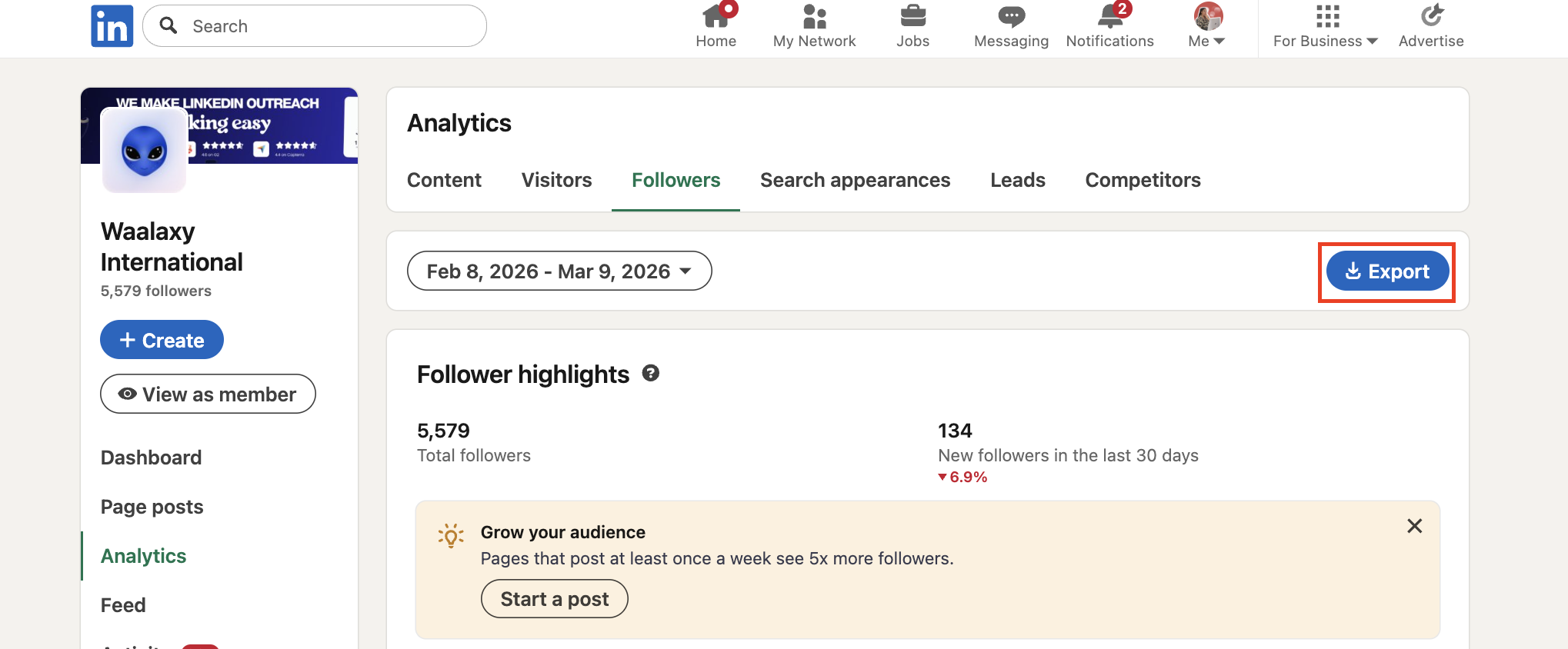
- 3️⃣ Check the Analytics tab: On a company page, LinkedIn groups your performance data inside.
- 4️⃣ Export or use a third-party tool: Depending on your page, you can export certain metrics. To go further, tools like Shield, Taplio, or Social Insider help centralize and analyze your data more effectively.
Are LinkedIn analytics tools reliable?
Yes, overall, LinkedIn analytics are reliable because the data comes directly from the platform. 🌐
However, the metrics still need to be interpreted correctly.
For example, an impression doesn’t necessarily mean a post was actually read. It can also be difficult to directly link content performance to a conversion or sale. 💸
That’s why analytics should always be combined with broader marketing and sales insights. ✨
How can you optimize your LinkedIn analytics?
To improve your performance, the idea is to use your data to adjust your strategy over time. For example, you can: 👇🏻
- Analyze which posts perform best
- Identify the formats or topics that generate the most engagement.
Little by little, this will give you a better understanding of what attracts your audience in real-time and what can really create opportunities. 🤝
Now you know everything there is to know about LinkedIn analytics tools! 🧚🏻♀️
 Lisa
20/03/2026
Lisa
20/03/2026 












