



Are you using Dux-Soup for your LinkedIn prospecting, but looking for a more powerful solution? You’re not alone. 😉
Today, many tools offer more advanced features: multi-channel automation, better personalization, and even integration with your CRM. 👀
In this article, discover 10 Dux Soup alternatives. To help you choose the most effective tool for your prospecting. 🔥
What is dux-soup ?
The Dux-Soup extension is a LinkedIn automation tool designed to help professionals and businesses grow their outreach and network. 🔗
Highly popular, it automates many repetitive tasks on LinkedIn while improving engagement with your prospects. ☺️
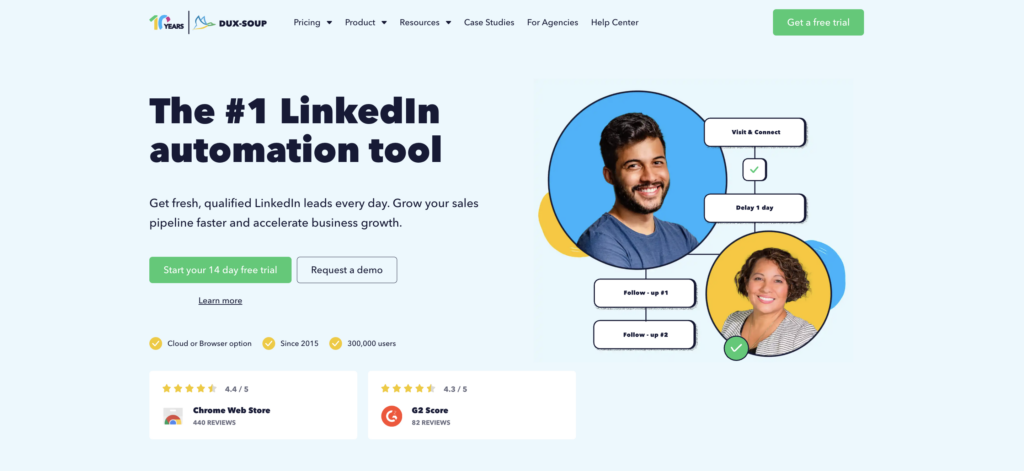
Here are Dux-Soup’s key features: 🦆
- 🟣 Campaign creation: Automated sending of invitations, profile visits, follow-ups, and personalized messages with configurable time intervals.
- 🟣 Lead generation and management: Track responses, manage prospects, and access statistics to optimize your campaigns.
- 🟣 CRM integration: Data synchronization for better sales tracking.
- 🟣 Advanced LinkedIn search and filters: Precisely target your audience with customizable settings.
- 🟣 Data import/export: Simplified transfer of leads to your CRM tools.
Dux-Soup is designed for anyone who wants to leverage LinkedIn to grow their business and generate sales opportunities. 🗣️
Dux Soup pricing : What are the options?
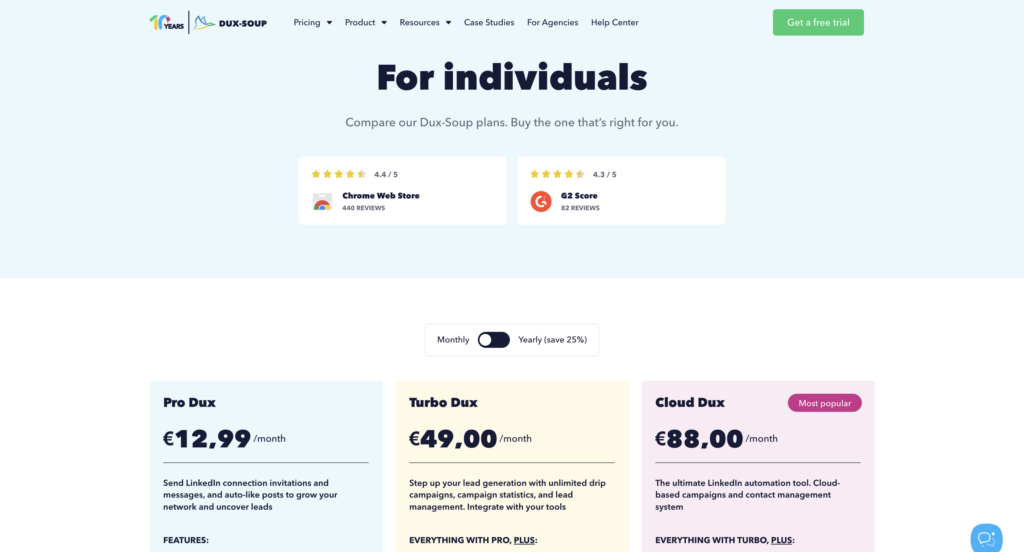
Dux-Soup offers starts at €12.99 per month. 💰
Depending on your needs, several plans are available (individual, team, agency) with varying levels of advanced features.
Dux-Soup reviews: What do users think?
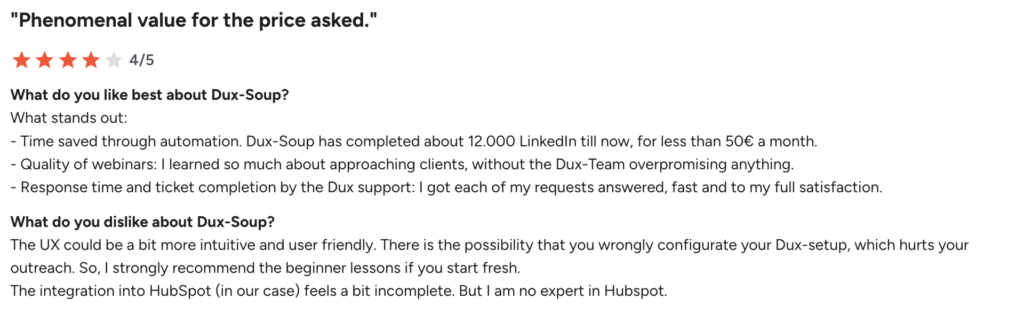
Reviews of Dux-Soup are generally positive, particularly regarding the time saved through automation, the quality of customer service, and good value for money when starting out with prospecting. 💸
However, users regularly mention several areas for improvement 🫠:
- ⚠️ User interface could be improved: Considered not very intuitive and not always pleasant to use.
- ⚠️ Complex initial setup: A poor installation can impact campaign performance.
- ⚠️ Integration with HubSpot is sometimes limited.
- ⚠️ Dux Soup Chrome extension: Centralizes many settings but seems a bit outdated today.
Dux-Soup remains effective, but requires some getting used to and can show its limitations with more advanced uses. 🤓
Why look for an alternative to Dux-Soup?
Even though Dux-Soup remains a popular tool, it has certain limitations that are driving more and more users to explore other solutions 👇🏻:
- 👻 Risks to your LinkedIn account: Automation can lead to restrictions or even suspension if misused.
- ⚙️ Dependence on Chrome: The tool works via an extension, which means you have to keep your browser open and can slow down your computer.
- 🔄 No multi-channel support: Dux-Soup is limited to LinkedIn, with no native support for email or other lead generation channels.
- 🎛️ Room for improvement in the interface: Several users mention an outdated UX and a learning curve that can be complex at times.
- 🧩 Not well-suited for teams: Limited features for collaborative work or scaling.

Top 10 Alternatives to Dux-Soup
Today, many tools go beyond Dux-Soup: advanced automation, multi-channel support, or an even better user experience. 🧘🏻♀️
In this selection, discover 10 dux soup competitors, with details on each one’s features, pricing, user reviews, pros, and cons. 👀
| Tool | Starting Price | Key Features |
|---|---|---|
| Dux-Soup | €12.99/month | Easy to get started, LinkedIn automation, affordable pricing |
| Waalaxy | €19/month | Easy to use, multi-channel, team plan, inbox, lead scoring, good value for money |
| Skylead | $100/month | Advanced multichannel, automation logic, scalable outreach, analytics |
| Dripify | $59/month | Advanced analytics, workflow automation, team management |
| Expandi | $99/month | Advanced automation, personalization, campaign builder |
| Zeliq | €49/month | Data enrichment, lead database, CRM sync |
| Lusha | $49/month | B2B data, email finder, LinkedIn data enrichment |
| PersistIQ | Custom pricing | Email automation, meeting booking, sales workflows |
| LinkedHelper | $15/month | Very powerful, customizable automation, CRM features |
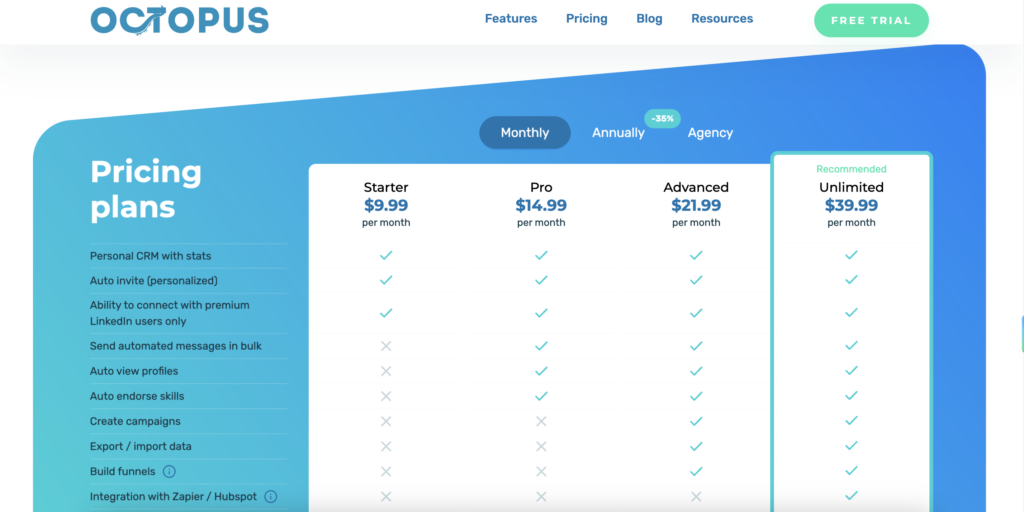
| Octopus CRM | $9.99/month | Very affordable, simple automation, funnel builder |
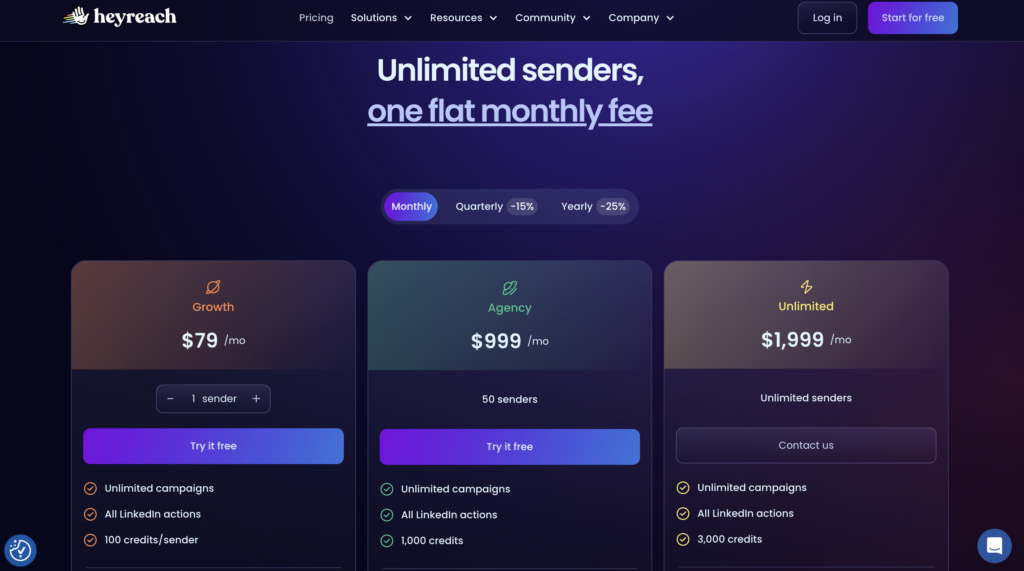
| HeyReach | $79/month | Multi-account management, outreach automation, team inbox |
Dux-Soup alternative: Waalaxy
What is Waalaxy ? It’s currently one of the strongest alternatives to Dux-Soup, especially for users who want to go beyond basic LinkedIn automation. 🚀
Unlike Dux-Soup, Waalaxy extension isn’t limited to LinkedIn. The tool lets you combine LinkedIn prospecting and email into ready-to-use multichannel sequences that are easy to launch and simple to manage.
➡️ You can automate:
- LinkedIn invitations.
- Messages.
- Emails.
- Follow-ups.
All in a single tool, without having to juggle multiple platforms. 🕺🏻

Here’s what sets Waalaxy apart :👇
- 🔁 Auto-import of leads: You can automatically capture leads from likes, comments, or profile visits. A real time-saver if you’re targeting specific audiences.
- 🧑💼 Team Plan: Waalaxy offers collaborative features (multi-user access, template sharing, campaign management). Ideal for agencies or sales teams.
- 📥 Unified inbox: All responses are centralized in a single inbox. You can easily sort, filter, and prioritize your conversations.

- 🤖 AI & scoring: The tool analyzes prospect behavior to identify the most engaged leads and help you prioritize your actions.
- 🔗 CRM integrations: Connects with numerous CRMs to effectively organize and track your leads (HubSpot, Make, n8n…).
What are Waalaxy’s prices?
Monthly
Quarterly
Yearly
Without Inbox
With Inbox
Add-on

Waalaxy customer reviews?
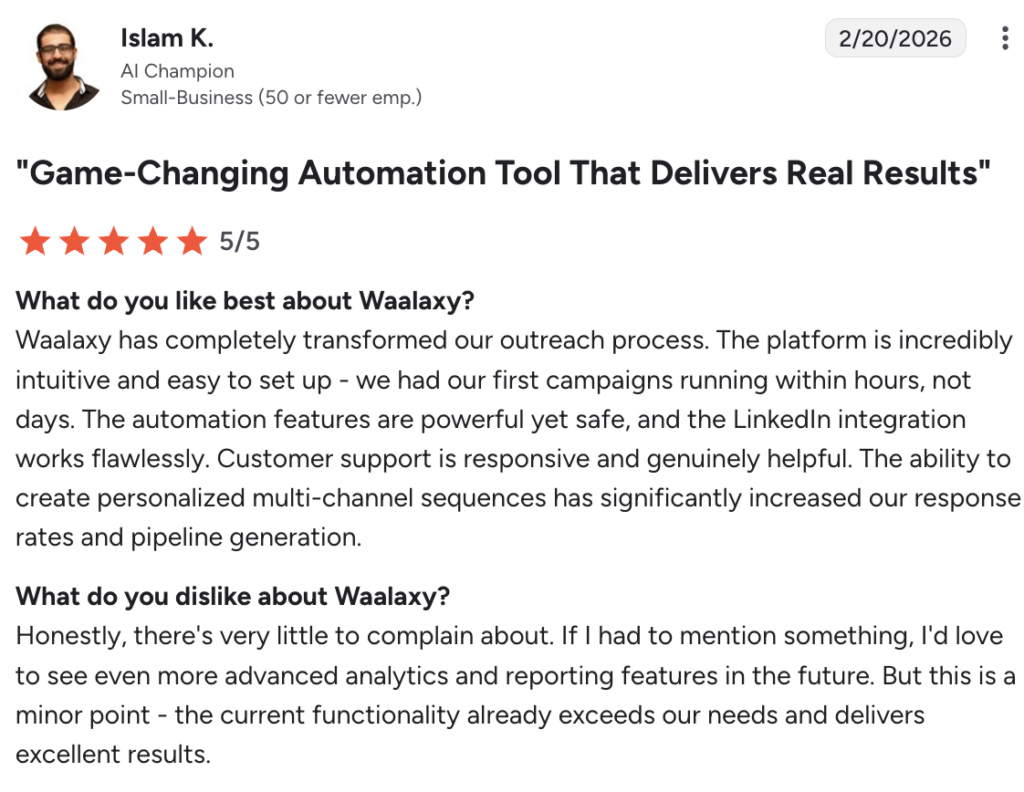
Waalaxy users are generally very satisfied with the tool. They highlight 👇🏻:
- 🖼️ An intuitive interface that’s easy to get the hang of.
- 🏃🏻♀️ Campaigns up and running in just a few hours.
- ⏳ Real time savings every day.
- ☎️ Responsive and effective customer support.
- 📊 Improved response rates thanks to multichannel marketing.
Areas for improvement:
- ⚠️ Reporting features are still limited.
- ⚠️ Requires the use of a Google Chrome extension.
In summary, Waalaxy is seen as a powerful, accessible, and highly effective solution for structuring and scaling your prospecting efforts. 🕺🏻
Alternative solution: Skylead
Skylead is a tool built to automate your outreach in a smarter, more scalable way. It combines LinkedIn and email into one platform, allowing you to create advanced prospecting workflows without juggling multiple tools.🛠️
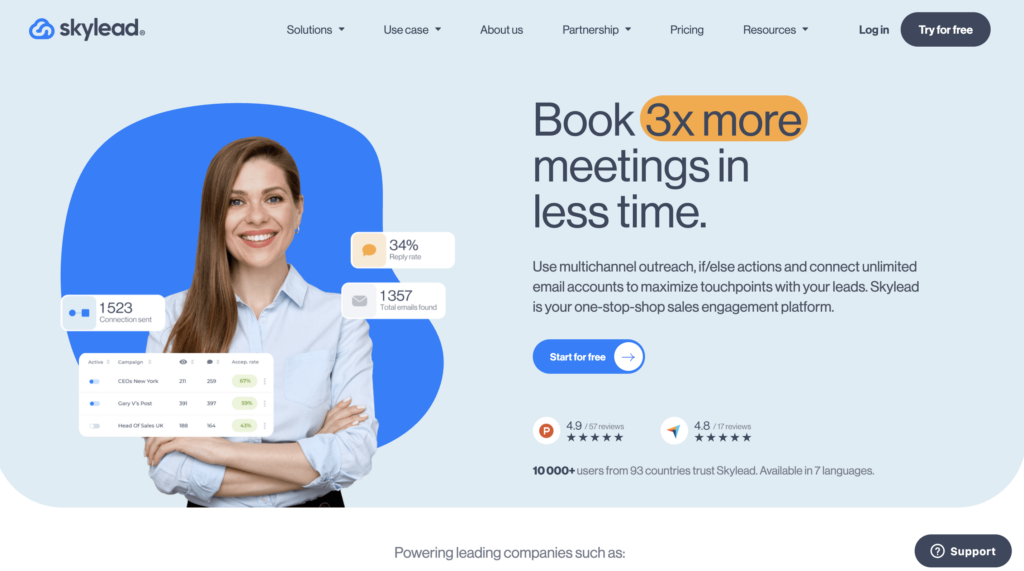
With Skylead you can:
- 🔄 Advanced multichannel sequences: Automate outreach across LinkedIn and email using smart if/else conditions.
- 📧 Scalable email outreach: Connect multiple inboxes and send campaigns at scale to maximize touchpoints.
- 🤖 Smart automation logic: Adapt your campaigns based on prospect behavior to improve performance.
- 📊 Performance tracking & analytics: Monitor your campaigns and optimize results with clear insights.
- 🎯 Lead generation workflows: Build structured funnels to turn prospects into qualified leads.
How much does Skylead cost?
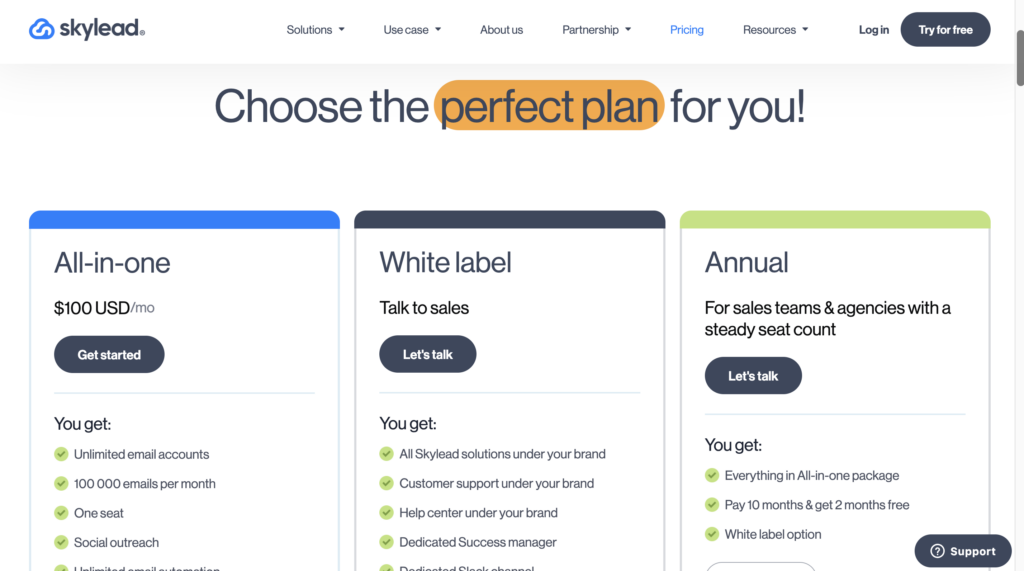
Skylead pricing starts at around $100/month, with higher-tier plans available for teams and agencies. 💰
What do Skylead users say?
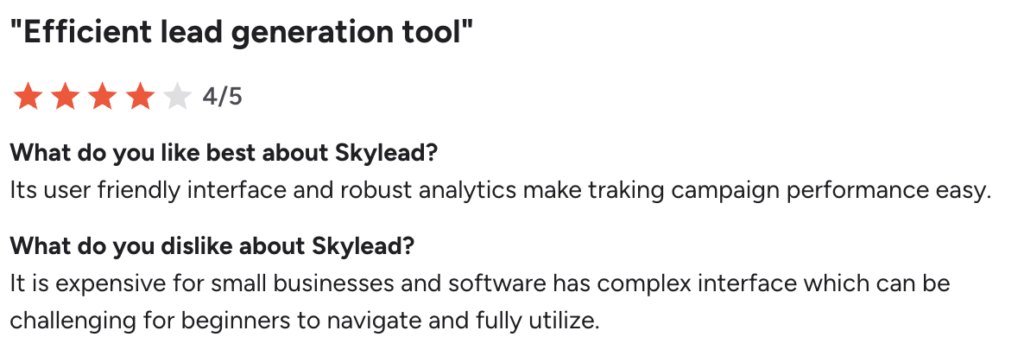
The main strengths of Skylead are its powerful automation capabilities and its ability to run advanced multichannel campaigns. Many users also appreciate the analytics and how easy it is to track performance. 🎭
That said, it’s not perfect. Some users mention that the tool can feel expensive, especially for small businesses. The interface can also be a bit complex at first, requiring some time to fully understand and use. A few users also point out the lack of localized tutorials, which can make onboarding harder for non-English speakers. 💂🏻♂️
Dux Soup Alternative: Dripify
Dripify is an alternative to Dux-Soup that stands out for its performance-driven approach , advanced automation, and team collaboration. Unlike simpler tools, Dripify offers a comprehensive platform to manage and scale your LinkedIn prospecting. 👀
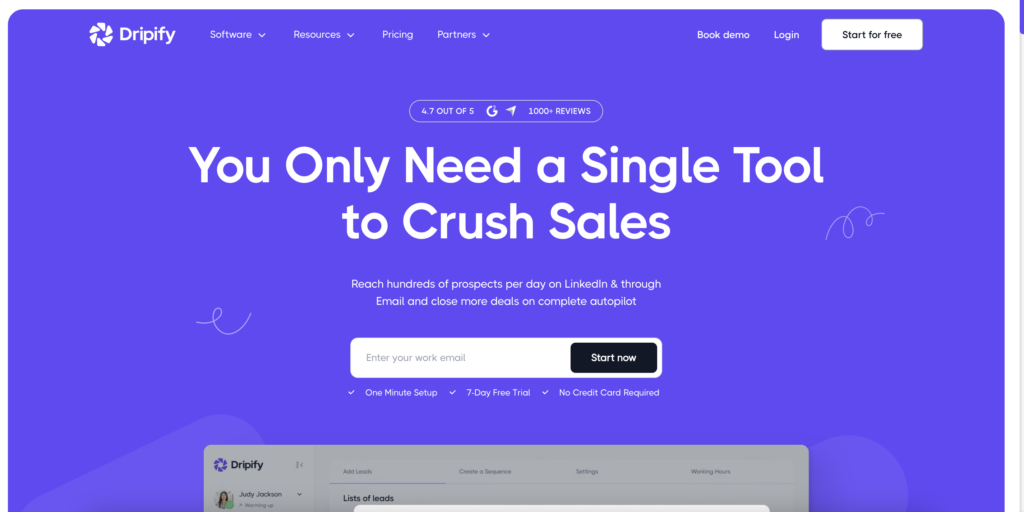
With Dripify, you can:
- 🔄 Advanced automated sequences: Create complete workflows with automated invitations, messages, follow-ups, and conditions.
- 📊 Detailed analytics and reporting: Track key performance indicators (response rates, conversions, campaigns) to optimize your efforts.
- 👥 Team management: Manage multiple accounts, assign roles, and track team members’ activity.
- ☁️ Cloud-based operation: Campaigns run even when your computer is off, without relying on Chrome.
How much does Dripify cost?
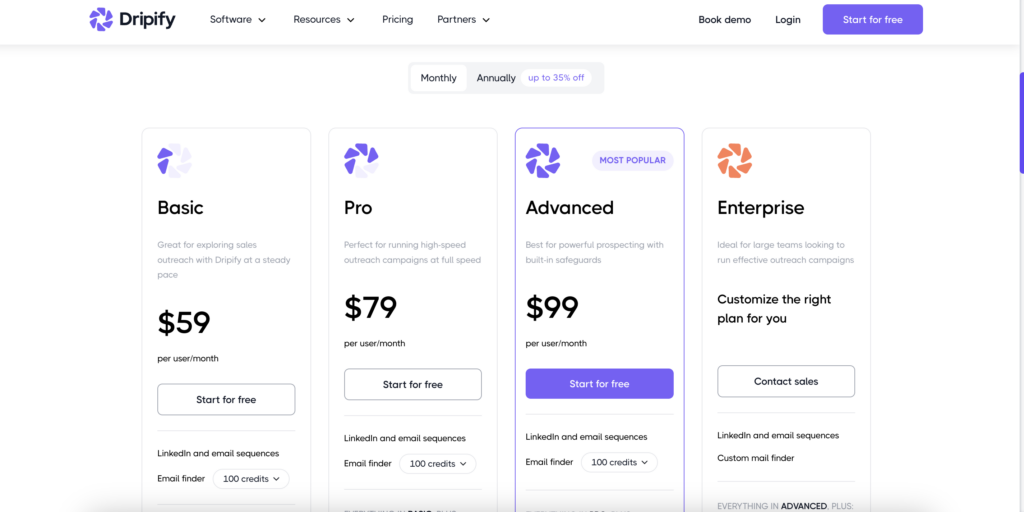
Dripify pricing starts at $59/month/user. 💰
What do users think of Dripify?
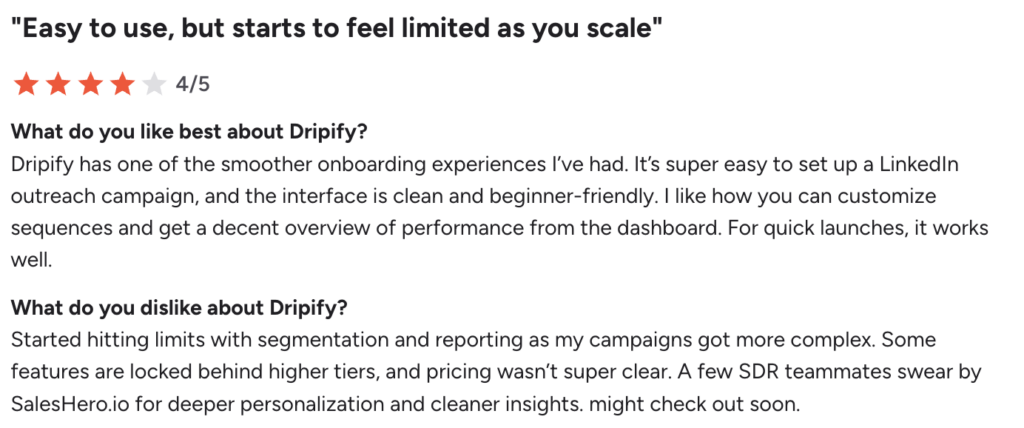
Reviews of Dripify are generally positive, with users highlighting its ease of use and how quickly campaigns can be set up. Many users appreciate the clear, intuitive interface, as well as the ability to customize sequences and easily track performance. 📊
However, some feedback highlights limitations when trying to take things further. Users mention restrictions on certain features, reporting that is sometimes limited, or pricing that is considered unclear. Others point out constraints such as the inability to easily share workflows, room for improvement in campaign editing, or limitations on email marketing and data export from LinkedIn. 🥲
A Solid Alternative: Expandi
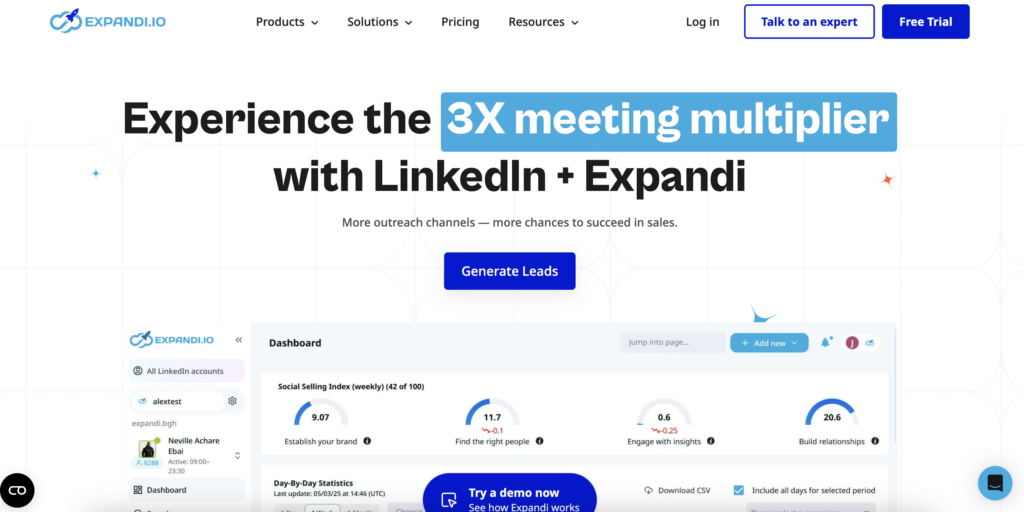
Expandi.io stands out for its focus on advanced automation and security. Unlike tools based on a Chrome extension, Expandi operates in the cloud, allowing you to launch campaigns without relying on your browser. 🧘🏻♀️
Expandi’s key features:
- 🔄 Advanced LinkedIn automation: Send personalized invitations, messages, automated follow-up emails, profile visits, and interactions to nurture leads.
- 🧠 Smart Campaign Builder: Create complex conditional sequences (if/then) with fully customizable multi-step scenarios.
- 🎯 Advanced personalization: Add variables, images, GIFs, or videos directly into messages to boost engagement.
- 📊 A/B testing and analytics: Compare different versions of messages and track performance.
What are Expandi.io’s pricing plans?
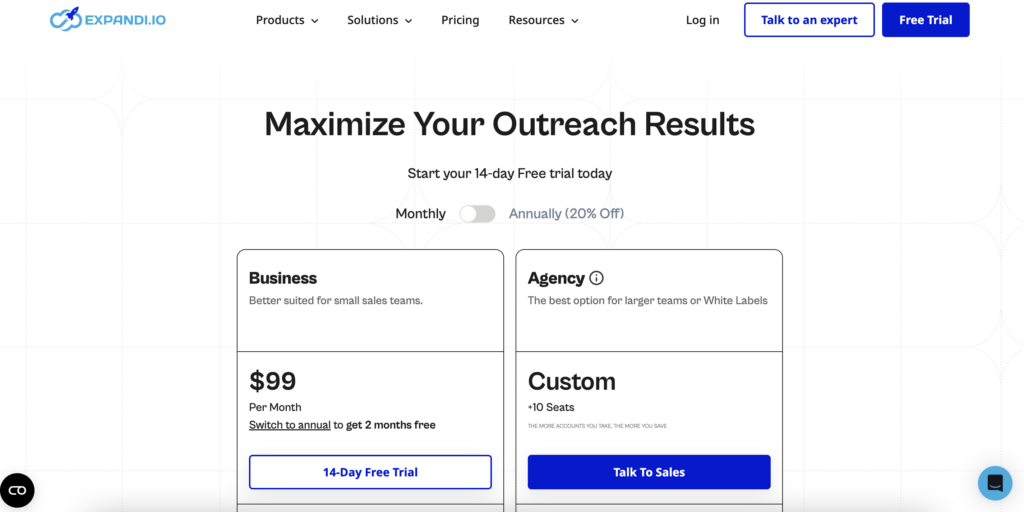
Expandi starts at around $99/month (≈€93). A 14-day trial is available, with a credit card required upon sign-up.😅
What do Expandi.io users think?
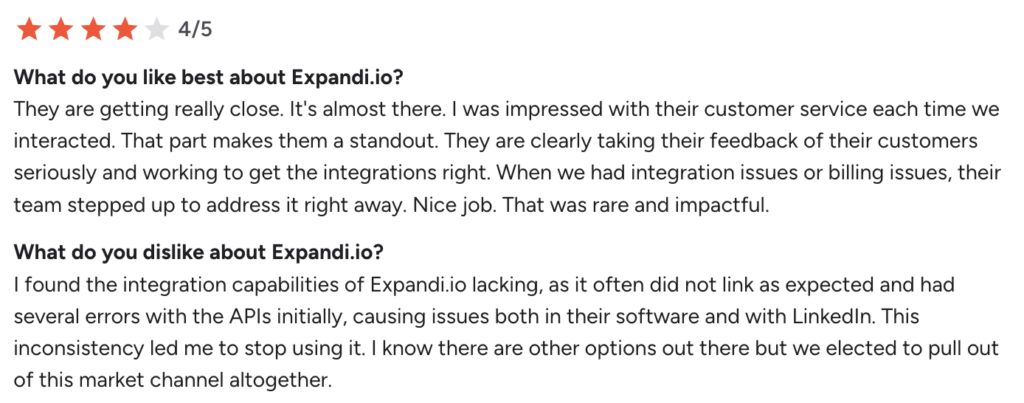
Users have a positive opinion of the tool, especially regarding its power and the quality of customer support, which is often described as fast and efficient. 😇
That said, it’s not perfect. Some users feel that campaign creation could be simpler and more user-friendly. Others mention features that don’t always work as expected, as well as limitations regarding LinkedIn data export or data consistency. 🫠
Dux alternative: Zeliq
Zeliq is a data-driven alternative focused on lead enrichment. While some tools focus solely on automation, Zeliq emphasizes data quality to fuel your campaigns. 🥣
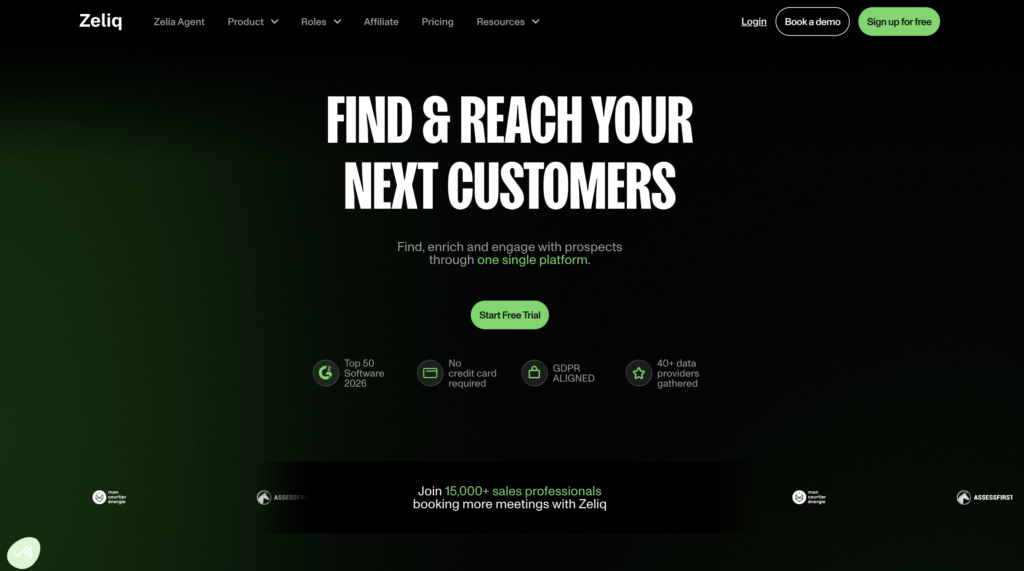
Zeliq allows you to:
- 🔗 Simplified CRM integration: Synchronize your data and centralize your sales pipeline to better track your prospects.
- 🔍 Large-scale lead search: Access a database of over 450 million contacts to fuel your prospecting efforts.
- 📧 Advanced data enrichment: Retrieve emails and phone numbers using an enrichment system powered by 40+ providers to maximize data reliability.
- 👥 Lead management and distribution: Organize your pipeline and quickly assign leads to your team.
- 🔄 Multi-channel outreach: Automate personalized campaigns across multiple channels to improve your conversion rates.
How much does Zeliq cost?
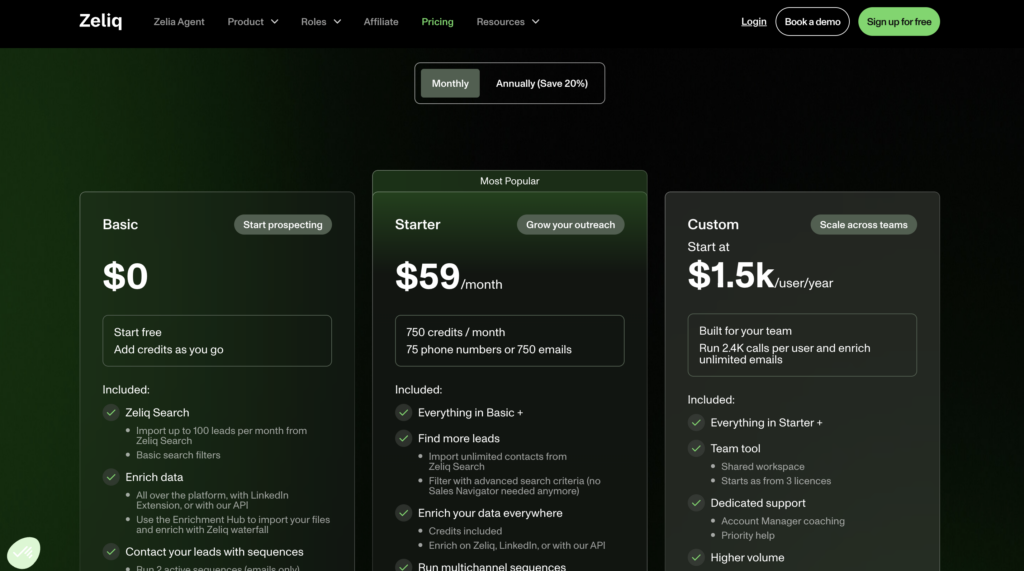
You have a freemium plan that you can customize by purchasing credits based on your needs, or you can subscribe directly to the Starter plan for €59/month. 💰
What do customers think?
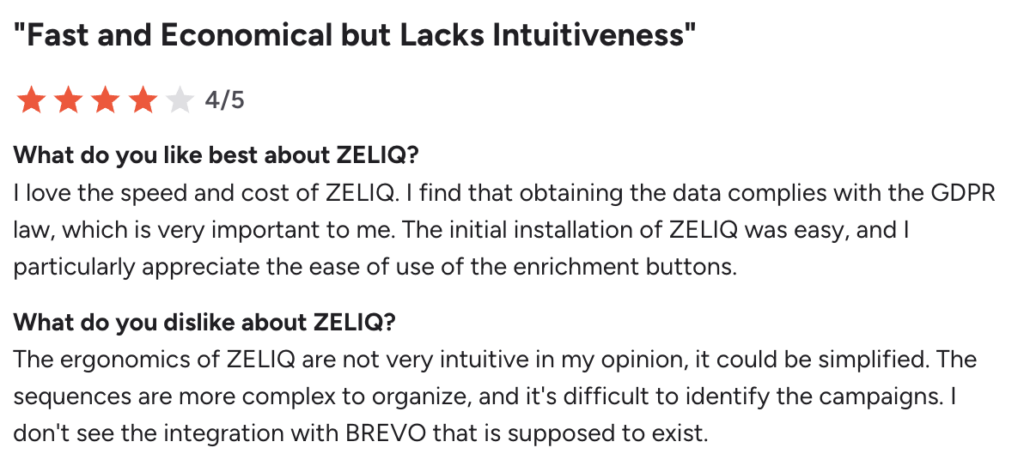
Feedback on Zeliq is generally positive, particularly regarding speed of execution and affordability. Many users also appreciate that the data is GDPR-compliant and easy to use on a daily basis. 👍
On the other hand, not everything is perfect. The interface isn’t very intuitive, and campaign organization isn’t always clear. Others regret a lack of flexibility, particularly regarding status customization. A few errors in professional emails have also been reported. 🥲
Dux’s alternative: Lusha
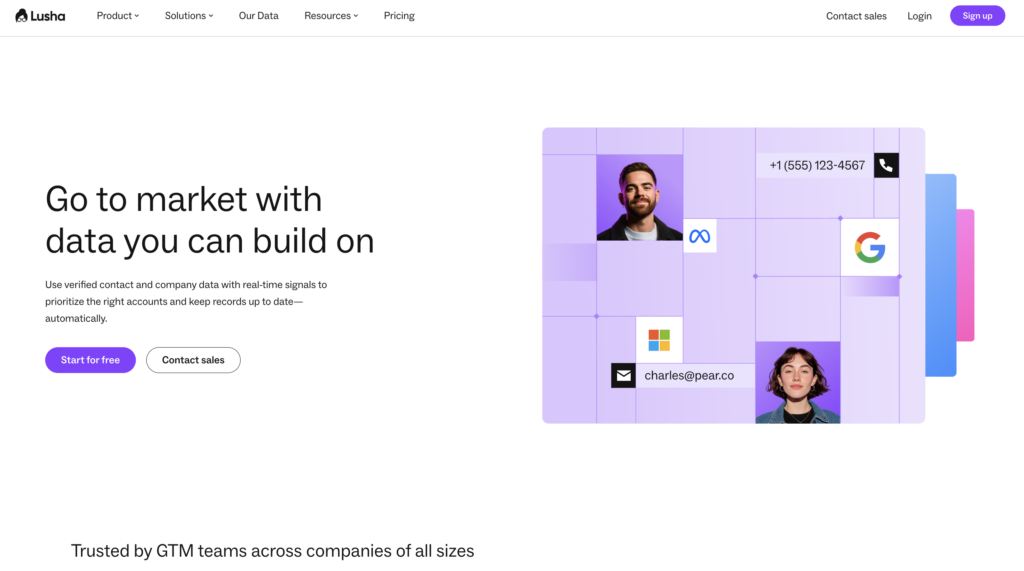
Lusha is a tool focused on B2B data enrichment and lead generation. It also works well alongside a LinkedIn engagement tool by improving the quality of the contacts used in your outreach campaigns. ⭐️
The main features are :
- 🔍 Access verified B2B data: Find business emails and phone numbers directly from LinkedIn or its database.
- 📊 Lead qualification: Get key insights to better target and prioritize your prospects.
- 🔗 CRM integrations: Sync your data with tools like Salesforce or HubSpot for better tracking.
- ⚡ Chrome extension: Quickly grab contact details without leaving LinkedIn.
What are Lusha’s pricing options?
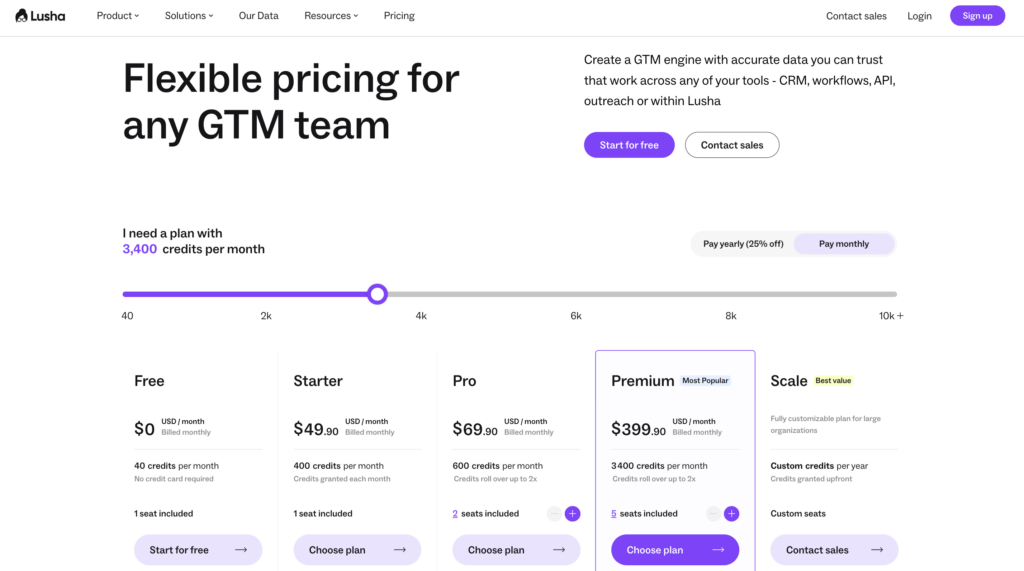
Lusha offers a limited free plan, with paid plans starting at around $49/month depending on credits. 💰
What do customers say about Lusha ?
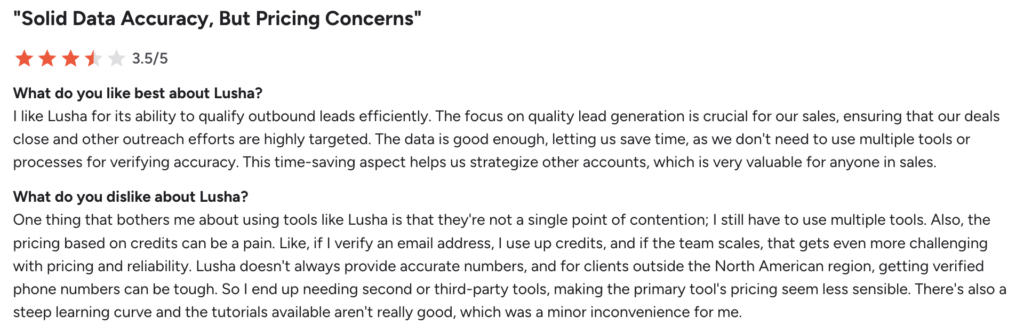
The main strengths of Lusha are its ease of use and quick access to contact data. Many users like how fast they can find leads and improve their targeting.🎯
That said, there are some drawbacks. Data accuracy can be inconsistent, with some contacts being outdated or incorrect. The credit-based system is also a common complaint, as credits can run out quickly and force users to be more selective. Some users also report slower loading times and occasional inaccuracies that lead to bounced emails or irrelevant calls. 🫠
Dux Soup Alternative: PersistIQ
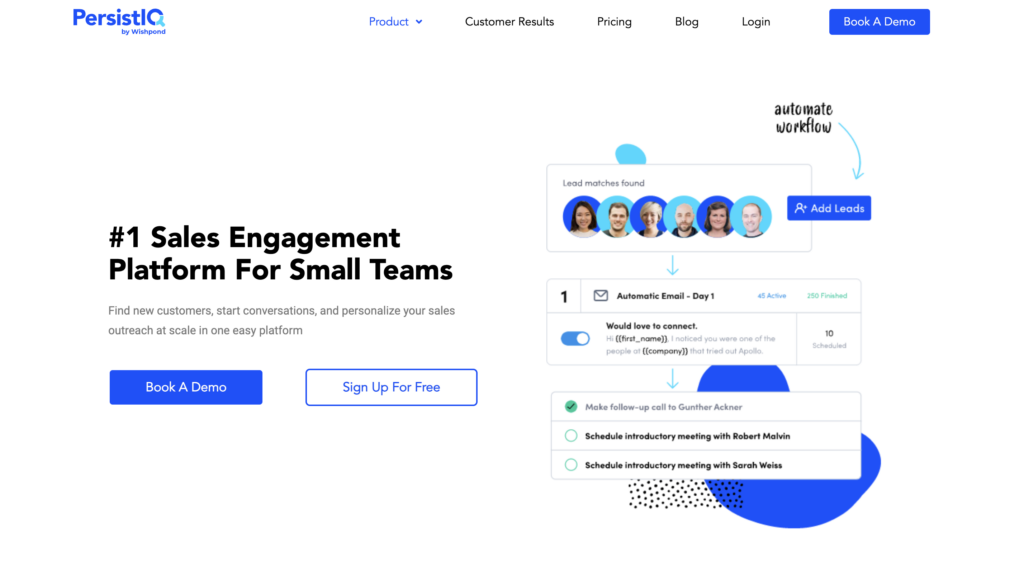
PersistIQ is a platform designed to automate sales outreach and meeting booking, especially for small teams. It acts like a sales assistant that helps you run campaigns and generate conversations without spending hours on manual work. 😉
How much does a PersistIQ subscription cost?
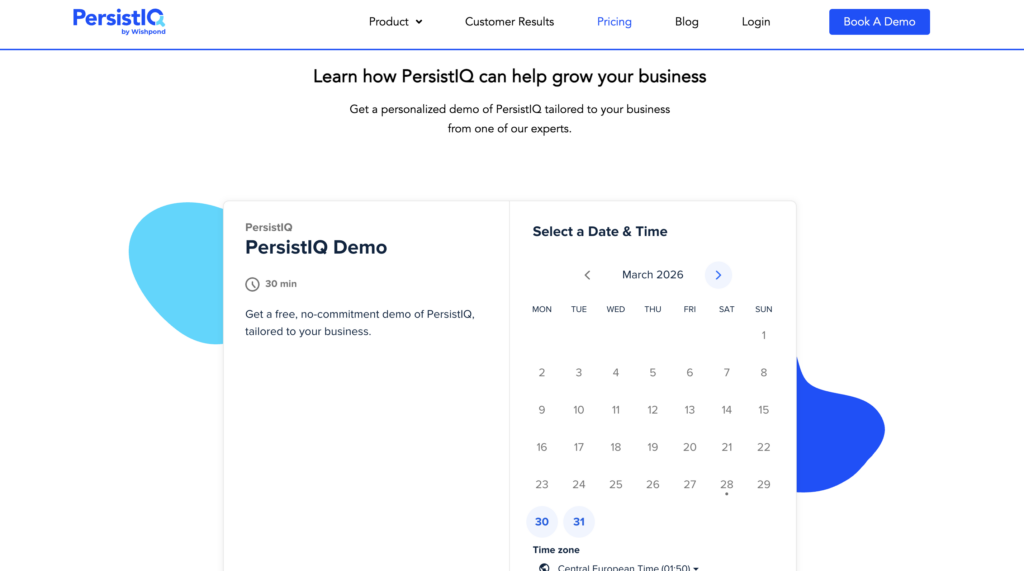
PersistIQ pricing is not publicly available. You’ll need to book a demo with their sales team to get a custom quote based on your needs. ☎️
What do users think?
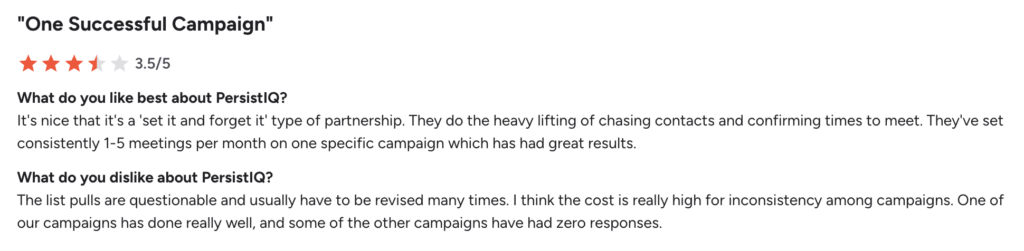
User feedback on PersistIQ is generally positive, especially when it comes to its ability to consistently generate meetings. Many users like how much of the outreach process can be handled automatically, saving them time and effort. ⏰
That said, there are a few drawbacks mentioned. The setup phase can take some time, and messaging often needs fine-tuning to avoid coming across as too aggressive. Some users also note that not all booked online meetings are highly relevant, which means extra filtering may be required.🥲
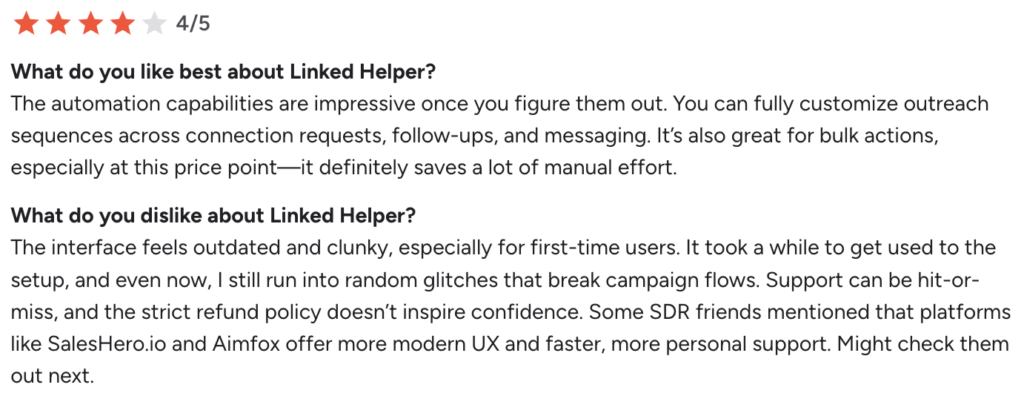
Alternative to Dux: LinkedHelper
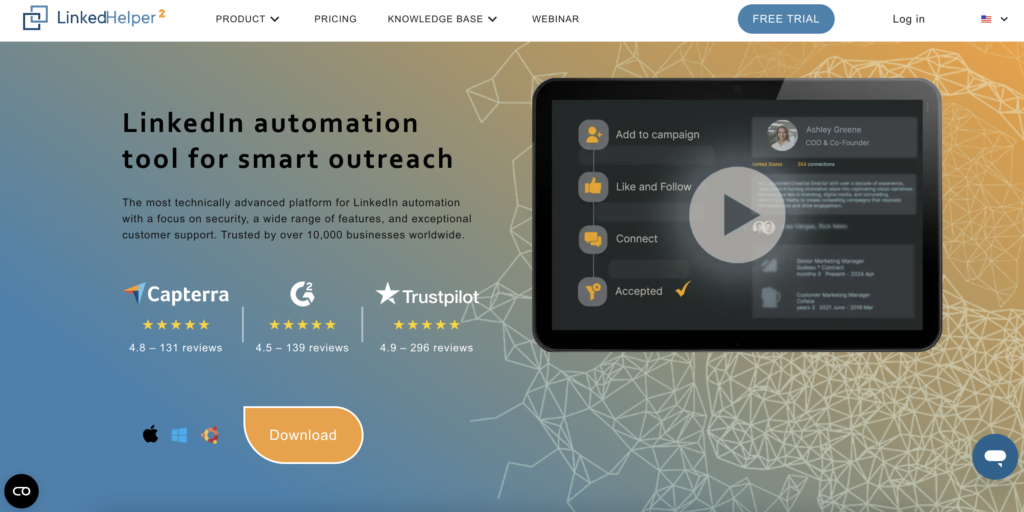
LinkedHelper is a tool designed to deeply automate LinkedIn prospecting, with advanced features to create personalized sequences and manage your prospecting campaigns. 🤗
With LinkedHelper, you can:
- 🔄 Full LinkedIn automation: Send personalized invitations, messages, follow-ups, and automated workflows with response tracking.
- 💬 Smart message sequences: Create automated sequences to follow up with your prospects and maintain engagement over time.
- 👥 Integrated contact management: Organize your leads in an integrated CRM to track your prospecting pipeline.
- 🎯 Extensive LinkedIn compatibility: Use with LinkedIn Basic, Premium, Sales Navigator, or Recruiter to take your targeting further.
What are LinkedHelper’s pricing options?
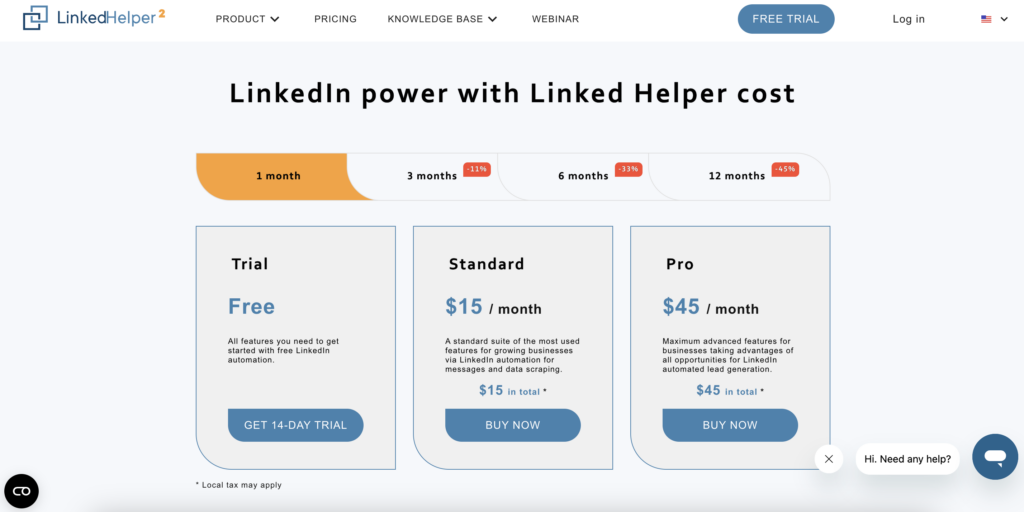
It’s one of the most affordable tools on the market, with a subscription starting at just $15/month and free trial. 💰
What do users think?
LinkedHelper is primarily loved for its automation capabilities and the many possibilities it offers once you’ve mastered the tool. Many users appreciate the ability to fully customize their campaigns and save time on prospecting. 😌
Some feedback is more mixed; in fact, the interface is often considered outdated and not very intuitive, with a fairly steep learning curve. Other users mention occasional bugs, resource-intensive software, or the fact that campaigns stop if the computer is turned off, since it’s not a cloud-based tool, which can slow down your workflow. 🐌
Alternative to Dux: Octopus CRM
Octopus CRM is a tool designed to easily automate your LinkedIn prospecting with a simple and accessible approach. It allows you to create automated sequences to manage your interactions and build a true marketing funnel. 🌪️
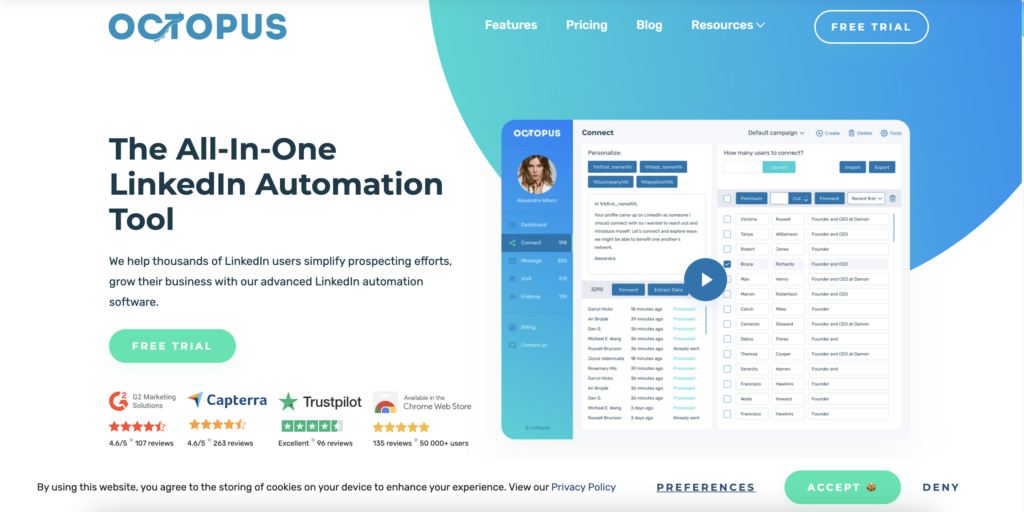
Octopus CRM’s main features include:
- 📩 Creating a prospecting funnel: Chain together actions (connections, messages, follow-ups) to convert your prospects step by step.
- 📊 Performance tracking: Analyze key metrics such as profile views, SSI, or your campaign results.
- 📥 Data import/export: Easily import prospect lists or export your LinkedIn data to CSV.
- 🔗 Integrations and external automation: Connect with Zapier, HubSpot, or Google Docs to automate your workflow.
How much does Octopus CRM cost?
The starting price for Octopus CRM is $9.99/month. 💰
What do customers think of it?
Octopus CRM is appreciated for its ease of setup and very affordable price. Many users like the fact that they can quickly automate a large part of their LinkedIn prospecting. 🕺🏻
The tool isn’t always very intuitive when it comes to its advanced features, and some users mention limitations in the reports or the need to use other tools to go further. The fact that campaigns stop when the computer is turned off is also cited as a drawback in daily use. 😒
Dux alternative: HeyReach
HeyReach is a tool designed to scale LinkedIn outreach, especially for teams and agencies managing multiple accounts. It helps you run large campaigns while keeping a structured and personalized approach. 😎
HeyReach allows you to :
- 🔄 Automate LinkedIn outreach with personalized messages and follow-ups.
- 👥 Manage multiple LinkedIn accounts from a single dashboard.
- 📊 Track performance with detailed analytics and reporting.
- 📬 Centralize conversations with a shared inbox for your team.
- 🔗 Connect your tools (Slack, Zapier, CRM) for smoother workflows.
What are HeyReach’s pricing plans?
HeyReach pricing starts at around $79/month for a single user, with higher-tier plans for teams and agencies. 💸
What do customers think of HeyReach ?
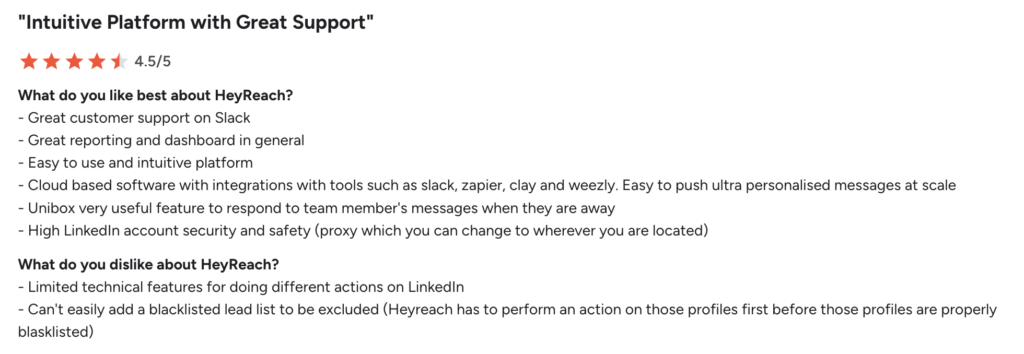
Users generally appreciate HeyReach for how easy it is to get started and how smoothly it handles multiple LinkedIn accounts. It’s often seen as a straightforward tool that lets you launch outreach campaigns quickly without too much setup.😇
That said, some feedback is more mixed. A few users point out that certain features feel limited when you need more advanced workflows. Others mention issues with list management and exclusions, as well as the lack of auto-save, which can lead to lost work. Reporting and customer support are also areas that could be improved according to some reviews.😕
Let’s recap Dux Soup alternatives?
As you’ve seen, Dux-Soup remains a good starting point for LinkedIn prospecting, but it quickly shows its limitations as your needs evolve. 📊
Today, tools like Waalaxy, Lusha, or Expandi go much further, particularly in terms of multi-channel capabilities, advanced automation and campaign performance. 🤓

Frequently Asked Questions
How do I migrate from Dux-Soup to Waalaxy?
Migrating from Dux-Soup to Waalaxy is fairly simple. Here’s how:
- Export your leads from Dux-Soup (CSV format) to retrieve your prospects and data.
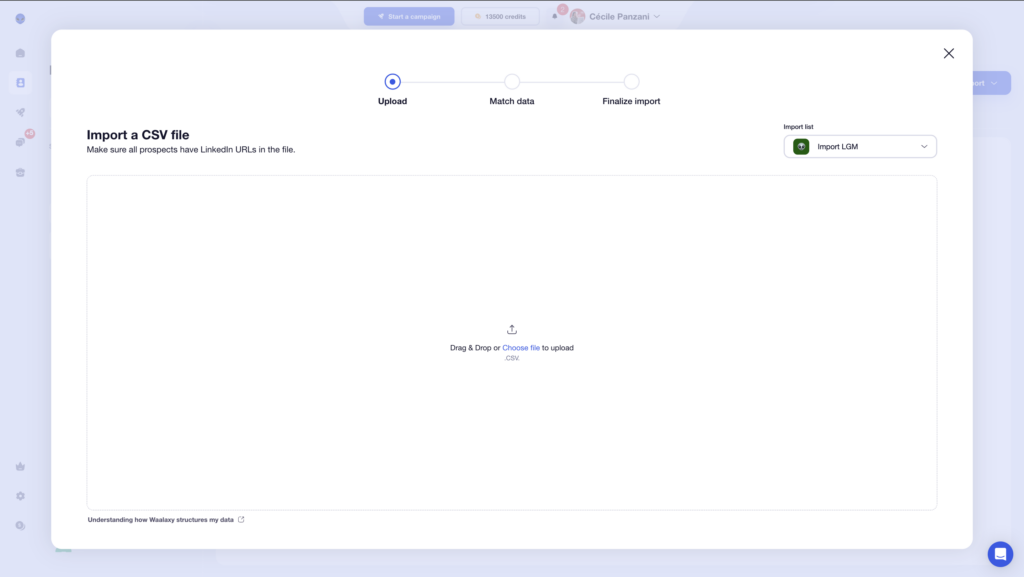
- Import them into Waalaxy, making sure to include LinkedIn URLs for proper profile recognition.
- Recreate your campaigns using multi-channel sequences (LinkedIn + email).
- Test with a small volume to verify that everything is working correctly before proceeding further.
What is the best alternative to Dux-Soup?
There isn’t just one “ alternative ” to Dux-Soup… but rather the best one depending on your needs. 😉
Today, several tools clearly stand out in the market, each with its own strengths.
If you’re looking for a quick answer👇🏻:
- Waalaxy: The best choice for simplicity, multi-channel capabilities, and value for money.
- Expandi: The safest (cloud-based tool, low LinkedIn risk).
- LaGrowthMachine: The most comprehensive multi-channel solution.
Is Dux-Soup reliable?
Yes, Dux-Soup is generally considered a reliable tool… but with a few caveats. 😉
On one hand, it’s a tool that’s been on the market for several years, with a solid user base and effective features. 👍. But be careful, reliability depends heavily on how you use it. ⚠️
Like all LinkedIn automation tools, Dux-Soup can become risky if you use it too aggressively. You may receive warnings or even face restrictions from LinkedIn. 🚫
Does Dux-Soup comply with GDPR rules?
Dux-Soup can be used within a GDPR framework, but it’s not the tool that makes you compliant it’s how you use it. 😉
Dux-Soup uses data from LinkedIn (profiles, interactions, messages), which is considered personal data. As a result, you must follow certain rules: have a legal basis (often legitimate interest in B2B), inform your prospects, and allow them to access or delete their data if necessary. 🫣
How to cancel Dux Soup ?
Deleting or canceling your Dux-Soup subscription is a simple process, but it’s important to follow the correct steps to avoid any charges. 📇
Here’s how to do it :👇🏻
- Log in to your Dux-Soup account: Go to your user dashboard.
- Go to “Manage Account & Subscription”: This is where you can manage your plan.
- Select your active subscription: Click on your current plan to view the options.
- Click on “Cancel subscription”: Then confirm the cancellation.
– You’ll keep access until the end of your billing period, with no extra charges.
– Simply removing the Chrome extension does not cancel your subscription.
– Don’t forget to export your data before your subscription ends if needed.
Now you know everything about Dux-Soup alternatives! 🧚🏻♀️
 Toinon
28/03/2026
Toinon
28/03/2026 














