



- Automate LinkedIn comments: What is it?
- Automated LinkedIn comments: advantages, limitations, and risks
- How do you set up LinkedIn comment automation?
- Tools for your strategy Automate LinkedIn comments
- Best practices for boosting the impact of LinkedIn Automate comment
- Let’s recap on Automate LinkedIn comments
- Frequently asked questions about Automate LinkedIn comments
Automate LinkedIn comments: the phrase may intrigue you as much as it makes you hesitate. 😅
You know that commenting on LinkedIn boosts visibility, authority, and even opportunities… but you clearly don’t have the time to do it every day. ⏳
Good news: it’s possible to automate part of the work without losing authenticity or risking your account. Many B2B professionals are already using it to engage more, faster!
But you still need to understand how LinkedIn comment automation works, how far to go, and how to avoid the “robot effect”… I’ll explain it all to you. 👇🏻
Automate LinkedIn comments: What is it?
Automating LinkedIn comments means letting a tool generate and publish comments on your behalf, on posts that you have chosen.
What is the purpose of the LinkedIn Comments Automator? To save time, stay visible every day, and slip into conversations that really matter to your business.
For many B2B professionals, it has become a way to maintain a large-scale presence without spending three hours a day scrolling and commenting manually. But if it’s so appealing, it’s because… commenting is a much more powerful lever than we think. 😎
The role of comments in B2B prospecting
Most LinkedIn strategies focus on posting regularly, sending invitations, or sending messages. 📩
But commenting remains the most profitable and overlooked action. Because a comment puts you in front of someone else’s LinkedIn audience. It’s literally free advertising to an already engaged community. ✨
A good comment can 👇🏻:
- Attract visits to your profile.
- Trigger a spontaneous invitation.
- Create a natural first point of contact.
- Position yourself as an expert without selling anything.
- Increase your CFBR.

Automated LinkedIn comments: advantages, limitations, and risks
The LinkedIn comments automation tool can be a huge accelerator… provided you know where the benefits lie, but above all, where the limitations are. It’s a great lever, but it’s not magic and, above all, it’s not without risk if you use it carelessly… 😅
The advantages of Automate LinkedIn comments
Automate LinkedIn comments not only saves time, but it also boosts visibility. Comments are one of the strongest signals for the LinkedIn algorithm because they trigger reach, interactions, and… many more profile visits than most traditional actions . 🤓
And the numbers speak for themselves. 👇🏻
– A LinkedIn post commented on within the first 60 minutes gains on average +30% to +50% more reach.
– Posts with more than 5 comments get twice as much reach on average.
In other words, your comments help others perform better… and you get a share of their audience, without any extra effort. 😎
And this isn’t just theory. Our mini internal study confirms it:
After 14 days of targeted automation, one member of our team saw a 47% increase in profile views and a 32% increase in invitations received.
What these figures show:
- You are more visible on a daily basis. 👀
- You increase your points of contact. 📞
- You feed your sales pipeline without spending your evenings doing it. 🌝
Automation makes you visible every day. ✨
The risks of automating LinkedIn comments
Obviously, this is not without consequences. The risks exist and are often misunderstood. 🫠
➡️ The main ones:
- Comments that are too generic and sound robotic. 🤖
- Poor targeting, resulting in comments on posts that are unrelated to your field. 🙄
- Repeating phrases People notice that you always say the same thing. 🥱
- Risk of being reported if your comments seem too fake. 😬
- LinkedIn restrictions if you post too quickly, too often, or in a suspicious manner. 😒
And above all, nothing damages a reputation more than an automated comment that sounds fake. The line between saving time and losing credibility is a fine one….
Does LinkedIn allow Automate LinkedIn comments?
Good news! LinkedIn does not formally prohibit automation. What they do prohibit is 👇🏻:
- Detectable non-human behavior.
- Abnormal volumes.
- Tools that aggressively interfere with the platform.
So yes, you can use LinkedIn comment bots… but sparingly and intelligently. 🧠
How do you set up LinkedIn comment automation?
Automate, yes… but not just any old way. 😉 Here’s how to set up a strategy that remains credible, human, and truly effective.
The recommended workflow for your strategy Automate LinkedIn comments
To automate your comments without losing authenticity, follow this 5-step workflow.

1) Targeting: Choosing the right people
Before letting a machine comment for you, ask yourself a simple question:
“Who do I want to address?”. 😄
Spoiler alert: not everyone on LinkedIn. 🫠 Just the right people, your ideal prospects, the creators your audience follows, a few strategic clients, and two or three influential partners. When your comments appear on their pages, you instantly gain visibility among the people who really matter. 👀
2) Analysis: Understanding the type of post
An automated comment that matches the tone of the post… no one notices it. A comment that is completely off the mark… everyone notices it. 😅
Before automating, take a look at the post: Is it a personal story? Advice? A rant? Sharing an experience? The tone changes everything. 😅
AI can do some of the work, but you’re the one who tells it what to do. By giving it a clear framework, you avoid the “bot effect” and get comments that really seem to come from your brain (and not from a server 🤖).
3) Templates: Prepare structures that sound human
Think of your templates as comment “skeletons.” 🦴 Not ready-to-use messages, just natural structures into which AI can inject context.
A good template is a simple hook → a reaction → a mini question or additional information.
Nothing complicated, but it changes everything: your comments appear lively, varied, and above all… impossible to detect as automated. 😉 The idea is not to be perfect, but to be credible.
4) Publishing: Automate with moderation
If you comment 35 times in 3 minutes, LinkedIn will immediately detect the deception. 😅 To remain human:👇🏻
- Stick with 5 to 15 comments per day.
- Avoid bursts.
- Vary the times.
That little bit of unpredictability gives the illusion that you’re behind your keyboard. And the more LinkedIn loves you, the more your visibility climbs… effortlessly. 📈
5) Follow-up: Measure what works
Want to know if your automation is working? 🔍 Take a look at what LinkedIn is showing you:
- More visits to your LinkedIn profile?
- More spontaneous invitations?
- Responses to your comments?
- Conversations that start on their own?
Here are your real KPIs, which matter more than the raw number of comments. By looking at this every week, you can quickly identify the authors who bring you visibility, the templates that are a hit… 😌
And that’s how you turn automation into a smart, scalable, and credible strategy.

Tools for your strategy Automate LinkedIn comments
Not all automation tools are created equal. Some are used to generate comments, others to boost your posts, and still others to connect the “comment” building block with your multi-channel prospecting strategy. Here are my favorites! 🤩
#1 Kawaak: Comment generation and performance tracking
Kawaak is currently one of the most practical tools for intelligently automating comments on other people’s posts. 👀
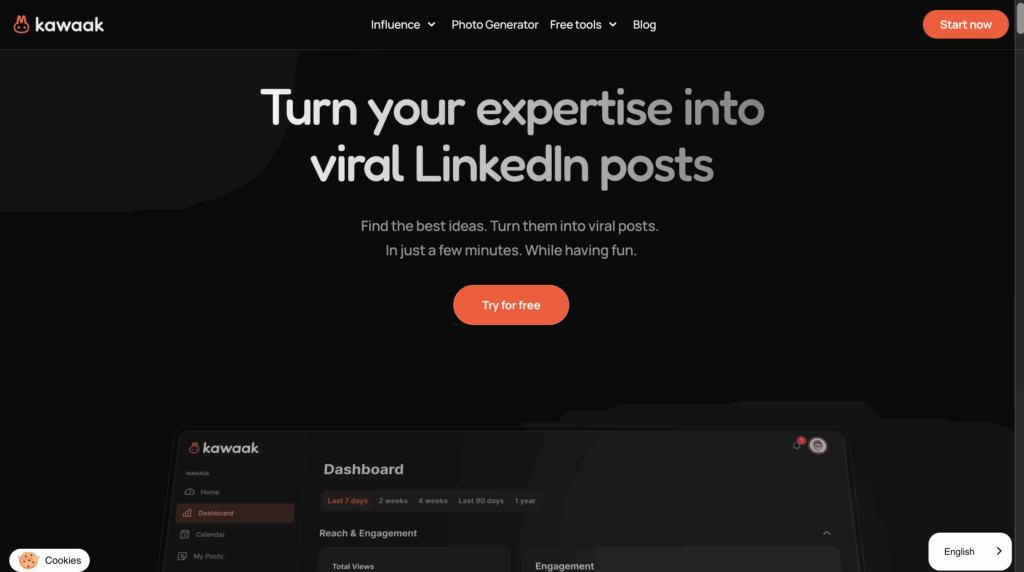
With this LinkedIn comment generator, you can 👇🏻:
- Generate LinkedIn post ideas and optimized headlines.
- Creation of turnkey LinkedIn posts , writing, and the option to schedule publication.
- Automatic addition of images via “quote-card” or generated visuals to enrich your publications.
- Dashboard for analyzing views, reactions, engagement, reach, etc. Useful for measuring what works.
- Automatic generation of comments in your style.
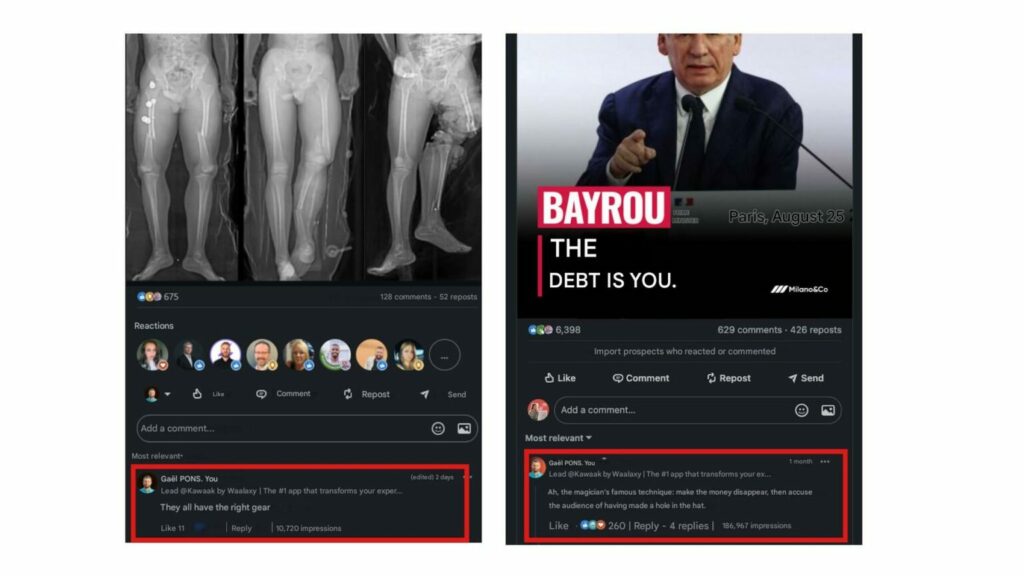
Here are the steps 👇🏻:
After installing the Chrome extension, you’ll see a button appear in your comments section.
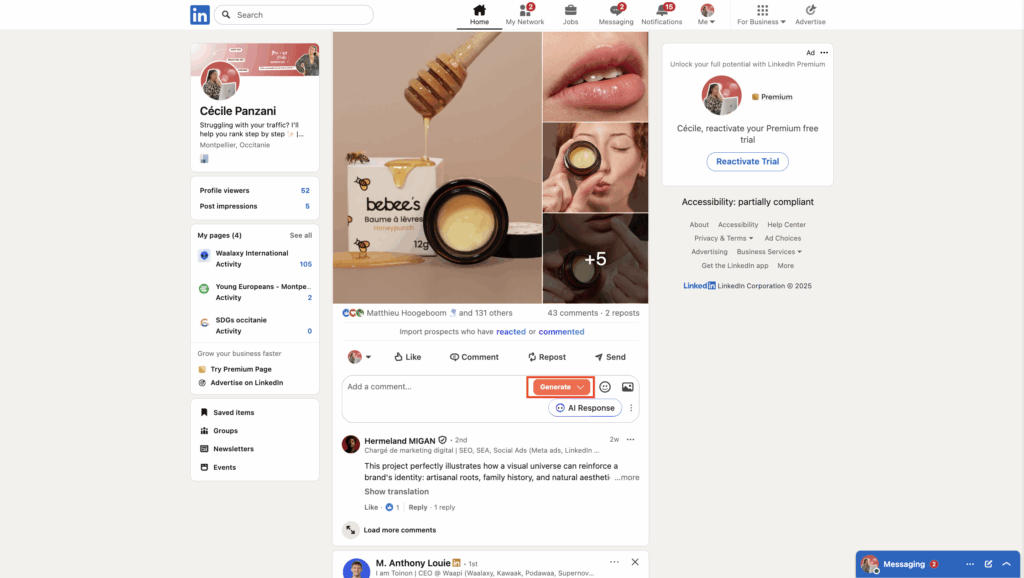
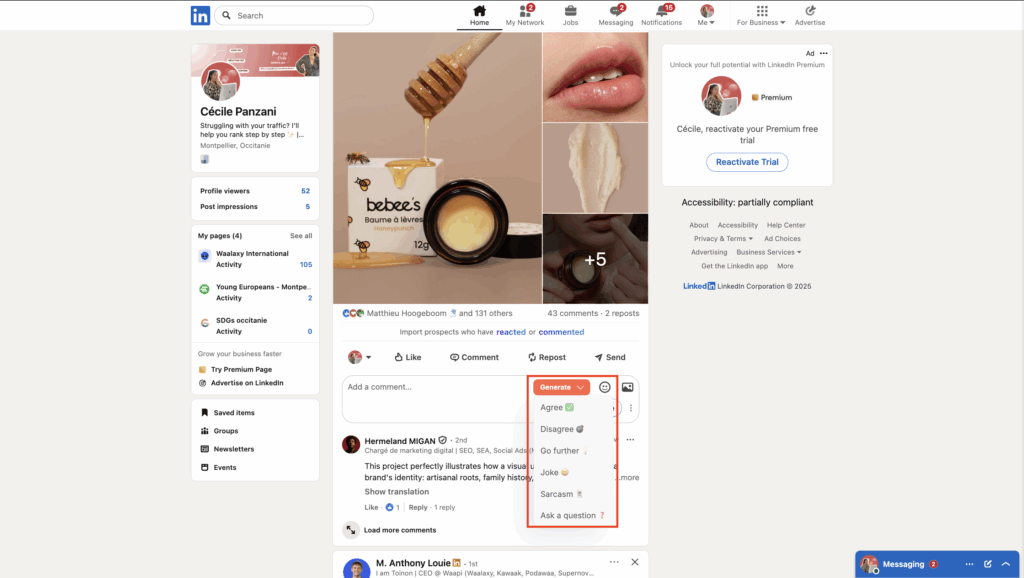
Just click “Generate” and choose the tone you want. 🤓
Finally, pick the reply that fits you best! ✨
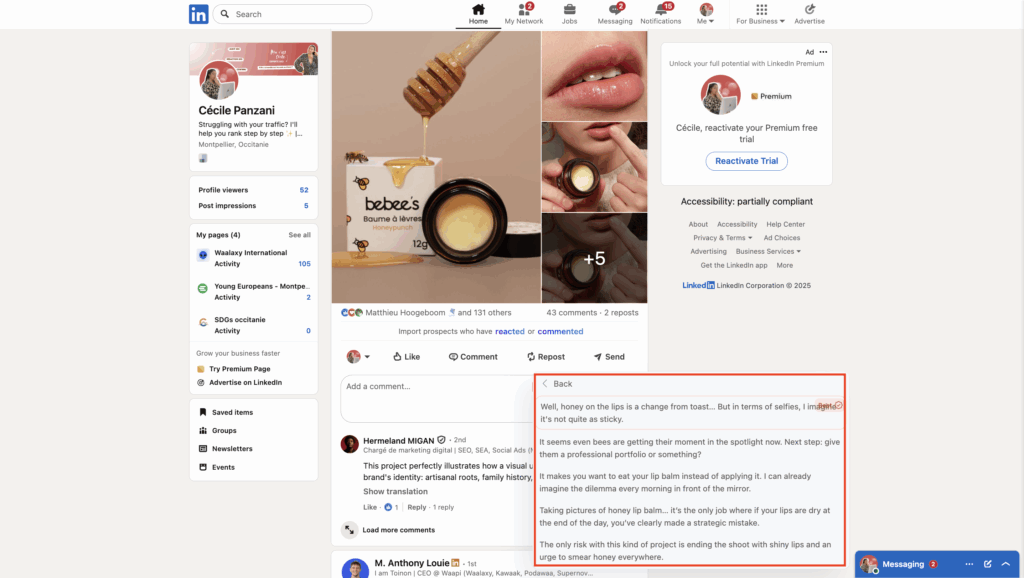
➡️ For examples :
#2 Podawaa: “Engagement pods” s to boost your posts
Podawaa works differently; it is not a post generator, but a grouped engagement system (pod) designed to increase the reach and engagement of your posts. 🤓
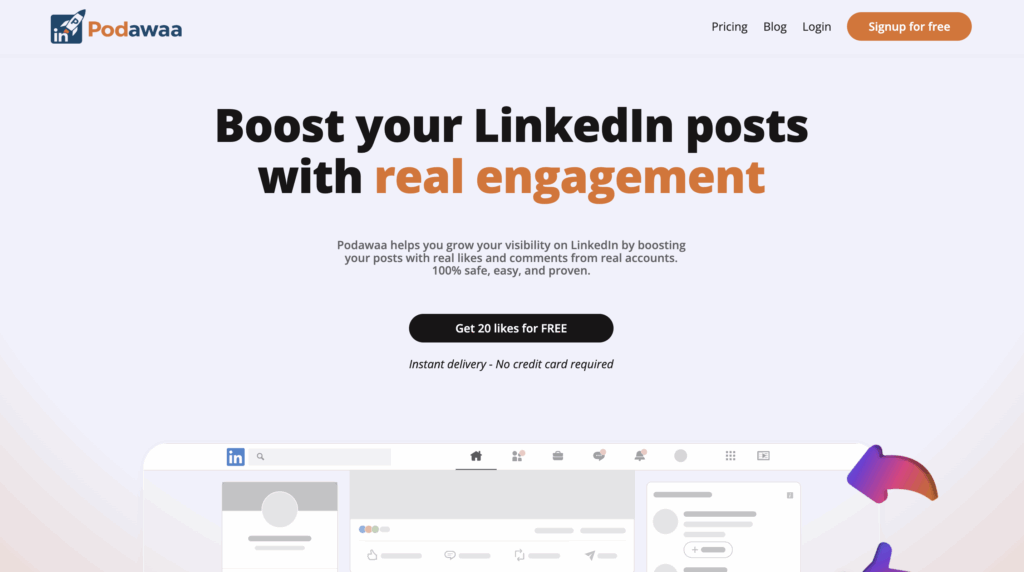
With Podawaa, you can 👇🏻:
- By joining a LinkedIn pod, you get free LinkedIn likes and automated comments from other members, which boosts the visibility of your post from the very beginning.
- Get up to 10× more likes and comments on your posts, improving overall reach and engagement.
- Freemium, a free model, allows for a limited number of interactions, which may be sufficient for testing purposes.
- You don’t need to be a technical expert to take advantage of it.
Podawaa helps you amplify your own posts through community engagement. 👀
#3 PowerIn LinkedIn : Ai comment generator for Linkedin
PowerIn is a tool designed to help you scale your LinkedIn presence by generating LinkedIn AI comments that sound natural and relevant. It identifies the right posts to engage with so you can stay visible without spending hours commenting manually. ✨
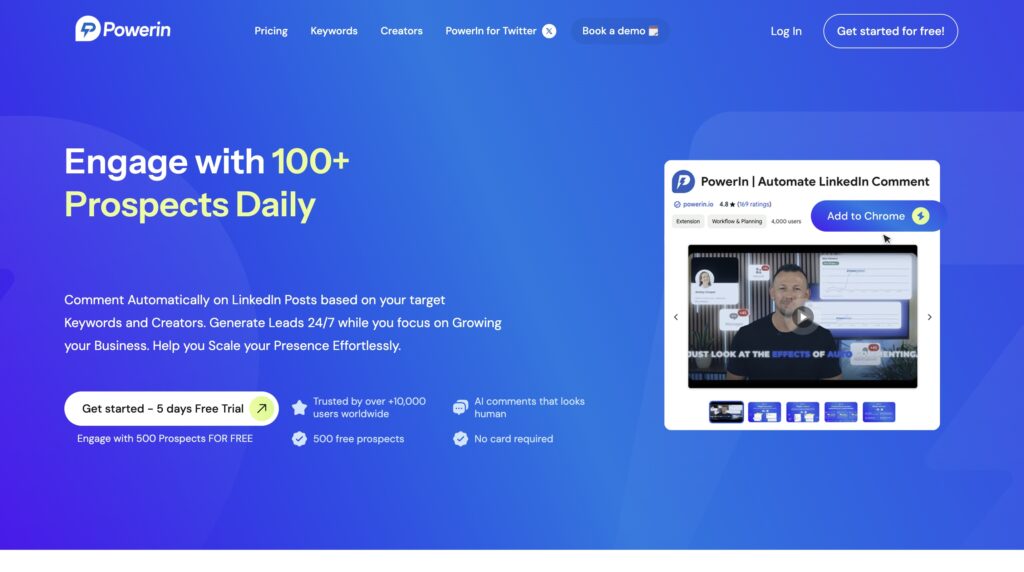
Key features of PowerIn LinkedIn: 👇🏻
- Target posts by keywords or influential profiles in your niche.
- Generate natural, human-like comments using AI tailored to each post.
- Control timing and frequency to mimic real user behavior.
In a different category, PowerIn also supports linkedin automated comments, helping you maintain a consistent engagement rate across the platform without losing authenticity.
#4 Commentions: AI Comments That Automatically Mention Your Brand on LinkedIn and Twitter
Commentions works differently from traditional LinkedIn tools: it’s not a post scheduler, but an AI-powered LinkedIn comment generator that automatically posts comments under relevant content, and smartly mentions your brand in every interaction. 🤓
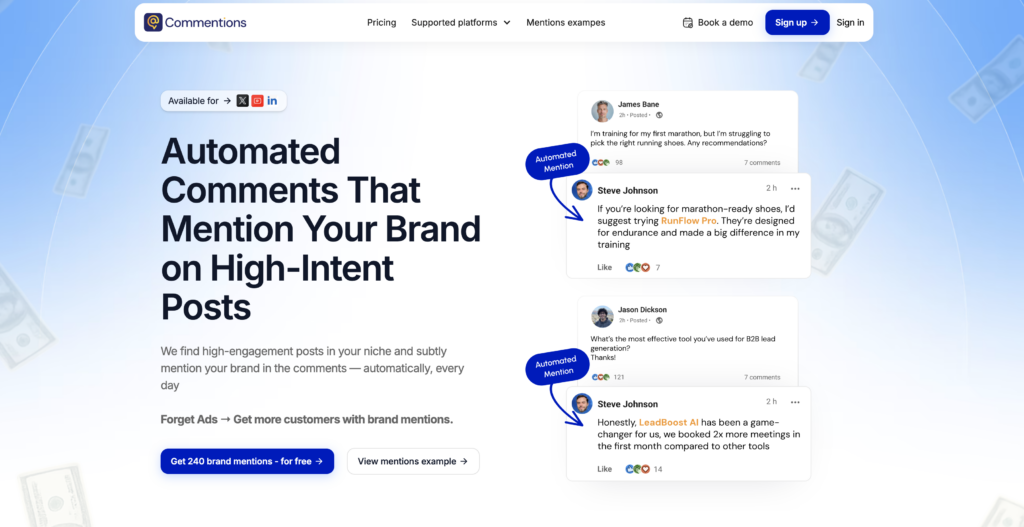
With Commentions, you can 👇:
- Automatically post AI-generated comments that naturally mention your brand name, turning every interaction into a subtle yet powerful brand awareness touchpoint.
- Consistently appear in the feeds of your target audience without writing a single comment manually.
- Scale your LinkedIn presence across dozens of posts per day while keeping your brand messaging coherent and on-point.
- No technical skills required, set your brand, define your targets, and let Commentions do the rest.
Commentions turns LinkedIn commenting into an automated brand mention machine, putting your name in front of your prospects every single day.
#5 Waalaxy: Multi-channel prospecting and LinkedIn automation
Waalaxy is not a LinkedIn AI comment generator; it is a tool designed to automate B2B prospecting, but it can be useful to combine it with an automatic or manual commenting strategy. 🙃

With Waalaxy, you can 👇🏻:
- Automate invitations, messages, and sequences on LinkedIn. You can find, contact, and follow up with prospects without manual intervention.
- Combine LinkedIn and email for a comprehensive multichannel strategy (social selling + cold email).
- Simple interface, no special technical skills required, accessible, and quick to learn.
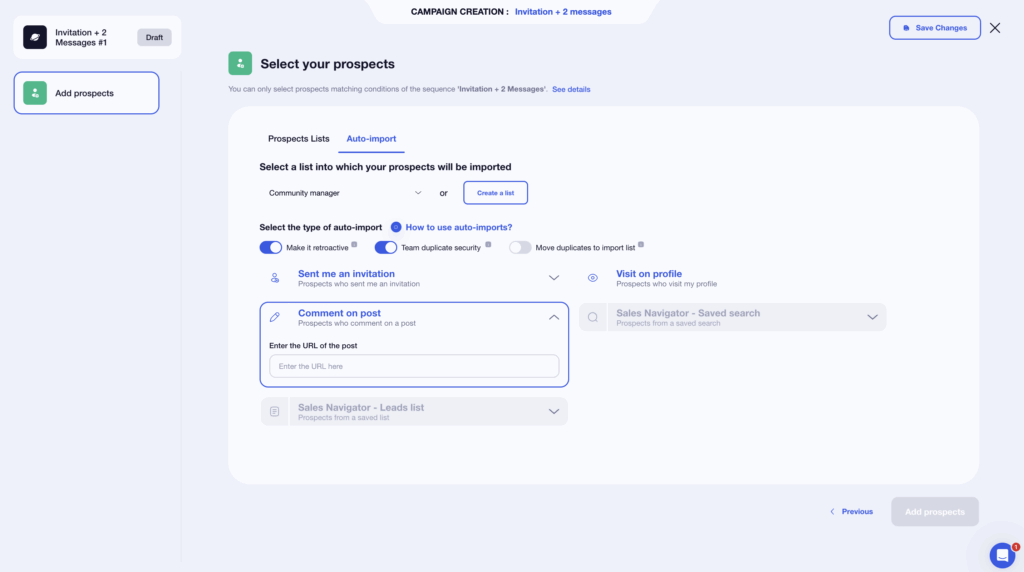
- LinkedIn auto-comment extension that imports from a post/comment.
For example, you can automatically import people who have commented on a post into your pipeline, allowing you to capitalize on engagement via comments.
In summary:
| Tool | What it does | Auto comments | Strengths | Ideal for |
|---|---|---|---|---|
| Kawaak | Generates and schedules posts | On other people’s posts | Artificial intelligence, performance analysis | Content creators |
| Podawaa | Boost your posts via pods | On your posts | Greater reach, easy to use | Gain visibility |
| PowerIn | Automate engagement with AI | Generates linkedin automated comments | Natural linkedin ai comments, targeted engagement | Scale visibility with authenticity |
| Commentions | AI-powered LinkedIn comment generator | On other people’s posts | Keep your brand messaging coherent and on-point. | Scale your LinkedIn presence |
| Waalaxy | LinkedIn prospecting + Email | Import commenters | Sequences, multichannel, integrated CRM | B2B prospecting |
Best practices for boosting the impact of LinkedIn Automate comment
Automating is beneficial. Automating without burning yourself out is better. 😉
1) How to avoid the robot effect from LinkedIn comment automation
The robot effect is that awkward moment when your comment looks like it was generated by a machine… and LinkedIn, like users, spots it very quickly. Here’s what to avoid:
- The same tone everywhere: If all your comments sound the same, it rings false. Vary the length, style, and energy. 📝
- No reference to the post: A few words on the subject are enough to show that “yes, you read it.” 😉
- Suspicious timing: 12 comments in 1 minute… LinkedIn isn’t fooled. 😅
Leave a little imperfection, a little humanity. ✨
2) Essential KPIs to track
Useful KPIs are simple and highly revealing. 📈 The performance indicators to monitor are:
| KPI | What it measures | Why it matters |
|---|---|---|
| Profile visits | People who visit “to see who you are”. | The first sign that your comments are attracting attention. |
| Invitations received/accepted | Your attractiveness and credibility. | Shows that your comments trigger natural connections. |
| Replies/likes on your comments | The level of engagement generated. | If your comments create mini-conversations, LinkedIn will boost you. |
| Reach of your posts | The reach of your own posts. | The more you comment, the more LinkedIn shows you, and the better your posts perform. |
3) Integrate human oversight to remain credible
Automation saves you time… but your credibility still depends on you 😌
The winning combination is:
- The tool manages most comments, i.e., daily presence, effortlessly. 🧘🏻♀️
- You intervene at key moments when you need to give real answers, continue a conversation, or follow up on hot leads. 🔥
- You keep some interactions 100% human so that your voice remains authentic. 🤓
Let’s recap on Automate LinkedIn comments
Automate LinkedIn comments can be scary at first 😅… but when used correctly, it’s one of the easiest ways to be visible every day without sacrificing your time.
Automation doesn’t replace humans, it simply helps you be present where it matters, engage faster, and multiply opportunities. 🤝 The numbers prove it: more reach, more profile visits, more invitations… and a pipeline that almost feeds itself 📈
But be careful, it’s a tool that needs to be used wisely. Good targeting, natural comments, a human pace, and minimal supervision are enough to avoid the robot effect and remain credible. 🤖
Frequently asked questions about Automate LinkedIn comments
How many automated “comments” per day are reasonable?
Between 5 and 15 comments per day, you remain well within a “human” and secure zone, even when using a LinkedIn auto commenter. Beyond that, LinkedIn may start to raise an eyebrow: slowdowns, checks, or temporary restrictions. 🫠
The idea is really to vary the pace, timing, and style to remain natural, as explained above.
How to get more likes and comments on LinkedIn?
To get more likes and comments on LinkedIn, you can:
- 💬 Engage consistently by commenting on relevant posts in your niche.
- 🤖 Use AI tools to stay active and maintain your posting rhythm.
- ✍️ Share content that addresses your audience’s real challenges and questions.
- 😊 Keep your tone natural and avoid repetitive or generic comments.
- ❓ Start conversations by asking short, engaging questions.
In short, you can boost your visibility without turning your LinkedIn account into a robot. 🤖
What are impressions on LinkedIn comments?
Impressions on your LinkedIn comments represent the number of times your comment was shown to other users in their feed or under a post. In other words, it’s how many people saw your contribution, even if they didn’t like or reply to it. 👀
When your impressions go up, it’s a good sign that your LinkedIn commenting is working: you’re showing up in the right conversations, staying visible, and getting your name in front of more people without extra effort. 💬✨
More impressions = more LinkedIn account views, more connection requests, and more opportunities to start meaningful conversations, especially when your content automatically comments. Definitely a metric worth keeping an eye on! 📈
Now you know everything there is to know about Automate LinkedIn comments.
 Elodie
09/03/2026
Elodie
09/03/2026 













