



- What Does “Automatically Liking LinkedIn Posts” Mean?
- Can You Really Automatically Like LinkedIn Posts?
- How Does LinkedIn Detect Automated Likes?
- Why Do People Use Auto-Like Tools on LinkedIn?
- 7 Best Tools to Automatically Like LinkedIn Posts
- How to Combine Auto-Likes with Authentic Engagement
- Recap: Automatically Liking LinkedIn Posts
- FAQ About Automatically Liking LinkedIn Posts
Getting more likes on LinkedIn can feel frustrating. 😮💨
You publish good content, but engagement stays flat… and manually liking posts every day quickly becomes time-consuming. That’s where automatically like LinkedIn posts come into play. But is it really effective? Is it allowed? And most importantly, is it worth the risk?
Let’s break it down! 👀
What Does “Automatically Liking LinkedIn Posts” Mean?
Automatically liking LinkedIn posts means using a tool or system that likes posts on your behalf, without you clicking manually. The action is automated based on predefined rules, for example, target profiles, keywords, groups, timing, or Linkedin pods. 😎
In short, instead of scrolling LinkedIn and liking posts one by one, the process runs in the background. 🤖
This practice is often called auto-like, LinkedIn auto liker, or automatic like.
Manual likes vs automated likes
Manual likes and automated likes may look identical, but when you automatically like LinkedIn posts, the process works very differently behind the scenes. 👀
| Manual likes | Automated likes |
|---|---|
| Triggered by a real user | Triggered by a script, extension, or third-party tool |
| Contextual and intentional | Rule-based and pre-configured |
| Natural speed and timing | Scalable and often repetitive |
| Fully aligned with LinkedIn’s expected behavior | Designed to save time and boost visible engagement |
| Low risk when used normally | Higher risk if overused or poorly configured |
Why doesn’t LinkedIn offer auto-like natively?
LinkedIn does not offer a native way to automatically like posts, and that’s a deliberate choice. 🙋🏻♀️
The platform is designed to prioritize:
- Authentic interactions. 🤝
- Meaningful engagement. 💬
- Relevance in the feed. 📊
At scale, automated likes can distort engagement signals and inflate vanity metrics, which ultimately hurts content quality across the platform. 🙃
That’s why LinkedIn restricts automation at the platform level and why auto like LinkedIn posts features only exist through third-party tools, never as native LinkedIn functions.

Can You Really Automatically Like LinkedIn Posts?
Short answer: yes, technically you can, but no, not officially. 👩🏻
Does LinkedIn allow automation?
LinkedIn’s User Agreement and Platform Policies are very clear on one point:
You’re not allowed to use bots, scripts or that access LinkedIn in ways the platform doesn’t explicitly authorize. 🫠
In practice, this means: 👇🏻
- LinkedIn does not offer any native feature to automatically like posts.
- Any auto-like behavior relies on third-party tools, not official LinkedIn APIs.
- LinkedIn actively monitors non-human patterns (speed, volume, repetition).
So while auto-like tools exist and work, they are not officially approved. ❌ That’s why you’ll never see “auto-like” mentioned as a LinkedIn feature and why accounts can face restrictions if automation is abused.
How do people automate like LinkedIn posts anyway?
Despite LinkedIn’s rules, many professionals still automatically like LinkedIn posts using external tools. 🤖 In practice, these tools fall into three main categories.
1. Browser extensions
Browser extensions simulate human actions directly inside your browser: scrolling the feed, clicking “Like,” and moving between posts. They’re easy to install and quick to use, which makes them popular with beginners.
The downside? If actions happen too fast or too frequently, detection risk increases quickly. ⚠️
2. Cloud-based automation tools
These run from external servers and follow predefined rules such as target profiles, posting times on LinkedIn… They’re more scalable and can be scheduled in advance, which makes them appealing for growth-focused users.
However, they must be carefully configured to mimic human behavior; otherwise, they can trigger LinkedIn’s safety systems.
3. Engagement pods
Engagement pods are groups of users who agree to automatically like (and sometimes comment on) each other’s posts. They’re often used to boost engagement right after publishing, during the LinkedIn algorithm’s most sensitive window. ⏱️
From LinkedIn’s perspective, the problem isn’t the tool itself. What really matters is the behavior pattern’s speed, volume, repetition, and consistency over time. ⏳
How Does LinkedIn Detect Automated Likes?
LinkedIn doesn’t ban accounts randomly; automation detection is mostly pattern-based, not tool-based. 🔍 In other words, LinkedIn looks at how you engage, not just that you engage.
What are the real risks if I use an auto-liker on LinkedIn?
Detection is usually triggered by behaviors such as:
- Unusually fast liking speed. ⚡
- High daily volumes that exceed normal user activity. 📈
- Repetitive engagement patterns. 🤖
- Activity outside normal human hours. 🌙
According to multiple account-based growth marketers and LinkedIn automation experts, accounts that stay within “human-like limits” are far less likely to be flagged 👍
That’s why serious automation tools emphasize:
- Daily action caps. 🧮
- Random delays, ⏱️
- Progressive warm-up. 🔥
Still, it’s important to be clear: zero risk doesn’t exist. 👀
What usually happens if you cross the LinkedIn line?
In most cases, LinkedIn applies progressive enforcement, not instant bans: 👇🏻
- Temporary action limits.
- Reduced reach.
- Account restriction.
- Permanent bans are rare but possible.
The biggest risk isn’t losing likes; it’s losing trust, reach and account stability. 🫠

Why Do People Use Auto-Like Tools on LinkedIn?
Auto-like tools are popular for one simple reason: they make LinkedIn engagement easier and faster. 🏃🏻♀️
For busy professionals, founders, and marketers, liking posts every day isn’t always realistic, even if they understand the value of staying active.
Here are the main reasons why people choose to automatically like LinkedIn posts: 👇
- ⏱️Saving time: Liking posts may seem simple, but doing it consistently takes time and attention. Auto-like tools allow users to stay “active” on LinkedIn without spending hours scrolling the feed, which is especially useful for sales teams, solopreneurs, and creators juggling multiple channels.
- 📈Boosting visibility: Likes are still one of LinkedIn’s strongest engagement signals. By generating early likes, auto-like tools help posts get initial traction, increasing the chances of being shown to a wider audience. More reach often leads to more organic engagement afterward.
- 🔥 Warming up an account: New or inactive accounts often struggle to get reach. Auto-likes are sometimes used as a warm-up strategy to signal activity, rebuild engagement history, and make future posts perform better, as long as it’s done gradually and realistically.
- 👥 Social proof effect: People are more likely to engage with content that already looks popular. A post with 30 likes feels safer and more credible than one with zero, even if the content quality is the same. Auto likes and comments help trigger this social proof effect, especially in competitive niches.
- ✨ Activating a post at launch: The first hour after publishing is critical on LinkedIn. Auto like and comment LinkedIn post tools are often used to activate posts immediately, sending early engagement signals that can multiply reach and trigger real interactions later.
Because up to 70% of a LinkedIn post’s reach is determined in the first hour, automated likes are often used to trigger early engagement signals and help posts gain initial reach.
Audit Before Automating LinkedIn Likes
Before you decide to automatically like LinkedIn posts, it’s essential to pause and run a quick audit. 🧠 Automation isn’t a magic switch; if used too early or for the wrong reason, it can do more harm than good.
Here are the key points you should review before turning on any auto-like tool. 🛠️
What’s your real objective?
Are you looking for more visibility, stronger personal branding, or better prospecting results? Auto-likes work best for reach and activation. They are far less effective if your main goal is direct lead generation. 👀
What type of account are you using?
LinkedIn doesn’t treat all accounts the same: 👇🏻
- Personal profiles.
- Creator accounts.
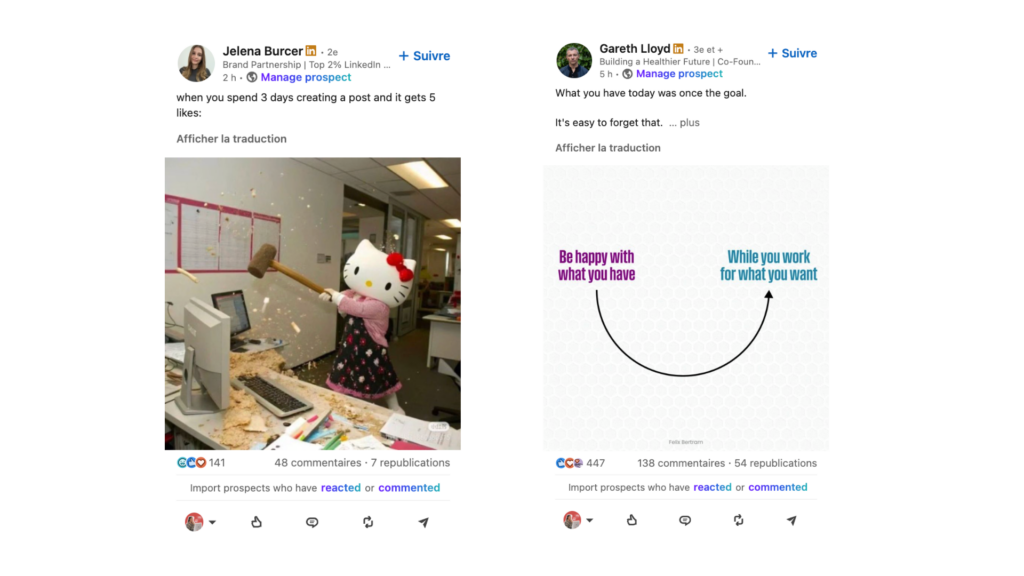
- Sales or recruiter profiles.
- Brand or company pages.
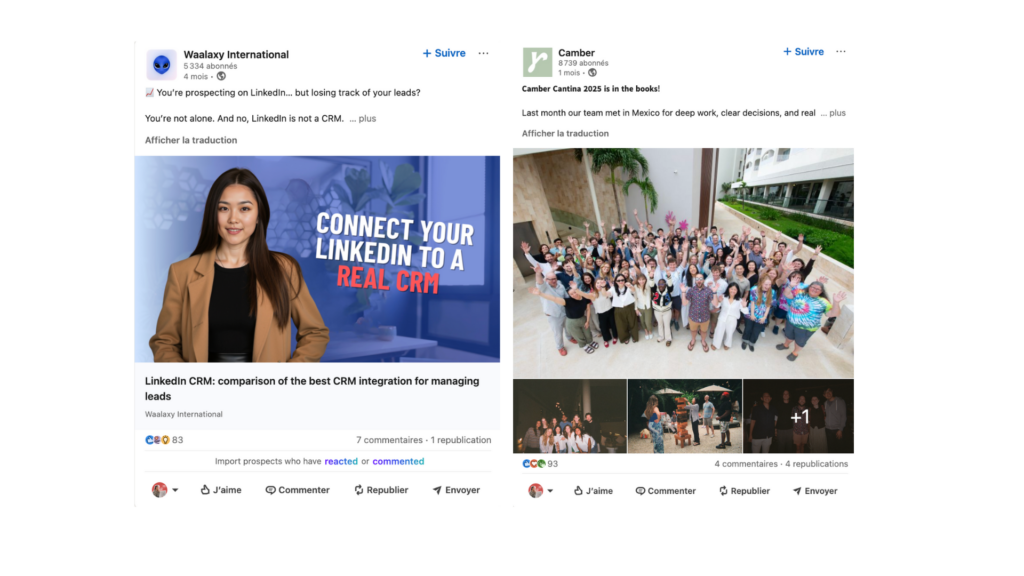
Personal and creator accounts usually tolerate light engagement automation better than brand pages, which are more closely monitored. 👀
How mature is your account?
Account age and history matter a lot. New or inactive accounts should start slowly, while older accounts with consistent activity and real networking can handle limited automation more safely. 🫥
➡️ Ask yourself:
- How old is the account?
- Is there regular posting and engagement?
- Is the network real and relevant?
Is your content worth engaging with?
Auto-likes can amplify posts on LinkedIn, but they can’t fix weak content.
If your posts don’t provide value, insights, or clarity, automated engagement will only boost numbers, not results. 😅
Risk tolerance vs expected gains
Every automation choice is a trade-off. Are you comfortable with small visibility gains if there’s a slight risk of reach reduction or restriction? Or do you need maximum safety at all costs? 💸
7 Best Tools to Automatically Like LinkedIn Posts
Automating likes can boost early engagement, but remember: tools should support, not replace, real interactions. The best strategy mixes automation with authentic comments, manual , and quality content.
| Tool | What it does | Best use case | Strategy tip |
|---|---|---|---|
| Phantombuster | Script-based LinkedIn automation | Custom workflows, auto-likes at scale | Powerful but technical, keep limits low to stay human |
| Podawaa | Engagement pods (Free linkedin likes generator + comments) | Early post activation | Works best with niche |
| Lempod | Pod-based engagement | Community-driven visibility | Avoid generic pods to prevent artificial signals |
| Linked Helper | Full LinkedIn automation | Likes + sequences | Strong tool conservative settings are key |
| Taplio | Content + engagement assistant | Creators and personal branding | Great for mixing content planning with light engagement |
| Heyou | Browser-based auto-like extension | Simple, quick automation | Easy setup but higher detection risk if overused |
How to Use Likes for LinkedIn Prospecting?
Likes are not just vanity metrics. They signal interest and help increase reach but they are not directly usable as prospects inside Waalaxy.
What Waalaxy actually allows is smarter (and safer). 👀 Instead of post likes, you can build prospecting lists from high-intent engagement actions, such as: 👇🏻
- People who comment on your posts.
- People who visit your LinkedIn profile.
- People who send you a connection request.
These signals show much stronger intent than a simple like.
How does it really work with Waalaxy?
A realistic and effective flow looks like this:👇🏻
- You publish a value-driven LinkedIn post.
- The post gets likes (organic or lightly boosted), which increases reach.
- Some people go further and comment or visit your profile.
- Waalaxy automatically imports these users into your prospecting campaign.
How to Combine Auto-Likes with Authentic Engagement
To get real results on LinkedIn, auto-likes should always be combined with authentic engagement. Here are a few best practices to make automation work with human interaction 🙋🏻♀️:
- Use auto-likes to activate, not to replace: Auto-likes are most useful in the first 30–60 minutes after publishing. After that, manual actions, like replying to comments and starting conversations, make the real difference. 💬
- Prioritize comments over likes: A single thoughtful comment often brings more reach than 10 likes. Use automation for support, but keep comments human and contextual. 🧚🏻♀️
- Engage with your real network: Liking posts from people you actually know or target feels more natural and improves long-term credibility. ⭐️
- Measure real outcomes, not vanity metrics: If likes don’t lead to comments, profile visits, or conversations, your social media strategy needs adjustment. 📊
If you want lower risk (or no automation at all), consider the following: 👇🏻
- Engaging in relevant LinkedIn groups.
- Commenting early on posts from your niche.
- Reply consistently to people who engage with your content.
- Building small, trusted engagement circles manually.
Recap: Automatically Liking LinkedIn Posts
Automatically like LinkedIn posts can help save time and boost early reach, but it’s not a magic solution. 🧙🏻
Auto-likes work best as a support tool, not a replacement for real engagement. They can activate posts and improve reach, but they won’t create trust, conversations or leads on their own. ⚠️
The smartest approach is to combine 👇🏻:
- Light, well-configured automation.
- Quality content.
- Human interactions.
Used carefully, auto-likes amplify what already works. Used blindly, they only inflate vanity metrics. 🤓
FAQ About Automatically Liking LinkedIn Posts
1. Can LinkedIn restrict or ban accounts for automated likes?
Yes. LinkedIn’s terms prohibit automation that simulates user activity. Excessive or unnatural liking behavior may trigger:
- Temporary action blocks
- Reduced reach
- Account restrictions
Risk depends on volume, speed, and behavioral patterns. The more human and gradual the activity appears, the lower the risk, but it’s never zero.
2. Do automated likes really improve LinkedIn reach?
Automated likes can help trigger early engagement signals, which may slightly increase initial visibility.
However, LinkedIn’s algorithm prioritizes meaningful engagement such as comments, dwell time, and conversations.
Likes alone rarely generate sustainable growth.
3. Can you automate LinkedIn likes?
Not directly, and not officially.
LinkedIn does not provide any built-in feature or API endpoint to automatically generate likes on posts. Any auto-like activity relies on third-party tools, browser extensions, scripts, or engagement systems that simulate human behavior. 😅
Technically, automation works but it operates outside LinkedIn’s official framework. ⚠️
Automated likes can help trigger early engagement signals, which may slightly increase initial visibility. However, LinkedIn’s algorithm prioritizes meaningful interactions such as comments, dwell time, and real conversations. Likes alone rarely generate sustainable growth.
That’s why auto-liking should always be used cautiously, with realistic limits, random delays, and gradual activity increases. When used sparingly, it can support visibility. When overused, it can lead to reduced reach or account restrictions. 🤗
4. Is it possible to automate likes on LinkedIn company pages?
Yes but it’s significantly more sensitive than on personal profiles. 👀
Company pages are monitored more closely because they represent brands rather than individuals. Most automation tools are designed primarily for personal or creator accounts, and their compatibility with company pages is often limited. ⚠️
If you choose to automate engagement from a company page:
- Keep volumes extremely low
- Avoid repetitive patterns
- Combine automation with genuine community management
In many cases, it’s more effective to use employee or founder profiles to support company content in a controlled way, rather than automating actions directly from the company page. 👩🏻💻
5. Can you auto-like posts in LinkedIn groups?
Yes. This is often done through group-based engagement systems similar to engagement pods. 🤝
In these setups, members agree to automatically like (and sometimes comment on) posts shared within a group.
When groups are:
- Niche-specific
- Relevant to your LinkedIn audience
- Actively moderated
They can help activate posts and improve early reach. 🤓
However, poorly managed group auto-liking often creates low-quality engagement that doesn’t lead to conversations, followers, or leads. If the people liking your content wouldn’t engage organically, the impact remains largely cosmetic. 💄
Now you know everything about automatically like LinkedIn posts. 🧚🏻♀️
 Toinon
23/06/2026
Toinon
23/06/2026 














