



You want to contact your prospect, but he hasn’t accepted your invitation… And as a result, you can’t send him any messages 😔. What if now was the time to send him an email, to develop a multichannel strategy? Problem: you don’t have his email address, because Waalaxy wasn’t able to retrieve his LinkedIn email address when he accepted the invitation.
What if I told you that Waalaxy let you do email enrichment, i.e. retrieve your prospects’ professional email addresses? Yes, it’s now possible thanks to the Email Finder 🤩 !
Today, we’re going to take a look at how to find professional email addresses with Waalaxy. Here’s a short tutorial on how to launch your first Email Finder campaign!
Step 1: Select your prospects
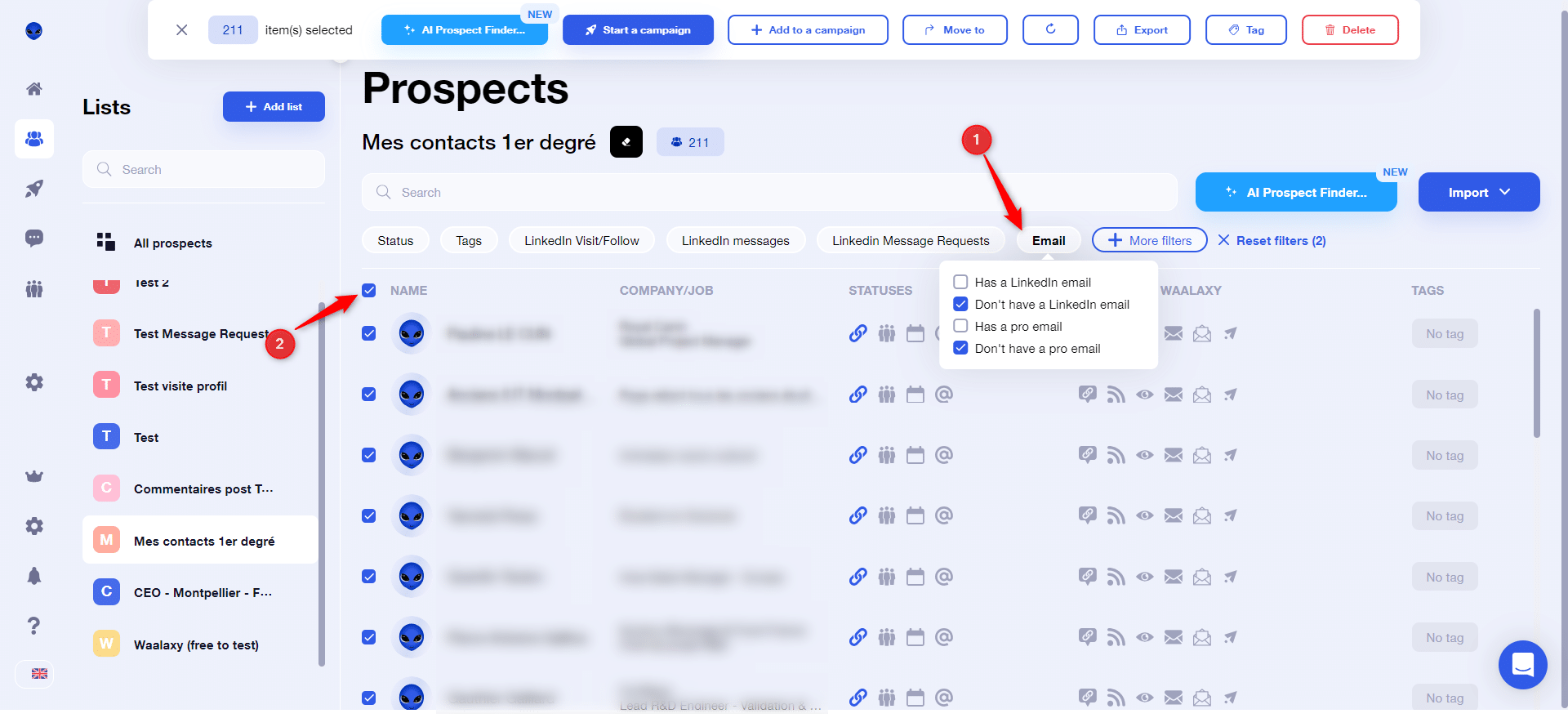
You’ve imported your prospects, and added them to a Waalaxy list. Now you can apply a filter to select all prospects who don’t have a LinkedIn email address, nor a professional email address (1). Once the filter has been applied, select them (2):

Step 2: Add them to an Email Finder campaign
Click on “Start a campaign”, then select the “Email Finder” sequence:
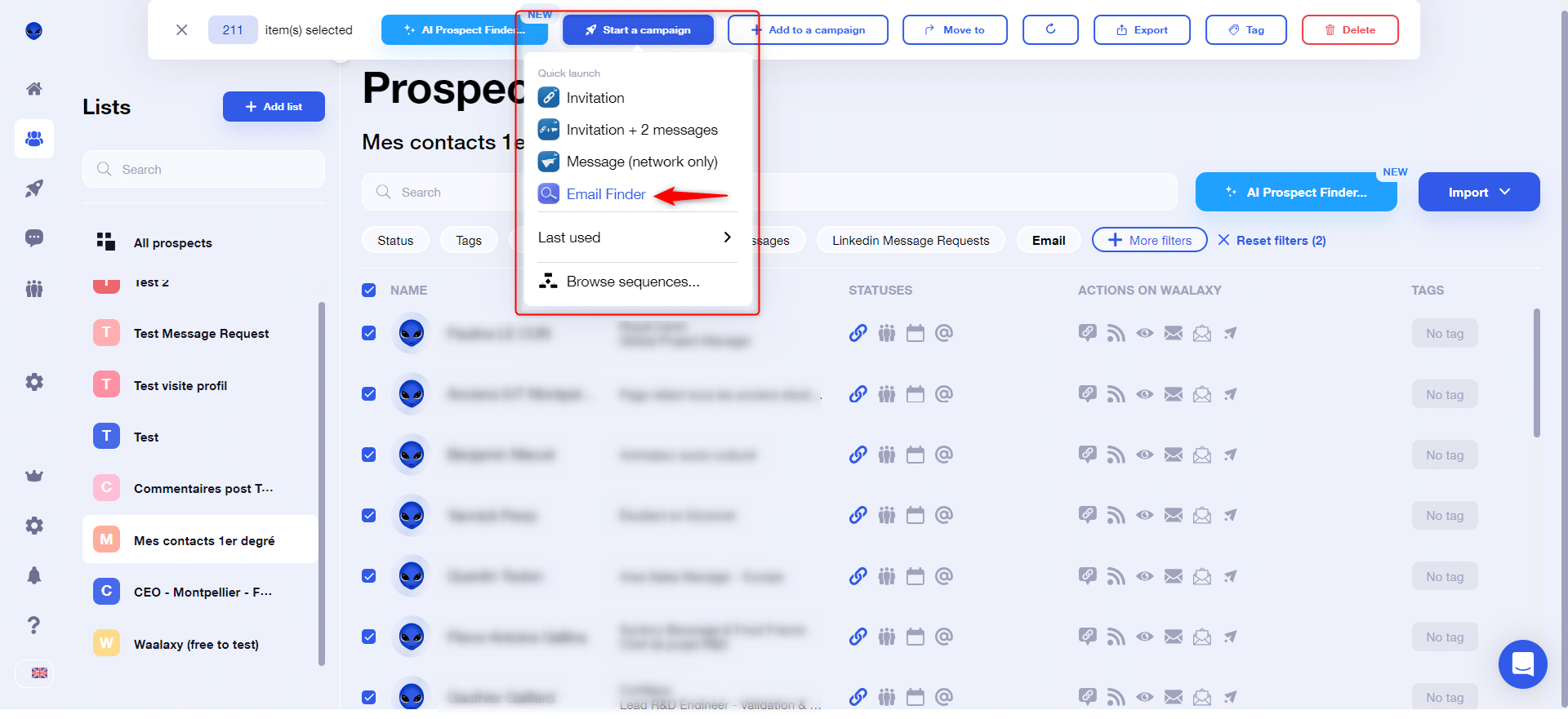
💡If the sequence does not appear, click on “Browse sequences”, you will then be redirected to our Waalaxy sequence search engine 💻.
Step 3: Set up your campaign
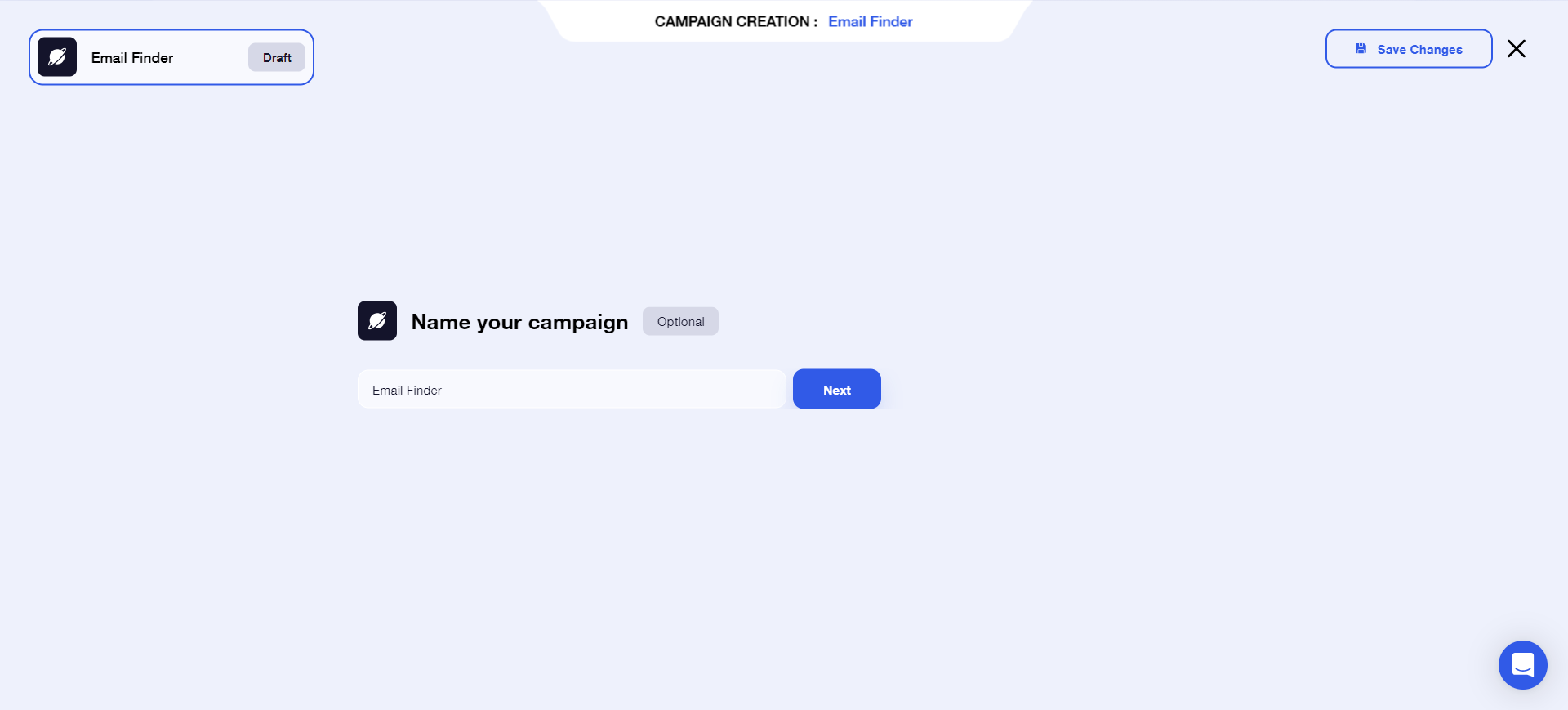
Name your campaign, then click “Next”:
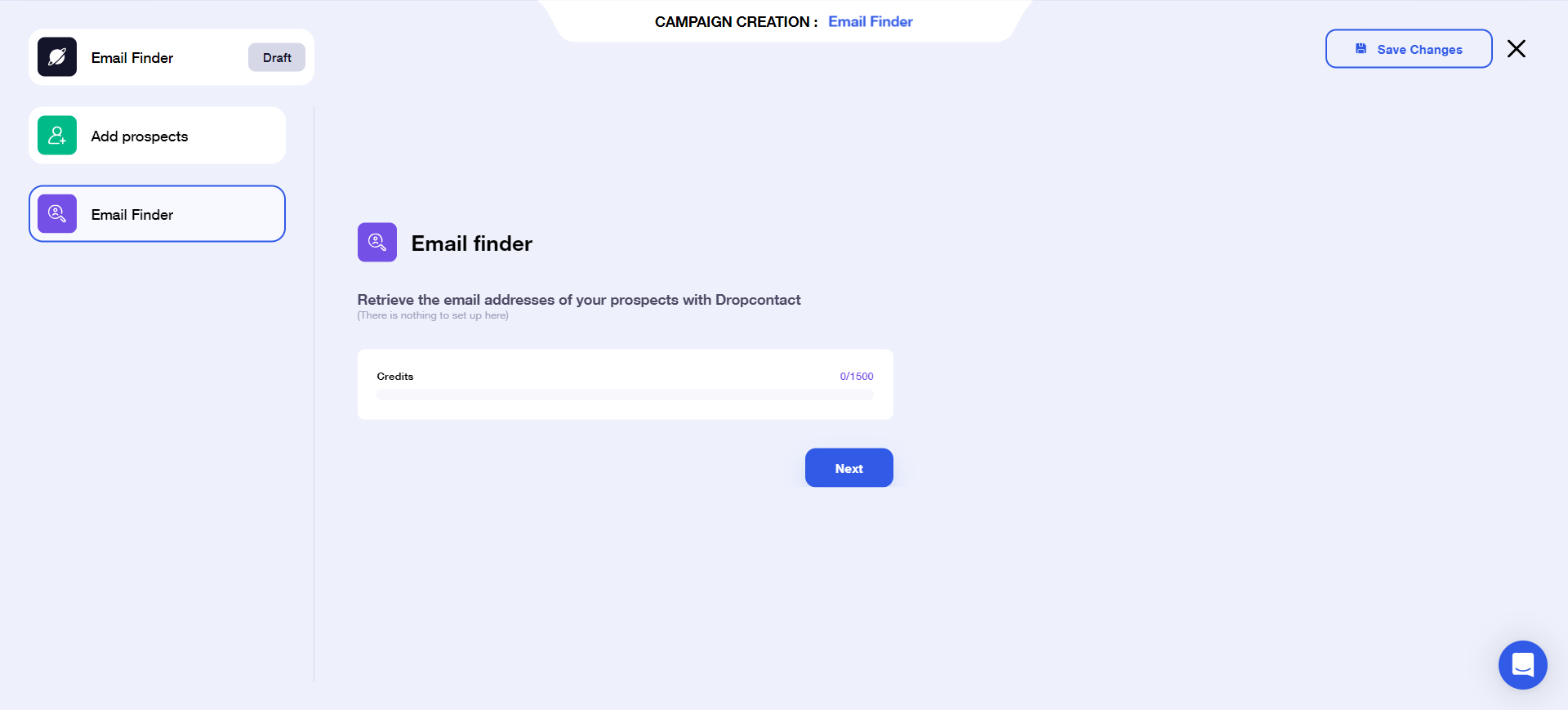
This takes you to the page below, which tells you how many credits you have left to launch the campaign. There’s nothing to set on this screen, so you can click “Next” directly:

Step 4: Launch your campaign
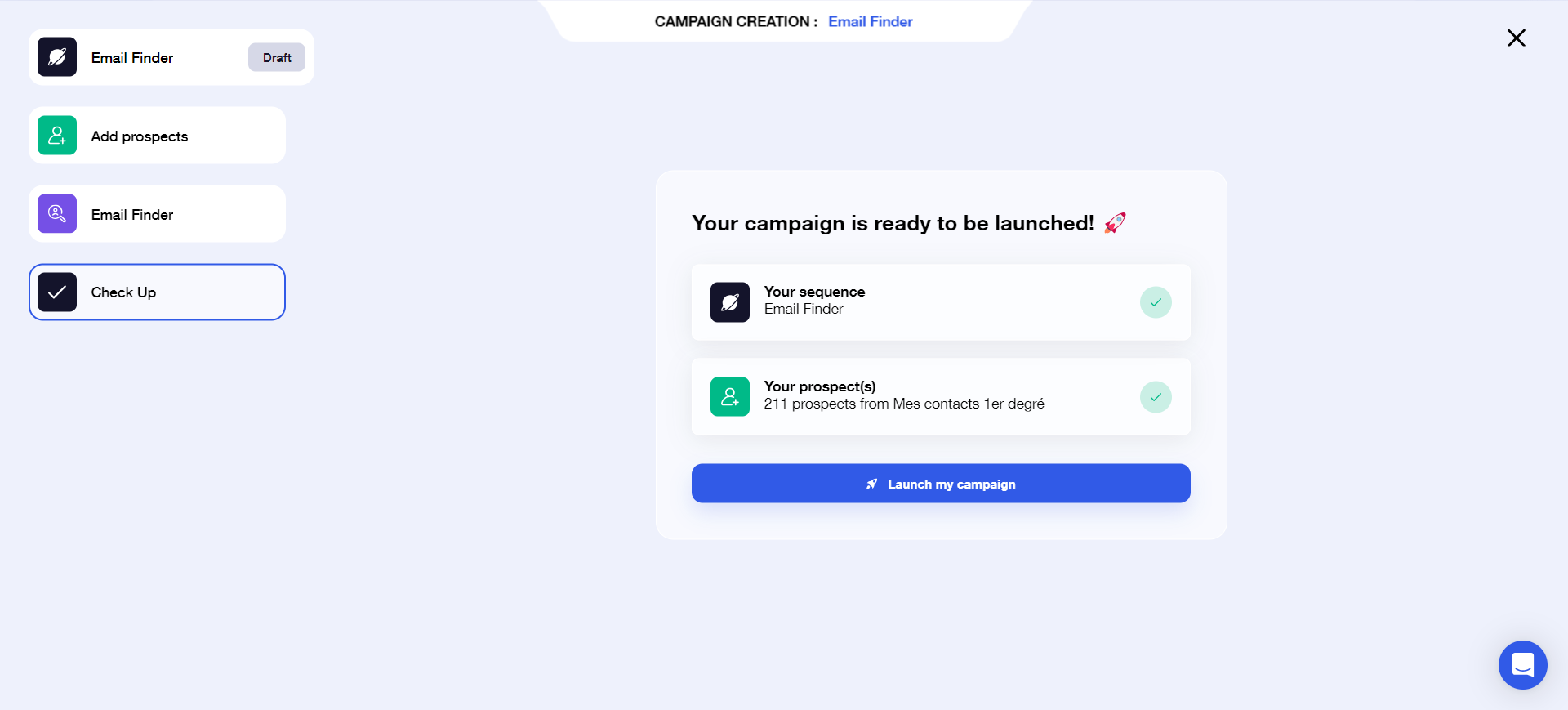
You’re now on the verification screen: all you have to do is click on the “Launch my campaign” button!
Step 5: Recover your found business email addresses
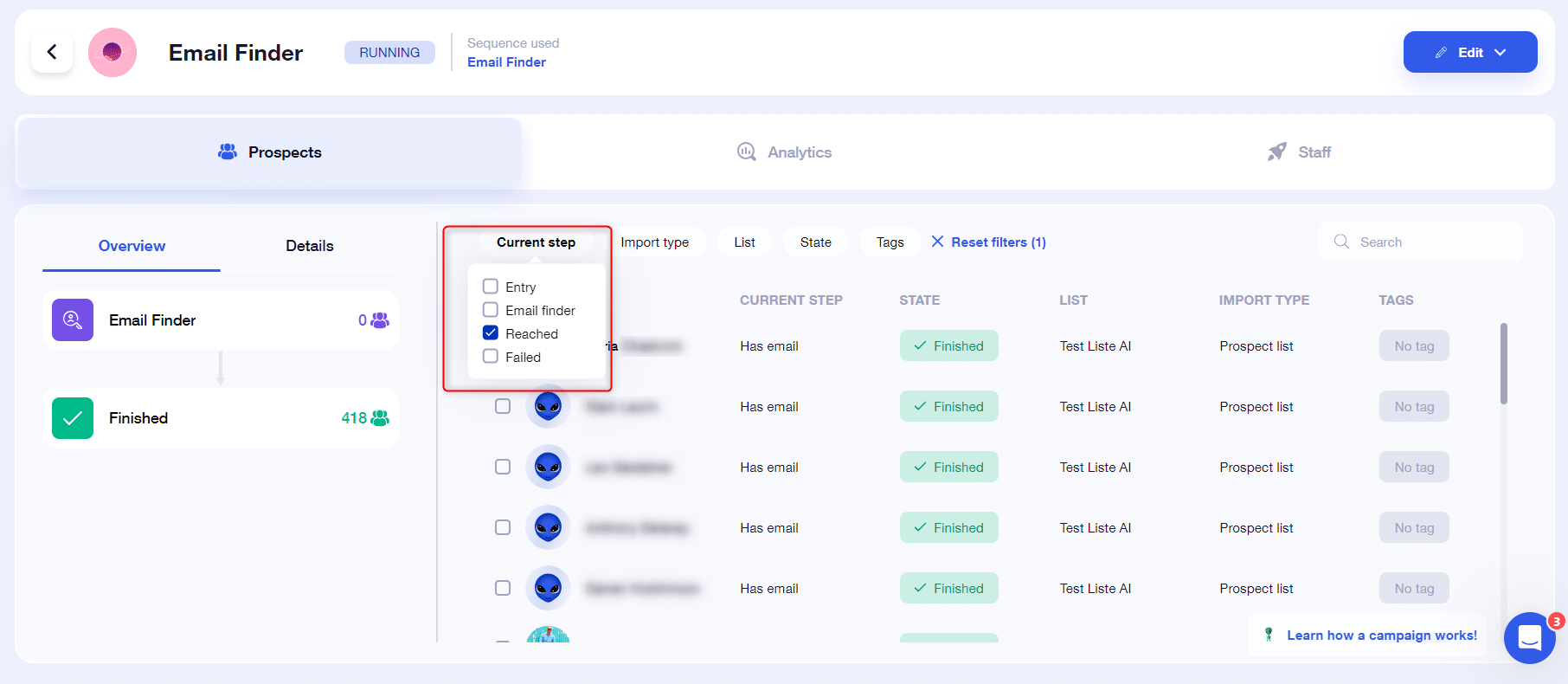
There are three methods. In your campaign, you can filter by “Step: Success”:
And in your list, you can filter with “Email: To a pro email” :
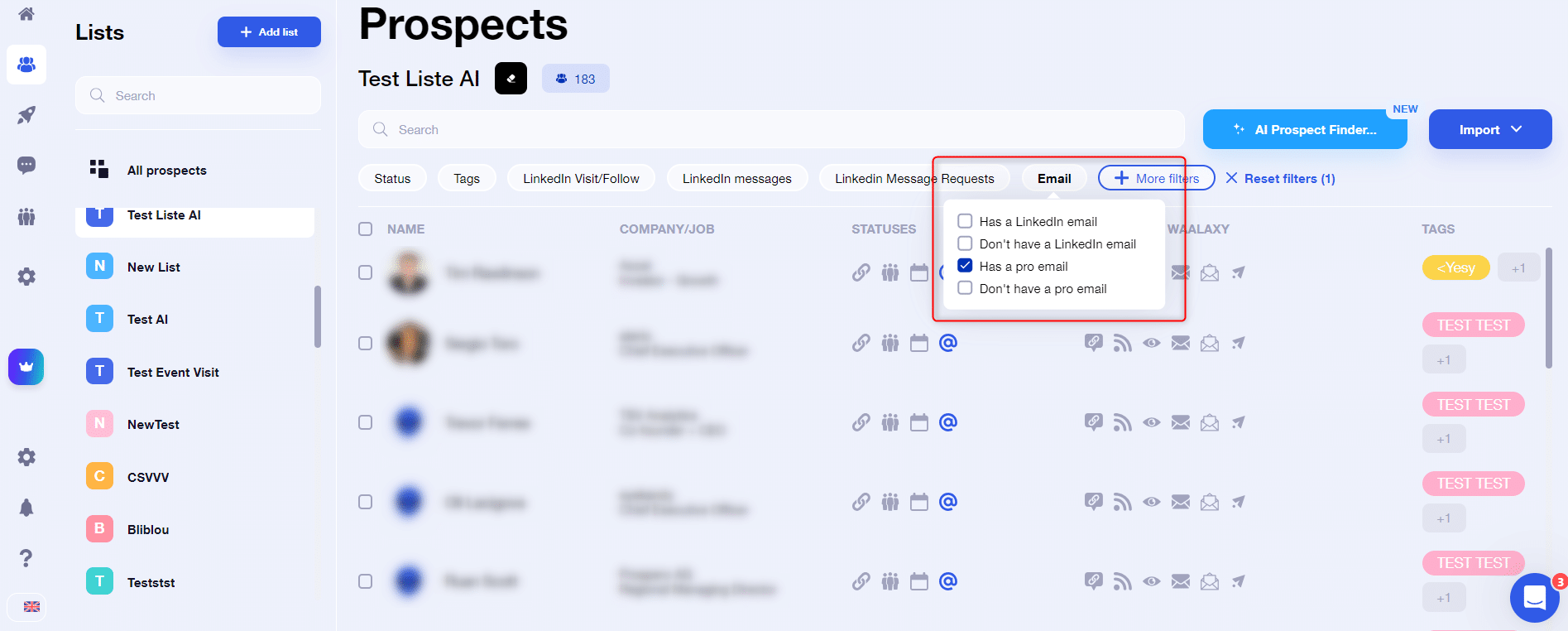
Once the filter has been applied and the prospects selected, you can export the email addresses to a CSV file so that you can use them even outside Waalaxy :

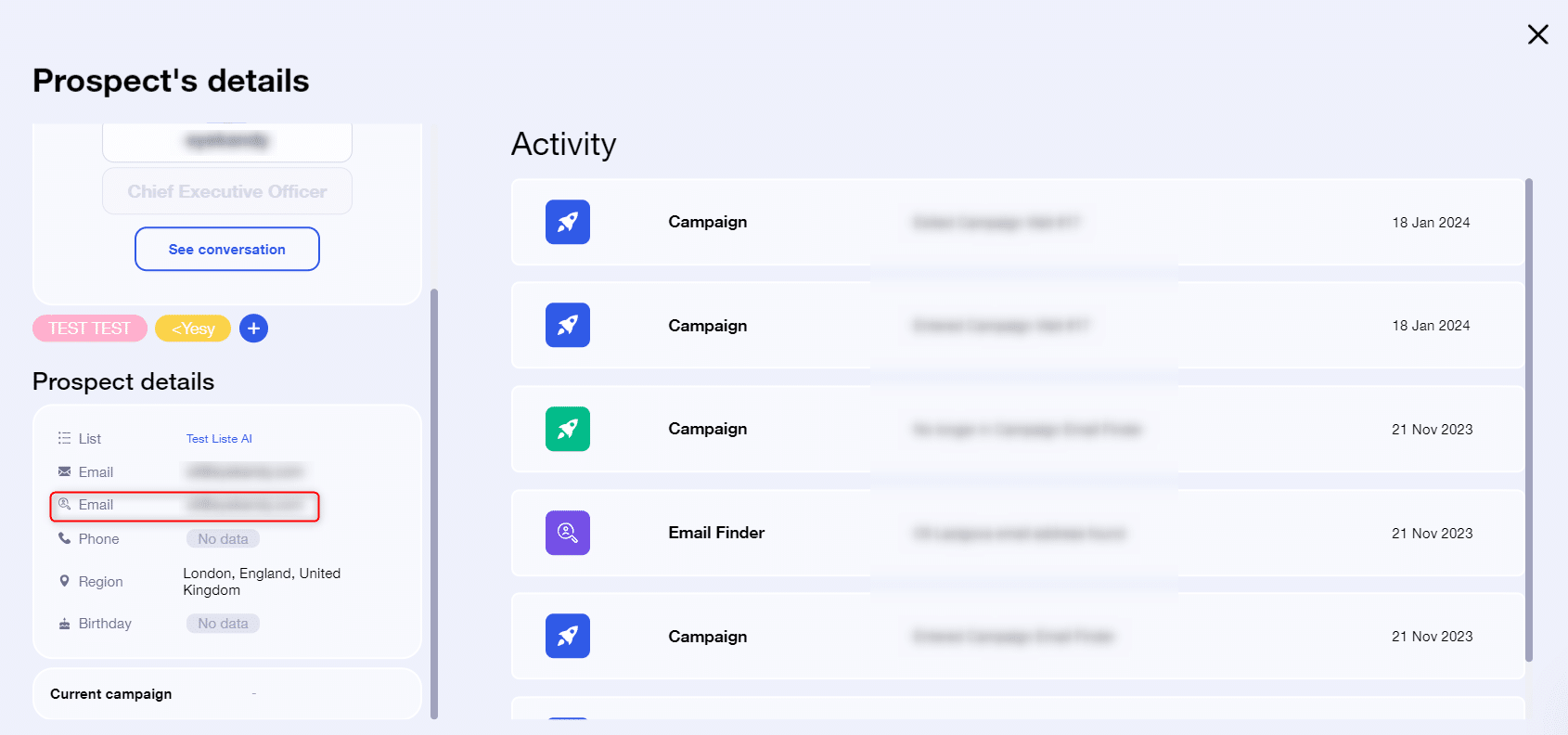
Finally, you can find the professional email addresses of each prospect by clicking on their name and accessing their prospect file:
And there you have it, all done in a matter of minutes 😎
Frequently asked questions
How does the Email Finder work?
The search for business email addresses is carried out by Dropcontact, and is based on semantics, i.e. an algorithm will run tests on possible combinations based on the company name and the prospect’s first and last name. This makes it an GDPR-compliant solution, and what’s more email addresses are verified as functional 👌.
What are credits?
Credits are a kind of internal currency, allowing you to find business email addresses. A credit is consumed as soon as a business email address is found (not searched 😅).
How many credits do I have per month?
This depends on your Waalaxy subscription. Business subscriptions include 500 credits. For Advanced and Freemium subscriptions, we offer 25 credits to let you test the functionality.
In any case, you can buy extra credits 🤑.
What happens when I’ve used up all my credits?
When you run out of credits, the Email Finder campaign will stop working automatically. And it will restart itself when you renew your credits, every month.
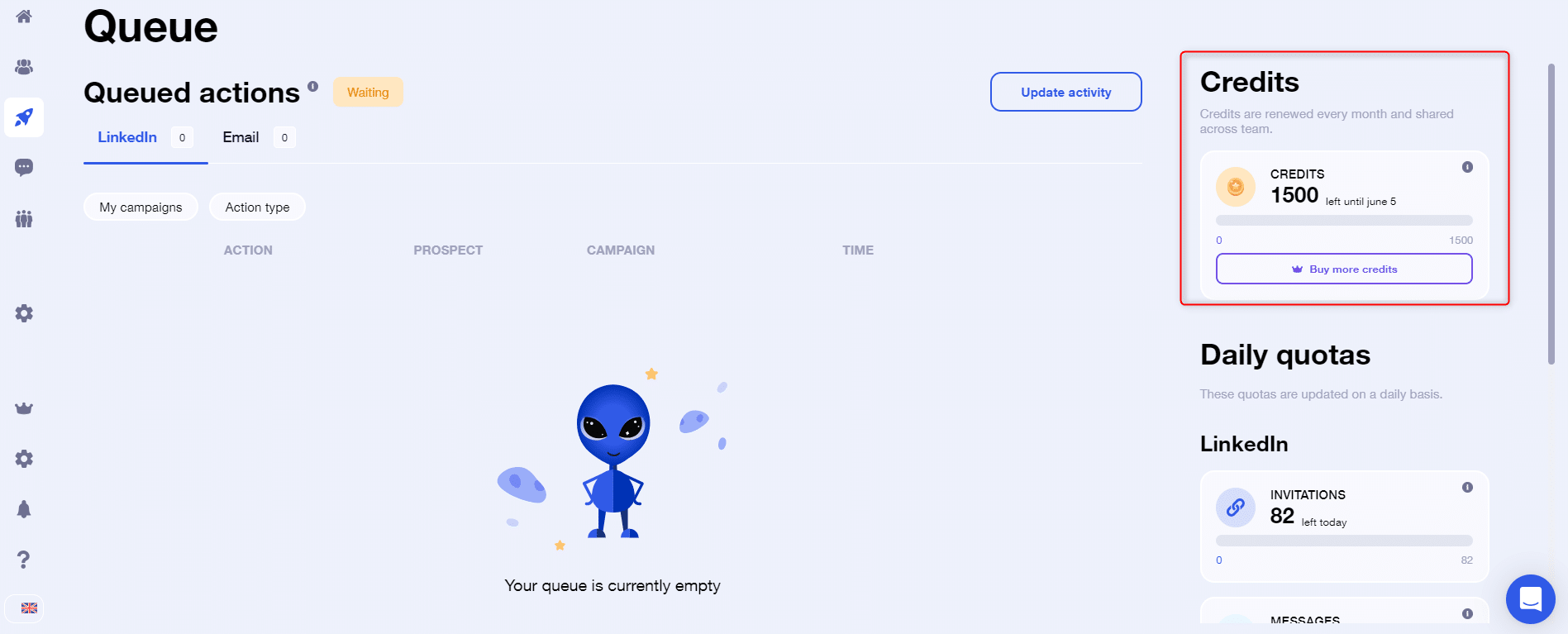
How do I know how many credits I have left?
You can access this information directly from the “Queue” tab. Here you can also see when your credits are due for renewal:
Can I launch an email campaign on Waalaxy from emails found in my Email Finder campaign?
Yes, as long as you have a Business subscription, which is our only package that includes email sequences.
 Elodie
25/02/2026
Elodie
25/02/2026 












